Best 360 Photo Software (2026 Guide)

.webp)
Last updated: February 2026
What You Will Learn
What 360 photo software actually needs to do in 2026
The 5 types of tools you will run into (and which you actually need)
Key features to prioritize for spin photography workflows
Pros and Cons (honest trade-offs)
Who this is for (and who should skip it)
ProductAI as the “cleanup and scale” layer for 360 sets
Buying guide: how to choose the best 360 photo software
Good 360 spin photography is less about “one perfect tool” and more about building a repeatable workflow: capture consistent angles, stitch them reliably, then polish frames so every rotation looks clean and on-brand. The challenge is that most 360 photo software focuses on the spinning viewer or the stitching step, not the e-commerce-ready finishing work that actually drives conversions.
This guide breaks down what to buy in 2026, what matters for speed and quality, and how to avoid common traps like viewer lock-in or inconsistent color across frames. If you are still dialing in your core catalog shots, start by tightening your product photos first. Clean source images make every 360 workflow cheaper and faster.
What You Will Learn
What 360 photo software actually needs to do in 2026
The 5 types of tools you will run into (and which you actually need)
Key features to prioritize for spin photography workflows
Pros and Cons (honest trade-offs)
Who this is for (and who should skip it)
ProductAI as the “cleanup and scale” layer for 360 sets
Buying guide: how to choose the best 360 photo software
What 360 photo software actually needs to do in 2026
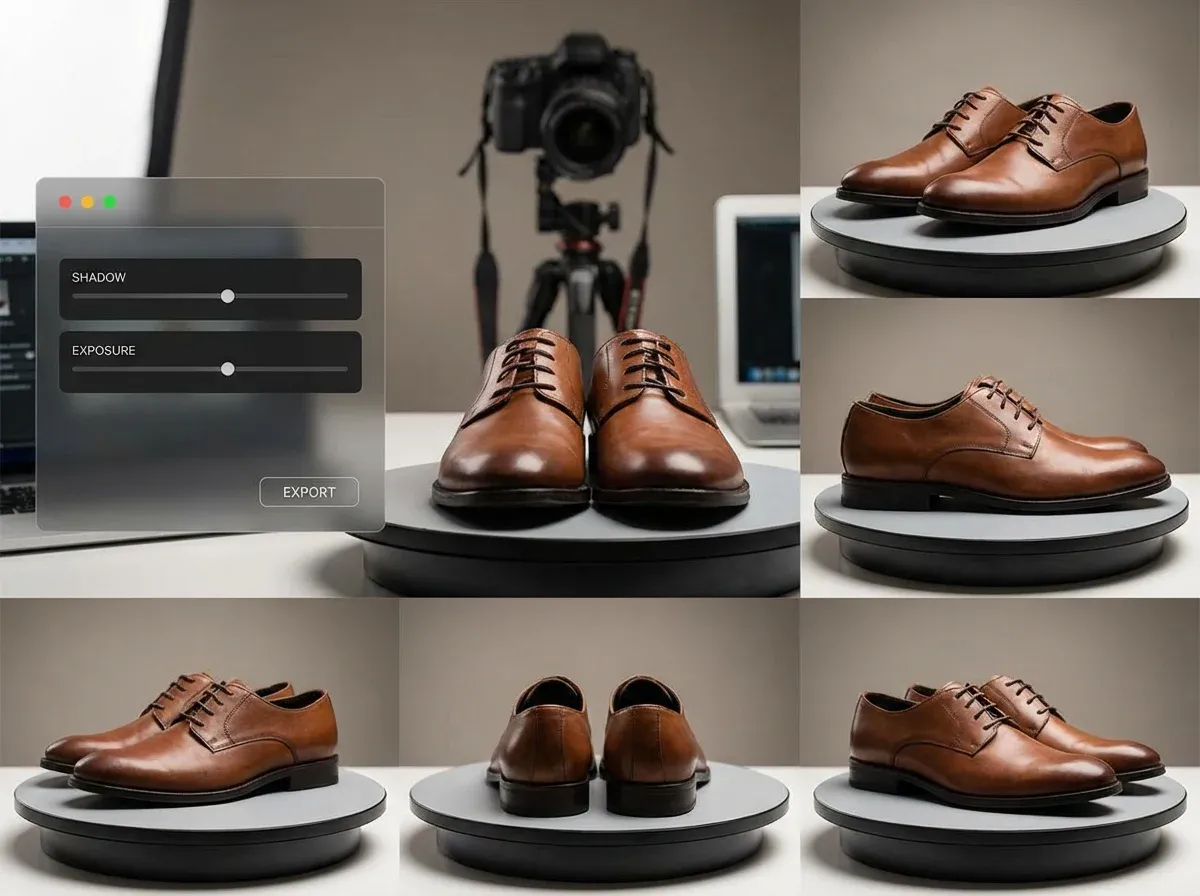
When people search for 360 photo software, they often mean one of three things: (1) software that stitches images into a spin sequence, (2) software that hosts/displays the spin as an interactive 360 view on product pages, or (3) software that batch-edits the individual frames so the spin looks consistent end to end.
In practice, most e-commerce teams need all three. The stitching or sequencing tool gets you a rotation. The viewer makes it shoppable. The editing layer is what stops the spin from looking amateur, with flickering shadows, background shifts, or exposure changes as the object rotates.
If you are selling on Shopify, Amazon, or marketplaces, also pay attention to deliverables: do you need a folder of JPG/PNG frames, a sprite sheet, a video turntable export, or a hosted embed? The “best” choice depends on your platform and how you publish.
The 5 types of 360 tools you will see (and how they fit together)
1) Capture systems (turntables + camera control)
This is the hardware and tethering layer that ensures each frame is evenly spaced, consistent, and aligned. If you are doing volume, this is where you win or lose time. Software here typically controls shutter, angle increments, and sometimes HDR/exposure bracketing.
2) Stitching and sequencing tools
These tools take your frame set and help you output a standard naming sequence (e.g., 001-036). Some also handle object centering, basic cropping, and frame-to-frame stabilization. If your capture is already consistent, you can often use simple batch scripting here.
3) Viewer and hosting platforms
A 360 photo viewer handles interactive spinning, zoom, inertia, and mobile gestures. Some are self-hosted and lightweight, others are SaaS platforms that also handle CDN delivery and analytics. The lock-in risk is real: if you stop paying, what happens to your embeds?
4) Photo editing and consistency tools
This is where many 360 workflows break. If each frame has slightly different shadows, background tones, or color temperature, the spin “flickers.” Traditional photo editing software can fix it, but it is slow at scale. AI photo editing software can help standardize and batch-produce cleaner results, as long as it does not distort the product between frames.
5) Conversion-focused output tools
Some teams skip interactive spins and export a short rotation video for marketplaces and ads. Others create a true 360 product photography experience on PDPs. Your “best” stack depends on where you need to publish and how much interactivity you need.
Key features to prioritize for spin photography
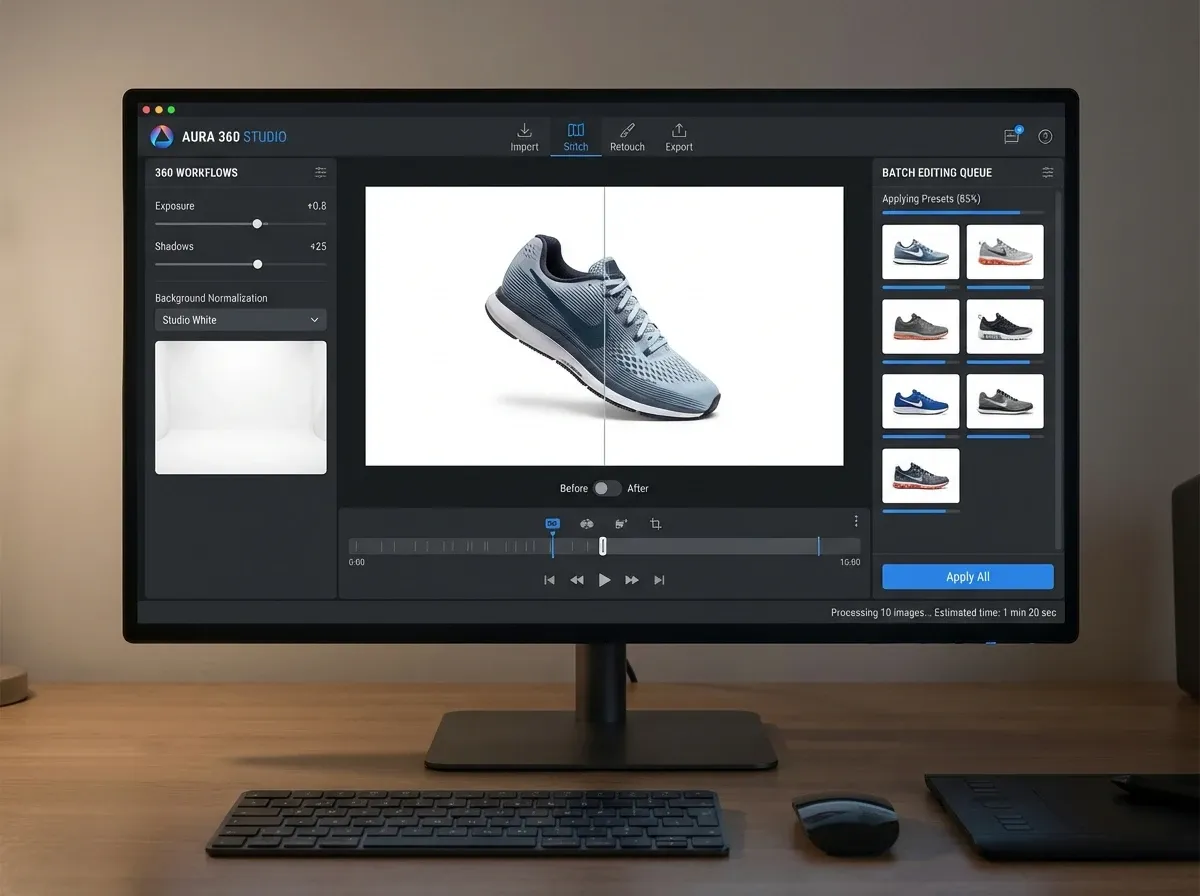
If you are buying software specifically to ship more spins per week (without hiring more retouchers), prioritize these features and workflow checks.
Batch consistency controls (the biggest quality lever)
Batch background standardization (pure white, light gray, brand color, or lifestyle)
Consistent cropping and centering across frames
Exposure and white balance leveling across the full rotation
Shadow control so the spin does not “pulse” as the product turns
Export flexibility (avoid viewer lock-in)
Export frames as JPG/PNG sequences you can host anywhere
Option to output a video rotation for ads or marketplaces
Predictable file naming and folder structure for automation
Viewer performance and mobile usability
Fast load times on mobile (compressed assets, lazy loading)
Pinch-to-zoom that does not feel laggy
Good defaults: drag direction, inertia, sensitivity
Workflow and team features
Templates/presets so different team members get the same look
API or integrations if you publish at scale
Collaboration: comments, approvals, versioning (optional, but valuable)
Where AI fits (and where it can hurt)
AI can dramatically speed up background cleanup and enhancement, but you need to be cautious with generative edits on 360 sequences. If the product shape changes slightly frame to frame, the spin looks “wobbly.” In 360, consistency beats creativity. Use AI primarily for controlled, repeatable edits like background normalization, resolution upscaling, and minor cleanup.
Pros and Cons
Strengths
360 workflows can increase shopper confidence by showing shape, depth, and details that single images miss, especially for higher-ticket items.
Modern 360 stacks can be modular: capture, sequence, edit, then publish in the viewer that fits your site and budget.
Batch-oriented tools reduce per-SKU labor and make it realistic to scale spins across a catalog, not just hero products.
AI photo editing software can remove the slowest steps (background cleanup, frame consistency fixes, upscaling) when used carefully.
Export-first tooling protects you from platform lock-in and makes your assets reusable across PDPs, ads, and marketplaces.
Considerations
True 360 quality depends heavily on capture discipline. No software fully fixes inconsistent lighting, misalignment, or camera shake.
Viewer platforms can create dependency. If your spins are hosted only inside one platform, switching costs can be painful.
AI edits can introduce subtle frame-to-frame differences. For spins, you must QA sequences, not single frames.
There is rarely a single “all-in-one” that is best at capture, editing, and viewing. Expect a small stack.
Who the best 360 photo software is for
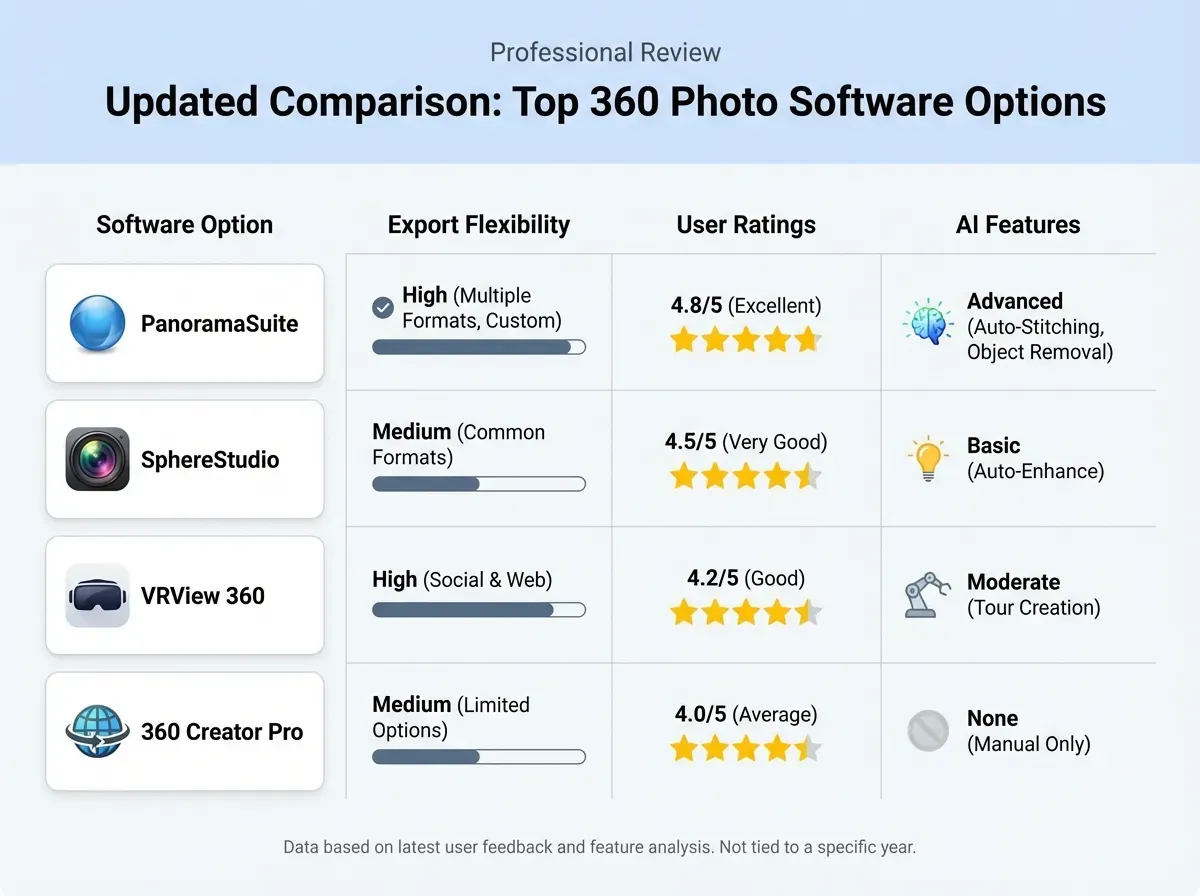
This category is a fit if you (a) sell products where shoppers care about angles and form factor, (b) want to reduce returns by showing more detail, or (c) need content that works across PDPs, ads, and sales decks. It is especially useful for footwear, bags, jewelry boxes, electronics, home goods, and any product with important side or back details.
If you only need a couple of spins per month, you might be better off outsourcing capture and focusing your internal time on conversion testing. If you are doing volume, build a repeatable pipeline and invest in batch editing and export flexibility.
ProductAI as the “cleanup and scale” layer for 360 sets
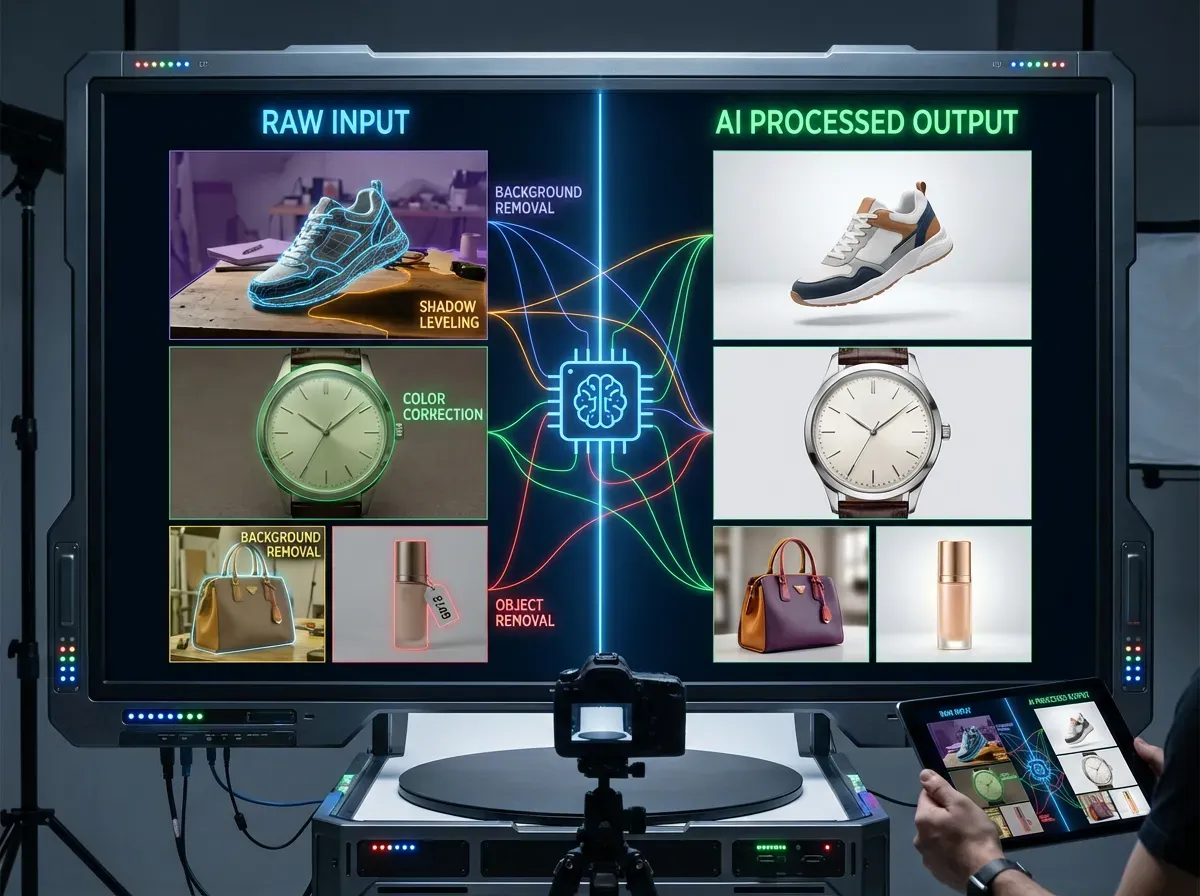
Most teams do not fail at 360 because they cannot make something spin. They fail because every frame needs cleanup, and that cleanup does not scale. This is where ProductAI can slot into a 360 workflow: you capture your rotation frames, then use AI to standardize and enhance them before you upload to your viewer.
Inside Creator Studio, you can process product frames quickly, then use the Background Swap Editor to normalize backgrounds across a set. If you need sharper zoom and cleaner detail in your viewer, Increase Image Resolution helps you prep frames for better perceived quality without re-shooting.
Limitations to be aware of: ProductAI is designed for product photography workflows, not as a general photo management software. Some features are in beta, and if you are processing high volumes, a credit-based model means you need to forecast usage so you do not run out mid-production.
If you want to sanity-check whether AI is cheaper than a traditional studio workflow for your catalog size, this cost breakdown is useful: Product Photography Pricing: How Much Should It Cost.
Buying guide: how to choose 360 photo software that will not slow you down
1) Start with your publishing requirement
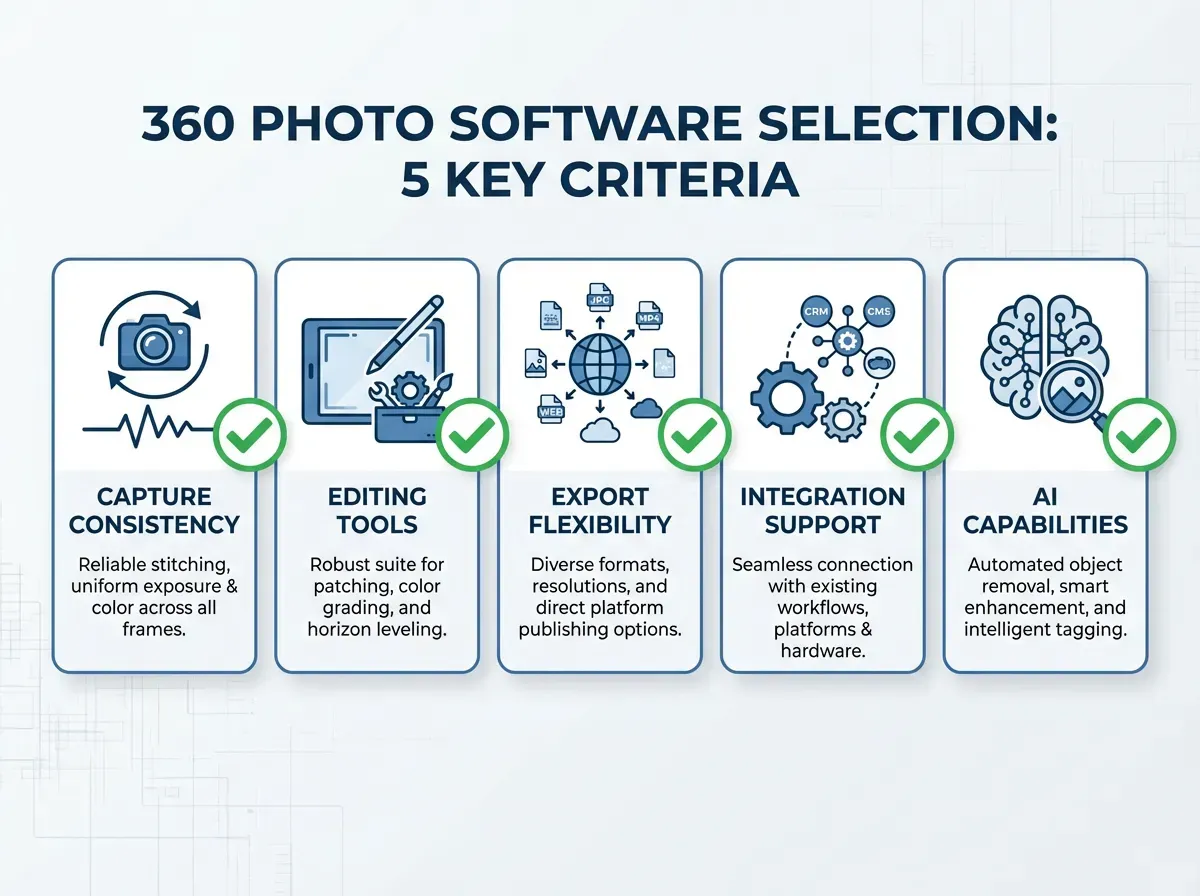
Before comparing features, decide what your storefront needs: a hosted interactive embed, a self-hosted JavaScript viewer, a sequence of images for a marketplace, or a simple video turn. If your priority is an interactive on-site experience, evaluate viewers first, then confirm your stitching/export format matches what the viewer expects.
2) Audit capture consistency (your hidden cost)
Software cannot fully correct inconsistent capture. If your turntable setup produces shifts in position or exposure, you will pay for it in retouching. Tighten your physical setup, then choose software that supports batch centering/cropping and frame-level consistency checks.
3) Prioritize batch editing over single-image features
For 360, the question is not “can it edit a photo?” It is “can it apply the same decision across 36 or 72 frames without introducing variation?” Look for repeatable presets and predictable outputs. This is also where AI can provide real ROI, especially for background normalization and enhancement, as long as you validate that the product does not morph across frames.
If you are new to AI-driven product editing, this practical checklist helps you get better results: Tips for Professional AI-Generated Product Photos.
4) Evaluate the viewer like a performance tool, not a “nice-to-have”
The viewer is part of your conversion funnel. Test it on mobile, on slow connections, and on real PDP templates. Make sure it supports lazy loading, sensible compression, and touch gestures. A beautiful spin that loads slowly can cost more sales than it wins.
5) Calculate true cost per SKU
Do not compare tools by monthly fee alone. Estimate cost per SKU including labor time. A “free photo software” tool might be expensive if it adds 10 minutes of manual cleanup per product. Conversely, a paid tool can be cheap if it saves 5 minutes per frame set and reduces re-shoots.
Time per SKU: capture + edit + publish
Rework rate: how often you need to re-edit or re-shoot
Asset reuse: can the same frames feed your viewer, ads, and marketplace listings?
Risk: vendor lock-in, export limitations, and dependency on hosted embeds
Frequently Asked Questions
What is 360 photo software?
360 photo software is a mix of tools that help you create and publish spin photography. Some tools sequence or stitch your rotation frames, others host an interactive viewer, and others handle batch editing so every frame looks consistent. For e-commerce, the best setup usually includes a viewer plus a reliable workflow for editing and exporting frame sequences.
Do I need a special camera to shoot 360 product spins?
Not always. You can shoot spins with many interchangeable-lens cameras, and even some phones for simple setups, as long as you keep lighting and positioning consistent. What matters most is repeatable angles and stable exposure. A turntable and consistent lighting usually make a bigger difference than upgrading your camera body.
How many frames should a 360 product spin have?
Common options are 24, 36, or 72 frames per rotation. More frames look smoother but increase capture time, file size, and editing work. Many e-commerce teams start with 36 frames for a good balance. If your products have lots of detail or you want very smooth motion, test 72 frames and measure load speed impact.
What file formats do 360 viewers typically need?
Many viewers accept a JPG or PNG image sequence with consistent naming, sometimes with optional high-resolution zoom images. Some platforms also support sprite sheets or video exports. Before you commit to a tool, confirm you can export assets in a format you can host and reuse, not only inside a single platform’s player.
Can AI photo editing software be used for 360 spins?
Yes, but use it with discipline. AI can speed up background cleanup, consistent enhancement, and upscaling. The risk is frame-to-frame variation that causes a flicker or wobble in the spin. If you use AI, process frames with the same settings and always QA the full rotation, not just a hero frame.
How do I avoid flickering in 360 spin photography?
Flicker usually comes from inconsistent lighting, shifting shadows, or exposure changes across frames. Start by locking down your capture setup: fixed lights, fixed camera settings, stable turntable increments. Then apply consistent batch edits to the entire set. If your background tone changes slightly frame to frame, normalize it before publishing.
Is a 360 view better than 3D for product pages?
A 360 view is typically easier and cheaper to produce because it is photography-based. Full 3D is more interactive but often costs more to create and maintain. For many stores, a high-quality 360 view delivers most of the benefit at a fraction of the cost. If your product needs configurators or AR, consider 3D.
Can I use regular photo editing software for 360 frames?
You can, and many teams do. The issue is scale: manual retouching across 36 to 72 frames per SKU gets expensive quickly. If you stay with traditional editors, prioritize batch workflows, presets, and automation. If you add AI tools, use them for controlled tasks like background normalization and enhancement.
How does ProductAI help with 360 workflows?
ProductAI is most useful as a frame-prep layer: cleaning backgrounds, standardizing look and feel, and enhancing resolution so your spins look sharp and consistent. You still need capture and a viewer, but ProductAI can reduce the manual retouching that makes 360 sets hard to scale. Test on one SKU and validate consistency across the full rotation.
What is the quickest way to improve spin photography without re-shooting?
Fix the frames you already have: normalize the background, correct exposure and white balance across the set, and upscale for better zoom quality where needed. The goal is to remove distractions that shoppers notice when the product rotates. In many cases, better frame consistency improves perceived quality more than adding more frames.
Key Takeaways
The “best 360 photo software” is usually a small stack: capture/sequence, batch editing, then a viewer.
Batch consistency is the top quality driver. Flicker kills perceived quality faster than low resolution.
Export flexibility helps you avoid viewer lock-in and reuse assets across channels.
AI can cut cleanup time, but you must QA full rotations to avoid frame-to-frame variation.
ProductAI is a strong option for preparing and enhancing 360 frame sets before publishing.
Conclusion
If you are investing in 360 spin photography, buy for throughput and consistency, not novelty. The right 360 photo software helps you (1) capture repeatably, (2) keep every frame visually consistent, and (3) publish a fast, mobile-friendly viewer that supports your conversion goals. Most teams get the best ROI by treating the viewer as the final step, and focusing earlier on a scalable frame-prep workflow.
If your bottleneck is cleanup and you want a faster way to standardize frames across rotations, explore ProductAI Creator Studio and test it on a single SKU before scaling to your full catalog.
Last updated: February 2026
Last updated: February 2026
About the Author
Giles Thomas, Ecommerce & AI Product Photography Expert – Founder, AcquireConvert.
Giles helps e-commerce teams build faster, more consistent visual content pipelines that improve conversion rates. His work focuses on scalable product photography workflows, including batch editing, asset standardization, and practical ways to use AI tools to ship 360 spins efficiently.

Hi, I'm Giles Thomas.
Founder of AcquireConvert, the place where ecommerce entrepreneurs & marketers go to learn growth. I'm also the founder of Shopify agency Whole Design Studios.