Best 360 Photo Viewer Options You Can Embed (2026 Guide)

.webp)
Last updated: February 2026
What You Will Learn
What a 360 photo viewer actually does (and what it does not)
Embed options: self-hosted, SaaS, and platform apps
The features that matter for conversions
Performance, formats, and image specs that keep it fast
How to make a 360 photo product set (practical workflow)
A quick buying checklist for picking the right viewer
You finally have a great product. Then you launch ads, check analytics, and realize shoppers still hesitate because they cannot “feel” the item from one or two angles. This is where a good 360 photo viewer earns its keep. When customers can spin a product, zoom into materials, and confirm details like buttons, ports, stones, stitching, or bezels, you reduce doubt. Less doubt usually means more add-to-carts and fewer “not what I expected” returns.
Here’s the thing: most teams get stuck choosing the viewer itself, when the real success comes from the whole chain. You need consistent frames, the right file formats, fast loading, and an embed that behaves nicely on mobile. Otherwise, your 360 looks impressive in a demo but feels sluggish on a product page.
This guide breaks down the best 360 photo viewer options you can embed today, what to look for, and how to decide based on your store, your catalog size, and your production workflow.
What a 360 photo viewer is (and why it is not “3D”)
.webp)
A 360 photo viewer is usually a JavaScript viewer that plays an image sequence. Think 24 to 72 photos shot around a product, stitched into an interactive spin. The viewer swaps frames as the user drags, giving the illusion of rotation.
Now, when it comes to expectations, this is not the same as a true 3D model viewer. A 360 product photo cannot change lighting direction or show the underside you never photographed. It is “what you shot is what you can show.”
When 360 wins
360 is a sweet spot for many e-commerce teams because it looks premium without the production and tooling overhead of full 3D. For products like watches, cosmetics, footwear, electronics, and packaging-heavy items, customers mainly want reassurance. They want to confirm shape, finish, and details. A strong 360 set does that well.
Where 360 struggles
If your product has complex geometry with hidden surfaces that matter to the purchase, a frame-based 360 can frustrate shoppers. Furniture and some home goods categories can fall into this if customers expect to “walk around” an item or view underneath. In those cases, you may need a 3D model, AR, or more traditional multi-angle photography as a fallback.
If you want the broader foundation first, start with the basics in our product photos guide and then build 360 on top of that.
360 viewer embed options: what you can realistically ship this week
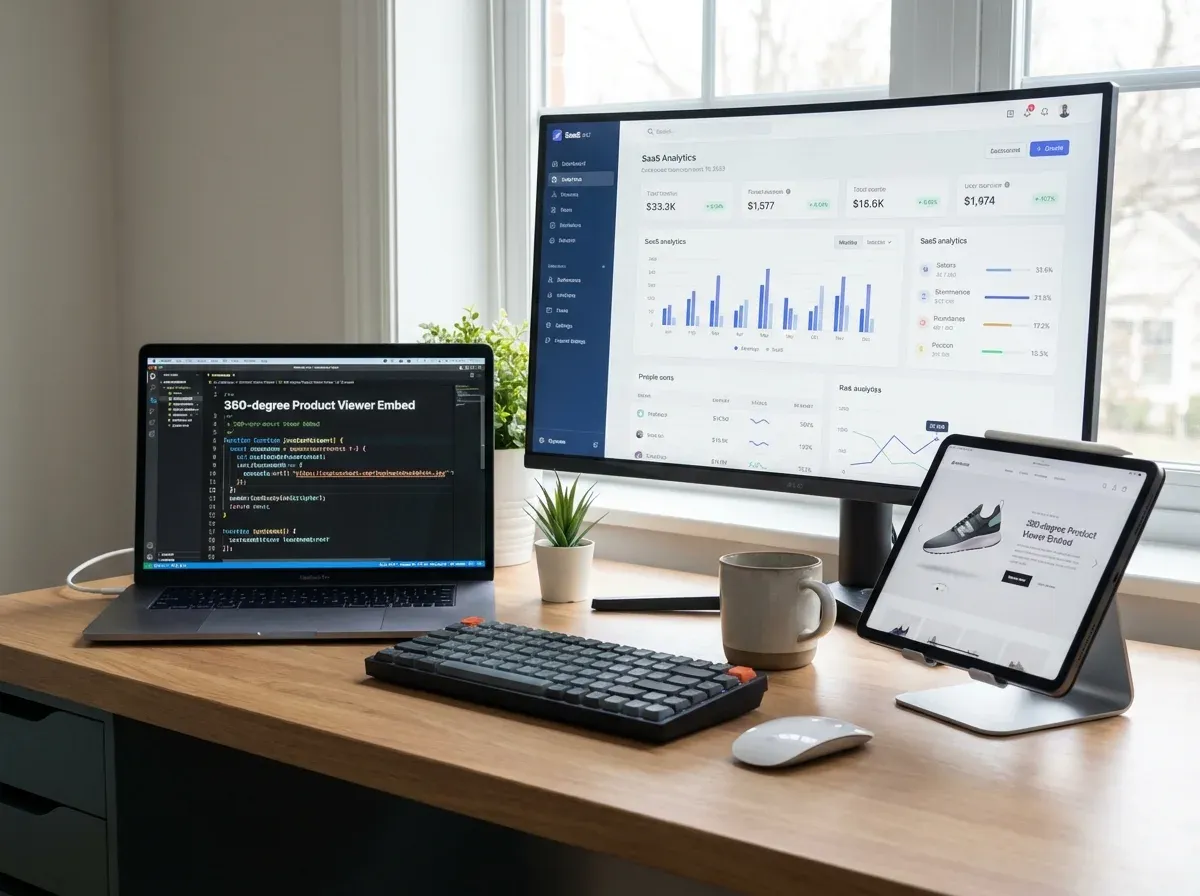
Most “best 360 viewer” lists focus on brands and forget your actual constraints: dev time, image hosting, page speed budgets, and how often you need to publish new spins.
From a practical standpoint, there are three common paths.
1) Self-hosted JavaScript viewers (maximum control)
You host the image sequence (often on your CDN) and embed a JS viewer that loads frames. This is great when you have a dev team, you care about performance tuning, and you want to avoid per-view fees. It also lets you integrate deeper with your PDP, like changing frames based on variant selection.
The trade-off is maintenance. You own the implementation, QA across browsers, and any edge cases around lazy loading, zoom, touch gestures, and accessibility.
2) SaaS 360 platforms (fastest time to value)
SaaS platforms typically give you hosting, a viewer, analytics, and sometimes a capture workflow. If your team needs to move quickly or you are scaling 360 across many SKUs, this can be the simplest route. The viewer embed is usually a script tag or iframe.
What many businesses overlook is lock-in. If you ever want to move vendors, you will want to confirm you can export your frame sequences and keep file naming consistent.
3) Platform-specific apps (Shopify, BigCommerce, etc.)
If you are on Shopify, an app can be a good compromise: it is easier than custom code but can integrate nicely with product templates and themes. Just be strict about performance. Some apps add extra scripts you do not need.
If you are specifically comparing approaches for your store setup, our guide to a 360 product viewer breaks down where each option fits.
What to look for in the best 360 photo viewer embeds
Most 360 viewers will “work.” The best ones protect conversion rate by staying fast, feeling natural on mobile, and avoiding visual glitches that make products look cheap.
Core features that affect shopper confidence
Touch-first controls: smooth drag, inertia (optional), and no accidental page scroll traps.
Zoom that feels intentional: pinch-to-zoom on mobile, click-to-zoom on desktop, and crisp source frames.
Hotspots or annotations (optional): helpful for electronics, outdoors gear, or anything feature-driven.
Fallback behavior: if 360 fails to load, the customer should still see a hero image quickly.
Variant support: switching colorways should not reload the entire page or break the viewer.
Operational features that save your team time
Consider this: you are not buying a viewer, you are buying a workflow. The operational features matter more as soon as you scale beyond a handful of SKUs.
Batch uploads and consistent naming conventions for frame sequences
Compression controls per device type
Basic analytics: engagement rate, average spins, zoom usage
Permissioning for agencies and freelancers
For a deeper breakdown of viewer behavior and UX patterns, see our companion post on a 360 image viewer.
Performance, file formats, and specs: what keeps a 360 viewer fast
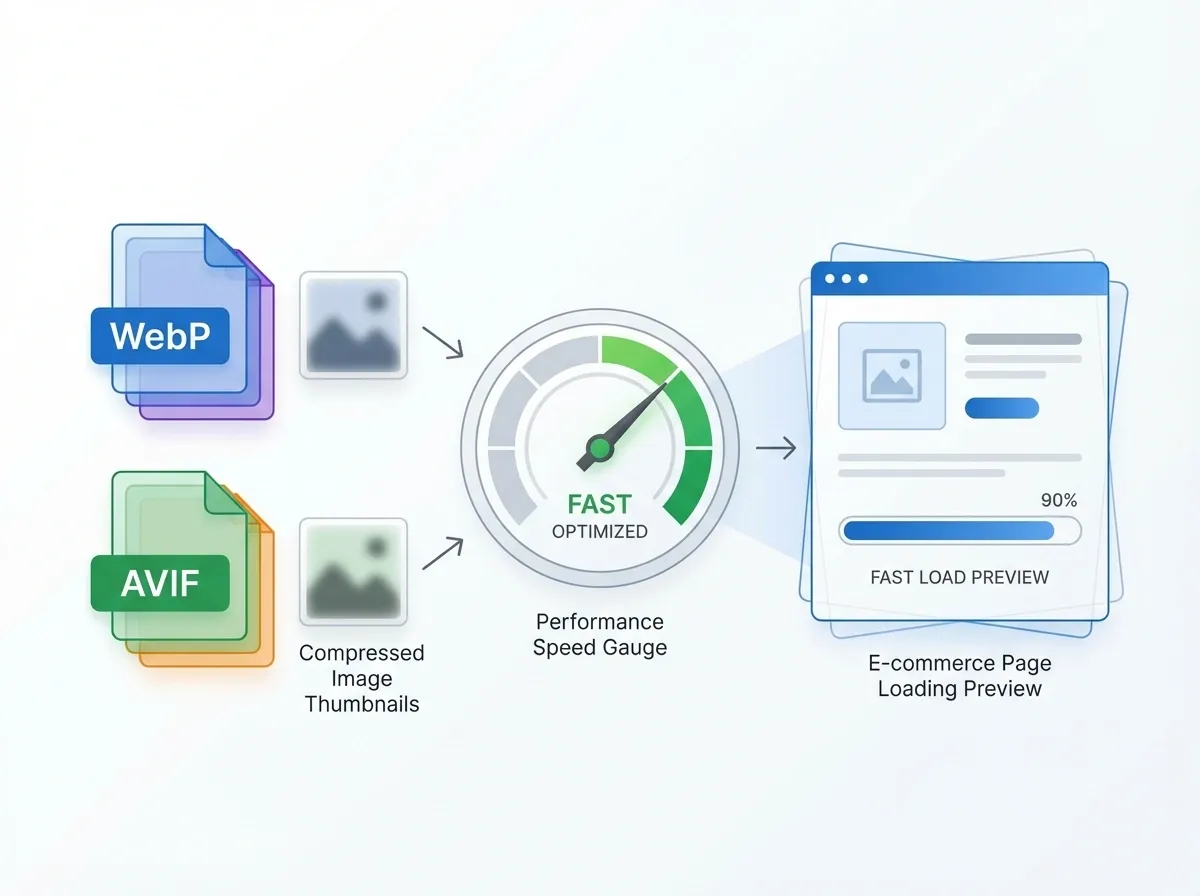
The reality is that 360 experiences fail when they feel heavy. A slow 360 photo viewer is worse than no 360 at all because it interrupts the buying flow.
How many frames do you really need?
Most e-commerce 360 sets land between 24 and 72 frames. More frames look smoother, but the file weight climbs quickly. If you are selling a watch 360 photo set, 48 or 72 can feel luxurious. For many consumer products, 24 or 36 is enough, especially on mobile.
File formats and compression
Use modern formats where you can. WebP and AVIF often reduce file size dramatically compared to JPEG, while keeping detail. Your viewer and hosting stack need to support these formats, so confirm compatibility before you commit.
Also watch your color consistency. If each frame has slightly different white balance, customers notice the “flicker” while spinning. That flicker makes products look lower quality than they are.
Lazy loading and progressive rendering
In practice, this means loading a fast first frame (the hero angle), then streaming the rest as needed. Better viewers will preload a few adjacent frames around the starting point so the first drag feels instant.
If you already have frames but they look soft on Retina screens, a quick fix is generating higher-res exports and downscaling intelligently. One example is ProductAI’s Increase Image Resolution tool, which can help you test sharper 360 frames without re-shooting.
How to make a 360 photo product set that looks professional
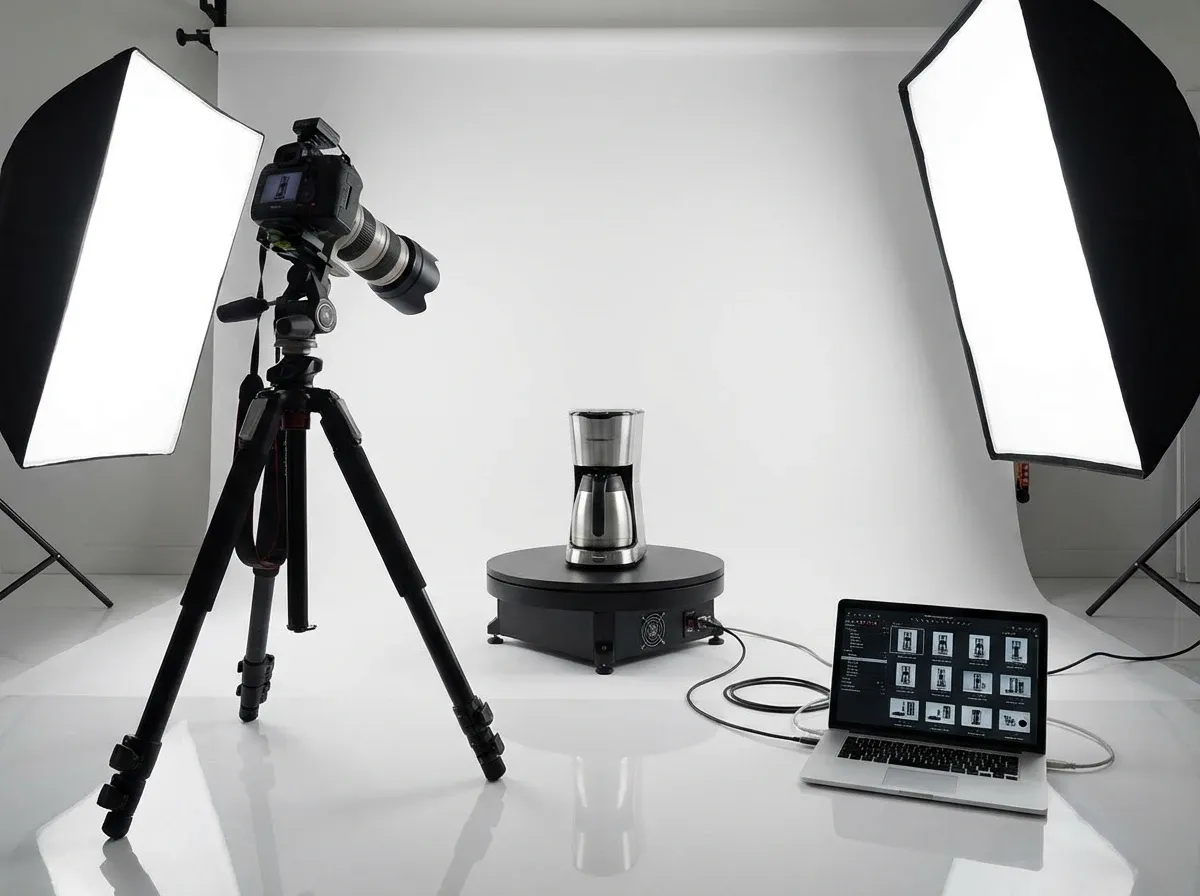
People search “how to make 360 photo product” like it is one trick. It is really a repeatable studio routine. Once you lock it in, you can scale to hundreds of SKUs without chaos.
A practical studio photo 360 workflow
Stabilize the product: use a turntable, sticky tack, or a fixture so the item does not wobble between frames.
Lock your camera settings: manual exposure, manual white balance, and manual focus. Consistency beats “perfect” settings.
Control reflections: watches, glossy packaging, and electronics need diffusion. A light tent or large softboxes help.
Shoot a full rotation: pick 24, 36, 48, or 72 frames and keep the angle increments consistent.
Edit in batches: crop and align all frames, then apply the same color and contrast adjustments across the set.
Export for web: compress for the target device, convert to WebP or AVIF if supported, and keep file naming consistent.
QA inside the viewer: check for flicker, jumps, inconsistent shadows, and edges “popping” due to misalignment.
Background choices matter more in 360 than you think
A clean, consistent background helps the viewer feel smooth. If your background gradient shifts from frame to frame, that shift creates visual noise. That noise makes customers focus on the photography, not the product.
If you need to test lifestyle looks for ads while keeping your core 360 set clean, tools like ProductAI’s AI Background Generator can help you create supporting imagery without changing your 360 production line.
Where AI helps, and where it does not
AI can help you speed up parts of the workflow: background cleanup, generating extra marketing images, or improving consistency across a catalog. It is less reliable for “inventing” missing angles in a 360 sequence because small geometry errors become obvious as soon as a shopper drags the product.
If you are evaluating your tooling stack end-to-end, our guide to 360 photo software is a good next read.
A quick checklist for choosing the right 360 viewer for your store
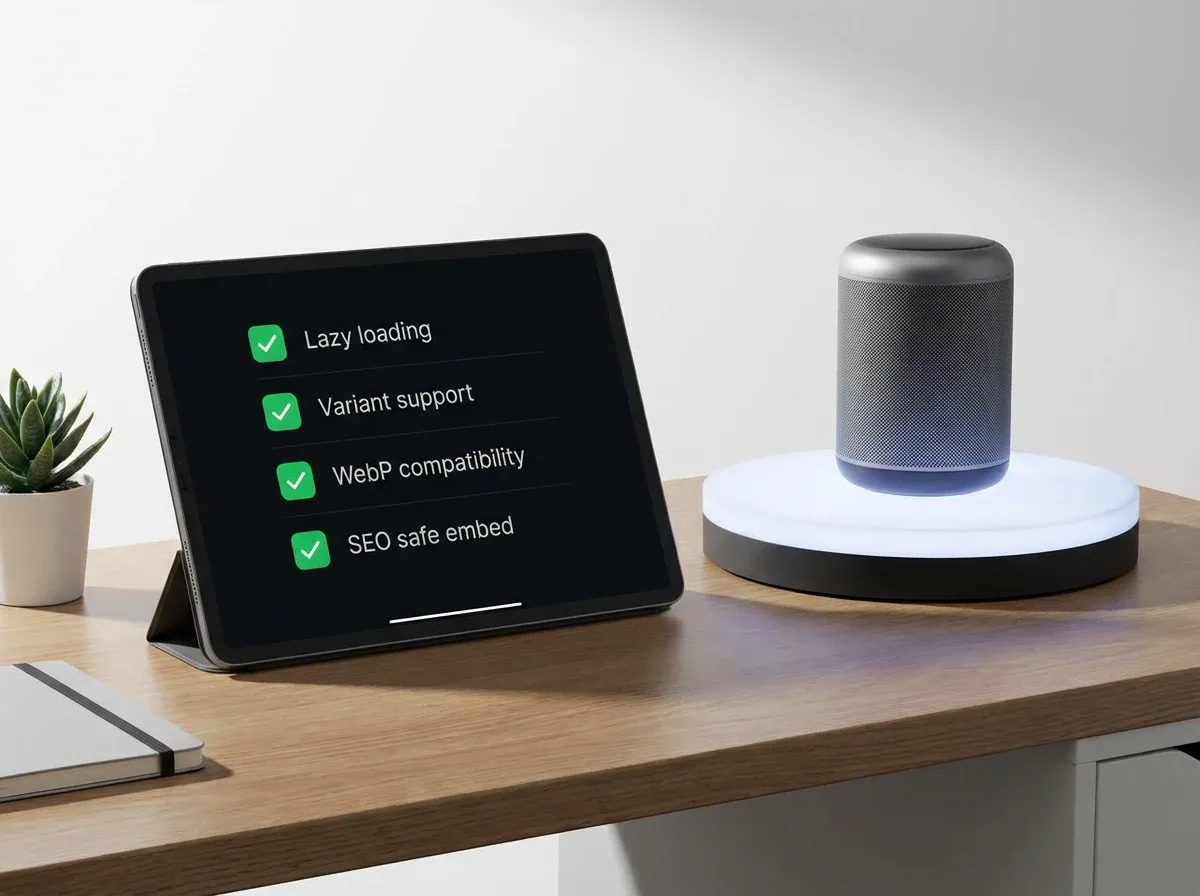
Think of this as your sanity check before you commit to a vendor or a build.
Technical fit
Can it serve modern formats (WebP, AVIF) or at least not block them?
Does it support lazy loading, and can you control preload behavior?
Is the embed SEO-safe and does it avoid layout shifts?
Does it work well inside your theme, especially on mobile?
Merchandising fit
Does it support variants (color, size) without confusing the shopper?
Can you add zoom, hotspots, or simple annotations if you need them?
Does it degrade gracefully when bandwidth is limited?
Operational fit
How long does it take to publish a new 360 set for a SKU?
Can your team or agency batch upload and manage updates?
Can you export your frame sequences if you change tools later?
If you are weighing 360 against other product photo upgrades, it is worth benchmarking the cost and lift. The post Product Photography Pricing: How Much Should It Cost is helpful for setting realistic expectations.
Frequently Asked Questions
What is the difference between a 360 photo viewer and a 360 degree product viewer?
Most of the time, there is no difference. Both terms usually describe the same thing: an embeddable viewer that plays a sequence of product photos as the shopper drags. Some vendors use “360 degree product viewer” to sound closer to 3D or AR, but the underlying experience is often frame-based. When you evaluate options, focus on performance, mobile UX, and how the viewer handles zoom and variants. The name matters less than whether it loads quickly and feels natural on touch devices.
How many photos do I need for a good 360 product photo?
A solid starting point is 24 or 36 frames for most e-commerce categories. That usually balances smoothness and load time. If you sell premium items where finish and detail matter, like a watch 360 photo set, 48 or 72 frames can feel more “luxury,” especially when paired with crisp zoom. Just keep an eye on total file weight. If your 360 takes too long to become interactive, customers will not wait. Start smaller, measure engagement, then increase frames only if it improves conversion.
Can I make a 360 photo shoot without a turntable?
You can, but you will fight alignment issues. Without a turntable, you end up moving the camera or the product manually, which often causes framing shifts and flicker as users spin. If you only need a few 360s for a campaign, you can improvise with marked angles and a stable tripod. For ongoing production, a simple turntable setup pays for itself quickly by reducing editing time. Consistent increments, locked camera settings, and controlled lighting matter more than expensive gear.
What is the best file format for a 360 viewer?
WebP is a common “best practical” choice today because it usually compresses well and has broad support. AVIF can be even smaller at similar quality, but compatibility varies depending on your stack and the viewer. JPEG is still fine if you optimize it properly, but it tends to weigh more for the same visual result. Your goal is consistent, sharp frames at the smallest possible size. Whatever you choose, test on real devices and real network conditions, not just on your office Wi‑Fi.
Will a 360 photo viewer hurt my page speed?
It can, if you load everything at once. A well-implemented 360 photo viewer should load a single poster frame quickly, then lazy load the remaining frames. That keeps Largest Contentful Paint healthier and reduces the “dead” feeling on mobile. Problems usually come from huge frame sizes, too many frames, or viewer scripts that block rendering. If you are adding 360 across many SKUs, build a performance budget and QA with tools like Lighthouse. Treat 360 as a product feature that needs ongoing optimization.
Can AI generate a 360 product photo from one image?
Sometimes you will see tools that promise this, but results vary. The core challenge is that a single photo does not contain the geometry and texture information for angles you did not capture. AI can hallucinate missing areas, and in a 360 spin those hallucinations show up as warping or “melting” details. Where AI is genuinely useful is speeding up supporting work: cleaning backgrounds, creating extra marketing images, or improving consistency across a catalog. Use AI carefully when shoppers will scrutinize the rotation frame-by-frame.
What is a 360 photo studio setup for small products like watches?
For small reflective products, the studio matters more than the camera. You want stable mounting, a smooth turntable, and very soft, even lighting to control reflections. Many teams use a light tent or large diffusers with consistent light positions, then lock exposure and white balance. For watches, you also need to keep the face aligned across frames so it does not “bounce.” Shoot more frames than you think you need, then choose the smallest count that still feels smooth in your viewer.
How do I embed a 360 photo viewer on Shopify?
You typically have two routes: a Shopify app that adds a 360 block to your product template, or a custom embed using a JS viewer and hosted frames. Apps are faster to install but can add extra scripts that affect performance. Custom builds give you more control, especially for variants and lazy loading, but require developer time. Either way, test on mobile and confirm the viewer plays nicely with your theme’s image gallery. If you are comparing implementation paths, the 360 product viewer breakdown can help you decide.
What should I ask a 360 product photo editing agency before hiring them?
Ask about consistency and deliverables, not just price. You want to know: how they align frames, how they prevent flicker, what formats they deliver (WebP, AVIF, JPEG), and whether they can follow a naming convention that matches your viewer. Also ask for a short test job on one SKU and review it inside your actual embed, not in a shared folder. If you are outsourcing overseas, including to a 360 product photo editing agency in Bangladesh, clarity on specs and QA steps will save you back-and-forth.
Do I still need standard product images if I have 360?
Yes. 360 should support your product page, not replace the basics. You still need a strong hero image, clean white-background shots for marketplaces, and a few detail or lifestyle images to sell the story. Some shoppers will not interact with 360 at all, especially if they are in a hurry. Build your PDP so the first image loads fast and communicates value. Then let the 360 photo viewer serve the “reassurance” moment. For broader guidance, start with product photos fundamentals.
Key Takeaways
A 360 photo viewer is usually a frame-based spinner, not true 3D. It wins when shoppers need reassurance on details and finish.
Viewer choice matters less than workflow: consistent capture, batch editing, compression, and lazy loading make or break the experience.
Start with 24 to 36 frames for most products, then increase only if it improves smoothness without hurting load time.
Plan for mobile first: touch controls, fast poster frame, and graceful fallback if the 360 does not load.
Use AI carefully: great for supporting imagery and consistency, less reliable for inventing missing angles in a 360 sequence.
Conclusion
If you want a 360 photo viewer that actually improves sales, treat it like a performance feature, not a visual gimmick. Pick an embed approach that matches your team’s reality, whether that is a self-hosted viewer, a SaaS platform, or a store app. Then obsess over the basics: stable capture, consistent lighting, batch edits, modern compression, and lazy loading so your first frame appears instantly.
Once you have your baseline working, you can get more ambitious with zoom, hotspots, and variant-aware spins. That is where 360 becomes more than “cool,” and starts reducing pre-purchase doubt in a measurable way.
If you want to explore AI support assets alongside your 360 workflow, ProductAI has free tools you can try before committing.
Last updated: February 2026
About the Author
Giles Thomas, Ecommerce & AI Product Photography Expert – Founder, AcquireConvert.
Giles helps e-commerce teams improve conversion rates with faster, higher-performing product pages and scalable visual content workflows. His work focuses on practical 360 product photography and viewer implementation choices that balance UX, page speed, and operational efficiency.

Hi, I'm Giles Thomas.
Founder of AcquireConvert, the place where ecommerce entrepreneurs & marketers go to learn growth. I'm also the founder of Shopify agency Whole Design Studios.