360 Product View: Add a Spin to Your Store (2026)

.webp)
Last updated: February 2026
What You Will Learn
What a 360 product view is (and what it is not)
360 product photos vs 360 product video vs 3D
How to create a 360 product spin (step by step)
How to add 360 to Shopify and other storefronts
Costs and ROI: when 360 pays off
Where AI fits: faster cleanup and creative variations
Buying guide: what to look for in a 360 workflow
Pros and cons of 360 product views
A 360 product view can be the difference between “looks good” and “I’m confident enough to buy.” When shoppers can spin a product, they understand size, details, materials, and how it really looks from every angle. That usually means fewer pre-purchase questions and fewer returns for “not what I expected.”
This guide breaks down the practical ways to add a 360 spin to your online store, from simple 360 product photos to interactive viewers and 360 product video. I will also cover what it costs, what to watch out for (file size and setup are the usual culprits), and how to combine 360 with AI workflows so you can ship more creative faster without sacrificing consistency.
What a 360 product view is (and what it is not)
A 360 product view (sometimes called a 360 product spin or 360 degree product view) is an interactive sequence of images that lets shoppers rotate a product left to right, usually on a single axis. In most ecommerce implementations, it is a set of photos captured at fixed angle increments (for example, 24, 36, or 72 frames around the product) that a viewer stitches into a smooth spin.
It is not the same as a true 3D product model. With 360, shoppers can rotate to pre-captured angles, but they typically cannot tilt up and down freely, zoom into geometry, or change lighting the way they can with a 3D model viewer.
If you are still dialing in your baseline imagery, start with strong product photos first. 360 tends to amplify both the good and the bad, because shoppers will see every angle, every reflection, and every dust speck.
360 product photos vs 360 product video vs 3D product view
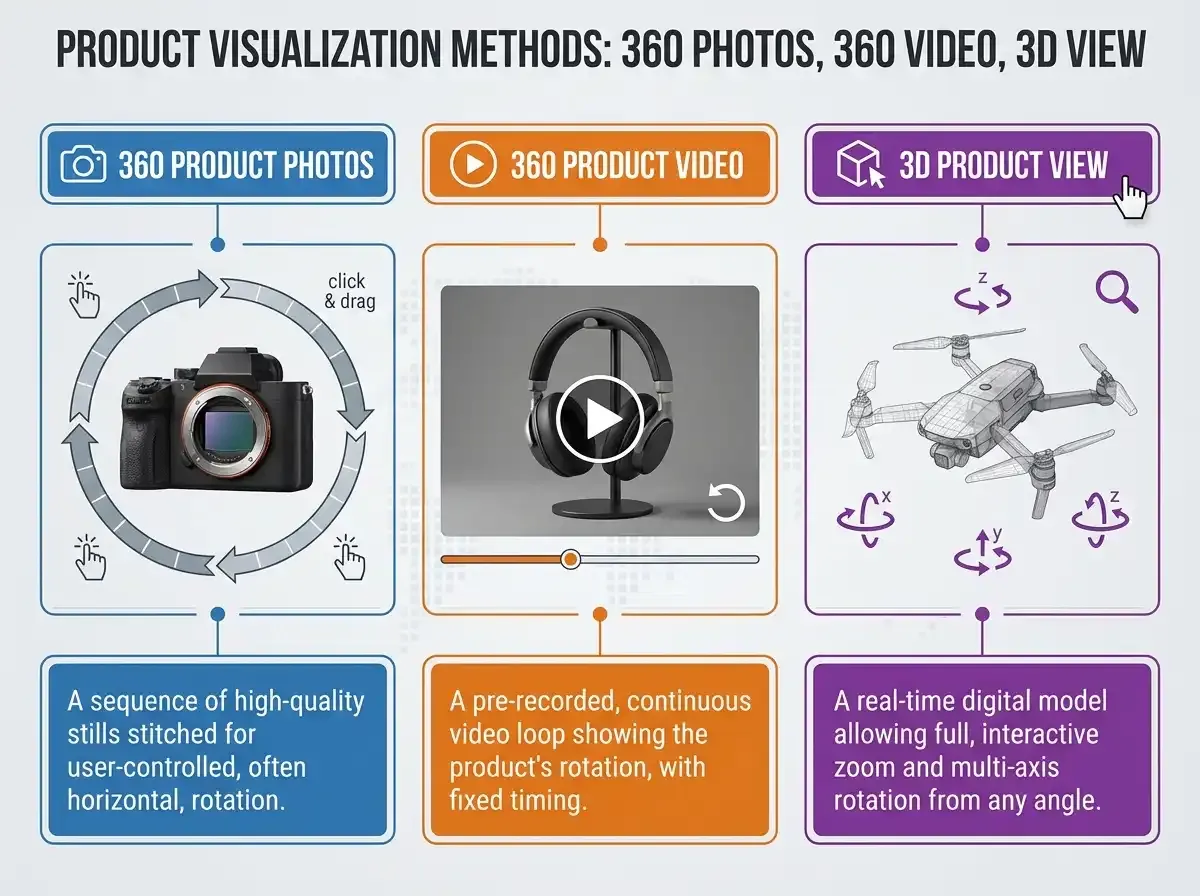
1) 360 product photos (interactive spin)
This is the classic “drag to rotate” viewer. You capture a series of still frames and load them into a 360 viewer on your product page. It usually provides the best balance of clarity, interactivity, and performance, because the viewer can lazy-load frames and let the shopper control speed.
2) 360 product video
A 360 product video is a video clip of the product rotating on a turntable. It is simple to produce and easy to upload on social and marketplaces, but it is not interactive on most product pages. You also trade away crispness, because video compression can smear fine texture, especially for jewelry, glossy packaging, or knits.
3) 3D product view
A 3D product view uses a 3D model (often GLB or USDZ) rendered in real time. It can be the most immersive option, but it is also the most expensive and operationally heavy. If you are exploring that route, it is worth reading our guides on 360 view and 360 degree view, since many brands start with 360 before graduating to full 3D.
How to create a 360 product view (step by step)
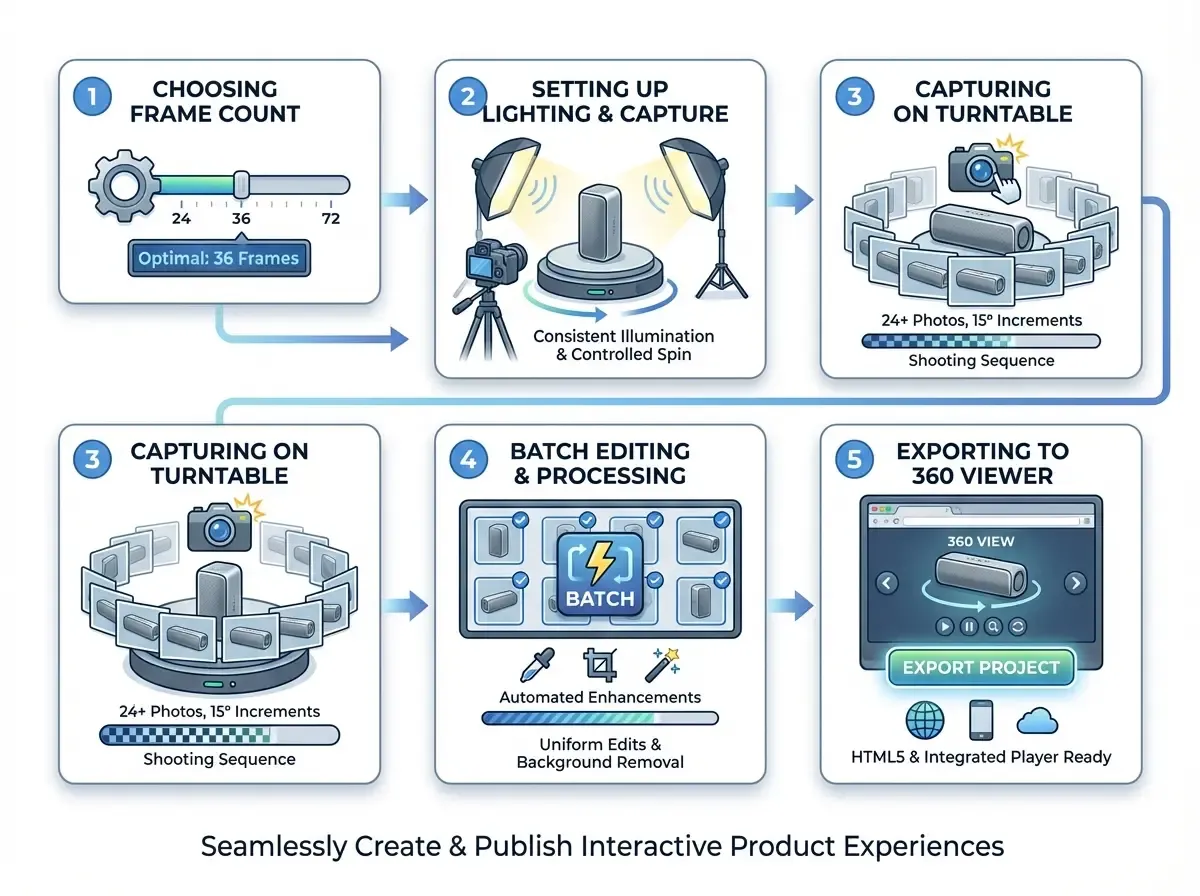
If you want a reliable workflow, think about 360 as a mini production line. Consistency beats perfection, because shoppers compare spins across variants and SKUs.
Step 1: Choose your frame count and rotation style
Common setups are 24 frames (15 degree increments), 36 frames (10 degree increments), and 72 frames (5 degree increments). More frames look smoother but cost more time to capture, edit, and load. For most mid-priced DTC products, 24 to 36 frames is the sweet spot.
Step 2: Get lighting consistent first
In 360, lighting inconsistencies show up as flicker when the spin plays. Use fixed lights, fixed camera settings, and lock white balance. If you are doing reflective products, use diffusion and flags to control hotspots.
Step 3: Capture on a turntable (manual or automated)
You can shoot manually by rotating the product a set number of degrees per shot, but an automated turntable is faster and more consistent. Keep the camera position fixed and rotate the product, not the camera.
Step 4: Batch edit: crop, color, and background cleanup
This is where most teams lose time. Each frame needs consistent crop, exposure, and background. Any mismatch becomes a “jump” in the spin.
If you are using AI to speed up post, keep the goal realistic: you are not trying to change the product, you are trying to keep every frame consistent. Tools like ProductAI can help you standardize backgrounds and polish frames quickly using Background Swap Editor, then finish with an upscaler when needed via Increase Image Resolution.
Step 5: Export and assemble in a 360 viewer
Most viewers want a numbered image sequence (for example product_001.jpg to product_036.jpg) with consistent dimensions. Optimize file size aggressively. Large 360 sets can slow your page and hurt conversion if they block the main PDP content.
How to add a 360 product view to your online store
Implementation depends on your platform and how much control you want.
Option A: Use a 360 viewer app or plugin (fastest)
For Shopify and other common storefronts, a dedicated 360 viewer is usually the quickest path. You upload frames, the app hosts or serves them, and you embed a viewer on your PDP. This is also the easiest option for non-technical teams.
Option B: Custom implementation (most control)
If you need advanced controls (hotspots, synced variant spins, or deep performance work), you may want a custom viewer using a JavaScript library. This takes development time, but it can be worth it for high-volume catalogs or brands that want a premium experience.
Option C: Marketplace-specific workflows
Marketplaces have stricter guidelines and limited interactivity. If Amazon is a key channel, read our guide on amazon 360 product view to avoid file format and eligibility mistakes that can waste weeks.
Costs and ROI: when 360 product photography is worth it
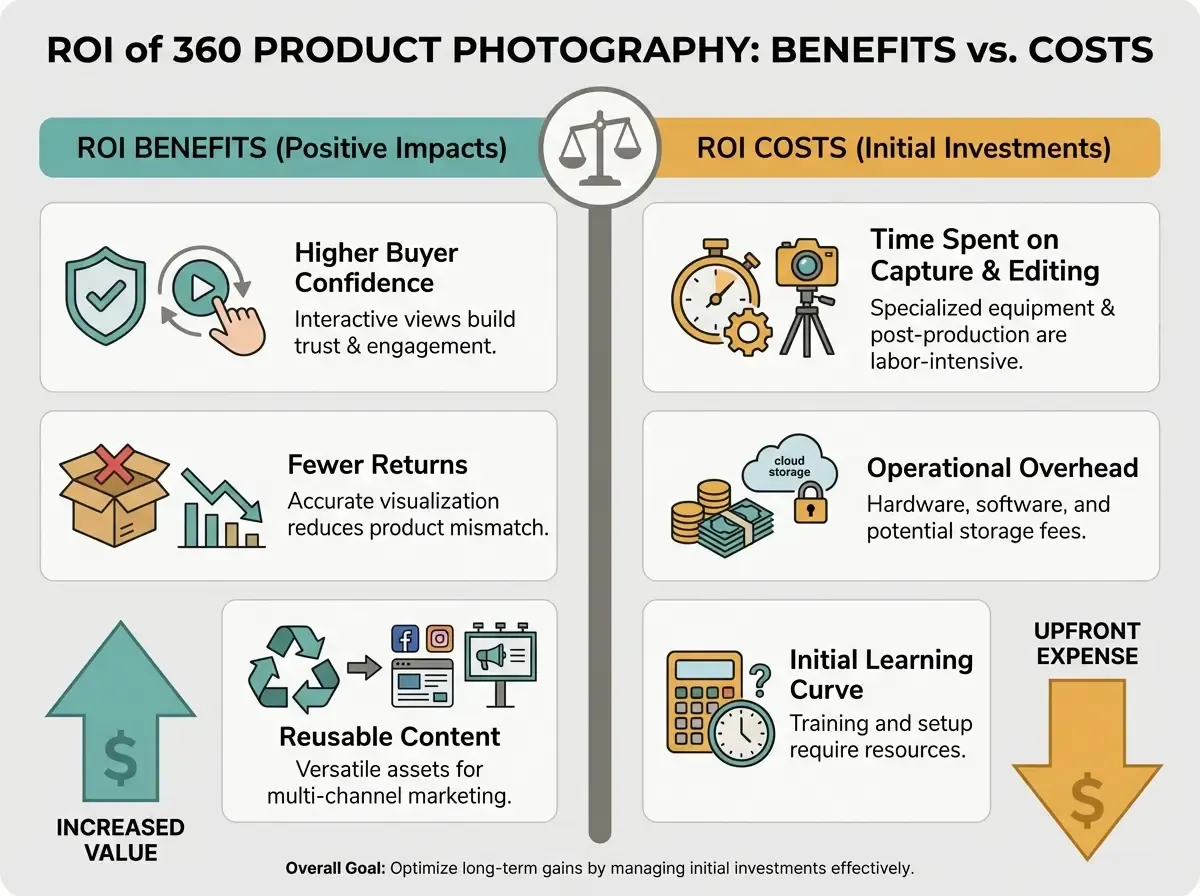
360 product photography costs are usually driven by three things: capture time, retouching time, and tooling (turntable, lights, viewer software, and hosting). If you are comparing against traditional studio work, it helps to benchmark what you pay per SKU today. This breakdown is useful: Product Photography Pricing: How Much Should It Cost.
Where 360 tends to pay off:
High-consideration products where details matter (footwear, bags, watches, electronics, premium packaging).
Products with fit or construction questions that cause returns (buckles, seams, closure mechanisms).
Hero SKUs that drive a large share of revenue.
Brands with lots of variants where consistent angles reduce support load.
Where 360 can be overkill:
Low-priced impulse buys where speed matters more than depth.
Fast-changing catalogs where you cannot amortize production effort.
Products best understood in context (some decor and apparel benefit more from lifestyle images than spins).
Where AI fits: speed up the boring parts without breaking accuracy
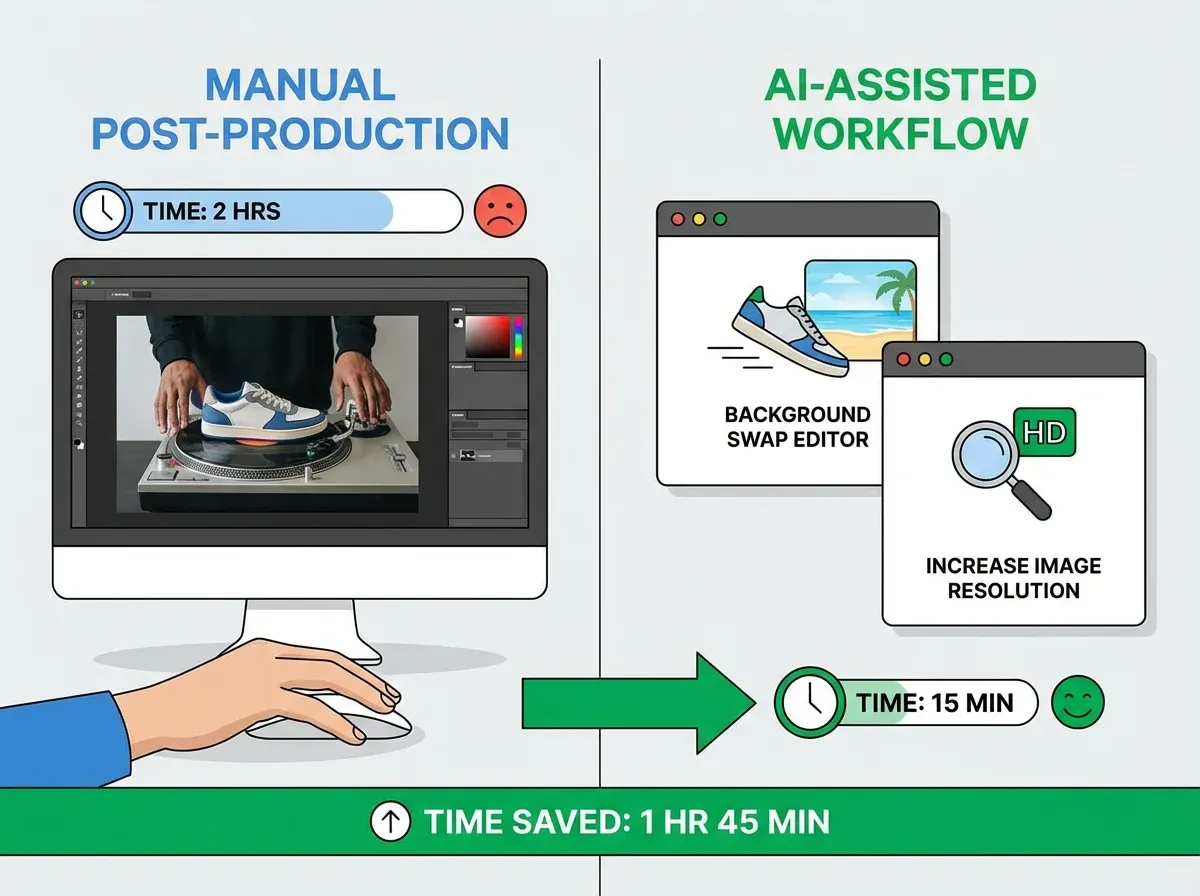
AI is not a replacement for a good capture setup. If your lighting is inconsistent, AI can sometimes “fix” a frame differently from the next frame, which creates flicker in the spin. The best use of AI in a 360 workflow is controlled, repeatable cleanup and creative outputs that do not touch the product’s core details.
Here is a practical way to use ProductAI alongside 360:
Standardize frames: Use Background Swap Editor to keep backgrounds consistent when you are producing multiple spins for the same line.
Generate supporting assets faster: Use Creator Studio to create lifestyle variations, banners, and ad-ready images that complement your 360 set (instead of trying to make the 360 do all the work).
Upscale for crisp zoom: When your viewer supports zoom, upscale select frames with Increase Image Resolution rather than exporting huge files for every frame.
If you want to avoid common AI mistakes (over-sharpening, odd shadows, texture drift), use this checklist: Tips for Professional AI-Generated Product Photos.
Limitations to plan for: ProductAI is optimized for product photography workflows, not general-purpose photo editing. Some features may be better suited to hero images than frame-by-frame 360 sets, where ultra-consistent outputs matter most.
Buying guide: what to look for in a 360 product view workflow
If you are evaluating tools and processes, focus on repeatability first. A “pretty” demo does not help if your team cannot produce 50 SKUs a week without falling behind.
1) Capture consistency (turntable, camera, lighting)
Look for a setup that locks in distance, angle, and exposure. The goal is identical framing across frames. If your product is tall or has multiple key sides, consider whether you will eventually want multi-row (tilt) capture, or if a single row is enough.
2) Post-production speed (batch editing and templates)
Ask: how many touches per frame are required? Anything you do once per frame becomes expensive at 36 or 72 frames. The best workflows have batch operations for crop, background, and color. If you plan to use AI, validate it on a full spin, not on one frame.
3) Viewer performance (page speed and UX)
A 360 set can add dozens of images to your PDP. Choose a viewer that supports lazy loading, responsive images, and mobile-friendly gestures. If the viewer blocks the page or delays your add-to-cart, you lose the conversion lift you hoped to gain.
4) Integration with your storefront and PIM/DAM
Check whether the viewer supports your platform, variant mapping, and bulk upload. If you manage assets in a DAM, make sure you can keep naming conventions consistent. Your future self will thank you when you have 500 SKUs.
5) Output options (360 photos, 360 video, and reuse)
Favor workflows that let you reuse the same capture to create multiple assets. For example, a 360 photo set for your PDP, a short 360 product video for ads, and a few hero frames for marketplaces. If you are investing in capture time, squeeze more ROI out of it.
For deeper production guidance, our dedicated guide to 360 product photography is a good next read.
Pros and Cons
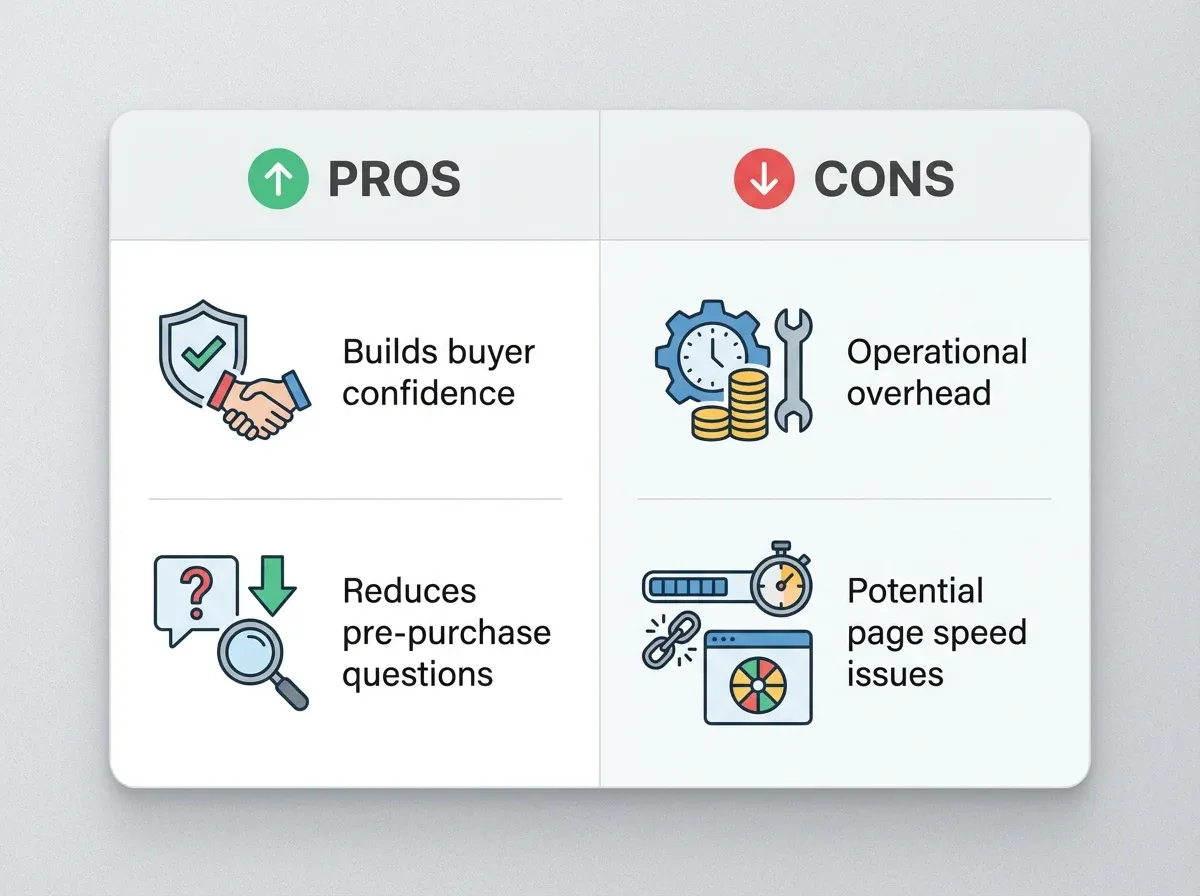
Strengths
Builds buyer confidence by showing every angle, which is especially helpful for detailed or premium products.
Reduces common pre-purchase questions (“What does the back look like?”), which can lower support load.
Can reduce returns for “not as expected” categories when the spin clarifies construction and materials.
Creates reusable content: pull frames for thumbnails, ads, and marketplace images, plus create a 360 product video from the same capture.
Improves merchandising for variants when you keep angle and crop consistent across colors and sizes.
Considerations
Operational overhead is real: 24 to 72 frames per SKU multiplies capture and editing time quickly.
Page speed can suffer if frames are not optimized, which can hurt conversion on mobile.
Reflective and transparent products are harder, since lighting changes and reflections are obvious in motion.
AI-based cleanup can introduce frame-to-frame inconsistencies if you are not careful, leading to flicker in the spin.
Frequently Asked Questions
What is a 360 product view?
A 360 product view is an interactive “spin” on a product page created from a sequence of still images. Shoppers drag or swipe to rotate the product around a fixed axis. It is typically used to improve confidence by showing details from all sides. It differs from a 3D model because rotations are limited to captured angles.
How many photos do I need for 360 product photos?
Most ecommerce brands use 24 or 36 images per product. Twenty-four frames is often enough for a smooth rotation while keeping production time and file weight manageable. Thirty-six frames looks more premium, especially for small products with fine details. Seventy-two frames can be great but tends to be heavy unless you have strong optimization.
Is a 360 product video better than an interactive 360 spin?
It depends on your channel. Video is easier to share on social and ads, and it is simple to implement on most sites. The tradeoff is that video is not truly interactive and can lose fine detail due to compression. On a PDP, interactive 360 spins typically deliver a better “inspect before buying” experience.
Does a 360 degree product view help conversion?
It can, especially for high-consideration products where shoppers want reassurance about build quality and details. The biggest lift usually comes when 360 replaces uncertainty, not when it replaces already-strong photography. If your page becomes slower or cluttered, conversion can drop, so performance and placement matter as much as the spin itself.
What products benefit most from product 360 photography?
Footwear, bags, jewelry, electronics, premium packaging, and products with functional details (closures, ports, textures) often benefit most. If shoppers routinely ask to see the back, underside, or close-up details, a 360 spin can reduce that friction. For some categories, lifestyle imagery still does more heavy lifting than 360.
How do I avoid “flicker” in a 360 product spin?
Flicker usually comes from small changes between frames: exposure shifts, white balance changes, inconsistent shadows, or uneven cropping. Lock camera settings, fix lighting positions, and use a repeatable editing process. If you use AI tools, test on a full sequence and verify that backgrounds, shadows, and edges stay consistent frame-to-frame.
Can I use AI tools to speed up a 360 product image workflow?
Yes, but use AI for controlled tasks. AI can help standardize backgrounds, remove distractions, and upscale frames for zoom. The risk is introducing frame-by-frame differences that look fine as single images but become obvious in motion. Keep prompts and settings consistent, and review the spin, not just individual frames.
How do I add a 360 view to Shopify?
The most common method is a Shopify app or embedded viewer that accepts a sequence of numbered images. You upload the frames, then place the viewer on your product template. For more control, you can implement a custom viewer with developer help. Either way, prioritize mobile performance and lazy loading so the viewer does not slow the PDP.
Should I do 360 product photography or a full 3D product view?
Start with 360 if you want a high-trust experience with manageable complexity. Full 3D can be more immersive, but it requires modeling, QA, and heavier integration. Many brands prove ROI with 360 first, then move select hero SKUs to 3D when the economics justify it and when they want features like free rotation on multiple axes.
What is the fastest way to get professional-looking frames for a 360 spin?
Fastest usually means simplifying: fewer frames (24), consistent lighting, and a repeatable post-production pipeline. Use tools that batch tasks like background cleanup and resizing, and export optimized image sizes. If you need quick creative variations beyond the spin, Creator Studio can help generate supporting product visuals alongside your 360 set.
Key Takeaways
A 360 product view is best for clarity and confidence, but it only works if your capture and edits stay consistent across frames.
Interactive 360 product photos usually outperform 360 product video on PDPs, while video wins for ads and social distribution.
Expect operational overhead: frame counts multiply workload, so build a repeatable process before scaling.
Optimize performance early: lazy loading and compressed frames protect conversion on mobile.
AI can speed up background consistency and upscaling, but test on full spins to prevent flicker.
Conclusion
If shoppers need to “inspect” before they buy, adding a 360 product view is one of the most practical upgrades you can make to a product page. The brands that win with 360 treat it like a system: consistent capture, fast post-production, and a viewer that does not hurt performance.
If you want to move faster on the supporting visuals around your 360 sets, explore ProductAI Creator Studio and pair it with a tight 360 capture process. You will get the best of both worlds: interactive spins for confidence, plus scalable creative for ads and merchandising.
Last updated: February 2026
About the Author
Giles Thomas, Ecommerce & AI Product Photography Expert – Founder, AcquireConvert.
Giles helps ecommerce teams improve conversion with higher-performing product detail pages and scalable visual content workflows. His work focuses on practical, repeatable approaches to product imagery—combining strong capture standards with modern tooling to produce consistent 360 spins and supporting creative at speed.

Hi, I'm Giles Thomas.
Founder of AcquireConvert, the place where ecommerce entrepreneurs & marketers go to learn growth. I'm also the founder of Shopify agency Whole Design Studios.