Best 360 Product Viewer Plugins (360 product viewer)

.webp)
Last updated: February 2026
What You Will Learn
Quick picks (who each plugin is best for)
Best 360 product viewer plugins (ranked)
Buying guide: how to choose a 360 viewer
Where ProductAI fits in a 360 workflow
If you sell products online, a solid 360 product viewer can lift conversion by answering the “what does it really look like?” question without adding returns. The catch is that most “360” projects fail for boring reasons: heavy page load, clunky mobile controls, weak zoom, or a workflow that is painful once you scale past a handful of SKUs. This guide ranks the best 360 product viewer plugins for ecommerce and explains what to look for before you commit.
If you are still building your image foundation, start with your core product photos first. Your 360 viewer will only look as good as the frames you feed it.
Quick Picks: The Best 360 Viewers by Use Case
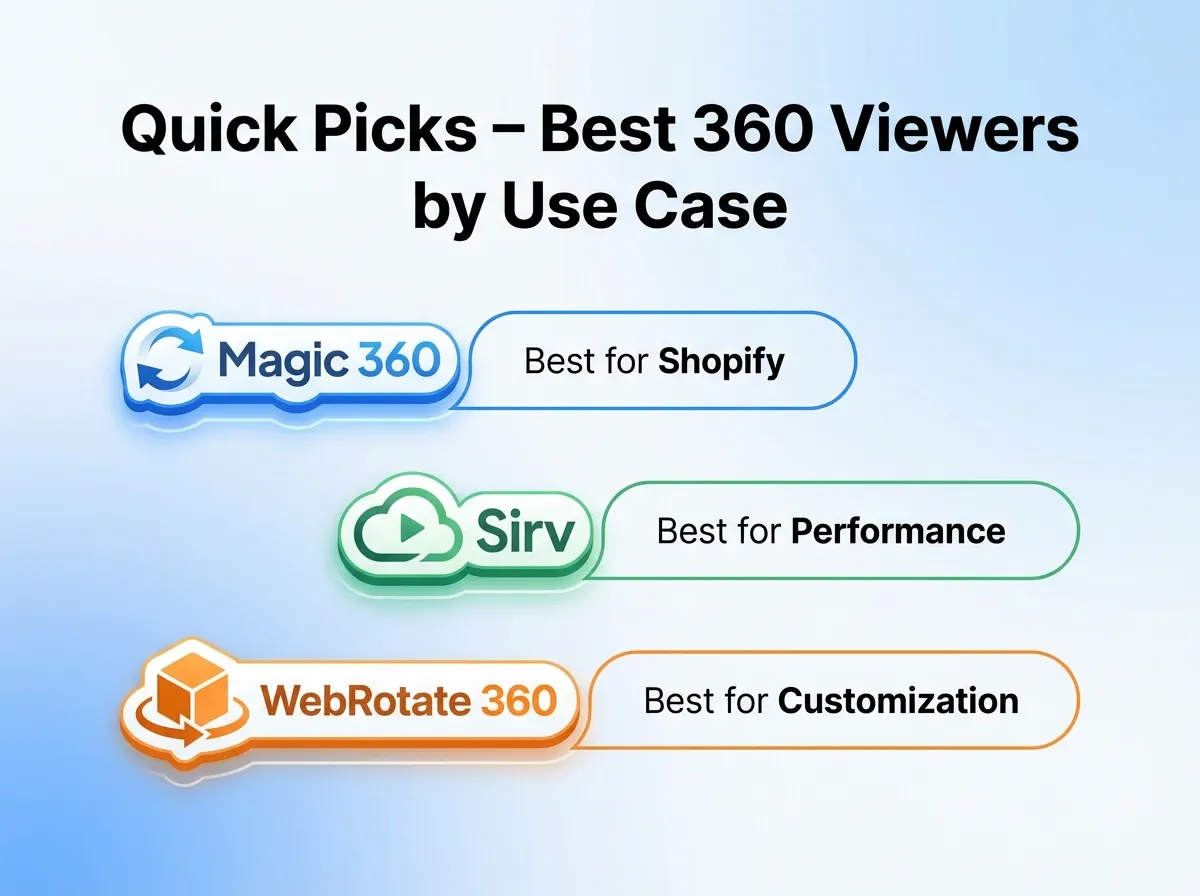
Best for Shopify stores: Magic 360 (robust, widely used) or Sirv (fast CDN delivery plus viewer).
Best for performance and image delivery: Sirv (strong optimization pipeline for 360 product photos).
Best for WordPress and flexible embedding: WebRotate 360 (mature player with broad integration options).
Best for teams producing 360 content at scale: Orbitvu (end-to-end capture plus 360 and content management).
Need help on the content side first? These two guides explain what goes into great 360 product photography and how to plan your 360 product images for consistent results.
Comparison Table: 360 Product Viewer Plugins at a Glance
Tool: Magic 360 | Type: Plugin (Shopify, WooCommerce, more) | Best for: Stores that want a proven, store-friendly 360 viewer | Key strengths: Feature-rich viewer, zoom, hotspots (varies by setup) | Watch-outs: Licensing can feel complex; performance depends on your image prep
Tool: Sirv | Type: Hosted image platform + 360 viewer | Best for: Speed-focused ecommerce teams | Key strengths: CDN delivery, optimization, responsive viewers | Watch-outs: Ongoing subscription; you need to fit your workflow into Sirv
Tool: WebRotate 360 | Type: Viewer/player + authoring tools | Best for: WordPress and custom sites | Key strengths: Mature player, lots of configuration options | Watch-outs: Can be technical; may feel dated depending on your theme
Tool: Threekit | Type: 3D/AR platform (can cover spins via 3D) | Best for: Brands wanting 3D + personalization | Key strengths: Interactive product experiences beyond basic 360 | Watch-outs: Heavier implementation; budget and lead time are higher
Tool: Orbitvu | Type: Capture hardware + software ecosystem | Best for: In-house studios producing lots of spins | Key strengths: Consistent capture, managed workflow | Watch-outs: Upfront investment; less “plugin-and-go” than others
Note: pricing and plan details vary by vendor, contract length, and integrations. Confirm current pricing on each vendor site before purchasing.
Best 360 Product Viewer Plugins for Ecommerce (Ranked)
.webp)
1) Magic 360
Overview: Magic 360 is one of the most recognized 360 product viewer solutions in ecommerce. It is typically chosen by merchants who want a classic “spin” experience that works inside a product page template without rebuilding their site.
Why it stands out: It is built specifically around the 360 viewer use case, with the typical controls shoppers expect: drag-to-rotate, optional autoplay, zoom, and UI options that can be styled to match your theme.
Strengths
Purpose-built for 360 product spins, not a bolt-on gallery trick.
Good shopper familiarity: the interaction model is intuitive on desktop.
Can work well for SKUs where detail matters (footwear, bags, consumer electronics).
Flexible setup options depending on your platform and theme.
Considerations
Setup quality is heavily dependent on your 360 product photos and naming conventions.
Page speed can suffer if you upload large frames and skip optimization.
Licensing and platform-specific setup can be confusing for non-technical teams.
Who it is for: If you already have a consistent set of frames (or a repeatable capture process) and you want a reliable 360 viewer that “just looks like ecommerce,” Magic 360 is a safe choice.
Verdict: A strong default if you want a traditional 360 product experience without moving into full 3D.
2) Sirv
Overview: Sirv is not only a 360 viewer. It is an image hosting and delivery platform with CDN, optimization, and interactive media features, including 360 spins.
Why it stands out: Performance and delivery. Many 360 implementations fail because teams treat frames like normal images. Sirv’s approach is closer to “media pipeline,” which is exactly what high-SKU catalogs need.
Strengths
Strong focus on fast delivery, which is critical for mobile conversion.
Handles responsive sizing and optimization better than many plugin-only approaches.
Good fit if you manage lots of product imagery and want a single system.
Can reduce internal workload by centralizing media operations.
Considerations
Subscription cost is ongoing, which may not suit one-off projects.
Your workflow becomes tied to a hosted platform (vendor dependency).
Implementation can still require technical effort for best results.
Who it is for: Teams that care about site speed, manage frequent image updates, and want their 360 viewer to be part of a broader media delivery strategy.
Verdict: One of the best choices when your bottleneck is performance and scale, not just “do we have a spin widget?”
3) WebRotate 360
Overview: WebRotate 360 is a long-running 360 product viewer and player ecosystem. It is often used on WordPress and custom ecommerce builds where you want control over embedding and configuration.
Why it stands out: Mature tooling. It has been around long enough to cover a lot of edge cases, and it gives you granular control if you are willing to configure it.
Strengths
Well-established viewer with lots of configuration options.
Good fit for sites where you cannot rely on a single ecommerce platform app store.
Flexible embedding for landing pages, PDPs, and lookbooks.
Can support more complex interactions if configured properly.
Considerations
UI and setup can feel technical compared to Shopify-native apps.
Design may require extra styling work to match modern themes.
You still need a consistent 360 product shot sequence or it will look jittery.
Who it is for: WordPress and custom-site merchants who want a configurable 360 viewer and have someone technical (in-house or agency) to own the setup.
Verdict: A dependable option when flexibility matters more than “install in 5 minutes.”
4) Threekit
Overview: Threekit is best known for 3D, AR, and product customization experiences. While it is not a “simple 360 plugin,” many brands consider it when 360 product video or spins are only one part of a broader interactive roadmap.
Why it stands out: It can go beyond 360 viewer basics and support richer merchandising, like interactive configuration, material changes, and 3D-based visualization.
Strengths
Supports advanced interactive experiences beyond standard 360 product animation.
Can reduce dependency on photographing every variant if 3D is implemented well.
Often aligns with enterprise workflows and multi-team collaboration.
Useful if AR and personalization are on your roadmap.
Considerations
Implementation complexity is higher than 360 frame-based viewers.
Budget expectations are typically higher (platform plus production).
Time-to-value can be longer, especially if you need 3D assets created.
Who it is for: Mid-market and enterprise brands that want to invest in 3D and customization, not just a quick 360 product spin.
Verdict: Not the simplest route to a spin, but a strong platform when interactive commerce is the bigger goal.
5) Orbitvu
Overview: Orbitvu is best thought of as a production system: capture hardware (turntables, lighting solutions) plus software to manage output for ecommerce, including 360 product photography workflows.
Why it stands out: Consistency. If you have hundreds or thousands of SKUs, the viewer matters, but repeatable capture matters more. Orbitvu’s value is in creating reliable, consistent 360 product photos that look uniform across the catalog.
Strengths
Designed for high-throughput 360 product shot capture.
Improves consistency across SKUs, which reduces PDP “visual noise.”
Good for teams building an in-house studio and reducing per-SKU costs over time.
End-to-end workflow can reduce manual post-production.
Considerations
Upfront investment is significant compared to plugin-only options.
Not ideal if you only need a handful of spins per month.
Requires operational ownership (space, process, training).
Who it is for: Brands and retailers who are serious about scaling product 360 photography and want to bring the process in-house.
Verdict: The right answer when your challenge is production scale, not just adding a 360 viewer to a template.
Buying Guide: How to Choose a 360 Product Viewer Plugin
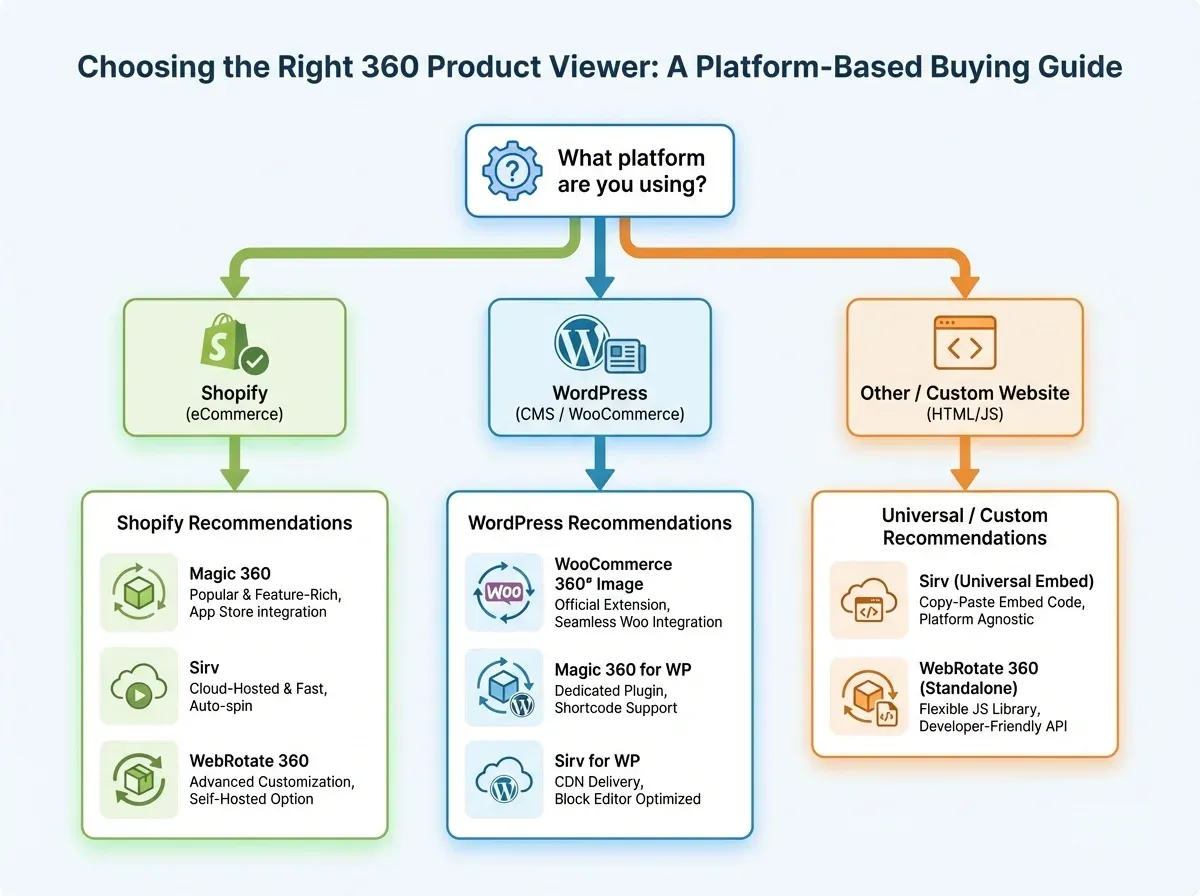
Most buyers focus on the viewer UI. In practice, the buying decision should start with your content pipeline: how you will produce frames, optimize them, and keep them consistent across SKUs. Here are the criteria I would use if I were choosing for my own store.
1) Output quality: zoom, sharpness, and frame consistency
A 360 product image sequence is unforgiving. If frame-to-frame exposure shifts, your spin looks jittery and cheap. If sharpness is weak, zoom becomes useless. Before you buy any plugin, test your best SKU and your worst SKU (shiny, reflective, or transparent products) and see if the experience still holds up.
2) Performance: lazy loading, mobile behavior, and Core Web Vitals
A 360 product viewer can add 24 to 72 images to a page. Without lazy loading, responsive sizing, and good compression, it is easy to tank mobile speed. Favor tools that help you deliver smaller images to small screens and only load frames when needed.
3) Workflow fit: how you publish, update, and scale
Ask these questions:
Can you upload frames in bulk, or is it one SKU at a time?
Does it support predictable naming (SKU_01.jpg, SKU_02.jpg) so your team can standardize?
How hard is it to replace a single frame later if you reshoot or retouch?
If you are building a library of spins, this matters more than fancy controls.
4) Merchandising features: hotspots, CTA overlays, and variant logic
The best 360 implementations do more than rotate. For high-consideration products, hotspots can call out features, materials, or accessories. Variant logic matters if colorways need different spins. If you sell bundles or kits, the ability to guide attention can lift add-to-cart.
5) Total cost: plugin fees plus production costs
Most stores underestimate the cost of producing great 360 product photos. Your real cost includes capture time, retouching, and ongoing updates. If you are not sure what “professional” costs look like, this breakdown is useful: Product Photography Pricing: How Much Should It Cost.
Even if your viewer plugin is inexpensive, an inefficient production workflow can make 360 content expensive at scale.
Where ProductAI Fits (and Where It Does Not) in a 360 Workflow
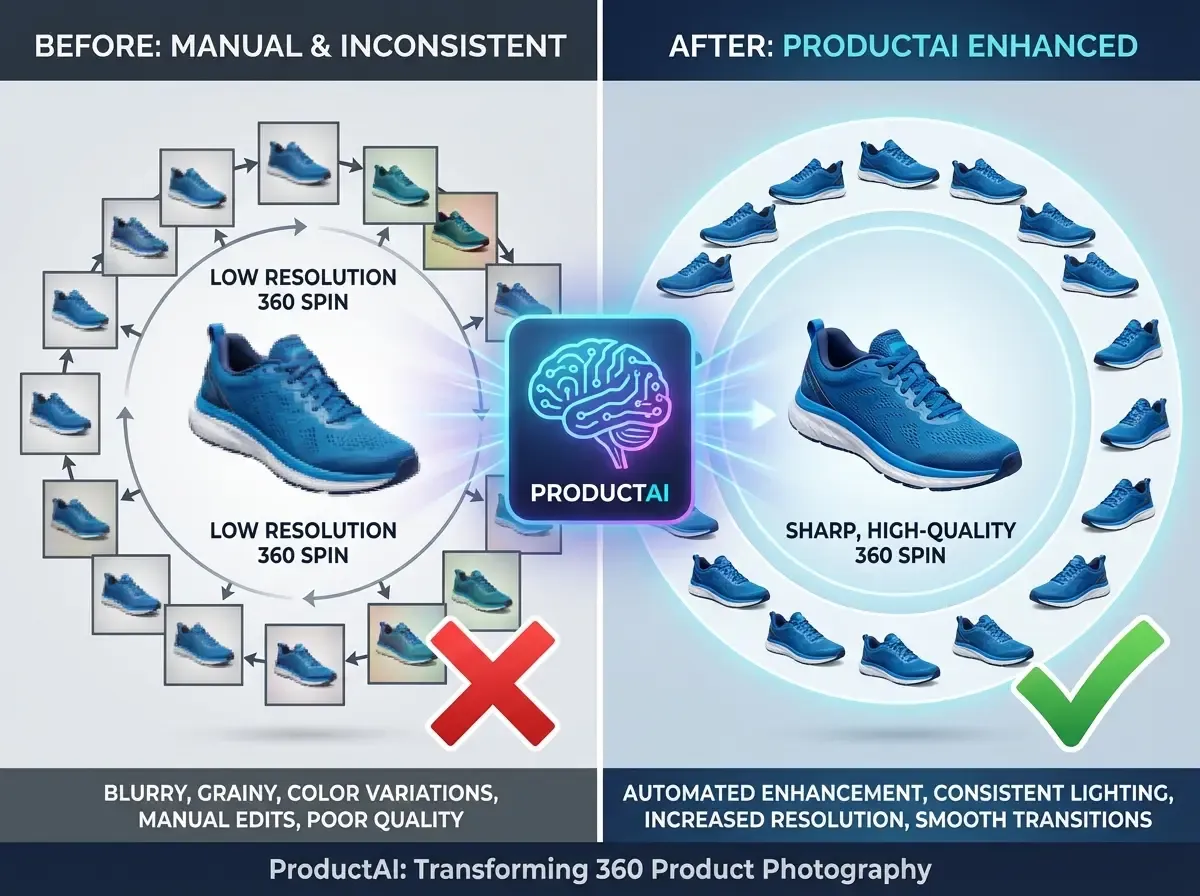
Most 360 viewer plugins assume you already have your frame sequence. That is the hard part for many stores. ProductAI is not a 360 viewer plugin, but it can be useful before content hits your viewer.
Practical ways it can help:
Background consistency: If your frames have uneven backdrops, you can standardize the look using the Free White Background Generator or create styled scenes with the AI Background Generator.
Sharper spins: If your existing frames are not large enough for zoom, you can test the Increase Image Resolution tool to improve perceived detail.
More believable context: For merchandising images (not the spin frames), this guide on location backgrounds for product photography helps you choose scenes that look intentional, not artificial.
Honest limitations to plan around: ProductAI is optimized for product photography workflows, not general-purpose site widgets. It also uses a credit-based model, so if you are generating or enhancing hundreds of frames per SKU, you need to watch usage and test quality carefully before rolling it out across your entire catalog.
Pros and Cons
Strengths
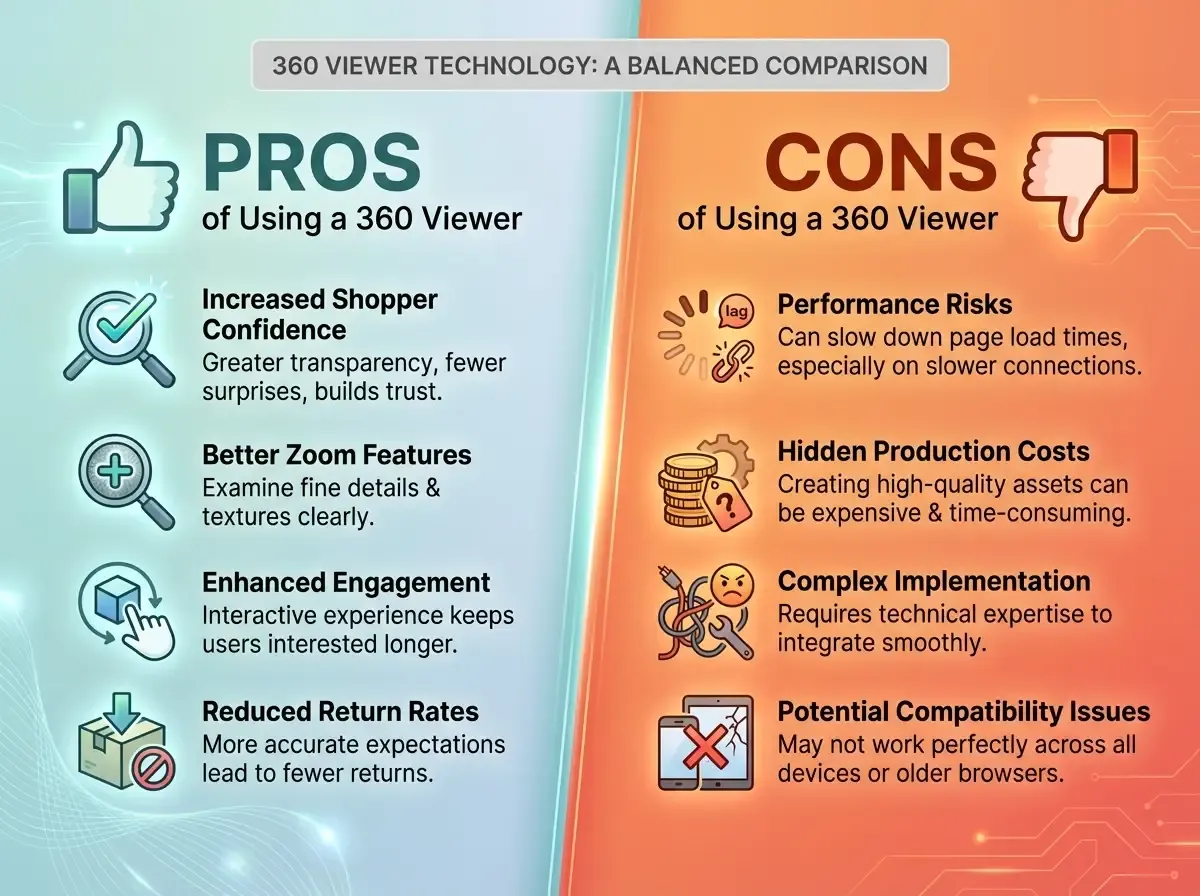
360 viewers can increase shopper confidence by showing shape, depth, and details that a single hero image misses.
Great fit for products where fit and finish matter (footwear, jewelry, electronics, premium packaging).
When implemented well, 360 product spins can reduce “surprise” returns.
Many plugins support zoom and interaction patterns shoppers already understand.
A 360 experience can make your PDP feel more premium without jumping to full 3D immediately.
Considerations
Performance risk is real. 360 product photos can slow pages if you do not optimize and lazy load properly.
Production is the hidden cost. Capturing, editing, and maintaining frame sets takes time and process.
Not every SKU needs 360. For low-cost, low-consideration products, the ROI may be weak.
Mobile usability varies. Some viewers feel great on desktop but frustrating on touch screens.
Frequently Asked Questions
What is a 360 product viewer?
A 360 product viewer is a website component that lets shoppers rotate a product by dragging or swiping through a sequence of images (frames). The frames are usually captured around the product in equal increments, then displayed as an interactive spin. Some tools also include zoom, fullscreen, and hotspots to highlight features.
Is a 360 viewer the same as 3D or AR?
No. A 360 viewer typically uses a set of 2D photos. 3D and AR experiences are rendered from 3D models and can allow more dynamic viewing angles or customization. 360 is often faster to produce and easier to implement, while 3D can unlock richer interactions but usually costs more and takes longer.
How many images do I need for a good 360 product spin?
Common setups range from 24 to 72 frames. Fewer frames load faster but can feel choppy, especially on rounded products. More frames look smoother but increase file weight. Start with 36 frames as a practical baseline, then adjust based on product complexity and performance goals.
Should I use 360 product video instead of a 360 viewer?
A 360 product video is simpler to publish, but it is not interactive. Viewers let shoppers control the angle and pause on details, which is often better for consideration. Video can still be useful for ads, social, or marketplaces that do not support interactive viewers.
What products benefit most from 360° product photography?
Products with meaningful physical detail do best: reflective packaging, premium materials, hardware, footwear, handbags, and anything with functional components. If your product is mostly flat or simple, you may get more ROI from better angles, close-ups, and lifestyle imagery than from a full 360 sequence.
Will a 360 viewer hurt my SEO or page speed?
It can if implemented poorly. The main risk is loading too many large frames upfront. Look for lazy loading, responsive image sizing, and proper compression. Test Core Web Vitals on mobile and only enable 360 on SKUs where the conversion lift is worth the extra weight.
Can I build a 360 viewer with Shopify apps?
Yes, many merchants use Shopify-compatible 360 solutions or hosted platforms that integrate into Shopify themes. The key is matching the tool to your workflow. If you frequently update imagery or have many SKUs, prioritize bulk upload, standardized naming, and an optimization pipeline.
How do I make 360 product images look consistent across my catalog?
Consistency comes from process: fixed camera position, fixed lighting, stable exposure, and a repeatable turntable setup. Then standardize post-production: white balance, crop, background, and output size. If your backgrounds vary, you can test tools like ProductAI’s white background generator to normalize the look.
Do I need to hire 360 product photographers?
Not always. If you have a small catalog, a freelancer or studio can get you to a high-quality baseline quickly. If you have a large catalog, investing in a repeatable in-house setup can lower per-SKU cost over time. Your choice depends on volume, update frequency, and quality requirements.
What is the fastest way to decide which 360 viewer plugin to choose?
Run a test on one product page with a realistic image sequence, then measure: mobile load time, interaction rate (engagement), and conversion change. Also evaluate internal effort: how long it takes to publish and update. The best plugin is the one that improves conversion without creating an ongoing workflow burden.
Methodology: How These 360 Viewers Were Ranked
I ranked these tools using criteria that matter for ecommerce operations, not demos: feature set (zoom, hotspots, controls), ease of implementation, performance impact, workflow fit for teams, and the likely total cost once production and maintenance are included. I also favored tools with a clear path to scaling across multiple SKUs, since a single great 360 product photo is easy, but a consistent catalog is where teams usually struggle.
Key Takeaways
A 360 product viewer is only as good as the frame sequence behind it, so plan production before you pick a plugin.
If you care about speed, prioritize optimization and delivery, not just viewer controls.
For large catalogs, workflow and bulk management matter more than “cool features.”
Not every product needs a 360 spin. Use it where it reduces doubt and lifts conversion.
Tools like ProductAI can help standardize and enhance frames, but they are not a replacement for the viewer plugin itself.
Conclusion
The best 360 product viewer plugin is the one that fits your catalog and your team’s capacity. If you want a proven, traditional spin experience, Magic 360 is a common starting point. If performance and scale are your priorities, a hosted pipeline like Sirv often makes life easier. If you are moving toward richer interactivity, platforms like Threekit may be worth the added complexity.
As you plan your rollout, make sure your 360 product images are consistent and optimized. If you need faster ways to standardize backgrounds or improve frame resolution, explore ProductAI’s tools (especially the white background and upscaler options) and test on a small batch before scaling.
Last updated: February 2026
About the Author
Giles Thomas, Ecommerce & AI Product Photography Expert – Founder, AcquireConvert.
Giles helps ecommerce teams improve conversion by aligning product imagery, site performance, and merchandising workflows. His work focuses on practical ways to produce consistent product visuals at scale and choose tooling that supports fast, reliable PDP experiences.

Hi, I'm Giles Thomas.
Founder of AcquireConvert, the place where ecommerce entrepreneurs & marketers go to learn growth. I'm also the founder of Shopify agency Whole Design Studios.