360 Rotation: Do Spinning Images Sell More? (2026 Guide)

.webp)
Last updated: February 2026
What You Will Learn
What 360 rotation is, and what it is not
Do spinning images actually sell more?
Which products benefit most from 360 product photography
360 spin vs 3D models: what to choose
Equipment, workflow, and file delivery options
360 product photography software and viewers
How to test 360 rotation and measure ROI
You are tweaking your PDP, your ads are getting clicks, and you still see shoppers hesitating right before Add to Cart. At that point, it is tempting to assume the problem is “trust.” So you start looking at 360 rotation viewers and those slick spinning images that make a product feel tangible.
Here’s the thing: 360 rotation can absolutely help, but it is not a universal conversion booster. For some catalogs it is a clear win. For others it adds production cost, page weight, and complexity without moving revenue.
This guide walks you through when 360 degree product photography earns its keep, how to choose between turntables, software, and “good enough” alternatives, and what to measure so you can make a decision with numbers instead of vibes. I will also show you where 360 sits alongside your core product photos strategy, because the basics still matter most.
What 360 rotation is, and what it is not
360 rotation (sometimes called 360 spin product photography) is a sequence of still images shot around a product, then played back as an interactive “spin.” Most setups capture 24, 36, or 72 frames, depending on how smooth you want the rotation.
Now, when it comes to expectations: a 360 spin is not a true 3D model. You cannot change lighting, zoom into hidden surfaces, or view angles you did not shoot. If you need that level of interaction, you are moving toward a proper 3D asset pipeline.
Where a 360 view sits on the PDP
A good 360 360 view usually supports your main image set, not replaces it. You still need “decision photos” like scale, texture, details, packaging, and use context. The spin is best treated as one more confidence builder, alongside close-ups and lifestyle shots.
Do spinning images actually sell more?
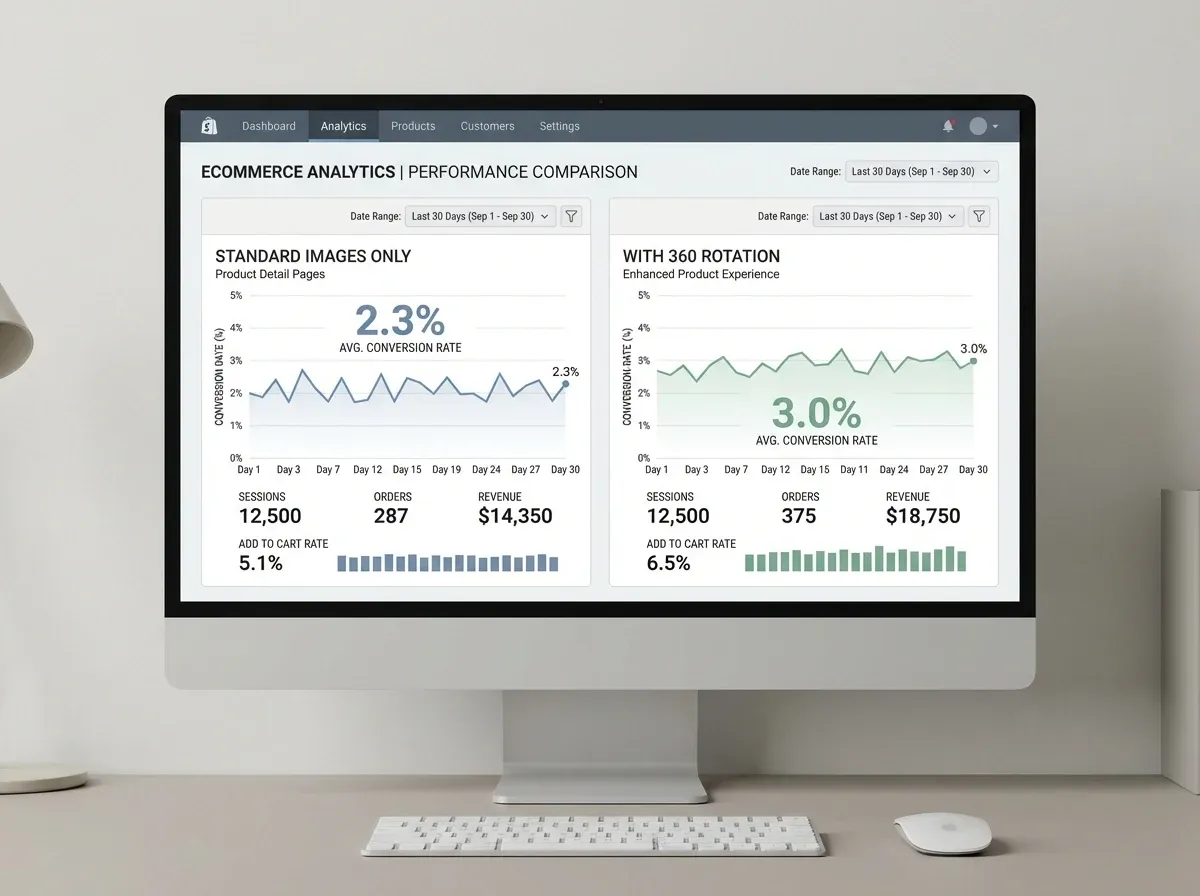
The honest answer is “sometimes,” and the difference comes down to product uncertainty. If a shopper cannot easily understand size, shape, finish, or build quality from standard photos, a 360 rotation can reduce that uncertainty.
Consider this: 360 rotation tends to work when your product has meaningful details across multiple sides (connectors, closures, seams, controls) and when your customer is comparison shopping. It tends to underperform when the product is visually simple, when brand trust is already high, or when mobile performance is poor.
The hidden downside: speed and attention
Interactive viewers can slow pages down if you are not careful. On mobile, heavy scripts and large image sequences can push your Largest Contentful Paint up and your conversion rate down. The reality is that “more media” is only helpful if it loads fast and gets used.
If you do implement 360, make sure it is optional, lazy-loaded, and optimized so it does not block the primary images from loading.
Which products benefit most from 360 product photography
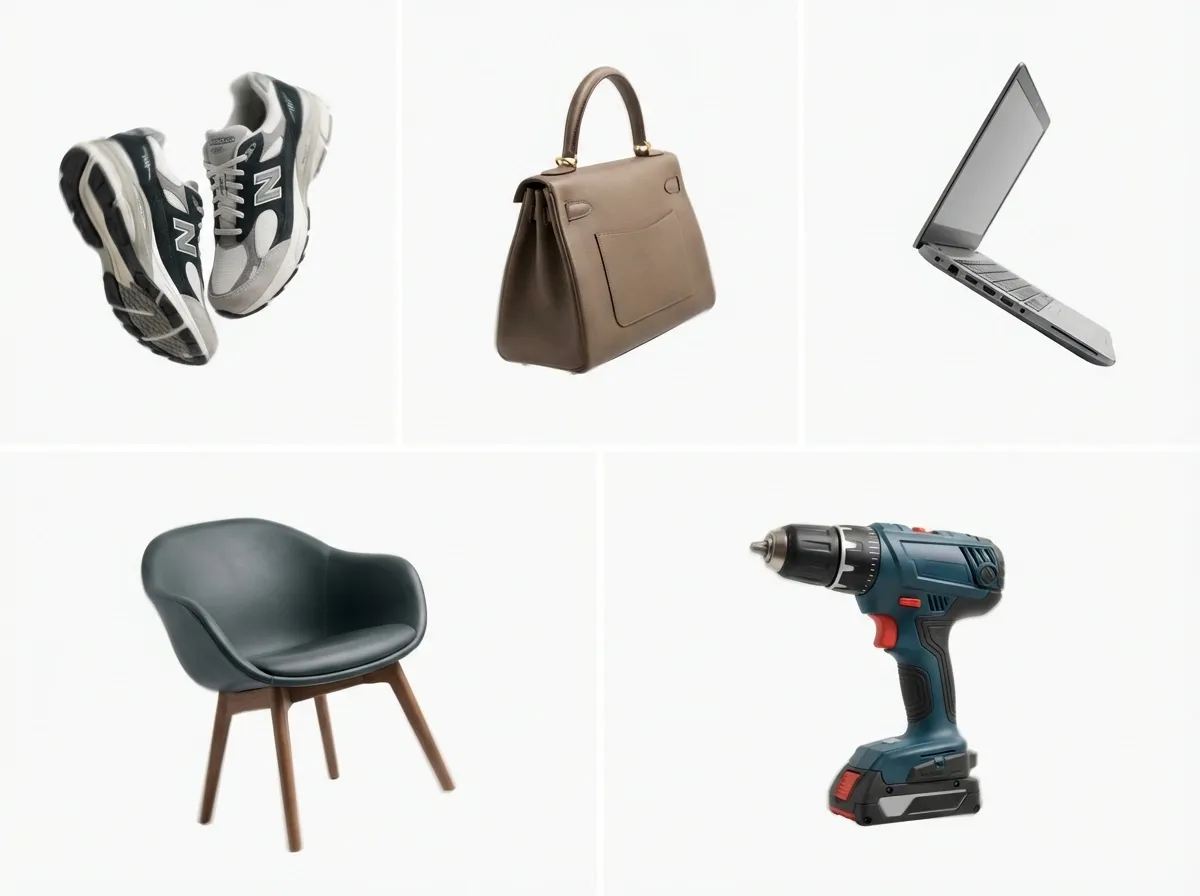
From a practical standpoint, 360 rotation pays off when it answers “I need to see it from the side/back/bottom” questions that come up in reviews, customer support, or returns.
Strong candidates for product photography 360 degree
Footwear, bags, and accessories where shape and structure matter
Electronics and gadgets with ports, buttons, and build quality concerns
Furniture and decor where proportions are hard to judge
Tools and equipment where features wrap around the product
Premium items where perceived quality drives conversion
Weak candidates (where 360 often adds cost, not clarity)
Flat products like posters, cards, and prints
Commodity products with low AOV and low consideration
Products with heavy reflections unless you have solid lighting control
Highly variable products where every SKU needs its own spin
If you are debating whether to do a spin or invest in better “hero” images, start with the basics in 360 product presentation: clean lighting, accurate color, and clear detail shots usually win first.
360 spin vs 3D models: what to choose
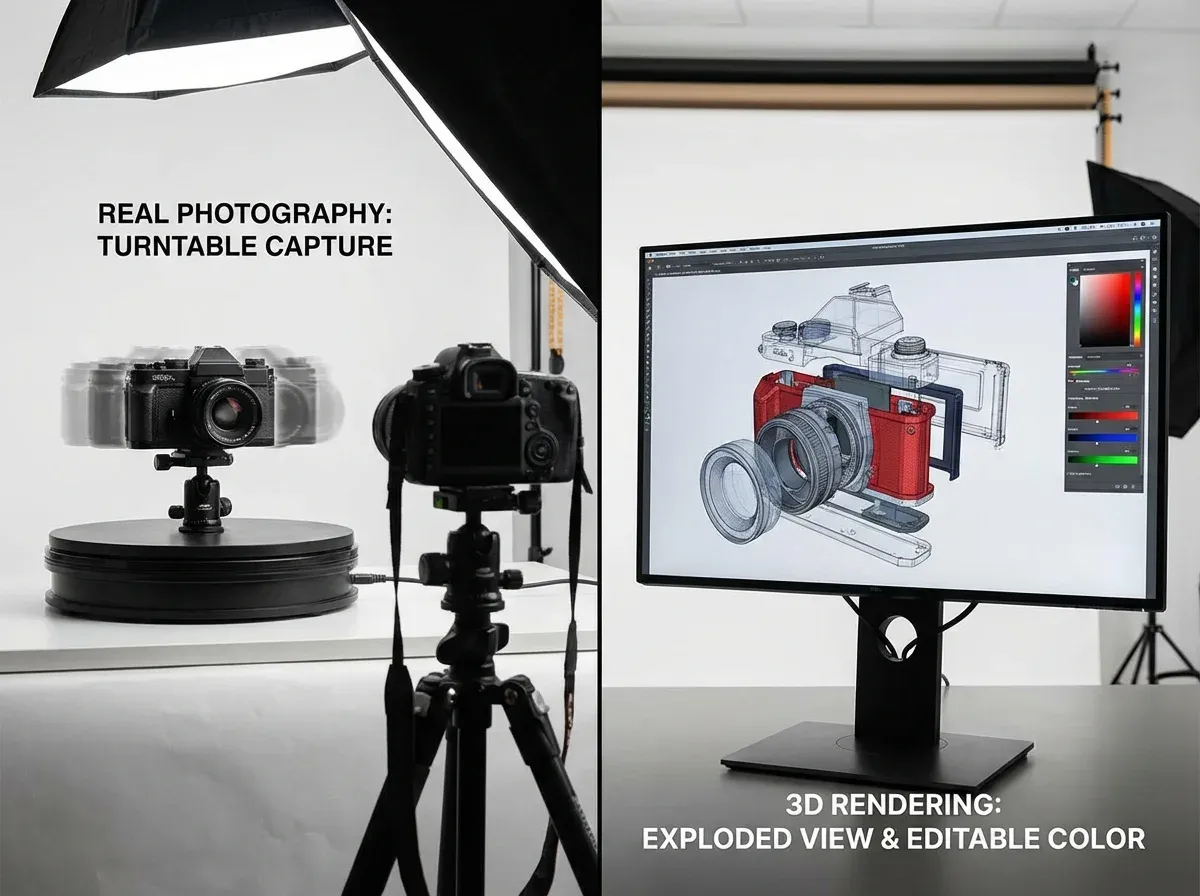
People often lump 360 rotation and 3D together, but they solve different problems. A 360 product photography turntable workflow is photography-first. A 3D model workflow is asset-first.
When a 360 product photography turntable is the right move
Choose a turntable-based 360 spin when you want realism, your product already photographs well, and you need a repeatable studio process for a subset of SKUs. You get “what the camera saw,” which is great for trust.
When you should consider 3D instead
If you need configurators, colorways you do not want to reshoot, or you want to reuse assets for AR, 3D starts to make more sense. It is usually a bigger up-front investment, but it can scale in different ways.
If your internal team is still building a solid photography baseline, keep it simple and focus first on consistent product photos across the catalog.
Equipment, workflow, and file delivery options
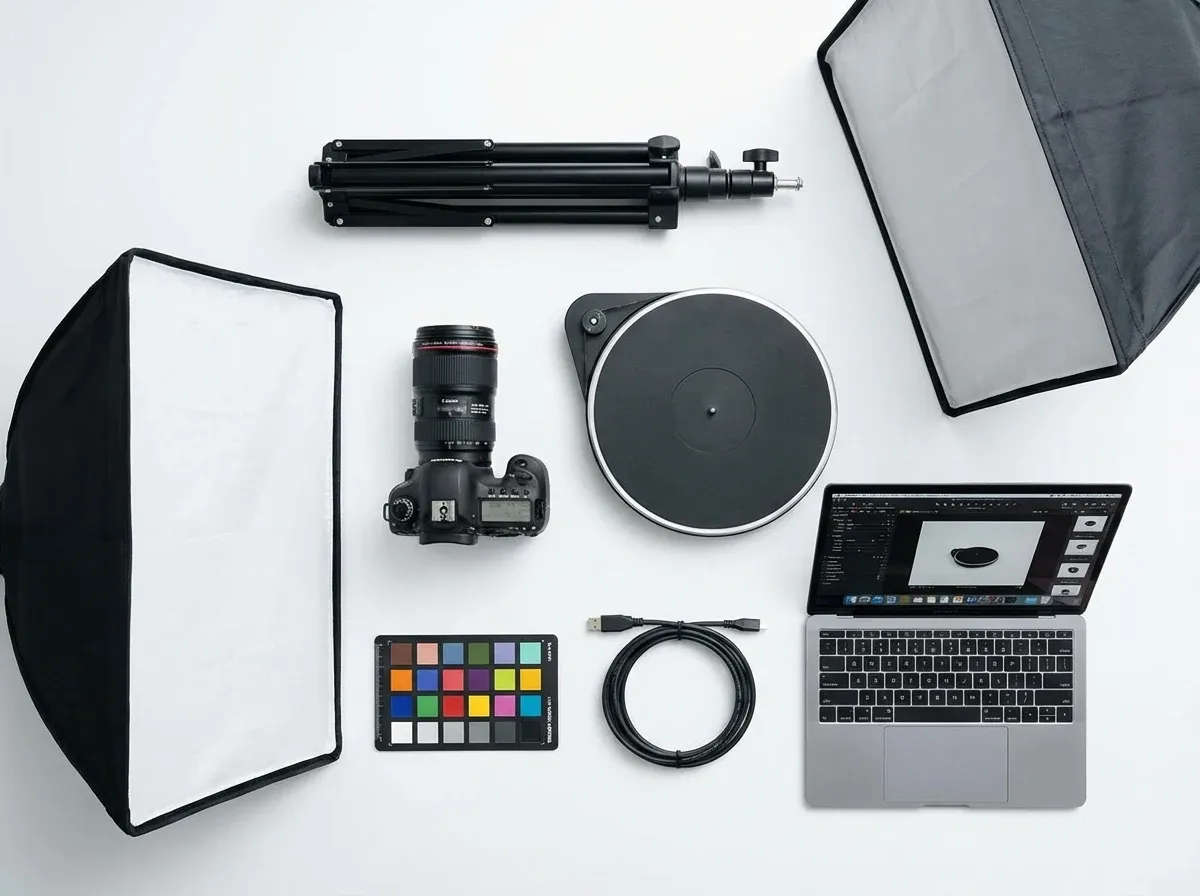
Most 360 product photography equipment setups boil down to four pieces: a stable camera, consistent lighting, a turntable, and software to automate capture and output.
A realistic 360 spin product photography studio workflow
Set a fixed camera angle and locked exposure (manual settings)
Light the product for minimal flicker between frames
Capture a test rotation to check wobble and shadows
Shoot the full sequence (typically 24 to 72 frames)
Batch-crop, color match, and export
Publish to your viewer and verify on mobile
What many businesses overlook is post-production time. A spin that looks “okay” is easy. A spin that looks premium needs stable color, consistent cropping, and no visible jumps between frames. That is where timelines creep.
Where AI can help without “faking” the product
Even if you shoot the spin traditionally, AI can speed up the boring parts. For example, you can generate clean backplates for supporting images using a tool like the AI Background Generator to create consistent lifestyle variations for ads and landing pages without another shoot: AI Background Generator.
If your spin frames end up a bit soft after cropping, tools like Increase Image Resolution can help you sharpen and upscale for zoom without re-shooting: Increase Image Resolution.
360 product photography software: what matters most
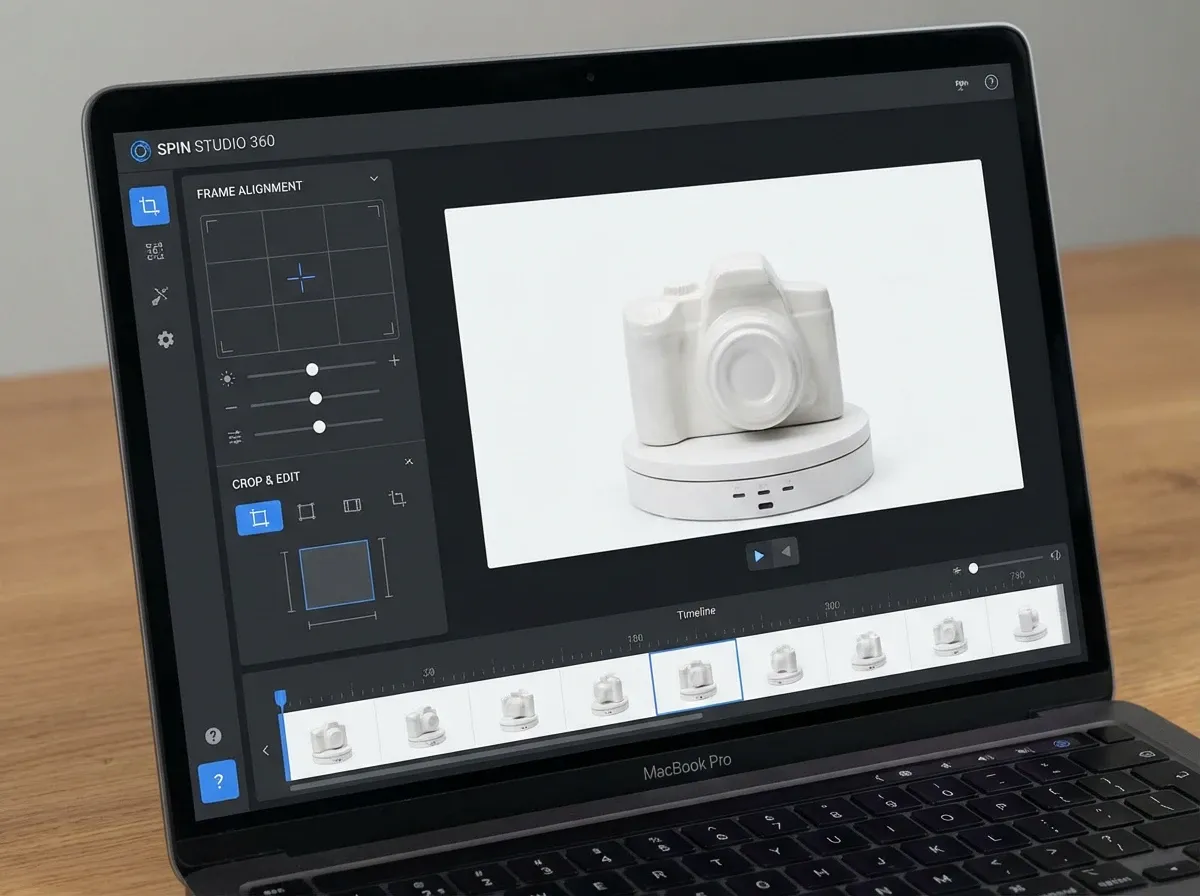
There is a lot of 360 degree product photography software out there, including “360 product photography software free” options. The biggest differences are not the marketing claims. They are workflow fit and output quality.
What to look for in 360 product photography software
Capture automation: can it trigger the camera and rotate the turntable reliably?
Batch consistency: can you crop and align frames so the product does not “jump”?
Viewer performance: fast load, mobile-friendly gestures, and lazy loading
Hosting and CDN: your images need to be delivered quickly worldwide
Integration: Shopify, custom PDPs, and marketplaces each have constraints
App vs service: when to outsource
If you only need spins for a small number of hero SKUs, a 360 product photography service can be cheaper than building a studio workflow. But if you plan to scale to dozens or hundreds of SKUs, in-house control can win on cost and speed.
If you are evaluating an in-browser tool, start with a focused guide to choosing a 360 product photography app that matches your team’s skill level and your storefront stack.
How to test 360 rotation and measure ROI
Think of it this way: you are not buying “a spin.” You are buying reduced uncertainty. Your test should prove that shoppers who use the spin convert more, return less, or need fewer support touchpoints.
A simple testing plan that most stores can run
Pick 5 to 10 SKUs with high traffic and meaningful returns or pre-purchase questions
Implement 360 rotation on half the SKUs, keep the rest as controls
Track viewer engagement (opens, frame interactions, time used)
Measure conversion rate, add-to-cart rate, and return rate by SKU group
Watch performance metrics (page load speed on mobile)
The reality is that if only 1 percent of visitors interact with the viewer, it has to create a big conversion lift for those users to matter. That is not impossible, but you want to know it early.
If you sell on Amazon, check platform limits first
Amazon supports 360 in specific ways and categories, and it comes with strict requirements. Before you invest, read up on amazon 360 product view constraints so your assets do not get rejected.
If you are unsure what “good” costs, compare your production options against typical ranges in Product Photography Pricing: How Much Should It Cost.
Frequently Asked Questions
What is 360 rotation in product photography?
360 rotation is an interactive spin created from a series of still product photos taken at regular intervals as the item rotates on a turntable. The viewer swaps frames as the shopper drags left or right, creating the illusion of a rotating product. It is different from a true 3D model because you cannot view angles that were not photographed. For e-commerce, it is mainly used to reduce uncertainty about shape, finish, and details across multiple sides.
Do 360 spinning images increase conversion rates?
They can, but it depends on whether the spin answers real buyer questions. 360 rotation often helps when products have important side or back details, premium materials, or fit and proportion concerns. If the product is simple or the viewer is slow to load on mobile, you may see little to no lift. The best approach is to test: measure engagement with the spin, then compare conversion and return rates for SKUs with and without it.
What products benefit most from 360 degree product photography?
Products with meaningful “all around” details tend to see the biggest impact. Think shoes, handbags, electronics, tools, and premium goods where build quality matters. Items that get returned due to “not what I expected” are also strong candidates. Flat or visually simple products usually do not gain much because standard photos already communicate everything. Start with a small set of high-traffic SKUs, then expand only if your metrics justify the extra production.
How many frames do you need for a good 360 spin?
Common setups use 24, 36, or 72 frames per rotation. With 24 frames, motion can feel a bit step-by-step but file size stays manageable. 36 frames is a popular balance for smoothness and performance. 72 frames looks very fluid, but it increases capture time, editing time, and page weight. In practice, your best number is the one that looks smooth enough on mobile without slowing the PDP. Always verify on real devices, not just desktop.
What is the best 360 product photography turntable setup for small teams?
A practical setup is a stable turntable that can rotate in consistent increments, continuous lighting (to avoid flicker), and a camera locked to manual settings on a tripod. The turntable matters less than stability and repeatability. If the product wobbles or your framing shifts, the spin looks cheap. Small teams should favor a workflow that reduces retakes: fixed camera position, marked product placement, and a repeatable lighting diagram you can recreate quickly.
Is 360 product photography software free good enough?
Free software can be fine for proof of concept, especially if you are experimenting with a few SKUs. The usual limitations show up in batch alignment, viewer performance, hosting, and support. If the output “jumps” between frames or loads slowly, it can hurt more than it helps. Treat free tools as a testing phase: validate engagement and conversion impact first, then decide whether paid software or a service makes sense for scale and consistency.
Should you use a 360 product photography service or do it in-house?
If you need spins for a handful of hero products, a service can be the fastest way to get professional output without building a studio process. In-house usually wins when you have frequent launches, many SKUs, or you need quick iteration. The decision often comes down to the cost of labor and coordination, not just equipment. Compare total time per SKU, including post-production and publishing. If you cannot do it consistently, outsourcing may be the safer choice.
Does 360 rotation work on Amazon?
It can, but Amazon has specific requirements and not every category gets the same support. Before investing in production, confirm what Amazon expects for your category and how the assets are delivered. A common mistake is creating a great spin that does not match Amazon’s technical specs or gets rejected for quality reasons. Start by reading amazon 360 product view requirements, then test with a small number of ASINs.
How do you keep 360 spins from slowing down your product pages?
Optimize the image sequence like you would any performance-critical media. Use compressed formats where supported, keep dimensions appropriate for your zoom needs, and lazy-load the viewer so it does not block your main gallery. Host frames on a fast CDN and avoid heavy scripts. Most importantly, measure. If adding the viewer increases mobile load time, you may lose more conversions than the spin gains. Speed is part of the ROI calculation, not an afterthought.
How does 360 rotation fit with AI product photography tools?
360 rotation still relies on real captured frames if you want accurate representation. Where AI tools help is around the edges: creating extra lifestyle images for ads, generating alternative backgrounds for PDP modules, and improving resolution after cropping. One example is using ProductAI to quickly generate supporting variations for campaign creative, while keeping the spin itself truthful and consistent. If you want background ideas that match your brand, Location Backgrounds for Product Photography is a good starting point.
What is the difference between a 360 view and a 3D product model?
A 360 view is a set of photos played as an interactive rotation. It is realistic because it is photography, but it is limited to the angles you captured. A 3D model is a digital asset that can be rendered from any angle, under different lighting, and used for AR or configurators. 3D can scale well across variations, but it is a larger investment and often needs specialist production. Choose based on what your customer needs to see to buy confidently.
Key Takeaways
360 rotation works best when it reduces real product uncertainty, not when it just looks cool.
Start with a small SKU test and measure engagement, conversion rate, returns, and mobile load speed.
Turntable-based 360 spins are photo-real, but they add production and post-production overhead.
Software quality matters most in alignment, viewer performance, and mobile experience.
AI can speed up supporting creative and resolution fixes, but keep spins accurate to the real product.
Conclusion
360 rotation can help you sell more, but only when it solves a specific buying problem: “I cannot fully understand this product from standard images.” If your shoppers need to inspect build quality, see features on multiple sides, or compare similar options, a 360 view can be a genuine trust builder.
Keep your approach commercial, not creative. Pick a handful of high-impact SKUs, build a repeatable capture workflow, and test the viewer like any other conversion change. Watch mobile performance closely, because a slow spin can cost more than it earns. Once you have results, you can decide whether to scale with in-house equipment, a 360 product photography service, or a hybrid approach that reserves spins for hero products.
If you want to experiment with supporting visuals quickly, explore ProductAI’s free tools and see how the workflow feels.
Last updated: February 2026
About the Author
Giles Thomas, Ecommerce & AI Product Photography Expert – Founder, AcquireConvert.
Giles helps e-commerce teams improve PDP performance with data-driven visual merchandising, including when interactive media like 360 rotation is worth the added production cost and page-weight tradeoffs. His work focuses on conversion optimization and practical workflows that balance image quality, speed, and measurable ROI.

Hi, I'm Giles Thomas.
Founder of AcquireConvert, the place where ecommerce entrepreneurs & marketers go to learn growth. I'm also the founder of Shopify agency Whole Design Studios.