Why Packshots Matter for Every Listing (2026 Guide)

.webp)
Last updated: February 2026
What You Will Learn
What a packshot is (and what it is not)
Why every listing needs a packshot
Packshot standards that actually move the needle
Marketplace and platform requirements to watch
A practical packshot workflow for growing catalogs
Packshot vs lifestyle vs 3D and 360: how they work together
Common packshot mistakes (and quick fixes)
You can spend weeks perfecting your product, then lose the sale in two seconds because the first image looks “a bit off.” It happens all the time: inconsistent lighting across variants, busy backgrounds, mismatched crops, or a hero image that makes the item look smaller than it is. Shoppers might not know what’s wrong, but they feel it. And when they feel it, they bounce.
That’s why packshots are still the most important image in your listing stack. A good packshot does a simple job really well: it shows the product clearly, accurately, and consistently, so customers can decide fast. It also gives marketplaces and ad platforms the clean inputs they need to display your products properly.
This guide breaks down what packshots are, why they matter for conversion and returns, the standards you should follow, and how to build a reliable workflow that scales across your catalog.
What a packshot is (and what it is not)
A packshot is your “clarity image.” It is typically a product-on-white or product-on-neutral image shot straight, lit evenly, and edited for accuracy. The goal is not mood. The goal is certainty.
Now, when it comes to terminology, you will see people use “packshot” in a few ways. Some brands mean a strict white background hero image. Others mean a tight set: front, back, side, and detail crops, all consistent. In French catalogs you may hear “packshots produits,” which generally points to the same thing: standardized product visuals built for commerce.
Packshot vs “pretty photo”
Here’s the thing: a beautiful photo is not automatically a useful photo. If a hero image hides the silhouette, distorts color, or makes scale unclear, it can hurt conversion and increase returns. Packshots exist to prevent that.
If you want the broader picture of how packshots fit into your full image stack, start with this pillar on product photos.
Why every listing needs a packshot
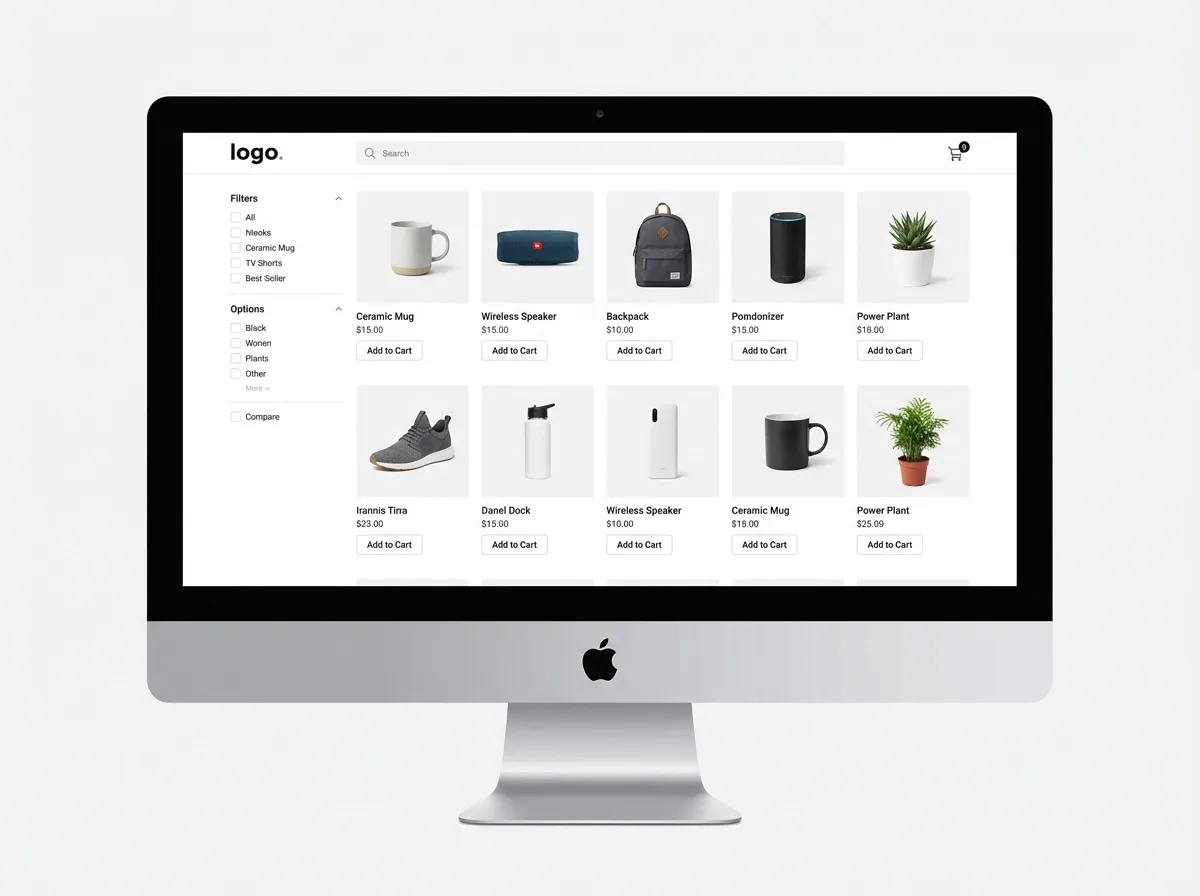
Most listings fail because of trust gaps, not because the product is bad. Packshots close those gaps.
1) Packshots reduce decision friction
On a category page or a marketplace grid, shoppers scan fast. A clean packshot helps them instantly answer: “What is it?” and “Is it for me?” If your first image is messy, the shopper has to work. They will not.
2) Packshots protect your brand across a growing catalog
Consider this: you add 30 new SKUs, then three months later you relaunch packaging, then you expand into bundles. If every product was shot by a different person, on a different day, with different edits, your storefront starts to look like a reseller page.
Consistent packshots create a visual system. That system is part of brand equity, and it also makes your site feel easier to shop.
3) Packshots lower returns by setting accurate expectations
The reality is shoppers return items when reality does not match expectation. Packshots help set correct expectations on color, finish, shape, and what is included in the box. That matters a lot for cosmetics, supplements, electronics accessories, and anything where “size surprise” causes refunds.
4) Packshots improve ad performance and creative testing
Packshots also give you a stable base for testing. If your hero image is consistent, you can A/B test backgrounds, shadows, and crops without accidentally changing the product itself. That makes ad experiments cleaner and easier to interpret.
Packshot standards that actually move the needle

Packshots are simple, but they are not casual. A few standards separate “fine” from “professional.”
Clean silhouette, accurate color
Start with even lighting and correct white balance. If your whites drift warm or cool across SKUs, your catalog looks inconsistent. If your colors are wrong, you invite returns.
Consistent crop rules
Pick a crop system and stick to it. For example: product fills 80 to 85 percent of the frame, centered, with consistent padding. This helps shoppers compare sizes and shapes across variants.
Background discipline
White is popular because it is neutral and marketplace-friendly. But “white” does not mean “blown out.” You want separation between the product and the background, plus a realistic shadow if it fits your brand.
One practical approach, especially when you need speed, is to use AI tools to standardize backgrounds. For example, ProductAI includes tools like the Free White Background Generator to produce clean white packshot-style outputs when your source imagery is inconsistent.
Resolution and sharpness for zoom
Shoppers zoom. Marketplaces also compress images, which can make soft photos look worse. Capture sharp source images and export at a resolution that supports zoom, especially for texture-heavy products like textiles, leather, or printed packaging.
Marketplace and platform requirements to watch

Your packshot is not only for your product page. It also has to behave across platforms that each have their own rules.
Amazon: strict hero image expectations
Amazon often expects a pure product image on a white background for the main image, with limited props. If you use lifestyle scenes as the hero, you risk suppressed listings or weaker performance. Packshots keep you safely inside the lines.
Shopify and DTC: consistency wins the grid
On Shopify collection pages, consistency is the difference between “premium catalog” and “random feed.” A strong packshot system makes your storefront easier to browse and makes your merchandising choices, like bundles and upsells, feel more intentional.
Meta and TikTok ads: your first frame still matters
Video is huge, but static still drives a lot of click-through. Clean packshots also give you building blocks for motion templates, carousels, and dynamic product ads.
If your current catalog includes mixed backgrounds, it is worth learning a reliable removal workflow first. This guide, How to Remove Background from Image: Complete Guide, explains the practical steps and what to watch for around edges and shadows.
A practical packshot workflow for growing catalogs

What many businesses overlook is that packshots are an operations problem, not just a creative problem. Your best workflow is the one you can repeat every month.
Step 1: Define a packshot style guide (one page)
Keep it short and enforceable. Include background color, shadow style, crop rules, file naming, export sizes, and a few “do not” examples.
Step 2: Capture consistent source images
Even if you plan to edit heavily, start with decent source photos. Use a tripod, keep camera height consistent, and shoot a reference gray card if color accuracy matters. Good inputs reduce retouching time.
Step 3: Standardize backgrounds and framing
In practice, this means batching similar products together and applying the same edits. If you need fast variation for different channels, AI can help you produce multiple clean options without reshooting.
For example, ProductAI can generate background variations using the AI Background Generator. That can be useful when you want to keep a strict packshot for marketplaces while testing slightly branded backgrounds for your own site.
Step 4: QA like a merchandiser, not a photographer
Use a simple QA checklist: edges clean, no color cast, consistent scale, correct orientation, no missing accessories, and no misleading reflections. Then review images in the actual grid view, not only one-by-one.
Step 5: Version images by channel
Keep a “master packshot” set, then export channel-specific versions. Your Amazon hero, Shopify grid, and Meta catalog may need different aspect ratios and safe areas. Don’t let each channel create its own random edits.
Packshot vs lifestyle vs 3D and 360: how they work together

Packshots do not replace lifestyle. They anchor it.
Think of your listing like a sales conversation. The packshot is the handshake. Lifestyle images tell the story. Detail shots answer questions. And 3D or 360 views reduce uncertainty for shape, scale, and materials, especially for higher priced items.
A simple image stack that works for most categories
Hero packshot: clean, consistent, accurate
Secondary packshots: alternate angles, back, side
Detail crops: texture, closures, ingredients, ports
Lifestyle: context and scale
Optional 3D or 360: exploration and confidence
If you are deciding between neutral and branded backgrounds for your packshot style, this post on Choosing the Right Background for Product Photography is a solid reference point.
Common packshot mistakes (and quick fixes)
Packshots fail in predictable ways. Fixing them usually does not require a full reshoot, just better standards.
Inconsistent shadows
If half your SKUs float and half sit on heavy shadows, your grid looks messy. Pick one shadow direction and softness. If you cannot match shadows perfectly, a lighter, more subtle shadow is usually safer.
Over-editing that changes the product
Watch saturation, sharpening halos, and aggressive smoothing. The moment your packshot stops being accurate, it becomes a returns problem.
Wrong aspect ratio or too much empty space
Empty space makes products look small on mobile. Create templates for 1:1 and 4:5, and ensure the product fills the frame consistently.
Backgrounds that are “almost white”
Off-white or gray backgrounds can look dirty next to true white. Standardize your background value and check it against marketplace requirements.
Ignoring packaging changes
If your packaging updates, update your packshot too. Old packshots create confusion, and confusion kills conversion.
One example of how teams speed this up is using AI to produce updated, consistent packshots from existing photos, then QA against the physical product before publishing. That balance, speed plus human accuracy checks, is where AI product photography tends to work best.
Frequently Asked Questions
What are packshots in e-commerce?
Packshots are standardized product images designed to show the item clearly and consistently, usually on a white or neutral background. In e-commerce, packshots typically serve as the hero image and the core angle set that supports browsing and comparison. They focus on accuracy over creativity: true color, clean edges, consistent scale, and minimal distractions. If you sell across multiple channels, packshots act like the “master images” you can adapt to each platform’s rules.
Why do packshots increase conversion rates?
Packshots increase conversion because they reduce doubt. A shopper can quickly recognize what the product is, what shape it has, and whether it matches the listing title and price. Consistency also helps: when every product is framed similarly, customers compare options faster and feel more confident checking out. Packshots also support better merchandising, like showing variants and bundles without visual chaos, which tends to improve add-to-cart behavior.
Do I need packshots if I already have lifestyle photos?
Yes, for most catalogs you still need packshots. Lifestyle photos are great for context and brand, but they rarely answer basic questions as clearly as a clean product-on-neutral image. Lifestyle images can hide edges, distort color under mixed lighting, and make it harder to judge scale. A good approach is to lead with packshots for clarity, then use lifestyle photos to build desire and help shoppers imagine the product in real life.
What does “packshots produits” mean?
“Packshots produits” is a common term used in French-speaking e-commerce and advertising to describe standardized product packshots. It typically refers to a consistent set of product images, often on a white background, used for catalogs, marketplaces, ads, and product pages. The emphasis is on clarity, repeatability, and brand consistency. If you sell internationally, the same concept applies even if the naming changes: your listings need a dependable “reference image” system.
What is the best background for packshots?
White is the default because it is neutral, clean, and accepted by many marketplaces. But the “best” background depends on channel and brand. For Amazon-style rules, white is often safest for the hero image. For DTC, a very light neutral or subtle brand tone can work if it stays consistent and does not reduce contrast. The key is separation: your product edges should be clear, and your background should not create color casts or reflections.
How many packshot images should a listing include?
A practical minimum is one hero packshot plus two to four supporting packshots that show key angles and important details. The right number depends on complexity. Simple items might need front, back, and a detail crop. Products with functional features, like bags or electronics, often need extra close-ups and “what’s included” images. You can treat packshots as the core set, then add lifestyle and use-case images after you have covered the basics.
Can AI generate packshots from existing photos?
AI can help generate or refine packshots, especially for tasks like background cleanup, creating white background versions, and producing consistent crops for channel exports. It works best when your source photo is reasonably sharp and the product edges are clear. You still need human QA for accuracy, especially for reflective items, transparent packaging, and products with fine hair-like details. Tools like ProductAI are often used as a speed layer: create consistent outputs quickly, then approve what matches the real product.
What products are hardest to create packshots for?
Reflective and transparent items are usually the toughest: glass, glossy cosmetics, chrome hardware, clear plastic, and anything with complex reflections. Fine details can also be tricky, like lace, fur, or thin straps. These products need careful lighting to avoid blown highlights and muddy edges. If you use AI editing, you will also want to check that reflections and transparency remain realistic. For hard items, a controlled studio setup and disciplined retouching standards matter more than fancy scenes.
Are packshots required for Amazon and other marketplaces?
Many marketplaces strongly favor packshot-style hero images, and some have strict rules around backgrounds, props, and how much of the frame the product occupies. Amazon is the most well-known example, but other platforms also enforce image quality guidelines because it improves shopper trust and reduces complaints. Even when not strictly required, packshots usually perform better in grid browsing. The safest strategy is to maintain a marketplace-compliant packshot master, then adapt for your DTC brand needs.
How do I keep packshots consistent across hundreds of SKUs?
Consistency comes from a system: a short style guide, a repeatable capture setup, batch editing rules, and QA in grid view. Standardize your camera height, lens choice, and lighting, then enforce crop and padding rules. Build templates for aspect ratios you use most, and create channel-specific exports so each platform does not invent its own look. If you introduce AI into the workflow, treat it like automation for repeatable tasks, not a replacement for final approval.
Key Takeaways
Packshots are the trust-building hero images that reduce friction and help shoppers decide fast.
Consistency in crop, color, and background often matters more than “creative” styling for conversion.
Marketplaces reward packshot-style images because they are easier to moderate, display, and compare.
Scale comes from a workflow: style guide, repeatable capture, batch edits, and grid-based QA.
AI can speed up background standardization and variations, but you still need accuracy checks.
Conclusion
Packshots sound basic, but they are one of the highest leverage assets in e-commerce. When your hero image is clean and consistent, your listing instantly feels more trustworthy, your grid becomes easier to shop, and your ads and marketplaces have a stronger foundation to work from. You also make life easier for your team, because you are no longer reinventing image decisions SKU-by-SKU.
From a practical standpoint, the win is building a packshot system you can repeat: define standards, capture good source images, standardize backgrounds and crops, and QA in the same view customers use. If you want to speed up the production side, tools like ProductAI can help generate consistent packshot-style outputs and variations, then you approve what matches the real product.
If you want to see AI packshot workflows in action, explore a couple of ProductAI’s free tools and test them on one SKU first.
Last updated: February 2026
About the Author
Giles Thomas, Ecommerce & AI Product Photography Expert – Founder, AcquireConvert.
Giles helps e-commerce teams improve conversion rates with clearer, more consistent product imagery and scalable listing workflows. His work focuses on practical packshot standards, marketplace-ready image systems, and using AI as a production accelerator without sacrificing accuracy.

Hi, I'm Giles Thomas.
Founder of AcquireConvert, the place where ecommerce entrepreneurs & marketers go to learn growth. I'm also the founder of Shopify agency Whole Design Studios.