Photography Turntable: Buyer’s Guide (2026)

.webp)
Last updated: February 2026
What You Will Learn
What a photography turntable is (and when it pays off)
Turntable types: manual, motorized, and automated 360 systems
Key specs that matter for product photography
Platform stability factors that cause wobble (and how to test)
Step accuracy, camera triggering, and file naming for 360 workflows
Background and reflection control for turntable shoots
A practical workflow for 360 and standard listings
Marketplace and PDP requirements that affect your turntable setup
Maintenance and troubleshooting: drift, noise, and speed inconsistencies
Where AI editing fits after you shoot
Buying guide: how to pick the right turntable
If you sell products online, a photography turntable can be one of the highest ROI pieces of gear you buy. It helps you capture consistent angles fast, create smooth 360 spins, and produce short rotating videos for ads and listings. The catch is that “turntable” covers everything from $30 lazy Susans to automated 360 rigs with camera triggering and software workflows.
This guide breaks down what matters (load capacity, speed control, wobble, repeatability, and capture workflow) so you can choose the right turntable for your product size, catalog volume, and content goals. If you are also building out your broader product photos workflow, the decision gets easier when you treat the turntable as part of a system, not a standalone gadget.
What a photography turntable is (and when it pays off)
A photography turntable is a rotating platform you place your product on so you can capture multiple angles with consistent spacing. For basic e-commerce, that can mean quicker “front, side, back, detail” sets. For 360 listings, it can mean 24 to 72 frames captured at consistent degree intervals and stitched into an interactive viewer.
The payback is usually strongest when you have any of these realities:
You sell many SKUs and need a repeatable shot process.
You want to add rotation video for ads, PDPs, or marketplaces.
You are investing in 3d product photography or 360 experiences and need consistent capture.
Your products have reflective or complex geometry where consistent lighting and orientation matter.
If you only shoot a few items per month and just need a clean hero image, you may be better spending on lighting and stabilization first, then adding a turntable once volume demands it.
Turntable types: manual, motorized, and automated 360 systems
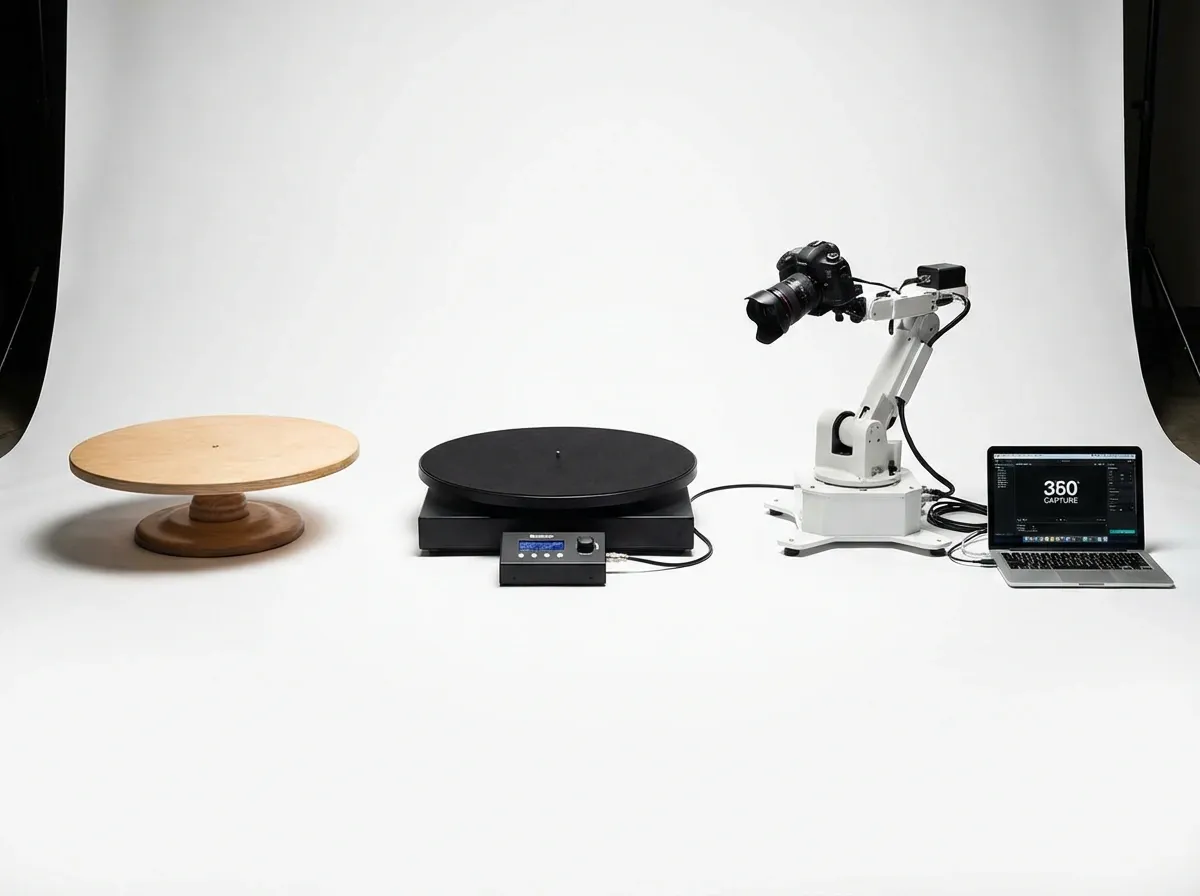
1) Manual turntables (lazy Susan style)
Manual platforms are simple, cheap, and surprisingly useful for small catalogs. You rotate by hand and shoot when the product reaches the angle you want. They can work well for still images and short clips if you can rotate smoothly.
Best for: low volume, lightweight products, simple angle sets
Watch outs: inconsistent angle spacing, wobble, and accidental repositioning
2) Motorized turntables (basic electronic rotation)
A motorized turntable for product photography rotates at a controlled speed. Some offer direction control, speed adjustment, and remote start/stop. These are ideal when you want smooth rotation video and more consistent still-angle capture without jumping to a full 360 automation system.
Best for: rotation videos, moderate SKU volume, consistent angles
Watch outs: noise, power stability, and load capacity claims that do not hold in real use
3) Automated 360 systems (turntable + capture workflow)
An automated product photography turntable is usually part of a system: the platform rotates in fixed steps, and the camera is triggered at each step. This is where you see “360 product photography turntable software” mentioned because the software controls capture, aligns frames, and exports a viewer or spin set.
If you are considering brand-name systems (for example, setups marketed as “iconasys 360 product photography turntable”), focus less on the label and more on how the system handles: step accuracy, camera triggering reliability, frame naming, and output formats for your site or marketplace.
Best for: higher volume 360 spins, standardized production, teams
Watch outs: setup complexity, software lock-in, and total cost (lighting, stands, triggers, licensing)
What about DIY?
“Photography turntable DIY” and “diy turntable product photography” setups can work, especially if you are technical. Common approaches include a lazy Susan bearing with a marked degree ring, or a motor + speed controller. DIY is fine for experimenting, but it can become a time sink if you need repeatable production across dozens of SKUs.
Key specs that matter for product turntable photography
When people ask for the “best product photography turntable,” what they often mean is “the most stable, repeatable platform for my product type.” Here are the specs that actually move the needle.
Load capacity and real stability
Manufacturers love listing high load ratings. In practice, stability matters more than raw weight. A light platform can hold a heavy product but still wobble, flex, or drift if the product’s center of mass is off-center. If you shoot tall items, prioritize a platform with a wide base and low wobble.
Diameter (working surface size)
Choose a diameter that gives your product breathing room but does not force you to raise your camera too high. For small goods (cosmetics, electronics), a smaller platform can be more stable. For larger items (shoes, small appliances), you may need a larger surface to avoid overhang.
Speed range and speed consistency
For electronic turntable photography, speed consistency is what creates “premium-looking” rotation video. A platform that surges or slows will look amateur, even if you have good lighting. If the platform offers step rotation for stills, look for accurate degree steps (like 5, 10, or 15 degrees).
Start/stop control (and remote options)
Remote control reduces camera shake and makes solo shooting easier. For 360 still capture, step-and-pause behavior is ideal so you can shoot at rest, not while the product is moving.
Surface finish and cleanup
Glossy platforms can reflect light, create hotspots, and make cutouts harder. Matte white is often easiest for clean marketplace-style imagery. If your goal is pure catalog consistency, you may end up preferring a neutral surface and doing background work in post.
Power and portability
Battery power is convenient for small studios and on-location shoots. AC power is typically more consistent for long sessions. If you plan to ship your setup to a second location or hire freelancers, portability matters more than you think.
Platform stability factors that cause wobble (and how to test)
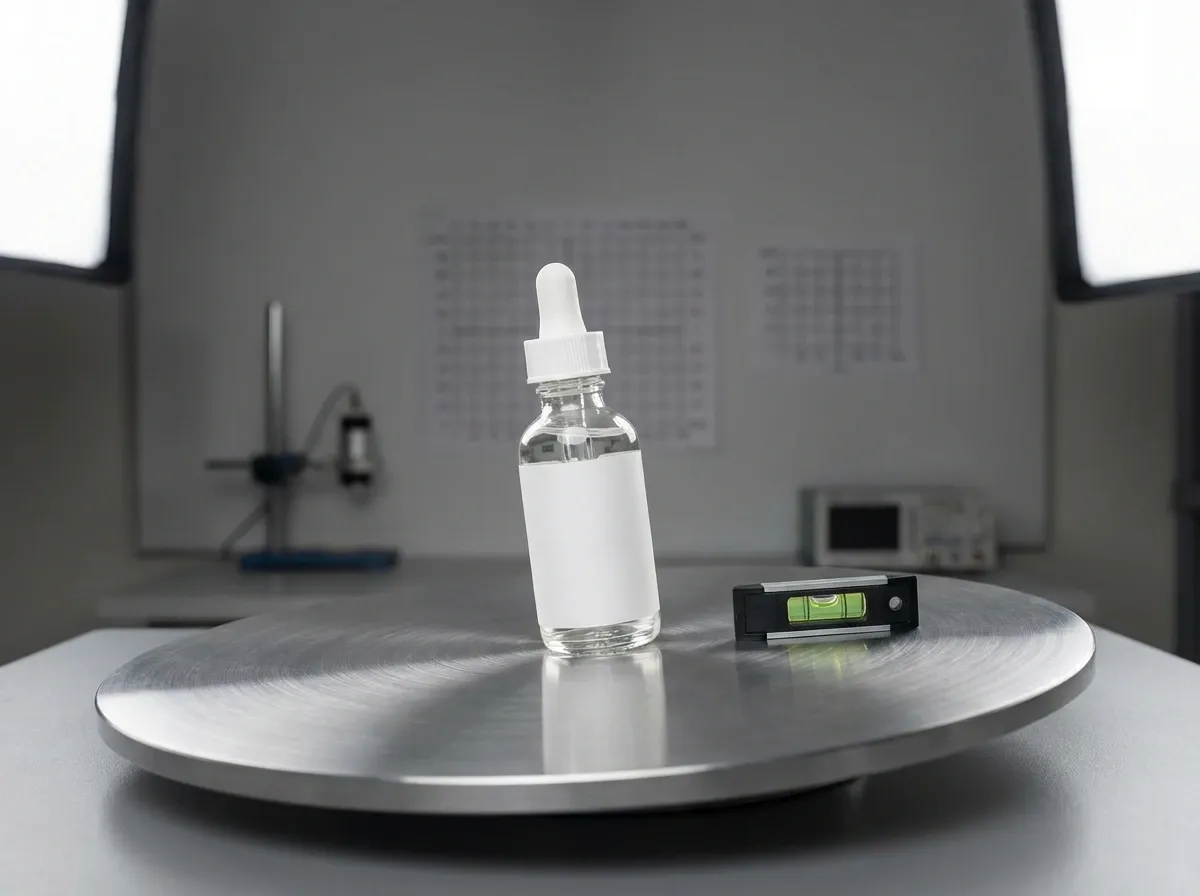
Here is the thing: “wobble” is not one problem. It is a mix of bearing quality, platform stiffness, motor torque, and how well your product is centered. Two turntables can have the same stated load rating and feel totally different on camera.
From a practical standpoint, stability comes down to what the camera sees across a full rotation: does the product’s outline stay in the same place, or does it sway and drift?
What actually causes wobble
Off-center loading: tall products, handles, cords, and uneven weight distribution create leverage that exaggerates tiny platform flex.
Bearing play: cheap bearings can shift slightly under load, which shows up as a rhythmic “bounce” during rotation.
Platform flex: thin tops can sag, especially when the product footprint is small and weight is concentrated.
Torque mismatch: if the motor struggles to start smoothly, you get micro-jerks that look like vibration in video and blur in stills.
Uneven surface: a turntable can be fine, but a slightly unlevel table can turn a stable platform into a drifting one.
A quick stability test before you commit
Consider this simple test routine when a unit arrives:
Put a tall, narrow product on it, something like a bottle or canister. Those are the fastest way to reveal sway.
Place a small piece of tape on the platform edge as a visual reference.
Record 10 to 15 seconds of rotation video from your normal shooting distance.
Watch the product outline against a fixed background edge. If it moves side-to-side, you will fight that problem in every spin.
If you see drift, start by re-centering the product and leveling the surface. If the problem persists, it is usually a hardware limitation, not a technique issue.
Step accuracy, camera triggering, and file naming for 360 workflows
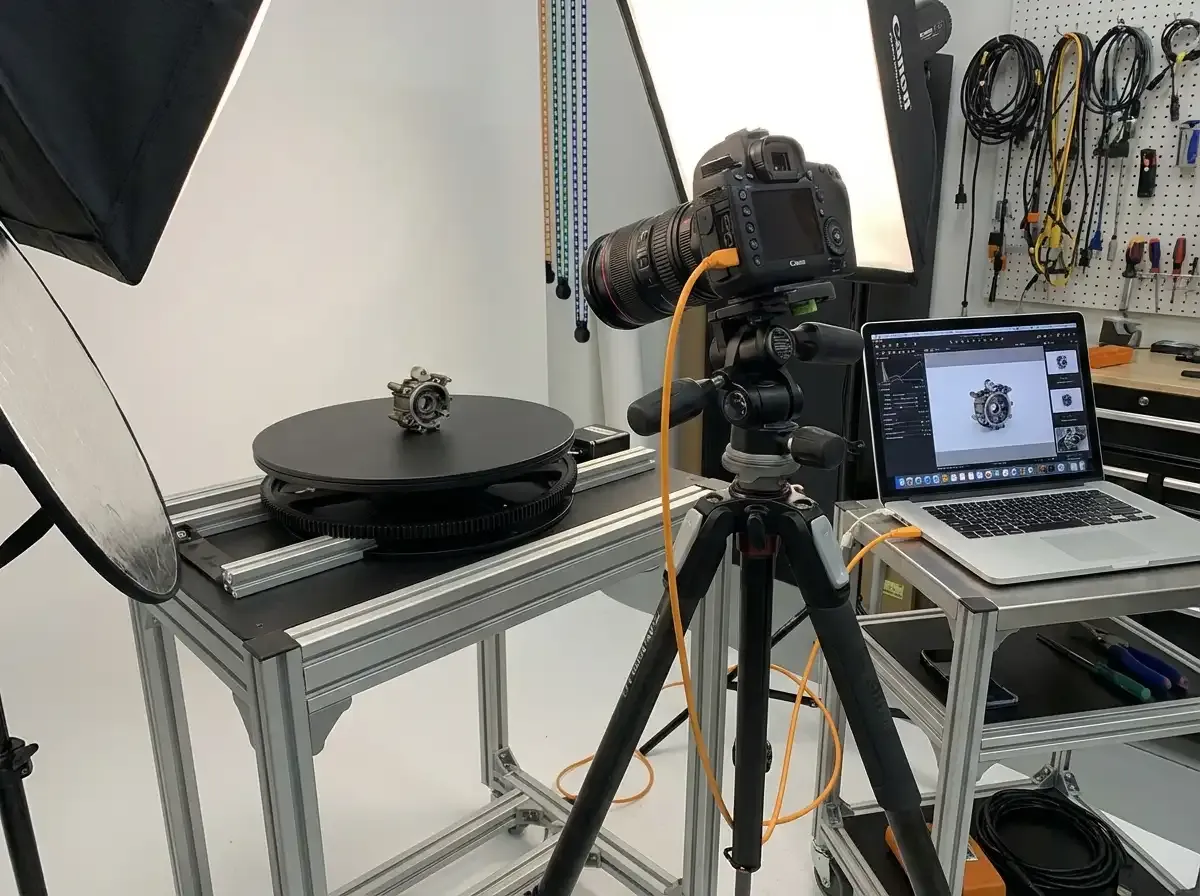
If you are buying an automated product photography turntable, you are not really buying rotation. You are buying repeatability, and the downstream organization that keeps 36-frame sets from becoming a time sink.
Step accuracy is what makes spins feel “locked”
On paper, 36 frames means 10-degree spacing. In reality, if the turntable misses steps, overshoots, or pauses inconsistently, the spin will look like it speeds up and slows down. That is the kind of thing customers notice without knowing why.
Camera triggering reliability matters more than the app UI
The reality is that a 360 set fails when the camera and turntable get out of sync. If your system triggers late, you get motion blur. If it triggers early, you get partial angles and inconsistent spacing. When you evaluate software, pay attention to whether it is designed for “step, settle, trigger,” not “rotate and hope.”
Frame naming and folder structure saves hours at scale
What many businesses overlook is how quickly 360 becomes a file management problem. A single SKU might create 36 frames, plus a hero set, plus a rotation video. Multiply that across a catalog and you either standardize naming, or you spend time renaming and re-sorting.
Even if you are not using dedicated 360 product photography turntable software yet, you can enforce a basic rule: one folder per SKU, consistent frame numbering, and a repeatable export size. That one decision makes publishing far easier later.
Background and reflection control for turntable shoots
Turntables solve angles, not lighting. But because they make rotation easy, they also make lighting mistakes obvious. A shadow that looks fine in a single hero shot can look messy across a full spin.
Sweeps vs. hard surfaces
If you want a clean catalog look, a sweep (where the background curves from vertical to horizontal) helps you avoid a hard horizon line. For rotation video and 360 frames, the benefit is consistency: fewer background edges that shift relative to the product as it turns.
Reflective products need “reflection strategy,” not more editing
For glossy packaging, chrome, glass, and polished metals, reflections are part of the product. The goal is to control them. Think of it this way: you are lighting the reflections as much as the item itself.
Use larger, softer light sources so reflections look smooth.
Use flags (dark cards) to shape highlights and add definition.
Keep the set clean, because the product will reflect stands, tripods, and even you.
If your platform surface is glossy and you want a “floating” look, you can still get it, but test it as a full rotation first. What looks premium in a single angle can create distracting hotspots once the product spins.
A practical workflow for 360 and standard listings
A good workflow keeps your capture consistent, then gives you options for how you publish. Here is a simple approach that works for most e-commerce teams.
Step 1: Standardize your shot list
Decide what “done” looks like per SKU: hero, side, back, top, detail, plus a 360 spin set or a 5 to 8 second rotation video. If you are implementing a product turntable workflow, the shot list is what prevents re-shoots.
Step 2: Lock your camera and lighting
Turntables amplify inconsistency. A minor lighting change becomes a flicker across a 36-frame spin. Use manual exposure, manual white balance, and consistent light placement. A tripod with a marked floor position helps repeatability.
Step 3: Capture your spin set
For stills, use step rotation if possible. If not, use a degree marker and rotate consistently. For video, choose a speed that looks smooth at your frame rate. Test with one SKU before committing to a catalog day.
Step 4: Publish as interactive 360 or video
Interactive spins can boost engagement, but they require viewer support on your site. If you are not ready for that, video is often the easiest win. If you are exploring mobile workflows, start with a dedicated 360 product photography app to validate demand before investing in heavier software.
Step 5: Clean up images for listings
Even with a great capture setup, you will usually need background, cropping, and resolution adjustments to match marketplace requirements and keep your brand consistent.
Marketplace and PDP requirements that affect your turntable setup
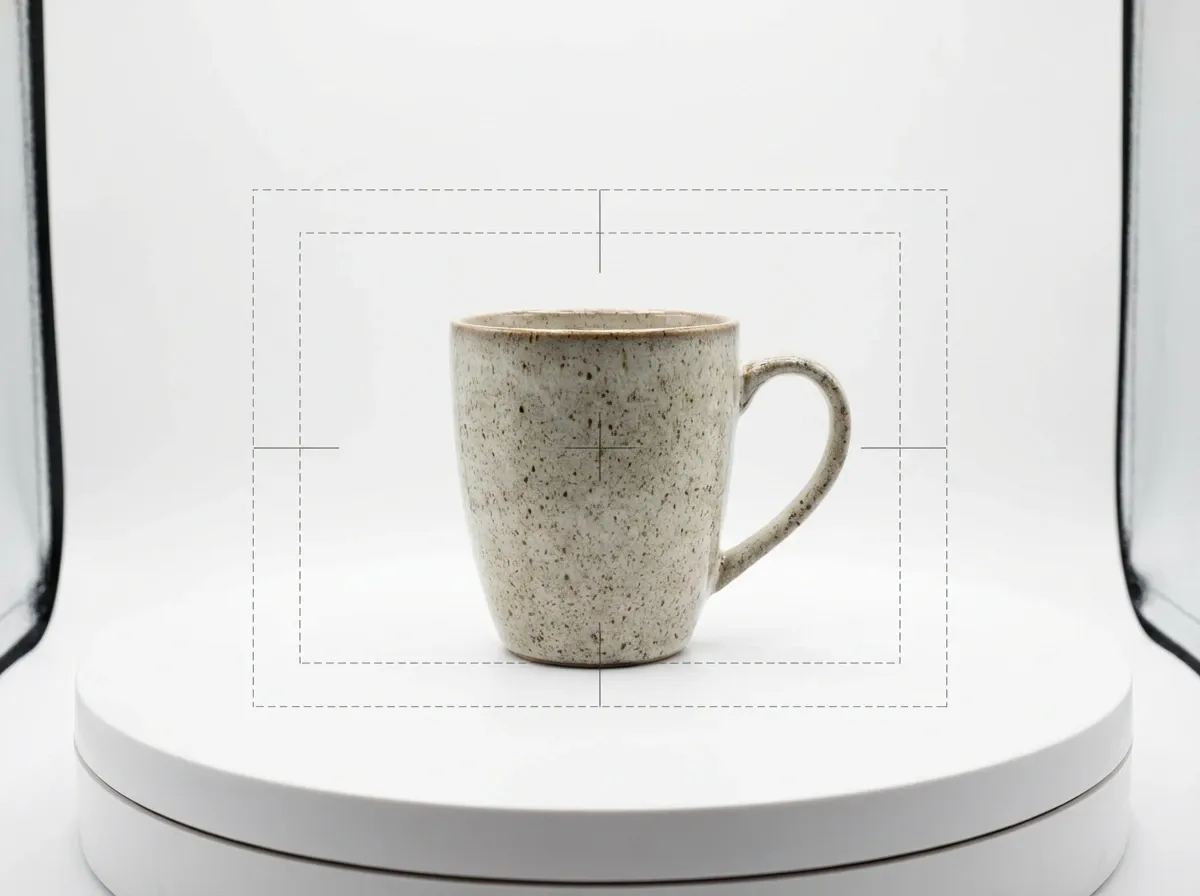
Now, when it comes to publishing, your turntable choice should match where the images will live. Different channels reward different outputs, and that changes how you shoot.
White background standards vs. “brand” backgrounds
Many marketplaces strongly favor clean, consistent, white-background imagery. That pushes you toward a workflow where the turntable is optimized for repeatability and clean edges, not dramatic lifestyle lighting. If your main channel is your own site, you have more flexibility to mix white-background shots with more styled content.
Image size and cropping influence platform diameter
If you need tight, consistent crops for a grid view, you will care more about keeping the product centered and the camera distance fixed. A larger platform can be helpful for larger goods, but if it forces you to move the camera back, you may end up with less effective resolution on the product itself.
Interactive 360 versus video has performance tradeoffs
Interactive 360 spins can be excellent for products customers want to inspect, but they can add asset weight and implementation steps. Rotation video is often simpler to deploy and tends to work consistently across ads, PDPs, and most platforms. If you are unsure, the practical move is to shoot a spin set and a short rotation video for the same SKU, then publish the version your stack supports cleanly.
Maintenance and troubleshooting: drift, noise, and speed inconsistencies
A turntable that works well on day one can get frustrating over time if you do not treat it like production equipment. Most problems show up as quality issues: frame-to-frame jumps, small changes in speed, or drift that forces you to re-center constantly.
Drift and “walking” products
If your product slowly moves during a rotation, it is usually friction and vibration, not the product “slipping.” A simple fix is to use a clean, grippy surface layer and make sure the platform top is clean. Also check that the turntable sits on a stable surface and that nothing is catching as it rotates.
Noise and vibration
Noisy motors are not just annoying. Vibration can show up as micro-blur in stills and shimmer in video. If you hear grinding or inconsistent motor sound, treat it as a warning sign. Test with your actual shooting setup, not just by watching the platform spin.
Speed inconsistencies
If speed varies during video rotation, first rule out power issues. Battery levels and unstable adapters can cause speed changes. If it is an AC-powered unit, try a different outlet and keep the power cable secured so it does not tug during rotation.
Where AI editing fits after you shoot (ProductAI tools to know)
A turntable improves capture speed and consistency, but you still need your images to look “ready to sell.” This is where AI editing can complement a 360 or rotation workflow, especially if you are producing lots of angle frames and want consistent backgrounds across them.
ProductAI is one option to speed up post-production for product images. For example, you can generate clean environments with the AI Background Generator, standardize marketplace-friendly shots using the Free White Background Generator, and prep assets for zoom or higher-quality PDPs with Increase Image Resolution.
The practical way to think about it: the turntable helps you get the angles, AI helps you make the set consistent and publishable without turning editing into a bottleneck.
Buying guide: how to choose the right photography turntable
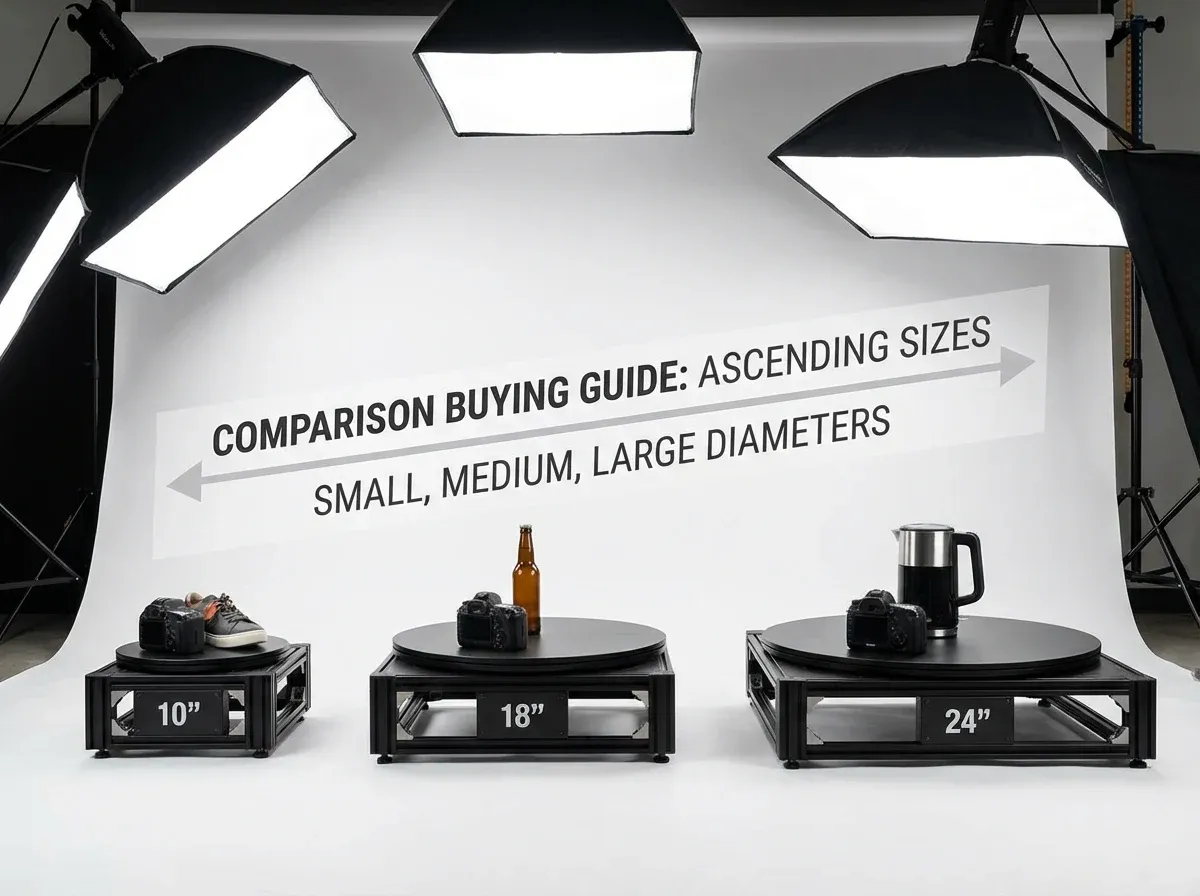
If you are comparing photography turntables, you can make the decision quickly by working through five questions. This prevents you from overbuying automation you do not use or underbuying a platform that wobbles and forces re-shoots.
1) What content are you producing: stills, 360 spins, or video?
If you only need 5 to 8 still angles per product, a stable manual or basic motorized platform may be enough. If you need consistent 24 to 72-frame spins, you will appreciate step rotation and camera triggering. If your priority is ads, choose motor smoothness over step accuracy and test rotation video early.
2) What is your product size range and weight distribution?
List your smallest and largest items, then consider your “awkward” items: tall bottles, off-center shapes, products with cords, or anything that catches on the surface. Capacity ratings matter less than whether the platform stays level and centered under real-world loads.
3) How many SKUs per month (and who is operating it)?
For a solo founder shooting 20 SKUs per month, simplicity beats complexity. For a team shooting 300 SKUs per month, standardization and repeatability win. If you will train staff, favor systems with clear controls, easy resets, and consistent results across operators.
4) What does your publishing stack support?
Before investing in an “automated” setup, confirm your website or marketplace can actually use the output. Do you need a folder of numbered frames, a specific sprite format, or a hosted viewer? If you are not sure, start by validating with rotation video, then upgrade to interactive spins when you have proof it improves conversion.
5) What is your total workflow cost, not just turntable price?
Budget for lighting, camera support, backdrops, and post-production. Many sellers underestimate editing time. To put costs in context, it helps to compare against what you would pay externally. This breakdown on product photography pricing is a useful benchmark when you are deciding whether to build an in-house workflow.
If you want your results to look professional quickly, focus on consistency. That usually means: stable platform, fixed lighting, and a repeatable editing process. You can also borrow best practices from AI-assisted workflows, like the consistency tips in tips for professional AI-generated product photos.
Pros and Cons
Strengths
Faster multi-angle capture than manually repositioning the product for every shot.
More consistent framing and orientation, which improves listing quality across a catalog.
Makes rotation videos easier, which can improve engagement on PDPs and ads.
Enables 360 spin workflows and supports more advanced 3D capture processes when paired with the right software.
Reduces handling, which matters for fragile products or items that pick up fingerprints.
Considerations
Cheap platforms often wobble, drift, or have inconsistent speed, which creates flicker and makes spins look low quality.
Automated 360 systems can add software complexity, training time, and vendor lock-in.
Turntables do not fix lighting. Poor lighting still produces poor images, just faster.
Larger products quickly push you into bigger, pricier platforms and more demanding stabilization.
Frequently Asked Questions
What size photography turntable should I buy?
Pick a diameter that fits your typical product with a little margin, without forcing the camera too far back or too high. Smaller platforms are often more stable for small goods. If you shoot a wide size range, it can be smarter to buy one stable mid-size platform and use risers or positioning aids rather than buying the biggest option available.
Is a motorized turntable for product photography worth it?
If you plan to create rotation videos or want more consistent angle spacing for stills, yes. The main value is smoother, repeatable motion that looks more professional. For very low volume shooting, a manual platform can be enough. For higher volume, motor control usually pays for itself in fewer re-shoots and faster capture sessions.
Do I need step rotation for 360 spins?
Step rotation makes 360 still capture far easier because the product pauses at each angle, reducing motion blur. You can still create a 360 set without it, but spacing will be less consistent and you may spend more time sorting frames. If interactive spins are a priority, step accuracy and consistent pauses are worth paying for.
What is “360 product photography turntable software” and do I need it?
It typically refers to software that helps control capture (triggering the camera at each angle), organizes frames, and exports a spin viewer format. You need it if you want a standardized, repeatable 360 workflow at scale. If you are validating demand, you can start with rotation video or a simpler capture workflow first.
Can I do photography turntable DIY for my store?
You can, and it is a reasonable way to test the concept. DIY works best for lightweight products and low volume. The risk is inconsistency: wobble, uneven rotation, and time spent troubleshooting. If your catalog is growing, the opportunity cost of DIY can exceed the savings quickly.
How many frames do I need for a 360 product spin?
Common ranges are 24, 36, or 72 frames, depending on how smooth you want the spin and how detailed the product is. More frames look smoother but take longer to capture and process. Many brands start at 36 as a balance, then adjust based on product type and site performance.
What causes flicker in 360 spins?
Flicker usually comes from inconsistent exposure or lighting shifts between frames. Auto exposure and auto white balance are frequent culprits. Fix it by shooting fully manual, keeping lights stable, and minimizing ambient light changes. Also check that the turntable motion is consistent and the product stays centered across the rotation.
Should I publish 360 spins or rotation video?
Rotation video is often the fastest win because it works almost everywhere: product pages, social ads, and marketplaces. Interactive 360 spins can be great for complex products, but they add implementation and sometimes performance overhead. A practical approach is to launch video first, then test 360 spins on key SKUs where inspection matters.
How do I keep backgrounds consistent across all my turntable angles?
Start with consistent lighting and a clean sweep, but most teams still do post-processing for uniform results. If you are producing lots of frames, AI tools can speed up consistency work. For example, you can standardize clean catalog shots with a white background tool or generate consistent lifestyle backgrounds once your angles are captured.
How fast should a photography turntable rotate for video?
It depends on your frame rate, product size, and where the video will be used. As a starting point, aim for a speed that produces one clean, smooth rotation in a few seconds, then adjust based on how “readable” the product details are. The key is consistency: even a good speed looks bad if it surges or slows mid-rotation.
Why does my product look like it shifts side-to-side during a spin?
That visual shift is usually wobble or off-center loading. Re-center the product, level the surface the turntable sits on, and test again with a tall item to reveal sway. If it still shifts, the platform may have bearing play or flex that you will not be able to fix with technique.
What is the easiest way to organize 360 spin images?
One folder per SKU, consistent frame numbering, and a standard export size will save you the most time. If you keep that structure from the start, publishing is much easier, and re-shoots do not turn into a matching game later.
Can I shoot 360 spins with a phone on a turntable?
Yes, especially for validation and lower-volume workflows. The main risks are inconsistent exposure and focus changes between frames, plus motion blur if the phone shoots while the product is moving. If you try it, lock exposure and white balance if your camera app allows it, and favor step-and-pause rotation so you capture each frame at rest.
Key Takeaways
Choose based on output type: still angles, rotation video, or automated 360 spins.
Stability and repeatability matter more than headline load capacity.
For 360 stills, step rotation and reliable pauses reduce blur and rework.
Validate publishing needs first, video often beats interactive 360 for speed to market.
Plan the full workflow: capture, organization, and post-production consistency.
Conclusion
A photography turntable is a practical investment when you care about speed, consistency, and content variety across your catalog. The right choice depends on what you are shipping: a handful of still angles, rotation video for ads, or full 360 spins with software-driven capture. Prioritize stability, speed consistency, and a workflow your team can actually run week after week.
If you want to make your turntable shots look listing-ready faster, consider pairing your capture setup with AI editing tools for background consistency and resolution prep. You can explore options like ProductAI’s background and upscaling tools to reduce editing time and keep your catalog looking cohesive.
Last updated: February 2026
About the Author
Giles Thomas, Ecommerce & AI Product Photography Expert – Founder, AcquireConvert.
Giles helps e-commerce teams build repeatable product imaging systems that improve consistency and speed, from capture setups to 360 workflows. His work focuses on practical studio processes and post-production efficiencies that support higher-quality PDP imagery at scale.

Hi, I'm Giles Thomas.
Founder of AcquireConvert, the place where ecommerce entrepreneurs & marketers go to learn growth. I'm also the founder of Shopify agency Whole Design Studios.