AI Generated Photography for Product Brands (2026 Guide)


You have a product launch coming up, your Shopify store needs fresh images, and the quote from a traditional shoot is higher than you expected. On top of that, you need lifestyle images, seasonal variations, ad creatives, and marketplace-ready product shots. That is where ai generated photography starts to look less like a novelty and more like a practical workflow option.
For product brands, the real question is not whether AI can create images. It clearly can. The more useful question is whether those images are good enough, brand-safe enough, and commercially effective enough to support sales. In many cases, the answer is yes, with the right process. In other cases, AI visuals still need heavy editing, human review, or a traditional product photography studio setup to get over the line.
This article explains what ai generated photography actually means for ecommerce brands, where it works best, where it tends to fall short, and how you can use it without damaging trust or visual consistency. If you sell physical products online, especially on Shopify, this is about making smarter creative decisions, not chasing hype.
Contents
What ai generated photography means for product brands
At a basic level, ai generated photography refers to images created or heavily assisted by AI systems rather than captured entirely through a camera-based shoot. For ecommerce brands, that can mean fully synthetic lifestyle scenes, AI-generated backgrounds for existing product cutouts, enhanced lighting, cleaned-up product shots, or concept visuals built from prompts and reference images.
The important distinction is that not all AI visuals are the same. Some are entirely generated from text prompts. Others start with a real product photo and use AI to place that product in a more polished or contextual scene. From a practical standpoint, the second approach is usually safer for ecommerce because it keeps the product itself grounded in reality.
If you are still sorting out the basics of product imagery, it helps to understand what is product photography before you replace parts of the process with AI. The fundamentals still matter: clarity, accuracy, consistency, and shopper confidence.
At AcquireConvert, much of the guidance around AI visuals is framed through real ecommerce use, not abstract art generation. That matters because a product brand does not need interesting images alone. You need visuals that support clicks, reduce hesitation, and present your product honestly.
AI generated photography vs AI photo editing: what is the difference?
Store owners often use “AI generated photography” as a catch-all, but there is a real spectrum here. Competitors tend to explain this clearly because it affects trust, returns, and how much time you will spend fixing weird outputs.
Think of it in three buckets:
Here is why the distinction matters for ecommerce: the more you “generate,” the more product accuracy risk you take on. That is especially true for the images closest to purchase, where customers are looking for evidence.
From a practical standpoint, most Shopify brands do best with a hybrid approach where the product itself stays real, and AI is used around it.
Which one should you use, and where?
If you want a simple decision framework, map your image method to the job the asset needs to do:
The way this works in practice is simple: use AI to reduce production friction and increase variation, but keep your most commercial images close to the truth of the product.
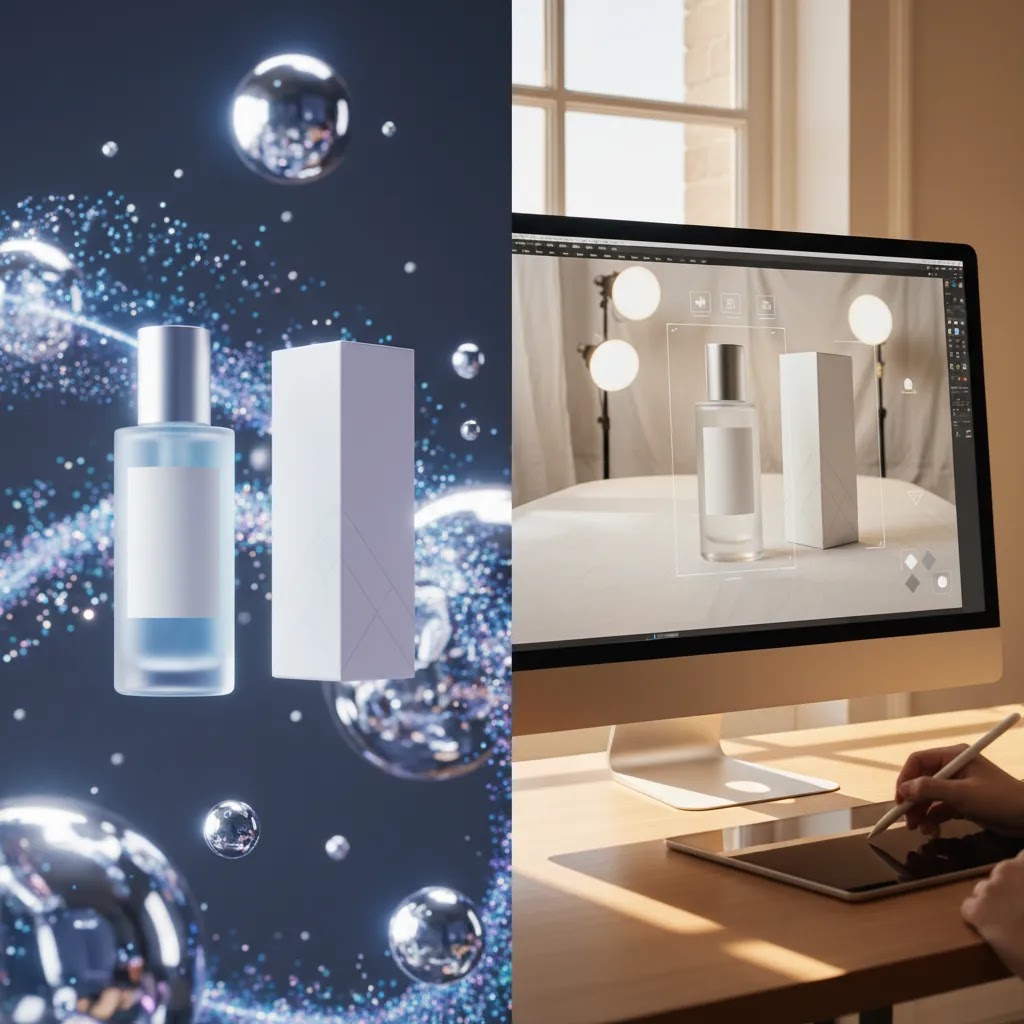
Where AI visuals work best in ecommerce
Creating more image variations without booking another shoot
One of the strongest use cases for ai generated photography is volume. A single hero image from a real shoot can be turned into multiple marketing assets with different backgrounds, lighting moods, crops, and seasonal settings. That gives you more options for collection pages, paid social ads, email campaigns, and landing pages.
For most Shopify stores, this is where AI starts paying off in time savings. You can test a summer backdrop, a clean studio white, and a warmer lifestyle scene without organizing props, location logistics, or another photographer booking.
Improving simple product presentations
Basic catalog needs are often a good fit for AI-assisted workflows. If you already have a clear product cutout, tools like AI Background Generator or Free White Background Generator can help you create cleaner, more consistent product imagery for listings. This is especially useful when your existing images are inconsistent across SKUs.
Brands selling simple, well-defined objects such as beauty items, home accessories, supplements, and packaged goods often get usable results faster than brands selling complex products with reflective surfaces, transparent materials, or intricate textures.
Testing concepts before investing in a full campaign
Consider this: your team is unsure whether a minimal studio look or a more aspirational lifestyle direction will convert better. AI can help you prototype both directions before spending money on a full creative rollout. That does not replace proper campaign production, but it can reduce creative guesswork.
If you want a broader look at this area, AcquireConvert also has related coverage on ai photography, which is useful when comparing AI-assisted editing with fully generated visuals.
Where brands need to be careful
Product accuracy still matters more than creativity
The biggest risk with ai-generated photography is misrepresentation. If the size, color, texture, finish, or packaging shown in the image differs from the real product, you may increase returns, lower trust, or create complaints that outweigh any creative gains. That risk is highest on primary product page images.
Here is the thing: shoppers use product photos as evidence. If AI makes your ceramic mug look hand-thrown when it is factory-finished, or gives your skin serum packaging a metallic sheen it does not have in person, you are setting the wrong expectation.
Some categories demand stricter realism
Beauty, apparel, jewelry, food, and products with fine visual details need extra scrutiny. AI can create attractive outputs in these niches, but the tolerance for visual inaccuracy is much lower. A beauty brand, for example, may experiment with concept imagery while still relying on carefully controlled references for shades, textures, and application visuals. That is one reason cross-category tools like an ai makeup generator are interesting, but they should be used with clear quality control and not as a substitute for shade-accurate product proof.
Brand consistency can break quickly
What many store owners overlook is that AI can produce visually impressive images that do not actually match each other. Background tones shift. Shadows change. Product angles feel random. If your PDP gallery, collection tiles, and ads all look like they came from different brands, you create friction instead of trust.
Consistency is usually more valuable than novelty. A slightly less dramatic image that fits your catalog system is often better than a highly stylized visual that confuses customers.
Practical workflows for Shopify and ecommerce teams
Start with real product photos, then layer AI carefully
In practice, this means your safest workflow is often hybrid. Capture a clean, accurate image of the real product first. Then use AI to expand backgrounds, improve lighting, create campaign variants, or place the item in relevant contexts. This approach keeps the product itself anchored in reality while still reducing production effort.
That is also why many brands still need some version of a product photography studio process, even if the final output is AI-assisted. You need dependable base assets.
Use different image standards for different page types
Not every image on your store needs the same level of realism. A useful rule of thumb is to separate images by commercial job:
This structure reduces risk. It also makes reviews easier for your team because you are not applying one image standard to every channel.
Build an internal review checklist
Before publishing AI-generated visuals, review them against the real product. Check proportions, label text, packaging shape, reflections, skin tones where relevant, and background appropriateness. If your store sells regulated, health-related, or highly technical products, involve someone who understands compliance and category-specific claims.
The reality is that AI speeds up creative production, but it does not remove the need for human judgment.
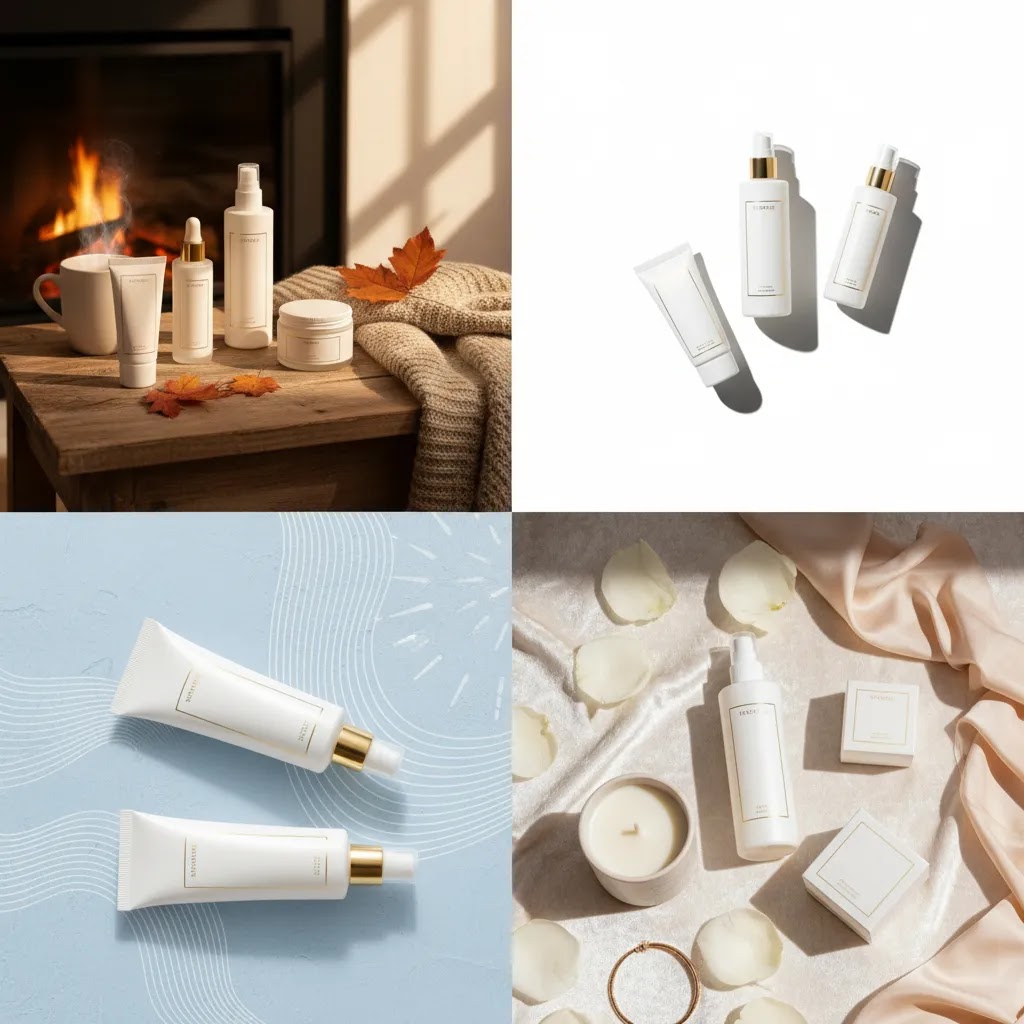
Composition ratios and framing rules for ecommerce product images
If you search for ai-generated photography techniques, you will run into “rules” and “ratios” that photographers and creators use to keep images readable. Some of this advice is helpful for ecommerce, but only if you translate it into the way product images are actually used: in small thumbnails, on mobile, inside Shopify themes, and inside ad placements that crop aggressively.
For most Shopify store owners, composition is less about artistic perfection and more about repeatability. You want a framing system you can apply across your catalog so your collection grids look clean and your product pages feel consistent.
How to think about 20-60-20 style ratios for product imagery
You will see the “20-60-20” idea described in different ways, but the practical takeaway is this: keep the product dominant, keep the background supportive, and leave intentional space where the image needs to function in marketing.
In ecommerce terms, a good rule of thumb looks like this:
When AI is involved, this matters even more, because generators tend to “fill space” with extra objects, textures, and visual noise unless you keep the framing and background rules tight.
Make it work for Shopify: crops, grids, and ad formats
Now, when it comes to Shopify, consistency often wins over the single best-looking image. Your collection pages and search results depend on repeatable crop ratios.
A few practical guidelines:
A simple framing checklist your team can actually use
From a practical standpoint, this quick check catches most of the issues that hurt conversion:
Useful tools and techniques to test
You do not need to rebuild your visual workflow all at once. Start with a narrow use case and test output quality. A few practical options include:
Features and availability may change, so check current tool details directly before building them into your production process.
If your team is comparing where AI fits into the bigger picture, browsing the Catalog Photography section can help you separate foundational image needs from newer AI-assisted options. It also helps to keep one foot in standard E Commerce Product Photography principles, because AI works best when the underlying merchandising logic is sound.
How AI image generators work (so you can control the output)
You do not need to understand the math behind AI image generation, but having a high-level model of how it works will make you faster at getting consistent results. It also helps you spot problems before they end up live on a product page.
Most modern AI image generators are built on diffusion models. In simple terms, they learn patterns from a huge set of images, then generate a new image by progressively “denoising” a random starting point toward what your prompt and references describe.
That explains a common ecommerce frustration: the tool is not “photographing” your exact SKU. It is generating something that looks like what it thinks your SKU should look like. If your prompt or references leave gaps, it may invent details.
Why outputs drift (and why ecommerce brands notice it more)
Image generators tend to drift in the exact areas product brands care about most: labels, logos, textures, and small manufacturing details. The model might get the “idea” of a product right, but still warp a word on your packaging or add an extra seam, knob, or reflection that is not real.
This drift is also why hands, faces, and complex interactions can become a problem in lifestyle scenes. Even when the image looks good at a glance, close inspection can reveal unnatural grips, incorrect shadows, or strange contact points that reduce trust.
A prompt framework that works for product brands
For most Shopify store owners, prompts work best when you treat them like a creative brief, not a single sentence. You are trying to lock down the variables that affect consistency across a catalog.
A practical framework is:
Reference images matter here. If you want repeatable output, start from a real product photo, a consistent background style reference, and a small set of approved lighting examples. That gives the model less room to guess.
Common failure modes to catch before you publish
Before an AI image touches a PDP, check for the issues that regularly slip through:
If you catch these patterns early, you can adjust your workflow. Use more real source imagery, narrow the prompt, and treat AI like a production assistant rather than a replacement for product truth.

How to evaluate whether AI images are helping
It is easy to judge AI visuals by how impressive they look. That is not the right metric. For a product brand, the more useful question is whether the images support commercial clarity and customer confidence.
Track how AI-assisted images perform in the places where visuals influence buying behavior. On Shopify, that may include product page engagement, add-to-cart rate, time on page, scroll depth through image galleries, creative performance in paid ads, and customer service feedback about product expectations.
Good creative should reduce uncertainty, not just attract attention. If your new AI-generated lifestyle images improve click-through but increase product confusion or returns, the tradeoff may not be worth it.
Think of it this way: the goal is not to prove that AI can make beautiful pictures. The goal is to decide whether it helps your store sell more clearly and more efficiently.
What 2026 looks like for product brand imagery
The ai generated photography trend 2025 pushed a lot of brands to experiment. What 2026 is likely to reward is discipline. More teams now understand that AI is useful, but only when it fits a defined merchandising system. The brands getting the most value are not usually generating random prompt-based artwork. They are building repeatable image workflows.
That may include AI for background generation, scene adaptation, image cleanup, and concept testing, paired with real product captures for accuracy. It may also include stronger brand rules around prompt structure, approved backgrounds, lighting references, and final review standards.
AcquireConvert’s perspective, shaped by Giles Thomas’s experience as a Shopify Partner and Google Expert, is especially useful here because image decisions affect both acquisition and conversion. Better visuals can help ad creative, organic merchandising, and onsite confidence, but only if they stay truthful to the product and consistent with the buying journey.
The brands that win with AI imagery tend to treat it as a production system, not a magic shortcut. That is a more realistic, and more profitable, way to use it.
The strategies and tools discussed in this article are based on current ecommerce best practices and publicly available information. Results will vary depending on your store, niche, and implementation. Always verify tool pricing, features, and platform compatibility directly with the relevant provider before making purchasing decisions.
Frequently Asked Questions
What is ai generated photography in ecommerce?
In ecommerce, ai generated photography usually means product images that are either fully created by AI or enhanced with AI tools. That can include new backgrounds, lighting changes, scene generation, cleanup, and concept visuals. For most stores, the most practical version is AI-assisted photography rather than fully synthetic imagery. You start with a real product shot and use AI to improve or adapt it. This tends to be more reliable for Shopify product pages because it preserves visual accuracy while still saving time on creative production.
Is it ai generated product photography if I start with a real photo?
Yes, many merchants still describe that as ai generated product photography, even if the original product image came from a camera. In practice, there is a spectrum. A background replacement or AI lighting edit is different from a fully prompt-generated scene, but both sit inside the same broader category. For store owners, the label matters less than the output. What matters is whether the image represents your product accurately, fits your brand style, and supports conversions without creating confusion for shoppers.
Can ai generated photography replace a traditional studio shoot?
Sometimes, but not always. If you sell simple packaged goods or need fast concept images, AI may reduce how often you need a full shoot. If you sell products where color, material, fit, or texture are critical, a traditional shoot still plays an important role. Many brands get the best results from a hybrid setup. They create accurate source images through a real shoot, then use AI to extend those assets into more formats and campaigns. That balance often protects trust while still lowering creative workload.
What are some strong ai generated photography examples for product brands?
Useful ai generated photography examples include replacing a plain product background with a branded lifestyle scene, turning one hero image into holiday-themed ad variants, creating collection banners from existing product cutouts, and generating simple social images for product launches. The best examples usually keep the physical product itself realistic. They use AI around the product, not in a way that changes what the item looks like. If the generated image starts drifting too far from reality, it becomes harder to use safely on transactional pages.
Are AI-generated images safe to use on Shopify product pages?
They can be, as long as you review them carefully. The safest use is usually on secondary product images, lifestyle visuals, collection banners, or campaign creative. For primary product page images, keep realism high and verify the output against the actual item. If your product has color-sensitive or detail-sensitive attributes, be extra cautious. AI visuals should help customers understand the product more clearly, not make it look better than it really is. That distinction matters for trust, returns, and repeat purchase potential.
How do I know if ai-generated photography is hurting conversions?
Watch for signs that the visuals are attracting attention but creating confusion. That might include more product questions, higher return rates tied to appearance mismatch, lower add-to-cart rate on pages with heavily stylized images, or poor ad-to-product-page continuity. A simple test is to compare a product page version with more realistic imagery against a version with more AI-heavy imagery. Review both behavioral data and customer feedback. If shoppers seem impressed but less certain, your images may need to move closer to reality.
What are the best ai-generated photography techniques for beginners?
The most practical ai-generated photography techniques for beginners are background replacement, image cleanup, resolution enhancement, and simple lifestyle scene generation using a real product cutout. These workflows are easier to control than fully prompt-generated product scenes. They also fit better with normal ecommerce operations, especially for smaller teams that need usable assets fast. Start with one product line, one use case, and one quality standard. Once you know what looks realistic and consistent, you can expand from there without overwhelming your workflow.
Are there ai generated photography alternatives if I need more control?
Yes. The main alternatives are traditional studio photography, 3D rendering, manual compositing, and hybrid editing workflows that combine real photography with light AI assistance. If your products are hard to render accurately through AI, these options may give you better control over consistency and detail. For many brands, the smartest choice is not AI versus non-AI. It is choosing the right method for each image job. Hero images may come from photography, while ads and campaign variations may use AI to expand output efficiently.
How does ai generated street photography relate to ecommerce brands?
Ai generated street photography is more relevant to editorial campaigns and social storytelling than to core product page merchandising. A fashion or lifestyle brand might use this style to build mood, show cultural context, or create top-of-funnel ad concepts. But it usually should not replace accurate product imagery on transactional pages. If you use this look, make sure the visual style still connects logically to the product and audience. Artistic context can help attract attention, but only if the buying experience remains clear and grounded.
What should I do first if I want to test ai generated photography?
Start small. Pick one product category, gather your cleanest source images, and define one outcome you want, such as better collection visuals or more ad creative variations. Then test a few AI-assisted edits and compare them to your current assets. Keep your primary product images realistic while you learn. If you want more context before expanding, explore related AcquireConvert resources on AI image workflows and core photography fundamentals. That gives you a stronger base for deciding which tasks AI should handle and which still need a human-led process.
Is there an AI that generates photos?
Yes. There are AI tools that can generate images that look like photographs, either from text prompts or from a combination of prompts and reference images. For ecommerce, the more practical tools often focus on controlled outcomes, such as background generation, background replacement, and scene variations using a real product cutout. The key is to treat generated images as creative assets that still require review, especially if they are going on a Shopify product page where accuracy affects trust.
Can AI create photography?
AI can create photorealistic images, but it is not the same as camera-based photography. A camera captures the real product under real lighting. AI generates a new image based on patterns it learned, plus what you specify in prompts and references. For product brands, that difference matters. AI can be excellent for producing variations and concepts, but for core PDP images you will usually want either real photos or AI-assisted edits that keep the product grounded in reality.
What is the 30% rule in AI?
You will hear “30% rule” used in a few different ways online, so it is better to focus on the practical intent: limit how much the AI is allowed to change the parts of the image that shoppers use as proof. For ecommerce, a useful interpretation is to keep the product details as stable as possible, and let AI do more work on the environment around it. If AI is changing packaging text, logos, materials, or product shape, the output needs tighter controls or it should be moved to a less risky use case, such as top-of-funnel ads or concept mockups.
What is the 20 60 20 rule in photography?
The 20 60 20 rule is commonly referenced as a composition idea where the image balances a main subject, supporting context, and negative space. For ecommerce, the translation is straightforward: the product should be the dominant element, the background should support the story without distracting, and any extra space should be intentional for readability, cropping, or occasional text overlays in ads. It is not a strict formula, but it is a helpful reminder that your product should remain the visual “evidence,” especially on Shopify product pages and collection thumbnails.
Key Takeaways
Conclusion
Ai generated photography can be genuinely useful for product brands, but the value is practical, not magical. It can help you create more image variations, test creative directions faster, and reduce some production bottlenecks. What it cannot do reliably on its own is replace the need for product truth, visual consistency, and human review.
If you sell online, especially through Shopify, your best next step is to test AI in one controlled part of your workflow. Start with background generation, cleanup, or secondary lifestyle imagery. Compare the output against your current photos, review it against the real product, and track how shoppers respond.
If you want to keep building your image strategy, explore more of AcquireConvert’s photography and AI content, especially the related guides linked throughout this article. That will help you separate hype from workflows that actually fit a growing ecommerce brand.
Results from ecommerce strategies vary depending on store type, niche, audience, budget, and execution. Nothing in this article constitutes a guarantee of specific outcomes. Third-party tool features and pricing are subject to change: verify current details directly with each provider.

Hi, I'm Giles Thomas.
Founder of AcquireConvert, the place where ecommerce entrepreneurs & marketers go to learn growth. I'm also the founder of Shopify agency Whole Design Studios.