Photo Color Correction for Ecommerce (2026)


If your product photos look too warm, too cool, or simply inconsistent from one page to the next, you are dealing with a conversion problem as much as a design problem. In ecommerce, photo color correction matters because shoppers use color to judge product quality, material, and fit. If the blue on your PDP looks different from the blue in your collection page, returns and customer complaints may follow. Strong photo color correction helps you create a more reliable visual experience across Shopify product pages, ads, email, and marketplaces. If you are also refining your broader editing workflow, it helps to review related tools like an ai background generator so your images stay consistent from background through final retouch.
Contents
Why color correction matters for product photography
For ecommerce brands, color accuracy is not a cosmetic detail. It shapes customer expectations before the click to checkout. A shopper comparing two stores selling similar apparel, cosmetics, or home goods will often trust the one with cleaner, more believable visuals.
Good photo correction brings your images closer to what the product looks like in natural use. That usually means adjusting white balance, exposure, contrast, saturation, highlights, and shadows without pushing the image into something misleading. The goal is not dramatic editing. The goal is consistency and realism.
This matters most on Shopify stores with multiple traffic sources. A product might be seen first in a Google Shopping result, then on a collection page, then on a product page, then again in a retargeting ad. If your color shifts at each stage, customer confidence can drop. Giles Thomas’s work as a Shopify Partner and Google Expert is especially relevant here because image consistency affects both on-site trust and paid acquisition performance.
If you are improving your full editing stack, the broader Background Removal & Editing hub is a useful next stop for connected workflows beyond color alone.
Accuracy tips that actually help
The biggest color correction mistakes usually happen before editing starts. If your original capture is poor, even the best photo color editor or photo correction software can only do so much. Here are the practices that tend to matter most for product teams.
1. Start with consistent lighting
If one image is shot near a window and another under mixed indoor bulbs, your AI color correction results will be inconsistent. Use one lighting setup for a full product batch whenever possible. This is especially important for apparel variants, beauty products, and textured materials.
2. Use a neutral reference
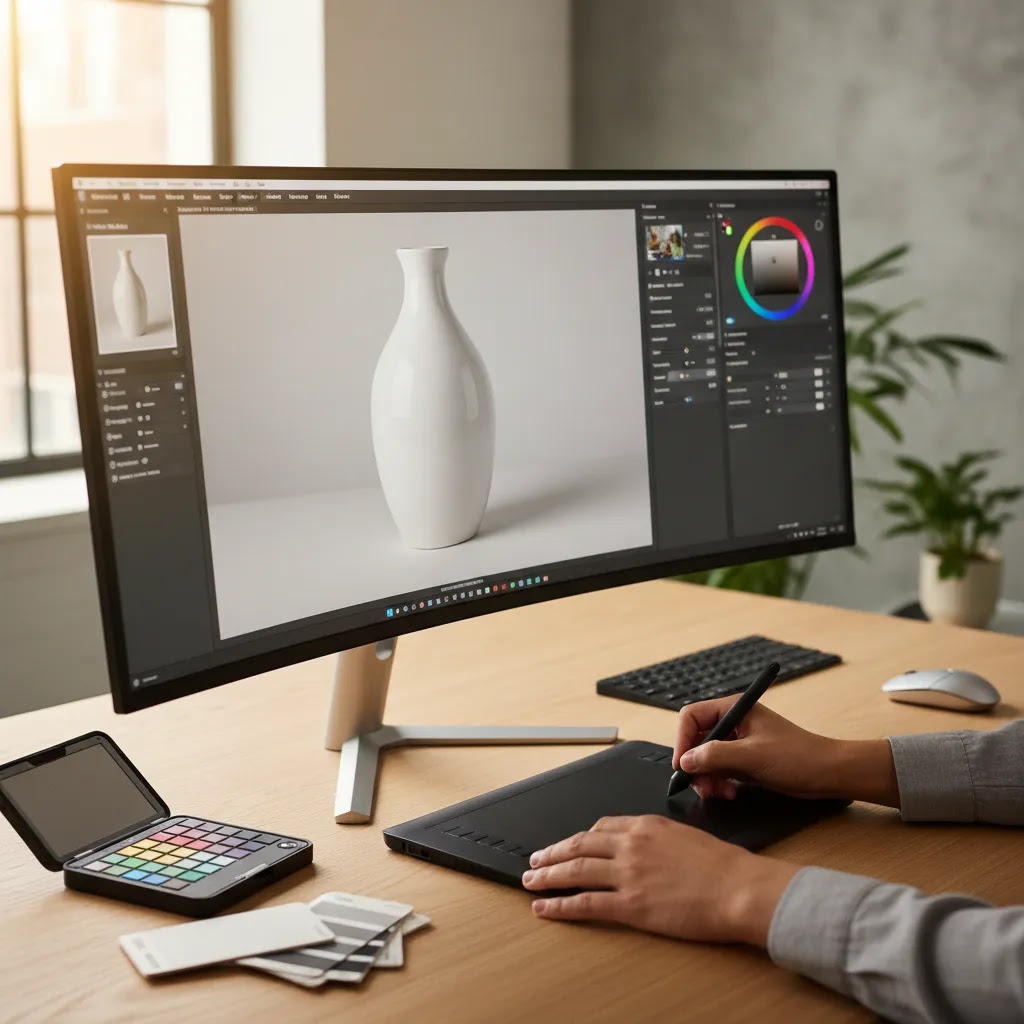
A gray card or neutral white reference in your test shots can help you calibrate white balance. Even if you use ai photo correction later, the output is usually better when the source image gives the tool a clean baseline.
3. Correct by product category, not one image at a time
Editing a candle image, a black hoodie, and a reflective water bottle with the same settings rarely works. Group your workflow by material and product type. Fabric, glass, metal, and skincare packaging all respond differently to light and color adjustments.
4. Watch skin tones and branded colors carefully
If your images include hands, models, or lifestyle scenes, overcorrection can make skin look unnatural fast. The same goes for brand-critical packaging colors. This is one reason many merchants combine AI with human review instead of relying on fully automatic photo correction ai output.
5. Check images on desktop and mobile
Many store owners review edits on one large monitor and publish too quickly. Then the images look darker or more saturated on mobile. Before updating live PDPs, test the edited images in the exact storefront context where customers will see them.
Once color is corrected, image sharpness becomes the next issue. That is where a dedicated image upscaler workflow can help if you need to improve older assets for retina displays or zoom-heavy product pages.
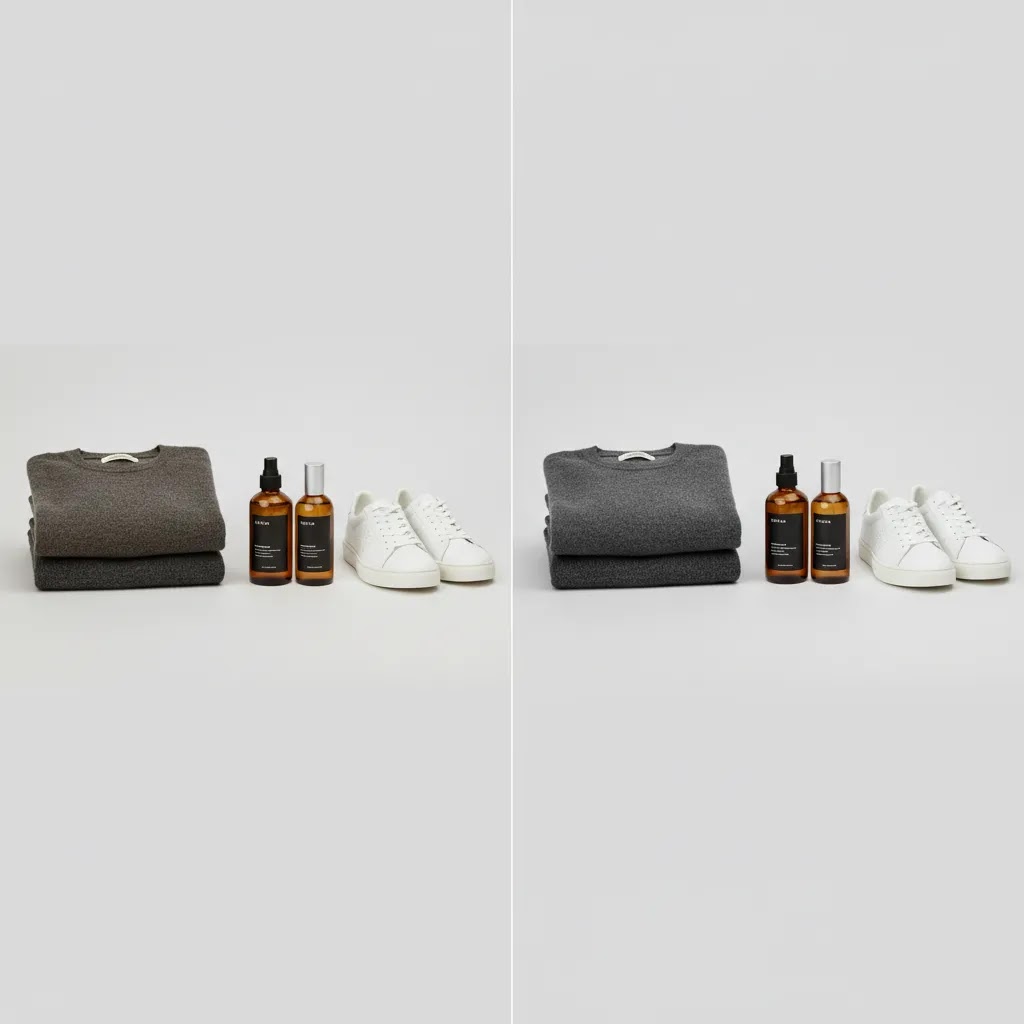
How to color correct product photos step by step
If you want a workflow your team can repeat across launches and restocks, keep it simple and run the same sequence every time. Most editors and photo correction app interfaces show different controls, but the underlying order is usually the same.
1. Set white balance first
White balance is your foundation. If it is off, every other adjustment becomes a workaround.
From a practical standpoint, this is the Temperature and Tint area in most photo color editor tools. If whites are going blue, the image is typically too cool. If whites are yellow or orange, it is typically too warm. Get the neutrals looking neutral before you touch saturation.
2. Correct exposure and overall contrast
Next, fix brightness so the product looks like it does in real life, not like a moody lifestyle shot. Bring exposure to a believable level, then set contrast so the product has definition without crushing detail.
Think of it this way: if you cannot see texture in a black hoodie, or detail in a dark navy ceramic mug, your contrast is probably too aggressive. If everything looks flat and gray, it might be too low.
3. Adjust saturation and vibrance with restraint
Saturation and vibrance are where ecommerce images often get pushed too far. Saturation boosts everything. Vibrance typically boosts weaker colors more than already-strong ones. If your tools have both, start with vibrance and be conservative.
The reality is that “clean” can turn into “fake” quickly. If your product starts looking like a render, or the packaging looks louder than it does in hand, you are usually past the point of helpful correction.
4. Fine-tune highlights and shadows (then check texture)
Use highlights and shadows to bring back what your camera or lighting lost. Highlights can help reduce harsh glare on glossy packaging. Shadows can recover detail in darker areas.
Here are a few common ecommerce scenarios and what typically helps:
5. Do a consistency check across the full set
What many store owners overlook is that the “right” edit is often the one that matches the rest of the product set, not the one that looks best on its own. Before you export, compare multiple images side by side, especially:
6. Do a quick “storefront QA” pass before publishing
Before you upload, do a final check that reflects how customers actually shop:
If you do this consistently, you will catch most color issues before they become customer complaints, return reasons, or a “not as pictured” support thread.
Tools and workflow options
There is no single best method for every store. Your ideal setup depends on SKU count, image volume, internal design skills, and how exact the color needs to be.
Manual editing
Manual correction in a photo correction app gives you the most control. It is usually the better option for premium brands, high-margin products, and collections where precise color representation affects buying decisions. The trade-off is time. If your catalog changes weekly, manual-only workflows can become a bottleneck.
AI-assisted correction
AI photo correction and ai image color correction tools are useful for batch work, especially when you need to normalize large sets of product images quickly. They can help with white balance, brightness, and color balancing. Their limitation is judgment. AI can improve efficiency, but it may not understand that your cream product should stay warm rather than drift toward pure white.
Hybrid workflow
For most growth-stage ecommerce stores, a hybrid process is the practical middle ground. Use ai photo color enhancer tools for first-pass cleanup, then manually review bestsellers, ad creatives, and high-return SKUs. This tends to save time without sacrificing trust.
If your editing work includes unwanted overlays, packaging labels in the wrong market, or accidental text artifacts, a dedicated remove text from image step may be part of the workflow as well.
For stores rebuilding a catalog from scratch, it is worth considering whether stronger source imagery would solve more than editing alone. AcquireConvert’s E Commerce Product Photography resources are useful if your issue starts at the shoot rather than the retouching stage.
AI color correction, what it can and cannot do
There is a lot of confusion around “AI color correction” because some tools are genuinely using AI models to normalize photos, and others are basically applying an auto fix with standard rules. Both can be useful, but they should be treated differently in an ecommerce workflow.
AI color correction versus auto adjustments
In practice, many AI photo correction tools are strongest at broad, repeatable improvements: white balance normalization, exposure balancing, and correcting obvious color casts across a folder of images. That is exactly the kind of repetitive work that slows teams down.
Where automation struggles is when “accurate” is category-dependent or brand-dependent. Common failure modes include:
A lightweight hybrid SOP that works for most ecommerce teams
For most Shopify store owners, the way this works in practice is a two-pass system:
Once a set is approved, store owners often “lock” that look as a reference for the next shoot or next restock. You are not locking a tool setting as much as locking a standard: neutrals, warmth, black detail, and overall brightness that you know looks right on your storefront.
Output controls that matter more than a one-click promise
If you are evaluating an ai color correction workflow, focus less on the marketing and more on the controls you need to stay safe:
AI can be a strong accelerator, but it should sit inside a process. That is how you get speed without accidentally publishing the wrong shade across your best-selling variants.
Pros and Cons
Strengths
Considerations
Who should prioritize color correction
Photo color correction deserves immediate attention if you sell products where hue, tone, or finish strongly affects purchase decisions. That includes fashion, cosmetics, furniture, décor, handmade goods, packaging-heavy CPG, and custom products with variants.
It is also a high-priority workflow if your store pulls imagery from multiple photographers, suppliers, or user-generated sources. In Shopify catalogs, inconsistent images often show up most clearly on collection pages where products sit side by side.
If your brand is early stage and still testing demand, basic correction may be enough. If you are scaling paid traffic, selling premium products, or seeing returns tied to “not as pictured” complaints, a more controlled process usually makes sense.
AcquireConvert recommendation
For most ecommerce teams, the right decision is not whether to use manual editing or AI. It is how to combine them intelligently. Start with source image quality, then use automation where it saves time, and reserve human review for the SKUs that carry the most revenue or the most return risk.
That practical approach fits how AcquireConvert covers visual optimization for online stores. Giles Thomas brings a useful perspective here as a Shopify Partner and Google Expert, because image quality affects both storefront trust and acquisition performance. If you are comparing adjacent editing workflows, review our guide to ai background remover options and our article on building a reliable product photography studio. Those two areas often have more impact on your final output than a photo correction app alone.

How to choose a color correction approach
If you are evaluating photo correction software, ai photo correction free tools, or a more advanced editing setup, these are the criteria that usually matter most for ecommerce.
1. Color accuracy for your specific product type
Not every workflow handles every category equally well. Apparel requires careful shade consistency across variants. Beauty products need accurate undertones. Reflective products often need localized corrections. Test the same item across several edits before standardizing your process.
2. Batch efficiency
If you add dozens of SKUs per week, batch tools matter. AI color correction and photo correction online tools can help normalize large sets quickly. Still, make sure batch settings do not flatten detail or erase the subtle differences between variants.
3. Review controls
Human review still matters. Choose a workflow where you can quickly compare before-and-after states and reject edits that push the product too far from reality. This is especially important if multiple team members touch the same image library.
4. Integration with the rest of your image workflow
Color is only one part of the process. You may also need background cleanup, text removal, resizing, cropping, and resolution improvement. A good workflow should fit into how your team prepares images for Shopify, marketplaces, Meta ads, and email campaigns.
5. Cost versus catalog value
Do not overspend on perfection if your product margins or sales volume do not justify it. On the other hand, if color accuracy is directly tied to purchase confidence, underinvesting can be costly in a different way. Many merchants start with selective manual correction on hero images and automated correction on the long tail.
The best setup is usually the one your team will actually maintain. A polished but unrealistic workflow breaks down fast during launches, seasonal updates, and variant expansions. Keep it repeatable, documented, and tied to your real merchandising needs.
Cost and resourcing, in-house vs freelancer vs managed editing
When someone asks “how much does a full color correction cost,” they are usually asking a bigger question: what level of correction do I actually need, and who should do it so it stays consistent over time?
Pricing varies widely, so it is more useful to understand what drives time and resourcing. Then you can choose a level of service that matches the value of the catalog you are trying to sell.
What typically drives cost
Color correction costs usually rise or fall based on a few practical factors:
What “full color correction” often includes for ecommerce
In ecommerce, “full” usually means more than a global auto fix. A complete pass often includes:
How to decide what deserves “full” treatment
Most Shopify stores do not need full manual correction on every single image. A practical tiered approach usually holds up better:
Now, when it comes to resourcing, in-house teams can be great when you have a consistent pipeline and clear standards. Freelancers can work well when your workflow is documented and your approvals are tight. Managed editing can make sense when volume is high and you need a reliable throughput. The right answer is the one that keeps your images consistent without creating a launch bottleneck.
Frequently Asked Questions
What is photo color correction in ecommerce?
Photo color correction is the process of adjusting product images so the color, tone, brightness, and white balance look more accurate and consistent. In ecommerce, the goal is to present products clearly without misleading shoppers. It is less about dramatic retouching and more about making product pages feel trustworthy.
Why does color accuracy matter so much for online stores?
Customers cannot touch or inspect products in person, so they rely heavily on images. If colors look inconsistent or unrealistic, shoppers may hesitate to buy or may feel disappointed after delivery. This matters most for categories like fashion, beauty, home décor, and branded packaging where visual detail strongly shapes buying decisions.
How do I correct the color of an image?
Start by correcting white balance, then set exposure and contrast, then adjust vibrance or saturation, then fine-tune highlights and shadows. After that, compare images across the full set for consistency, especially for variants. Before publishing to Shopify, do a quick storefront QA pass by checking the edit against the physical product under neutral light and previewing on mobile to confirm it still looks believable.
Can AI photo correction handle product images well?
AI photo correction can work well for first-pass improvements such as white balance, brightness, and overall consistency. It is especially helpful for stores with high image volume. Still, it works best with review steps in place because some products need category-specific judgment that automation may miss.
Can AI color correct a photo?
Yes, many tools can automatically correct white balance and exposure, and they can help normalize a batch of product photos. The risk is that automation may shift brand-critical colors, push warm products too neutral, or behave unpredictably on reflective packaging. For most ecommerce teams, AI is safest as a first pass, followed by manual review for hero images, variants, and any products where exact color is part of the buying decision.
Is ai photo correction free good enough for a Shopify store?
Free tools can be useful for testing workflows or improving lower-priority assets. They may be enough for early-stage stores with simple products and limited catalogs. For hero images, ad creatives, and products where exact color drives conversions, you will usually want tighter quality control and a repeatable review process.
What is the difference between color correction and color enhancement?
Color correction aims to make the image more accurate. Color enhancement usually pushes the image to look more vivid or visually appealing. In ecommerce, accuracy should come first. Enhancement can help, but only if it does not create a gap between what the customer sees online and what arrives in the package.
Should I use one editing preset for my whole catalog?
Usually no. Different materials and product categories react differently to light and color adjustments. One preset might work for ceramic mugs but fail on black clothing or reflective packaging. A better approach is to create a few category-based standards and review them in your storefront context before publishing.
How do I know if my images are overcorrected?
Common signs include whites looking blue, blacks losing texture, skin tones appearing unnatural, or product colors looking different across PDPs and collection pages. Compare edited images against the physical product under neutral light. If the image feels cleaner but less believable, you have probably pushed the correction too far.
How much does a full color correction cost?
Pricing varies, but it is typically driven by image volume, product complexity, turnaround time, the number of variants that need to be matched, and whether localized corrections are needed. “Full” correction often includes white balance, exposure and contrast, targeted fixes in specific areas, variant consistency across sets, and exports prepared for Shopify. Many stores keep costs under control by applying full correction to hero products and high-traffic SKUs first, then using a lighter process for the long tail.
Does color correction help with returns?
It may help in cases where returns are driven by visual mismatch, especially for products where color is a primary buying factor. It is not a guaranteed fix because returns also depend on sizing, materials, shipping expectations, and product descriptions. Think of it as one part of a more reliable merchandising system.
Is manual editing better than AI color correction?
Manual editing gives you more control, while AI saves time on repetitive work. For many ecommerce teams, a hybrid workflow is the strongest option. Use AI for batch normalization and manual review for bestsellers, paid traffic assets, and products with subtle or brand-sensitive color requirements.
Key Takeaways
Conclusion
Photo color correction is worth treating as a merchandising discipline, not just an editing task. If your images are inconsistent, too stylized, or simply inaccurate, shoppers may struggle to trust what they are buying. The strongest approach for most ecommerce brands is a practical one: improve source images, use AI where it saves time, and review the products where color matters most. AcquireConvert focuses on these real-world decisions for online stores, with guidance shaped by Giles Thomas’s experience as a Shopify Partner and Google Expert. If you want to sharpen your broader workflow, explore our related guides on background editing, product photography setup, and AI-assisted image optimization across your store.
This article is editorial content created for educational purposes and is not a paid endorsement unless otherwise stated. Pricing and product features for any third-party tools mentioned elsewhere on AcquireConvert are subject to change, so verify current details directly with the provider. Visual and conversion outcomes vary by store, workflow, product category, and execution, so no specific results are guaranteed.

Hi, I'm Giles Thomas.
Founder of AcquireConvert, the place where ecommerce entrepreneurs & marketers go to learn growth. I'm also the founder of Shopify agency Whole Design Studios.