Best AI Photo Editing Apps (2026 Guide)


If you sell products online, your editing workflow matters almost as much as the camera you use. The best AI photo editing apps can help you clean backgrounds, fix distracting elements, create consistent catalog images, and prep lifestyle visuals faster than manual editing alone. That matters whether you run a Shopify store yourself or manage product assets for a growing team. If your immediate need is cleaner product cutouts, start with this guide to an ai background generator. In this article, I’m evaluating the strongest options from the current AcquireConvert tool set for product sellers who need practical image improvements, not flashy effects that do little for conversions.
Contents
Which AI photo editing apps are best for product sellers?
Based on the live product data available, the strongest options for product sellers are tools built around very specific ecommerce image tasks rather than all-purpose consumer photo apps. That is usually the smarter route for merchants. You do not need a dozen filters if your real bottleneck is getting clean white backgrounds, sharper source files, or faster image variations for ads and product pages.
The most relevant tools here are AI Background Generator, Free White Background Generator, Increase Image Resolution, Magic Photo Editor, and Creator Studio. For more targeted use cases, tools like Background Swap Editor, Place in Hands, and Remove Text From Images can solve narrow but common merchandising problems.
For most ecommerce operators, the best app is the one that reduces production time while keeping your store visuals consistent. If you are still comparing cleanup-focused tools, this related guide on ai background remover options can help you narrow the field further.
Key features that matter for ecommerce
When you evaluate the best ai photo editing apps as a product seller, focus on output quality and workflow fit before anything else. A tool can look impressive in a demo and still create images that feel unnatural on a product page.
Background control is usually the first requirement. AI Background Generator and Background Swap Editor are useful if you want to place products into cleaner branded scenes. Free White Background Generator is more relevant for marketplaces, feed consistency, and catalog management where plain backgrounds are often preferred.
Resolution improvement also matters more than many merchants expect. Older supplier images, cropped lifestyle shots, and repurposed social content often lose quality fast. Increase Image Resolution may help rescue usable files for collection pages, email creatives, or retargeting ads where soft imagery can undermine trust.
Flexible editing becomes important once your catalog grows. Magic Photo Editor and Creator Studio are better fits when you need more than one single-purpose action. If you regularly update hero images, launch seasonal campaigns, or test different merchandising angles, having a broader editing environment can save time.
Context creation is another ecommerce-specific need. Place in Hands is especially relevant for beauty, accessories, and small packaged goods where scale and real-world context improve shopper understanding. This can be useful for PDP galleries and paid social creatives, especially if you do not have the resources for frequent lifestyle shoots.
Cleanup tools matter for repurposing assets. Remove Text From Images can help if you need to strip promotional text, watermarks, or design elements from existing files before reusing them in your storefront. That said, always check usage rights and brand guidelines before editing supplier or licensed imagery.
If your broader goal is improving image quality across the full store, not just single edits, it is worth browsing AcquireConvert’s Background Removal & Editing coverage alongside its E Commerce Product Photography resources.

A practical photo editing workflow for product sellers
Here’s the thing: “best” is not just about output quality, it is about whether you can repeat the process every week without your catalog slowly drifting into inconsistency. Most Shopify stores end up needing two workflows, one for speed and one for volume.
Choose your workflow: mobile speed vs desktop-style production
If you are doing daily operations, quick mobile edits matter. Think UGC-style content, Stories, last-minute promos, and quick product callouts for paid social. In those cases, the winning workflow is usually: shoot, quick cleanup, export, publish. Tools that reduce taps and produce a usable background fast are often more valuable than a complex editor you never fully learn.
Now, when it comes to catalog refreshes, seasonal launches, and high-SKU updates, you typically want a more desktop-style workflow, even if the tool is browser-based. The reason is simple: you need consistency across dozens or hundreds of images. That usually means you are doing the same adjustments repeatedly, like background style, crop ratio, and export sizes. A broader environment like Creator Studio or Magic Photo Editor is often a better fit when you want to control a repeatable “house style” across the store.
Batch consistency checks that prevent a stitched-together catalog
What many store owners overlook is that shoppers notice inconsistency faster than they notice artistic quality. Your images can be sharp, but if every SKU feels lit differently, cropped differently, or floating at a different scale, the collection page can feel messy.
When you batch-edit, do a quick pass on the basics before you export anything:
From a practical standpoint, this is one of the biggest ecommerce wins from AI tools: not the one perfect image, but the ability to bring the entire catalog closer to one consistent standard.
A simple speed and repeatability test before you commit
Before you roll a tool out across your whole store, test whether it is fast enough and predictable enough for the channels you actually publish to. Take a small batch and run the same workflow end-to-end. Your goal is to confirm you can get repeatable outputs with minimal rework.
In your test, export multiple sizes for common ecommerce placements, then check them where they will actually be seen: PDP gallery images, collection grids, ad placements, and email. Watch for edge artifacts around hairline details or packaging, inconsistent shadows between images, and any “cutout” look that makes the product feel pasted on. If you see those issues, you may need to adjust the background approach, rerun the edit, or do a light manual touch-up before the image is storefront-ready.
Pros and Cons
Strengths
Considerations
What “100% free” really means for AI photo editors
A lot of store owners search for a “100% free” editor and end up frustrated, not because the tools are bad, but because “free” often means “free to try.” That can still be useful, you just want to understand the limits before you rebuild your workflow around it.
Common “free” limits that affect storefront readiness
In practice, the free version of an AI photo editor may include constraints that show up right when you try to publish:
Consider this: even small export limitations can create hidden work. If you cannot export at the sizes you need, you may end up doing extra resizing steps, or worse, uploading images that look soft or inconsistent across Shopify templates.
Commercial use and licensing: double check before you run ads
If you plan to use edited outputs in product pages, email, or paid ads, it is worth checking the tool’s current terms for commercial usage. Some tools allow broad commercial use, others may have restrictions tied to plan level, credits, or attribution. The reality is that terms can change, and your risk tolerance may be different if you are running Meta ads at scale or sending creative to affiliates.
From a practical standpoint, if a tool is part of your brand’s core creative pipeline, treat licensing the same way you treat any other business tool: confirm the usage rights match how you will publish.
When free tools are fine vs when paid plans are typically justified
Free tools are often a good fit when you are testing quality, exploring a new editing approach, or cleaning up a small number of images to validate a product idea. If you are a solo founder working through early-stage product-market fit, free can be enough to get to “good.”
Paid plans are typically justified once you need predictable throughput and consistent outputs. That can include teams, frequent launches, larger catalogs, or any store with strict brand guidelines. If your workflow depends on batch exporting, high-resolution downloads, or repeatable background styles, it is often cheaper to pay for reliability than to burn hours fighting limits and redoing edits.
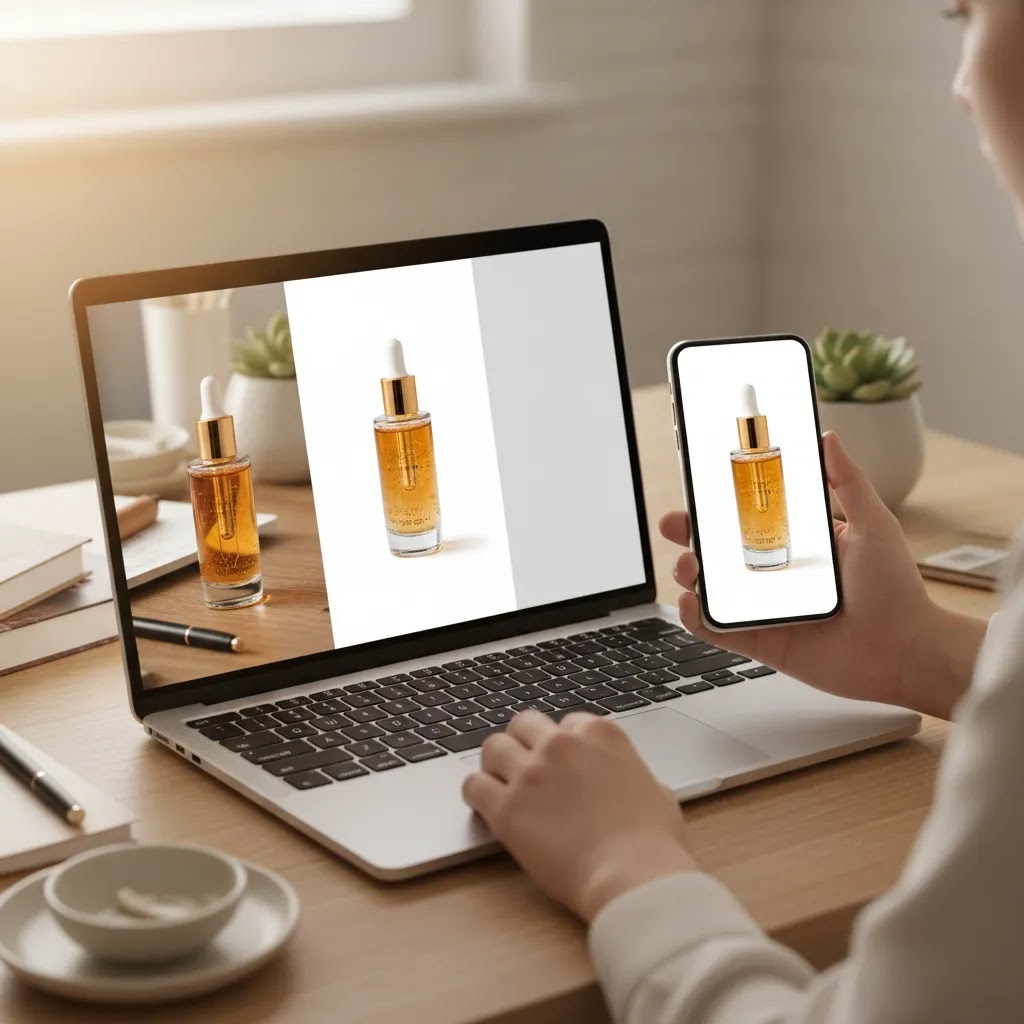
Who these apps are for
These apps are best for ecommerce operators who need faster image production without hiring a retoucher for every update. That includes Shopify merchants launching new SKUs, marketplace sellers standardizing catalog shots, and small teams producing ad creatives in-house. They are also a practical fit if you often work with supplier images that need cleanup before they are storefront-ready.
If you already have a strong studio process, AI editing may work best as a support layer rather than a replacement. For many stores, the sweet spot is using AI for repetitive cleanup while reserving original photography for hero assets and campaign shoots. If you are still refining your capture setup, this guide to building a product photography studio is a smart companion read.
AcquireConvert recommendation
If you are at the point of choosing a tool, keep your decision tied to the actual job you need done. Merchants usually make better choices when they start with workflow pain points instead of feature lists. If your issue is catalog consistency, prioritize white background and cleanup tools. If your issue is creative testing, lean toward a broader editor or studio workflow.
AcquireConvert is especially useful here because the site focuses on practical ecommerce implementation, not generic photo editing advice. Giles Thomas’s experience as a Shopify Partner and Google Expert adds useful context for store owners balancing product image quality with conversion, feed readiness, and ad creative demands. Before you commit, compare this article with AcquireConvert’s breakdown of the best ai photo editor options and use the related background editing resources to pressure-test your shortlist. If you want the strongest outcome, compare options side by side, map them to your store workflow, and choose the one that removes the biggest production bottleneck first.
How to choose the right app
The right choice depends less on brand recognition and more on the type of assets you publish every week. Here are the five criteria I would use as a store owner.
1. Match the tool to your main editing bottleneck
If 80% of your work is removing or replacing backgrounds, choose a specialized tool first. If your workload includes resizing, cleanup, scene generation, and campaign variations, a broader editor is likely the better investment in time.
2. Check whether the output looks credible on product pages
AI edits should make your store look cleaner, not more artificial. Review edge accuracy, shadows, color fidelity, and scale. Product imagery that looks synthetic may reduce trust, especially on higher-consideration items like cosmetics, jewelry, or premium accessories.
3. Think beyond the product page
Your edited assets may also end up in Google Shopping feeds, Meta ads, email campaigns, and marketplace listings. A tool that works for one channel but creates inconsistent results elsewhere can add more work later. This is especially important if your team reuses images across acquisition and retention channels.
4. Decide how much manual control you still need
Some merchants want near-instant outputs. Others need tighter creative control for brand consistency. If you run frequent promotions or have strict visual guidelines, a more flexible environment like Creator Studio or Magic Photo Editor may suit you better than a one-click tool.
5. Keep your real production model in mind
AI editing works best when paired with decent original images. If your source photography is weak, no app will solve everything. In many cases, a better capture setup plus lighter AI cleanup produces stronger results than aggressive editing on poor raw files. That is why store owners should treat editing and photography as one workflow, not separate decisions.

Prompting and control: how to get predictable product edits
Prompt-based editing can be powerful, but it also introduces a new failure mode for ecommerce: the product can change. If your goal is storefront trust, you want the product to stay accurate while the background and context improve.
Prompt edits vs one-click background tools
One-click background tools are usually safer when accuracy matters most. If you are selling a SKU with a specific label, exact shade, or recognizable packaging, a clean background swap often does the job without inviting the AI to “interpret” the product.
Prompt-based editing is more useful when you are trying to create controlled lifestyle context, like a clean countertop scene, a soft shadow, or a branded color background with subtle texture. The tradeoff is that prompts can sometimes add props, reflections, or surface details that are not true to life, which can create customer confusion and, in some categories, returns.
Prompt guidelines for ecommerce visuals
Think of it this way: your prompt should describe the scene, not redesign the product. In many cases, your best prompts are short and restrictive.
The way this works in practice is that you start conservative, then expand. Get a clean, believable baseline first, then test more creative scenes for ads where you can be slightly more flexible.
A lightweight QA checklist before you publish
Before you upload any AI-edited image to Shopify, do a quick review pass. You are looking for the types of errors that shoppers might notice instantly, or that can create a mismatch between expectation and reality.
If the product itself is wrong, rerun the edit with a tighter instruction set or switch to a simpler background tool. If the product is correct but the scene is slightly off, you may be better off fixing it manually rather than regenerating over and over.
Frequently Asked Questions
What are the best AI photo editing apps for product sellers?
For the current AcquireConvert tool set, the strongest options include AI Background Generator, Free White Background Generator, Increase Image Resolution, Magic Photo Editor, and Creator Studio. The best one for you depends on whether you need catalog cleanup, sharper images, or broader creative editing for campaigns and product pages.
Are AI photo editing apps good for Shopify product photos?
Yes, they can be useful for Shopify merchants, especially for cleaning backgrounds, improving consistency, and producing faster image variations. The key is reviewing outputs carefully before publishing. AI can speed up repetitive editing, but it should still support your brand standards rather than replace judgment.
Which app is best for white background product images?
Based on the available live tool data, Free White Background Generator is the clearest fit for sellers who need plain, standardized backgrounds. That makes it relevant for marketplace listings, collection pages, and product feeds where clean presentation and consistency are often more important than creative styling.
Can AI editing replace a professional product photoshoot?
No single tool should be treated as a full replacement in every case. AI editing may reduce the need for repetitive post-production and simple reshoots, but hero assets, complex textures, and premium brand campaigns often still benefit from strong original photography and, in some cases, professional production.
What is the best app for changing product photo backgrounds?
AI Background Generator and Background Swap Editor are the most directly relevant options from the current product list. They are useful if you want alternate scenes or cleaner merchandising visuals. The better choice depends on whether you want quick generation or more active control over the final composition.
Do these apps help with blurry supplier images?
Increase Image Resolution may help improve the usability of lower-quality files, especially for cropped images or older assets. Still, it is best viewed as a recovery tool rather than a cure-all. Very poor source files may still look weak after enhancement, so test a few examples before changing your workflow.
Which AI tool helps create more lifestyle-style product images?
Place in Hands is a useful option for adding real-world context to smaller products, while AI Background Generator may help with scene-based variations. These can be practical for ads and secondary gallery images, though you should check that the results still look believable for your category and audience.
Are these the best free photo editing apps for ecommerce?
Some tools in the current list include “free” in the product name, such as AI Background Generator and Free White Background Generator. Even so, you should confirm current pricing, feature limits, and export restrictions directly with the provider, since plans and usage terms can change over time.
Which is the best AI for editing pics?
The best AI depends on the type of edit you need. For product sellers, AI that reliably handles backgrounds, resolution, and cleanup is often more valuable than a general-purpose “creative” editor. If your focus is catalog consistency, prioritize background and white background tools. If your focus is campaign testing, a broader editor like Magic Photo Editor or Creator Studio may be a better fit.
Is there an AI app for photo editing?
Yes. AI photo editing apps and browser-based editors can handle common ecommerce tasks like background removal and swapping, image enhancement, and cleanup. Just keep in mind that AI outputs still need human review before you publish them to product pages or use them in ads.
Can ChatGPT edit a photo?
ChatGPT can help you plan edits, write prompts, and troubleshoot workflows, but it is not typically the tool you use to perform product photo edits end-to-end. For actual editing, you will usually use a dedicated photo editor or AI image tool, then use ChatGPT to help you describe the background style you want, create prompt variations, or build a repeatable checklist for quality control.
What is the best 100% free photo editor?
“100% free” varies by provider and often comes with limits like watermarks, export caps, or lower-resolution downloads. For ecommerce, the practical test is whether you can export clean, high-quality images you can use commercially on your storefront and in ads. If a free tier cannot produce storefront-ready exports consistently, it can still be useful for testing, but you may find a paid plan is justified once you rely on the tool weekly.
How should I test an AI photo editing app before using it across my whole catalog?
Start with 10 to 20 representative products across different shapes, materials, and lighting conditions. Test the edited images on actual product pages, collection grids, mobile screens, and ad previews. That gives you a better read on consistency, realism, and whether the workflow saves enough time to justify adoption.
Key Takeaways
Conclusion
The best ai photo editing apps for product sellers are the ones that make your image workflow faster without making your storefront look artificial. For many merchants, that means starting with background cleanup, white background generation, or image enhancement before moving into more advanced creative edits. If you run a Shopify store, the practical question is simple: which tool helps you publish cleaner, more consistent assets with less production drag?
AcquireConvert is built for that kind of decision. If you want a sharper shortlist, explore the site’s background editing and product photography resources, compare options side by side, and use Giles Thomas’s ecommerce-focused guidance to make a more confident choice. Read the full breakdowns, review the related guides, and pick the tool that best matches the way your store actually creates and ships product content.
This article is editorial content and not a paid endorsement unless explicitly stated otherwise. Tool availability, features, and pricing are subject to change, so verify current details directly with each provider before making a decision. Any performance impact from using these tools will vary by store, workflow, product category, and image quality, so results are not guaranteed.

Hi, I'm Giles Thomas.
Founder of AcquireConvert, the place where ecommerce entrepreneurs & marketers go to learn growth. I'm also the founder of Shopify agency Whole Design Studios.