Best AI Photo Editor for Product Photography (2026)


If you sell online, product images do more than make your store look polished. They shape click-through rate, perceived quality, and in many cases whether a shopper trusts your offer enough to buy. That is why choosing the best ai photo editor is less about novelty and more about workflow fit. You need a tool that helps you clean up backgrounds, improve consistency, and create images that work across Shopify product pages, ads, marketplaces, and email campaigns. If you are still comparing your options, it also helps to understand where a dedicated ai background generator fits versus a broader editing stack. This guide looks at the strongest options from a practical ecommerce angle, with clear trade-offs so you can choose the right setup for your catalog.
Contents
What Makes an AI Photo Editor Good for Product Photography
The best photo editor for ecommerce is not always the one with the most features. It is the one that helps you produce clean, consistent images fast enough to support your merchandising calendar. For most store owners, that means background cleanup, white background generation, resolution improvement, and quick scene variations without creating strange shadows, distorted edges, or unrealistic textures.
For product photography, quality control matters more than flashy effects. A useful AI editor should preserve product shape, packaging details, labels, stitching, and color accuracy as closely as possible. If you sell cosmetics, apparel, food, or handmade goods, those details influence returns and customer expectations.
You should also think about channel fit. Marketplace listings often need simple white or transparent backgrounds. Paid social may benefit from lifestyle-style scenes. Product detail pages often work best with a mix of clean studio images and contextual visuals. That is where tools focused on ai background remover workflows and controlled scene edits tend to be more useful than general consumer photo apps.
From the current tools available, the strongest options for store owners center on editing and image preparation rather than generic social filters. That makes them more relevant if your goal is conversion clarity instead of entertainment-style edits.
Top Tools Worth Evaluating
Based on the currently available product data, five options stand out for product photography workflows. Each one serves a slightly different job in your stack.
1. Magic Photo Editor
Magic Photo Editor is the broadest editing option in the set. It is the closest fit if you want one place to make visual edits across multiple product image tasks instead of switching between separate tools.
2. Background Swap Editor
Background Swap Editor is a strong fit if your main goal is replacing dull, inconsistent, or distracting backgrounds. For many Shopify stores, this is the fastest path to cleaner merchandising.
3. Free White Background Generator
Free White Background Generator is the most direct option for catalog-style images. If you sell on Shopify, Amazon, Etsy, or Google Shopping, white background assets are often part of your daily workflow.
4. AI Background Generator
AI Background Generator is a better fit when you want to place products into styled or contextual scenes. It can support lifestyle-style product images when you do not have the time or budget for custom set production.
5. Increase Image Resolution
Increase Image Resolution matters if your source files are too small for modern ecommerce needs. This is particularly useful for older catalogs, supplier images, or assets that need a second life across product pages and promotional placements.
Two other tools can be relevant in narrower use cases. Place in Hands may help if you want to show scale or handheld context, while Remove Text From Images can help clean assets before repurposing them. If you need a wider production workflow rather than a single edit, Creator Studio is also worth a look.
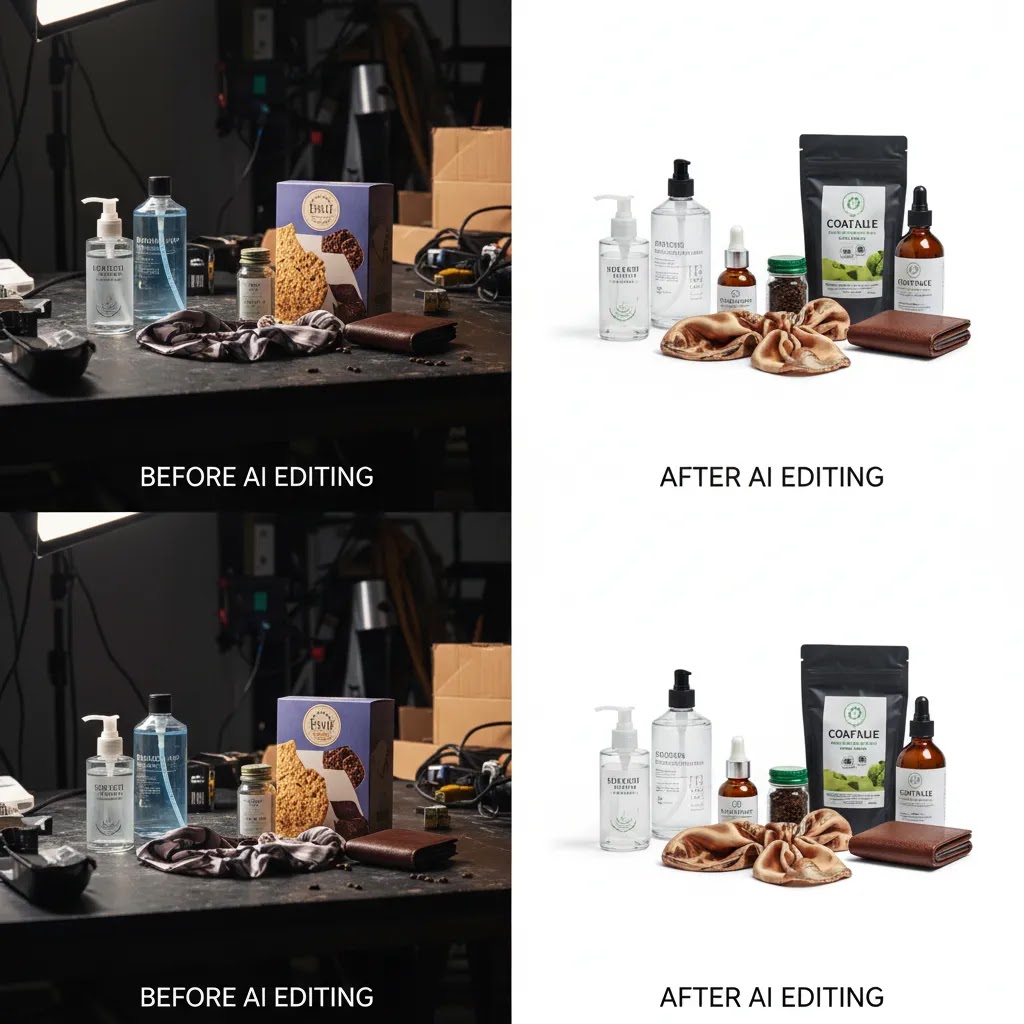
Pros and Cons
Strengths
Considerations
Who These Tools Are Best For
These tools are best for ecommerce teams that already understand the value of strong visuals and want to improve production efficiency. If you run a Shopify store with frequent product launches, supplier image inconsistencies, or multiple sales channels, AI editing can help you create cleaner assets without relying on a full studio process every time.
They are especially useful for small and mid-sized brands that need speed. A solo founder, in-house marketer, or merchandising manager can use them to prep product pages faster, test new creative concepts, and support campaign production. If your brand depends on exact luxury styling or highly regulated visual presentation, AI tools can still help, but they are usually best used as a support layer rather than the only production method.
AcquireConvert Recommendation
If you are evaluating the best ai photo editor specifically for ecommerce, start with the job you need done most often. For catalog cleanup, white background generation and background removal usually give the fastest operational win. For campaign creative, background generation and swaps may add more value. The mistake many merchants make is choosing a tool because it looks impressive, not because it solves the main bottleneck in their image workflow.
At AcquireConvert, the focus is practical implementation for store owners, not AI hype. Giles Thomas brings the perspective of a Shopify Partner and Google Expert, which matters if you are thinking beyond editing alone and into how product images affect feed quality, PDP clarity, Shopping performance, and conversion trust. If you want a broader decision framework, review our guide to ai background changer tools and our cross-hub resource on setting up a product photography studio. You can also explore the wider Background Removal & Editing section for more specialist guidance.

How to Choose the Right AI Photo Editor
Here are the criteria that matter most if you are choosing for a real ecommerce workflow rather than casual image editing.
1. Start with the image problem, not the feature list
If most of your images are already well-shot but inconsistent, a background replacement or white background tool may be enough. If your issue is poor source quality, resolution improvement may be more valuable. If you are producing ad creatives and collection visuals, scene generation may matter more.
2. Check how well the output preserves product truth
Product accuracy should always come before visual drama. Look closely at corners, transparent materials, labels, stitching, shadows, and reflective surfaces. This is where many AI tools are either useful or risky. A good edit should still look like the item you are selling when a customer receives it.
3. Match the tool to your sales channels
Google Shopping, marketplaces, and comparison engines often favor cleaner, simpler product images. Paid social and landing pages may allow more styled treatments. If you sell across channels, choose a setup that can produce both clean catalog assets and creative variants.
4. Consider workflow speed for your team
If you launch products weekly, your image process needs to be repeatable. Single-function tools often work well when tasks are simple and frequent. More flexible editors may suit brands handling multiple campaigns, visual concepts, and content formats at once.
5. Know when AI should support, not replace, your studio process
For many brands, the best answer is hybrid. Use strong original images as the base, then apply AI tools to clean up, resize, standardize, or create controlled variants. If your current setup is weak, it may be worth improving your capture process first through resources on E Commerce Product Photography before expecting editing software to fix everything.
Best AI photo editor app (mobile) for product photos
Many Shopify store owners end up editing on mobile, even if they did not plan to. It happens when you are launching a small batch, shooting UGC-style content, or doing quick catalog maintenance while you are away from your desk. A mobile-first workflow can be a real advantage when speed matters more than perfect studio consistency.
Here is the thing, mobile workflows usually fall short when you need strict color accuracy, consistent crops across a full collection grid, or reliable batch output for 100 plus SKUs. Small differences in lighting, camera processing, and app export settings can show up as mismatched whites and inconsistent shadows across your Shopify category pages.
If you are evaluating the best AI photo editor app for product photos, use a checklist that matches how ecommerce images fail in practice:
From a practical standpoint, run the same “mobile test” you would run on desktop. Pick 5 to 10 products that represent your hardest cases, not your easiest. Include at least one glossy item, one item with text or a label, one item with thin edges, and one product with subtle texture. Edit those exact images on mobile and judge them the way customers will see them in real placements.
What “good enough” looks like depends on the channel. For Shopify product detail pages, the bar is usually clean edges, believable shadows, and consistent framing. For ads, you can often accept slightly more aggressive edits if the product still looks truthful at a glance and the image reads clearly in a fast scroll. The moment the app changes label text, shifts brand colors, or makes the product look like a different variant, it stops being a speed win and starts becoming a customer trust risk.
Can AI edit existing product photos, or do you need to generate new ones?
Most ecommerce teams get the best results by editing existing product photos, not generating brand new ones from scratch. Editing typically means background removal, background replacement, cleanup, and upscaling. Generating new images usually means creating a new scene or a new version of the product image itself.
Think of it this way, editing is usually safer for accuracy because you are working from a real photo of your product. Generating can be useful for creative testing, but it is also where product truth can drift. For Shopify stores, that matters because customers will compare what they see on your PDP to what shows up at their door.
Common failure points show up even in good tools, especially when you edit existing images at scale:
The way this works in practice is simple: zoom in, then zoom out. Zoom in to check edges, label text, and fine details. Zoom out to check whether the product still reads correctly in a thumbnail, in a collection grid, and in a typical phone view. If you have variants, compare the edited output side by side so you do not accidentally make one colorway look like another.
Now, when it comes to staying truthful across channels, be especially careful if you sell on marketplaces or run Google Shopping. Those ecosystems can have stricter expectations around accurate representation, and policies change over time. Keep a clean baseline image set for standard listings, typically a white background or simple studio look, and use more stylized generated backgrounds primarily for on-site merchandising or ad creative where it makes sense. In many cases, that split keeps your catalog consistent while still giving you room to test creative angles.

Free vs paid AI photo editors: what “free” typically limits for ecommerce
Free AI photo editors can be genuinely useful for ecommerce, but “free” usually comes with limits that show up the moment you try to run a real product workflow. That does not mean they are bad. It means you should evaluate them based on operational constraints, not just whether the output looks good one time.
What many store owners overlook is that the practical limits are often about production, not features. Common constraints include export size or compression, watermarks, daily limits, batch processing restrictions, and commercial usage terms. Some tools also make it harder to keep brand consistency, for example by limiting reusable settings, consistent crops, or standardized background styles across a whole collection.
A free tool is often ideal when you are validating a process. If you have a low SKU count, you are doing occasional edits, or you are cleaning up a handful of supplier images for a proof of concept store, you can get a lot done without paying. It can also work if you are building confidence in what AI can and cannot do for your specific products.
Paid tends to be necessary when volume, speed, and consistency become the priority. If you are processing large catalogs, supporting weekly launches, or producing assets for multiple channels, the time saved from higher limits, better exports, and more reliable batch workflows can matter more than the monthly cost. The same is true if your brand standards are strict and you need repeatable output across your entire Shopify storefront.
If you want a simple decision framework, compare cost versus time saved. Track how long it takes you to prepare one “ready to publish” product image set using your current setup, including review time and rework. Then estimate how many sets you produce in a typical month. If upgrading reduces rework, speeds up output, or helps you keep a consistent catalog look, it may be worth it even without any direct promise of higher revenue. The reality is, for most store owners, the first win is operational consistency, not a flashy before and after.
Frequently Asked Questions
What is the best ai photo editor for product photography?
The best option depends on your workflow. If you mainly need broad editing flexibility, Magic Photo Editor is the most general tool in the current set. If you need catalog-standard images, Free White Background Generator may be the better fit. For creative scene changes, AI Background Generator or Background Swap Editor may be more useful.
Is a free AI photo editor enough for an ecommerce store?
It can be enough for early-stage tasks like testing, background cleanup, or basic listing preparation. Still, free tools often work best as a starting point rather than a full production system. You will want to review output quality carefully before using edited images across your storefront, ads, and marketplaces.
Can AI photo editors replace product photography completely?
Usually not. They can reduce the amount of reshooting you need and help improve existing assets, but they work best when paired with decent source photography. For high-detail products, premium positioning, or regulated categories, original photography still plays an important role in maintaining accuracy and trust.
Are AI background tools good for Shopify product pages?
Yes, in many cases they are very useful for Shopify stores. Clean, consistent backgrounds can make collection pages and product detail pages look more professional. They can also help reduce visual clutter. The main requirement is to check that edited images still represent the product honestly and clearly.
Should I use white backgrounds or lifestyle backgrounds?
You will often need both. White backgrounds are strong for core product listings, Google Shopping, and marketplaces. Lifestyle or contextual backgrounds can help shoppers understand scale, use case, or brand style. Many store owners use white-background hero images first, then follow with contextual images deeper on the PDP.
What should I watch for when reviewing AI-edited product images?
Focus on edges, shadows, missing product parts, label distortions, texture changes, and color shifts. Also check whether reflective materials, glass, or metallic surfaces still look believable. If an image looks impressive but no longer accurately represents the item, it may create customer confusion and increase returns.
Do AI photo editors help with marketplace listings?
They can. Tools that create clean white backgrounds or improve image resolution may help prepare assets for marketplace requirements. That said, each channel has its own image policies, so you should verify technical and content guidelines directly with the marketplace before publishing edited images at scale.
What is the difference between background removal and background generation?
Background removal isolates the product from its original setting, often to create transparent or plain backgrounds. Background generation creates a new scene around the product. If you are still comparing those workflows, it is worth reviewing our guide to an ai background remover versus more creative editing tools before you commit to one approach.
How do I know if my store needs editing software or a better studio setup?
If your source images are consistently blurry, poorly lit, or badly composed, better editing alone may not solve the issue. In that case, improving your capture process may deliver more value. If the images are decent but inconsistent or plain, AI editing tools can often help you get more from what you already have.
Which AI does the best photo editing?
The best AI for photo editing depends on what you are editing. For product photography, prioritize tools that preserve accurate edges, labels, and colors, and that help you create consistent output across a catalog. In practice, the “best” tool is the one that produces the most reliable results for your specific products after you test it on a small set of your own images.
Is there a completely free AI photo editor?
Some tools offer free tiers or free trials, but “completely free” often comes with limits like export restrictions, usage caps, or reduced output quality. For ecommerce, those limits can matter quickly once you move from testing a few images to preparing a full Shopify catalog. Always check the current usage terms and whether commercial use is allowed.
Is there a completely free AI image creator?
There are free options for AI image creation, but they often limit how many images you can generate, the resolution you can export, or what you can use commercially. For product visuals, be cautious with fully generated images if they could misrepresent the product, especially when you are selling across multiple channels.
Is there an AI that can edit existing images?
Yes. Many AI tools focus specifically on editing existing images, for example by removing backgrounds, swapping backgrounds, cleaning up distractions, and improving resolution. For ecommerce, editing existing product photos is often the safer approach because you start from a real photo of the item and then improve it, rather than inventing new product details.
Key Takeaways
Conclusion
The best ai photo editor for product photography is the one that helps you create accurate, conversion-friendly images without slowing down your merchandising process. For many ecommerce brands, that means starting with practical fixes like white backgrounds, background cleanup, and sharper source files before moving into more creative scene generation. If you are a Shopify store owner weighing your options, use these tools as part of a disciplined visual workflow, not as a shortcut around product truth. AcquireConvert is built for that kind of decision-making. Explore our specialist guides, compare image editing approaches side by side, and use Giles Thomas’s Shopify and Google expertise to make smarter choices for your store’s visual conversion strategy.
This article is editorial content and not a paid endorsement unless stated otherwise. Pricing was not available in the current product data and should be verified directly with each provider, as costs and features may change over time. Any performance impact from image editing tools will vary by store, product type, traffic source, and implementation quality. No specific results are guaranteed.

Hi, I'm Giles Thomas.
Founder of AcquireConvert, the place where ecommerce entrepreneurs & marketers go to learn growth. I'm also the founder of Shopify agency Whole Design Studios.