Virtual Staging AI for Products (2026 Guide)


Virtual staging AI is no longer just a real estate idea. For ecommerce brands, it can be a practical way to place products into cleaner, more contextual scenes without organizing a full lifestyle shoot every time you need a new image set. If you sell on Shopify, that can help you test hero images, seasonal campaigns, bundle visuals, and channel-specific creative faster. The important part is knowing where AI scene placement helps and where it can hurt trust, clarity, or brand consistency. If you are still comparing workflows, start with this broader ai background generator guide, then use this article to evaluate whether virtual staging AI actually fits your catalog, margin structure, and visual standards.
Contents
What virtual staging AI means for ecommerce
In ecommerce, virtual staging AI refers to placing a product into a believable scene using AI-assisted background generation, compositing, editing, and enhancement tools. Think kitchenware on a marble countertop, skincare on a vanity, or a coffee bag on a styled breakfast table.
For many store owners, the value is speed and creative range. Instead of booking a location, shipping samples, hiring a crew, and editing every image manually, you can often start from one clean packshot and produce multiple scene variations. That is especially useful for paid social testing, collection page refreshes, email campaigns, and seasonal promotions.
That said, the standard should still be commercial clarity, not novelty. A virtual background must preserve product shape, scale, label readability, shadows, and edge quality. If the result looks artificial, shoppers may hesitate. This is why virtual staging AI works best as part of a broader Background Removal & Editing workflow, not as a shortcut that replaces judgment.
For Shopify merchants, the best use cases tend to be top-of-funnel and merchandising images rather than compliance-sensitive product detail shots. Your primary product image still needs to reflect what a customer will actually receive.
Key features to evaluate
If you are considering a virtual staging AI workflow, look at the actual editing stack behind it. Based on the currently available tools in AcquireConvert data, the useful building blocks are not one single “staging” product but a set of image tools that support believable scene creation.
Background generation and scene replacement are the core. Tools like AI Background Generator and Background Swap Editor help place products into new settings. These are the most relevant options if you want to test realistic zoom virtual background concepts, lifestyle compositions, or ad creatives without starting from scratch.
Cleanup tools matter just as much. If your source image includes unwanted copy, labels, props, or embedded text, a tool like Remove Text From Images can support cleaner composition work. For stores repurposing supplier imagery, that can save time before scene generation starts. You can also review our guide on when to remove text from image assets before using them in ads or PDPs.
Resolution enhancement is another practical requirement. AI-staged images sometimes look acceptable in thumbnails but fall apart in zoom or retina displays. That is where an image upscaler workflow can help sharpen output for product grids, landing pages, and social placements. The related tool in the dataset is Increase Image Resolution.
Object placement and scene control can also make a big difference. Place in Hands is useful when the selling context depends on showing scale or human interaction. For categories like beauty, food, and small accessories, that can create a more useful visual than a generic virtual background alone.
Finally, consider whether you need a full editing environment such as Creator Studio or Magic Photo Editor. If your team wants repeatable workflows, template-based production, and multiple export variations, a broader editor may be a better fit than a single-purpose tool.

Virtual staging AI pricing and cost-per-image math
Competitor messaging around staging AI pricing usually falls into a few buckets: per-image pricing, “credits” that convert into exports, monthly plans framed around volume, and “free trial” positioning. For ecommerce, the only number that really matters is your effective cost per usable image, because your first output is often not the one you publish.
From a practical standpoint, your staged images typically end up in multiple places: paid social ads, email hero blocks, collection banners, landing pages, and secondary PDP images. Each placement has different quality requirements. A slightly imperfect background may be fine in an ad thumbnail, but not fine on a product page where shoppers zoom.
Here is a simple way to estimate cost per usable image without getting lost in a tool’s headline price:
Think of it this way: if a tool says it is “low cost per image” but your team spends 10 minutes per final image cycling prompts, exporting, and fixing edges, the real cost can add up fast. For a solo store owner, that time cost is usually your own time. For a team, it is the time of the person who can actually ship creative at your quality bar.
Now, when it comes to “virtual staging ai free,” free can be realistic for testing and benchmarking. You can validate whether your product category works, whether your source cutouts are clean enough, and whether you can get a believable result at all. Paid plans typically make more sense once you need consistent output across a collection, want higher volumes for ad testing, or need workflow features that reduce rework. Pricing and plan availability can change, so always verify current limits, export rights, and any commercial usage terms before you build a production process around a specific plan.
Pros and Cons
Strengths
Considerations
Realism, trust, and “is it legit?” checks
A lot of virtual staging tools talk about results being “indistinguishable” or “photorealistic.” The reality is that ecommerce shoppers are ruthless at spotting when something feels off, especially on product pages. If you want AI staging to be legit for your brand, you need a quick QA process before anything goes live.
Here is a practical checklist you can run in under a minute per image:
What many store owners overlook is where AI staging tends to break first for products. Glossy packaging can pick up weird lighting. Glass, metallics, and transparent items often produce strange edges and reflections. Fine typography on labels can degrade even if the scene looks good at thumbnail size. A fast way to catch these problems is to check the image twice: once at thumbnail size (how it looks in a collection grid or ad placement), then at 100% zoom (how it looks on a PDP with zoom or retina screens).
Keeping shopper trust is the part that matters most. Avoid staging choices that change perceived size, imply accessories that are not included, or misrepresent what the customer receives. For most Shopify stores, it is safer to keep your primary image accurate and use staged visuals for secondary images and marketing creative, once you have a style that passes QA consistently.

Who virtual staging AI is for
Virtual staging AI is most useful for Shopify merchants and ecommerce teams that already have clean product images and need more scene variety. It tends to fit growth-stage brands that are testing ads regularly, launching new collections, or refreshing merchandising assets across multiple channels.
It is particularly helpful in home goods, beauty, accessories, packaged goods, and giftable products where context improves perceived relevance. A staged kitchen, desk, bathroom, or handheld shot may communicate use better than a plain cutout alone.
It is less suitable if your category depends on exact fabric drape, highly regulated packaging presentation, or luxury visual storytelling where every reflection and prop choice must be art directed. In those cases, AI can still support concepting or secondary creative, but not always your core PDP image set.
AcquireConvert recommendation
If you are evaluating virtual staging AI for a Shopify store, treat it like a merchandising tool, not a magic replacement for product photography fundamentals. That is the practical approach we recommend at AcquireConvert. Giles Thomas brings the perspective of a Shopify Partner and Google Expert, which matters because product imagery affects not just conversions on-site, but also feed quality, ad creative performance, and overall brand trust.
Start with a small test set. Use one or two hero SKUs, create a few scene variations, and compare them against your existing lifestyle images in emails, collection pages, and paid creative. Pair those tests with a clean ai background remover process so your source files are strong before staging begins. If your niche relies heavily on context, you may also want to study Lifestyle Product Photography examples to decide when AI scenes are good enough and when a real shoot will still do the job better.
How to choose the right workflow
Most store owners should not ask, “What is the best free virtual staging app?” first. The better question is, “What workflow gives me believable images that match how I sell?” Here are the criteria that matter most.
1. Start with source image quality
If the original product file has rough edges, weak lighting, blur, or embedded clutter, the staged image will usually show those problems. Before generating new scenes, clean your files, isolate the product properly, and sharpen only when needed. If you are working with low-resolution supplier files, review whether an image upscaler step is needed before export.
2. Match the scene to buying intent
A professional virtual background is only useful if it supports the sale. For example, a coffee mug on a work-from-home desk may help shoppers imagine use. A dramatic abstract scene may look interesting but do little for conversion. Choose scenes that clarify scale, use case, or mood in a way that aligns with your product page copy and audience expectations.
3. Protect trust on product pages
Virtual staging AI is usually strongest in secondary images, campaign graphics, and top-of-funnel ads. For primary PDP images, accuracy still matters most. Color, dimensions, included accessories, and packaging should remain faithful to the real item. If your shoppers zoom in heavily, test whether the final images retain detail and edge quality.
4. Build repeatable brand rules
If you plan to use AI-staged visuals across dozens of SKUs, define standards for backgrounds, shadows, tone, props, cropping, and export sizing. Without these rules, your storefront can start to feel visually inconsistent. This is also where a broader editing setup like Creator Studio or Magic Photo Editor may be more useful than one-off generation.
5. Know when to use AI and when to book a shoot
AI is often strong for concept testing, campaign support, and merchandising variety. It is less reliable for highly tactile categories, complex reflective products, and premium brand storytelling where art direction is part of the value proposition. For some catalogs, the best answer is hybrid: clean studio product images, selective AI scene generation, and occasional custom lifestyle shoots.
If that sounds familiar, it is worth reviewing both the broader Background Removal & Editing category and your options for a real product photography studio setup so you can build a workflow that fits your margin and creative needs.
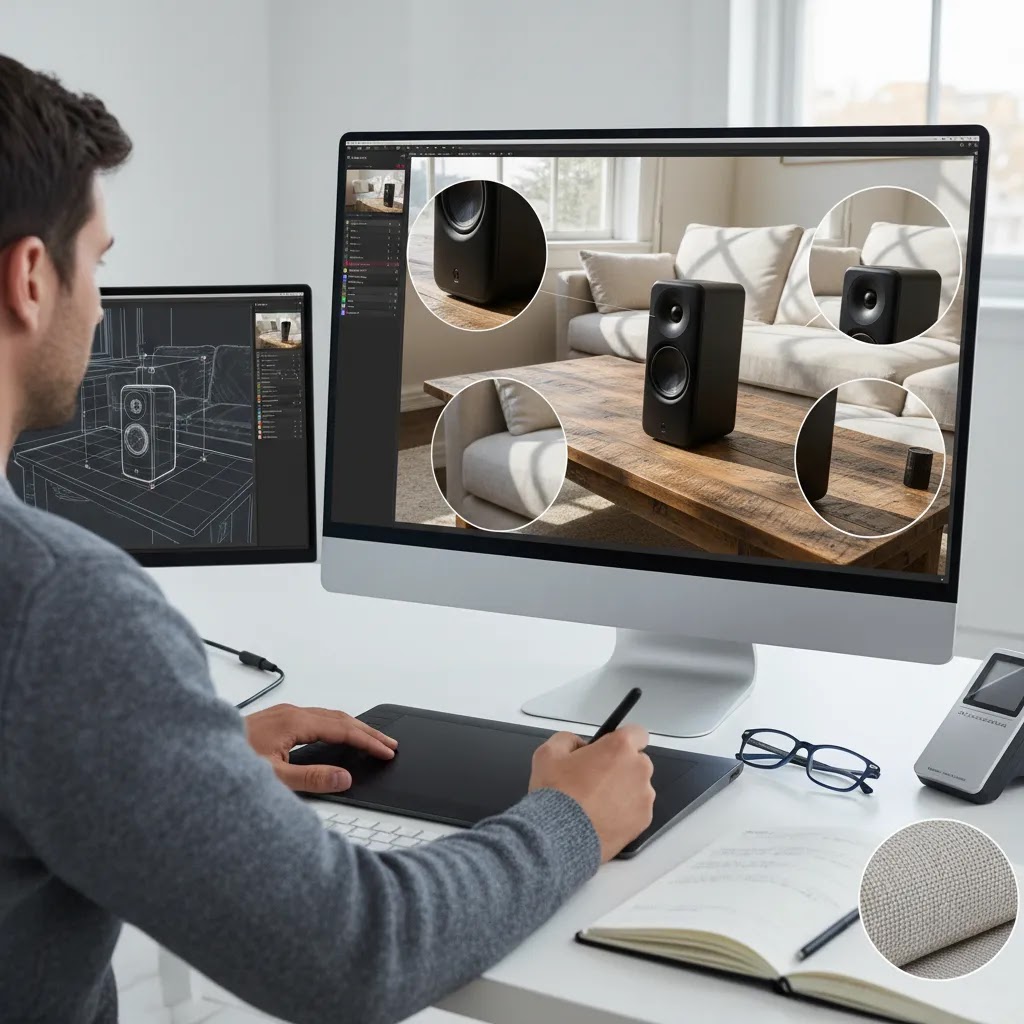
DIY workflow and revisions: how store owners stage images themselves
A lot of tools promise “one click” staging and “unlimited revisions.” Here’s the thing, the stores that get consistent results usually follow a simple production flow and treat revisions like a controlled process, not random prompt experimentation.
A practical DIY process you can repeat
If you are staging product images yourself, a workable step-by-step process usually looks like this:
How to manage revisions without wasting time
Revisions are normal, but they get expensive when they are not organized. The way this works in practice is that you want repeatable “scene recipes” per collection, and a clear rule for what counts as publishable.
Save prompts that work, and reuse them across similar SKUs so your catalog does not drift visually. If multiple people create assets, set internal approval rules such as: lighting direction must match the product, label text must be readable at 100% zoom, no floating edges, and no props that imply something is included when it is not. That keeps your output consistent even when you are producing a lot of creative quickly.
Where this fits in a Shopify merchandising workflow
For most Shopify store owners, the lowest-risk path is to use staged images in ads and collection or landing creative first. Those placements reward iteration and testing, and they are less sensitive than your primary PDP image. Once you find a style that performs and consistently passes your realism checks, you can graduate it into secondary PDP images, where it can help shoppers understand use case without replacing your most accurate product shots.
Frequently Asked Questions
What is virtual staging AI for ecommerce products?
It is the use of AI-assisted image editing to place a product into a generated or edited scene. For ecommerce, that usually means turning a plain packshot into a contextual image for ads, landing pages, or secondary product gallery visuals. The goal is to show the item in use or in a fitting environment while keeping the product itself recognizable and believable.
Is virtual staging AI the same as real estate virtual staging?
No. Real estate virtual staging focuses on furnishing empty rooms. Ecommerce virtual staging focuses on placing products into scenes that help sell an item. The technical idea is similar, but the buying context is different. Product imagery needs stronger attention to scale, label legibility, edge quality, and consistency with your store’s merchandising standards.
Can I use virtual staging AI for my Shopify product pages?
Yes, but use it selectively. For Shopify stores, virtual staging AI often works best in secondary images, collection banners, and marketing creative. Your main product image should usually remain as accurate as possible, especially if customers rely on close inspection before buying. Test staged images carefully to make sure they support trust rather than distract from the product.
What tools are relevant to a virtual staging workflow?
Based on current data, useful tools include AI Background Generator, Background Swap Editor, Magic Photo Editor, Creator Studio, Place in Hands, Increase Image Resolution, and Remove Text From Images. Each supports a different part of the workflow, from scene generation to cleanup and export quality. The right mix depends on your source images and how much control you need.
Does virtual staging AI work for fashion products?
Sometimes, but fashion can be tricky. Flat products, accessories, and simple apparel images may work well. Fabric texture, drape, fit, and fine material detail are harder to render convincingly through AI scene placement alone. If you sell apparel, staged imagery can help with campaigns, but real model or studio photography often remains important for high-intent product page content.
Can virtual staging AI replace a photographer?
No, not completely. It may reduce the need for some repeat scene production or simple merchandising edits, but it does not replace strong lighting, styling, composition, and product accuracy. Many ecommerce teams get the best results from a hybrid process: quality source photography first, then AI tools for background edits, scene variations, and channel-specific creative testing.
How do I make AI-staged product images look more realistic?
Start with a clean cutout, keep lighting direction believable, choose scenes that match product scale, and avoid cluttered backgrounds. Check shadows, surface contact, label sharpness, and reflections. If the image will appear in zoom, improve file quality before export. Minor cleanup can make a big difference between an image that looks polished and one that looks obviously synthetic.
Are there free virtual staging AI options?
Some tools offer free entry points or free-use features, but availability and usage limits vary. In the current product data provided here, pricing details were not available, so you should verify current plans directly on the provider’s website. For a store owner, the better test is not just cost, but whether the output is usable enough to save real production time.
Should I use AI scenes for ads or for product detail pages first?
Ads are often the safer place to start. Paid social and email creative benefit from speed, concept testing, and visual variety. Once you identify styles that resonate with your audience, you can decide whether some staged visuals deserve a place in product galleries or landing pages. That approach keeps experimentation separate from your highest-trust PDP assets at first.
Can AI do virtual staging?
Yes. AI can generate or replace backgrounds, composite a product into a scene, and enhance the final image so it reads like a lifestyle photo. In ecommerce, it usually works best when you start from a clean product cutout and treat the output as creative that still needs review, cleanup, and consistency checks before publishing.
How much does virtual staging AI cost?
It depends on the tool and plan structure. Some tools charge per image, some use credits, and others offer monthly plans with usage limits. For ecommerce teams, the more useful way to think about it is cost per usable image, which includes iterations, cleanup time, upscaling, exports, and review. Pricing changes over time, so verify current plans directly with the provider before committing.
Is virtual staging AI legit?
It can be, as long as you use it responsibly. The output needs to be believable, and it should not mislead shoppers about size, included accessories, or the real appearance of the product. Most stores keep their primary product image accurate and use staged visuals for marketing creative and secondary images after a quick realism and trust QA check.
Can I do virtual staging myself?
Yes. Many Shopify store owners handle it with a repeatable workflow: start with a clean cutout, generate a handful of scene variants, fix edges and artifacts, upscale if needed, then export the sizes you need for ads, email, and your store. Keeping saved prompts and simple approval rules helps you produce consistent images faster.
Key Takeaways
Conclusion
Virtual staging AI can be a smart addition to your creative stack if you approach it with clear standards. For ecommerce brands, the upside is faster scene variation, more testing opportunities, and a practical way to bridge the gap between plain cutouts and full lifestyle shoots. The trade-off is that realism still needs careful review. If you run a Shopify store, the best next step is to test staged visuals on a small set of products, compare them against your existing assets, and build rules before scaling. For more hands-on guidance, explore AcquireConvert’s background editing resources and product imagery articles. Giles Thomas’s perspective as a Shopify Partner and Google Expert is especially useful when your visual decisions affect both store conversion and acquisition performance.
This article is editorial content for informational purposes only and is not a paid endorsement unless explicitly stated otherwise. Pricing, plan availability, and product features are subject to change, so verify current details directly with each provider before making a decision. Any performance outcomes from virtual staging AI will vary by product type, source image quality, traffic source, and execution. No specific results are guaranteed.

Hi, I'm Giles Thomas.
Founder of AcquireConvert, the place where ecommerce entrepreneurs & marketers go to learn growth. I'm also the founder of Shopify agency Whole Design Studios.