AI Photography for Ecommerce (2026 Guide)


AI photography has moved from curiosity to practical workflow for ecommerce teams. If you run a Shopify store, the real question is not whether AI can make images. It is whether it can help you create cleaner, faster, more consistent product visuals without hurting trust, brand quality, or conversion intent. That is where most store owners need clarity. Some AI tools are useful for background cleanup, resolution improvements, and lifestyle variations. Others can create images that look impressive but introduce inaccuracies that may confuse shoppers. If you are still building your visual process, it helps to understand how AI fits alongside a product photography studio setup, not just instead of one. This guide explains what AI photography is, where it works best for ecommerce, where it needs caution, and how to decide what belongs in your product image workflow.
Contents
What AI photography means for ecommerce
AI photography usually refers to using AI tools to generate, edit, enhance, or restage product images. For ecommerce, that can include background replacement, white background cleanup, resolution improvements, text removal, scene generation, and mockups that place products into styled environments.
For most store owners, this sits somewhere between traditional product photography and image post-production. It is not always a full replacement for photographing real inventory. In many cases, the best use is controlled enhancement of existing product images rather than fully synthetic visuals.
If you are still defining what is product photography in the ecommerce sense, the key goal stays the same: show the product clearly enough that shoppers know what they are buying. AI only helps when it supports that job.
From a practical store-owner perspective, AI photography can reduce turnaround time for content production, support seasonal creative testing, and help smaller brands produce more image variations without booking repeated shoots. It may also help standardize image presentation across catalogs with hundreds of SKUs.
Still, AI images need review. If dimensions, textures, packaging details, or colors drift from the real product, the image may attract clicks but create friction later in the funnel through returns, support tickets, or reduced trust.
Where AI photography helps most
In ecommerce, AI photography is strongest when the task is specific and constrained. That usually means editing rather than inventing.
Here are the most useful applications for store owners:
Where merchants often run into problems is using AI without boundaries. Hero images, detail shots, packaging views, and fit-dependent visuals still need close control. A skincare brand, for example, might use AI for campaign backgrounds while keeping actual product pack shots and texture shots fully grounded in real photography. A fashion brand may use AI for mood imagery but avoid using it to represent garment drape or fabric weight unless the output has been carefully verified.
If your store relies on trust-sensitive purchases such as cosmetics, supplements, jewelry, or premium apparel, accurate visual representation matters as much as speed. In those cases, AI can support the workflow, but it should not weaken product truthfulness.
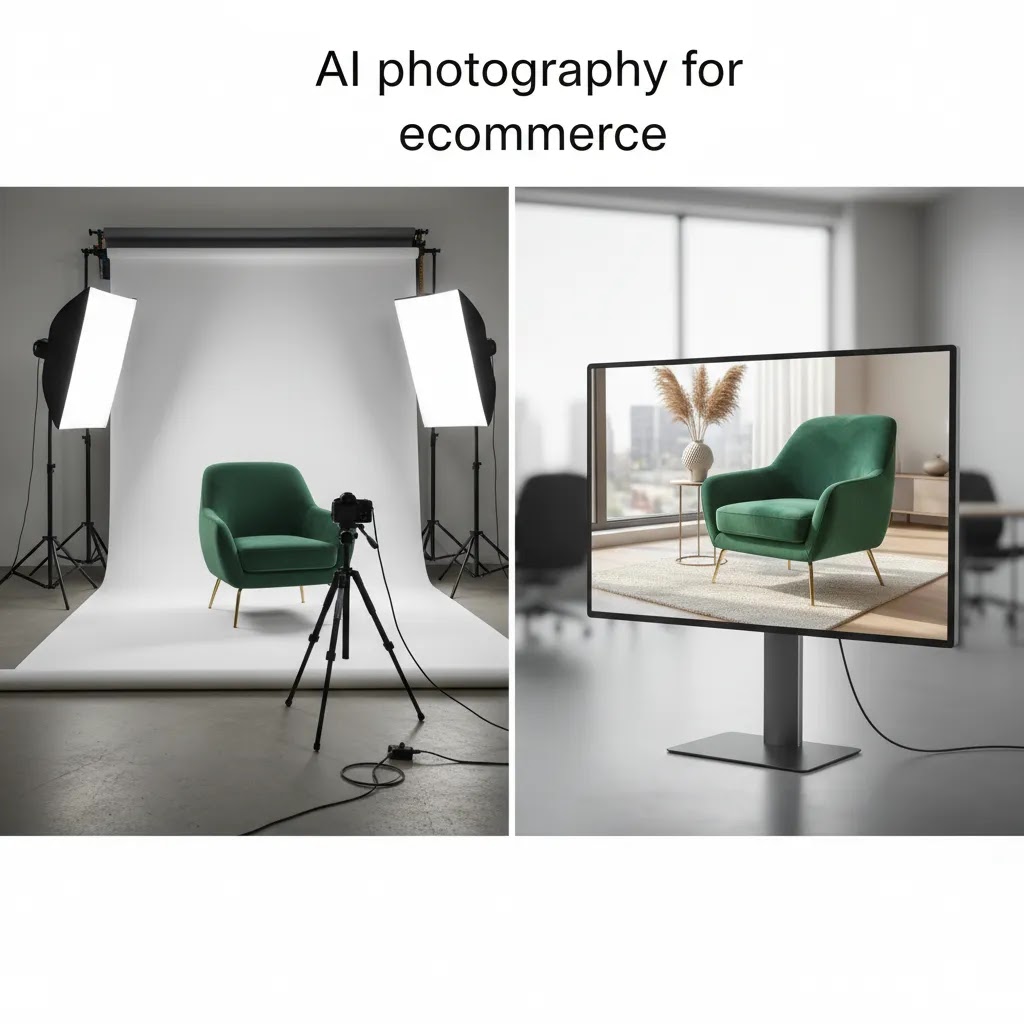
AI Photography Editing vs AI Image Generation (What to Use When)
There are two very different categories hiding under the phrase “AI photography,” and choosing the wrong one is where a lot of ecommerce problems start.
AI-assisted editing means you start with a real photo of your product, then use AI to improve it. Think background removal, cleaning up dust and scratches, correcting minor lighting issues, upscaling resolution, or creating controlled background swaps.
AI image generation means the tool is creating pixels that were not in your original photo. That can include fully synthetic scenes, fully synthetic products, or heavy restaging where the output is more “interpretation” than “edit.”
For most Shopify store owners, the safer wins are editing-first workflows, because you are preserving the truthful parts of the product image while still getting speed and consistency benefits.
Use editing-first for PDP images and anywhere accuracy is the point
If the image’s job is “show me exactly what I am buying,” editing is usually the right default. That includes your main product image, packaging images, ingredient callouts, size reference photos, and anything shoppers will zoom in on.
From a practical standpoint, editing-first is also easier to standardize across a catalog. You can define a consistent white background, consistent crop, consistent shadow style, and consistent aspect ratio, then apply that across SKUs without the tool inventing new details.
Use generation for ads and creative testing, with clear boundaries
Generation tends to be most useful when the image’s job is “get attention and communicate a vibe.” That includes paid social variations, collection banners, email hero images, and campaign concepting.
Consider this: a clean pack shot on white is often the best choice for a PDP, but a lifestyle variation can be useful for ads. In many cases, you can keep the product itself grounded in a real photo, then use AI to generate or swap the environment around it. That usually creates fewer accuracy issues than generating the entire product scene from scratch.
Common failure modes to watch for before you publish
The reality is that generative tools can produce outputs that look convincing at a glance, then fail on the details that matter in ecommerce. Here are the big ones to actively check for:
What many store owners overlook is how shoppers behave on Shopify product pages: they zoom, they swipe, and they compare variants. Before publishing any AI-assisted output, review it at the largest size your theme displays, and compare it side-by-side with your original product photo. If you have product options (color, size, finish), check that the AI output still matches the specific variant being sold on that page.
AI photography tools worth knowing
Based on the current product data available, several tools are especially relevant for ecommerce image workflows.
These tools are most valuable when tied to a defined ecommerce task. A white background generator serves a different purpose from a creative scene editor. If you treat all AI photography software as interchangeable, you will likely end up with inconsistent assets and extra rework.
Also, some stores should separate image types by risk level. For example, use AI-enhanced creatives for campaign banners and use factual imagery for product detail pages. That split often protects trust while still giving you production speed.
Can You Use Free AI Photography Tools (And What Are the Tradeoffs)?
Yes, you can use free AI photography tools, but it helps to be clear about what “free” usually means in practice. Most browser-based tools are designed to get you a quick win, then limit usage in ways that show up fast when you are managing a real Shopify catalog.
Here is what free typically comes with:
From a practical standpoint, free tools can be perfect for testing workflows, creating internal comps, or exploring whether AI can clean up a specific supplier image problem. They can be less reliable for hero images, marketplaces, or any product category where shoppers scrutinize details.
A quick decision checklist
Free tools are often fine if you are:
You may want a paid tool or a studio workflow if you are:
A practical QA checklist for AI outputs
Before you upload anything to Shopify, review the output the way a shopper will. That means checking it on a large screen, zooming in, and looking for issues that are easy to miss at thumbnail size:
The way this works in practice is simple: if the output cannot hold up at close inspection, keep it for ads or concepting, not for core PDP imagery. That one rule prevents most AI photography mistakes from turning into support tickets later.

Pros and Cons
Strengths
Considerations
Who should use AI photography
AI photography is a strong fit for ecommerce brands that need more content but do not yet have in-house creative resources at scale. That includes lean Shopify teams, founders managing their own PDPs, agencies supporting multiple catalogs, and brands testing new ad angles quickly.
It is especially useful for stores that already have baseline product images and want to improve presentation, create variants, or speed up merchandising. It is less suitable if you need highly regulated, technically exact product imagery where every material, shade, and packaging detail must be documented precisely.
If you sell visually driven products such as cosmetics, AI can also support adjacent workflows like concept development for an ai makeup generator use case, though final ecommerce assets should still be reviewed against the real product experience.
How AcquireConvert thinks about AI photography
At AcquireConvert, we look at AI photography through a store-operator lens. The useful question is not whether AI images look impressive in isolation. It is whether they help a merchant present products more clearly, launch faster, and maintain trust through the buying journey. That practical approach reflects Giles Thomas's experience as a Shopify Partner and Google Expert, where image quality affects not only conversion paths on site but also product feed readiness, ad creative performance, and merchandising consistency.
If you are evaluating where AI belongs in your image workflow, start with the operational basics in our Catalog Photography resources, then review image cleanup workflows under Background Removal & Editing. If your next step is deciding whether to build or upgrade your setup, revisit our guide to a product photography studio. That sequence usually gives store owners a clearer decision path than jumping straight into random AI tools.
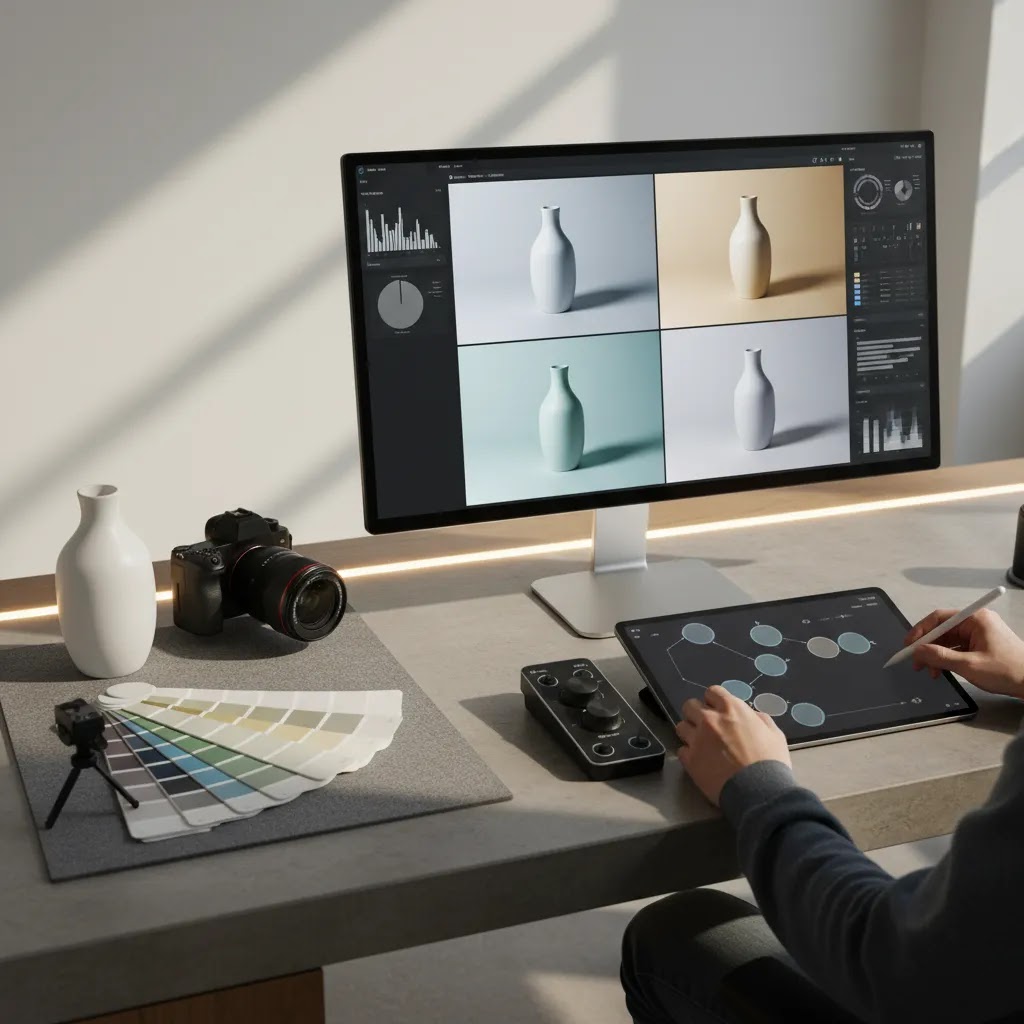
How to choose the right AI photography approach
If you are comparing options, use these five criteria.
1. Start with the image job, not the tool
Decide whether you need cleanup, enhancement, or generation. A white background workflow is different from a lifestyle mockup workflow. If your goal is marketplace compliance or cleaner PDP images, choose tools that preserve the real product and make small edits. If your goal is campaign experimentation, broader generative tools may make more sense.
2. Protect product accuracy
Accuracy matters more than novelty for ecommerce. Check color, shape, materials, labels, shadows, and proportions. If a shopper receives something that looks meaningfully different from the image, the downstream costs can outweigh the creative speed.
3. Match the workflow to your team size
A solo founder may need one or two tools that solve common problems fast. A larger team may need editable templates, approval steps, and tighter visual governance. If multiple people touch imagery, document prompt rules, naming conventions, and acceptable use cases so the storefront does not become visually inconsistent.
4. Separate store images by trust level
Not every image has the same job. Hero shots, detail views, ingredient close-ups, fit photos, and packaging images usually need higher factual reliability. Campaign banners, collection headers, and social ads often allow more creative flexibility. This distinction can help you use AI aggressively where appropriate and conservatively where trust is fragile.
5. Check platform and channel implications
For Shopify merchants, image decisions affect more than product pages. They may influence collection page presentation, ad asset production, and how smoothly your team updates catalog content. If you rely on Google Shopping or other paid channels, review images for clarity and consistency before rolling them out at scale. Good AI photography should reduce operational friction, not create more QA work later.
A practical rule is to test AI on one collection first. Measure whether your team saves time, whether the images stay on-brand, and whether customer questions increase or decrease. That controlled rollout is usually more reliable than converting your entire catalog at once.
AI Photography Prompts That Actually Work for Ecommerce Products
If you are using any tool that relies on text prompts, consistency matters as much as creativity. The difference between a useful output and a frustrating one is often whether you told the model what cannot change.
Think of it this way: ecommerce prompts should behave like creative briefs. They should constrain the product, define the environment, and remove ambiguity.
A simple prompt framework you can reuse
Use this structure, then save it as a template for your team:
This is especially helpful for Shopify stores because you often need the same “look” repeated across dozens of products and variants. A reusable framework reduces the chance of each SKU drifting into its own visual style.
Prompt “do not” rules that reduce product changes
Here are rules that tend to prevent the most common ecommerce failures:
Now, when it comes to categories like cosmetics and supplements, this matters even more. AI tools can accidentally “improve” packaging by inventing cleaner text or different ingredients. Even if the image looks nicer, it can create trust issues if it is not the actual product your customer receives.
Build a small prompt library per product type
Most stores sell a few repeating product types: bottles, jars, boxes, apparel, jewelry, or bundles. Create a small approved prompt library for each type so your outputs stay consistent across SKUs and across team members.
For example, you might have one approved prompt for a white background pack shot of a bottle, one for a premium lifestyle counter-top scene, and one for an ad-focused seasonal variation. Once you have three to five prompts per product type, you are no longer reinventing the process per SKU. You are running a system, and that is where AI starts saving real time without lowering quality.
Frequently Asked Questions
What is AI photography in ecommerce?
AI photography in ecommerce means using AI to generate, edit, enhance, or restage product images. In practice, store owners often use it for background replacement, white background cleanup, resolution improvements, and lifestyle scene creation. The best use cases usually support accurate product presentation rather than replacing every real product photo with synthetic imagery.
Is AI photography good for Shopify product pages?
It can be, especially for cleanup and consistency work. Shopify stores often benefit from AI-assisted white backgrounds, sharper images, and alternate creative assets for campaigns. The key is keeping core PDP imagery truthful. If AI changes the actual product appearance too much, it may create confusion and hurt shopper confidence.
Can AI replace a product photography studio?
Sometimes for selected tasks, but not fully for every store. AI can reduce the need for repeated shoots, especially for background changes and concept variations. Still, a real studio process remains valuable for exact product representation, detail shots, and high-trust categories. Many merchants get the best results by combining both approaches.
What are the best AI photography tools for ecommerce?
The best option depends on the task. For example, AI Background Generator and Free White Background Generator fit cleanup and presentation jobs, while Background Swap Editor and Magic Photo Editor support more creative editing. The right choice depends on whether you need catalog accuracy, campaign flexibility, or image enhancement.
Are free AI photography tools enough for a small store?
They may be enough for early testing, especially if your needs are limited to simple background edits or occasional image improvements. Small stores should still review output quality closely. A tool being free does not automatically mean it fits your product type, brand standards, or conversion goals.
Does AI photography help conversion rates?
It can help indirectly if it improves image clarity, consistency, and speed of merchandising updates. Better visuals may reduce uncertainty and make products easier to evaluate. Still, results vary by category, traffic quality, page design, price point, and how accurately the images reflect the actual item being sold.
What risks come with AI-generated product images?
The main risks are misrepresentation, inconsistency, and overediting. AI can invent textures, alter proportions, or create scenes that imply something the customer will not receive. Those issues may lead to lower trust, higher returns, or more support questions. A review process is essential before publishing images live.
How should I use AI photography prompts for ecommerce?
Keep prompts specific and operational. Define the background, lighting style, framing, mood, color constraints, and what must remain unchanged about the product. It also helps to document approved prompt structures for your team. That creates more consistent outputs and reduces the chance of off-brand or inaccurate visuals.
What does no AI photography mean?
No AI photography usually refers to brands choosing fully traditional product photography or disclosing that visuals were created without AI generation. Some merchants prefer this for authenticity, luxury positioning, or compliance reasons. It can be a valid choice, especially if your category depends heavily on trust and exact visual accuracy.
Can AI be used in photography?
Yes. In ecommerce, AI is commonly used for photography-related tasks like background removal, retouching, upscaling, and creating controlled scene variations around a real product photo. The key is matching the AI use to the job. Editing and enhancement typically carry less risk than fully generating product visuals.
What is the 30% rule in AI?
The “30% rule” is a general rule of thumb some people use to suggest AI outputs should be treated as a starting point, then improved by human review and finishing work. For Shopify product imagery, a practical interpretation is this: assume AI gets you part of the way there, but you still need a QA pass for accuracy, brand consistency, and channel requirements before you publish. It is not a formal standard, and it should not replace product-truth checks.
Is there an AI that can make photos?
Yes. Some tools can generate new images from text prompts, and others can restage or heavily transform an existing image. For ecommerce, many stores get better results by starting with a real product photo, then using AI to edit or enhance it. Fully synthetic generation can be useful for creative concepts and ads, but it needs tighter review to avoid inaccurate product details.
Which photo AI is free?
Some AI photo tools offer free tiers or free single-purpose tools, often with limits on exports, resolution, or commercial usage. Free can be enough for testing and drafts, but for core PDP images you typically want consistent, high-resolution outputs with clear licensing and repeatable quality control.
Key Takeaways
Conclusion
AI photography can be genuinely useful for ecommerce, but only if you apply it with clear standards. For most Shopify merchants, the smartest approach is not replacing all product photography. It is using AI where it removes repetitive work, expands creative options, and keeps your catalog visually consistent. That usually means editing and enhancement first, then careful experimentation with generative workflows. If you want a more grounded path forward, AcquireConvert is built for exactly this kind of decision. Explore our practical photography and Shopify growth content, compare image workflow options side by side, and use Giles Thomas's practitioner-led guidance to decide what fits your store, your team, and your customers.
This article is editorial content for educational purposes and is not a paid endorsement unless otherwise stated. Tool availability, features, and pricing are subject to change, so verify current details directly with the provider. Any performance outcomes discussed are not guaranteed and will vary by store, product category, implementation quality, and customer expectations.

Hi, I'm Giles Thomas.
Founder of AcquireConvert, the place where ecommerce entrepreneurs & marketers go to learn growth. I'm also the founder of Shopify agency Whole Design Studios.