AI Photoshoot for Ecommerce (2026 Guide)

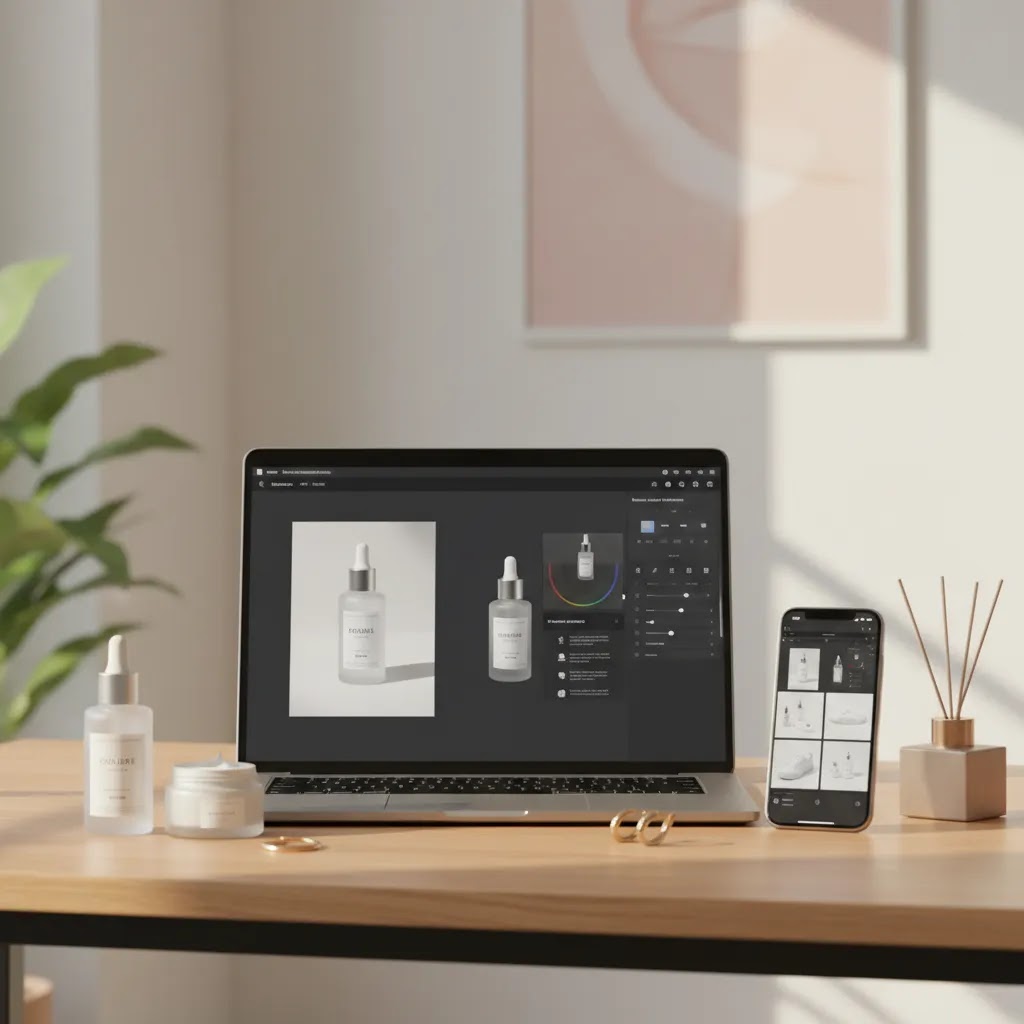
If you run an online store, the promise of an ai photoshoot is simple: create cleaner, more polished product images without booking a studio, hiring a crew, or reshooting your catalog every time you test a new angle. That can be useful if you are updating PDPs fast, launching seasonal campaigns, or trying to improve visual consistency across a growing SKU range. Still, AI image tools are not all built for the same job. Some are best for background cleanup, some for lifestyle scenes, and some for quick editing rather than true photoshoot replacement. If you are still weighing AI against a traditional product photography studio workflow, this evaluation will help you decide where AI fits, where it falls short, and how to use it responsibly in ecommerce.
Contents
What an AI photoshoot actually means for ecommerce
For most store owners, an ai photoshoot is not one single tool. It is a workflow. You start with an existing product image, then use AI to improve the background, sharpen detail, place the product in a lifestyle setting, or create variations sized for different channels.
That matters because your product image requirements are usually broader than “make this look good.” You may need clean white-background shots for marketplaces, on-brand lifestyle scenes for paid social, and cropped assets for mobile-first product grids. A practical AI workflow can reduce turnaround time for those tasks, especially when paired with a clear image standard.
What AI does best is speed up repetitive visual production. What it does less reliably is replace high-end original photography for premium brands that depend on exact material texture, regulated product presentation, or highly controlled lighting. If you are exploring ai product photography, think in terms of use case fit rather than a total studio replacement.
You can also use AI as a bridge between basic product capture and final merchandising. That is often more realistic than expecting one app to generate every image from scratch at production quality.
Key features to evaluate
Before you commit to an ai photoshoot workflow, look beyond the demo images. Ecommerce teams need repeatable outputs, not just one impressive sample. These are the features that usually matter most.
1. Background control
If your catalog needs marketplace compliance, plain backgrounds are essential. Tools such as Free White Background Generator and AI Background Generator can help you create studio-style or contextual scenes from existing images.
2. Resolution and clarity
AI-generated or AI-edited images can sometimes look soft once uploaded to a theme, compressed for mobile, or enlarged in zoom views. A tool like Increase Image Resolution may help preserve usable detail for product pages, collection pages, and ads.
3. Scene realism
Lifestyle images are useful only if they still look believable. Hand placement, shadows, scale, and reflections can break trust quickly. Tools such as Place in Hands and Background Swap Editor are best judged by how naturally they preserve the product, not by how dramatic the scene looks.
4. Editing flexibility
Many merchants need to fix visual issues after generation. Magic Photo Editor may be more useful than a one-click generator if your workflow includes retouching, removing distractions, or preparing multiple variants of the same product photo.
5. Batch workflow potential
Single-image output is fine for testing. It is less useful for scaling a catalog. If you have dozens or hundreds of SKUs, you need consistency in framing, background style, and export behavior. That is where a workspace like Creator Studio can make more sense than standalone point tools.
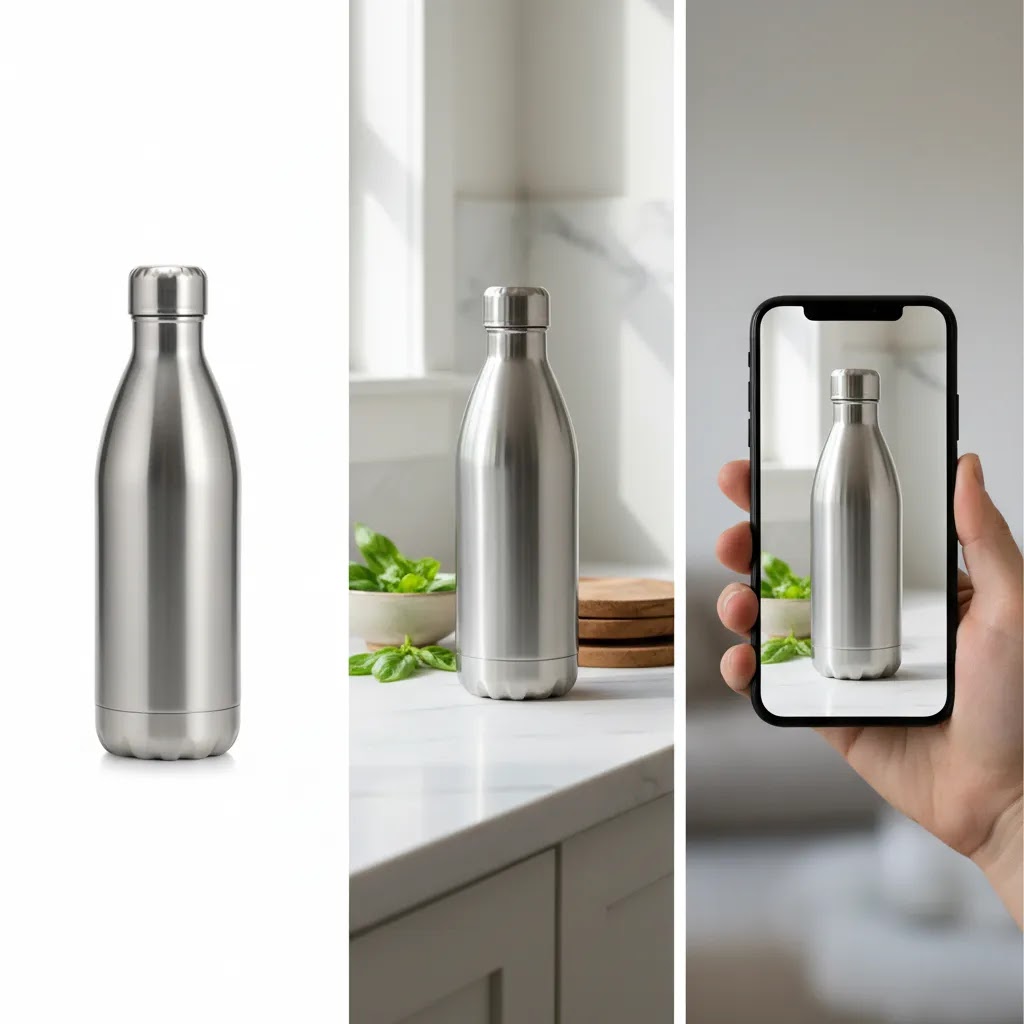
A practical AI photoshoot workflow you can repeat
Most “ai photoshoot generator” demos look like magic because they show the best single output. The way this works in practice is simpler, and more disciplined. You are taking one good source image and turning it into a small set of assets that work across your Shopify storefront and your acquisition channels.
Step 1: Pick a single “master” source image
Choose the cleanest, most accurate product image you have. Aim for a centered product, even lighting, and minimal motion blur. If you have multiple angles, start with the one you want to be your “truth” reference for color and texture. A weak source image is the fastest way to get weird edges and unrealistic materials later.
Step 2: Remove or standardize the background first
Even if your end goal is lifestyle scenes, start by getting a clean cutout or a plain background version. This makes the product easier for AI tools to place into scenes without warping the silhouette. It also gives you a safe catalog asset you can use for your main image if you decide the lifestyle versions feel too risky.
Step 3: Generate 3 to 5 lifestyle variations, not 30
For most Shopify store owners, a small set of high-quality variations beats an endless pile of inconsistent images. Generate a handful of scenes with clear intent: one seasonal, one “in-use” context, one simple branded gradient or studio look, and one gifting or bundle style if it fits your product. If you cannot confidently approve any of the first five, generating 50 more rarely fixes the underlying issue.
Step 4: Export channel-specific crops and sizes
Your storefront and ads do not consume images the same way. After you have one approved scene, export variants built for where they will live. Think of it as one scene, multiple crops.
If your Shopify theme uses image ratio settings, verify how your crop choices interact with those settings so you do not end up with awkward trims in collection pages.
Step 5: Run a quick QA checklist before anything goes live
AI photos can look fine at a glance and fail the moment a shopper zooms in. Before publishing, do a fast quality pass that focuses on trust.
Step 6: Keep consistency across SKUs with simple templates
What many store owners overlook is that AI inconsistency becomes a catalog problem fast. The fix is not “more prompts,” it is a small set of approved templates and framing rules. Define two or three scene templates you will reuse, along with basic guardrails like camera angle, background brightness, and how much of the frame the product should occupy.
Then batch test on five to ten representative products, not your easiest hero SKU. Include different colors, finishes, and shapes. If your templates hold up across that mini set, you are much closer to a workflow you can scale.
Tools worth considering for an AI photoshoot workflow
The current product data available here points to a set of image-generation and editing tools centered on ecommerce photography tasks. Pricing details were not provided in the available tool data, so you should verify current rates directly with the provider before choosing a paid workflow.
AI Background Generator
Best for merchants who already have a decent source image and want to create more varied campaign visuals without reshooting. It is useful for testing themed product backdrops, seasonal creative, or simple lifestyle-style presentation.
Free White Background Generator
Best for core catalog images where consistency matters more than creative staging. This is especially relevant if you sell on channels that prefer or require a plain background.
Increase Image Resolution
Best as a support tool when your original file is too small for zoom, cropping, or ad reuse. It is not a substitute for excellent source photography, but it may help extend the usefulness of existing assets.
Background Swap Editor
Best when you need manual control over scene changes and want more oversight than a simple generator provides. This can be helpful for brands with stricter art direction.
Place in Hands
Best for categories where scale and in-use presentation support conversion, such as beauty, accessories, or small consumer goods. This overlaps naturally with visual merchandising strategies discussed in areas like ai makeup generator content.
Magic Photo Editor and Creator Studio
Best for merchants building a broader AI photo workflow rather than solving one narrow task. If your team needs one place to create, edit, and iterate, these options may be the most practical starting point.
If you are comparing dedicated app workflows, it is also worth reviewing tools like photoroom in a more focused buying context.
“Free” AI photoshoot tools: what you can realistically do
Search intent around “ai photoshoot free” is understandable. You want to test the concept before you commit time or money. Here’s the thing, “free” usually means “enough to evaluate,” not “enough to standardize a whole Shopify catalog.”
What “free” typically means in practice
Free tiers and free tools can be genuinely useful, especially for proving that your source images are compatible with AI editing. The tradeoff is that they often come with constraints that matter for ecommerce workflows:
None of these are deal-breakers for testing. They become a problem when you are trying to create a consistent “house style” across dozens of SKUs.
A simple test plan to decide if free is enough
If you want to validate a free workflow quickly, run one product through the same set of tasks you actually need for Shopify, not just the most impressive demo feature.
If any of those steps consistently fail, such as edges falling apart, color shifting, or exports not being usable for your theme, that is a strong signal that you may need a more capable workflow.
When it is worth moving beyond free
Free tools are often a good starting point. Moving beyond free usually makes sense when you need tighter control and repeatability:
From a practical standpoint, the question is not whether free tools can produce a good image. The question is whether they can reliably produce your image standard, repeatedly, across the products you actually sell.
Pros and Cons
Strengths
Considerations
Who AI photoshoots are best for
AI photoshoots are usually the strongest fit for growth-stage ecommerce brands that need more image output than their current setup can support. If you are managing a Shopify catalog, running paid social, and refreshing product creatives regularly, AI can help fill production gaps.
They are especially useful for merchants with strong base photography who need more variations, faster edits, or lower-friction campaign assets. They can also suit stores testing new categories before investing in a full studio process.
If your products rely on exact texture, color fidelity, or luxury presentation, AI is better treated as a support layer rather than the whole visual strategy. In those cases, use AI for derivatives, not your master asset library.
AI photoshoot ideas that map to ecommerce use cases
Pretty scenes are not the goal. The goal is to support a purchase decision. For most Shopify stores, that means you should treat AI scenes like visual merchandising, each image should earn its place based on what it helps the shopper understand or feel.
Ecommerce-first scene concepts that tend to perform well
Consider this set of concepts as a starting menu. They map cleanly to how stores actually use images across PDPs, ads, and email.
Where each idea fits in the funnel
The reality is that placement matters as much as the scene itself. A strong image in the wrong slot can lower trust.
Category nuance: where lifestyle staging helps, and where it can backfire
Some categories benefit more from AI staging than others.
Think of it this way, if a shopper is likely to zoom in and verify materials, finishes, or exact labeling, your AI scenes should be conservative, and your main gallery should be as close to photographic truth as you can make it.
AcquireConvert recommendation
From a practical ecommerce perspective, the smartest way to approach an ai photoshoot is to treat it as part of a visual merchandising system, not a magic replacement for photography. That is the lens AcquireConvert takes across its photography content. Giles Thomas brings the perspective of a Shopify Partner and Google Expert, which matters because your images do not just need to look good. They need to work across product pages, paid traffic landing pages, shopping feeds, and mobile storefronts.
If you are still defining your process, start with the broader Catalog Photography section, then compare tactical guidance in E Commerce Product Photography. That combination gives you a stronger decision framework than choosing a tool based on a single before-and-after example.
How to choose the right setup
Start with your image objective. Are you trying to create compliant main images, better lifestyle scenes, more ad creative, or simply faster edits? A white-background workflow is different from a campaign-image workflow. Choosing the wrong starting point usually creates more rework later.
Audit your source images honestly. AI works better when the original product capture is clean, centered, and well lit. If your current photo library is inconsistent, fix capture standards first. Otherwise, AI may amplify your inconsistencies rather than solve them.
Match the tool to the merchandising task. Use background generators for visual variety, white-background tools for catalog consistency, and editors for controlled refinements. If you need a more integrated process, a studio-style workspace may be better than switching between several small utilities.
Check for repeatability. One strong image is not enough. Test a tool across five to ten products with different shapes, finishes, and colors. Hard goods, reflective products, soft goods, and beauty items all expose different weaknesses in AI output.
Review outputs where customers actually see them. Do not approve images only at full desktop size. Test them in collection grids, mobile PDPs, zoom views, and ad placements. What looks good in an editor may feel artificial once compressed or shown in context.
Protect trust signals. For Shopify stores, product imagery affects conversion confidence directly. If customers may feel misled by an over-stylized AI image, keep the main PDP gallery grounded in reality and use more creative AI visuals lower on the page or in campaigns.
Think channel by channel. Your primary storefront, Google Shopping images, marketplace listings, email banners, and social ads do not all need the same image style. Experienced ecommerce operators usually define a “master truth” image set first, then create promotional variants around it.
Document your standards. Write simple rules for crop ratio, background style, lighting look, shadow treatment, and when AI-generated scenes are allowed. This is what turns an ai photoshoot from a novelty into a usable production workflow.
Frequently Asked Questions
Can an ai photoshoot replace a real studio for ecommerce?
Sometimes, but not always. For many stores, AI is best used to extend existing photography rather than replace it fully. It can work well for background cleanup, scene variation, and campaign creative. For luxury products, regulated categories, or texture-sensitive items, traditional photography may still be the safer option.
Is an ai photoshoot good for Shopify product pages?
Yes, if you keep accuracy and consistency in focus. Shopify merchants often use AI to prepare cleaner visuals, create supporting lifestyle scenes, and adapt images for different sections of the storefront. The strongest results usually come from combining AI editing with clear image standards across your catalog.
What is the difference between ai product photography and an ai photoshoot?
In practice, they overlap. AI product photography usually refers to creating or editing product-focused images with ecommerce intent. An ai photoshoot often suggests a broader workflow that mimics studio output, including staging, background changes, and campaign-style scenes. The right term matters less than the use case you are solving.
Are free AI photoshoot tools enough for a store?
They may be enough for testing, small catalogs, or one-off tasks. They are less likely to cover every production need as your store grows. If you rely heavily on visual merchandising, it is worth testing whether a free workflow can stay consistent across many SKUs before making it part of your core process.
What is the best AI photoshoot generator?
The best option is the one that reliably produces your required image standard from your real source photos. For most ecommerce teams, that means consistent cutouts, believable scenes, and exports that hold up on mobile Shopify PDPs and in ad placements. A practical way to choose is to test a short list using the same five to ten products, then score the outputs on realism, repeatability, and how much manual cleanup is required.
How do I do an AI photoshoot for free?
Start with one strong product image, generate a clean plain-background version first, then create one lifestyle scene, and finally export two crops sized for your Shopify theme. Preview the results on mobile and in a collection grid before you commit to making it part of your catalog workflow. Free tools can be enough for evaluation, but you still want to run a real “storefront check,” not just approve the editor preview.
Is there an AI photoshoot app I can use on my phone?
Yes, there are app-based workflows for AI photo editing and background swaps, and they can be useful for quick iterations. The main limitation is usually control and consistency, especially if you need a repeatable look across many SKUs. If you rely on a phone-based workflow, make sure you still review the final exports inside your Shopify theme, since mobile capture plus AI edits can sometimes exaggerate softness and compression.
Can AI photoshoot tools generate multiple backgrounds and scenes from a single product image?
Often, yes. That is one of the core benefits of an ai photoshoot workflow. The tradeoff is that more variations can also mean more inconsistency. In many cases, it is smarter to generate a small set of approved scenes, then reuse those as templates across similar SKUs instead of generating totally new scenes for every product.
How do I know if an AI-generated image is hurting trust?
Look for unnatural proportions, inaccurate materials, strange shadows, or visual details that do not match the actual product. Customer questions, return reasons, and low engagement on product pages can also be clues. If an image feels more like concept art than product truth, it probably needs to be pulled back.
Can I use AI photos for Google Shopping or marketplaces?
Potentially, but you should review each channel's image policies carefully. Some channels prefer straightforward, accurate product presentation, often on simple backgrounds. AI-generated lifestyle images may be better reserved for onsite merchandising or social campaigns rather than primary feed images.
What products benefit most from AI photoshoots?
Products with simple shapes and clear silhouettes often perform best, especially when you already have solid source images. Beauty, accessories, packaged goods, and small home items can be good candidates. Reflective, transparent, or texture-heavy products are more likely to expose the limits of AI editing.
Should I use AI for main gallery images or secondary images?
For most stores, secondary images are the safer starting point. Keep your primary gallery grounded in accurate product representation, then use AI for supporting visuals, use-case imagery, or campaign assets. This approach helps you gain efficiency without weakening shopper confidence.
Key Takeaways
Conclusion
An ai photoshoot can be a very practical option if your goal is faster image production, more creative testing, or better catalog consistency without relying on a full studio every time. The real value is not in replacing every part of photography. It is in helping you build a leaner workflow around the images your store already needs. For most ecommerce teams, that means using AI selectively, validating quality across channels, and keeping the product itself truthful and recognizable. If you want a more grounded way to compare approaches, explore AcquireConvert’s photography resources and related tool evaluations. They are built for store owners who need visuals that support merchandising, trust, and conversion rather than just impressive demos.
This article is editorial content for informational purposes only and is not a paid endorsement unless explicitly stated otherwise. Pricing for any referenced tools was not available in the provided product data and may change at any time, so verify current rates directly with the provider. Tool capabilities and results can vary by product type, source image quality, and implementation. No specific performance or conversion outcomes are guaranteed.

Hi, I'm Giles Thomas.
Founder of AcquireConvert, the place where ecommerce entrepreneurs & marketers go to learn growth. I'm also the founder of Shopify agency Whole Design Studios.