Online Product Photography Services Compared (2026)


If you are choosing an online product photography option for your store, the real question is not just who can create a better image. It is which route fits your margin, catalog size, speed requirements, and merchandising goals. Some stores need a traditional studio. Others need an AI-assisted workflow that can produce clean white-background shots, lifestyle variations, and quick edits without shipping inventory back and forth. If you are still weighing studio-based services against software-led options, our guide to product photography studio choices can help frame that decision. In this evaluation, I compare online product photography service models, the practical trade-offs behind each one, and the tools that may work best for ecommerce operators who need better visuals without wasting time or overspending.
Contents
What online product photography really includes
Online product photography is no longer one thing. For most ecommerce stores, it now falls into three broad categories.
First, you have traditional remote photography services. You ship products to a studio or photographer, receive edited assets back, and use them for product pages, ads, marketplaces, and email campaigns. This is still the strongest option when your brand depends on custom styling, precise lighting, or premium creative direction.
Second, you have hybrid services. These combine photography, editing, and digital post-production. A store might photograph products in-house, then use online editing tools to remove backgrounds, add white backgrounds, create lifestyle scenes, or improve consistency across a catalog.
Third, you have AI-led workflows. These are especially relevant for merchants who need volume, speed, and lower production friction. Tools such as AI Background Generator, Free White Background Generator, and Magic Photo Editor can help create marketplace-ready and branded visuals without a full reshoot.
That does not mean AI replaces every photographer. If you sell reflective, transparent, luxury, or texture-dependent products, a skilled product photographer may still be the better fit for your hero images. The right answer depends on where image quality matters most in your funnel.
Key service types and features to compare
When comparing an online product photography service, store owners should focus less on marketing language and more on workflow fit.
1. Background handlingFor Amazon, Google Shopping, and many category grids, clean background control matters. If your in-house photos are usable but messy, tools like Background Swap Editor and the white background generator can be practical alternatives to paying for another basic reshoot.
2. Lifestyle image creationMany stores do not need every image shot on location. For apparel, beauty, accessories, and gifting brands, AI-assisted scene generation can fill merchandising gaps. If that is your current research path, this overview of ai photography helps explain where AI image workflows are useful and where human creative direction still matters more.
3. Resolution and asset cleanupOlder catalogs often suffer from inconsistent crop ratios, low resolution, watermarks, and text overlays. Tools such as Increase Image Resolution and Remove Text From Images may help salvage assets that are not worth a full re-photography cycle.
4. Speed for catalog expansionIf you launch often, speed matters almost as much as image quality. Traditional services usually produce stronger bespoke imagery, but AI and editor-based workflows can be much faster for secondary assets, test launches, and seasonal promotions.
5. Creative control inside your teamTools such as Creator Studio and Place in Hands suit merchants who want to generate variations internally instead of briefing every change to a freelancer or studio.
If you are specifically comparing software-led editing against specialist mobile-first tools, our review of photoroom is a useful side read before you commit.

Pricing and cost models: what you are really paying for
Here is the thing. Most frustration with online product photography comes from unclear pricing expectations. Two quotes can look wildly different, even when the final images look similar, because the pricing model and the deliverables are not the same.
In practice, you will usually see one of these structures:
Traditional remote studio or photographerYou might be quoted per SKU, per final image, or as a day rate. Per-SKU pricing often assumes a fixed shot count and a standard editing package. Day rates can make sense if you have a tight shot list and enough products ready to shoot in one block, but it can get expensive if you are still figuring out angles, styling, or props mid-shoot.
Hybrid capture plus retouchingThis typically breaks into two costs: your in-house capture time, then a per-image editing rate for background removal, cleanup, color correction, and shadow work. If your team can capture clean, consistent inputs, this can be a solid way to stretch budget across a growing catalog.
AI-led tools and subscriptionsThese often run on subscription credits or usage-based pricing. You are paying for speed and volume, and for the ability to generate variations without booking another shoot. Pricing varies, so check current plans, but the bigger point is that your cost becomes tied to how many outputs you generate and how often you need to iterate to get something publishable.
What drives cost up or down is usually not the camera. It is complexity. Custom styling, props, complex reflections, difficult materials, heavy retouching, more revisions, and strict consistency requirements typically increase cost. Usage rights can also matter for some providers, especially if you want assets for ads, marketplaces, and broad commercial usage, not just a Shopify product page.
From a practical standpoint, the cleanest way to compare options is to think in terms of cost per usable asset, not cost per photo. A “usable asset” is an image your team can confidently publish across the channels you rely on, without another round of cleanup. When you calculate that number, include the hidden costs that often get missed: shipping inventory to a studio and back, the time you spend writing briefs and approving revisions, reshoots when something arrives damaged or looks different under different lighting, and internal labor for cropping, renaming, uploading, and QA.
If you want quotes you can actually compare, request specifics up front. Ask for a clear deliverables list, the number of angles per SKU, what counts as a “final” image, how many revision rounds are included, typical turnaround time, file formats and resolution, background requirements for marketplaces, and whether you get layered files or only flattened exports. On Shopify, it is also worth confirming whether the provider can deliver consistent aspect ratios and crops that work across product detail pages and collection grids, because inconsistent crops can create extra work later and make your storefront look less cohesive.
Pros and Cons
Strengths
Considerations
When AI product photography breaks down (and how to quality-check outputs before you publish)
AI tools are getting better fast, but there are still categories where the output can look subtly wrong in ways customers notice. What many store owners overlook is that “good at a glance” is not the same as “accurate enough to sell with confidence.” If the image misrepresents the product, it can create confusion, increase support tickets, or contribute to returns, even if the background looks perfect.
Common failure cases tend to show up with:
The way this works in practice is simple. Use AI where the risk is low and the speed benefit is real, then keep real capture and careful retouching for products that need physical realism to sell.
Before you publish AI-edited or AI-generated images to your Shopify store, run a quick QA pass. Open the image at 100% zoom and check the edges first. Then check shadow consistency across your set, especially if you are mixing AI outputs with studio shots. Look closely at any label text or packaging typography for distortion. Confirm color accuracy against the real product, because color shifts are one of the easiest ways to create a “this is not what I ordered” experience.
Channel risk matters too. Marketplaces and Shopping feeds tend to be less forgiving about artifacts on white backgrounds, uneven cutouts, or anything that looks like a composite. Paid ads can also draw scrutiny if the product depiction feels manipulated or inconsistent with landing page reality. Policies change, so you should always verify current platform guidelines, but the general rule is the same: if you use AI outputs in ads or marketplace listings, human review is non-negotiable.

Who it's for
This comparison is for ecommerce operators who are close to making a buying decision. If you run a Shopify store and your current images are hurting conversion, ad efficiency, or merchandising consistency, you need a practical route to better assets now.
It is especially relevant for three groups. First, growth-stage brands expanding their catalog and needing repeatable image production. Second, lean teams deciding between hiring a remote specialist and building an in-house AI editing workflow. Third, brands in visually sensitive categories like cosmetics, apparel, and accessories where product presentation directly shapes perceived quality.
If you sell beauty products, cross-checking general AI image tools with beauty-specific workflows is smart. Our piece on the ai makeup generator topic is a good example of why category context matters before you choose a tool or service.
AcquireConvert recommendation
For most ecommerce brands, the strongest approach is not choosing between a photographer and AI as if they are mutually exclusive. It is building a staged workflow.
Use a professional service for your hero images, signature brand shots, and any product where physical realism strongly affects trust. Then use online editing and AI tools to extend those assets into white-background catalog images, promotional variations, and fast-turn seasonal creatives.
That is the kind of practical decision framework we focus on at AcquireConvert. Giles Thomas brings the perspective of a Shopify Partner and Google Expert, which matters because product imagery affects much more than aesthetics. It touches product page conversion, Shopping feed compliance, merchandising consistency, and ad click quality. If you want a broader starting point, explore our Catalog Photography resources or browse our E Commerce Product Photography guidance. If you are actively evaluating options, compare service models side by side, read the related breakdowns, and use the framework below to choose based on margin, scale, and speed rather than guesswork.
How to choose the right option
Here are the five criteria I would use if I were selecting an online product photography service for a Shopify store.
1. Start with your highest-value image use caseDo not evaluate every service against every possible need. Ask where the image will do the most commercial work. If it is your product detail page hero image, quality and realism come first. If it is a collection page or retargeting creative, speed and consistency may matter more.
2. Separate capture from editingMany merchants overpay because they treat every image problem as a photography problem. Sometimes the real issue is editing. If the original shot is acceptable, tools for background replacement, cleanup, or resolution enhancement may be enough. This is especially true for stores that already have inventory photos but need a cleaner catalog presentation.
3. Match the method to the product typeFlat, matte, and packaged items are usually easier to process through hybrid or AI-supported workflows. Jewelry, glass, reflective packaging, and luxury materials often need more careful lighting and post-production. For these categories, a specialist photographer may save you time and rework.
4. Consider operational friction, not just output qualityA stunning image is not always the best business decision if it takes weeks to produce and misses your launch window. Consider shipping time, revision cycles, briefing effort, and whether your team can generate follow-on assets internally after the initial project is complete.
5. Think in terms of a repeatable systemThe best online product photography service is the one you can use repeatedly as your catalog grows. Define image specs, naming rules, file dimensions, background standards, and approval criteria. That gives you consistency whether you use a studio, freelancer, AI editor, or a blend of all three.
If you are a practical store owner with limited time, this usually leads to one of three decisions. Premium brand with fewer SKUs? Hire a specialist. Fast-moving catalog brand? Use a hybrid stack. Early-stage store validating demand? Start with controlled DIY capture plus AI cleanup, then upgrade to custom photography once winning products are clear.
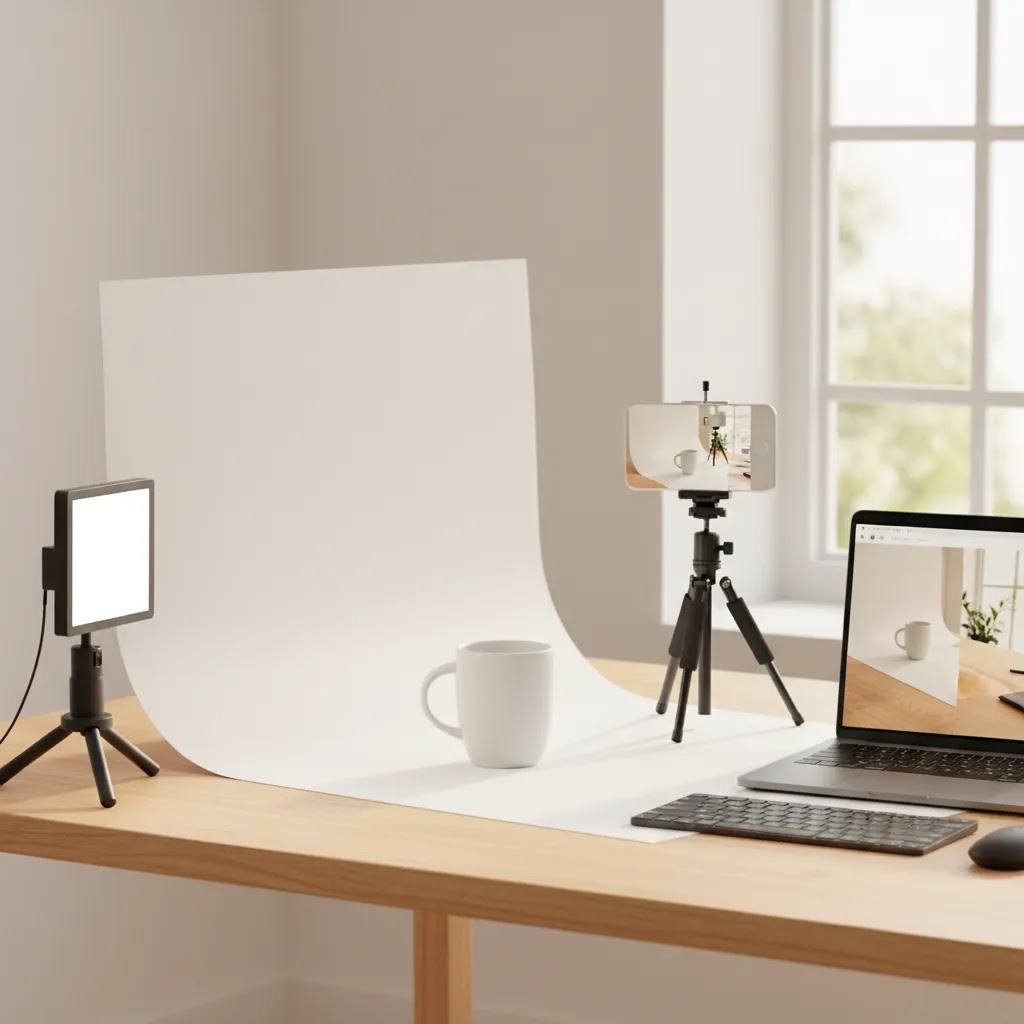
DIY capture checklist for AI and hybrid workflows
If you plan to use AI tools or a hybrid editing service, your inputs matter more than most people expect. AI can clean up a lot, but it cannot reliably fix a bad capture. A soft, poorly lit photo will usually produce a soft, unconvincing “final” image, even if the background looks clean.
For most Shopify store owners, the minimum viable setup is straightforward: consistent lighting, a stable camera position, and a clean backdrop. A modern phone camera is often enough for small to medium products if you can keep it stable and avoid motion blur. Use a tripod or a fixed mount if possible. Keep lighting consistent across your session, and avoid mixing daylight from a window with warm indoor bulbs, because mixed color temperatures make background removal and color matching harder.
Capture mistakes that commonly make AI edits look fake include harsh shadows, uneven lighting across the product, and reflections that change from angle to angle. Glossy and reflective surfaces are especially sensitive, because AI cleanup can create strange edge halos or distorted highlights. If you see those problems in your raw capture, you are better off re-shooting with softer, more even lighting than trying to “AI-fix” it later.
Now, when it comes to Shopify, plan your crops before you shoot. Decide on a consistent aspect ratio for your product pages and collection grids, and shoot with enough margin so you are not forced into awkward crops later. In many stores, the image that looks great on the product detail page looks cramped or inconsistent in a collection grid, and that inconsistency can make the catalog feel messy. A simple rule is to keep your hero shots framed consistently, then allow supporting images to show detail crops, in-hand context, or packaging.
File management sounds boring, but it prevents expensive mistakes. Use a naming convention that maps cleanly to SKUs and variants so you can upload faster and avoid mismatching colors or sizes. If you sell multiple colorways, do not rely on “final-1.jpg” style naming. When you scale to 50, 200, or 1,000 SKUs, small process issues turn into hours of cleanup.
Think of your capture plan as hero versus supporting images. Shoot your hero images yourself only when you can achieve accurate color, sharpness, and realistic shadows. If not, that is where a professional photographer can earn their keep. For supporting images, capture clean, well-lit angles that AI can reliably extend into white backgrounds or simple lifestyle variations. This approach keeps you from wasting time trying to rescue images that should have been re-shot in the first place.
Frequently Asked Questions
What is the best online product photography option for a Shopify store?
The best option depends on what the images need to do. For hero images on premium products, a professional photographer is often the safer choice. For catalog cleanup, white backgrounds, and faster merchandising updates, AI-assisted editing tools may be enough. Most Shopify stores benefit from mixing both rather than relying on only one approach.
Is online product photography worth paying for?
Often, yes, if your current images make products look unclear, inconsistent, or low trust. Better images may improve how shoppers interpret quality and reduce friction on product pages. That said, not every store needs a full-service studio package. In many cases, a lighter editing workflow delivers a better return than a full creative shoot.
Can AI replace a professional product photographer?
Sometimes for supporting assets, but not always for primary brand imagery. AI works well for background changes, scene variations, and catalog refreshes. It may be less reliable where texture, scale, transparency, or premium finish need exact representation. If visual accuracy is central to purchase confidence, human photography still tends to carry more weight.
What should I send to an online product photography service?
Send your product, variant list, shot list, reference examples, dimensions, and any specific marketplace requirements. If you are on Shopify, also share where the images will appear, such as PDP hero sections, collection grids, bundle pages, or Shopping feeds. Clear specs reduce revisions and help maintain consistency across your merchandising workflow.
Are white-background AI tools good enough for ecommerce catalogs?
They often are for standard catalog needs, especially when the original image is clean and well lit. Tools like white-background generators can save time on routine edits. Still, review edges, shadows, and product contours carefully before publishing. For marketplaces and ads, small visual errors can affect perceived quality even when the tool output looks acceptable at first glance.
How do I choose between a local photographer and an online service?
If your products need hands-on styling, live direction, or complex set builds, local may be better. If your priority is access to broader expertise, faster digital delivery, or specialist editing workflows, an online service can be the stronger option. The deciding factor is usually process fit, not geography alone.
What kinds of stores benefit most from AI product photography online?
Stores with larger catalogs, frequent launches, or limited internal design support tend to gain the most. AI workflows can help create more usable assets from existing photography and reduce dependence on repeated reshoots. They are especially useful for testing creative directions before investing in a larger production project.
How much editing should I expect from an online product photography service?
That varies widely by provider and toolset. Some services include basic retouching, cropping, and background removal. Others focus on creative compositing or AI scene generation. Before choosing, define what “finished” means for your store, including aspect ratio, file format, shadow treatment, and whether images must meet platform-specific requirements.
Can online product photography help with Google Shopping and marketplace listings?
It can, especially when the service improves image clarity, consistency, and background compliance. Cleaner images may support better feed presentation and click appeal, though results vary by product type and competition. Since Giles Thomas is a Google Expert, AcquireConvert generally recommends treating imagery as part of a broader product feed quality strategy, not a stand-alone fix.
What is the 20 60 20 rule in photography?
The 20 60 20 rule is a simple way to think about what drives a strong final image. Roughly speaking, about 20 percent is the gear and technical settings, about 60 percent is lighting and composition, and about 20 percent is editing and finishing. For ecommerce, that middle 60 percent matters most because consistent lighting and framing are what make a catalog look credible and “on brand” across a Shopify collection grid.
How do I get into product photography?
Start by practicing on a small set of products and building repeatable lighting and framing rather than chasing complex setups. Learn how to shoot clean, consistent angles, then learn basic editing like cropping, white balance, and background cleanup. If you want to do this for ecommerce clients, focus on delivering consistent, conversion-ready assets and clear file naming and export specs, because process is a big part of what clients pay for.
How much should I pay a photographer for a product shoot?
It depends on the deliverables, the number of SKUs, and how complex the products are to light and retouch. Some photographers price per SKU or per final image, while others work on day rates. A fair comparison is to ask what you get per SKU, including number of angles, retouching level, revision rounds, and usage rights. Then compare based on your cost per usable asset, including the time and operational friction involved.
Does Shutterstock really pay?
Stock platforms can pay contributors, but payouts depend on licensing volume, the type of content, and the platform’s current contributor terms. For most ecommerce store owners, stock income is not a direct substitute for product photography, because your product images need to accurately represent your specific items. If you are considering it as a side channel, review the current contributor agreement and be realistic about volume, competition, and what kinds of images actually sell.
Key Takeaways
Conclusion
Online product photography can be a strong investment, but only if you choose the right model for your store. A premium studio, a freelance photographer, and an AI editing workflow all solve different problems. The practical move is to identify where image quality most affects buying confidence, then build a process around that priority. For many ecommerce brands, that means combining professional capture with faster AI-assisted asset production.
If you want a more informed next step, compare options side by side on AcquireConvert and explore the related photography guides built for store owners, not generic audiences. Giles Thomas brings Shopify Partner and Google Expert experience to these evaluations, so the advice stays grounded in what actually helps ecommerce teams operate more effectively.
This article is editorial content and not a paid endorsement unless explicitly stated otherwise. Pricing, features, and service availability are subject to change, so verify current details directly with each provider before making a decision. Any references to business outcomes are illustrative only and do not guarantee results.

Hi, I'm Giles Thomas.
Founder of AcquireConvert, the place where ecommerce entrepreneurs & marketers go to learn growth. I'm also the founder of Shopify agency Whole Design Studios.