Product Mockup AI: Realistic in Seconds (2026 Guide)

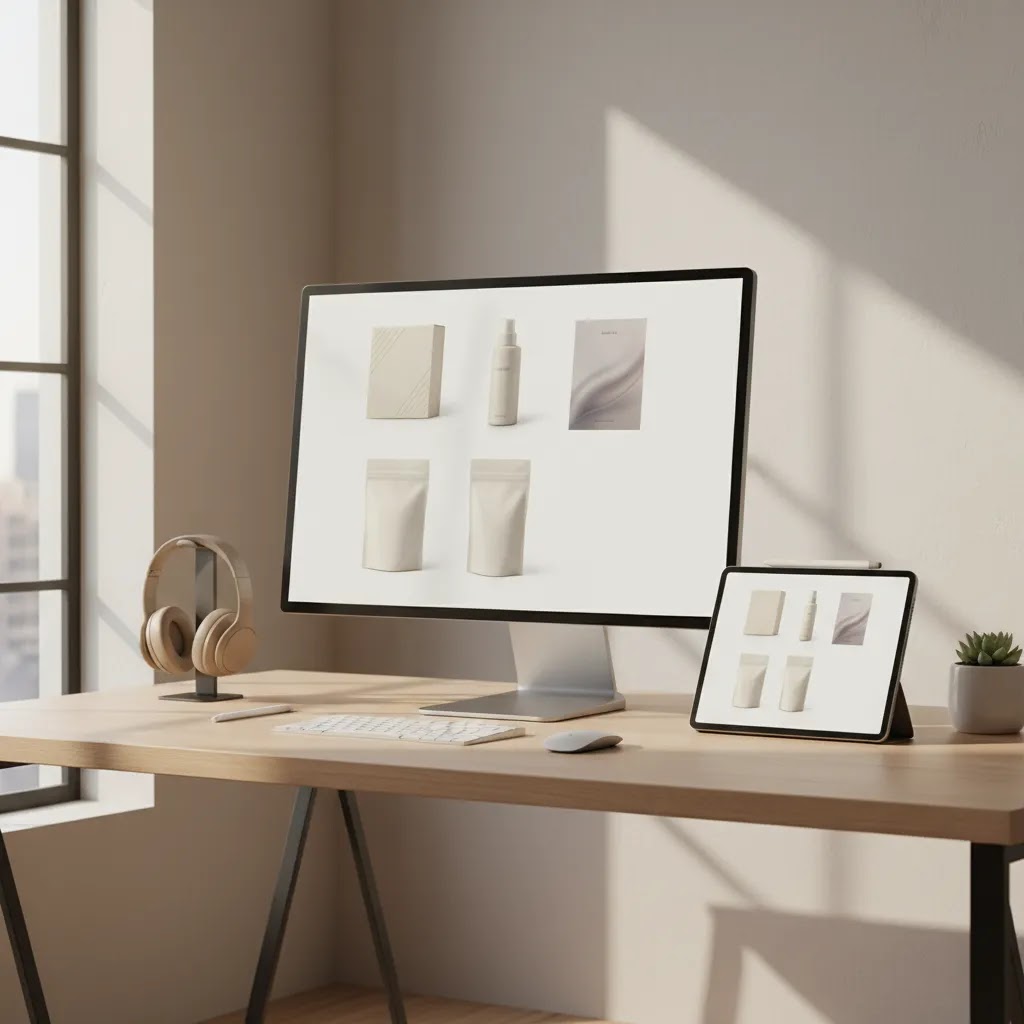
You have a new product idea, a packaging refresh, or a digital download ready to sell. But before you can test demand, build a landing page, or upload a Shopify product, you need images that look convincing enough to earn a click. That is where product mockup ai tools have become useful. They can help you create product shots, packaging previews, and lifestyle-style visuals far faster than arranging a full shoot from scratch.
Still, speed is only part of the story. If your mockup looks generic, warped, or visually off, shoppers notice. A weak image can hurt trust just as quickly as a strong one can support conversion. This guide explains where product mockup ai works well, where it needs human review, and how to use it in a practical ecommerce workflow. If you are still building your visual setup, AcquireConvert also has helpful context on product photography studio planning so you can decide when AI mockups are enough and when you need original photography.
Contents
What product mockup AI actually does
A product mockup ai tool creates a realistic visual representation of a product before you photograph the real item, or instead of photographing every variation manually. In practice, that may mean placing your label on a bottle, showing artwork on a framed print, wrapping branding around a product box mockup, or building a digital product mockup for an ebook, template, or course.
The best tools do not just paste an image onto a flat surface. They try to match perspective, shadows, reflections, folds, depth, and material texture. That matters because ecommerce shoppers are surprisingly good at spotting visuals that feel fake, even if they cannot explain why.
Think of it this way: mockups are not just design assets. They are sales assets. A good mockup product image helps your customer understand what they are buying, how polished your brand looks, and whether the product feels trustworthy enough to explore further.
For most Shopify stores, the main value is speed. You can test concepts, build product pages sooner, and create supporting assets for ads, email, and social before investing in a full production shoot.
Where it works best for ecommerce
Pre-launch product validation
If you are testing a new offer, product mockup ai can help you get visuals live fast. That is especially useful for preorders, waitlists, or concept testing. You may not know yet whether a new supplement jar design, candle label, or skincare line deserves a full photo budget. A realistic ai product mockup generator lets you gauge interest before you commit further.
Packaging and branding reviews
Packaging changes are expensive to get wrong. A product packaging mockup can help you compare colorways, logo sizing, typography, and shelf presence before production. This is where AI can save time for founders working with freelance designers or in-house teams.
Digital products and print-on-demand
Digital sellers often need polished presentation more than literal photography. If you sell templates, presets, ebooks, courses, or UI kits, a digital product mockup can make an otherwise abstract offer feel tangible. A ui product mockup or device-based scene can help customers picture the file in use.
Ad creatives and landing page tests
What many store owners overlook is that mockups are not limited to product pages. You can use them to test hero images, collection banners, paid social creatives, and even email headers. If the angle or concept works, then you can invest in original photography later.
That said, not every use case is equal. Your main Shopify gallery should still prioritize clarity, product accuracy, and consistency. AI-generated visuals can support that gallery, but they should not create confusion about what arrives in the box.
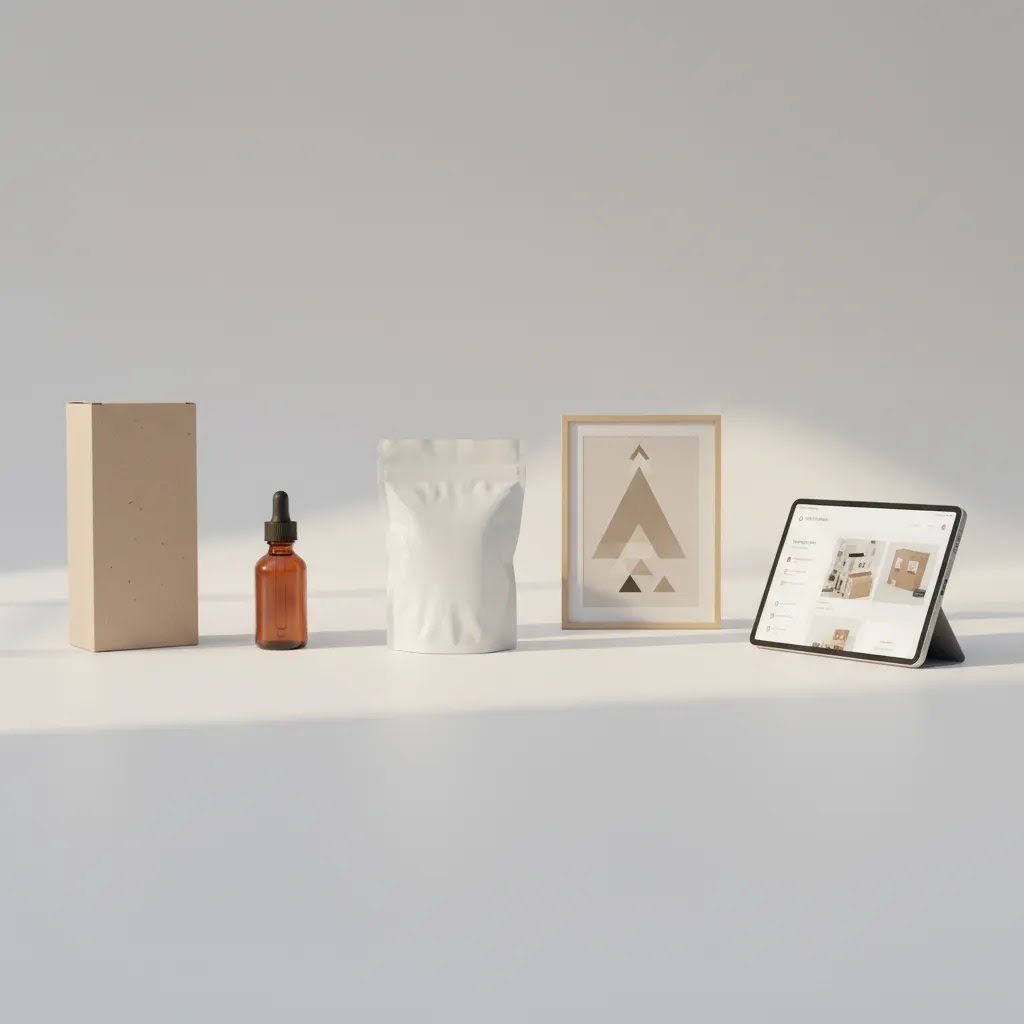
Common mockup types you can create
The range of outputs has expanded a lot. Here are the most useful formats for ecommerce stores.
Some merchants also use AI to simulate in-hand shots or shelf scenes. That can work, but only if proportions stay believable. Once hands, faces, glass, or reflective surfaces look wrong, trust drops quickly.
If you are comparing simpler editing-first tools with broader AI generation tools, AcquireConvert's article on photoroom can help you understand where fast background cleanup ends and more advanced mockup creation begins.
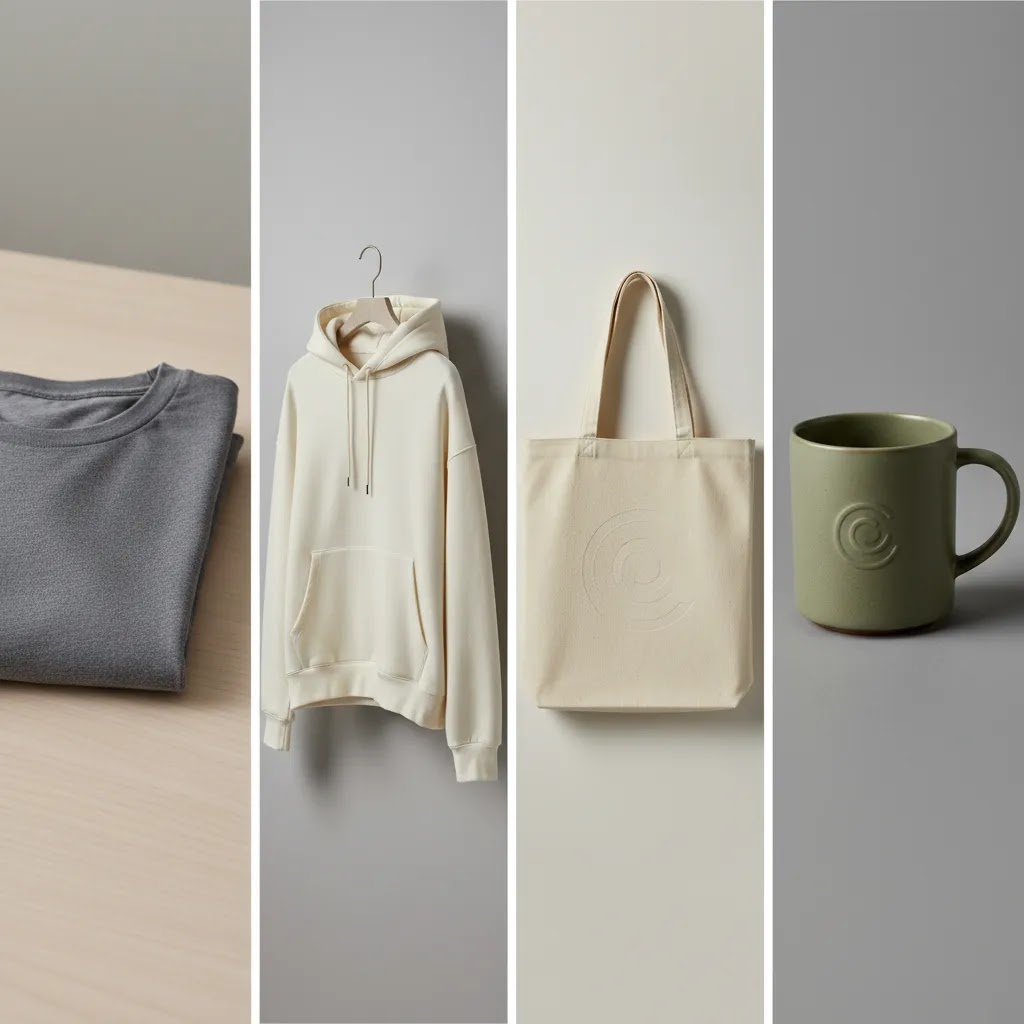
Apparel and merch mockups: t-shirts, hoodies, tote bags, and realism checks
If you sell apparel, merch, or print-on-demand products, mockups can do a lot of heavy lifting. This is also where most “product mockup generator” workflows are really aimed: you upload your design, pick a product category like a t-shirt or hoodie, then export a set of images for product pages and ads.
Here is the thing, clothing mockups fail in very specific ways. If you know what to look for, you can catch the problems before you publish them to your Shopify product page.
Realism checks for t-shirt and hoodie mockups
Start by checking print placement and how the artwork warps over folds. A design that looks perfectly flat on a wrinkled shirt usually reads as fake. The print should follow fabric movement, especially around the chest, shoulder, and pocket area.
Next, look closely at collars, seams, and edges. If the mockup tool distorts the collar shape, smudges seam stitching, or creates odd artifacts where the sleeve meets the body, shoppers may not trust the image. Fabric texture matters too. If the garment has heather texture, heavy fleece, ribbing, or canvas weave, your mockup should not look like smooth plastic.
One common issue is the “floating design” artifact. That is where your logo looks like it is hovering above the shirt instead of printed on it, usually because shadows and fabric texture are not interacting with the artwork correctly. If you see that, try a different base template, reduce contrast, or pick a less dramatic lighting setup.
Tote bags and accessories: where perspective gives you away
Tote bags, caps, and smaller accessories tend to expose perspective mistakes. If the handle angle does not match the bag body, or the print area looks too perfectly rectangular on a curved surface, the image can feel off. Zoom in and check the edges of the design. The edges should not be razor-sharp if the fabric is textured, and the print should not ignore wrinkles and creases.
Shopify publishing considerations for merch
For most Shopify store owners, the biggest practical challenge is variants. If you sell multiple garment colors and sizes, you want images to feel consistent across the set. That usually means keeping the same model angle, crop, background, and lighting across all colors, even if the garment changes.
Also be careful about using mockups as your primary image if you cannot guarantee accurate color and print representation. Many stores use a clean, accurate product photo or supplier photo as the first image, then use mockups as secondary images to show lifestyle context, styling, or alternative angles. That approach can reduce confusion and returns, while still letting you benefit from the speed of mockup generation.
How to get more realistic results
Start with a strong source image
AI cannot fully rescue a poor base asset. If your original logo file is low resolution, your label edges are fuzzy, or your package shape is unclear, the mockup tends to inherit those weaknesses. Clean PNGs, sharp artwork, and simple source images usually produce better results.
Match the mockup to the actual product
This sounds obvious, but many stores skip it. If your real product has a matte finish, do not use a glossy mockup. If your bottle is short and wide, do not map it onto a tall cylinder. The closer the structure, finish, and proportions are to the real item, the more realistic your ai product mockup will feel.
Use shadows and texture carefully
Realism often comes down to subtle details. Shadows should look directional, not pasted on. Paper should show a slight texture if the real packaging does. Metallic labels should not look flat. From a practical standpoint, the fastest way to spot a weak mockup is to zoom in and inspect edges, highlights, and label distortion.
Generate variations, then edit down hard
One of AI's strengths is output volume. You can create 10 versions of the same product in minutes. The difference between stores that benefit from this and stores that publish mediocre visuals is editing discipline. Keep only the assets that look believable at full size and thumbnail size.
Check it on mobile before publishing
Most Shopify traffic is mobile-heavy. A mockup that looks polished on a desktop monitor can feel muddy or fake on a phone. Test it in your theme's product grid, product page gallery, and homepage feature area before making it public.
Where AI mockups fall short
The reality is that product mockup ai is not the same as product truth. It can represent an item well, but it can also accidentally overstate finish quality, material thickness, print alignment, or scale.
This becomes risky with cosmetics, food, luxury products, or anything tactile. If the customer expects a premium unboxing experience, your visuals need to be precise. In those cases, mockups may work best for concept approval and marketing drafts, while real photography handles the main storefront images.
Another weak point is consistency. AI may generate one great hero image and then struggle to reproduce the same lighting, angle, and color behavior across a full catalog. That matters if you are building collection pages where every product tile needs a unified look.
There is also a trust issue. If shoppers think the image is too artificial, they may question whether the product itself is real. This is one reason many established brands still combine AI image generation with traditional photography or a product photographer for core conversion assets.
How to evaluate “free” mockup AI tools (limits, licensing, and commercial usage)
A lot of store owners search for a “free product mockup generator” when they are trying to move fast. That can be a smart way to test a workflow, but you want to be clear about what “free” usually means in practice, especially if you plan to use images on your Shopify product pages or in paid ads.
What “free” typically includes (and what it usually limits)
Many free tiers are really a trial. The tool may cap exports per day, limit the number of templates, restrict output resolution, or add a watermark. Any of those can matter for ecommerce.
Lower resolution can look fine on social, but it can break down when shoppers zoom in on product pages. Watermarks are usually a non-starter for storefront images. Template restrictions matter if you sell a specific product shape, like a particular hoodie cut or a box style, and the free tier does not include it.
Commercial usage checklist for Shopify stores
Before you rely on any tool, confirm you can use the outputs commercially. That typically means you are allowed to publish mockups on product pages, use them in emails, and run them in ads. Some tools also have separate terms depending on whether you are using their templates, generating images from prompts, or uploading your own designs.
From a practical standpoint, keep a simple paper trail. Save your source artwork, keep a copy of the final export you published, and note which tool created it. If you ever need to prove usage rights or reproduce a set of images later, that traceability helps.
Quality control still applies, even if you are “just testing”
A free tool can be fine for early testing, especially for landing pages, waitlists, or rough ad concepting. The risk is when early tests quietly become permanent storefront images. Before you publish, sanity-check realism and consistency the same way you would with any other mockup: zoom in, look for warping and texture issues, and compare against your real product or supplier photos when you have them.
Features and policies change, so you should always review the current licensing language for the tool you are using, particularly if you plan to scale ad spend behind those images.
Building a Shopify-friendly workflow
If you run a Shopify store, the smartest approach is usually hybrid, not AI-only.
In practice, this means your first gallery image should usually be the clearest, most accurate representation of the product. More creative AI visuals can sit later in the gallery, in image blocks further down the page, or in campaign landing pages.
This is also where broader ai photography strategy matters. Mockups are one part of the visual stack. You may also use AI for background cleanup, scene generation, in-hand composition, or resolution enhancement, depending on your catalog and brand standards.
AcquireConvert tends to frame these decisions in a practical way. Led by Giles Thomas, a Shopify Partner and Google Expert, the site's content is strongest when it helps merchants choose the right tool for the stage they are in, rather than assuming every store needs the same setup.
Tools and resources worth knowing
Not every store needs a full design suite. Sometimes you just need a reliable way to clean up images, create new scenes, or swap backgrounds to support a product mockup generator workflow.
Features and availability can change, so verify current details directly with the provider before building your workflow around any one tool.
If your products sit in beauty or personal care, there is useful crossover with visualization tools such as this guide to an ai makeup generator, especially when you are thinking about how AI represents texture, tone, and realism. You can also browse AcquireConvert's Catalog Photography and E Commerce Product Photography sections for more visual merchandising ideas.
Mockup template libraries vs generative AI: what you are actually buying
When you shop for product mockup tools, you will typically run into two approaches. One is a large template library, and the other is a more open-ended generative AI tool that tries to create a new scene from scratch. They can both work, but they are not interchangeable.
Template libraries: category coverage and speed
Template-first tools usually come with big libraries organized by product category. You will see common ecommerce categories like t-shirts, hoodies, tote bags, posters, phones, boxes, business cards, and other packaging shapes. The value you are buying is speed and consistency. You pick the closest product shape, upload your design, then export a set of variants quickly.
The way this works in practice is simple: upload design, choose a category, preview, then export a batch of images sized for ads or your Shopify product gallery. If you are running a lot of creative tests, this workflow is hard to beat because it reduces decisions and keeps your output consistent.
What to look for in a template library (so it does not look fake)
Not all libraries are equal. The ones that tend to look more realistic usually handle a few details well.
First, check how the template maps artwork onto the product surface. Many templates rely on a smart-object style mapping where your art follows folds, curvature, and perspective. If your design looks pasted on, the mapping is usually too simple.
Second, look for consistent lighting sets and angles. If the library has a cohesive set of scenes, your product grid and ad creative can look like they came from the same shoot. Third, check output resolution. If you plan to use mockups as Shopify gallery images, you typically want exports that hold up when shoppers zoom in.
Last, and this is the part many store owners overlook, confirm the library actually supports your exact product shapes. A “hoodie mockup” category might not match your hoodie cut. A “box” template might not match your box closure or proportions. If the shape is wrong, the image can feel off even if the lighting is good.
Generative AI: flexibility, but more review work
Generative tools can be useful when you need something the library does not have. For example, a very specific packaging structure, a stylized hero scene, or a product composition that does not exist as a template. You may also use generative workflows for campaign visuals where realism is less about exact manufacturing accuracy and more about creating a believable vibe.
The tradeoff is control. Generative outputs can drift in ways that create inconsistency across a catalog, and they can introduce subtle inaccuracies in scale, reflections, or materials. That is why many Shopify stores end up using template-first mockups for core product visuals, then bringing in generative AI for supporting creative tests.
The template tradeoff: you might look like other stores
Template libraries are fast, but they are also shared. If a lot of stores use the same top templates, your visuals may start to feel familiar to shoppers. That does not mean you should avoid templates. It just means you should customize where you can, such as choosing less common scenes, keeping your brand colors consistent, and mixing in a few real photos as you scale. In many cases, speed and clarity are worth the tradeoff, especially early on.
The strategies and tools discussed in this article are based on current ecommerce best practices and publicly available information. Results will vary depending on your store, niche, and implementation. Always verify tool pricing, features, and platform compatibility directly with the relevant provider before making purchasing decisions.
Frequently Asked Questions
What is product mockup AI?
Product mockup AI refers to software that creates or enhances realistic product visuals using artificial intelligence. It can place branding on packaging, generate styled scenes, simulate lighting, or adapt existing product images into new formats. For ecommerce, that usually means faster image creation for product pages, ads, social posts, or concept testing. The best results come when you use accurate source files and review outputs carefully for realism. AI can save time, but it still needs human judgment before publication.
Is an AI product mockup generator good enough for a Shopify product page?
It can be, depending on the product and the role of the image. For many Shopify stores, AI mockups work well for secondary images, launch concepts, bundle visuals, or marketing assets. They are less reliable as the only visual proof of a physical product, especially if material quality, fit, or finish matters to the purchase decision. A good rule is to use AI mockups to support selling, but use real photography when shoppers need confidence in the exact product they will receive.
What is the difference between a digital product mockup and a physical product mockup?
A digital product mockup usually presents an intangible item, such as an ebook, template, course, or software interface, inside a visual scene like a screen, tablet, or printed cover. A physical product mockup represents an item that will be manufactured, shipped, or handled, such as a bottle, box, pouch, or garment. Digital products allow more creative flexibility because there is no physical finish to match exactly. Physical product mockups need much more accuracy around dimensions, lighting, labels, and materials.
Can I use product mockup AI for packaging design approval?
Yes, and this is one of the strongest use cases. A product packaging mockup helps you review layout, branding hierarchy, color choices, and how the design wraps onto a real-world shape. It can speed up feedback between founders, designers, and suppliers. Still, it should not be your only approval step. Before printing at scale, you should check dielines, proofs, color references, and physical samples where possible. AI mockups help visualize direction, but manufacturing accuracy requires more than a generated image.
Are 3D product mockups better than flat mockups?
Not always. A 3d product mockup can communicate depth, shape, and shelf presence more effectively than a flat image, especially for boxes, bottles, jars, and tech accessories. But if the 3D rendering looks too polished or unrealistic, it can reduce trust rather than improve it. Flat mockups may work better for simple presentations, especially on white backgrounds or clean product grids. The better choice depends on your brand style, customer expectations, and whether the added dimensional detail actually helps the buying decision.
How do I make AI mockups look less fake?
Start with high-quality source files, then match the mockup structure to the real product as closely as possible. Pay attention to shadows, reflections, label distortion, texture, and scale. Review the image at full size and as a thumbnail, because shoppers see both. It also helps to compare the mockup against a real sample photo, even if that sample is rough. If anything feels too glossy, too symmetrical, or physically impossible, revise it. Realistic restraint usually performs better than dramatic but artificial styling.
Can I create a product box mockup without design software?
In many cases, yes. Modern product mockup generator tools can help non-designers upload artwork and place it onto prebuilt packaging templates. That makes them useful for founders who need presentable visuals quickly. Still, if you are finalizing packaging for production, design software or a professional designer is often still needed for print-ready files, dielines, and technical packaging requirements. Mockup tools are excellent for presentation and testing. They are not always enough for production preparation on their own.
What do people usually mean by “product mockup ai reddit” searches?
Usually, they are looking for honest user opinions rather than polished vendor claims. Store owners want to know whether a tool actually produces believable images, whether the outputs are commercially usable, and what the limitations are in day-to-day ecommerce work. That search intent is practical: people want proof, not hype. If you are evaluating tools, look for examples from stores with similar products to yours. A mockup tool that works well for posters or mugs may not perform equally well for skincare, jewelry, or cosmetics.
Should I use AI mockups or hire a product photographer?
For many brands, the answer is both, at different stages. AI mockups are excellent for speed, concept testing, and early-stage marketing assets. A professional photographer becomes more valuable when color accuracy, material detail, premium brand perception, or conversion-critical visuals matter most. If you are scaling a serious product line, human photography often remains the safer option for hero images. AI can then extend those assets into new scenes and formats. The right choice depends on product complexity, margins, and how much visual trust your category requires.
Do AI-generated product images affect customer trust?
They can, in either direction. If the image looks polished, clear, and believable, it may improve perceived professionalism. If it looks synthetic or inconsistent with the actual item, it can create doubt. Customers do not need to identify the image as AI to feel that something is off. This is why transparency through accurate visuals matters. Use mockups to clarify and support the sale, not to exaggerate what the product is. In categories with high tactile or premium expectations, trust usually benefits from real photography as the core visual asset.
What is the best AI mockup generator for clothing (t-shirts and hoodies)?
The best choice usually depends on whether you need a template-first apparel workflow or more open-ended scene generation. For t-shirts and hoodies, many stores prefer template libraries because the best ones handle fabric folds and print warp more reliably, and they make it easier to export a consistent set for Shopify variants. No matter what tool you choose, check for realistic print placement, fold distortion, collar and seam alignment, and fabric texture. Then compare the mockup against your real blanks or supplier photos before you publish.
Are AI mockups safe to use commercially for my Shopify store?
They can be, but you need to confirm usage rights with the specific tool. Check whether you are allowed to use the outputs commercially on product pages and in ads, and whether there are restrictions tied to specific templates or free-tier exports. Also make sure the mockup does not misrepresent the product. Even if licensing is fine, publishing visuals that exaggerate finish, color, or fit can create customer service issues.
What is a good free product mockup AI tool, and what are the limitations?
A good free tool is one that lets you test your workflow quickly while still producing images that look believable on mobile and desktop. The limitations are usually the real issue. Free tiers commonly include watermarks, lower export resolution, fewer templates, and usage limits. Those constraints might be fine for early concept testing, but they can become a problem if you try to use the outputs as permanent Shopify gallery images or run them in paid ads.
What is the difference between a mockup template library and AI-generated mockups?
A mockup template library gives you prebuilt scenes and product shapes, so you are mostly placing your design onto an existing photo or render. AI-generated mockups are more flexible and can create new scenes, but they may require more review to catch realism and consistency issues. For many Shopify stores, template libraries are faster for repeatable catalog images, while generative AI is better suited for creative experiments and campaign visuals where you are not trying to document the product perfectly.
Key Takeaways
Conclusion
Product mockup ai can save a serious amount of time, especially if you are validating ideas, refreshing packaging, or trying to get a product page live without waiting on a full shoot. The real advantage is not that AI replaces all photography. It is that it gives you a faster way to test, present, and iterate while keeping production costs and timelines more manageable.
Here is the best next step: choose one product in your catalog and build a simple comparison. Create one AI mockup, compare it against your current product image, and review both on mobile and desktop inside your Shopify theme. That small test will tell you a lot about what is worth scaling. If you want more practical visual ecommerce guidance, explore AcquireConvert's related photography resources and AI image articles to build a workflow that fits your store, not just the latest tool trend.
Results from ecommerce strategies vary depending on store type, niche, audience, budget, and execution. Nothing in this article constitutes a guarantee of specific outcomes. Third-party tool features and pricing are subject to change: verify current details directly with each provider.

Hi, I'm Giles Thomas.
Founder of AcquireConvert, the place where ecommerce entrepreneurs & marketers go to learn growth. I'm also the founder of Shopify agency Whole Design Studios.