Best Product Photography App (2026 Guide)

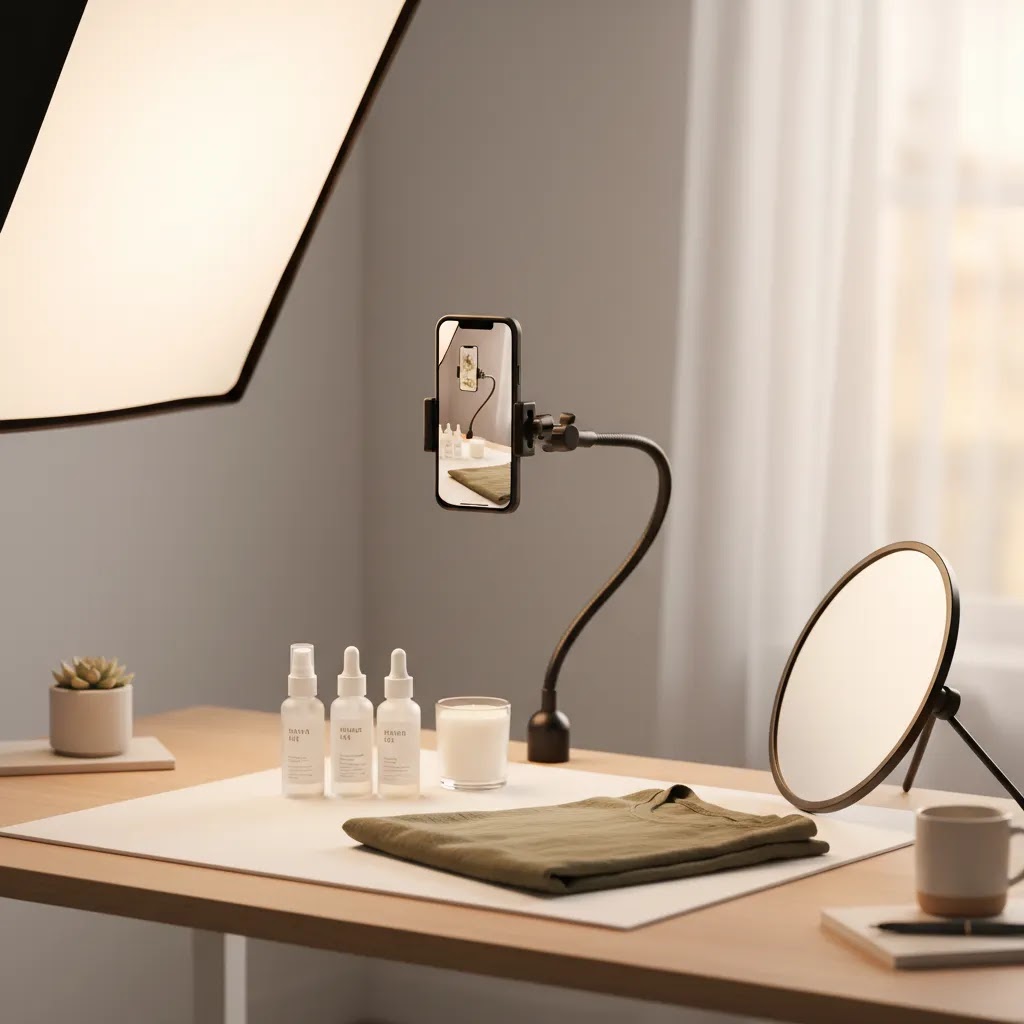
If you sell from your phone, choosing the right product photography app can save time, reduce reshoots, and help your listings look more consistent across Shopify, marketplaces, and social channels. The challenge is that most mobile photo apps are built for casual editing, not ecommerce workflows like white backgrounds, aspect-ratio control, image cleanup, and quick batch-ready outputs. In this guide, I evaluate the best options from an ecommerce operator’s perspective, with a focus on how practical they are for mobile sellers who need publishable images fast. If you are still setting up your broader visual workflow, start with this guide to a product photography studio so your app choice fits the way you actually shoot and list products.
Contents
Overview
A strong product photography app should do more than make photos look polished. For ecommerce, it needs to support a repeatable process. That usually means quick background cleanup, better lighting balance, sharp exports, and edits that keep your catalog looking consistent from one product page to the next.
For mobile sellers, the biggest practical difference is whether an app is optimized for product images rather than general photo enhancement. A lifestyle creator may want dramatic filters. A store owner usually needs clean edges, accurate color, shadows that look natural, and image sizes that work across product pages, collection pages, ads, and marketplaces.
The tools available from current product data lean heavily toward AI-assisted editing rather than full camera apps. That matters because many sellers already shoot on an iPhone or Android camera and then use a specialized product photography app for post-processing. If that sounds like your workflow, tools focused on background editing, white background generation, resolution improvements, and scene swaps are often more useful than a generic camera app.
If you are comparing alternatives to popular mobile-first editors, this related guide on photoroom can help you benchmark what strong ecommerce-focused editing should look like.
Real-World Mobile Shooting Setup (So the App Has Good Inputs)
Here’s the thing, product photography apps are only as good as the photo you feed them. AI cleanup can remove a background or fix minor issues, but it cannot fully rescue a soft, noisy, mixed-light image and still keep product texture and color looking true.
From a practical standpoint, you do not need a studio to give your editing app better inputs. You need consistent light, a repeatable setup, and a process you can use for batch shooting.
The simplest lighting rule for most Shopify store owners is to pick one light source and stick to it. Window light is often the easiest starting point because it is soft and flattering, especially if you shoot near a bright window with indirect light. If you use artificial light, avoid mixing it with window light in the same shot because mixed color temperatures are where apps tend to struggle. You get strange whites, odd shadows, and product colors that shift from SKU to SKU.
Keep your phone level, and try to lock in the same camera angle for a full batch. Small changes in angle create big differences across a collection page, and that can make your store feel inconsistent even if each photo looks “good” on its own.
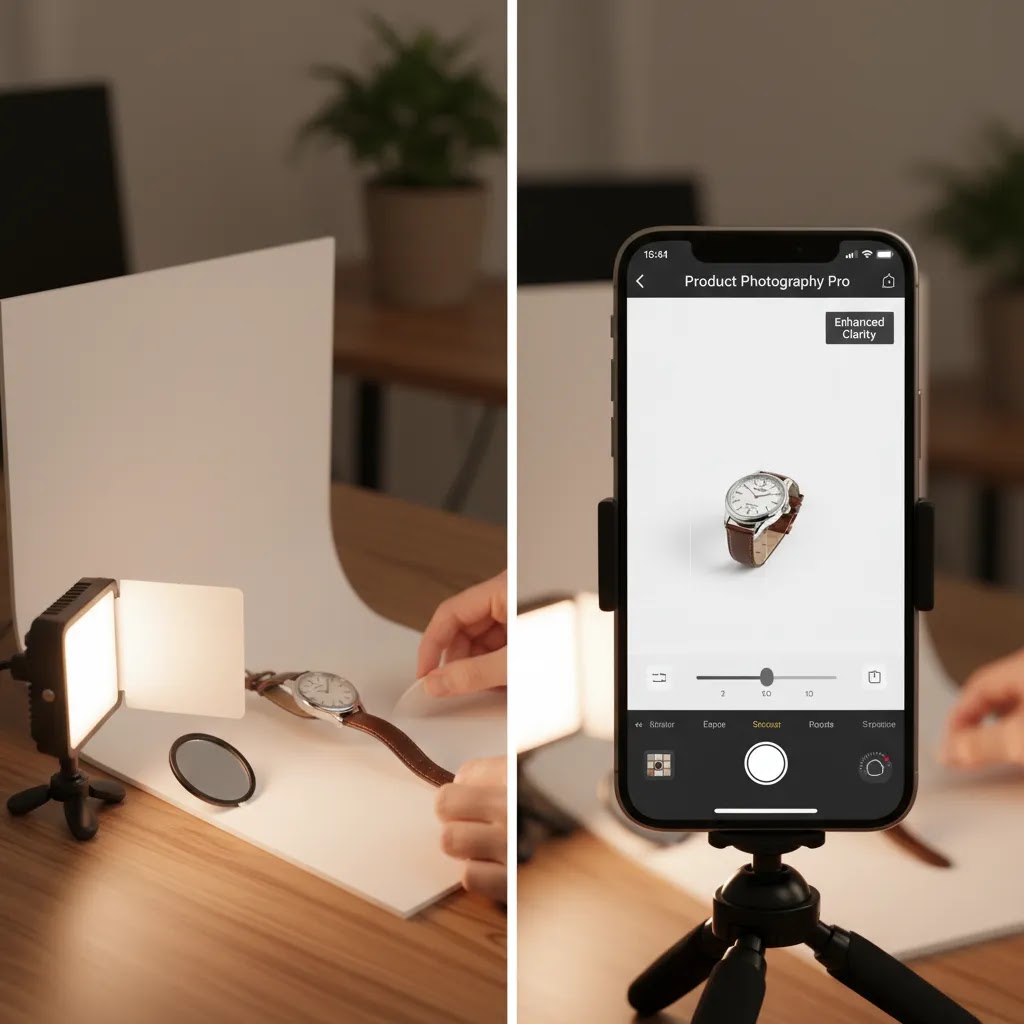
If you want a simple no-studio setup that works for makers, resellers, and mobile-first brands, use a sweep background. A sweep is just paper or poster board that curves from vertical to horizontal so you do not get a hard horizon line. Place your product the same distance from the camera each time, and mark the spot on the table with tape so you can repeat it. Then take a small set of repeatable angles, for example front, 45-degree, side, back, and one detail shot. That small discipline makes background removal, cropping, and layout on Shopify product pages much faster later.
Tricky products are where good capture saves the most time in editing. Reflective items, glossy packaging, and glass tend to pick up your room, your phone, and your hands. Move the product farther from the background, and adjust your angle until reflections fall out of view. For fabric and textured products, focus on sharpness and keep lighting even so the app does not “smooth” the texture in a way that looks unrealistic. For dark products, add more light rather than increasing exposure after the fact, because lifting shadows in editing can create noise and muddy edges that make cutouts look rough.
Think of it this way, the cleaner your source photo, the more your product photography app becomes a scaling tool instead of a repair tool.
Key Features to Look For
Before choosing any product photography app, test it against the tasks you repeat every week, not the features you might use once. For most ecommerce teams, five areas matter most.
For Shopify merchants, image workflow affects more than visual appeal. Cleaner images may improve perceived trust, reduce confusion on product pages, and support stronger ad creative. They do not guarantee conversion lifts, but they often remove friction from the buying decision.
If your store relies heavily on AI-assisted visuals, AcquireConvert also has a broader introduction to ai photography to help you decide where automation fits and where you still need hands-on creative control.
Best Practices for Consistent AI Product Photos (Avoiding “Style Drift”)
What many store owners overlook is that AI product photo tools can create “style drift” across a catalog. One SKU gets warm lighting and soft shadows, another looks cooler and more contrasty, and suddenly your collection page feels like it was built from five different brands. Even when each image looks fine in isolation, inconsistency can reduce trust because shoppers subconsciously notice when angle, lighting, and scale keep changing.
Style drift usually shows up in a few predictable places: lighting direction (shadow going left in one image and right in another), shadow hardness (crisp cutout shadow versus soft studio shadow), color temperature (cool whites versus warm whites), and camera angle or focal length effects that make products look “bigger” or “flatter” from one SKU to the next. On Shopify, this matters because collection grids put products side by side, so inconsistency becomes more obvious.
The way this works in practice is to control the inputs and reuse your decisions. Start by creating one to two reference “hero” images per product line. These are your benchmark images that define the look you want, such as bright white background, soft shadow under product, and a consistent crop. When you run edits for new SKUs, match them to that reference. Use the same prompts, the same preset options, or the same background style each time, and avoid changing settings mid-batch unless you are intentionally creating a new style for a different use case.
Standardize your crops and aspect ratios early. If your store uses square images for collection pages, keep it square across the set. If you use a taller ratio for marketplaces, do that consistently too. The goal is not to follow one “correct” ratio, it is to make your images feel like part of the same catalog.
Before publishing, run a quick QA check. This is where you catch the small errors that create returns, complaints, or just a cheap-looking presentation.
AI outputs typically need human review before they go live. That is not a downside, it is just the reality of using automation in a catalog where accuracy and consistency matter.
Recommended Apps and Tools
Based on the current product data available, these are the most relevant tools for mobile sellers looking for a product photography app workflow. Some are full editing environments, while others solve one specific ecommerce image problem very well.
1. Magic Photo Editor
Magic Photo Editor is the most flexible pick here if you want one place to handle multiple product-image edits. It is better suited to sellers who need an all-around editing workflow rather than a single-purpose tool.
The trade-off is that broader editors can sometimes be less direct than single-task tools. If your main need is only white backgrounds, a more specialized option may be faster.
2. Free White Background Generator
Free White Background Generator is the strongest fit if you sell on marketplaces or need clean catalog images for Shopify collection pages. White backgrounds are a common requirement for consistency and compliance across channels.
If your store needs studio-style consistency without building out a full home setup, this can reduce editing time significantly.
3. AI Background Generator
AI Background Generator is a better fit for merchants who want more visual variety for ads, social posts, or secondary product images. It is less about strict catalog compliance and more about merchandising flexibility.
This type of tool is helpful, but it still needs judgment. AI-generated scenes can look off-brand or unrealistic if overused.
4. Background Swap Editor
Background Swap Editor is a focused option for changing environments around a product. It suits mobile sellers who already have usable product shots and want to turn them into campaign assets faster.
This works best when your source image is already clean. Poor edge detail in the original photo can still show through.
5. Increase Image Resolution
Increase Image Resolution is worth considering if you often crop in, reuse supplier images, or need sharper assets for zoom-heavy product pages. It is not a substitute for good source photography, but it can be useful in real store workflows.
It is most effective as a support tool, not your primary product photography app.
Other niche tools in the current dataset may also help specific sellers. Place in Hands can help create hand-held product visuals, while Remove Text From Images is useful when cleaning supplier or marketplace images. If your category is beauty, you may also find crossover ideas in this article on an ai makeup generator, especially if your visual strategy includes model-led or cosmetic mockups.

App Categories and When to Use Each (Editor vs Background Remover vs AI Scene Tool)
“Product photography app” is a broad label, and it helps to separate apps into categories based on what they actually do well. Most Shopify sellers get better results when they choose tools based on job type, not brand name.
First are general editors. These are more like a mobile version of a traditional editing workflow, where you adjust exposure, highlights, shadows, and color. They are useful when your photos are already clean, but need polish and consistency across a batch. They also help when you want to fix slightly different lighting conditions across a product line without changing the product’s real appearance.
Second are background removers and white background tools. These are ecommerce workhorses. They are best when you need cutouts that look clean on Shopify product pages, collection grids, or marketplace listings. If your biggest weekly task is “make these 40 photos look consistent and compliant,” this category usually earns its keep fast.
Third are AI scene tools, which include background generation and scene swaps. These are best used for marketing assets: ads, landing pages, seasonal campaigns, email banners, and social posts. They can also help you create secondary product images faster, as long as you review them for realism and accuracy. For many stores, this is the category with the most creative upside and the most risk of looking off-brand if you push it too far.
Now, when it comes to building a workable stack, sometimes the right answer is not one app. You may be better off with your phone’s native camera plus one dedicated cutout tool plus one creative tool, especially if you sell across multiple channels. The reason is simple: catalog images have different requirements than ad creative. Trying to force one app to do both can create extra rework, not less.
Platform fit matters too. iPhone and Android camera quality is usually good enough for ecommerce, but batch processing needs can change your decision quickly. If you regularly shoot and publish large numbers of SKUs, prioritize tools that can handle repeat edits without you tapping through the same steps 200 times. Also think about where the images will live. Shopify product pages and collection pages reward consistency. Marketplaces often have stricter main-image expectations. Ad creative gives you more flexibility, but policies and requirements can change, so it is worth checking current channel guidelines before making a big shift in visual style.
Pros and Cons
Strengths
Considerations
Who It’s For
These tools are a good fit for ecommerce sellers who manage product images themselves and want faster output without hiring a photographer for every update. That includes Shopify merchants refreshing PDP imagery, marketplace sellers trying to standardize catalog photos, and social-first brands producing mobile content at a high pace.
They are especially useful for growth-stage stores where the founder, marketer, or merchandiser is still handling creative production in-house. If your brand is highly premium, highly technical, or relies on exact material detail, you may still want a professional product photographer for hero images and use apps for supporting visuals only.
AcquireConvert Recommendation
If you are evaluating the best product photography app for a Shopify store, I would separate your decision into two use cases. First, pick a reliable editing tool for catalog consistency, especially if white backgrounds and clean product cutouts matter most. Second, add a creative AI tool only if you have a real need for campaign variations, lifestyle scenes, or fast social assets.
That is the approach AcquireConvert generally recommends for merchants: keep your core product image workflow simple, then add AI where it removes production bottlenecks rather than creating more review work. Giles Thomas’s perspective as a Shopify Partner and Google Expert is useful here because store imagery affects both conversion experience and acquisition performance. Strong visuals can support ads, product feeds, and on-site trust, but only when they stay accurate to the product.
For more practical guidance, explore the broader Catalog Photography section, compare image cleanup workflows in Background Removal & Editing, and review AcquireConvert’s related photography resources before committing to a single tool stack.
How to Choose the Right Product Photography App
Here is a practical framework I would use if I were selecting a product photography app for a store today.
1. Start with your main image job
If 80% of your work is making backgrounds white and exports consistent, choose a specialist tool first. If you constantly need campaign visuals, gifting scenes, or social variations, a broader AI editor may be the better fit. Your most common task should drive the decision.
2. Check whether your workflow is catalog-first or marketing-first
Catalog-first brands need clean accuracy. Marketing-first brands may accept more stylization. A jewelry seller, supplement brand, or electronics store usually benefits from realistic, consistent outputs. A fashion accessories brand may want more environmental flexibility.
3. Review source image quality honestly
Even the best AI product photography app will struggle with blurry edges, poor lighting, or busy original backgrounds. Before paying for any workflow, test five real product photos from your store, including one easy item, one reflective item, one fabric item, one dark product, and one awkwardly shaped product.
4. Match the app to your channel mix
If you sell on Shopify only, your visual standards are more flexible. If you also sell on Amazon, Etsy, Walmart Marketplace, or Google Shopping, your images may need stricter consistency. In those cases, a white background product photography app is often more valuable than a heavily stylized one.
5. Keep human review in the process
Do not publish AI-edited product images without checking accuracy. Color shifts, odd shadows, missing details, or unrealistic proportions can create customer confusion. In many stores, the best setup is simple: use mobile capture, run AI cleanup, review on desktop and mobile, then publish only the images that still represent the product truthfully.
If you are a small Shopify team, simplicity usually wins. A two-step workflow often beats a complex stack of creative tools. Start with one dependable core product photography app, document your image specs, and build consistency before adding more advanced scene-generation tools.
Frequently Asked Questions
What is the best product photography app for mobile sellers?
The best option depends on your main use case. If you mostly need clean catalog images, a white background specialist is often the best fit. If you need more variety for ads and social, a broader editor like Magic Photo Editor or a background generation tool may be more useful. Test based on your real product types, not feature lists alone.
Which app is best for product photography?
The best app is the one that matches your most common workflow. If you need consistent packshots, prioritize a background removal or white background tool. If you need ongoing edits across lighting, exposure, and color, a broader editor may be a better daily driver. If you need campaign variations, an AI background generator can help, but it typically needs more review to keep results on-brand and accurate.
Is there a good product photography app free option?
Yes, current product data includes tools such as Free White Background Generator and AI Background Generator. These can be useful starting points for sellers who want to improve images without immediately committing to a larger workflow. Keep in mind that pricing, limits, and access terms are subject to change, so verify details directly with the provider.
Can a product photography app replace a professional photographer?
Sometimes for routine catalog updates, but not always for hero imagery or premium brand campaigns. Apps are strong for cleanup, consistency, and scaling content production. A professional photographer is still often the better choice when lighting precision, material detail, or branded creative direction matters most.
What should a white background product photography app do well?
It should create clean cutouts, preserve product edges, keep shadows believable, and avoid changing the product’s true color or shape. It should also output files in dimensions that work across product pages and sales channels. The best tools save time without making the image feel artificially processed.
Are AI product photography apps safe to use for Shopify stores?
They can be safe and useful if you review outputs carefully. For Shopify stores, the biggest concern is accuracy, not just aesthetics. If AI changes packaging details, texture, scale, or color, that can create a mismatch between the image and the product delivered. Use AI to enhance clarity and speed, not to misrepresent what you sell.
Do I need a separate camera app and editing app?
In many cases, yes. Most ecommerce sellers get solid results by shooting with their phone’s native camera and then using a specialized app for product photography editing. That usually gives you better image capture control and a more tailored ecommerce post-production process than relying on a single all-in-one app.
Can these apps help with Google Shopping images?
Potentially, yes, especially if they improve clarity and consistency. Since Giles Thomas is a Google Expert, AcquireConvert generally emphasizes using images that accurately represent the product and comply with channel expectations. Stylized AI scenes may work better for ads or social than for feed-driven listing environments, depending on the channel requirements.
What is the best app for product photography if I sell beauty products?
Beauty brands often need both clean packshots and styled imagery. A white background tool can support core catalog images, while background generation can help with promotional visuals. If your visuals include face-led or cosmetic creative concepts, this can overlap with broader beauty AI workflows such as the ai makeup generator examples linked earlier.
Should I use AI-generated backgrounds on every product image?
No. In most stores, AI-generated backgrounds work best as secondary content rather than the main product image set. Use them for ads, landing pages, social content, or seasonal promotions. Keep primary product page images focused on clarity and accuracy so shoppers understand exactly what they are buying.
What is the 20-60-20 rule in photography?
The 20-60-20 rule is a simple way some photographers explain where results typically come from: roughly 20% from the camera and gear, 60% from lighting and setup, and 20% from editing. The exact percentages are not a scientific standard, but the lesson is useful for ecommerce. If your lighting and shooting setup are inconsistent, no product photography app will consistently produce clean, realistic catalog images.
Is Pebblely free to use?
Pricing and access terms for third-party tools can change, so it is best to check the provider’s current plan details directly. In general, some AI photo tools offer limited free credits or trial usage, then require a paid plan for ongoing use or higher-volume exports. If you are deciding based on cost, confirm what “free” includes, such as watermarking, export resolution, and commercial usage rights.
How to take a picture of a product and find out where to buy it?
You can usually do this with a visual search tool on your phone. Take a clear photo, then use a built-in visual search feature in your browser or a search app to find similar items and shopping listings. Results can vary based on how common the product is, whether it has a recognizable logo, and how clean the photo background is. For sellers, this is also a reminder that clean, clear product photos help your items get recognized and matched across search surfaces.
Key Takeaways
Conclusion
The best product photography app is usually the one that fits your actual store workflow, not the one with the most ambitious AI claims. If you sell from your phone, focus first on tools that help you create clean, consistent, publishable product images quickly. For most ecommerce brands, that means strong background control, reliable cleanup, and a realistic review process before images go live. If you want more help comparing Shopify-friendly visual tools and practical growth tactics, AcquireConvert is a strong place to continue your research. Explore our related guides, compare options side by side, and use Giles Thomas’s Shopify Partner and Google Expert insights to make a more confident decision for your store.
This article is editorial content created for AcquireConvert. It is not a paid endorsement unless explicitly stated otherwise. Pricing, access terms, and feature availability are subject to change, so verify current details directly with each provider. Any performance impact from product photography tools will vary by store, product category, traffic quality, and implementation, and specific results are not guaranteed.

Hi, I'm Giles Thomas.
Founder of AcquireConvert, the place where ecommerce entrepreneurs & marketers go to learn growth. I'm also the founder of Shopify agency Whole Design Studios.