Product Photography Price List (2026)


A product photography price list helps ecommerce brands answer a very practical question: what should you expect to pay, and what are you actually getting for that money? For Shopify merchants, the right answer depends on catalog size, image standards, creative complexity, and whether you need clean white-background shots, styled lifestyle scenes, or AI-assisted edits. This guide gives you a clear pricing framework by service type, plus a realistic view of where DIY tools fit and where hiring a pro still makes sense. If you are comparing a product photography studio against freelance, in-house, or AI-supported workflows, this breakdown will help you set expectations before you commit.
Contents
Overview
A product photography price list is less about one universal rate and more about matching the service type to your store's needs. Ecommerce brands usually buy photography in one of five ways: per-product studio shooting, per-image pricing, day rates, monthly retainers, or software-assisted production using editing tools and AI image workflows.
For simple catalog work, pricing is often tied to the number of SKUs and final edited images. For styled shoots, rates usually rise because they include creative direction, props, retouching, and set changes. If your store sells apparel, cosmetics, jewelry, or products that need hand-model or lifestyle context, expect higher costs than standard white-background shots.
There is also a growing middle ground between full-service agencies and fully manual DIY. Tools such as photoroom and broader ai photography workflows can reduce editing time, especially for marketplaces, collection pages, and quick campaign assets. On AcquireConvert, we look at this through actual ecommerce implementation. Giles Thomas, a Shopify Partner and Google Expert, focuses on whether a workflow is practical for merchants who need conversion-ready visuals without overbuilding the process.
If you are evaluating options across the wider Catalog Photography topic, the right pricing model usually comes down to volume, consistency, and how much creative control your brand needs.
Pricing and Costs
Because the available product data for this article includes AI photography and image-editing tools rather than a live directory of photographer service rates, there is no verified universal price sheet to publish as fixed fact. That matters, because photography pricing varies significantly by country, niche, and deliverables. Still, for ecommerce planning, most merchants can use the ranges below as a working framework rather than a hard quote.
Typical ecommerce pricing structures include:
If you are considering a professional product photographer, ask whether the quote includes shot list planning, prep, editing, file delivery specs, and commercial usage. Those line items affect the true ecommerce product photography price more than the base rate alone.
Software can also change the economics. Tools surfaced in the current product data, such as AI background generators, white background generators, image upscaling, and creator studio workflows, may lower editing costs for stores that already have decent source images. That does not replace a skilled shoot in every case, but it can reduce the need for full reshoots.
Hidden Costs That Change the Real Price Per Image
Here’s the thing: the base quote and the final invoice are often two different numbers, even when you think you asked for something straightforward like “10 products on white.” The gap usually comes from line items that are real work, but not always included in a headline per-image or per-product rate.
Common cost drivers that show up after the quote include:
A practical checklist to confirm in writing before you approve a quote:
From a practical standpoint, hidden costs tend to hit differently depending on the pricing model. With per-image pricing, you may pay extra for additional angles, alternate crops, and extra retouching per file. With per-product pricing, the ambiguity is usually around how many usable images you get per SKU, and whether retouching is included equally across every angle. With a day rate, the surprise is often on the back end: editing, selects, file prep, and usage can add up after the shoot day, especially if your shot list grows once you start photographing.
The goal is not to nickel-and-dime a vendor. It is to compare quotes apples-to-apples so you can forecast cost per usable Shopify asset, not cost per click of the shutter.
Trust and Credibility
When reviewing pricing decisions for product photography, credibility comes from being clear about what is known and what is variable. This article does not invent fixed photographer rates or claim guaranteed returns from better images. Instead, it uses current AcquireConvert category and product data to frame the decision around realistic ecommerce use cases.
That matters for Shopify merchants. A low quote can look attractive until you discover that editing, resizing, lifestyle variations, or marketplace formatting are billed separately. A higher quote may actually be better value if it includes consistent image specs, faster turnaround, and reusable assets for product pages, ads, and email campaigns.
AcquireConvert approaches these decisions from a performance angle. Under Giles Thomas's Shopify Partner and Google Expert background, the goal is not simply to get attractive images. It is to get visual assets that support conversion rate optimization, feed consistency, and merchandising efficiency. If you operate in categories with heavier visual expectations, such as beauty, creative tools like an ai makeup generator may also inform concept testing before committing to a full production budget.
Key Features
A useful product photography price list should help you compare more than numbers. It should show what each service type includes and where the hidden cost drivers sit.
1. Basic catalog photographyThis is the standard ecommerce package for clean product-page images. It usually includes a white or transparent background, a set number of angles, simple color correction, and export in web-ready sizes. This is often the most cost-efficient option for brands focused on consistency over creative storytelling.
2. Styled or lifestyle photographyThese packages add props, surfaces, art direction, and in some cases models or hands. Rates increase because each image takes longer to plan and shoot. This is often worthwhile for hero images, paid social creative, and homepage merchandising, but it is usually too expensive to apply to every SKU in a large catalog.
3. Hybrid shoot plus AI editing workflowA growing option is capturing decent source photos in-house, then using tools from the current product set such as AI background generation, white background cleanup, background swap editing, image resolution enhancement, and creator studio workflows. This can work well for lean teams that need speed and acceptable consistency without agency-level production on every item.
4. Deliverable formatting for ecommerceThe best photography vendors understand that your needs do not stop at image capture. They should be able to provide square crops, collection-page formats, zoom-capable resolution, and consistent naming conventions for your Shopify media library.
5. Scope clarityA strong pricing sheet should spell out revisions, retouching depth, file count, and turnaround times. If those are vague, the final invoice can rise quickly.
For merchants comparing outsourcing with in-house editing, it also helps to review specialist areas such as Product Photography Services and adjacent creative workflows before deciding how much of the process should stay internal.
How to Estimate Total Budget for a Catalog (Simple Calculation Examples)
If you only look at a per-image price, it is hard to predict what your catalog will actually cost. A better approach is to estimate total deliverables first, then map that to whichever pricing model the vendor uses.
A simple budgeting method that works for most Shopify stores:
Example 1: small launch (lean deliverables)You are launching 12 SKUs. You decide you need 3 clean angles per SKU for product pages, plus 1 lifestyle image each for your top 4 hero products.That is 12 x 3 = 36 catalog images, plus 4 lifestyle images, for 40 total final images. If your vendor prices per product instead, you would translate that into “12 products, 3 angles each, plus 4 lifestyle images,” and ask them to quote it explicitly that way.
Example 2: catalog refresh (higher consistency needs)You have 60 SKUs that need a refresh because your current images are inconsistent. You choose 4 angles per SKU to improve clarity and reduce returns, plus 10 lifestyle images for best sellers and ads.That is 60 x 4 = 240 catalog images, plus 10 lifestyle images, for 250 total final images. At this volume, it becomes especially important to confirm whether batch color matching, naming conventions, and multiple crops are included, because those details affect how long it takes to upload and manage media in Shopify.
Now, when it comes to deciding how many angles you actually need, think in terms of how customers shop on a Shopify product detail page. For many stores, 2 to 4 strong product angles plus one close-up detail is enough for most SKUs. Lifestyle images can be high impact, but they tend to be the most expensive per asset, so budgeting them for hero products is usually more realistic than trying to cover every SKU.
A minimum viable spec you can use as inputs to your estimate:
If you build your quote request around these inputs, you usually get cleaner proposals and fewer pricing surprises later.
Pros and Cons
Strengths
Considerations
Who It's Best For
This pricing framework is best for Shopify store owners, brand managers, and small ecommerce teams that are actively deciding whether to hire a photographer, use a studio, or combine in-house shooting with AI editing. It is especially useful if you are launching new SKUs, reworking product pages, or trying to standardize image quality across a growing catalog.
If you sell commodity products with simple shapes, a lower-cost studio or software-assisted workflow may be enough. If you sell cosmetics, fashion, or premium gifting products, you will usually need more creative photography and stronger retouching standards. In those cases, the cheapest option often creates more work later.
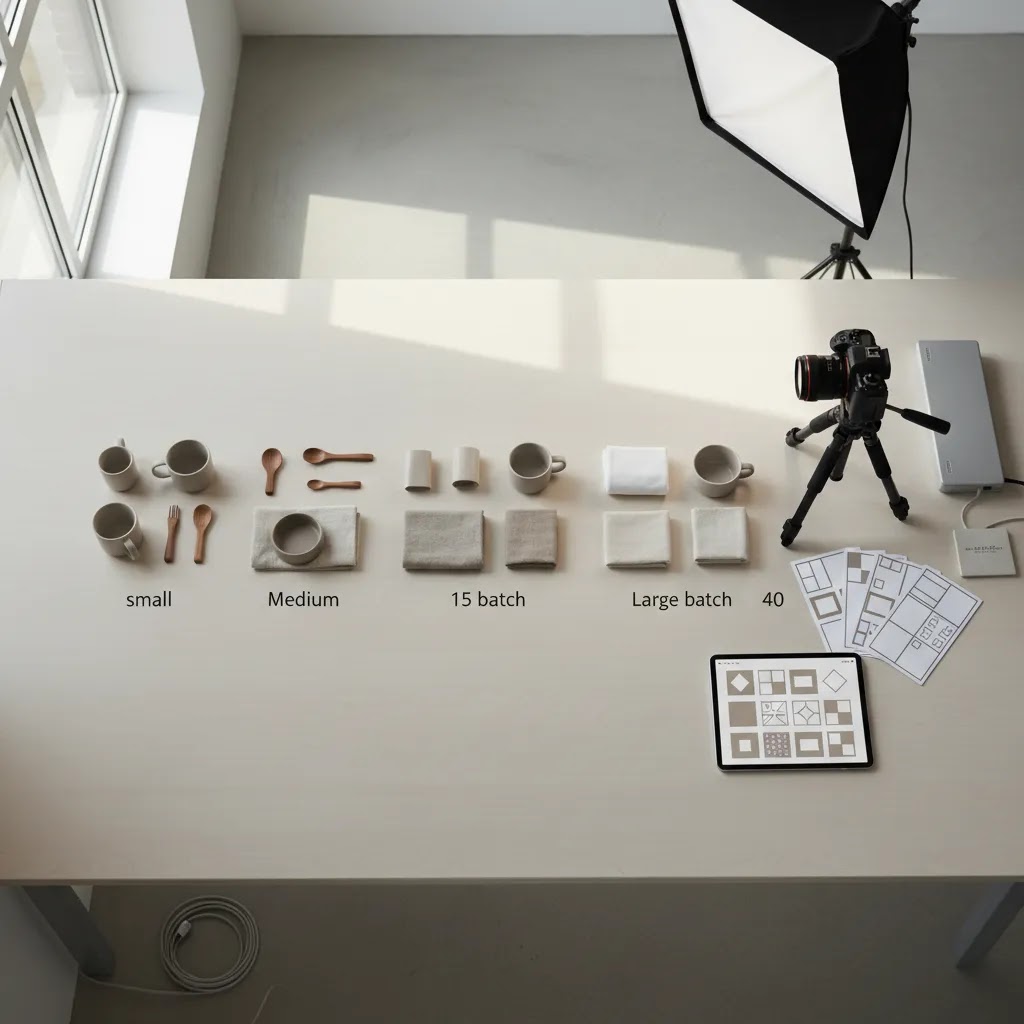
Volume Batches and Tiered Packages (11 to 50 Images and Beyond)
What many store owners overlook is that pricing often changes once you move out of the “tiny job” range. A lot of photographers and studios have internal pricing bands, and one of the most common is the 11 to 50 image range. The reason is simple: setup work stays similar, but the time per deliverable drops when you shoot a consistent batch under one lighting setup.
In practice, batch pricing can be fair for both sides. The vendor gets efficiency from fewer context switches, and you get a lower effective cost per image because the setup is amortized across more outputs.
If you have medium-volume needs, these are the questions that keep quotes comparable:
Consider this when you are planning a product launch: you can often get better pricing by grouping SKUs into batches with similar needs, rather than ordering five separate mini shoots over a month. You also reduce the internal cost of coordination, shipping, and approvals.
When a monthly retainer may make more sense than ordering batches:
A retainer only works if the scope is clear. You want to know how many products or images are included each month, what the turnaround expectations are, and how revisions and advanced retouching are handled. Otherwise, you can end up paying retainer pricing and still getting per-image add-ons.
How to Get Started
Start by listing your actual deliverables, not just saying you need product photos. Count how many SKUs you have, how many angles each item needs, whether you need white-background images, and which products need lifestyle content.
Next, split your catalog into tiers. High-margin or hero products may justify professional creative photography. Long-tail items may be better handled with a simpler studio setup and AI-assisted edits.
Then request quotes in a comparable format. Ask every vendor or freelancer for pricing by product, by image, editing depth, turnaround time, and revision policy. If you are considering DIY support, compare the quote against the cost of tools and your team's time.
Last, run a small pilot before committing your full catalog. Test a representative product set, upload the assets to Shopify, and check how they look on collection pages, product pages, mobile screens, and ad placements. That small test will usually tell you whether the price is justified.
Frequently Asked Questions
How much should product photography cost for a small ecommerce store?
For a small store, simple studio photography may start around $20 to $100+ per product, depending on the number of final images and editing required. Lifestyle or styled shoots cost more. The most useful comparison is not the cheapest quote, but the cost per usable image that fits your Shopify store, ads, and marketplace listings.
Is per-product pricing better than a day rate?
Per-product pricing is usually better for smaller, predictable catalogs because it makes budgeting simpler. Day rates can work better for larger batches or creative shoots where the number of final assets is less predictable. If your store has many similar SKUs, per-product or per-image pricing is often easier to evaluate and control.
Can AI tools replace a professional product photographer?
Sometimes, but not always. AI tools can help with background removal, white-background cleanup, image resizing, and scene variations if the original image quality is already solid. They are most useful for speed and cost control. They are less reliable when your products need highly accurate textures, luxury styling, or advanced lighting control.
What should be included in a photography price list template?
A strong template should include service type, number of products, number of final images, editing level, turnaround time, usage rights, revision limits, styling or props, and file delivery specs. For ecommerce, it should also mention export dimensions, background style, and whether images are prepared for Shopify product pages and collection thumbnails.
How do I price product photography if I am hiring for ongoing work?
For ongoing work, ask about volume discounts or monthly retainers. This can make sense if you launch products regularly or need a steady stream of catalog updates. Review the contract closely so you know whether revisions, seasonal styling, and additional image formats are included or billed separately.
Does better product photography improve conversion rates?
It may, especially if your current images are inconsistent, low resolution, or unclear on mobile. Better visuals often improve trust and product understanding, but results vary by niche, pricing, traffic quality, and page design. Photography works best when it supports the whole buying experience, including product copy, merchandising, and page speed.
How much should I charge per product photo?
If you are a merchant hiring help, the more useful question is what you should expect to pay per usable image or per SKU based on your deliverables. Many ecommerce quotes land somewhere in the $20 to $100+ per SKU range for basic catalog shots, and roughly $10 to $60+ per final image for per-image pricing, with higher costs for lifestyle work and advanced retouching. The rate you accept should reflect how many angles are included, the retouching depth, and whether Shopify-ready exports are part of the package.
How much does a product photo shoot cost?
A product photo shoot can be quoted per product, per image, or as a day rate. Day rates may range from about $500 to $2,500+ before editing and usage costs, while per-SKU or per-image quotes depend heavily on how many deliverables you need and what is included. To estimate your total, count SKUs, decide angles per SKU, add any lifestyle images, then confirm editing, file formatting, and shipping so you are budgeting for the full project, not just the shoot day.
What is the 20 60 20 rule in photography?
This usually refers to a practical way to balance where you put your time or spend across a shoot. For ecommerce work, you might treat it as a reminder that not every image needs the same level of production. Many stores put the “high effort” portion into hero shots and best sellers, keep most catalog angles consistent and efficient, then reserve a smaller portion for experiments like seasonal lifestyle concepts. It is not a universal standard, but the idea maps well to tiering your catalog so you do not overspend on long-tail SKUs.
What is the 50 50 rule in photography?
People use “50 50” in different ways, but in ecommerce production it is often shorthand for the idea that results come from both capture and post-production. A well-shot image still needs consistent editing, export sizing, and naming to perform in a real Shopify workflow. At the same time, editing cannot fully rescue poor lighting, reflections, or focus. The practical takeaway is to budget for both a solid shoot and the post-production work needed to turn photos into usable product-page assets.
Key Takeaways
Conclusion
A smart product photography price list helps you buy with more confidence because it separates creative value from vague pricing. For most ecommerce brands, the right choice is not simply finding the lowest rate. It is choosing the service model that fits your catalog size, brand standard, and internal capacity. If you need speed and consistency, a basic studio or hybrid AI workflow may be enough. If your visual brand carries more of the sales load, investing in stronger creative production is often justified. Use the frameworks above to compare quotes, test a pilot set, and validate the results inside your Shopify store before scaling the spend.
Disclosure: AcquireConvert may receive affiliate compensation from some third-party links, where applicable. This article is for informational purposes and does not constitute pricing advice or a guaranteed performance claim. Photography costs and results vary based on your product type, store niche, image requirements, vendor quality, and implementation.

Hi, I'm Giles Thomas.
Founder of AcquireConvert, the place where ecommerce entrepreneurs & marketers go to learn growth. I'm also the founder of Shopify agency Whole Design Studios.