What Does Product Photography Cost in 2026?

Product photography pricing in 2026 varies more than most ecommerce founders expect. A simple white background catalog shot may cost far less than a styled lifestyle image, a 360 spin set, or a large commercial campaign with retouching and licensing layered in. For Shopify store owners, the real question is not just what photography costs, but which option is worth paying for at your current stage. In most cases, a lean catalog setup is enough for product pages, while higher-end creative shoots make more sense once your store has validated demand and needs stronger brand differentiation. Alongside traditional studio services, AI photo tools are also changing the pricing conversation by lowering the cost of some repetitive image tasks. If you are comparing quotes, agencies, freelancers, and AI options, this guide will help you make a clearer call.
Contents
Overview
Product photography pricing is usually built around scope, not just the number of photos. That is why two quotes for the same product line can look completely different. One provider may include basic shooting only, while another includes prep, styling, editing, file delivery, commercial usage rights, and alternate aspect ratios for Shopify, Amazon, and paid social.
For most ecommerce brands, there are four broad cost buckets. First, there is basic catalog photography for clean product page images. Second, there is lifestyle photography for ads, landing pages, and brand storytelling. Third, there is advanced visual work such as 360 product photography, animation, or video. Fourth, there are AI-assisted image workflows that can reduce costs for background changes, cleanup, and concept generation.
If you are still deciding between in-house shooting and outsourcing, our guide to setting up a product photography studio helps clarify the tradeoff between one-time equipment spend and ongoing production fees. If you are mainly comparing service providers, this overview of hiring a product photographer is also useful.
At AcquireConvert, Giles Thomas evaluates ecommerce tools and workflows through the lens of practical store growth. As a Shopify Partner and Google Expert, his perspective is especially relevant for merchants who need image decisions that support conversion, merchandising, and paid acquisition, not just aesthetics.
Pricing and Costs
Traditional product photography pricing in 2026 still depends heavily on shot complexity. A basic white background image set is typically the lowest-cost option because setup is standardized and editing is predictable. Lifestyle setups cost more because they add props, art direction, location work, models, and more extensive retouching. Commercial product photography pricing often climbs further when broader usage rights, campaign concepts, or agency coordination are involved.
360 product photography pricing is usually higher than static photography because it requires multiple frames per SKU, controlled lighting consistency, and specialized processing. Amazon product photography pricing also varies because marketplaces often have strict image requirements, and sellers may need multiple image types per listing, including main image, infographics, and detail shots.
AI tools are creating a lower-cost alternative for certain tasks. Based on current tool data, ProductAI offers several entry points with public access URLs but no pricing surfaced in the available product feed. These include AI Background Generator, Free White Background Generator, Increase Image Resolution, Remove Text From Images, Magic Photo Editor, and Creator Studio. Because no live pricing was returned by the tool dataset, it is best to treat these as tools to verify directly before budgeting.
For Shopify merchants, the practical cost question is simple: do you need net-new photography, or do you mainly need affordable image improvement? If your core issue is weak backgrounds, inconsistent image ratios, or low-resolution files, AI editing may be the better first spend. If you need original hero shots, packaging detail, or model-based content, you will still need a photographer.
Product Photography Pricing Models (Per Image, Per Hour, Per Day, and Packages)
Here is the thing about product photography pricing: even when two quotes land at the same total number, the pricing model underneath can change what you actually get. This is where Shopify store owners get caught out, especially when a quote sounds like it covers the whole catalog but it is really only covering capture time.
Per image or per final photo pricing is common for clean catalog work. It can be a good fit when you have a defined shot list, consistent products, and you care about predictable cost per SKU. The catch is what “final photo” means. Some providers include basic retouching and a set number of exports, others treat cleanup, alternate crops, and file versions as add-ons. If you need a square crop for collection tiles, a 4:5 for Meta, and a horizontal for email, make sure you know whether that is included as multiple deliverables or counted as multiple photos.
Per SKU pricing is similar, but it is usually bundled as “X images per product.” This can be easier for budgeting a Shopify catalog because you are naturally thinking in products, not files. It can be a poor fit if your catalog has wildly different complexity, for example simple accessories mixed with reflective packaging and textured textiles, because the “average SKU” assumption breaks down.
Hourly rates are often used by freelancers or smaller studios, especially for on-location lifestyle shoots or when the scope is still evolving. Hourly can work well for early-stage brands doing a small creative test where you want flexibility. It can be risky for big catalogs because you carry the efficiency risk. If the photographer is slower than expected, your effective cost per SKU climbs. From a practical standpoint, hourly quotes only make sense when you also agree on a clear production plan, a shot list, and what counts as billable time, including setup, tethering, styling adjustments, and retouching.
Half-day and day rates are common for commercial work and lifestyle shoots. You are basically buying time, crew, and studio availability. This model can be cost-effective when you can batch a lot of SKUs and the products are prepped well, labeled, steamed, and ready to shoot. It becomes expensive when you have a lot of indecision, missing samples, or unclear art direction. Day rates also vary in what they include: some will include basic editing for a fixed number of selects, others only cover the shoot and charge retouching separately.
Packages are popular with studios that shoot ecommerce catalogs all day. Packages might bundle “X SKUs, Y angles per SKU, Z days turnaround” and include basic retouching. For Shopify catalogs, packages can be a strong fit if you want consistency and speed. The downside is that packages often have strict definitions around what is included. Reshoots, extra revision rounds, complex retouching, and additional usage rights may sit outside the package.
Now, when it comes to comparing quotes, you want an apples-to-apples list of what is included versus excluded. The items that most commonly change the real price are prep and styling time, retouching depth, how many revision rounds are included, how many file exports you receive, reshoot policy for damaged samples or missed angles, and usage rights for ads and broader commercial contexts. If a quote does not make these clear, ask for clarification before you assume the cheaper number is cheaper in practice.
Think of it this way: the most reliable “true cost” estimate is usually built from your catalog math. Start with SKU count, decide the minimum images per SKU you actually need for your product pages, then add realistic allowances for editing complexity and any licensing needs. That simple structure prevents under-budgeting when you scale beyond a 10 SKU test.
Trust and Credibility
When you review a product photography quote, credibility matters as much as price. A cheaper provider can become expensive fast if they deliver the wrong file sizes, inconsistent lighting, poor color accuracy, or images that need to be reshot. For Shopify stores, that often means delays in launch calendars, lower ad creative quality, and more work for a small team.
Look for providers or tools that clearly explain deliverables, revision limits, file formats, turnaround time, and licensing. Ask whether the quote includes retouching, clipping paths, transparent PNG output, alternate crops, and marketplace-ready exports. If not, the initial quote may understate the real cost.
That same trust filter applies to AI workflows. Some tools are excellent for simple tasks like white background cleanup or resizing, but less reliable for exact product fidelity. This matters for categories where details affect purchase confidence, including beauty, accessories, and premium packaging. If that is relevant to your catalog, this broader look at ai photography can help you judge where automation fits and where it still falls short.
AcquireConvert’s approach is to assess image tools and services based on practical ecommerce outcomes. That means focusing on usability, merchandising fit, and production efficiency rather than inflated claims about AI or creative quality.
Key Features That Affect Pricing
The biggest drivers of product photography pricing are usually not hidden fees, but features and requirements that change production time. Here are the ones store owners should scrutinize before choosing a quote.
Shot type is the first variable. A standard product-on-white image is usually straightforward. A lifestyle image with props or contextual scenes takes more setup and post-production. If your team is debating whether AI-assisted styling could cover some of that work, compare realistic outputs against tools and workflows like photoroom rather than assuming every styled scene needs a custom shoot.
SKU count and image count per SKU also shape pricing. Ten products with one image each is very different from ten products with front, back, side, macro, packaging, and in-use photos. Many quotes look attractive until you multiply the cost across your full catalog.
Editing requirements are another major factor. Background removal, color correction, shadow creation, dust cleanup, texture preservation, and format conversion all add labor. This is where AI tools may help reduce repetitive editing work. Based on the live product dataset, ProductAI currently offers utilities for white background generation, background replacement, image resolution increases, text removal, and broader editing workflows through Creator Studio and Magic Photo Editor.
Category-specific complexity affects cost too. Reflective products, cosmetics, glass, jewelry, and textiles are harder to shoot accurately. Beauty brands, for example, often need texture realism and shade fidelity that are difficult to fake convincingly. If your catalog overlaps with beauty or skincare, the visual standards discussed in our coverage of the ai makeup generator space show why some categories need extra caution with AI-generated outputs.
Usage and channel requirements also matter. Images for Shopify PDPs, Meta ads, Amazon listings, and print inserts may all require different crops and resolutions. A provider that includes multi-channel exports may justify a higher quote because it saves your team hours later.
A Simple Product Photography Pricing Calculator (How to Budget Your Catalog)
What many store owners overlook is that you can budget product photography without any fancy tools. A basic spreadsheet is enough, as long as you treat photography like a catalog production project, not a one-off creative purchase.
Start with your minimum image set per SKU, not your dream image set. For many Shopify stores, that baseline is a clean hero, two supporting angles, and one detail shot where it matters. Then add optional deliverables based on your channel mix, for example a lifestyle image for higher-consideration products or ad-focused crops if paid acquisition is a priority.
From a practical standpoint, you can estimate a realistic budget with this framework:
Consider this in phases so you do not overcommit. A starter scenario is a small SKU pilot, usually 5 to 10 products, where you test a consistent baseline set and validate that the provider can hit your brand standards. A scaling scenario is a full catalog refresh where you lock in production rules, batch products by similarity, and prioritize speed and consistency so the whole store looks coherent.
When you build your spreadsheet, the inputs that typically make or break your estimate are SKU count, images per SKU, lifestyle versus on-white split, 360 yes or no, number of deliverable crops per image, and revision rounds. Once you have those, you can sanity-check any quote by mapping the quote back to those same inputs. If the quote is missing a line item that your spreadsheet says you need, that is where surprise costs usually show up later.
Pros and Cons
Strengths
Considerations
Who This Is Best For
This pricing guide is most useful for Shopify merchants choosing between studio services, freelance photographers, and AI-assisted image workflows. If you are an early-stage store with a small SKU count, you will usually get the best return from clean, consistent catalog photography and selective editing support. If you are a scaling brand with active paid acquisition, stronger lifestyle content and channel-specific image sets may be worth the added spend.
It is also a good fit for teams comparing outsourcing against in-house production. If you are searching broadly for options in the Catalog Photography space or evaluating broader E Commerce Product Photography approaches, the right answer often depends less on trend and more on volume, repeatability, and the visual expectations of your niche.
How to Get Started
Start by auditing your current catalog. Separate images into three groups: keep as is, improve through editing, and reshoot completely. This prevents you from paying studio rates for files that only need cleanup.
Next, define your minimum image set per SKU. For most Shopify stores, that means a hero image, at least two supporting angles, one detail shot where relevant, and one contextual image for higher-consideration products.
Then request quotes with a fixed brief. Specify background style, number of images per SKU, editing expectations, turnaround, licensing, and channel outputs. Without that, you are not comparing pricing fairly.
After that, test a small batch before committing your full catalog. In many cases, a 5 to 10 SKU pilot reveals whether the provider can maintain color accuracy, framing consistency, and useful file delivery.
If your bottleneck is editing rather than shooting, trial AI workflows first. Publicly available ProductAI tools suggest practical starting points for background cleanup, resolution enhancement, and image editing. Just validate the outputs on your actual products before rolling them out store-wide.
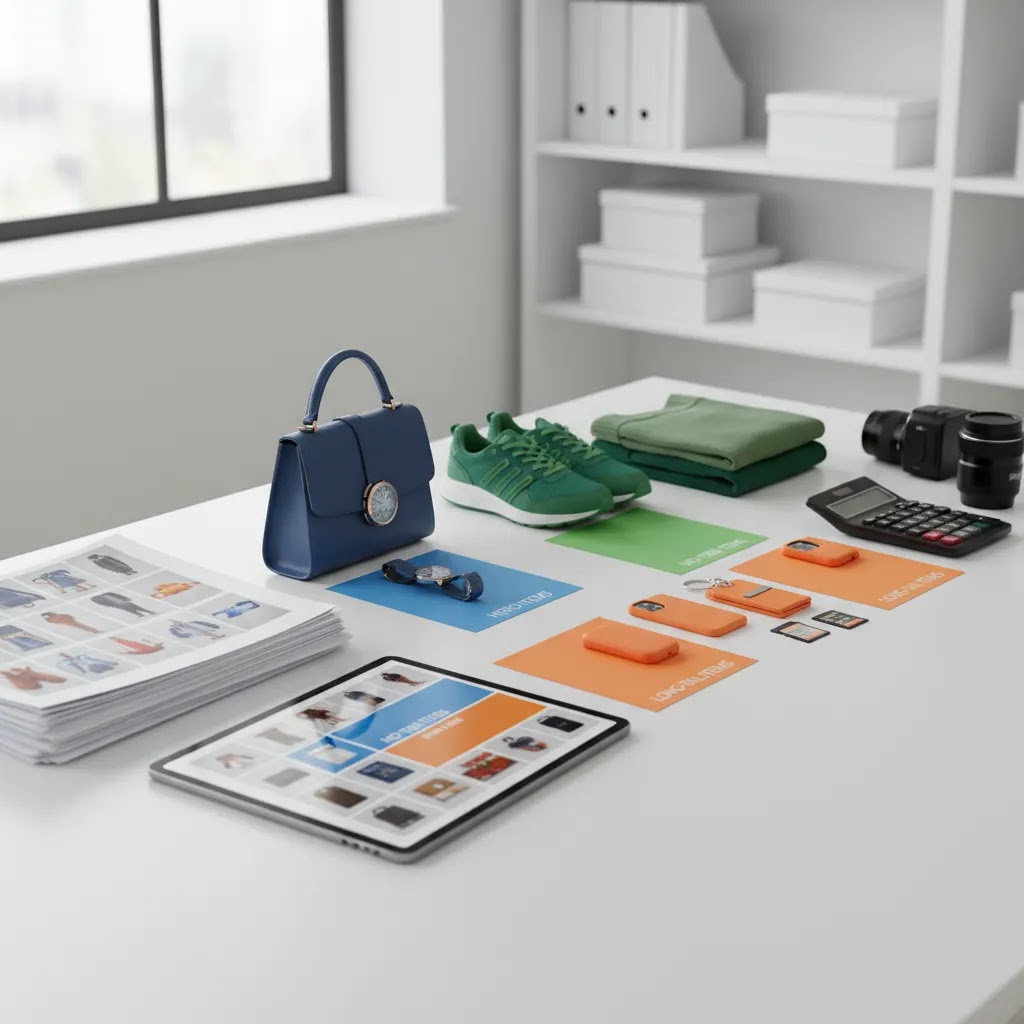
20-60-20 Rule for Product Photography (How to Allocate Spend Across Your Catalog)
If you have more than a few dozen SKUs, the hardest part of product photography pricing is not the quote. It is deciding where to spend more and where to spend less without making the store look inconsistent.
The 20-60-20 rule is a simple way to allocate effort across a Shopify catalog:
The reality is that this rule matches how stores actually perform. A small subset of products typically drives a disproportionate amount of sessions and sales, and those are the SKUs where image quality tends to have the biggest downstream impact on conversion and ad performance. Meanwhile, the long tail still needs to look professional, but it usually does not justify campaign-level production spend.
For most Shopify store owners, choosing what lands in each bucket is straightforward if you use data you already have. Look at product-level traffic, best sellers, margin, and seasonality. Add in your paid acquisition focus, which products you send to Google Shopping or Meta, and which products you are trying to grow. Then revisit the buckets quarterly. Product performance changes, and your photography priorities should change with it.
Frequently Asked Questions
How much should I expect to pay for product photography in 2026?
It depends on the image type, SKU count, editing depth, and usage rights. Basic catalog photography usually costs less than styled lifestyle or 360 work. The most reliable way to budget is to define the number of final images per SKU and ask what is included in retouching, revisions, and delivery formats.
Is AI product photography cheaper than hiring a photographer?
For certain tasks, yes. AI tools may reduce costs for background replacement, cleanup, resizing, and simple visual variations. They are less dependable when you need exact product fidelity, realistic materials, or premium brand imagery. In most cases, AI editing works best as a supplement to photography, not a full replacement.
What affects commercial product photography pricing the most?
The biggest pricing drivers are creative direction, styling, location, talent, advanced retouching, and licensing. Commercial shoots also involve more approvals and production overhead. If you only need ecommerce PDP imagery, ask for a narrower scope so you are not paying campaign-level rates for basic product page assets.
Is 360 product photography worth the extra cost for Shopify stores?
It can be, especially for products where shape, finish, or detail strongly affects buying confidence. Furniture, footwear, electronics, and premium accessories may benefit more than low-consideration items. Still, it usually makes sense only when your product margins, traffic volume, and merchandising needs justify the extra production cost.
Should I build an in-house studio or outsource photography?
Outsourcing is often better for smaller brands with limited shooting volume or no dedicated creative staff. In-house setups become more appealing when you launch products frequently and need ongoing image production. The right choice usually comes down to SKU velocity, internal time, and whether consistency matters more than creative flexibility.
Are AI-edited images safe to use for beauty and cosmetics products?
They can be useful for cleanup and non-critical variations, but caution is important. Categories like cosmetics often require accurate shade, texture, and finish representation. If the image could affect a buyer’s expectation of the product itself, human review is essential before publishing edited or AI-generated assets.
How much should I charge per product photo?
If you are pricing your own services, most rates are set based on scope and workflow, not just the click of the shutter. Many photographers charge per final image, per SKU, hourly, or by day rate, and then add retouching and usage rights depending on how the images will be used. A practical approach is to estimate time per SKU, define what level of retouching is included, specify how many final selects and exports are delivered, and price based on the true production time plus overhead.
How much does a product photo shoot cost?
A product photo shoot can range from a small half-day catalog session to a multi-day commercial production. Total cost is usually driven by the number of SKUs, shot types, styling needs, crew or studio requirements, and how much retouching and licensing is included. If you want a realistic estimate, define images per SKU first, then confirm whether the quote includes prep, editing, revisions, and multi-channel exports.
What is the 20-60-20 rule in photography?
For ecommerce catalogs, the 20-60-20 rule is a way to prioritize spend. Roughly 20% of products, your heroes, get the most photography investment. The middle 60% gets consistent standard coverage. The last 20%, the long tail, gets minimum viable coverage, often focused on clean on-white images and light edits. It helps Shopify merchants keep the store looking cohesive while putting premium effort into the SKUs that typically matter most for conversion and merchandising.
Key Takeaways
Conclusion
There is no single benchmark for product photography pricing, because ecommerce brands are buying very different things under the same label. Some need simple product-on-white consistency for Shopify collections. Others need conversion-focused hero imagery, ad creative, or marketplace-ready image sets. In 2026, AI tools have made some parts of the workflow more affordable, but they have not removed the need for good photography where accuracy and brand trust matter.
If you are a smaller store, start with the image set that supports selling, not the one that looks most ambitious. If you are scaling and your visuals are limiting ad performance or product page clarity, it may be time to invest more seriously. The smartest next step is to run a small production test, compare true deliverables, and choose the option that fits your catalog and margins.
Disclosure: AcquireConvert may receive affiliate compensation from some links to third-party tools or services mentioned in this article. Any pricing, feature access, or offer details should be verified directly with the provider before purchase. Product photography outcomes and business results vary based on your niche, traffic, implementation quality, and the accuracy of the images you publish. This article does not promise guaranteed performance improvements.

Hi, I'm Giles Thomas.
Founder of AcquireConvert, the place where ecommerce entrepreneurs & marketers go to learn growth. I'm also the founder of Shopify agency Whole Design Studios.