Product Photography With AI (2026 Guide)


If you sell online, product photography with AI can help you produce more images faster, test new creative directions, and reduce the amount of reshooting needed for seasonal campaigns or marketplace variations. It can be especially useful when you already have a decent source image but need cleaner backgrounds, better resolution, or lifestyle scenes that would otherwise require a studio setup. That said, AI is not a replacement for judgment. Store owners still need to watch for inaccurate textures, off-brand styling, and images that do not match the actual product. If you are comparing AI against a more traditional product photography studio workflow, the right choice often comes down to catalog size, margin, and how much visual control your brand requires.
Contents
What product photography with AI actually means
For most ecommerce teams, product photography with AI is less about pressing one button and more about improving the workflow around existing images. You might start with a smartphone photo, a DSLR studio shot, or a supplier image, then use AI to remove backgrounds, generate white-background variants, increase resolution, place products into lifestyle scenes, or create model-led compositions.
That distinction matters because the quality of the input still affects the output. A sharp, well-lit source image usually gives you more reliable results than a rushed product photography with phone shot taken in mixed lighting. If you are still learning the wider category, AcquireConvert’s Catalog Photography section is useful for understanding where AI fits into a broader merchandising workflow.
In practice, AI tends to work best in four scenarios. First, building consistent marketplace and collection-page images. Second, creating alternate backgrounds for paid social and email campaigns. Third, producing fast creative tests before committing to a full shoot. Fourth, refreshing older assets without photographing the entire catalog again.
Where store owners get into trouble is expecting AI to fix poor merchandising decisions. If the product angle is wrong, the packaging is wrinkled, or the brand style is unclear, AI may only hide the issue rather than solve it.
Tools and likely results
Based on the current product data available, the most relevant tools for product photography with AI are focused on editing, background generation, resolution enhancement, and scene creation rather than full end-to-end catalog management.
The result quality you get will depend on the use case. White background outputs are usually the easiest to standardize. Lifestyle scenes can look convincing for ads, landing pages, or social content, but they need careful review before use on product detail pages. If your goal is heavily styled scenes or human-centric imagery, it helps to compare these workflows with a dedicated ai photoshoot approach rather than treating every AI tool as interchangeable.
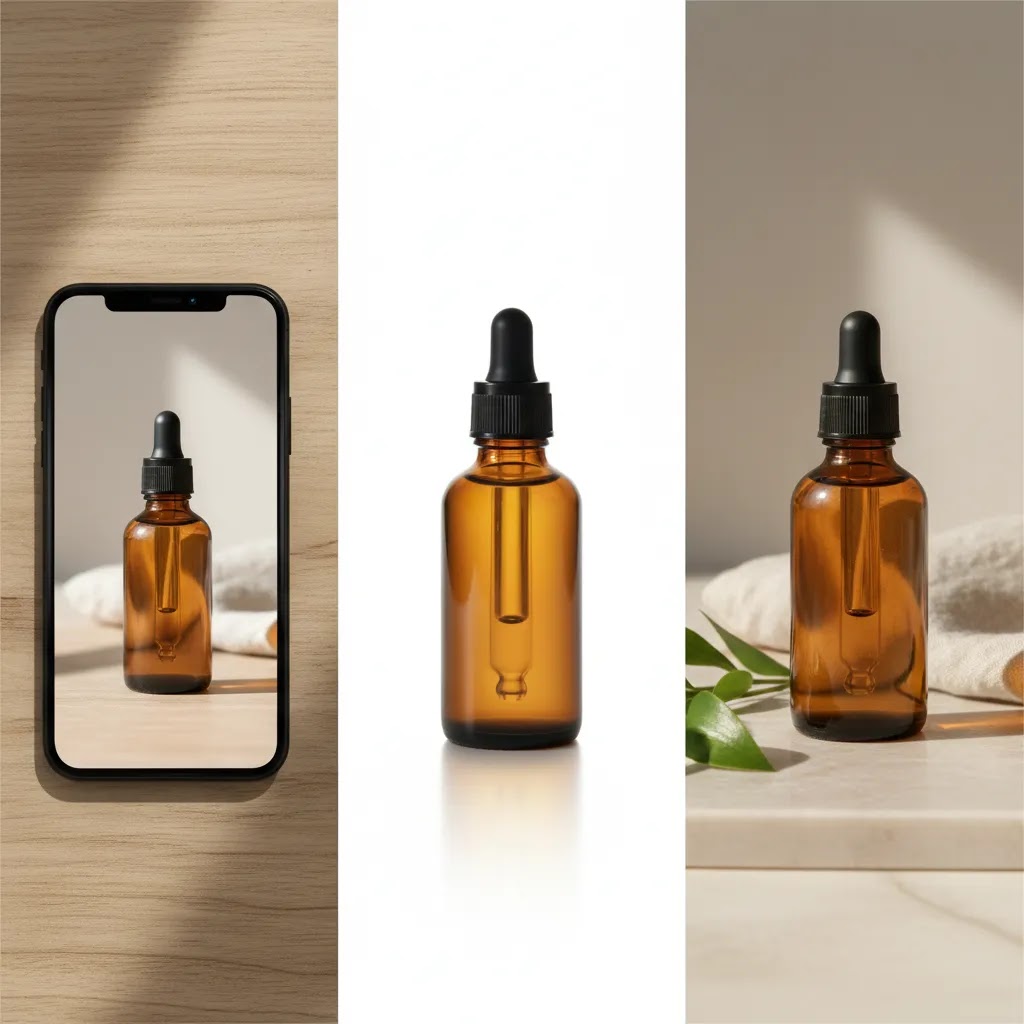
AI product photography prompts (how to get realistic results)
Here’s the thing: a lot of the “AI product photography looks fake” problem is not the tool, it is the prompt. Most store owners give the AI a vague request like “make it lifestyle” and then wonder why the lighting is weird, the scale feels off, or the product quietly changes.
From a practical standpoint, you want prompts that do two things at once. They should clearly describe the scene you want, and they should also constrain the model so it does not redesign the product.
A simple prompt framework you can reuse
When you create product photography with AI, use a consistent structure like this:
Product + Scene + Lighting + Camera angle + Brand style + Constraints
In plain English, that might look like: “[product] in [scene], lit with [lighting], photographed from [angle], in the style of [brand], keep the product unchanged.”
The constraint part matters more than most people expect. If you do not tell the tool to preserve the label, packaging, and proportions, many models will “helpfully” improve them, which is exactly what you do not want on a Shopify product detail page.
Prompt examples for the main ecommerce use cases
Consider this: you do not need unlimited creativity, you need repeatable outputs you can use across Shopify, ads, and marketplaces.
Lifestyle background (PDP-safe if the product is preserved): “32 oz stainless steel insulated water bottle, placed on a matte stone kitchen countertop, soft morning window light from the left, natural shadow, photographed at 3/4 front angle, clean minimalist style, keep the bottle shape, logo, lid, and color exactly the same, do not add extra text or graphics.”
Seasonal scene (great for acquisition creative and email): “Glass candle jar with white label and gold lid, on a cozy holiday mantel setting with subtle out-of-focus warm string lights in the background, warm indoor lighting, photographed straight-on at eye level, premium home fragrance aesthetic, keep the label text and jar proportions unchanged, no extra objects touching the product.”
Marketplace-style white background (compliance-focused): “Product cutout of a black leather card holder, pure white background (#ffffff), even studio lighting, soft drop shadow directly under the product, centered composition, keep product edges sharp, keep stitching and texture unchanged, do not change color, no props.”
Product in hands (scale cue without over-styling): “Small 15 ml skincare dropper bottle held in a human hand, neutral skin tone, clean nails, soft diffused studio lighting, shallow depth of field, product label fully readable, keep bottle label, cap, and proportions unchanged, no extra branding, no additional claims.”
If you are planning to run these images as ads, you can typically push the scene further. For product pages, you usually want cleaner context, fewer props, and less dramatic lighting so the product remains the hero.
Common prompt mistakes that create fake-looking images
What many store owners overlook is that AI will try to resolve contradictions by inventing details. A few avoidable mistakes show up repeatedly.
Conflicting lighting: If you ask for “bright midday sun” and “soft candlelight ambiance” in the same prompt, the tool often produces strange shadows or inconsistent highlights. Pick one lighting direction and one time-of-day feel.
Vague materials: “Make it premium” is not a material. If you need realism, describe what you mean: matte ceramic, brushed aluminum, glossy glass, textured kraft paper, woven cotton. This is especially important for product photography with white background, where material is the main cue left.
Missing scale cues: Without context, a product can look toy-sized or oversized. “In hands” is one way to solve it. Another is to reference a known surface (countertop, desk) and specify lens feel (“natural smartphone photo” or “studio product photo at 50mm”).
No constraints: If you do not explicitly say “keep the product unchanged,” you can get altered logos, invented packaging, or changed counts (like extra buttons on a device). For Shopify merchants, that can lead to trust issues, refunds, and ad disapprovals if the creative implies something you do not sell.
The way this works in practice is simple: prompt once, review hard, then tighten the prompt. You are not trying to get a perfect image on the first attempt. You are building a repeatable prompt you can use across products and campaigns.
Key features to evaluate
If you are choosing a workflow for product photography with AI, assess the tool on practical store-owner criteria rather than feature count alone.
1. Background control
For many stores, the first requirement is simple: create clean, repeatable images with a white or transparent background. The Free White Background Generator and the AI Background Generator cover both ends of that need, from compliance-style product listings to more styled campaign assets.
2. Image cleanup and enhancement
If your catalog includes legacy images, marketplace downloads, or older mobile shots, enhancement matters. The Increase Image Resolution tool can help make weaker source files more usable, though it will not recreate missing product detail that was never captured properly in the first place.
3. Realistic scene placement
Context often improves click-through and buyer understanding. Tools such as Background Swap Editor and Place in Hands are worth evaluating if your products benefit from scale, use-case visualization, or quick lifestyle variations.
4. Workflow flexibility
A solo founder may want a quick utility. A growing team may need a broader creation environment. The Magic Photo Editor and Creator Studio appear better suited to that broader editing workflow.
5. Match with your merchandising strategy
If you are evaluating the overall category, it helps to compare these tools against the broader use cases covered in AcquireConvert’s guide to ai product photography. The best setup depends on whether you need white-background compliance, conversion-focused lifestyle content, or fast ad creative.
Pros and Cons
Strengths
Considerations

Who it is best for
Product photography with AI is usually a strong fit for Shopify merchants, marketplace sellers, and lean ecommerce teams that need more visual output without building a full studio operation. It is particularly useful if you are managing many SKUs, launching seasonal variants, or testing creative across paid and organic channels.
It is also a sensible option if your current workflow starts with product photography with smartphone images and you want to clean them up for more professional use. If your brand relies on heavy styling, live models, or tactile luxury cues, AI may be better used as a supporting layer rather than the full production method.
AI product photography with models: when it works, and the risks to watch for
AI product photography with models is one of the most tempting use cases because it promises “instant lifestyle.” It can work, but it is also where accuracy issues show up fastest. For most Shopify store owners, the safest approach is to treat AI models as a marketing and concepting tool first, then decide what belongs on the product detail page based on how fit-critical and trust-sensitive your category is.
When AI models tend to work well
AI models can be a good fit when the product is not highly fit-critical and you are mainly trying to communicate vibe, use case, or scale. Accessories, some packaged goods, and certain beauty packaging shots can work well, especially for top-of-funnel assets like Meta ads, email headers, and landing page sections.
They can also be useful for pre-production. If you are planning a real shoot later, you can use AI model images to test poses, crop styles, and background directions so you know what to brief a photographer on.
When you should lean toward real model photography
Think of it this way: the more the buyer is making a decision based on exact fit, skin tone accuracy, or texture, the more careful you need to be.
Fit-critical apparel is the obvious example. If you sell clothing where drape, stretch, and fit around the waist, bust, or shoulders matters, AI can mislead shoppers even when the image looks “high quality.” In many cases, real models and consistent size references are still the safer play.
Regulated or trust-sensitive categories also deserve extra caution. Beauty and wellness products are a common trap because the image can accidentally imply results. Even if that was not your intent, ad platforms and customers can interpret visuals as claims. Policies change, so verify the current guidelines for any platform you advertise on before you publish.
What to validate before you publish
The reality is that AI errors are often subtle. Before an AI model image goes live, compare it to the real product and actively look for these issues:
For most Shopify store owners, a practical compromise is to use AI models heavily for acquisition creative and concept exploration, then keep PDP imagery more literal and consistent. That approach protects buyer expectations while still letting you move fast on ads and seasonal campaigns.
AcquireConvert recommendation
For most ecommerce store owners, the best approach is to treat AI as a practical production tool, not as a substitute for brand standards. Start with the simplest use case first: white backgrounds, background swaps, and resolution improvement. Once that is working, test AI-generated lifestyle scenes for ads, landing pages, and social campaigns. Keep your product detail pages more conservative unless the outputs are fully accurate.
That measured approach reflects how experienced operators usually adopt new visual tools. Giles Thomas, through AcquireConvert’s Shopify-focused and Google-informed content, consistently frames AI around implementation rather than hype. If you are comparing creative workflows, the commercial review of photoroom is a good next step. If you sell beauty products or adjacent categories, there is also a useful crossover with AI-led cosmetic visuals in this guide to the ai makeup generator.
How to choose the right setup
Here is a practical way to decide whether product photography with AI is the right fit for your store.
Start with your main image requirement
If you need marketplace-ready or collection-page consistency, prioritize white background and cleanup tools first. Those use cases are more repeatable and lower risk than fully synthetic lifestyle imagery. If your catalog lives on Shopify and Google Shopping, consistency often matters more than visual novelty.
Look at your source image quality
If your team is shooting product photography with phone setups, evaluate lighting, angle consistency, and sharpness before blaming the AI. Even a basic product photography box with light can improve source quality enough to make AI editing much more reliable. AI works best when the base image is already clear and usable.
Separate catalog needs from marketing needs
Your product detail page, category grid, Meta ads, and email banners do not all need the same image style. White-background precision may be best for the PDP, while more styled scenes can work well in customer acquisition campaigns. This separation helps you adopt AI without creating confusion or trust issues on your storefront.
Assess brand risk by product type
Some products can tolerate more visual experimentation than others. Home goods, accessories, and packaged items often adapt well. Fit-sensitive apparel, complexion products, and technical products need more caution. If you are working in beauty or personal care, use AI imagery as inspiration or supplementary content unless you are confident every visual claim is accurate.
Use AI to test before you scale
One of the strongest uses for AI is pre-production testing. Before paying for a full lifestyle product photography with models session, use AI to evaluate composition ideas, background colors, or scene directions. This can save time, reduce creative uncertainty, and give your photographer clearer references. For merchants building a more complete visual system, AcquireConvert’s E Commerce Product Photography resources can help connect AI tooling with broader merchandising decisions.
Creating images at scale: turning 1 source photo into channel-ready assets
Once you have a reliable workflow, the real value is not generating one good image. It is creating a controlled set of variations you can use across channels without reshooting or redesigning your product presentation every time.
For most Shopify store owners, this becomes a simple system: one clean source photo per SKU, then multiple AI-assisted derivatives for specific placements.
A channel-by-channel asset map (what to generate and why)
Marketplace listings: Typically you want clean white background, consistent crop, and minimal shadows. Generate one primary image that stays consistent across the catalog, plus a small number of secondary angles if your category benefits from them. If a marketplace has specific rules, follow them and review them regularly because requirements can change.
Shopify product detail page (PDP): Prioritize accuracy and consistency. A common set is: clean hero image (often white or very light neutral), 1 to 2 alternate angles, a close-up detail crop for texture, and one context image that shows scale. If you use AI lifestyle or “in hands” shots here, keep them conservative and validate the product remains unchanged.
Collection pages: Uniformity matters more than variety. You usually want the same background and similar scale for every product tile. AI is useful for getting the background consistent when source images vary slightly.
Social ads: Generate several lifestyle backgrounds, seasonal variants, and different crops (square, vertical) so you can test creative. Ads are where more stylized AI scenes often make sense, as long as the product depiction remains truthful.
Email banners: Wider crops and clear negative space matter. Generate versions with clean composition so you can add text in your email tool without covering the product. Even if you are not adding text directly in the image, you still want a layout that reads well at a glance.
A lightweight workflow for batch production
The way this works in practice is to set up a repeatable batch workflow so you do not end up publishing mismatched variants.
Quality control checkpoints before you upload to Shopify
Before images go live, do a quick consistency pass. It is boring, but it protects conversions.
Once you have this system in place, AI becomes less of a novelty and more like a production multiplier. You still need good taste and strict review, but you can typically produce more channel-ready assets from the same product shoot.
Frequently Asked Questions
Can AI replace traditional product photography?
Sometimes for routine catalog needs, but not always for hero images or premium brand work. AI is strongest when improving or extending existing assets. If you need exact material rendering, highly controlled lighting, or original campaign art direction, a traditional shoot may still be the better option.
Is product photography with AI good enough for Shopify stores?
Yes, in many cases it can be. Shopify merchants often use AI for white-background cleanup, resizing, scene variations, and testing creative concepts. The key is reviewing outputs carefully so images remain accurate and consistent with what the customer receives.
Can I start with product photography with iphone or Android images?
Yes. Many merchants begin with product photography with iphone or product photography with android phone workflows. Good lighting, a stable angle, and clean framing matter more than the device alone. AI can improve those images, but it usually will not fully fix poor focus or heavy shadows.
What types of products work best with AI photography tools?
Packaged goods, small accessories, beauty packaging, home products, and simple hard goods tend to work well. Products that depend on exact color matching, fine textures, or fit details need more caution. The more accuracy matters to the buying decision, the more conservative you should be.
Is white-background generation the safest starting point?
Usually, yes. Product photography with white background is one of the most practical AI use cases because the expected output is simpler and easier to validate. It is often the best place to start if you want faster catalog consistency without taking on too much visual risk.
Can AI create product photography with models?
It can, but results vary. AI product photography with models or product photography with model compositions may be useful for creative testing, social content, or concept exploration. For fit-critical categories or campaigns where authenticity is central, real model photography may still be the stronger option.
How should I use AI images on product pages versus ads?
Use stricter standards on product pages because those images directly shape purchase expectations. For ads and social content, you can often be more experimental as long as the creative still reflects the actual product. Many merchants use AI for top-of-funnel creative and keep PDP imagery more literal.
Do I need a light box if I plan to use AI anyway?
Not always, but it can help a lot. A simple product photography box with light often improves consistency in shadows, reflections, and edge definition. That gives AI cleaner material to work with and usually produces more dependable results than editing a poorly lit image.
What is the biggest mistake store owners make with AI product images?
The biggest mistake is publishing outputs without checking accuracy. AI can create appealing images that still misrepresent color, scale, packaging, or product use. The best operators review every output against the real item and use AI where it supports trust rather than weakening it.
What is the best AI product photo generator?
The best option depends on what you are trying to produce. Some tools are strongest at white background consistency and cleanup, others are better at lifestyle scene generation, and others focus on broader editing workflows. For most stores, the practical approach is to pick a tool that matches your highest-volume need first, then expand once you have a repeatable process and review standards.
Can I use AI product photos for Amazon or other marketplaces?
Sometimes, but you need to be careful. Marketplaces often have strict rules around main images, backgrounds, and how the product can be depicted. AI can help you create consistent white background images, but you should review each marketplace’s current requirements and validate that the AI output does not alter the product or introduce misleading details.
How do I make AI product photos look realistic?
Start with a sharp, well-lit source photo, then use specific prompts that define lighting, angle, and materials while also telling the tool to keep the product unchanged. Realism usually improves when you avoid conflicting lighting instructions, add scale cues like “in hands,” and review outputs at full size for label accuracy, shadows, and color fidelity before publishing.
What size should product photos be for Shopify (and do AI tools export the right formats)?
Most Shopify themes display product images as responsive assets, so the key is uploading files that are large enough to stay sharp when zoomed while still being reasonable for page speed. Many merchants use square images for consistency on collection pages, then add additional crops for ads and email. AI tools often let you export common formats, but you should still check the exported dimensions, aspect ratio, and file type before upload so the image matches how your theme crops and displays it.
Key Takeaways
Conclusion
Product photography with AI can be a smart option if you need speed, consistency, and more creative variations without the cost and coordination of repeated studio shoots. The best results usually come from combining decent source photography with selective AI editing, not from expecting AI to solve every imaging problem on its own. If you run a Shopify store, that often means using AI for catalog cleanup first and then expanding into lifestyle visuals once you trust the workflow. For a deeper look at adjacent options, explore AcquireConvert’s practical guides on AI imaging and catalog workflows. Giles Thomas’s content is especially helpful if you want advice grounded in real ecommerce operations rather than abstract AI claims.
This content is editorial and intended for educational purposes. It is not a paid endorsement unless explicitly stated otherwise. Pricing and product availability are subject to change, so verify current details directly with the provider. AI-generated or AI-edited imagery may not be appropriate for every product category or compliance context, and results will vary based on source images, use case, and implementation.

Hi, I'm Giles Thomas.
Founder of AcquireConvert, the place where ecommerce entrepreneurs & marketers go to learn growth. I'm also the founder of Shopify agency Whole Design Studios.