Best AR Visualization Software (2026 Guide)

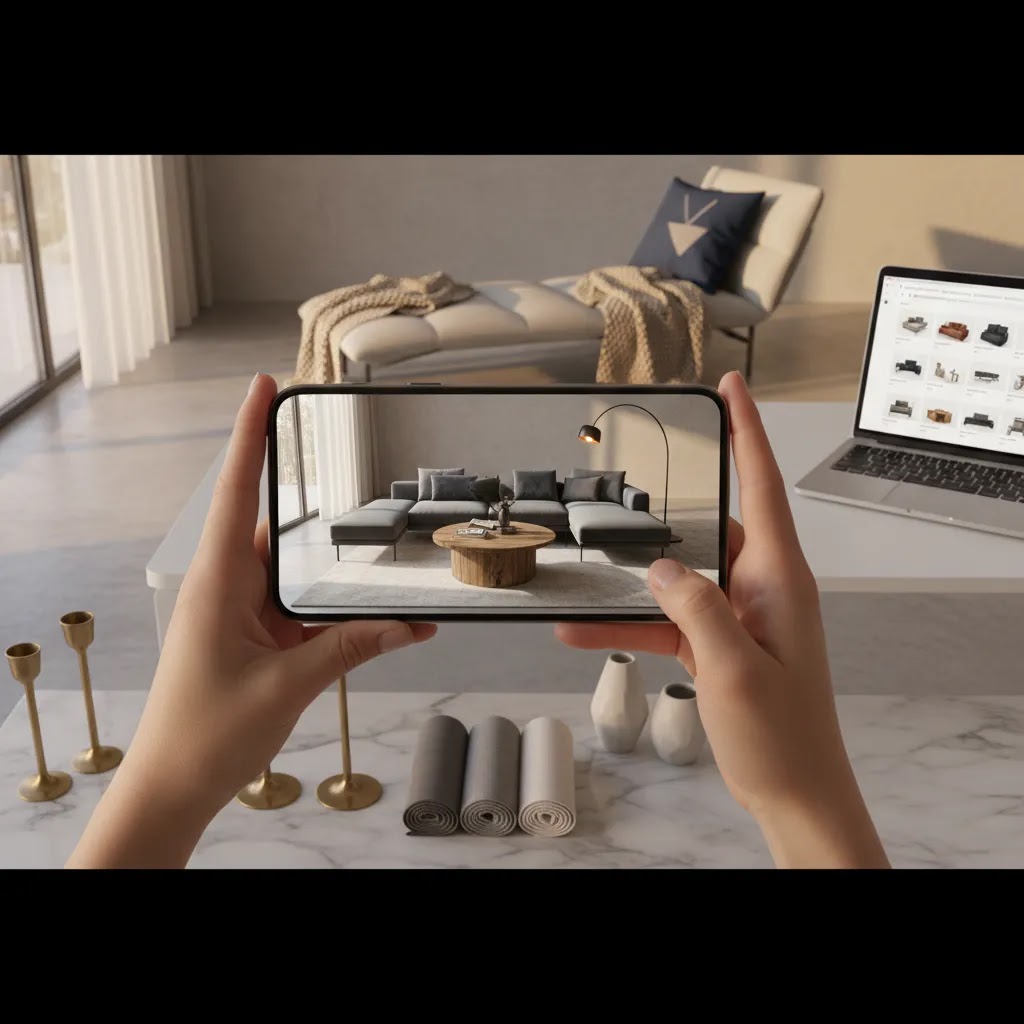
If you are comparing ar visualization software, you are probably past the curiosity stage and into decision mode. You want to know which tools can actually help shoppers understand a product before they buy, reduce uncertainty on product pages, and fit your current ecommerce workflow without creating a long technical project. For Shopify merchants especially, the right platform can support richer product visualization, stronger merchandising, and more confident purchase decisions. If you need broader context first, AcquireConvert’s guide to augmented reality services is a useful place to frame the market. This article focuses on what to evaluate before choosing software, where AR adds real value, and which capabilities matter most if you sell online and need practical results rather than impressive demos.
Contents
- What AR visualization software actually does
- Key features that matter for ecommerce
- AR visualization on phones: how it works for shoppers (web AR vs apps)
- Pros and Cons
- Who should invest in AR visualization software
- Use cases beyond ecommerce product pages (sales, training, field demos)
- AcquireConvert recommendation
- How to choose the right platform
- 3D model sourcing and file requirements (what you need before software)
- Frequently Asked Questions
- Key Takeaways
- Conclusion
What AR visualization software actually does
AR visualization software helps shoppers see a digital version of a product in a more realistic context before purchase. Depending on the platform, that could mean placing furniture in a room, previewing a decor item at scale, rotating a 3D model on a product page, or using ar/vr product visualization to explore product details from multiple angles.
For ecommerce, the main job of this software is not novelty. It is reducing buying friction. If a shopper can better understand size, finish, placement, or configuration, they may feel more confident adding the product to cart. That matters most for products where dimensions, spatial fit, or visual detail strongly influence conversion.
If you are still defining the category, read what is product visualization for a more foundational explanation. In practical terms, the best ar visualization software supports three goals: clearer merchandising, fewer pre-purchase doubts, and a smoother product visualization workflow for your team.
It is also worth separating AR from standard image enhancement. Tools such as product photo editing or background cleanup can improve presentation, but they are not substitutes for virtual product visualization with ar. AR is most useful when customers need context, scale, and interaction, not just cleaner images.
Key features that matter for ecommerce
Not every product visualization software platform is built with online retail in mind. Some are better suited to enterprise showrooms, manufacturing demos, or internal sales presentations. If you run a store, focus on features that improve the buying experience without creating operational drag.
- 3D model support and quality: Your platform should handle accurate, optimized 3D assets that load quickly on mobile and desktop. Poor model quality can make products look less trustworthy rather than more compelling.
- Web-based AR access: Browser-based experiences are often more practical than app-only deployments. Requiring a customer to download an app usually adds friction unless your brand already has strong app adoption.
- Mobile product page performance: Most shoppers will encounter ar visualization on mobile. Fast load times, stable rendering, and clear controls matter more than flashy effects.
- CMS or ecommerce integration: Shopify merchants should look closely at how products, variants, media assets, and updates are managed. If your team has to manually rebuild experiences every time you add a colorway or change a SKU, the software may become a burden.
- Variant and configuration support: This matters if you sell customizable or multi-option products. Good ar-driven product visualization tools should allow material, color, or component changes without a full rebuild.
- Analytics and engagement tracking: You should be able to measure views, interaction rate, and product-page behavior, then compare that against standard page performance and merchandising KPIs.
- Asset creation workflow: Some vendors handle 3D production for you. Others expect your team or agency to provide finished files. This is often the hidden cost in product visualization software.
For many brands, AR works best when paired with strong image production. If you are also refining your creative pipeline, AcquireConvert’s resources on 3d product photography and setting up a better product photography studio can help you build a more efficient visual merchandising system around AR.

AR visualization on phones: how it works for shoppers (web AR vs apps)
Here’s the thing. Most AR “decisions” you make as a store owner are really mobile UX decisions. Shoppers usually do not start with a goal of using AR. They start with a question like: “Will this fit here?” or “Is this the right size?” If AR answers that question quickly, it gets used. If it feels clunky, people abandon it and go back to scrolling photos.
From a practical standpoint, the typical shopper flow looks like this: a customer lands on a Shopify product page, taps a button to view in AR, grants camera access, places the item in their space, then returns to the product page and adds to cart. Every extra step, delay, or confusing prompt adds friction. That is why mobile performance and a clean return-to-cart path matter as much as the AR rendering itself.
Web-based AR (in the browser) vs app-based AR
Most ecommerce brands should start by evaluating web-based AR. It usually has a lower adoption barrier because shoppers can use it right from the product page without installing anything. That typically means more people try it, which gives you better data on whether AR is actually helping.
App-based AR can make sense if you already have strong app adoption or a repeat-use scenario where customers come back often and benefit from stored rooms, saved setups, wishlists, or guided experiences. The tradeoff is friction: asking a first-time shopper to download an app is a big step, and in many cases you will see fewer users reach the actual AR experience.
When you are watching demos, focus less on “wow” moments and more on what “good” looks like for mobile shoppers: fast loading, a clear prompt that explains what happens next, simple controls, and an obvious way to exit AR and continue shopping without losing their place.
Compatibility checks you should run during demos
What many store owners overlook is how differently AR can behave across devices. Before you buy, test the experience on multiple iPhones and multiple Android phones, not just the latest flagship device. If a vendor cannot support that kind of testing, that is a signal you may run into surprises post-launch.
Consider this when you test:
- How camera permissions are handled, and whether the shopper understands why you are asking.
- How quickly the AR view loads on cellular data, not just office Wi-Fi.
- Whether tracking is stable in normal indoor lighting, since shoppers will test in bedrooms, living rooms, and hallways, not studios.
- Whether scale feels accurate, and whether users can re-scale, lock scale, or accidentally distort the product.
- How the experience behaves when a shopper switches variants, for example a different finish or color, and whether it returns them to the correct variant on the product page.
The way this works in practice is simple. If AR is accurate, stable, and quick to access, shoppers may use it as a final confidence check. If it is laggy, confusing, or obviously inaccurate, it can create doubt rather than reducing it.
Pros and Cons
Strengths
- Can improve product understanding for items where scale, fit, or placement are difficult to communicate with standard photos alone.
- Supports richer product visualization on mobile devices, where customers often make quick judgments from limited page space.
- May reduce pre-purchase uncertainty for categories such as furniture, home decor, appliances, eyewear, and certain configurable products.
- Creates a stronger merchandising experience than static product imagery when customers need interactive inspection.
- Can give your brand a more premium, technically credible shopping experience if execution quality is high.
- Works well alongside 3D and high-quality photography rather than replacing them, which can strengthen the full product page experience.
Considerations
- AR is only as good as the underlying 3D assets. Poor models, inaccurate sizing, or slow rendering can hurt trust.
- Implementation can be resource-intensive if the software requires custom development, 3D production, or manual variant management.
- Not every catalog needs AR. For simple, low-consideration products, the return may be weaker than improving basic product photography and CRO first.
- Some platforms market impressive demos but offer limited ecommerce integration, which can create operational friction for growing stores.
- Measuring impact can be difficult if you do not set up clean testing and analytics around product page engagement and assisted conversions.
Who should invest in AR visualization software
AR visualization software is usually the best fit for ecommerce brands selling products that benefit from spatial context or interactive inspection. That includes furniture, home goods, lighting, decor, larger fashion accessories, consumer electronics, medical products with demonstration needs, and configurable items where visuals influence buying decisions.
For Shopify operators, it makes the most sense once you already have consistent traffic, validated products, and a baseline product page strategy. If your store still needs stronger images, clearer product copy, or faster page speed, those issues should usually be fixed first. AR adds more value when the rest of the funnel is reasonably healthy.
Growth-stage brands tend to benefit most because they have enough demand to justify testing richer merchandising but still need practical systems their internal team can manage.
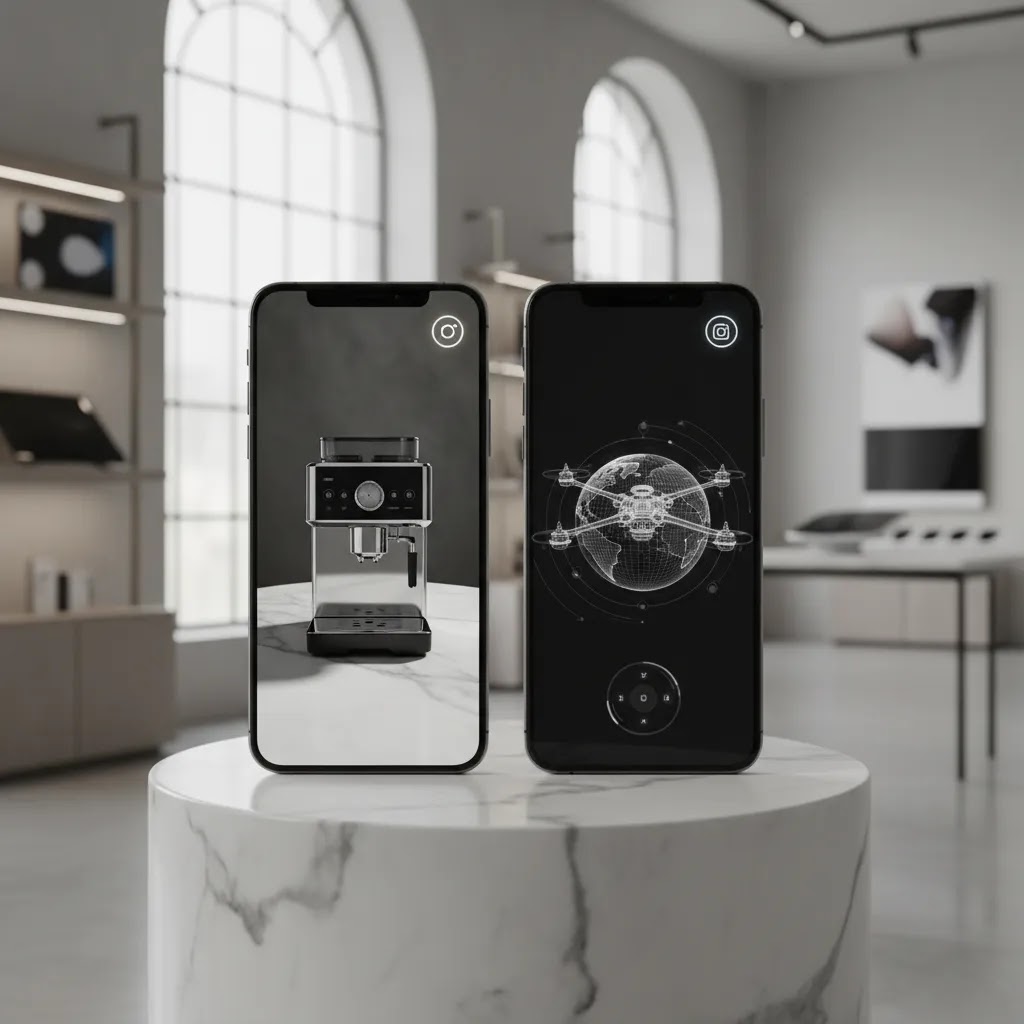
Use cases beyond ecommerce product pages (sales, training, field demos)
AR visualization platforms are often sold as ecommerce tools, but many are used across the business: internal product development, retail execution, sales enablement, and training. For a growing Shopify brand, these “non-storefront” use cases can still matter because they influence how you sell, how you support customers, and how you scale into wholesale.
Think of it this way. If AR helps a customer understand the product faster, it can also help a salesperson, a retail partner, or a support team explain the product more clearly. That is especially relevant for high-touch products where there is a lot to communicate beyond what fits on a product page.
When these use cases make sense for Shopify brands
These broader use cases are usually worth exploring when you have one of these scenarios:
- You sell B2B or wholesale and need a more compelling way to present a line, a collection, or a configurable system to buyers.
- Your products require setup, installation, sizing, or spatial planning, and customers routinely ask questions that are hard to answer with photos.
- You are expanding into retail, pop-ups, or showrooms and want a consistent way to demo variants and configurations without carrying every sample.
For example, if you pitch to wholesale accounts, an AR-based visualization can sometimes function like an interactive line sheet. For customer support, AR may help clarify placement, fit, or configuration, which could reduce back-and-forth in some categories. None of that is guaranteed, but it is often where the ROI case gets stronger for complex products.
How to measure value outside the product page
Measurement is usually less direct than product page conversion rate, but you can still define practical signals:
- Sales enablement adoption: how often your team or reps actually use AR in calls, demos, or follow-ups.
- Support signals: whether the volume of certain pre-purchase questions changes, or whether complex questions get resolved faster.
- Wholesale momentum: whether buyers engage more with visual demos, request fewer physical samples, or move through assortments faster.
The reality is that you will still want to keep ecommerce as the primary test bed, since it gives you the cleanest analytics. But if you are building a brand with wholesale, showrooms, or high-touch support, it is worth selecting software that can support both customer-facing and internal workflows.
AcquireConvert recommendation
If you are seriously evaluating ar visualization software, treat it as a conversion and merchandising decision, not just a design upgrade. That means reviewing integration requirements, 3D asset needs, mobile performance, and how the experience fits your current Shopify product pages. As a Shopify Partner and Google Expert, Giles Thomas approaches these tools through the lens of practical ecommerce implementation, not vendor hype. The right platform is the one your team can maintain and your customers will actually use.
AcquireConvert is a strong specialist resource if you want to compare visual commerce options in a store-owner-friendly way. Start with our hub on AR Product Visualization, then review the broader augmented reality services landscape to understand service models, production requirements, and vendor fit. If your product pages still need stronger visual foundations, our guides on 3D imagery and studio setup can help you make a smarter decision before investing in a full AR stack.
How to choose the right platform
Here are the five criteria that matter most if you are selecting the best ar product visualization tools for retailers.
1. Start with the product, not the technology
Ask whether customers genuinely need AR to buy confidently. A sofa, rug, wall art piece, or medical device with form-factor questions may justify virtual product visualization with ar. A simple consumable usually does not. The more visual uncertainty a product creates, the stronger the case for AR.
2. Map the full asset workflow
Many store owners underestimate how much product visualization workflow planning matters. Who creates the 3D models? How are updates handled? What happens when a product is discontinued or a variant changes? If the vendor cannot explain the day-to-day process clearly, the system may be harder to scale than it first appears.
3. Prioritize Shopify fit and publishing control
If you sell on Shopify, you need to know how assets are attached to products, how variant logic works, and whether merchandising teams can publish changes without developers. A polished demo means little if your team cannot keep product content current.
4. Evaluate mobile UX before signing
Most AR usage in ecommerce happens on mobile. Test load speed, gesture controls, browser compatibility, and whether the experience interrupts the shopping journey. The best software should support purchase confidence, not distract from buying.
5. Measure likely business impact realistically
Do not buy based on promises of dramatic lift. Instead, set clear test goals. You might compare engagement on AR-enabled product pages versus standard pages, monitor cart behavior, or review customer service questions for signs of reduced uncertainty. This is a more trustworthy way to judge whether ar-driven product visualization tools are worth the investment.
If you are still balancing AR against foundational creative improvements, it may help to review AcquireConvert’s category resources on e commerce product photography. In many stores, better visual merchandising and better AR work best together rather than as competing priorities.

3D model sourcing and file requirements (what you need before software)
Competitors are right about one thing: the “software decision” is often the easy part. The hidden work is building a 3D asset pipeline your team can actually sustain. You are not just buying a platform. You are committing to a process: model creation, optimization, QA, publishing, and ongoing updates as products change.
Now, when it comes to 3D sourcing, you generally have three options: you create models in-house, you outsource them to an agency or production partner, or you use a vendor-managed service where the software provider handles model production. Which one makes sense depends on catalog size, how often products change, and how strict you need to be about visual accuracy.
What to validate in sample 3D models
Before you commit to a provider, ask to review a few sample models similar to what you actually sell, then test them in a real mobile flow. If you only evaluate a perfect hero model, you can end up disappointed when the rest of the catalog looks less polished.
At minimum, you want to validate:
- Real-world scale: dimensions should match the product spec, and the AR placement should “feel” correct in a normal room.
- Texture and material quality: finishes, reflections, and edges should look believable on a phone, not overly glossy or artificially smooth.
- Model weight versus load speed: a detailed model is not helpful if it loads slowly or stutters on mobile devices.
- Variant handling: if you sell multiple colors, finishes, or configurations, ask how those variants are represented at the 3D level and how you switch them in the shopper experience.
- QA process: how the vendor checks for sizing errors, broken textures, or lighting issues before assets go live.
For Shopify merchants, variant handling is often where costs and complexity show up. If every colorway requires a separate model and manual publishing steps, your workload can grow quickly as you add SKUs. You want a clear answer on how much of that can be streamlined.
A rollout approach that reduces risk for Shopify catalogs
For most Shopify store owners, the smartest rollout is a small pilot. Start with a short list of bestsellers where scale and placement questions are most common, then validate the full workflow: from model creation to publishing to tracking engagement. Once you know the process is manageable and shoppers are actually using AR, you can expand with a lot more confidence.
Consider this as your checkpoint before scaling: can you launch a new AR-enabled product without it turning into a mini project? If the answer is no, you may need to tighten the asset pipeline, clarify responsibilities, or choose a platform that better fits your team’s reality.
Frequently Asked Questions
What is ar visualization software for ecommerce?
It is software that lets shoppers view products in a more interactive, contextual way, often through 3D models and augmented reality on mobile devices. In ecommerce, its main purpose is to help customers understand fit, scale, placement, or design details before purchasing.
How does ar contribute to product visualization in marketing?
AR contributes by making product marketing more demonstrative and less abstract. Instead of asking a shopper to imagine how an item will look in their space or in use, AR can show a more realistic preview. That may support stronger product understanding and more confident decision-making.
Is AR better than standard product photography?
No. AR is not a replacement for strong photography. It usually works best as an added layer on top of clear product images, useful lifestyle shots, and accurate product details. If your standard photography is weak, AR alone will not solve broader trust or merchandising issues.
Do Shopify stores need AR visualization?
Not all of them. Shopify stores selling highly visual, spatial, or configurable products are more likely to benefit. If your products are simple and low-consideration, improving copy, imagery, reviews, and page speed may have a stronger immediate effect than investing in AR.
What should I ask an AR vendor before buying?
Ask about 3D asset creation, Shopify integration, variant support, mobile performance, analytics, publishing workflow, and ongoing maintenance. You should also ask who owns the assets, what updates cost, and how long it takes to launch new products once the system is live.
What is the difference between AR and VR product visualization?
AR places or overlays digital products into a real-world view, usually through a phone camera. VR product visualization typically creates a fully virtual environment. For most ecommerce brands, AR is more practical because shoppers can use it directly from a product page without special hardware.
Can AR reduce returns?
It may help in categories where returns are driven by size, fit, placement, or expectation mismatch. But results depend on model accuracy, customer adoption, and the rest of the buying experience. It should be tested as one part of a broader product page optimization strategy.
Is product visualization software expensive?
Costs vary widely and often depend less on the software license than on 3D model creation, integration work, and ongoing asset management. That is why total cost of ownership matters more than headline pricing. Always verify current pricing directly with the provider before committing.
What categories benefit most from virtual product visualization with ar?
Furniture, home decor, lighting, appliances, eyewear, and configurable products are common examples. Some healthcare product visualization ar use cases also benefit when product form, positioning, or physical dimensions need to be understood clearly before purchase or demonstration.
What is AR visualization?
AR visualization is the use of augmented reality to place a digital version of a product into a real-world view, usually through a phone camera. In ecommerce, it is commonly used to help shoppers understand scale, placement, and how an item may look in their space before they buy.
Can I use my phone as AR?
In many cases, yes. Most AR shopping experiences are designed for smartphones, using the phone camera and motion sensors to place a product in your space. For store owners, the key is making the mobile flow simple, starting from the product page, requesting camera permission clearly, then returning the shopper to the same product so they can add to cart without friction.
What is the best software for creating augmented reality?
It depends on what you mean by “creating.” Some platforms focus on building the AR experience and publishing it to product pages, while others focus on creating and optimizing the 3D models that power AR. For most Shopify merchants, the best choice is the one that fits your 3D asset workflow, supports mobile performance, and makes it practical to publish and maintain AR across variants and new SKUs.
Does Netflix use AR?
Some large entertainment and media brands have experimented with AR for marketing campaigns and interactive promotions. Whether a specific company is using AR at any given time can change. For ecommerce, the more useful takeaway is that AR is often used as an interactive layer, but it still needs a clear purpose and a low-friction mobile experience to be effective for shoppers.
Key Takeaways
- Choose ar visualization software based on product fit, not novelty or vendor demos.
- For ecommerce, mobile performance and workflow practicality matter as much as visual quality.
- Shopify merchants should scrutinize integration, variant handling, and publishing control before buying.
- AR usually performs best alongside strong photography, 3D assets, and clear product page merchandising.
- Test impact with realistic engagement and conversion metrics rather than relying on broad claims.
Conclusion
The best ar visualization software is the one that helps customers understand your products more clearly and fits the way your team actually works. For many ecommerce brands, that means focusing less on flashy demos and more on asset quality, Shopify compatibility, mobile usability, and a manageable rollout process. AR can be a smart investment, but only when it solves a real buying barrier for your catalog.
If you want a more informed next step, explore AcquireConvert’s AR Product Visualization resources and related guides built for online merchants. Giles Thomas brings the perspective of a Shopify Partner and Google Expert, which makes the advice especially useful if you are balancing merchandising decisions with conversion goals. Compare options side by side, review the broader AR service model, and use that context to choose software with confidence.
This article is editorial content for informational purposes and is not a paid endorsement unless explicitly stated otherwise. Pricing, features, and platform capabilities are subject to change and should be verified directly with each provider. Any performance outcomes discussed are illustrative only and not guaranteed.

Hi, I'm Giles Thomas.
Founder of AcquireConvert, the place where ecommerce entrepreneurs & marketers go to learn growth. I'm also the founder of Shopify agency Whole Design Studios.