Most readers will know a fair bit about Shopify, the Canadian company established in Ottawa in 2006. Shopify had quite a head start on Shopaccino, which first took to the world of online shopping in 2014.
Many readers may not have heard of the Shopaccino platform but the team members behind it are no strangers to ecommerce. They started a software company in Jaipur, India, in 2004, providing solutions to ecommerce businesses.
With over 1,000 clients now, it is a true David to Shopify’s Goliath in terms of standing around the world.
However, Shopaccino can be considered one of the “up and coming” platforms and, while it may not yet have Shopify looking nervously over its shoulder, small and medium-sized businesses may be attracted to it by certain features like its mobile-first focus.
So, how do the key features, performance, and pricing of Shopaccino compare to Shopify?
Platform focus: Shopify vs Shopaccino
Shopify
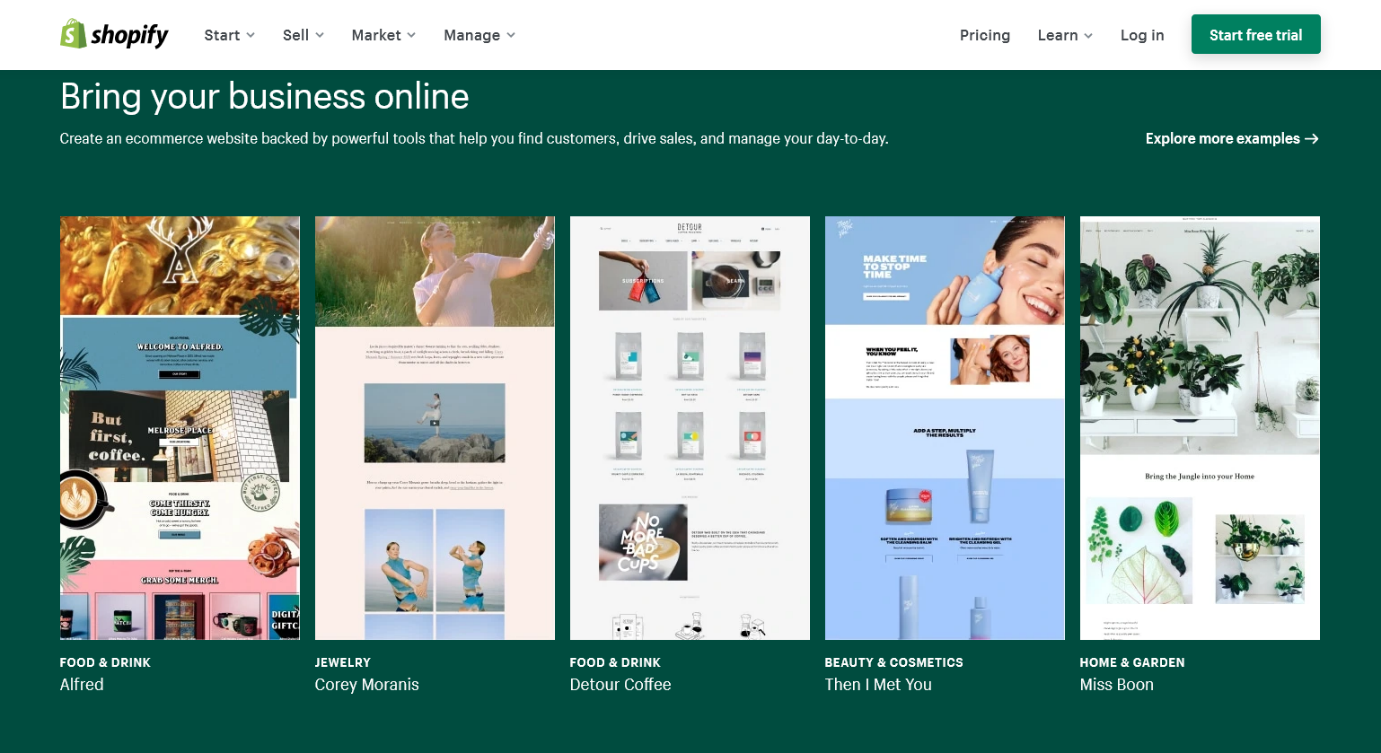
Shopify provides a cloud-based, multichannel ecommerce platform for small and medium-sized businesses.
Since its inception, the company has been entirely focused on ecommerce, providing a powerful solution to get businesses selling online successfully. It provides everything required to create and grow an online store.
Its two main offerings, Shopify and Shopify Plus, provide a scalable solution for online businesses large and small. The platform caters to all ecommerce businesses from startups to well-established businesses and enterprises competing with the biggest and best in their respective fields.
Shopify provides access to over 100 professional themes that can be used to build and manage online stores.
In recent years, Shopify has recognized that people’s shopping habits have been changing and shifted focus towards providing a great mobile user experience and helping merchants sell across international borders.
Its Point of Sale (POS) solutions allow an integrated, single view of online and offline transactions, making it easy to manage multiple channels.
As well as the basic Shopify offerings, merchants achieve extra functionality, marketing prowess and customization through a vast array of apps that plug into the Shopify software.
The Shopify team is proud of its reputation as a pioneer of ecommerce. This reputation has helped it become the number one platform in the U.S., where it enjoys 29 percent of market share.
Shopaccino
It’s fair to say that the focus of Shopaccino is mobile ecommerce.
While it claims to be focused on small and medium-sized businesses, its thousand-strong client base is largely mobile-first ecommerce businesses based in India – with more mobile themes on offer than Shopify.
India has a rapidly growing ecommerce market that several innovative companies are tapping into – including Shopaccino.
The platform includes a comprehensive set of tools to help merchants create an online store, receive orders, accept payments, manage inventory, process shipping, track marketing and generate well-defined reports.
It offers a native mobile app and API integration. Other strengths include its capabilities in product cataloging, store management, shipping, inventory tracking, coupons and rewards, and website SEO optimization.
While the platform is trying to expand its reach internationally, in the U.S., Europe and other markets, its penetration in these markets is rather weak up to this point. The vast majority of Shopaccino’s leading clients are based on the Indian subcontinent at this stage.
Main features: Shopify vs Shopaccino
Shopify
Shopify offers several different plan options from a basic Shopify plan to an Advanced plan and Shopify Plus for larger stores and enterprises.
All Shopify plans provide all of the necessary features for store owners to run successful online businesses, including the following:
- Unlimited products, bandwidth, and online storage
- Ability to customize your store
- Built-in theme editor to easily edit your online store’s fonts, colors, and page layouts without coding
- Theme-editing tutorials and Shopify Experts available to help
- Add up to 20 themes on one Shopify account
- Manage products, orders, and customer information from a single Shopify admin panel
- Abandoned cart features
- Built-in blogging engine for publishing articles and updates for customers
- SSL certificate to keep information secure
- Between 2 and 15 staff accounts available (depending on the plan)
- Encryption of content and secure publishing using HTTPS
- Finance reports, acquisition reports, behavior reports, and marketing reports for your store
- Insight into store traffic to help grow your store
- Engage customers with promotions (discount codes) and gift card management
- Vast app ecosystem to improve the customer experience, marketing, store management, etc.
- Fraud analysis
- Global selling opportunities (standard Shopify plan and higher)
- Point-of-sale options
- Buy button for blogs (Shopify Lite plan)
The higher-level Shopify plans provide more advanced reporting and integration with third-party shipping services (customers have access to up-to-date shipping rates when they place orders).
Shopaccino
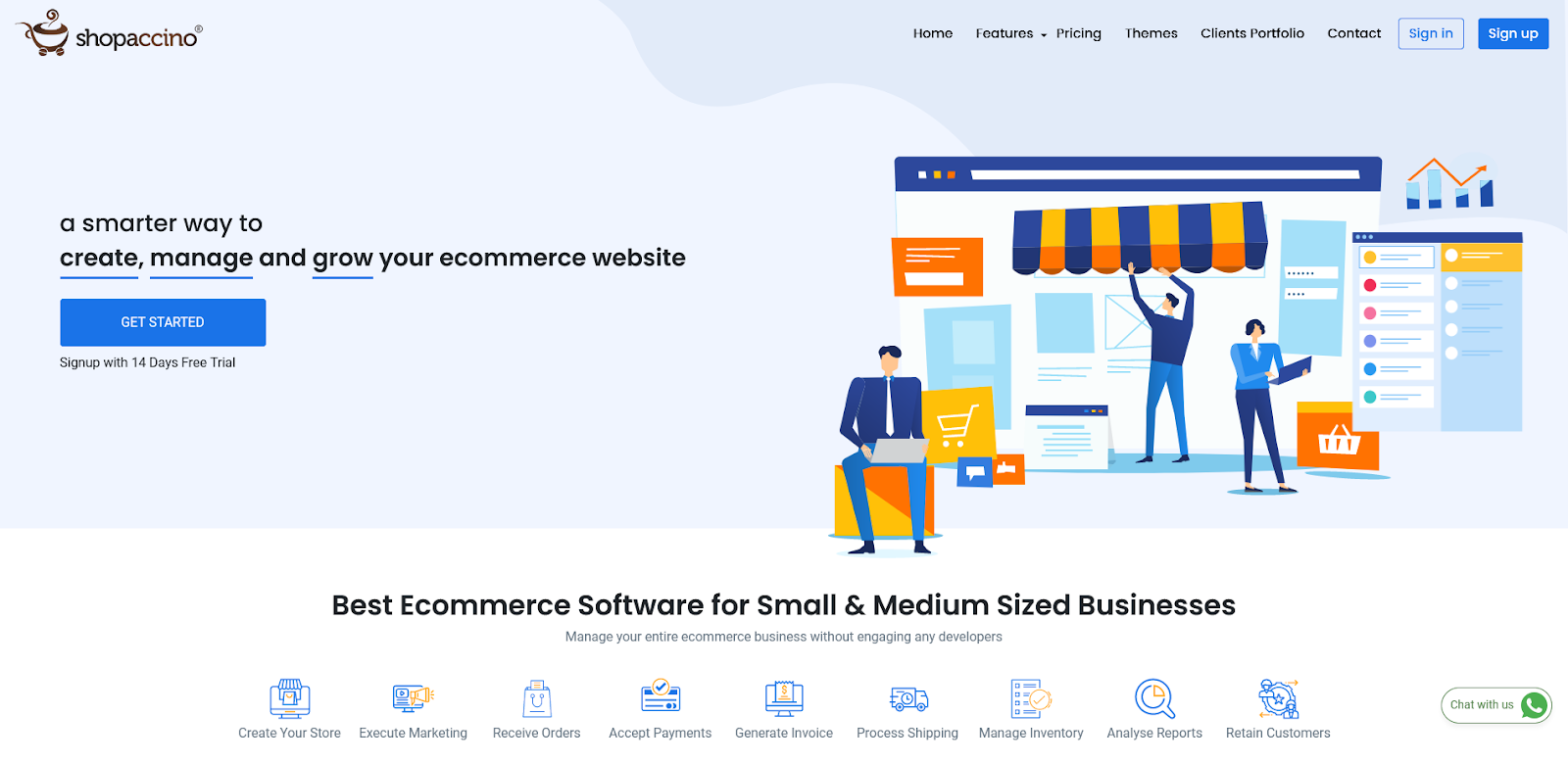
Shopaccino’s main features include:
- 30+ free themes – mobile-first and quick page-load speed
- Easy-to-use DIY website builder – no coding skills necessary
- Customizable colors and styles
- Available in English and German (more languages to be added)
- Personalized theme designed by professionals available
- Popups to display offers, announcements or newsletter subscriptions
- Automated Facebook Shop option
- Free website migration with product data import by Excel
- Multiple product cataloging options with categories, sub-categories, bulk Excel import or manual addition of products
- Multiple product variants (up to 400 per product) available
- Control product and price visibility on signup, B2B buyers, B2C only, POS only, etc.
- Define multiple search tags for products and create smart filters
- Inventory management tools and sync inventory with your Amazon store
- Related product feature – manual or automatic
- Multi-currency checkout based on customer’s IP
- Automated abandoned cart recovery emails
- Automated coupons and discounts available
- Automated email or SMS notifications for every order until delivery
- Tax management tools
- Optimizes your store for SEO
- Easy customer review and rating system
- Gift card option for customers
- One-click Google and Facebook conversion tracking
- Use your own pre-integrated payment gateway account to accept payments
- Define your own shipping rules
- Integrates with all major shipping options
Support: Shopify vs Shopaccino
The quality of support can be a major differentiator between ecommerce platforms where there are so many “moving parts”. Responsive and helpful support can be especially important to startup merchants, who are just setting up their store and not accustomed to all of the available features.
Both Shopify and Shopaccino provide 24/7 support, with phone support, live chat and email support. Shopify, however, provides more of a knowledge base than Shopaccino, whereby users can find answers to questions from online resources and guides.
Shopaccino support is in English while Shopify also provides setup and troubleshooting assistance by email in over 20 languages – a potentially important advantage over Shopaccino for international merchants.
Pricing: Shopify vs Shopaccino
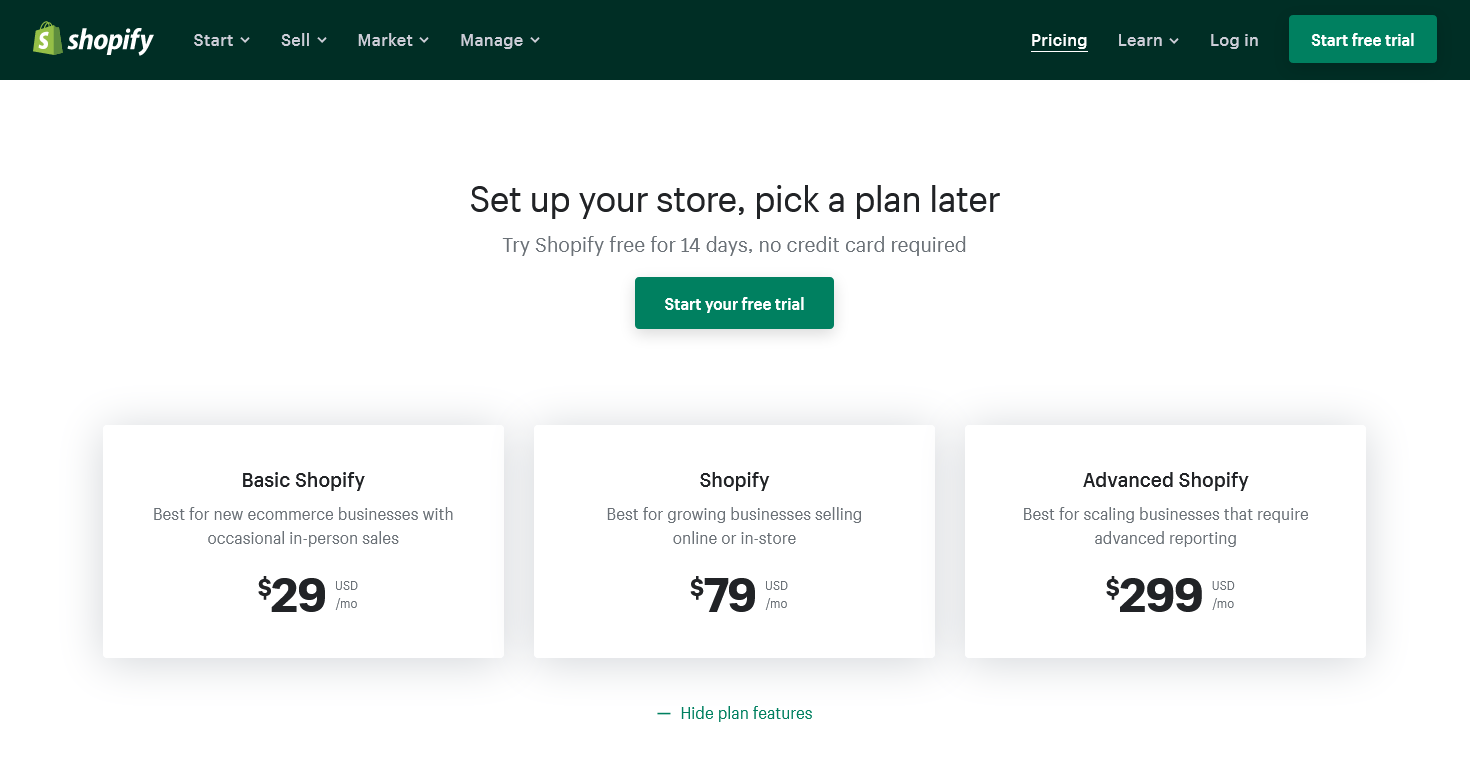
Shopify pricing is simple:
- The basic plan for startups is $29/month
- The standard Shopify plan (growing stores) is $79/month
- The Advanced Shopify plan with advanced reporting is $299/month
If you don’t use the Shopify Payments feature, there are also transaction fees to pay for each sale.
Shopaccino pricing is as follows:
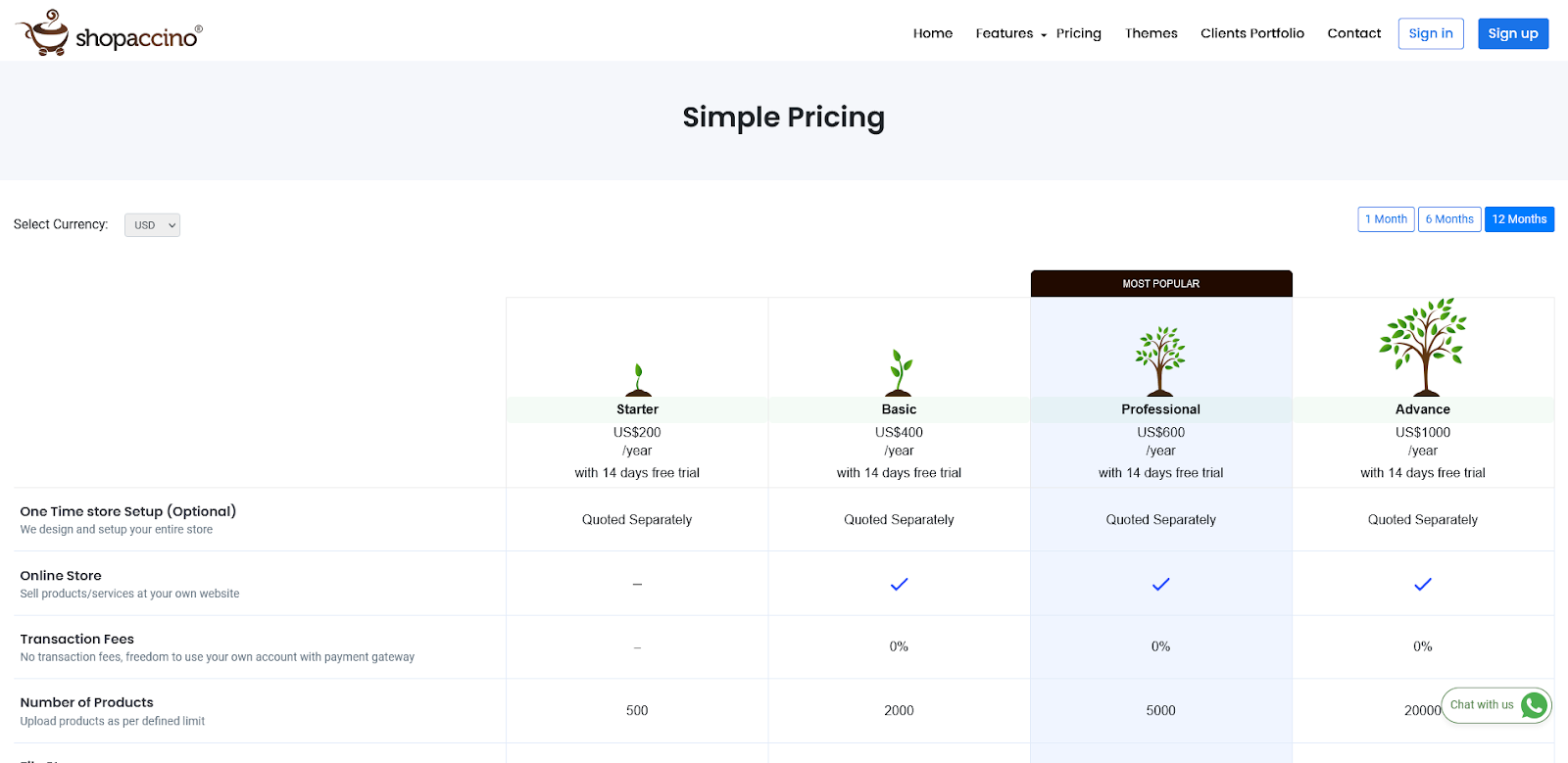
- Starter plan at $20/month (up to 500 products/month and one staff account)
- Basic plan at $40/month (up to 2,000 products/month and two staff accounts)
- Professional plan at $60/month (up to 5,000 products/month and five staff accounts)
- Advance plan at $100/month (up to 20,00 products/month and 20 staff accounts)
All Shopaccino plans are month to month unless you sign up for a six-monthly or an annual plan, where you receive discounts. There is a 10 percent discount on annual plans and a 20 percent discount on biennial plans (paid upfront).
Free trials?
A 14-day free trial is available with both Shopify and Shopaccino.
Click here to get a free trial with Shopify today!
Shopify and Shopaccino: Working in different leagues
Comparing Shopify and Shopaccino is not a particularly fair comparison. They essentially work in different leagues.
Shopify is established around the world and is a leader in ecommerce, regularly introducing new initiatives, features, and innovative approaches that help to develop the ecommerce landscape. The platform is backed by considerable resources and can afford to experiment.
Shopaccino is still up and coming in its main market of India – and is unlikely to unseat too many of its rivals on an international stage yet.
As Shopaccino continues to grow, it will likely expand around Asia but is likely to remain most popular with its local, small and medium-sized mobile-first ecommerce businesses.