Best Photo Backdrops for Product Photography (2026)

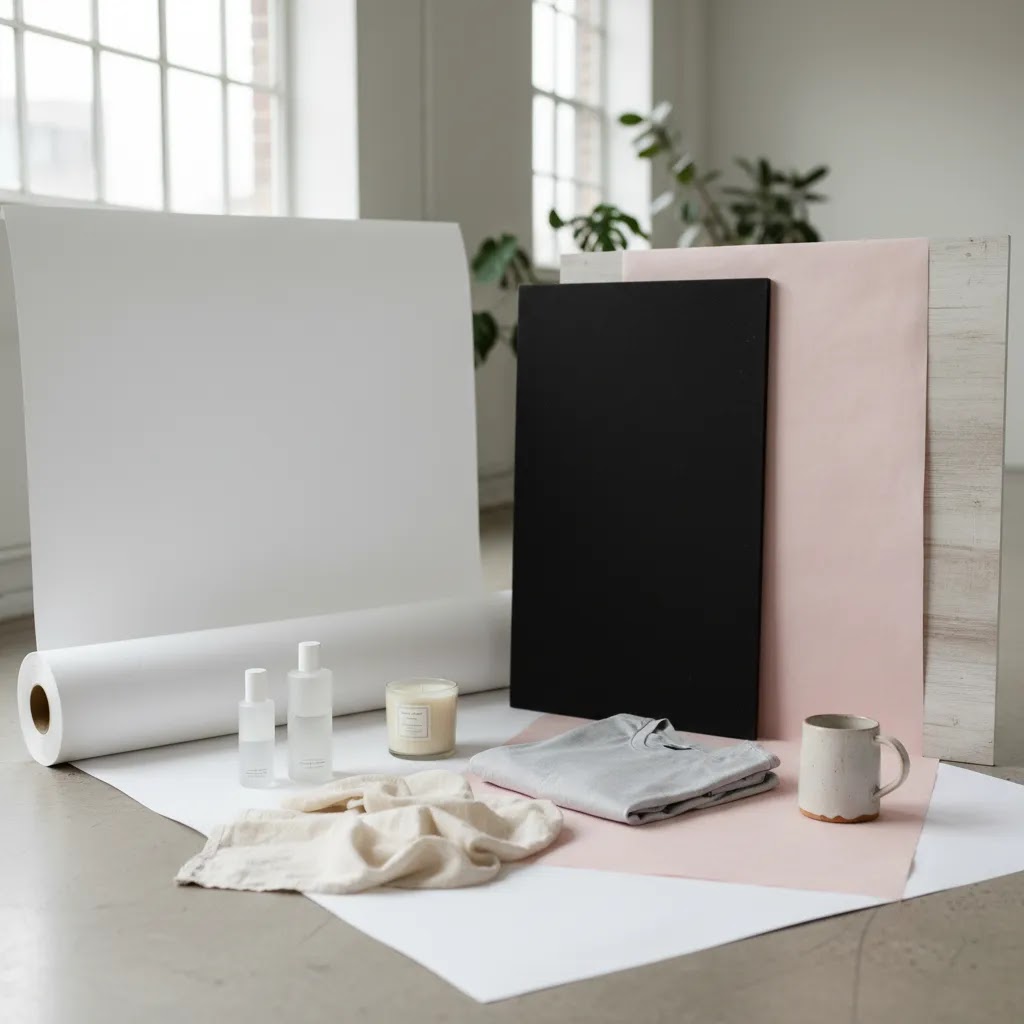
Choosing the right photo backdrops can make a product look polished, premium, and ready to convert. For ecommerce store owners, that matters because product imagery shapes first impressions long before a customer reads your copy or checks your shipping policy. The challenge is that there is no single best photo backdrop for every catalog. Apparel, cosmetics, handmade goods, and home products all benefit from different background styles, lighting setups, and editing workflows. In many stores, the strongest approach is a mix of physical backdrops for original photography and AI tools for cleanup afterward. If you are still weighing backdrop styles against editing options, start with this ai background generator guide for a practical view of what AI can and cannot replace in a real ecommerce workflow.
Contents
- What makes a good product photo backdrop
- 5 best photo backdrops for product photography
- Backdrop sizes, support systems, and space planning
- When AI background tools are the better choice
- Pros and Cons
- Common photo backdrop mistakes (and how to avoid them)
- Who this guide is for
- DIY and inexpensive backdrop options (for early-stage stores)
- How to choose the right backdrop for your store
- Frequently Asked Questions
- Key Takeaways
- Conclusion
What makes a good product photo backdrop
A good photo backdrop does two jobs well. First, it keeps the focus on the product. Second, it supports the brand mood you want customers to feel. For most Shopify stores, that means choosing a backdrop that is consistent, repeatable, and realistic to maintain across a growing catalog.
White is still the safest starting point for product pages, marketplaces, and comparison-focused shopping experiences. It helps with clarity, gives your product edges room to stand out, and usually works well with cropping, retouching, and mobile displays. This is one reason many merchants also study White Background Photography before investing in more stylized setups.
That said, “best” does not always mean white. Textured paper can add warmth for handmade products. Vinyl is practical for frequent shoots. Fabric can suit fashion and soft goods. Acrylic or darker surfaces can help premium products like jewelry, watches, or cosmetics look more dramatic. The key is matching your backdrop to the sales job of the image. A clean main product image often needs a different background than a social ad creative or collection banner.
If your team is producing a lot of SKUs, backdrop choice should also reduce editing time. A setup that creates uneven shadows, wrinkles, or edge confusion may cost you more later in retouching than it saves up front.
5 best photo backdrops for product photography
1. White seamless paper
White seamless paper is the default recommendation for many ecommerce catalogs because it is simple, consistent, and well suited to clean product pages. If your store sells products where color accuracy matters, this is often the most reliable first choice.
- Best for hero product images and catalog consistency
- Works especially well for beauty, electronics, home accessories, and general retail
- Makes photo background removal easier if you need cleaner cutouts later
- Supports a professional marketplace-ready look
The trade-off is that white paper marks easily and needs regular replacement. You also need enough lighting to keep it looking bright rather than dull gray.
2. Vinyl backdrops
Vinyl is a practical option if you shoot products often and want something easier to clean than paper. It is commonly used by merchants handling food items, cosmetics, or products that may spill, stain, or leave residue.
- Durable and wipeable
- Available in plain colors or printed textures
- Good for repeatable in-house setups
- Often a smart choice for busy content teams
Vinyl can reflect light more than paper, so lighting angles matter. Cheap-looking shine can reduce the premium feel of the final image if you are not careful.
3. Fabric backdrops
Fabric backdrops work well when you want a softer, more lifestyle-oriented look. They can suit apparel, baby products, handmade goods, and seasonal campaigns where a less clinical finish feels more natural.
- Creates a warmer, less rigid visual style
- Easy to store and transport
- Useful for editorial or social-first product photography
- Can support custom photo backdrops with branded colors and moods
The main downside is wrinkles. Fabric often needs steaming, clipping, or extra editing. For time-pressed store owners, that can turn into production friction quickly.
4. Faux texture boards
Printed boards that mimic marble, wood, concrete, or stone are strong choices for merchants who want visual interest without building full scene sets. They are especially useful for flat lays, cosmetics, candles, and giftable products.
- Adds texture and context without distracting from the product
- Works well for Instagram, email banners, and campaign visuals
- Can create a premium brand look on a small shoot setup
- Useful for merchants testing multiple brand directions
These are less suitable for every image in a product catalog. Overusing textured backdrops can make category pages feel inconsistent or crowded.
5. Black acrylic or matte dark surfaces
Darker backdrops can make premium items stand out, particularly products with metallic details, glass packaging, or luxury positioning. This is where black background photo editing sometimes enters the workflow, especially if you need a cleaner or more refined dark finish after the shoot.
- Strong option for dramatic hero shots
- Can add contrast and perceived luxury
- Good for watches, fragrance, jewelry, and selected cosmetic products
- Useful for ads and campaign landing pages
The challenge is exposure control. Dark backdrops reveal dust, fingerprints, and uneven reflections fast. They also require more confidence in lighting and post-production.
Backdrop sizes, support systems, and space planning
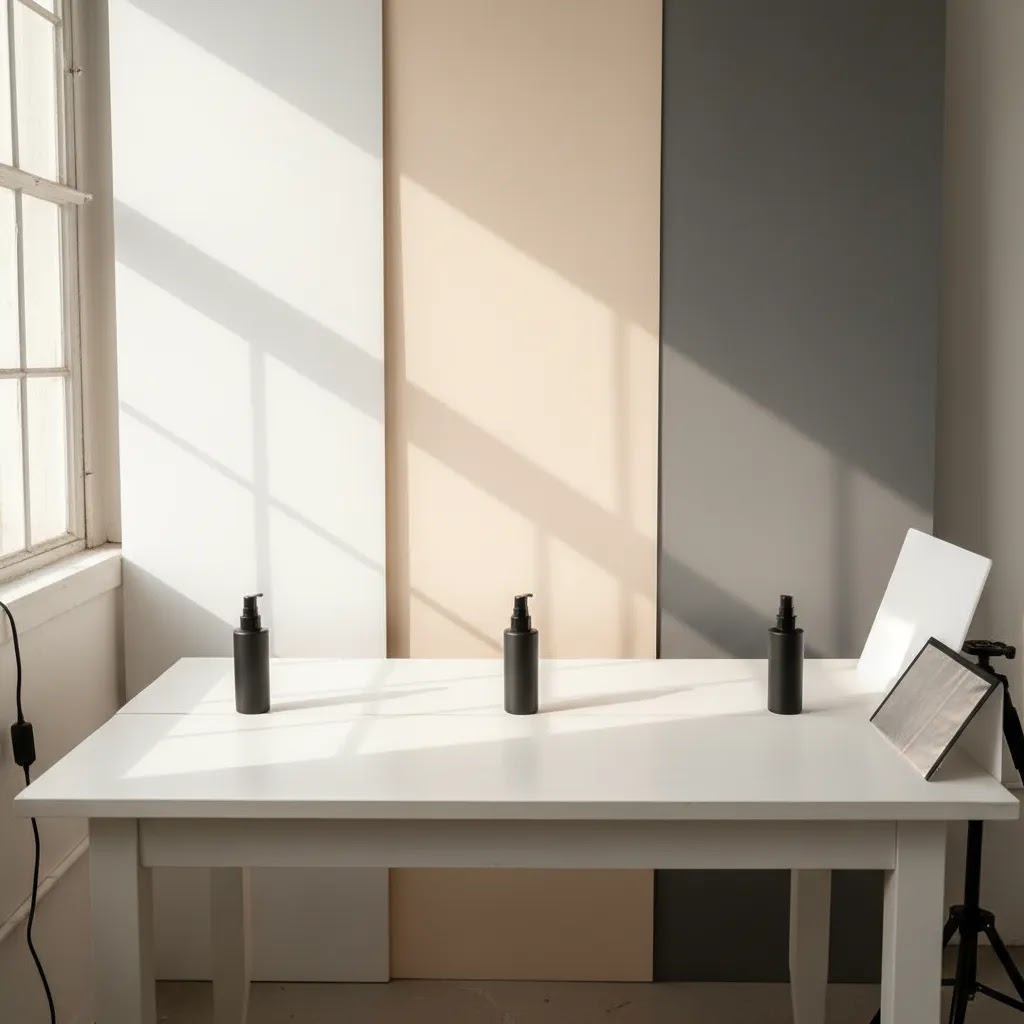
What many store owners overlook is that backdrop material is only half the decision. The size of the backdrop, the way you mount it, and how much space you leave between product and background is what makes your setup repeatable. That repeatability is what keeps your Shopify product grid looking consistent as you add new SKUs.
For tabletop product photography, you typically want enough surface area to crop freely without running into edges, seams, or the end of the sweep. If your backdrop is too small, you end up shooting tighter than you want, which makes it harder to maintain consistent framing across products and can exaggerate shadows because the product sits too close to the “wall” behind it.
For larger items or any “full-body” setup, the floor sweep matters. You need a continuous curve from vertical to horizontal so there is no visible horizon line behind the product. If your backdrop cannot create that curve cleanly, you are more likely to see a crease or angle change that pulls attention away from the product. This is also where having extra width helps, because it gives you room to keep lights off the edges and still crop for multiple aspect ratios.
Now, when it comes to support systems, you have a few common options, and the right choice depends on speed, storage, and stability. A basic stand is versatile, but it takes floor space, and lighter stands can wobble when you unroll paper or adjust clamps. Wall mounting can be faster day to day if you have a dedicated corner, but it is less flexible if you need to pack everything away between shoots. Clamp setups can work well for small backdrops and boards, especially for flat lays and close-up product work, but they can be frustrating if you are constantly resetting height and angle.
For most Shopify merchants shooting at home, the easiest “small studio” win is space planning: keep the product far enough from the backdrop to reduce harsh shadows, and keep the lights far enough from the backdrop to avoid hot spots. Even a small gap can make the background look cleaner and more consistent across a batch. If you are working in tight quarters, prioritize a backdrop that stores well and a support approach you will actually set up every time. Consistency usually beats a perfect setup you only use once a month.
When AI background tools are the better choice
Physical backdrops are not always the most efficient answer. If you already have usable product photos but need cleaner backgrounds, AI editing can be the faster path. This is particularly true when updating older catalogs, standardizing supplier images, or producing alternate creative for paid ads and social campaigns.
From the current product data available, ProductAI offers several relevant tools for merchants working on background photo editing. AI Background Generator can help create fresh visual settings for lifestyle-style assets. Free White Background Generator is useful when your goal is a cleaner catalog look. If an image feels soft after editing or cropping, Increase Image Resolution may help improve presentation quality. For cleanup tasks beyond the backdrop itself, Remove Text From Images can be relevant when supplier images include labels or unwanted overlays.
There are also more flexible editing options such as Background Swap Editor and Magic Photo Editor. These may suit merchants who want more control over how a photo editing background looks rather than relying on a single automated result.
If your main need is removing a backdrop rather than replacing it, this guide to an ai background remover is the more relevant next step. And if your source images are low quality, reviewing an image upscaler workflow before editing can save time.
For many stores, the smart workflow is simple: use physical backdrops for your core photography system, then use AI tools selectively for cleanup, variations, and creative testing.
Pros and Cons
Strengths
- Photo backdrops give you more control over image consistency across product pages, collections, and ad creatives.
- A well-chosen backdrop can reinforce brand positioning, whether you want clean, playful, handmade, or premium visual cues.
- Physical backdrops often produce more natural shadows and lighting than fully synthetic background replacement.
- Simple setups like white paper or vinyl are practical for in-house teams managing ongoing SKU photography.
- Backdrop systems pair well with AI editing for faster cleanup, alternate versions, and catalog standardization.
Considerations
- No single photo backdrop suits every product type, so growing stores may need more than one setup.
- Some materials, especially fabric and glossy surfaces, can create extra editing work if lighting is not dialed in.
- Physical backdrops take space, need maintenance, and may not be the fastest option for merchants updating large catalogs.
- Stylized backdrops can improve campaign visuals but may reduce consistency if used too broadly across the store.
Common photo backdrop mistakes (and how to avoid them)
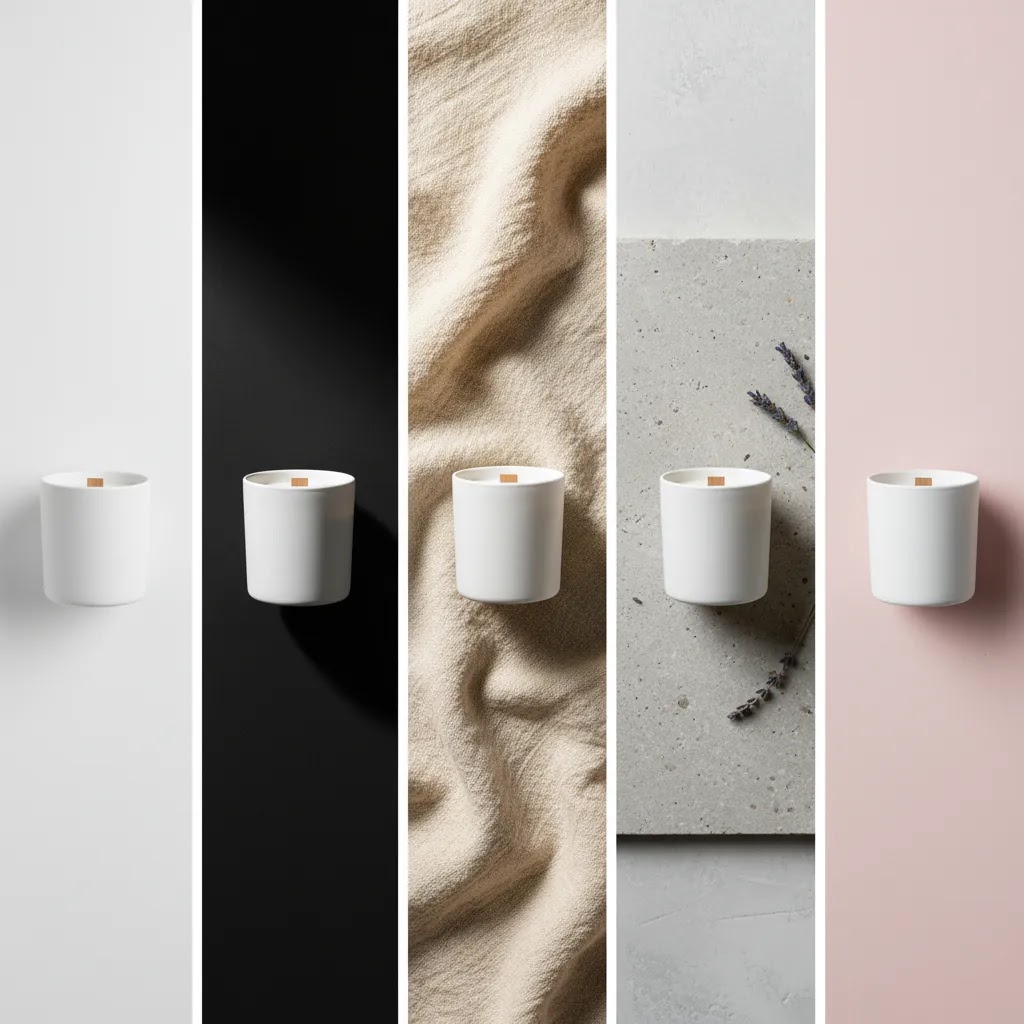
Consider this: most “unprofessional” backdrops are not caused by the wrong material. They usually come from small execution issues that compound across a batch shoot. Fixing these in-camera is often faster than fixing them across 50 product images later.
Wrinkles are the classic fabric problem, but they can show up in paper too if the sweep gets dented or folded during storage. The most practical fix is to reduce the chance of wrinkles showing in the first place: keep fabric pulled tight, clip it so it stays under tension, and steam it before you start a session. If you are using paper, cut off the damaged section instead of trying to “edit around” a crease that runs behind the product.
Uneven lighting is the reason many “white” backdrops turn gray. Typically, the product is lit but the background is not, or the product is too close to the background so shadows darken the sweep. From a practical standpoint, move the product forward, then adjust your light angle so you are not blasting the background with a hot spot on one side while the other side falls off into gray. If you need pure white for a marketplace-style look, this is one of the cases where background cleanup can be a better use of time than trying to perfect a small home studio.
Glare is the big vinyl and acrylic issue. If your backdrop looks shiny or has distracting reflections, your light placement is usually the culprit. Try raising the light, moving it wider, or changing the angle so the reflection bounces away from the camera instead of back into the lens. Matte surfaces can also help, but even matte can reflect if you light it straight on.
Seams and edges tend to show up when your sweep is too small or the camera angle exposes the transition from backdrop to table. The fix is usually either a larger sweep or a higher camera angle with a cleaner crop. If you cannot change size, you can sometimes hide seams by pulling the sweep into a smoother curve and keeping the product centered so the edge stays out of frame.
Dust and fingerprints are what make dark acrylic and black surfaces feel “cheap” in the final image, even if the product is premium. They show up fast under directional lighting. Wipe down surfaces between products, and keep a simple cleaning routine as part of your shoot process. You will typically save more time cleaning on set than trying to spot-heal every frame.
Here is a quick checklist you can run before shooting a batch:
- Backdrop is clean, tensioned, and free of visible creases in the shooting area
- Product is separated from the backdrop enough to avoid hard shadows
- Lighting is even, and you are not getting hotspots or glare on vinyl or acrylic
- Edges, seams, and clamps are outside the crop area you will use on product pages
- Test shot matches your existing catalog framing and exposure before you shoot the full batch
If you still end up with issues, decide quickly whether to reshoot or edit. If the product edges are clean and the lighting is decent, photo background removal or cleanup can be the faster fix. If the lighting is wrong or the reflections distort the product, reshooting is usually the better investment.
Who this guide is for
This guide is for ecommerce store owners who want product photos to look more professional without overcomplicating the workflow. It is especially useful if you run a Shopify store, shoot products in-house, or rely on a small team that needs repeatable visual standards.
If you are deciding between buying custom photo backdrops, using a simple home setup, or cleaning up images with AI after the fact, these recommendations are built around that real decision. They are also relevant if you are setting up a small product photography studio and want a backdrop system that can scale with your catalog.
DIY and inexpensive backdrop options (for early-stage stores)
If you are early stage, you do not need a “perfect” studio to get good product photos. You need a repeatable setup that keeps the product clear and your editing time manageable. The reality is that a lot of Shopify stores start with DIY backdrops, and that can work well as long as you understand the trade-offs.
Poster board and foam core are two of the simplest options for small products. They can create a clean sweep for tabletop shots, they are lightweight, and they are easy to replace when they get marked. They tend to work best for small accessories, beauty products, handmade items, and anything you can shoot close-up without needing a huge background.
Painted boards are another practical choice, especially if you want a consistent neutral tone that is not pure white. A couple of boards can give you variety: one lighter, one mid-tone, one darker, depending on your catalog. This approach often suits home goods, candles, and products where a slightly textured, real-world surface helps the item feel more “owned” and less like a stock photo.
You can also create a DIY sweep using a large sheet material pulled into a curve, then clipped to a shelf, chair backs, or a simple clamp setup. If you do not have space for a stand, this can be enough to get you started, but you need to keep an eye on stability. If the sweep shifts between products, your framing and shadow pattern will shift too, which makes your product pages look inconsistent.
The trade-offs versus “pro” materials show up over time. DIY surfaces may scuff faster, colors may vary between batches, and reflective issues can be harder to control if the material is semi-gloss. If you are shooting a few products a month, that is usually fine. If you are shooting weekly, or your catalog is expanding quickly, upgrading to vinyl, seamless paper, or more durable boards often reduces rework. The upgrade usually makes sense when your volume is high enough that replacing DIY materials and fixing inconsistencies in editing starts to feel like a recurring tax on your time.
How to choose the right backdrop for your store
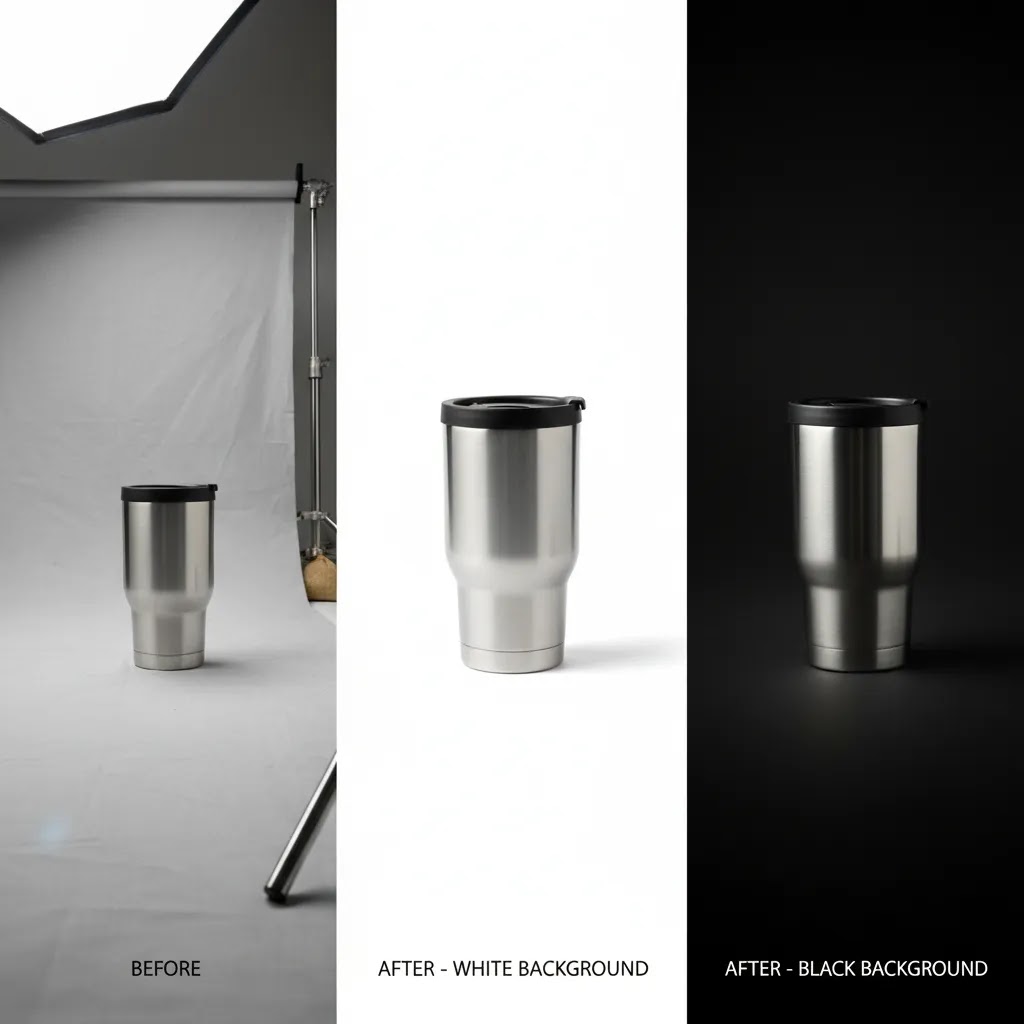
1. Start with the role of the image. Your main product image should usually prioritize clarity over creativity. Collection headers, social ads, and campaign pages can handle more stylized backdrops. If you use one backdrop for everything, you will often compromise one of those jobs.
2. Match the backdrop to the product category. Cosmetics and jewelry may benefit from darker or reflective surfaces for premium shots. Home goods often work well with textured boards. Apparel usually needs softer, more flexible setups. If you are unsure, review the broader Background Removal & Editing category to compare editing-led alternatives as well.
3. Factor in editing time, not just shoot time. A backdrop that looks appealing on set but creates messy edges, glare, or wrinkles can become expensive in labor. This is where tools and workflows matter. If overlays, packaging marks, or supplier stamps are part of the problem, learning how to remove text from image files cleanly may matter as much as backdrop choice.
4. Build for consistency. The best backdrop is one your team can reproduce next week, next month, and across new SKUs. For many stores, consistency has a bigger conversion impact than visual flair because shoppers can compare products more easily and trust the catalog more.
5. Decide where AI fits. AI background removal and replacement are most useful when they save time without making the image feel unnatural. They are often a good fit for variants, marketplaces, quick creative tests, and legacy catalog cleanup. They are less helpful when the original image has poor lighting, inaccurate shadows, or low resolution. In those cases, reshooting on a better backdrop may be the smarter investment.
At AcquireConvert, the focus is on practical trade-offs like these. Giles Thomas brings a Shopify Partner and Google Expert perspective to ecommerce operations, which means the advice is grounded in how product images actually support conversion, merchandising, and traffic performance. If you want to go deeper, explore our background editing resources and related photography guides to see how other store owners structure a workable image pipeline.
Frequently Asked Questions
What is the best color for photo backdrops in ecommerce?
White is usually the safest starting point because it keeps the focus on the product and supports a clean catalog look. It is especially useful for Shopify product pages, marketplaces, and comparison-heavy shopping experiences. Dark or textured backdrops can work well too, but they are often better for hero images or campaign creative than for every SKU.
Are custom photo backdrops worth it for a small store?
They can be, but only if they support your brand without making your workflow harder. A custom backdrop makes more sense when you have a clear visual identity and enough repeat use to justify the cost. For many small stores, starting with white paper, vinyl, or a simple textured surface is the more practical move.
Should I use a physical photo backdrop or AI background editing?
Use a physical backdrop when you need natural lighting, realistic shadows, and consistent original photography. Use AI editing when you need speed, alternate versions, or cleanup for existing images. Many ecommerce teams use both. The strongest workflow is often physical capture first, then selective AI background removal or replacement where it genuinely saves time.
Can AI replace a full product photography setup?
Sometimes for simple edits, but not always for core catalog work. AI can help with photo background removal, white background creation, and creative variations, but it depends on the quality of the original image. If your lighting, focus, or shadows are poor, AI may not fully solve the problem. A better source image still matters.
What backdrop works best for dark or luxury products?
Black acrylic, matte charcoal, and selected dark textured surfaces can work well for premium products like watches, jewelry, or cosmetics. They create contrast and can add a more elevated feel. The trade-off is that dust, glare, and exposure issues become more visible, so you need a tighter lighting and editing process.
How do I keep product photos consistent across a large catalog?
Choose one main backdrop system for standard product images, document your lighting setup, and keep camera settings as consistent as possible. Then use editing tools for cleanup rather than reinventing the look each time. Catalog consistency usually comes from repeatable process more than creative experimentation.
Do I need a white background for Shopify product photos?
No, Shopify does not require it, but white backgrounds are often easier for clean merchandising and mobile presentation. They can also make product comparisons feel simpler for shoppers. If your brand relies on a more editorial look, you can mix approaches by using white for primary images and styled backdrops for secondary images.
What if my supplier photos already have messy backgrounds?
That is where background photo editing can be very useful. Start by checking whether the image resolution is strong enough for editing. Then remove distracting elements, clean the background, and standardize the result. If text overlays or unwanted marks are present, you may also need to edit those separately before publishing.
Is black background photo editing a good idea for all products?
No. It works best when the product benefits from a more dramatic presentation and still remains clearly visible on mobile screens. For everyday catalog images, black backgrounds can sometimes reduce clarity or make color evaluation harder. Use them selectively for hero assets, ads, or premium product lines rather than your whole store.
What is the best backdrop for photos?
The best backdrop is the one that helps your product look clear and consistent in the context it will be sold. For many ecommerce stores, white seamless paper is the most reliable starting point because it supports a clean catalog look and simplifies editing. If you are shooting for a premium or lifestyle feel, textured boards, fabric, or darker surfaces can work well, but they typically require tighter lighting control and a more consistent setup.
How to make an inexpensive photo backdrop?
Poster board or foam core are common low-cost options for small products. You can create a sweep by bending the board into a gentle curve so there is no hard corner line behind the product. Keep it clean, replace it when it gets marked, and aim for consistent lighting so you do not create shadows that make the background look uneven.
What can I use instead of a backdrop stand?
If you are working in a small space, you can clip a sweep to a shelf, a curtain rod, or the back of a sturdy chair, as long as it stays stable between shots. Boards can also be leaned against a wall and supported from behind. The key is keeping the backdrop under tension and keeping your crop clear of seams, edges, and clamps.
What are common backdrop mistakes?
The most common issues are wrinkles in fabric, white backdrops turning gray due to uneven lighting, glare on vinyl or acrylic, visible seams or edges from backdrops that are too small, and dust or fingerprints on dark surfaces. You can often fix these by adjusting light angles, increasing product to backdrop distance, clipping or steaming fabric, and cleaning surfaces between products. If the photo is otherwise strong, background cleanup can sometimes be faster than rebuilding the setup.
Key Takeaways
- White seamless paper is still the best all-around starting point for most ecommerce product catalogs.
- Vinyl, fabric, textured boards, and dark surfaces each suit different product categories and brand moods.
- The best photo backdrop is the one your team can repeat consistently across new SKUs.
- AI background editing is often most useful for cleanup, alternate versions, and legacy catalog updates.
- Backdrop choice should reduce friction in both shooting and editing, not just look good in one test photo.
Conclusion
The best photo backdrops for product photography are the ones that fit your catalog, your brand, and your production reality. For many ecommerce stores, that means starting simple with white paper or vinyl, then adding textured or darker options for campaigns and hero images. If you are balancing photography quality with time and cost, combining solid backdrop choices with selective AI editing is often the most practical route. AcquireConvert focuses on exactly these kinds of decisions for store owners who want clearer, more effective ecommerce visuals. If you want the next step, explore our related guides on background removal, AI editing, and product photography workflows to build an image process that supports your store as it grows.
This article is editorial content for educational purposes and is not a paid endorsement unless explicitly stated otherwise. Tool availability and features may change over time, so verify current details directly with the provider before making a decision. Any outcomes from backdrop selection, photography changes, or AI editing will vary by store, product type, and implementation.

Hi, I'm Giles Thomas.
Founder of AcquireConvert, the place where ecommerce entrepreneurs & marketers go to learn growth. I'm also the founder of Shopify agency Whole Design Studios.