Best 360 Photo Viewer Tools You Can Embed (2026)

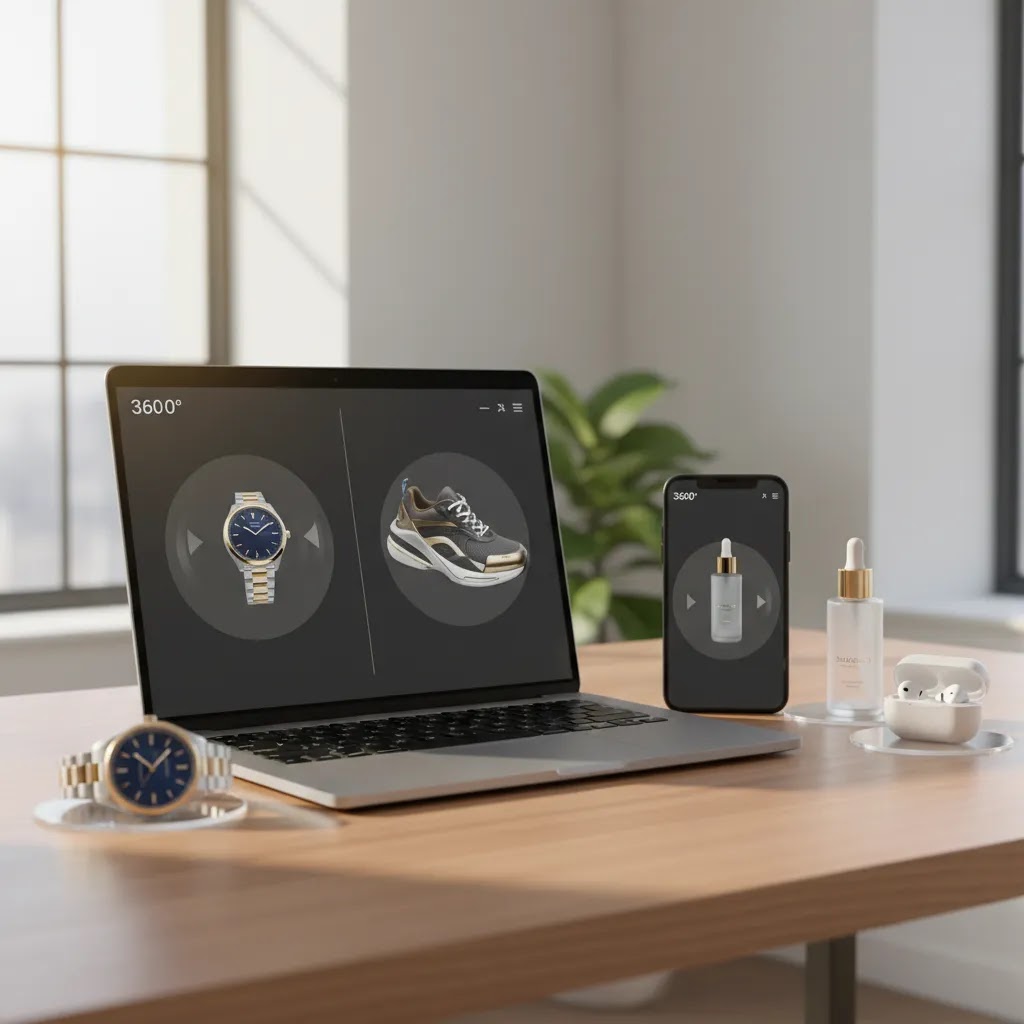
If you sell products online, a good 360 photo viewer can help shoppers inspect details that flat images often miss. That matters most for products where texture, finish, shape, and build quality influence the buying decision, such as watches, electronics, footwear, beauty packaging, and premium accessories. The challenge is that not every viewer is worth embedding. Some are smooth but hard to implement, some are flexible but slow, and some work better for marketing demos than for actual product pages. This guide is designed to help you compare your options with an ecommerce lens. If you are still building your broader product image strategy, it helps to first understand how 3D-style media fits alongside standard product photos on a modern store.
Contents
- What makes a 360 photo viewer worth embedding
- 360 photo viewer vs 360 panorama viewer (and why it matters)
- Quick picks
- Comparison table
- Online 360 photo viewers: when a web viewer is enough vs when you need an embeddable product viewer
- Best 360 photo viewer tools
- How to choose the right viewer for your store
- How to open and view a 360 photo (Windows, Mac, iPhone, Android)
- How we evaluated these options
- Frequently Asked Questions
- Key Takeaways
- Conclusion
What makes a 360 photo viewer worth embedding
A 360 photo viewer is only useful if it improves how shoppers evaluate a product without slowing down the path to purchase. On an ecommerce product page, that usually means three things: clean rotation, fast loading, and a mobile-friendly experience. If the spin feels clunky or the viewer adds too much page weight, you may end up hurting engagement rather than helping it.
For most store owners, the real question is not just how the viewer looks. It is whether it fits your workflow. You need to think about how the 360 frames will be created, edited, hosted, embedded, and maintained as your catalog grows. A store with 20 hero SKUs can be more hands-on. A store with 500 products needs a process that scales.
There is also a difference between wanting a strong interactive 360 view and needing full 3D or AR functionality. Many merchants do better starting with a polished 360 product photo setup before moving to heavier interactive media. If you are comparing formats, our guide to 360 product photography can help clarify where this format makes the most sense.
360 photo viewer vs 360 panorama viewer (and why it matters)
Here is the thing: the phrase “360 photo viewer” is used for two different experiences online, and the mismatch can lead to the wrong tool choice for ecommerce.
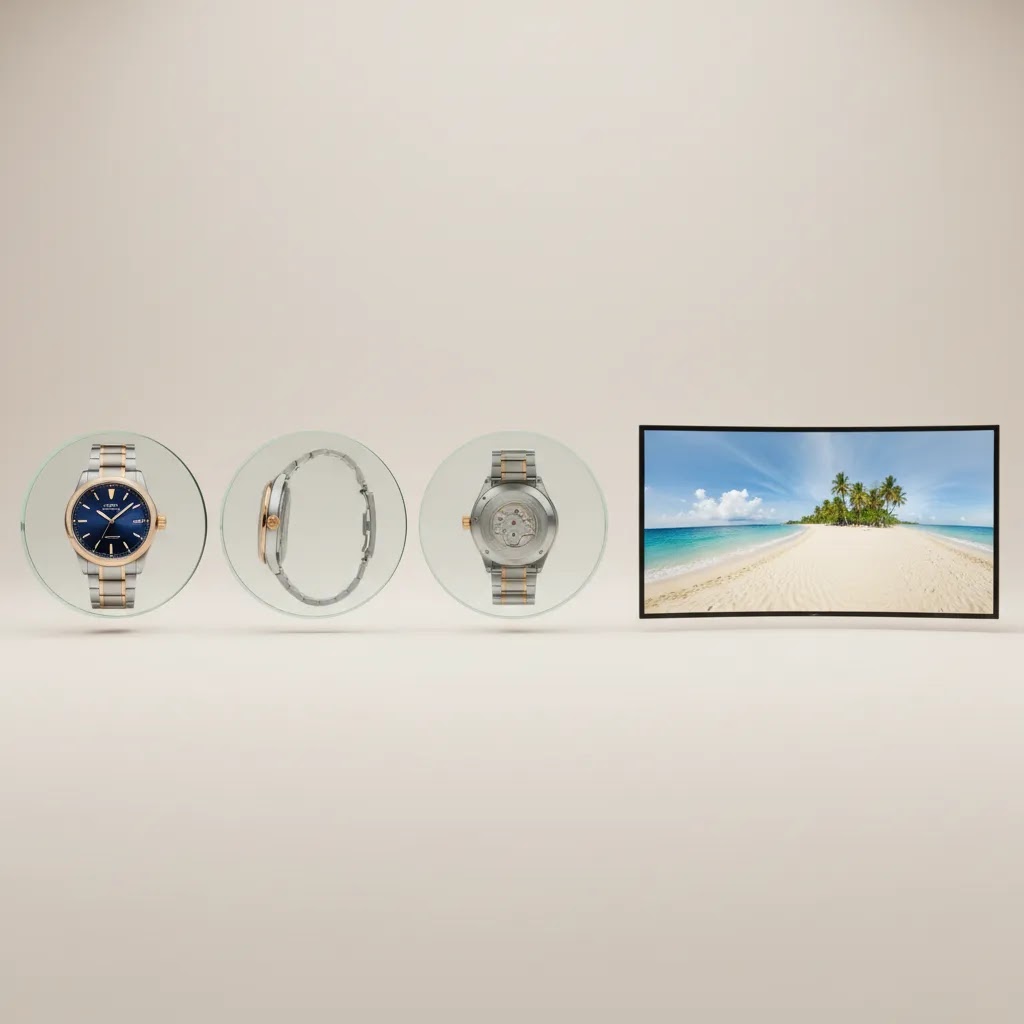
In product merchandising, a 360 viewer usually means a product spin. That is a sequence of still frames shot around an item (for example, 24, 36, or 72 images) that plays back as rotation when the shopper drags left and right.
In photography and real estate, a “360 photo” often means a 360 panorama. That is a single equirectangular image (a wide, stretched rectangle) that a viewer maps onto a sphere so you can look around a room. It is more like standing inside the scene than rotating an object on a turntable.
For Shopify product pages, those are not interchangeable. If you embed a panorama-style viewer on a PDP when you actually have (or need) a product spin set, the interaction will feel wrong. Shoppers expect to drag to rotate the product, not to pan around a spherical environment.
A quick checklist to tell what type of “360” you actually have
Product spin set (multi-frame rotation):You have many separate images of the same product from slightly different angles. The files are typically named in a sequence and look like standard product photos, just from incrementally different viewpoints. The interaction is “drag to rotate product,” and sometimes “scroll to rotate.” From a capture standpoint, this comes from a turntable or a controlled angle workflow.
360 panorama (single equirectangular image):You have one image that looks unusually wide and warped. Straight lines near the top and bottom may curve. The interaction is “drag to look around” with pan and tilt, often with zoom, fullscreen, and sometimes VR-style viewing modes. From a capture standpoint, this comes from a 360 camera or stitched panoramic shots.
Why the difference matters on an ecommerce product page
From a practical standpoint, the two formats behave differently in your workflow and on your PDP:
- File inputs: product spins need a frame sequence (many images), panoramas usually need one equirectangular image.
- Performance tradeoffs: spins can get heavy because you are loading multiple frames, panoramas can be heavy because the single file can be very large for smooth zooming. Either way, you need to test mobile speed.
- Expected interaction: shoppers typically understand product rotation quickly, but panorama controls can feel like a distraction unless you are selling a space or environment as the product.
- Best use case: spins are for product inspection. Panoramas are for spaces (showrooms, locations) or immersive context, which is not the same job as replacing product photos.
Consider this before you pick a “360 viewer” from a generic shortlist. First confirm whether you need a product spin viewer for Shopify, or whether you actually need a panorama viewer for a different type of content. Choosing the wrong one is one of the fastest ways to end up with an embed that looks impressive in a demo but feels awkward where it matters most, on your PDP.
Quick picks
- Best for background cleanup before creating spin sets: AI Background Generator
- Best for marketplace-style consistency: Free White Background Generator
- Best for sharpening low-resolution source frames: Increase Image Resolution
- Best for batch-style visual refinements in a creative workflow: Creator Studio
Important context: the product data available here covers image creation and editing tools rather than dedicated 360 viewer SaaS platforms with verified pricing and feature lists. That means this article evaluates the tools you can use around an embeddable 360 workflow, especially for preparing the image sequences a viewer needs.
Comparison table
| Tool | Best for | Key verified feature | Pricing | URL |
|---|---|---|---|---|
| AI Background Generator | Creating cleaner, more consistent product frames before 360 assembly | AI background generation | Not provided in current tool data | Visit tool |
| Free White Background Generator | Producing uniform white-background frame sets | White background generation | Not provided in current tool data | Visit tool |
| Increase Image Resolution | Improving source image clarity for zoom and spin sequences | Image resolution enhancement | Not provided in current tool data | Visit tool |
| Magic Photo Editor | Editing individual frames before upload to a viewer | Photo editing | Not provided in current tool data | Visit tool |
| Creator Studio | Managing broader AI-assisted product image workflows | Creator studio environment | Not provided in current tool data | Visit tool |
If your next step is specifically choosing a viewer or embedding tool, you may also want to compare options in a more software-focused shortlist such as our coverage of 360 photo software.
Online 360 photo viewers: when a web viewer is enough vs when you need an embeddable product viewer
Many store owners searching for a “360 photo viewer” are really looking for something simple: upload a file and view it instantly in the browser. That is common in the panorama world, where you might want to preview a 360 image, share it with someone, or sanity-check that the file works.
That kind of web viewer can be genuinely useful in an ecommerce workflow, but usually as a preview step, not as the thing you embed on your live product page.
When a web-based viewer is enough
Use a basic online viewer when your goal is quick validation and communication, such as:
- Quality assurance: confirming a 360 panorama renders correctly, or checking that a spin sequence has no obvious frame jumps.
- Internal review: sending a link to a photographer, retoucher, or teammate for approval.
- Client or stakeholder demos: showing the concept before you invest time integrating anything into Shopify.
Think of it this way: it is closer to a “player” than a merchandising component.
When you need an embeddable product viewer for Shopify
Once you are publishing on a PDP, the bar is different. You typically need:
- Control over branding and UI so it matches your theme and does not pull attention away from the buy box.
- Performance control, including how frames are loaded on mobile, and whether the viewer blocks other page elements.
- Reliable hosting behavior so assets load fast and predictably, even at scale.
- Support for the right media type, especially frame sequences for product spins, not just single-file panoramas.
- Privacy and ownership clarity, since product imagery is a core business asset and you do not want it treated like a public gallery by default.
The reality is that “upload and view” tools can be great for preview, but they often come with tradeoffs that matter on product pages. Branding can be limited, the viewer UI can be generic, and you may have less control over how assets are cached or delivered.
A simple rule that helps most Shopify store owners: use online viewers for preview and approvals, then use a dedicated embed solution for your live product pages. And remember, the current tool list in this article is preparation-focused, which is why it emphasizes creating clean, consistent frames that any embeddable viewer will depend on.
Best 360 photo viewer tools for ecommerce workflows
1) AI Background Generator
AI Background Generator is most useful before the viewer stage. If you are building a 360 photo product sequence from multiple angles, one of the biggest quality issues is background inconsistency between frames. Even small differences in shadow, color temperature, or backdrop texture can make the spin feel jittery. This tool is relevant because it can help normalize backgrounds before those images are assembled into a 360 experience.
Why it stands out for ecommerce: It addresses a very practical issue that makes or breaks perceived product quality on product pages.
- Can help create more visually consistent frame sequences.
- Useful for merchants who do not have a full in-house studio setup.
- May reduce manual cleanup work for repeatable product shoots.
- Helpful for test projects before investing in a full product photography studio.
Considerations:
- It is not a dedicated 360 viewer or hosting platform.
- Results may still need manual checking for shadows and edge accuracy.
- Pricing details were not provided in the current product data.
Who it is for: Stores testing 360 product photo workflows where source image consistency is still a bottleneck.
Verdict: Best treated as a preparation tool, not the final viewer solution.
2) Free White Background Generator
Free White Background Generator is a strong fit if your products need a clean catalog-style presentation. White backgrounds are especially useful for fashion accessories, electronics, beauty items, and marketplaces where visual consistency matters. For a 360 degree product viewer, a steady white background across all frames tends to produce a cleaner spin with fewer distractions.
Why it stands out for ecommerce: White-background spins often integrate more naturally into Shopify product galleries and support a cleaner merchandising look.
- Helps standardize image sequences across multiple products.
- Supports a more polished, marketplace-friendly look.
- Useful for stores that want to combine stills and 360 assets in one gallery.
- Could improve visual consistency when merchants are learning how to make 360 photo product sets.
Considerations:
- Not every brand aesthetic suits white-background-only presentation.
- It is not a full viewer, embed layer, or spin hosting service.
- Complex product edges may need review after processing.
Who it is for: Catalog-led brands that want a uniform 360 product photo style without advanced retouching resources.
Verdict: A practical support tool for cleaner spin sets, especially for straightforward product categories.
3) Increase Image Resolution
Low-resolution frames are one of the quickest ways to make a 360 viewer look underwhelming. Increase Image Resolution is relevant if your source photos are usable but not quite sharp enough for spin interaction or zoom. On product pages, shoppers often expect to inspect surfaces, materials, and finishing. If image quality breaks down during interaction, trust can drop.
Why it stands out for ecommerce: It addresses one of the most common workflow problems merchants run into when repurposing older product photography for interactive use.
- Can help extend the life of existing product image assets.
- Useful when testing 360 concepts without reshooting everything immediately.
- May improve perceived detail during interactive product inspection.
- Helpful for stores with legacy assets from inconsistent suppliers or agencies.
Considerations:
- Upscaling does not replace a well-lit original 360 photo shoot.
- Artificial sharpening can look unnatural if overused.
- It still does not solve hosting or embedding needs.
Who it is for: Merchants working with older photo libraries who want to test 360 viewer content before committing to a full reshoot.
Verdict: Useful as a bridge tool, especially for early validation projects.
4) Magic Photo Editor
Magic Photo Editor is the most flexible option in this list for frame-by-frame cleanup. If your 360 product photo sequence needs small corrections, such as lighting fixes, distraction removal, or composition tweaks, an editor is often more valuable than another automation tool. Many merchants discover that a viewer only looks polished if every frame follows the same visual rules.
Why it stands out for ecommerce: It supports practical quality control, which matters more than flashy media formats when conversion-focused product pages are the goal.
- Useful for correcting inconsistencies before viewer upload.
- Can support brand-specific image styling.
- Helps refine hero SKUs where presentation quality matters most.
- Fits teams that want some creative control rather than full automation.
Considerations:
- More manual work can mean slower production for large catalogs.
- Not positioned as a dedicated 360 assembly or viewer platform.
- Pricing and feature depth were not provided in the current data.
Who it is for: Brands focused on presentation quality for smaller product ranges or premium collections.
Verdict: Best for merchants who care about visual polish and can invest time in refinement.
5) Creator Studio
Creator Studio appears to be the broadest workflow tool in the available product set. For ecommerce teams, that can matter because 360 media rarely exists alone. You may need still images, white-background variants, lifestyle edits, and marketplace-ready assets alongside the spin sequence. A studio environment can be useful if you want to manage those related tasks in one place.
Why it stands out for ecommerce: It aligns better with real merchandising workflows, where product media production spans more than one image type.
- Potentially useful for coordinating multiple image outputs around one SKU.
- Could simplify workflows for merchants managing many visual assets.
- Makes sense for ongoing catalog updates rather than one-off experiments.
- Fits growth-stage stores that need a repeatable media process.
Considerations:
- The current tool data does not confirm dedicated 360 viewer functionality.
- Broader workflow tools can feel excessive if you only need a simple embed.
- You will still need to verify how final interactive assets are published.
Who it is for: Ecommerce teams that want a broader product media workflow, not just a single 360 viewer feature.
Verdict: The best fit here for merchants thinking beyond one spin widget and toward a scalable content process.
Pros and Cons
Strengths
- These tools address real bottlenecks in creating 360 product photo assets, especially background consistency and image quality.
- They can help smaller merchants test interactive product media without building a full studio workflow from day one.
- Several options support cleaner catalog presentation, which matters for conversion-focused product pages.
- They are relevant to Shopify merchants who want better visual merchandising but need manageable production steps.
- They fit well into broader image workflows that include still photos, marketplace assets, and promotional visuals.
Considerations
- The available product data does not include a verified dedicated 360 viewer platform with embed-specific pricing and features.
- Most options here are preparation or editing tools rather than true 360 degree product viewer software.
- Pricing information was not provided in the current data, so you will need to verify current costs directly with each provider.
- Even strong editing tools cannot compensate for poor source photography in every case.
How to choose the right viewer setup for your store
If you are evaluating a 360 photo viewer for ecommerce, start with the workflow rather than the widget. The viewer is only one part of the process. You also need to capture or generate the frames, edit them consistently, host them, and embed them in a way that works on mobile and desktop.
1. Start with product suitability360 views usually work best where shape, finish, and physical details influence conversion. Watches, electronics, footwear, bottles, and premium accessories are good examples. Commodity products with low visual differentiation may not justify the effort.
2. Match the media type to buyer intentSome products need only better still photography. Others benefit from interactive spins. If you are unsure, compare 360 content with options inside broader product video & animation workflows, especially when motion or use context matters more than full rotation.
3. Evaluate production consistencyA 360 viewer is only as good as the frame sequence behind it. If you do not yet have a reliable setup, review the foundations of a proper 3d product photography workflow and consider whether your lighting, angles, and background treatment are consistent enough to support interactive media.
4. Think about scaleIf you have 10 hero products, you can tolerate more manual editing. If you have 500 SKUs, you need a repeatable system. That may mean using AI-assisted cleanup, standardized white backgrounds, and tighter shot lists. It may also mean reserving 360 assets for high-margin or high-consideration products only.
5. Keep page performance in mindFor Shopify merchants especially, media-rich pages can become heavy quickly. Test how your viewer affects load speed, mobile interaction, and add-to-cart flow. A visually impressive 360 viewer that slows your PDP can work against your conversion goals.
AcquireConvert is built for store owners making these kinds of decisions in the real world. Giles Thomas brings the perspective of a Shopify Partner and Google Expert, which is useful when you are balancing product-page experience, search visibility, and conversion performance together. If you want a broader decision framework, check our guides on 360 photo software and related 3D product imaging topics.
How to open and view a 360 photo (Windows, Mac, iPhone, Android)
What many store owners overlook is that “viewing a 360 photo” depends on what type of file you were sent. A product spin is usually a folder of images. A panorama is usually a single equirectangular image. Before you embed anything on Shopify, it is worth QA testing on the same device types your customers use.
First, identify what you received
If you received a zip file with dozens of images, you are probably looking at a product spin sequence. If you received one unusually wide image (often a JPEG) that looks stretched, that is typically a 360 panorama.
How to view a 360 product spin set (multi-frame) on common devices
A frame sequence does not “open” as a 360 experience by default. If you just click an image, you will see one angle at a time. To view it as rotation, you generally need a viewer that supports image sequences, either in a browser or inside the tool you plan to embed.
From a practical ecommerce workflow standpoint, here is how to QA a spin set:
- On Windows or Mac: open the folder and quickly scroll through frames to check for lighting shifts, framing drift, or missing frames. You are looking for consistency, because even small changes will show up as jitter when the viewer plays it.
- On iPhone or Android: send yourself a small sample of frames and swipe through them in your photo gallery. This is not “true 360,” but it is a quick way to spot obvious exposure or color issues on a phone screen, which is where many shoppers will view your PDP.
- In a browser-based preview: load the sequence into your chosen 360 assembly or preview tool so you can drag to rotate. This is the closest check to how it will feel on your live product page.
If your frames look inconsistent, it is usually better to fix that before you fight with viewer settings. Background cleanup, white background standardization, and frame-by-frame edits are where most of the “polish” comes from.
How to view a 360 panorama on Windows 10/11 and Mac
Panoramas are different because they can be a single image that needs a compatible viewer to feel like “look around.”
On Windows 10/11, the built-in Photos app can handle standard photos and some panoramas, but it may not always provide a full interactive 360 look-around experience for equirectangular images. In many cases, the simplest approach is to open the file in a web-based 360 panorama viewer in your browser to confirm it renders correctly.
On Mac, Preview will open the image file, but it will still appear as a flat, stretched rectangle. For the interactive experience, a browser-based panorama viewer is typically the fastest way to validate the file without installing anything.
How to view 360 photos on a phone (iPhone and Android)
On phones, what “works out of the box” depends on the format:
- If it is a standard image or panorama, your Photos app will display it, but it may not automatically behave like an interactive 360 panorama unless it is in a compatible format or inside a compatible app.
- If it is a product spin sequence, your phone will show individual frames. To get the drag-to-rotate behavior, you need a viewer that supports image sequences, usually through a web viewer or the embed you are testing.
For Shopify QA, the key is not just “can I open it.” It is “does it feel good on a PDP.” Test these basics on at least one iPhone and one Android device if you can: load time on cellular, drag responsiveness, zoom behavior, and whether the viewer interferes with scrolling to the buy box.
Now, when it comes to device testing, do not assume your desktop experience will match mobile. A 360 asset that feels smooth on a laptop can still feel heavy on a mid-range phone, especially if the frame sequence is large. That is one reason it is smart to pilot on a small set of products before rolling out across your catalog.
How we evaluated these options
This evaluation uses the current product and site data available for AcquireConvert. We prioritized tools and workflows based on ecommerce usefulness, not just visual novelty. The criteria included likely value for online merchants, support for product media production, fit within Shopify-style product page workflows, practical ease of use, and how directly each option helps create or improve assets for a 360 viewer experience.
Because the verified tool dataset in this brief focuses more on image generation and editing than on standalone viewer platforms, we have been careful not to overstate viewer-specific functionality. That is deliberate. A trustworthy recommendation should be clear about what a tool does and does not appear to do. That approach aligns with AcquireConvert's practitioner-led editorial style and Giles Thomas's focus on helping store owners make informed choices without hype.
Frequently Asked Questions
What is a 360 photo viewer for ecommerce?
A 360 photo viewer lets shoppers rotate a product by moving through a sequence of images shot from multiple angles. On a product page, it can give buyers a better sense of shape, finish, and design details than static photos alone. It is most useful for products where visual inspection strongly affects the purchase decision.
Is a 360 viewer the same as a 3D model?
No. A 360 viewer usually displays a sequence of photos that simulate rotation. A 3D model is a fully rendered interactive object that can often be manipulated more freely. For many merchants, a 360 photo product setup is simpler and less expensive to produce than full 3D, especially when starting out.
How do I make a 360 photo product for my store?
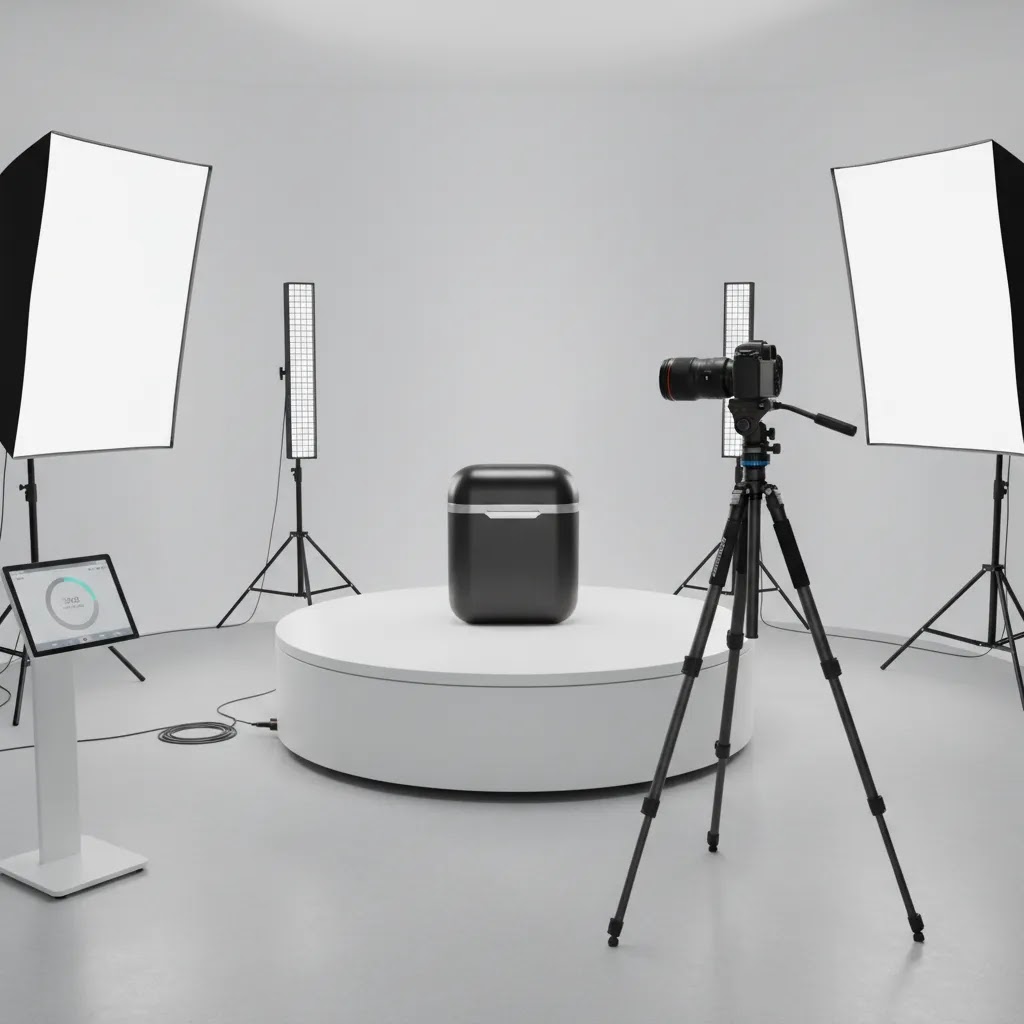
You generally need a consistent series of product images captured around the item, then assembled into a spin sequence for embedding. The key is maintaining identical lighting, framing, and background across all frames. Editing tools can help clean up the sequence before it is loaded into a viewer or presentation layer.
Do I need a professional 360 photo studio?
Not always. For a few hero products, you may be able to produce acceptable results with a controlled in-house setup. That said, consistency is hard to maintain without a proper shooting environment. If your products are reflective, premium, or detail-sensitive, a more professional product photography studio setup may be worthwhile.
Will a 360 photo viewer improve conversions?
It may help in many cases, but it is not automatic. The impact depends on product type, traffic quality, page speed, and how well the media supports buying confidence. A strong 360 viewer can reduce uncertainty for some shoppers, but poor implementation or slow-loading assets could cancel out that benefit.
What products benefit most from a 360 degree product viewer?
Products with meaningful physical detail tend to benefit most. Watches, jewelry, beauty packaging, electronics, footwear, and premium accessories are common examples. If your buyer needs to inspect texture, contours, buttons, ports, or finishes before purchasing, a 360 product photo experience is often more valuable than for simpler commodity items.
Can Shopify stores use 360 photo viewers?
Yes, Shopify stores can use 360 viewers, but implementation varies by theme, app, custom code needs, and media hosting method. You should test mobile performance, gallery behavior, and app compatibility before rolling it out widely. This is one reason many merchants pilot 360 content on a small set of products first.
Are AI tools enough for 360 product photo creation?
AI tools can help with preparation tasks like background cleanup, resolution enhancement, and frame refinement. They may speed up parts of the workflow, but they do not automatically replace strong source photography or verified embed functionality. Think of them as workflow support, not a complete substitute for good capture and implementation.
Should I use 360 views or product video?
That depends on buying intent. Use 360 views when shoppers need controlled inspection of all sides. Use video when motion, scale, texture in use, or lifestyle context matters more. Many stores benefit from both, especially when combining a 360 viewer with short product clips for higher-consideration items.
What is the best free 360 photo viewer?
It depends on what you mean by “360.” If you mean a 360 panorama (one equirectangular image), many web-based panorama viewers can work for quick previews and sharing. If you mean a 360 product photo spin (a sequence of frames), you typically need a viewer that supports image sequences, and that tends to be more specialized than a generic panorama viewer. For ecommerce, the “best” option is usually the one that previews reliably on mobile, keeps branding under your control, and does not slow down your Shopify product page.
How do I open a 360 photo?
First identify the format. If it is a single wide equirectangular image, you can open it like a normal photo, but to view it as an interactive look-around panorama you often need a compatible web viewer or app. If it is a folder or zip with many product frames, opening one file will only show one angle. To see rotation, you need a 360 product viewer that plays the sequence as a spin.
How do you view 360 photos on a phone?
On phones, a product spin set will usually appear as individual images unless you load it into a viewer that supports frame sequences. A panorama may display as a normal image in your photo app, and it may become interactive only in a compatible viewer or app. For Shopify store QA, the most important step is testing the actual embedded experience on mobile, since that is how many customers will interact with it.
What is the Windows app that shows 360 photos?
Windows 10/11 includes the Photos app, which can open standard images and some panoramic photos, but it may not always provide a full interactive 360 panorama viewing experience for equirectangular images. If you need true look-around interaction, a browser-based 360 panorama viewer is often the simplest way to validate the file. For 360 product spins, you will typically need a dedicated sequence-based product viewer rather than a general photo app.
Key Takeaways
- A 360 photo viewer works best when the image sequence is consistent, sharp, and lightweight enough for ecommerce product pages.
- The currently available verified tools here are strongest for preparing 360 assets, not for acting as dedicated embeddable viewers.
- Start with hero products where interactive inspection is most likely to influence buyer confidence.
- Test mobile performance and page speed before expanding 360 media across your full catalog.
- If you need deeper comparison help, use related AcquireConvert resources on 360 product photography and software selection.
Conclusion
The best 360 photo viewer setup is not just the one with the flashiest rotation effect. It is the one that fits your product type, your production process, and your storefront performance requirements. For many ecommerce teams, the bigger win comes from getting the frame creation workflow right first, then choosing the embed layer second. That is why background consistency, image quality, and scalable editing matter so much. AcquireConvert focuses on practical decisions like these for growth-minded store owners. If you want the next step, explore our guides on 360 product imaging, compare related software options, and see how Giles Thomas approaches Shopify-focused visual merchandising with a conversion lens.
This article is editorial content and not a paid endorsement unless explicitly stated otherwise. Pricing and product details are subject to change, so verify current information directly with the provider before making a decision. Any performance or conversion impact mentioned is illustrative only and not guaranteed. Current available tool data for this article did not include verified standalone 360 viewer pricing.


Hi, I'm Giles Thomas.
Founder of AcquireConvert, the place where ecommerce entrepreneurs & marketers go to learn growth. I'm also the founder of Shopify agency Whole Design Studios.