Best 360 Product Photography Apps for Smartphones (2026)

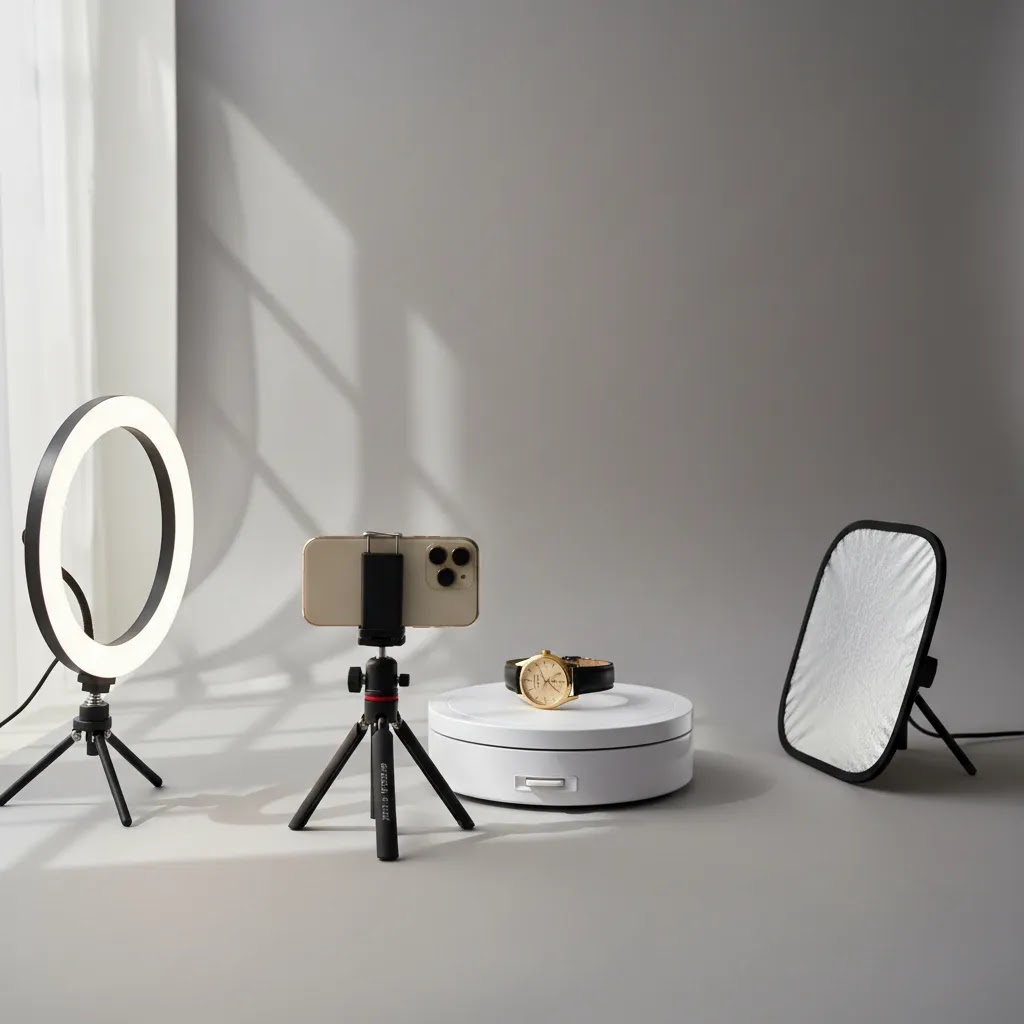
If you run an ecommerce store, static product shots are not always enough. Shoppers want a better sense of shape, texture, scale, and finish before they buy, especially for higher-consideration products. A good 360 product photography app can help you create rotating product views with a smartphone instead of investing immediately in a full studio setup. That said, not every app for product photography is built for ecommerce workflows, and not every store needs the same level of output quality. In this guide, I will walk you through what actually matters when choosing a smartphone-based 360 solution, where these apps fit in a real store workflow, and when you may be better off improving your broader product photos strategy before adding interactive views.
Contents
- What a 360 Product Photography App Should Actually Do
- Key Features to Look For
- Best 360 Product Photography Apps (iPhone and Android) Worth Testing
- Pros and Cons
- The Setup That Makes Smartphone 360 Look Professional (Equipment Checklist)
- Who These Apps Are Best For
- AcquireConvert Recommendation
- How to Choose the Right App
- Publishing 360 Spins on Shopify: Viewer, Hosting, and Page Speed Basics
- Frequently Asked Questions
- Key Takeaways
- Conclusion
What a 360 Product Photography App Should Actually Do
A smartphone-based 360 product photography app should help you capture a product from multiple angles and turn those frames into an interactive spin that customers can swipe or view automatically. For ecommerce, that usually means a cleaner presentation on product pages, fewer unanswered questions about product shape, and a stronger visual experience for collections where details matter.
In practice, the best option is rarely the app with the most effects. It is the one that fits your catalog, your team, and your publishing workflow. If you sell jewelry, cosmetics, electronics, footwear, or collectibles, 360-degree product photography may add useful buying context. If you sell simple replenishment items, standard white-background imagery may still do most of the work.
Store owners often evaluate these apps too narrowly. The app matters, but so do the turntable, lighting consistency, export quality, hosting method, and storefront integration. That is why you should think about the app as part of a wider 360 photo software stack rather than as a stand-alone fix.
It is also worth separating 360 photography from rendered visuals. If you are comparing capture-based images with digital alternatives, see our guide to product photography vs 3d rendering before you commit to one production route.
Key Features to Look For
If you are choosing a 360 product photography app for smartphone use, focus on workflow, output, and ecommerce usefulness instead of novelty. Here are the features that usually matter most.
- Guided multi-angle capture: The app should help you capture evenly spaced frames around the product. This reduces jitter and makes the spin feel professional.
- Turntable compatibility: Many store owners get better results when the phone stays fixed and the product rotates. Apps that work well with a simple turntable setup tend to produce more consistent outputs.
- Background cleanup options: Even if an app specializes in 360 capture, you still need clean product edges and consistent backgrounds for storefront use. This is where companion editing tools can help.
- High-quality exports: Low-resolution spins can make a product look worse, not better. Export quality matters if you want to preserve material details, labels, and finish.
- Fast editing: Ecommerce teams rarely have time for frame-by-frame retouching. The best photography app options reduce manual cleanup.
- Storefront-friendly output: You need files and embeds that can realistically be used on a product page without slowing it down too much.
While the live product data available here does not include dedicated 360 capture apps by name, it does show several image-production and cleanup tools that can support a smartphone 360 workflow. For example, AI Background Generator can help create more polished supporting visuals, Free White Background Generator is useful for standard catalog shots captured alongside your 360 sequence, and Increase Image Resolution may help when smartphone source frames need a quality lift for merchandising use.
If your images need more cleanup after capture, Remove Text From Images and the Background Swap Editor can support post-production. These are not replacements for a dedicated 360 product photography app, but they can make the outputs more usable for ecommerce teams that produce everything in-house.
Best 360 Product Photography Apps (iPhone and Android) Worth Testing
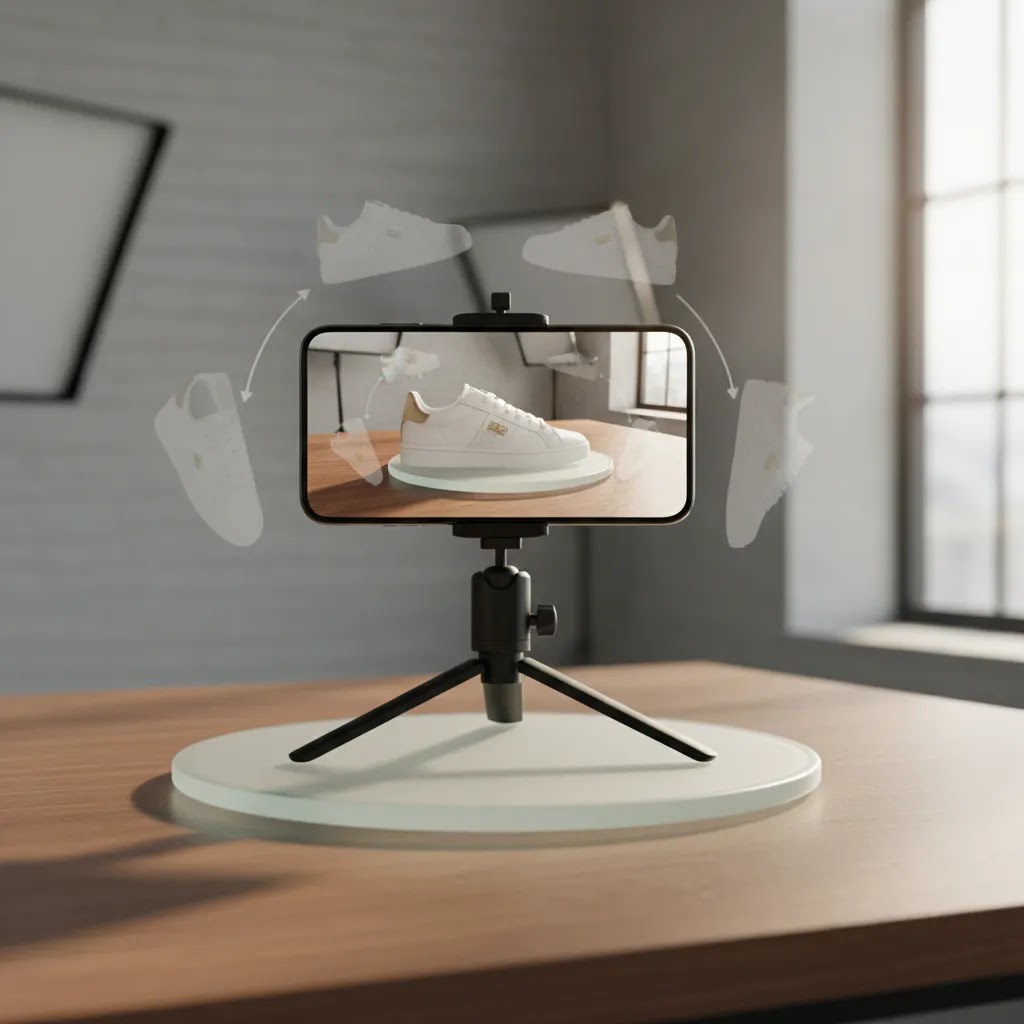
Here is the thing: most “360” solutions fall into two buckets. You either get a dedicated hardware companion app that is designed to work with a specific turntable, or you get a software-first app or suite that can work with more setups but may require more manual consistency from you.
For most Shopify store owners, the right choice comes down to how repeatable the workflow is. A nice-looking spin is great, but what matters is whether you can keep producing spins as you add new SKUs without it becoming a monthly headache.
Foldio360 (best for controlled capture with a companion turntable)
Foldio360 is commonly used as a companion app to a dedicated turntable and mini-studio style setup. The appeal is consistency: the phone stays fixed, the product rotates in predictable increments, and you can usually get a clean, repeatable spin faster than trying to rotate around the item by hand.
From a practical standpoint, this kind of setup tends to work well for small to medium products where you want the same look across your catalog. The tradeoff is that you are buying into a system. Your workflow may be simpler, but you will typically need to match the app to the hardware it expects, and your best results will come when you keep the lighting and camera position standardized.
Glo3D 360 Product Photography (best for end-to-end capture, editing, and publish support)
Glo3D 360 Product Photography is positioned more like a workflow suite: capture the frames, handle basic processing, and output something you can actually publish. That end-to-end focus matters because store owners often underestimate the “after capture” work, such as naming frames consistently, exporting at the right dimensions, and preparing a viewer-friendly output.
The reality is that software suites can reduce manual steps, but they can also introduce more decisions. You will want to check what the app exports, how it packages frames, and whether it produces an embed or viewer output that is realistically “Shopify-ready” for your theme and speed constraints.
Software-first 360 capture apps (best for quick tests and small catalogs)
You will also see software-first 360 capture apps that rely on your phone, a tripod, and a basic turntable. These can be perfectly fine for testing, especially if you are proving whether 360 rotating product photography helps on a small set of product pages. In many cases, though, the quality ceiling is set by how well you control capture consistency. If you have uneven lighting or the phone shifts between frames, the output can look shaky even if the app is decent.
How to shortlist the right option for your store
Think of it this way: your shortlist should be based on the kind of catalog you have, not just the app’s demo video.
If you have a larger catalog and add new SKUs regularly, prioritize repeatability and speed. A hardware companion setup can be easier to standardize for a team. If you have a small catalog or want to validate the idea first, a software-first app can get you to a usable test quickly.
Product characteristics matter too. Small items are usually straightforward. Larger products require more distance, more light, and often a stronger stand or turntable. Reflective or transparent products raise the difficulty because lighting and reflections become part of the “spin,” so you may need more control than a casual smartphone setup can provide.
Finally, be honest about how often you will shoot. If you only plan to create spins twice a year for hero products, you can tolerate a little friction. If you want 360 views as a standard part of your merchandising process, you need a workflow you can repeat every week without fighting your setup.
Pros and Cons
Strengths
- Smartphone-based 360 capture can lower the barrier to testing interactive product views before investing in a full 360 product photography studio.
- It can be a good fit for small Shopify teams that want better merchandising without hiring specialized 360 product photography services immediately.
- Interactive spins may help customers inspect shape and finish more clearly than static front-on images alone.
- For products with tactile or premium details, 360 rotating product photography can improve visual confidence during the buying process.
- Apps paired with background and resolution tools can support a practical in-house workflow for content teams.
Considerations
- App quality alone will not solve lighting, stabilization, reflections, or shaky rotations. Hardware and setup still matter.
- Some products do not benefit enough from 360 views to justify the extra production time and page weight.
- Interactive assets can create implementation complexity on storefronts if your theme or media stack is not prepared for them.
- Smartphone results may fall short for luxury, highly reflective, or technically demanding products where professional studio work is needed.
The Setup That Makes Smartphone 360 Look Professional (Equipment Checklist)
What many store owners overlook is how much the “spin quality” is driven by boring fundamentals. The app stitches the frames together, but your lighting, stability, and capture consistency decide whether the result looks like a product experience or a shaky novelty.
A practical equipment checklist for smartphone 360 capture
You do not need a full studio to get started, but you do need a repeatable setup. For most Shopify teams, a “good enough” baseline looks like this.
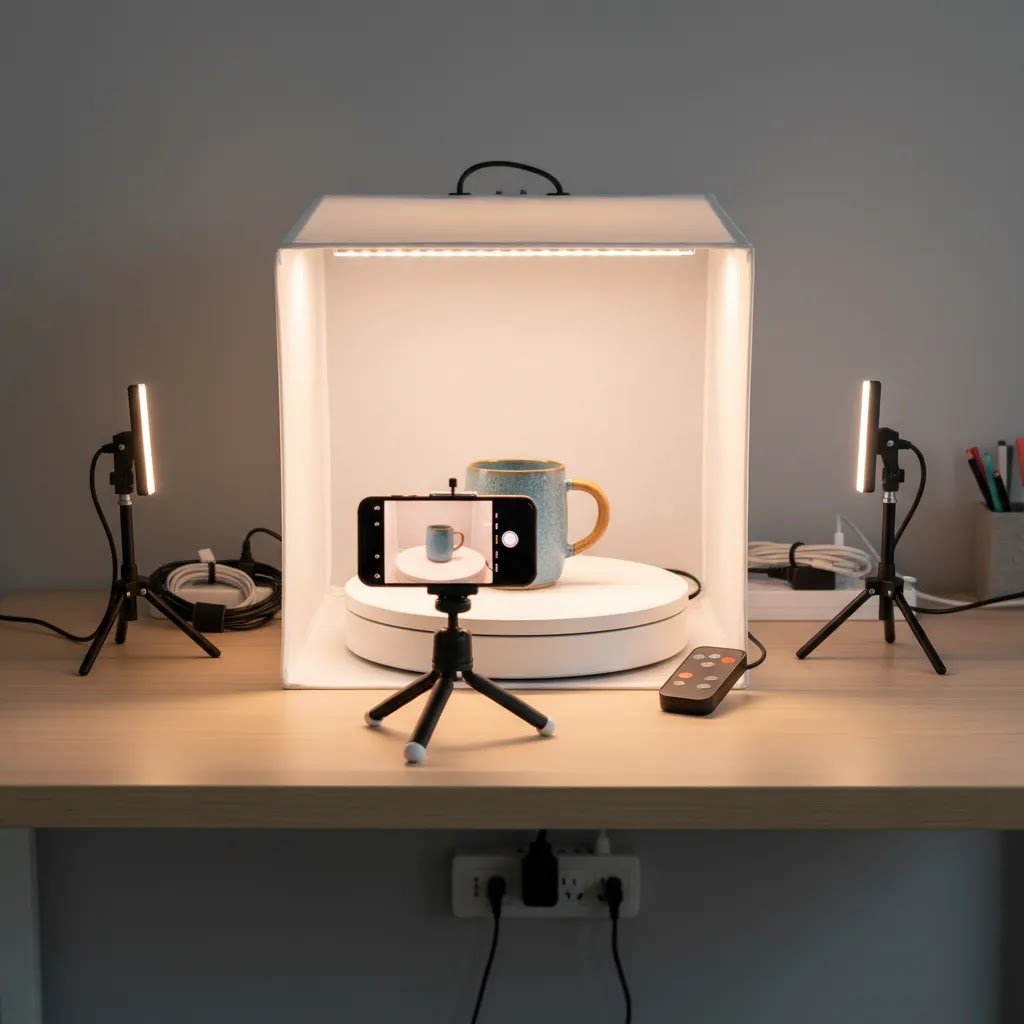
- A turntable or rotating base that moves smoothly and stops consistently. Manual turntables can work, but you need to rotate in equal increments without nudging the product off-center.
- A stable phone mount, tripod, or fixed rig. Your camera position should not move between frames.
- Consistent lighting. A simple light tent, softbox setup, or diffused continuous lighting usually creates more usable frames than overhead room lighting.
- A clean background choice. White is common for catalog consistency, but the key is that the background stays uniform across all frames so the spin does not flicker.
Capture consistency tips that separate “usable” from “wobbly” spins
The way this works in practice is simple: keep the camera fixed, rotate the product, and control the settings so the frames match.
- Use equal angle increments. If you are shooting 24 frames, rotate 15 degrees each time. If you are shooting 36 frames, rotate 10 degrees each time. The exact number is less important than being consistent.
- Lock exposure and white balance if your phone allows it. Auto exposure changes between frames are one of the main causes of flicker in a 360 spin.
- Keep the product centered on the turntable. If it drifts, the spin can look like the product is wobbling or jumping.
- Watch reflections on glossy products. Consider this: every light source, window, and even your phone can show up as a moving reflection across frames, which makes the spin feel messy. Diffusion and careful light positioning usually helps more than any app filter.
What “good enough” looks like for Shopify product pages
For most Shopify product detail pages, “good enough” is a spin that feels stable on mobile, loads without noticeably slowing the page, and shows the key buying surfaces clearly. That typically means you can see edges, labels, and finish without distracting flicker.
You will usually hit limits when your products are larger, very reflective, transparent, or luxury-positioned, or when your brand expects perfect consistency across a big catalog. At that point, you may need a more controlled studio setup, a dedicated 360 system, or specialist support. It is often better to be selective, use 360 only on the SKUs where it genuinely helps, and keep the rest of the catalog on strong standard photography.
Who These Apps Are Best For
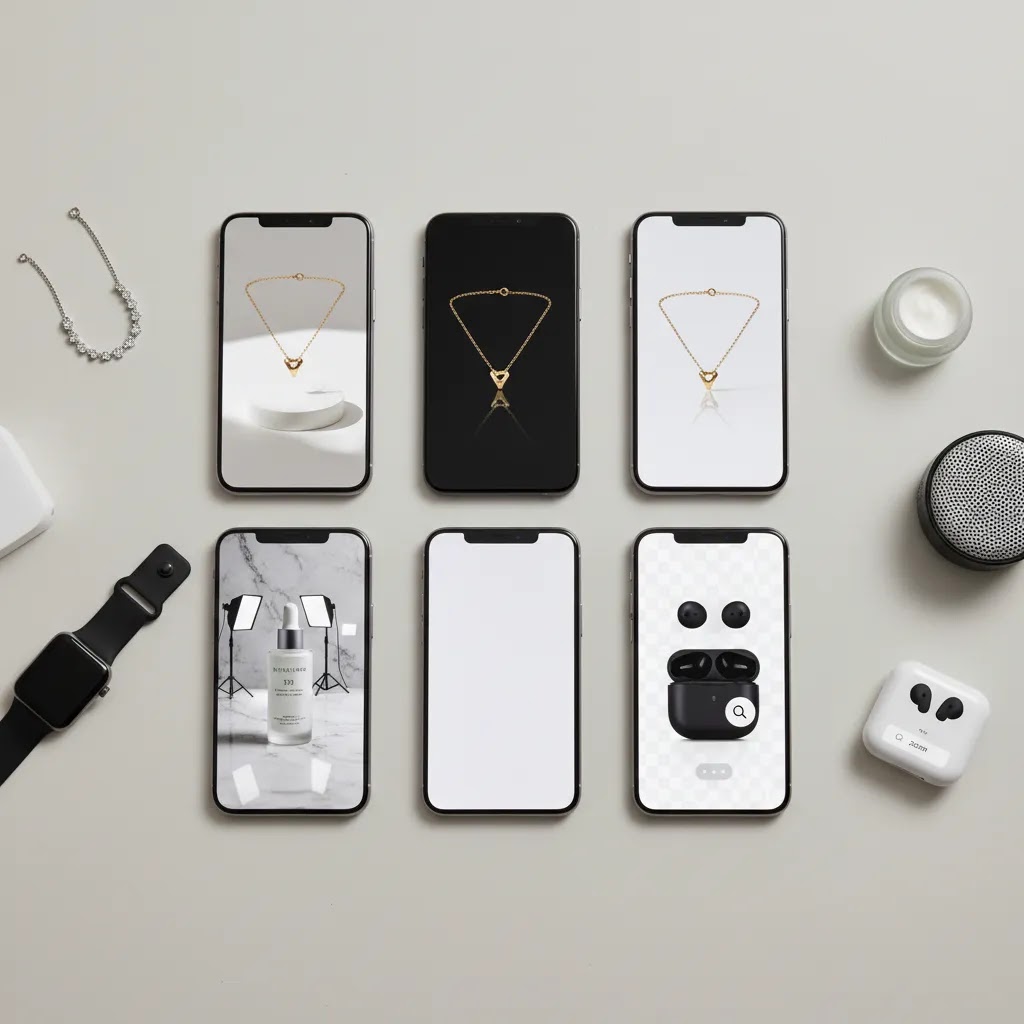
A 360 degree product photography app is usually the best fit for growth-stage ecommerce brands that already have solid standard product images and want to reduce uncertainty on key product pages. This often includes Shopify merchants selling products where form matters, such as shoes, watches, accessories, packaged goods, décor, gadgets, and beauty items.
It is also a smart option for lean teams testing demand before investing in a full product photography studio workflow. If you are still struggling with basic lighting, consistency, or image editing, though, you may get more value by fixing those fundamentals first. 360 views are usually an enhancement, not a substitute for clear catalog photography.
AcquireConvert Recommendation
If you are actively evaluating a 360 product photography app for your store, treat the decision like a merchandising investment, not just a creative one. Giles Thomas, through AcquireConvert, approaches these decisions from a practical Shopify operator perspective: what improves product understanding, what fits real team workflows, and what is worth maintaining as your catalog grows.
For most merchants, the smartest path is to test 360 capture on a small product set first. Pick 5 to 10 SKUs where shoppers need to inspect shape or finish closely. Measure engagement, on-page behavior, and operational effort before rolling it out more widely. Then compare that effort with alternative visual upgrades such as improved white-background images, better lifestyle shots, or rendered views.
AcquireConvert is a strong specialist resource if you want that decision grounded in ecommerce reality rather than camera hype. Explore our 3d product photography resources, review your broader catalog photography setup, and compare options side by side before committing to a production process that your team may need to sustain every month.
How to Choose the Right App
Here are the criteria I would use if I were choosing a 360 product photography app for an ecommerce store today.
1. Start with your product type
Not every catalog needs 360 degrees product photography. Products with curved shapes, premium finishes, mechanical details, or collectible appeal often benefit most. Flat, functional, or replenishable items may not justify the extra effort. Choose the app only after confirming the format makes sense for your products.
2. Check the capture workflow, not just the final demo
Many apps look impressive in demos but require more manual work than a small team can sustain. Ask how many frames you need, how stable the phone must be, how the product rotates, and how much cleanup is required afterward. A slightly simpler workflow that your team will actually repeat is usually better than a perfect workflow nobody maintains.
3. Evaluate post-production support
Most smartphone 360 workflows still need editing help. If backgrounds are inconsistent, companion tools matter. For instance, ProductAI tools such as Free White Background Generator, AI Background Generator, and Background Swap Editor may help create cleaner supporting visuals around your core spin assets. If image sharpness is weak, Increase Image Resolution may also be worth testing. Use these as supporting workflow tools, not as a replacement for careful capture.
4. Think about storefront performance
A beautiful spin that slows the product page too much may hurt more than it helps. Ask how the output is hosted, embedded, compressed, and displayed on mobile. Shopify merchants should pay close attention to theme behavior and image delivery. Interactive media should support conversion, not overload the page.
5. Compare with alternatives before you commit
Sometimes the right answer is not a 360 product photography system at all. Better close-up images, stronger lifestyle photography, or even rendered visuals could serve the customer better depending on the product. Reviewing product photography vs 3d rendering is useful if you are deciding between capture-heavy and digitally generated approaches.
Practical buying advice: shortlist apps that fit your current team, test them on a narrow SKU set, and judge them by production speed, output quality, and storefront usability. That is a much better filter than choosing based on feature lists alone.
Publishing 360 Spins on Shopify: Viewer, Hosting, and Page Speed Basics
Capturing the spin is only half the job. You still need to publish it on a Shopify product page in a way that looks good, works on mobile, and does not drag down performance.
How 360 outputs typically get displayed on Shopify
In most cases, you will publish a 360 spin in one of three ways.
- An embedded viewer added to the product page, often via a snippet or app block, where the spin loads as an interactive element.
- An app-based viewer that manages the spin assets and displays them on the product page in a controlled format.
- Theme media support, where the spin is treated as a type of media inside the product gallery. Whether this is possible depends on your theme and how the 360 output is packaged.
Now, when it comes to “Shopify-ready,” ask what the vendor actually means. Does the output require their hosted viewer? Can you self-host the frames? Does it work with your theme’s product media gallery, or does it sit outside it? These details affect both user experience and ongoing maintenance.
Viewer and hosting questions to ask before you commit
If you are deciding between tools, the fastest way to avoid a painful implementation is to ask a few direct questions upfront.
- What file format do you export, and is it a single packaged asset or a folder of frames?
- Do you provide a viewer embed, and does it work with Shopify’s current theme architecture without custom development?
- Where are the assets hosted, and can you control compression and dimensions?
- How does the viewer behave on mobile, including swipe support and pinch-to-zoom if available?
The reality is that some 360 systems are great at capture but awkward at publishing. If you are a small team, the best tool is often the one that makes publishing predictable.
Page speed and UX basics (so the spin helps, not hurts)
Interactive media can be heavy. A 360 spin is often dozens of frames, which can add up quickly if they are not sized and compressed properly.
From a practical standpoint, watch three things: the number of frames, the dimensions of each frame, and when the spin loads. If the viewer loads all frames immediately, your product page may feel slow on mobile connections. If the viewer supports lazy loading, or loads a preview frame first, you are usually in a better place for Core Web Vitals.
Also think about where the spin sits in the product gallery. If it pushes your primary images down, or makes the gallery feel clunky, it can backfire. For many Shopify stores, a smart approach is to treat 360 as supporting media for specific SKUs, not a default first position for every product.
How to measure whether 360 is helping
Do not assume a 360 view improves performance just because it looks impressive. Treat it like any other conversion test.
Track engagement with the viewer, for example interactions like swipe, drag, or time spent with the element. Then compare behavior on test SKUs versus similar SKUs without 360, looking at add-to-cart rate and product page engagement. You can also watch support signals, such as pre-purchase questions about dimensions or finish, and post-purchase signals like returns where “not what I expected” shows up. None of these are perfect on their own, but together they give you a practical read on whether the extra production is justified.
Results vary by product type, traffic source, and execution quality. That is why the small SKU test recommended earlier is so useful. It keeps the decision grounded in data from your store, not general assumptions.
Frequently Asked Questions
What is a 360 product photography app?
A 360 product photography app helps you capture a sequence of images around a product and combine them into an interactive rotating view. For ecommerce, the goal is to help shoppers inspect a product from more angles than a standard gallery image allows. The app is only one part of the setup, though. Lighting, stabilization, and editing still affect the final result.
Can I create 360-degree product photography with just a smartphone?
Yes, in many cases you can, especially for test projects or smaller catalogs. A smartphone, stable mount, controlled lighting, and a basic rotating platform can produce usable results. The quality depends heavily on consistency. For reflective, luxury, or highly detailed products, you may still need a more advanced setup or professional help.
Do Shopify stores benefit from 360 rotating product photography?
Some do, especially stores selling products where shape, finish, or physical detail influences purchase decisions. It may help reduce uncertainty for visitors comparing similar items. Still, it is not automatically right for every store. For many Shopify merchants, improving core product photos and page layout may deliver more practical value first.
Is a 360 product photography app the same as 3D product photography?
No. A 360 app usually creates an interactive spin from real photos taken around a physical item. 3D product photography can also include rendered or modeled assets, depending on the workflow. If you are unsure which path fits your product and budget, it helps to compare real-photo capture with rendering before investing in production tools.
Are there free options for product photography app workflows?
Some supporting tools are available without upfront cost, based on the current product data provided here. Examples include AI Background Generator and Free White Background Generator. Keep in mind these are editing-related tools, not dedicated 360 capture platforms. Pricing and access can change, so always verify current details on the provider site before adopting a workflow.
When should I hire 360 product photography services instead of using an app?
If your products are highly reflective, transparent, luxury-positioned, or technically difficult to light, hiring specialists may save time and improve consistency. It can also make sense when your team does not have the capacity to build and maintain an in-house capture workflow. For testing or smaller catalogs, though, smartphone apps can still be a practical first step.
What setup do I need besides the app?
You will usually need controlled lighting, a stable phone mount, a clean background, and often a turntable or rotating base. A simple setup can work well if it is repeatable. The more product categories you shoot, the more important standardization becomes. Without that consistency, even a good app may produce uneven results across your catalog.
Can AI tools improve smartphone 360 product photography?
AI tools can help with cleanup, background consistency, and image enhancement around the main capture process. Tools like Background Swap Editor or Increase Image Resolution may support production after your images are shot. They can streamline parts of the workflow, but they do not replace careful capture technique, good lighting, or sensible merchandising decisions.
How do I know if 360 views are worth the effort?
Test them on a limited SKU set where visual detail clearly affects buying decisions. Watch engagement with the media, compare production time, and see whether the extra asset supports a better product page experience. You do not need a sitewide rollout to decide. A focused trial is usually enough to tell whether the format deserves more investment.
What is the best app for 360 photos?
The best app for 360 photos is the one that matches your workflow and how you plan to publish on your store. Some merchants prefer a companion app paired with a dedicated turntable because it can produce more consistent rotations. Others prefer a software-first app for quick tests and small SKU sets. Shortlist based on repeatability, export quality, and whether the output can be embedded on Shopify without creating performance or maintenance issues.
How to create a 360 degree photo of a product?
Capture a sequence of evenly spaced frames while either rotating the product on a turntable or moving the camera around the product. Keep the phone fixed if you can, use consistent lighting, and lock exposure and white balance to avoid flicker. Then use a 360 product photography app to compile the frames into a spin, export in a web-friendly format, and publish it using a viewer or app that works with your Shopify theme.
Which app is best for product photography?
The best app for product photography depends on what you are producing. For standard catalog shots, you may care most about background cleanup, consistency, and resolution. For 360 rotating product photography, you need guided multi-angle capture and storefront-friendly output. In many cases, store owners combine a capture app with supporting tools for background and quality cleanup, so the final assets are usable on product pages.
How much is Shutter Stream 360?
The live product data available here does not include current pricing for Shutter Stream 360. Pricing can change based on licensing, features, and whether it is sold as a subscription or a one-time purchase, so you should verify the latest cost directly with the provider before building it into your workflow.
Key Takeaways
- A 360 product photography app is most useful when product shape, finish, or detail plays a major role in conversion.
- The app is only part of the workflow. Lighting, rotation stability, export quality, and storefront performance matter just as much.
- For many merchants, the best first step is testing 360 capture on a small SKU set before scaling it across the catalog.
- Supporting tools like AI Background Generator, Free White Background Generator, and Increase Image Resolution can help with ecommerce-ready outputs.
- Compare 360 capture with alternatives such as stronger standard product photos, lifestyle imagery, or rendering before committing.
Conclusion
The best 360 product photography app for smartphones is the one that fits your products, your team capacity, and your storefront goals. For most ecommerce brands, this is less about finding the most advanced-looking tool and more about building a repeatable process that produces clean, useful product views without creating extra operational strain. If 360 visuals help shoppers understand what they are buying, they can be a worthwhile addition. If not, stronger standard photography may still be the smarter investment.
Before you choose, compare your options against your current workflow and store needs. AcquireConvert is built for exactly that kind of practical decision-making. Explore the full guide on 3D product photography, review related product photo strategies, and use Giles Thomas’s ecommerce-focused perspective to make a more confident call for your store.
This article is editorial content and not a paid endorsement unless otherwise stated. Product availability, access terms, and pricing are subject to change, so verify current details directly with the provider before making a purchase decision. Any performance impact from 360 product photography will vary by product type, storefront setup, and execution quality. No specific results are guaranteed.

Hi, I'm Giles Thomas.
Founder of AcquireConvert, the place where ecommerce entrepreneurs & marketers go to learn growth. I'm also the founder of Shopify agency Whole Design Studios.