360 Product Photography: Setup, Pricing & Results (2026)

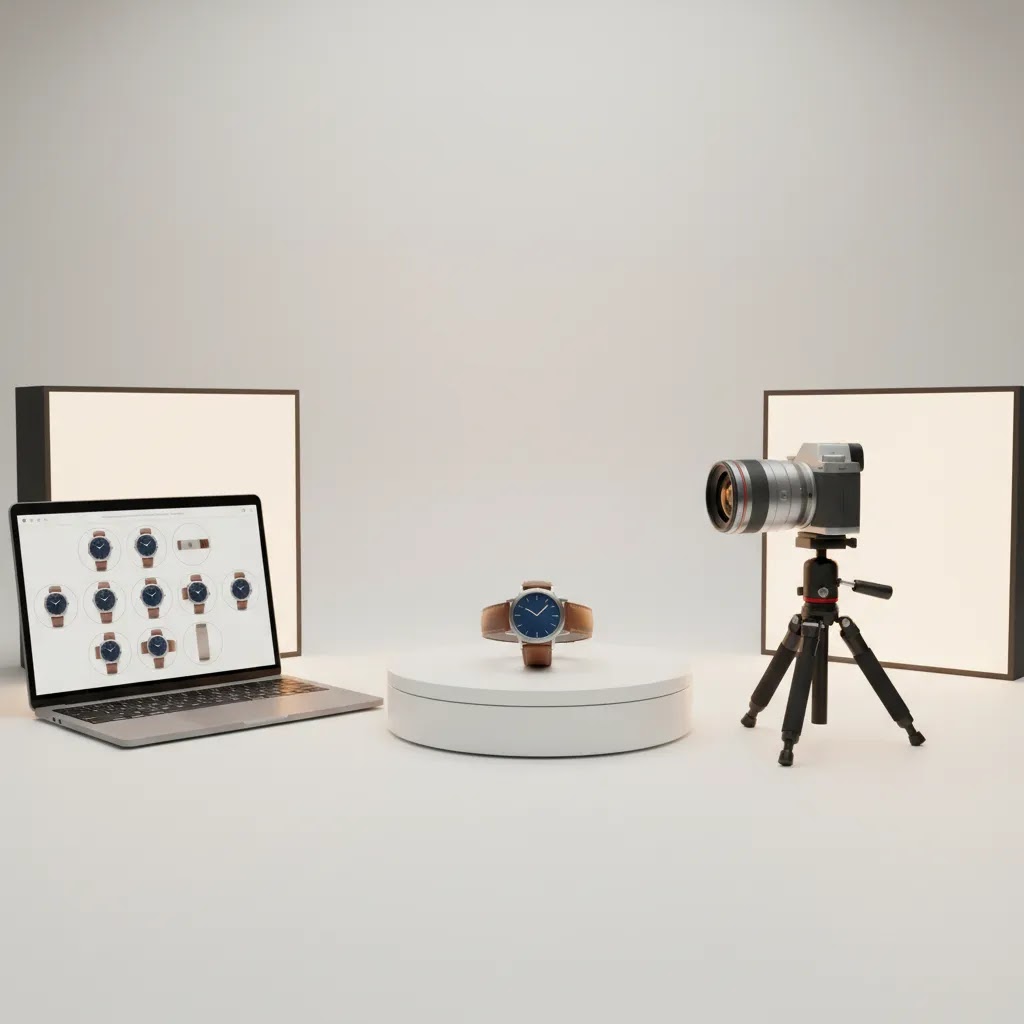
If you sell products online, static images do not always tell the full story. 360 product photography gives shoppers a rotatable view that can reduce uncertainty around shape, finish, details, and build quality. For some categories, that added context may improve buying confidence, especially when customers cannot handle the item in person. This matters for ecommerce brands selling on Shopify, marketplaces, or direct-to-consumer sites where product visuals do a lot of the selling work. In this guide, I’ll walk you through how 360 product photography works, what setup choices matter, what pricing usually depends on, and what results you can realistically expect. If you want the broader visual merchandising context first, start with this guide to product photos before choosing a 360 workflow.
Contents
- What 360 product photography is and where it fits
- Setup options for different store stages
- 360 product photography equipment checklist (DIY and in-house)
- What affects 360 product photography pricing
- 360 product photography software and publishing workflow (capture to viewer)
- What results ecommerce brands can expect
- Examples and use cases: what a “good” 360 view looks like (and common failure modes)
- Pros and Cons
- Who it’s for
- AcquireConvert recommendation
- How to choose the right approach
- Frequently Asked Questions
- Key Takeaways
What 360 product photography is and where it fits
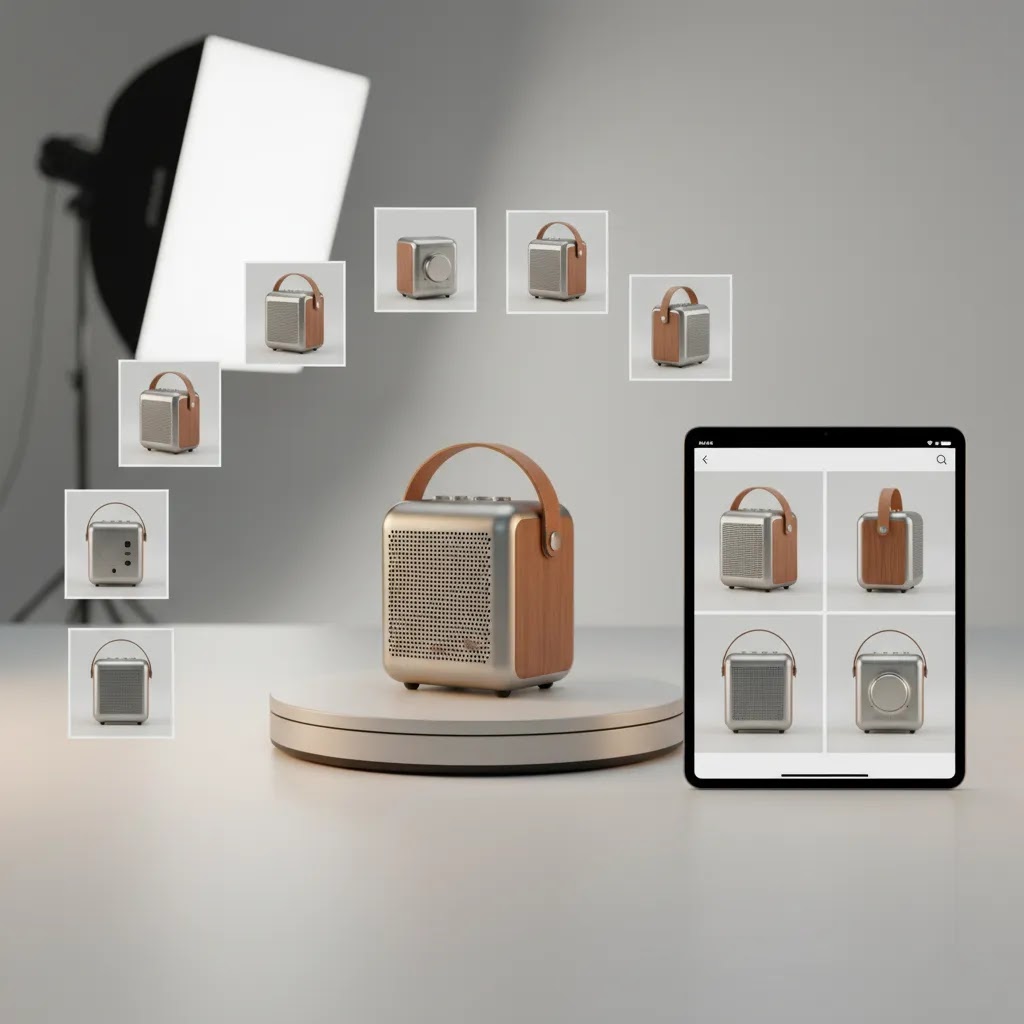
360 product photography is a sequence of still images captured around a product, then stitched or displayed in a viewer so shoppers can rotate the item. Unlike video, the user controls the angle. Unlike a single hero image, the format helps buyers inspect shape, texture cues, closures, ports, packaging, and side details.
For ecommerce, this works best when the product’s physical form influences purchase decisions. Think footwear, furniture, electronics, cosmetics packaging, watches, gifts, collectibles, and premium accessories. It is especially useful when your standard gallery still leaves questions that customer support has to answer later.
It is not the same thing as a true 3D model. If you are weighing interactive spins against modeled assets for AR, configurators, or highly customized visuals, compare them with this guide to 3d product rendering. If your need is specifically image-based rotation on product pages, a 360 view is usually the more direct option.
For many Shopify merchants, the main decision is not whether 360 media looks impressive. It is whether the added production cost and site implementation work are justified by the product margin, price point, and likely conversion impact.
Setup options for different store stages
There are three practical ways to approach 360 product photography.
First, DIY capture. This usually means a turntable 360 product photography setup with a camera or smartphone, controlled lighting, and editing software. It is the lowest entry path if you have a small SKU count, time to test, and products that are easy to shoot consistently. The trade-off is labor. Consistency can slip fast across large catalogs.
Second, in-house studio production. This is a stronger fit for brands with repeat launches or ongoing visual content needs. You may build a dedicated product photography studio with fixed lighting, a motorized turntable, tethered shooting, and a repeatable post-production workflow. Upfront cost is higher, but unit economics often improve once volume rises.
Third, outsourced services. A 360 product photography studio or specialist service provider handles capture, retouching, output formatting, and sometimes hosting support. This is often the cleanest route for premium brands, large catalogs, or teams without internal production capacity.
Whichever route you choose, the non-negotiables are stable lighting, a repeatable rotation increment, clean product prep, and image file output that works with your ecommerce platform. If you need to evaluate the display layer too, review your options for 360 photo software before you commit to capture specs.
360 product photography equipment checklist (DIY and in-house)
Here’s the thing: most 360 failures are not caused by “bad cameras.” They usually come from inconsistent lighting, unstable rotation, or a workflow that is too manual to repeat across more than a handful of SKUs.
From a practical standpoint, you want a setup that gives you repeatable results on your second product, not just a great-looking test spin on your first product.
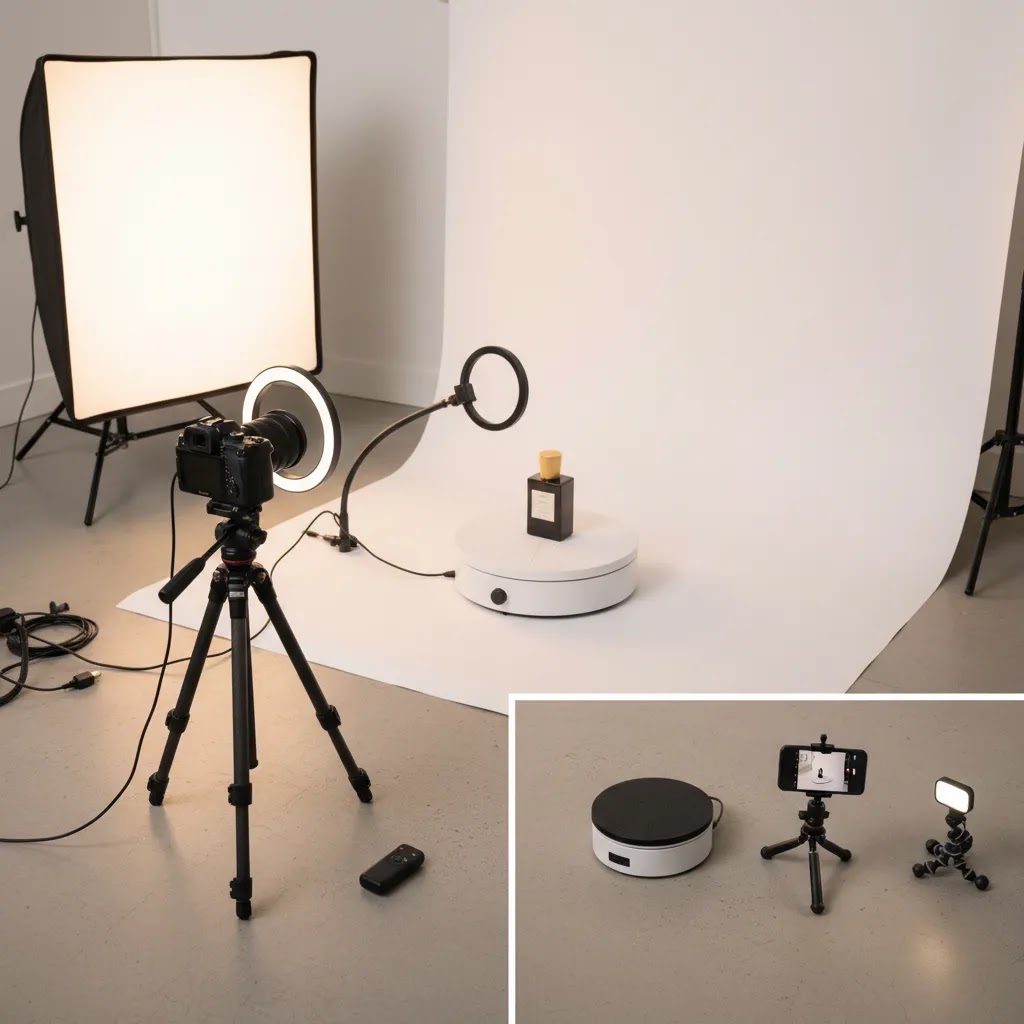
Core gear for a DIY setup (smartphone or camera)
If you are testing 360 product photography on a small set of products, you can keep your kit lean as long as you control the environment.
- Camera or smartphone with manual control options (or a camera app that lets you lock exposure and white balance)
- Tripod, so the camera position never shifts between frames
- Consistent lighting, typically two lights at equal power and distance, plus diffusion to soften shadows and reduce glare
- Backdrop or sweep, usually white or a neutral tone that matches your brand style
- Basic product support items, such as museum putty, fishing line, or stands to keep the product stable
- A turntable, ideally motorized for consistent increments
If you are using a smartphone, the biggest upgrade is usually not the phone. It is locking exposure and white balance, plus improving lighting diffusion so frames do not flicker as the product rotates.
Core gear for in-house production (repeat launches and volume)
Once you are shooting regularly, your constraints shift. You are not only chasing quality, you are chasing repeatability and throughput.
- Camera with a reliable lens choice for your product sizes, plus consistent framing and focus
- Tethered or remote shooting, so you can capture faster and keep settings consistent
- Fixed light placement with marked positions (and ideally fixed power settings), so a “reshoot” looks like the original
- Motorized turntable with consistent step increments and enough payload capacity for your heaviest product
- A defined background solution, such as a sweep or an enclosed light tent, depending on your product category
- A standardized prep station for cleaning, lint removal, and styling before the product hits the turntable
What many store owners overlook is that the product prep station can become the bottleneck before the camera does. Dust, fingerprints, crooked labels, and inconsistent orientation will show up across 24 to 72 frames, so prep time scales with frame count.
Turntable specifics that affect smoothness and consistency
A turntable is not just a rotating plate. The specs influence whether your final spin looks professional or slightly “off” in a way shoppers notice, even if they cannot explain it.
- Payload capacity: if you are near the limit, rotation may be uneven and introduce wobble
- Plate size: too small and you will fight stability, too large and you may waste space or struggle with consistent framing
- Speed control: useful for workflow and for limiting motion issues if you are triggering capture while rotating
- Step accuracy: consistent increments help your viewer feel smooth, especially at lower frame counts
- Remote triggering and repeatable programs: helps you run the same capture pattern per SKU
- Stability and centering: the product must sit centered, otherwise the spin looks like it “orbits” instead of rotating in place
Consider this: if your product is not centered on the turntable, you can end up cropping wider to keep it in frame, which increases file size and can slow down Shopify product pages. Small capture choices often have downstream performance consequences.
Buy now vs upgrade later: what usually becomes the bottleneck first
For most Shopify store owners, the bottleneck shifts as you scale.
- If you are shooting 1 to 10 SKUs: lighting consistency and exposure lock are usually the first wins
- If you are shooting 10 to 50 SKUs: turntable repeatability and product centering tend to matter more
- If you are shooting 50+ SKUs or launching monthly: post-production time and file management often become the real constraint
Think of it this way: your camera can be “good enough” for longer than you expect, but your workflow cannot. A clean, repeatable setup often beats a higher-end camera paired with a chaotic process.
What affects 360 product photography pricing
There is no universal 360 product photography pricing model because cost depends on production complexity more than the spin format alone. The biggest pricing variables are SKU volume, product size, styling requirements, number of frames, retouching depth, and whether hosting or viewer setup is included.
Small and simple products usually cost less to shoot than reflective, transparent, oversized, or highly detailed items. Jewelry, glossy beauty packaging, and glass often need more lighting control and retouching. Apparel on mannequins or styled sets can add prep time quickly.
Frame count matters too. A basic 24-frame rotation may be enough for many products. Higher frame counts can look smoother but increase capture and post-production time. Some brands also want zoomable high-resolution frames, alternate color variants, or hotspot annotations, all of which can add cost.
For outsourced 360 product photography services, ask vendors whether their quote covers prep, dust removal, color correction, clipping, file naming, web export, revisions, and viewer compatibility. Those details often separate a realistic quote from one that looks attractive but grows later.
If you are building internally, pricing shifts from per-SKU fees to equipment and process costs: camera, lens, lights, tripod, turntable, editing time, storage, and staff hours. For growing brands, the real question is not only “What are 360 product photography prices?” but “How many SKUs per month do we need before in-house production makes sense?”
360 product photography software and publishing workflow (capture to viewer)
360 product photography is not just a shoot. It is a pipeline, and the pipeline determines how quickly you can go from “captured” to “live on a Shopify product page” without surprises.
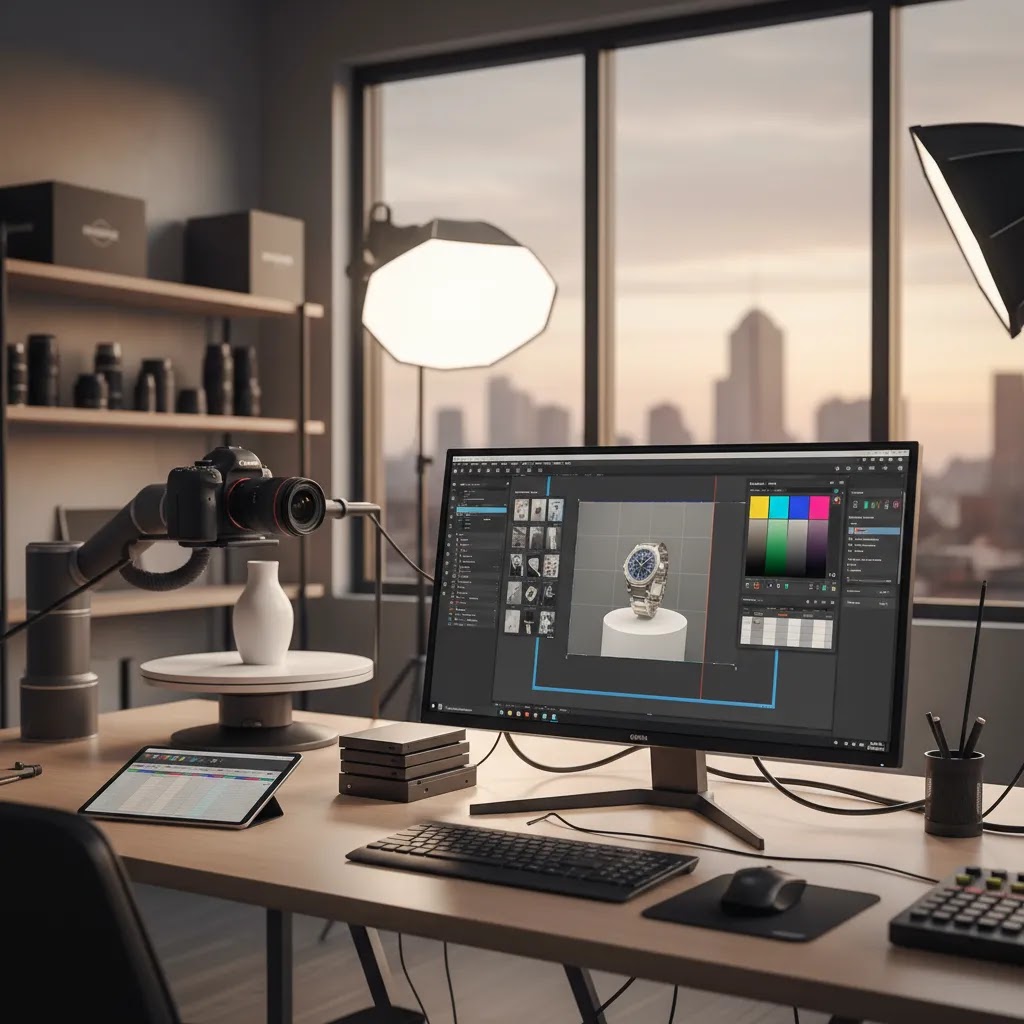
The way this works in practice is usually four steps: capture control, processing, export, then publishing in a viewer.
1. Capture control: keep settings locked and repeatable
Whether you shoot on a phone or camera, the goal is the same: lock exposure, lock white balance, and keep focus consistent. If those settings drift mid-sequence, you will see flicker between frames, which is one of the fastest ways to make a 360 spin look amateur.
Many in-house teams also use remote triggering or tethered capture so they can fire frames without touching the camera. That reduces vibration, speeds up capture, and helps you maintain consistent settings across a full catalog.
2. Batch processing: the “catalog problem” is mostly post-production
Once you move beyond a handful of SKUs, manual editing becomes expensive in time, even if you are not paying a studio. The moment you are shooting multiple products per session, you want batch-friendly steps: consistent cropping, basic color correction, background cleanup if needed, and export presets that match your viewer requirements.
Now, when it comes to retouching, be honest about your category. Reflective packaging, glass, and high gloss surfaces typically need more attention than matte products. That is true whether you do it internally or outsource it.
3. Export and naming: set this before you shoot
What many store owners overlook is that your viewer or hosting tool often expects a specific format. If you shoot first and decide later, you can end up re-exporting an entire catalog.
Before you capture, confirm at least these output details for the viewer you plan to use:
- Frame count expectations and whether it supports partial spins or requires a full 360
- File naming conventions and whether frames need to be sequentially numbered
- Recommended resolution and aspect ratio for desktop and mobile
- Background requirements, such as a solid background vs transparent background needs
- Whether hotspots, zoom, or annotations are supported, and what extra assets they require
This is also where you decide how consistent your framing needs to be. If your product shifts size in frame between SKUs, your page layout can jump around, which is distracting on mobile.
4. Publishing: self-hosted sequences vs hosted viewers
There are two common publishing approaches: self-hosting your image sequence and running a viewer on top of it, or using a hosted 360 viewer solution that handles delivery and embedding.
Self-hosted sequences can give you more control, but they put the performance responsibility on you. Your image sizes, compression, caching, and delivery all affect Shopify page speed. If you run paid traffic, especially from Google Ads, speed and stability matter because slower product pages can weaken the full acquisition-to-conversion path.
Hosted viewers can reduce the technical burden, but costs and limitations vary. Some include hosting and optimization features, some require you to host images separately, and some handle advanced features like hotspots. Pricing and capabilities change, so it is worth confirming what is included before you build a workflow around it.
Either way, file weight is not a minor detail. If you publish 36 frames at high resolution with minimal compression, you can end up shipping a lot of data to every shopper. That can be fine for premium products where the experience matters, but it still needs to be tested on mobile and on slower connections.
What results ecommerce brands can expect
360 product photography can improve product understanding, but it should not be treated as a guaranteed conversion fix. Results vary by category, traffic quality, product price, and how strong the rest of your product page already is.
In many cases, the clearest gains show up in softer metrics first. You may see longer time on product pages, more gallery engagement, fewer pre-purchase questions, and better buyer confidence on higher-consideration products. For categories where shoppers care about angles, finish, or mechanical details, those changes can support conversion over time.
It may also help reduce disappointment after purchase because customers have a more complete view of the item before checkout. That said, a weak product page with unclear sizing, thin copy, poor mobile performance, or slow load speeds will not suddenly perform because you added a 360 spin.
On marketplaces like Amazon, 360 product photography amazon requirements and availability can differ by category, listing type, and seller access. For your own Shopify store, you have more control over implementation and testing. A practical approach is to start with a small group of products where form factor clearly affects buying behavior, then compare engagement and conversion signals against similar products with standard galleries only.
Examples and use cases: what a “good” 360 view looks like (and common failure modes)
Shoppers do not judge 360 media like a photographer. They judge it like a buyer. If the spin feels smooth, looks consistent, and helps them answer a question, it is doing its job.
What a good 360 implementation looks like on a product page
A strong 360 view usually has a few traits you can spot quickly:
- Clean center alignment so the product rotates in place rather than wobbling around the frame
- Stable exposure across frames, with no brightness jumps as the product turns
- Consistent white balance so colors do not shift from frame to frame
- Controlled shadows and reflections, especially on glossy products
- Smooth spin at the frame count you chose, without visible “stepping” that distracts
- Mobile-friendly interaction, meaning it is easy to swipe, and it loads without stalling the page
Consider this: on Shopify, your 360 experience lives inside a product page that also needs a clear price, strong add-to-cart behavior, and fast loading. The best spins look good, but they also stay out of the way. They do not confuse shoppers with overly complex controls.
Common failure modes that make 360 underperform
If you add 360 and it does not seem to help, the problem is often execution rather than the idea.
- Wobble from poor centering or an unstable turntable surface
- Flicker caused by auto exposure or auto white balance changing mid-sequence
- Distracting reflections on glossy packaging that change frame to frame
- Inconsistent cropping, making the product jump in size and position
- Heavy file sizes that slow the product page, especially on mobile
- Confusing UI controls that hide standard images or make it unclear how to rotate
The reality is that slow pages can cancel out the benefit. If your 360 loads late or blocks other content, shoppers may bounce before they ever engage with it. That is why testing performance and mobile behavior is part of the production decision, not a final step.
Where 360 is most persuasive, and when 3D might be a better fit
360 product photography tends to be most persuasive for small-to-medium products where detail matters and shoppers want to “inspect” before buying. Think watches, premium beauty packaging, electronics accessories, hardware-heavy bags, collectibles, and giftable items.
For very large items, 360 can still work, but production is harder and the benefit depends on how well you can show scale and key details. In some cases, a well-shot set of static angles plus close-ups can carry most of the value with less production effort.
If you sell configurable products, products with many variants that change physical structure, or products that need advanced interactions, a model-based approach may be a better long-term asset. In that scenario, it is worth comparing against 3d product rendering because the asset can sometimes be reused for more than one experience. Photography is often the most direct path to realism, but it is not always the most flexible path for complex catalogs.
Pros and Cons
Strengths
- Shows product shape and side details better than standard static images alone.
- Can improve buyer confidence for products where physical design matters.
- Useful for premium, technical, or giftable products that benefit from closer inspection.
- May reduce basic pre-purchase questions if shoppers can self-serve visual information.
- Works well alongside close-ups, lifestyle imagery, and standard white-background shots.
- Can create a more polished brand presentation on your own ecommerce site.
Considerations
- Production cost can be hard to justify for low-margin or low-consideration products.
- Setup quality matters a lot, and inconsistent lighting or rotation can make results look amateur.
- Implementation may affect page performance if files are not optimized for web delivery.
- Not every category benefits equally, especially products that already photograph clearly from a few fixed angles.
- You may still need conventional photography, so 360 is often an added layer rather than a replacement.
Who it’s for
360 product photography is usually best for ecommerce brands selling items where design, build, or packaging influences buying confidence. That includes many Shopify stores in accessories, home goods, electronics, beauty, collectibles, and premium gifting. It also makes sense for brands with mid-to-high average order values, where stronger visual merchandising may justify the added production cost.
It is less compelling for very large low-margin catalogs, fast-changing inventory, or products shoppers understand perfectly well from a few standard angles. If your team is still fixing basics like image consistency, page speed, or clean white-background shots, start there before adding rotational media.
AcquireConvert recommendation
If you are comparing 360 product photography against other visual formats, keep the decision tied to how customers actually shop your products. That practitioner-first approach is central to AcquireConvert’s advice. Giles Thomas brings Shopify Partner and Google Expert credentials to the evaluation, which matters because your image strategy affects both on-site conversion and acquisition performance. Rich media can help, but only if it fits the buying journey, page speed requirements, and merchandising priorities of your store.
For the next step, explore AcquireConvert’s 3D Product Photography category for related formats, or review Product Photography Services if you are weighing in-house production against outsourcing. Those resources help you compare options without losing sight of practical ecommerce execution.
How to choose the right approach
Here are the five criteria I would use if I were choosing 360 product photography for an ecommerce brand.
1. Start with product economics
If your margins are thin and your catalog is broad, per-SKU 360 production can get expensive fast. Focus first on products with stronger margins, higher AOV, or a clear need for visual inspection. A selective rollout often beats an all-catalog rollout.
2. Match the format to shopper questions
Ask what customers need to understand before they buy. Do they need to inspect texture, hardware, packaging, side ports, closure types, or silhouette? If yes, 360 may help. If your main objections are sizing, ingredient concerns, or compatibility, the better fix may be copy, comparison charts, or FAQ content instead.
3. Choose between DIY, in-house, and outsourced realistically
DIY works for low volume and experimentation. In-house works when you have repeat demand and want tighter control. Outsourcing works when quality, speed, and consistency matter more than building internal production capacity. Be honest about your team’s time. Labor is usually the hidden cost in DIY setups.
4. Check implementation before capture
Do not produce hundreds of spins before testing how they display on your storefront. Confirm viewer compatibility, mobile usability, zoom behavior, file weight, and load speed. If you are on Shopify, make sure the media experience fits your theme and product page layout without crowding core conversion elements.
5. Measure the right outcomes
Look beyond conversion rate alone. Track gallery engagement, product page dwell time, add-to-cart rate, return reasons, and customer support questions for the selected SKUs. This gives you a more realistic read on whether the investment is improving product understanding, which is often the first benefit you will notice.
A good rule of thumb: test 360 product photography on a small set of visually complex, commercially important products first. If it improves engagement and supports the sales process without hurting page performance, then expand.
Frequently Asked Questions
What is 360 product photography?
It is a set of photos taken around a product at fixed intervals, then displayed in an interactive viewer so shoppers can rotate the item. It is image-based, not a true 3D model. For ecommerce, it helps customers inspect products from multiple angles without leaving the product page.
How much does 360 product photography cost?
Pricing varies based on SKU count, product complexity, frame count, retouching, and whether hosting or viewer setup is included. In-house costs depend on equipment and staff time, while outsourced services often use per-SKU pricing. Always verify current quotes directly with the provider because production scope changes pricing quickly.
Is 360 product photography worth it for Shopify stores?
It can be worth it if your products benefit from visual inspection and your margins support the added production work. Shopify merchants selling premium, detailed, or design-led products often get more value than stores selling simple commodity items. Start with a small test set rather than applying it to every SKU immediately.
What products benefit most from 360 views?
Products with meaningful side, rear, or structural details usually benefit most. Common examples include shoes, bags, electronics, watches, beauty packaging, furniture accents, collectibles, and gift items. If customers often ask how something looks from other angles, that is usually a strong signal that 360 media may help.
Can I create a DIY 360 product photography setup?
Yes, especially for smaller catalogs. A DIY setup often includes a turntable, camera or smartphone, tripod, stable lighting, and editing or viewer software. The challenge is consistency. DIY can work well for testing demand, but scaling it across many products usually requires a tighter workflow than most small teams expect.
Do I need a professional 360 product photography studio?
Not always. A professional studio becomes more valuable when your products are reflective, transparent, high-end, or numerous enough that consistency matters. If you only need a few spins and have time to experiment, DIY may be enough. If your store presentation depends on premium imagery, professional capture is often easier to justify.
Is 360 product photography the same as 3D product rendering?
No. 360 photography uses real photos captured around a physical product. 3D rendering uses a digital model that can be lit, animated, and repurposed for other experiences like AR or configurators. Photography usually feels more direct for straightforward spins, while rendering can offer more flexibility if you need broader asset reuse.
Can 360 product photography help on Amazon?
It may help where Amazon supports interactive product media for your category or selling setup, but marketplace controls can be stricter than your own store. On Shopify, you typically have more flexibility over implementation and testing. For many brands, it makes sense to validate the format on owned channels first.
How many frames do I need for a smooth 360 spin?
That depends on the desired smoothness and the product itself. Many setups use 24 or more frames, but more frames increase production and processing time. Start with the lowest frame count that still looks clean on desktop and mobile. Your viewer performance and image quality matter as much as frame quantity.
How to make a 360 photo of a product?
Set your product on a turntable, lock your camera settings so exposure and white balance do not change, then capture a sequence of still photos at fixed rotation increments. After that, process the images in batch so cropping and color are consistent, export them in the naming and size format your viewer expects, then publish them in a 360 viewer on your product page. If you are doing this for Shopify, test the spin on mobile and check page speed before you roll it out across more SKUs.
What is the 20 60 20 rule in photography?
The 20 60 20 rule is a simple way some photographers describe the balance between elements that shape the final image. In many uses, it refers to putting roughly 20 percent of effort into gear, 60 percent into lighting and technique, and 20 percent into editing. The exact percentages are not a formal standard, but the idea holds up for 360 product photography: lighting consistency and repeatable capture technique usually matter more than chasing a higher-end camera body.
Are 360 photo booths worth it?
It depends on what you mean by “photo booth.” Some booths are built for people and event content, not for clean ecommerce product spins. For product work, the important question is whether the system can produce consistent rotation increments, stable lighting, and export files that fit your publishing workflow. If it does, it could be worth it for in-house production. If it is designed for social video clips, it may not solve the problems that matter on a Shopify product page, like smoothness, clean backgrounds, and manageable file sizes.
Key Takeaways
- 360 product photography works best for products where physical form influences purchase decisions.
- Pricing depends more on production complexity and volume than on the format name alone.
- DIY is fine for testing, but in-house or outsourced workflows are often better for scale and consistency.
- Measure engagement, support questions, and page performance alongside conversion impact.
- Roll out 360 media selectively before investing across your full catalog.
Conclusion
360 product photography can be a strong ecommerce asset, but only when it solves a real merchandising problem. If your customers need to inspect angles, finishes, or structural details before they buy, it may improve confidence and support conversion. If your products are simple and low consideration, the same investment might be better spent on stronger core photography, faster product pages, or better product content.
That is why the best approach is usually a controlled test, not a full rollout. Use AcquireConvert to compare visual merchandising options in context, from 360 view content to adjacent formats like 3d product rendering. If you want practical, store-owner-focused guidance, explore more of AcquireConvert’s photography resources shaped by Giles Thomas’s Shopify and Google expertise.
This article is editorial content intended to help ecommerce store owners evaluate 360 product photography options. It is not a paid endorsement unless explicitly stated otherwise. Pricing, service scope, platform features, and marketplace media options are subject to change and should be verified directly with the relevant provider or platform. Any performance outcomes discussed are illustrative only and are not guaranteed.

Hi, I'm Giles Thomas.
Founder of AcquireConvert, the place where ecommerce entrepreneurs & marketers go to learn growth. I'm also the founder of Shopify agency Whole Design Studios.