Photography Turntable Buyer's Guide (2026)

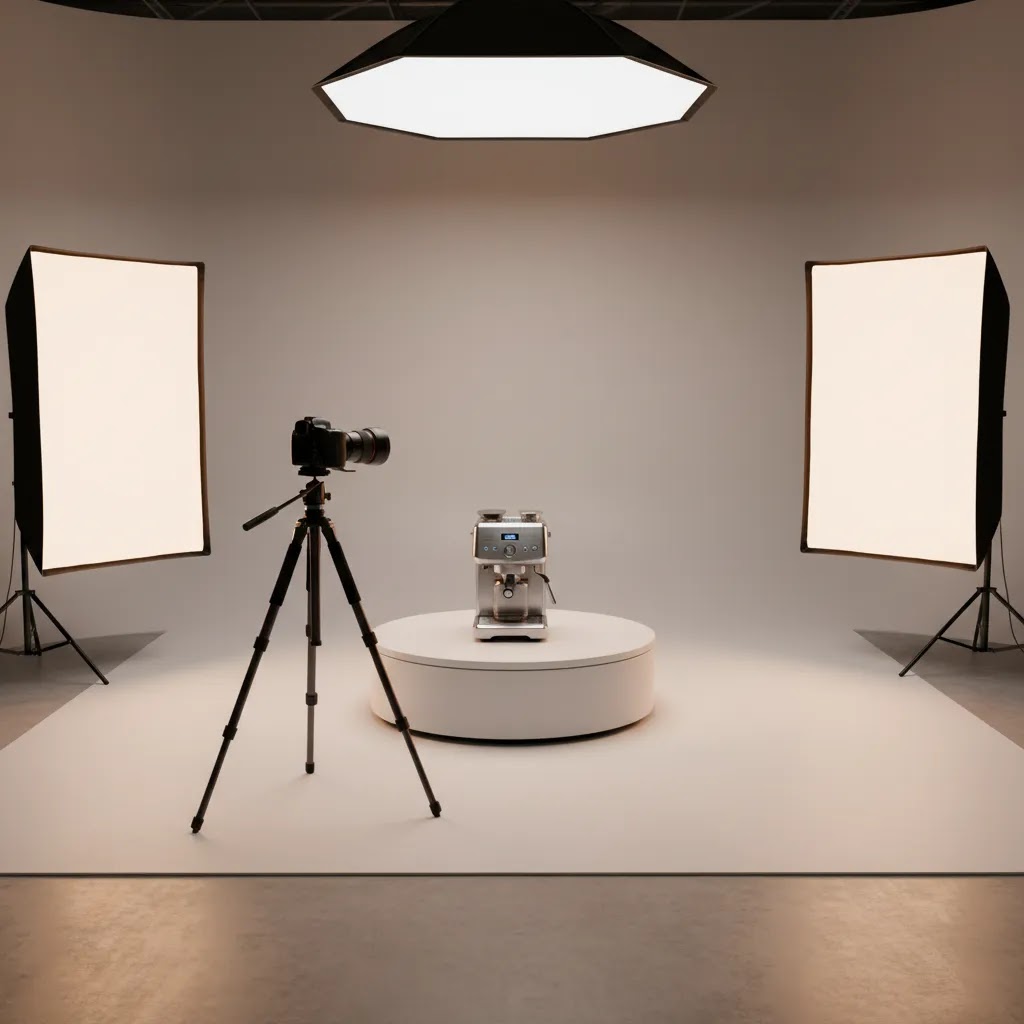
If you sell products online, a photography turntable can help you create cleaner, more consistent image sets and smoother 360-degree product spins without manually repositioning items between shots. For Shopify merchants, that matters because better visuals often make it easier for shoppers to inspect shape, texture, and details before buying. This guide is for store owners weighing whether a manual platform, motorized turntable for product photography, or a more automated setup makes sense for their catalog. We will look at what actually matters in practice: load capacity, rotation precision, workflow speed, software compatibility, and whether the setup fits your products and team. If you are still planning your broader visual content workflow, start with these fundamentals for product photos.
Contents
- What a photography turntable does
- Photography turntable types: manual vs motorized vs computer-controlled
- What features matter most
- Turntable sizing and load capacity: how to spec it without guessing
- Pros and Cons
- Who should buy one
- AcquireConvert recommendation
- How to choose the right turntable
- Setup and workflow checklist for 360 product spins
- Frequently Asked Questions
- Key Takeaways
- Conclusion
What a Photography Turntable Does
A photography turntable is a rotating platform used to capture products from multiple angles while the camera stays fixed. For ecommerce, that usually means faster product sets, more consistent framing, and the option to build interactive spins. If you are producing 360 product photography, the turntable becomes the repeatability tool in your setup.
The basic idea is simple. Place the item on the platform, rotate it in measured increments, and capture a frame at each stop. Those frames can then be used as a standard multi-angle gallery, stitched into a 360 viewer, or adapted for marketplaces and product pages that need several consistent angles.
For many stores, the main value is not just visual polish. It is workflow control. A turntable helps reduce handling errors, keeps the product centered, and makes batch shooting more predictable. That is especially useful if you sell jewelry, cosmetics, accessories, collectibles, packaged goods, or any catalog where small shifts in angle create inconsistent image sets.
Not every store needs a dedicated automated product photography turntable. If you have a very small catalog or mainly shoot flat lays, a turntable may be unnecessary. But if you regularly photograph physical products from multiple angles, it can become one of the more practical upgrades in a small in-house studio.
Photography Turntable Types: Manual vs Motorized vs Computer-Controlled
When store owners search for a photography turntable, they often end up looking at three broad categories. The differences matter because plenty of products marketed as “360” are really just rotating display stands. That can be fine for basic photography, but it can become frustrating if your goal is consistent, publish-ready 360 spins.
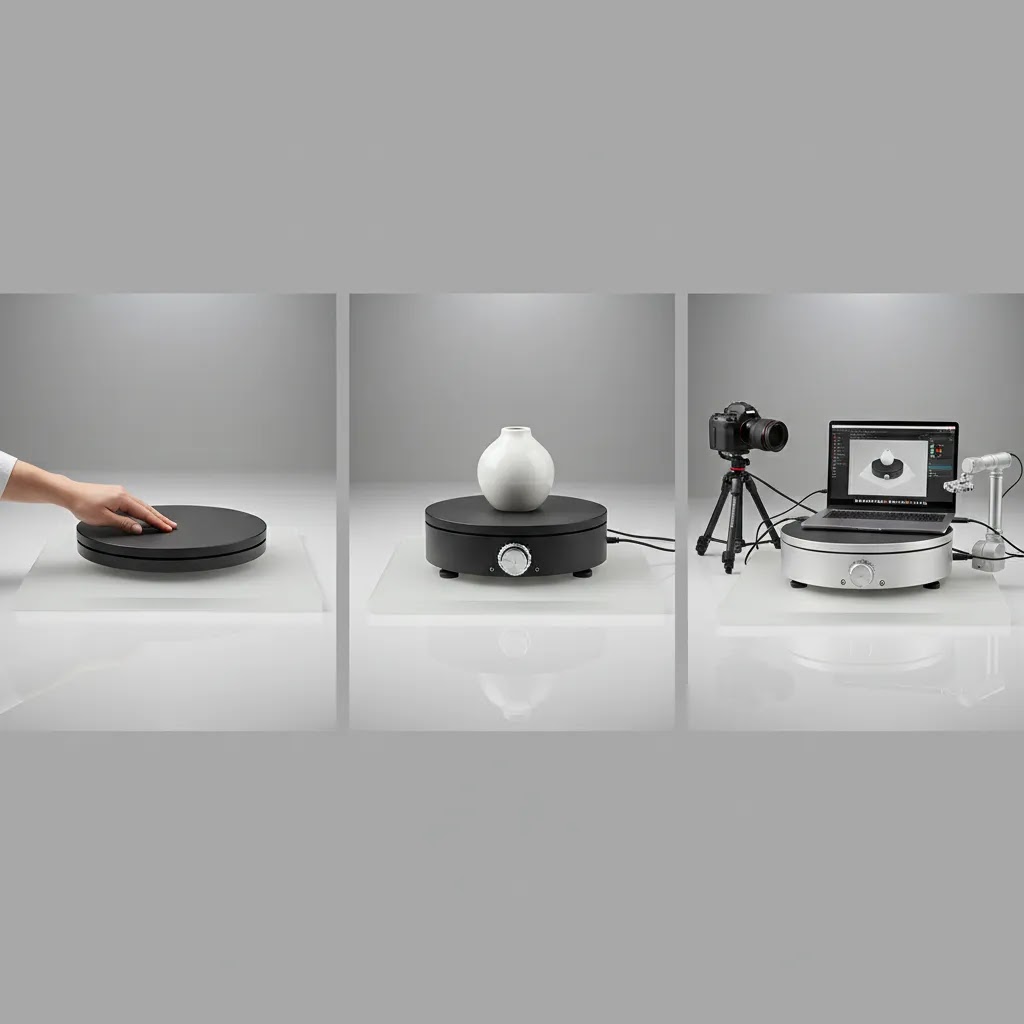
1. Manual turntables (simple rotating platforms)
A manual platform is usually a weighted base with a smooth bearing. You rotate the product by hand and shoot each frame. From a practical standpoint, these are best for:
- Basic multi-angle sets where you only need front, side, back, and a few detail angles.
- Testing whether a turntable workflow fits your products before investing in motorization.
- Low volume shooting where speed and indexing precision are not critical.
Here’s the thing: manual setups can still produce good results, but consistency depends on you. You will usually need to mark rotation points (tape marks, degree markings, or a simple reference guide) to avoid uneven spacing between angles.
2. Motorized turntables (continuous rotation or step rotation)
A motorized turntable for product photography adds controlled movement. Some models rotate continuously (useful for video clips), while others support step rotation where the platform stops at set intervals for stills. In many cases, motorized turntables are a good fit when:
- You shoot enough SKUs that manual rotation becomes a bottleneck.
- You want more repeatable angle spacing for consistent galleries.
- You plan to standardize your shots across products that are similarly sized.
The reality is that not all motorized platforms stop accurately enough for polished 360 output. If a turntable drifts or overshoots, you can end up with a spin that feels jumpy. That is especially noticeable on product pages where shoppers drag to rotate.
3. Computer-controlled 360 systems (indexed rotation plus synchronized capture)
When a listing says “computer-controlled” or “automated product photography turntable,” it usually means the turntable can index to precise steps (for example, 10 degrees per frame) and coordinate capture through software. Sometimes that includes camera triggering, sometimes it does not. Think of it this way:
- Indexing is the turntable rotating to a specific position repeatedly, then stopping.
- Synchronized capture is the workflow where the system knows when the platform is stopped and either triggers the shutter or tells you when to shoot.
For most Shopify store owners, this matters when you want true repeatability across a catalog. If you are producing interactive spins for dozens or hundreds of SKUs, small inconsistencies add up. Indexed rotation and consistent stopping points help you keep framing stable, reduce editing headaches, and produce spins that feel smooth in a viewer.
Choose this if you want the simplest fit for your team
If you are a solo founder shooting occasional updates, a manual turntable can be enough. If you are running regular batch shoots and need a predictable process, a motorized platform is typically the practical upgrade. If you have a growing catalog, multiple contributors, or a dedicated content workflow where consistency matters across many SKUs, computer-controlled indexing and software-linked capture can be worth it, assuming your team will actually use the automation.
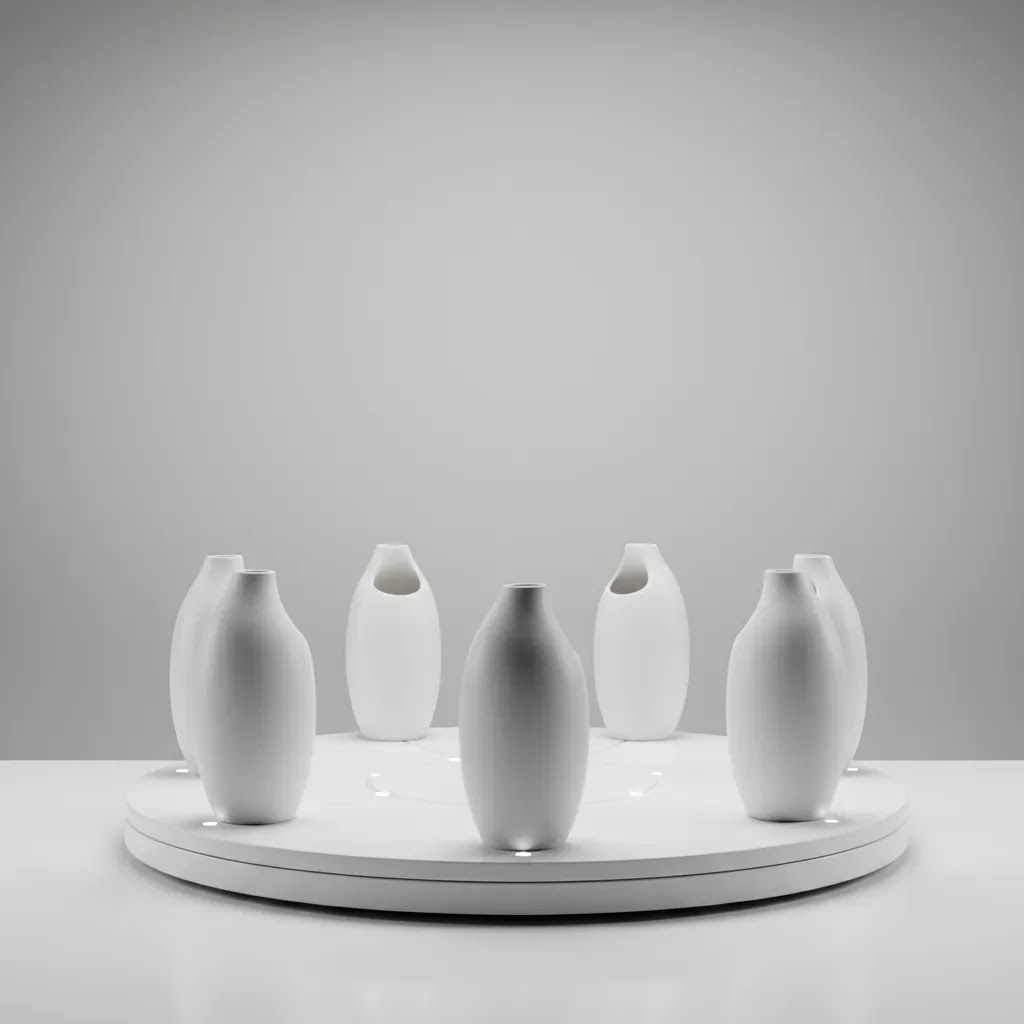
What Features Matter Most
The best product photography turntable is rarely the one with the most advanced spec sheet. It is the one that matches your product size, shooting volume, and publishing workflow.
1. Rotation control and stopping accuracy
If you want smooth spins or consistent multi-angle galleries, precision matters. Look for a platform that can stop at reliable intervals rather than drifting past the intended position. For simple product pages, broad increments may be enough. For a polished 360 view, tighter and repeatable stopping points are more important.
2. Weight capacity and platform size
Small cosmetic items, watches, and bottles need a very different setup than luggage, appliances, or furniture decor. Check both the maximum supported weight and the usable shooting surface. A turntable that is too small creates stability issues. One that is oversized for your products may take up unnecessary studio space and slow your setup changes.
3. Speed options
Variable speed is useful because products behave differently under rotation. Lightweight reflective items may wobble if the turntable starts too abruptly. Heavier products may need slower movement for safe positioning but faster cycling for throughput once they are centered. Speed control also helps if you shoot video clips as well as stills.
4. Remote triggering and software compatibility
Some merchants are fine with a manual capture process. Others want a more electronic turntable photography workflow where rotation and shutter release are coordinated. If you plan to produce image sequences at scale, software support becomes important. Before you buy, think through whether you need simple hardware only or a system that works with dedicated 360 photo software.
5. Surface finish and retouching workload
A glossy top can create reflection problems. A matte top may be easier to work with, especially for transparent or metallic products. Also consider how visible the platform edge will be in your final shots. The more cleanup required in post-production, the less efficient the setup becomes.
6. Studio fit
Your turntable does not work in isolation. It has to fit your lighting, lens choice, and backdrop arrangement. If you are building an in-house product photography studio, make sure the rotating platform integrates with your table height, sweep, and overhead lighting plan rather than forcing awkward workarounds.
Turntable Sizing and Load Capacity: How to Spec It Without Guessing
One of the most common reasons store owners regret a purchase is simple: the platform is either too small to shoot comfortably, or it technically holds the weight but feels unstable in real use. You can avoid most of that by sizing based on your biggest real product, not the average SKU.
A practical sizing method that works for ecommerce catalogs
Start by measuring the footprint of the largest product you plan to shoot on the turntable. That is the maximum width and depth of the product as it sits naturally, including any packaging that will be visible in your photos. Then add a stability margin so the product is not hanging near the edge of the platform.
- If the product nearly matches the platform diameter, you may fight edge visibility in your shots and you will have less room to correct centering.
- If the product is top-heavy, you typically want more margin than you think, because a small off-center shift becomes more noticeable as the product rotates.
Consider this: your usable surface is not always the same as the advertised diameter. Some turntables have a raised rim, a beveled edge, or a top plate that is smaller than the base. For product photography, the usable top surface is the number that matters.
Load capacity is not just about weight, it is about stability
Specs often list a maximum weight, but real-world performance depends on how the platform behaves while moving and stopping. Even if your product is under the rated capacity, you can still run into:
- Wobble, especially with taller items where the center of gravity is higher.
- Stopping inaccuracy if the motor struggles to brake consistently under load.
- Vibration that shows up as softness in photos if your shutter speed is too slow.
For 360 capture, stopping accuracy matters because every frame is part of a sequence. If the platform overshoots slightly on some stops, the spin can look uneven even when your lighting and camera are consistent.
Large photography turntable considerations (when bigger is not always better)
If you need a large photography turntable for bigger products, plan for the knock-on effects in your studio. A larger surface can be the right call for stability, but it changes your lighting and space requirements.
- Studio space: a bigger platform usually means more clearance around it for lights, tripods, and safe handling. If your space is tight, swapping products can become slower.
- Lighting coverage: even illumination is harder across a wider surface. You may need to reposition lights or increase diffusion to keep shadows consistent through the rotation.
- Throughput: oversized platforms can slow your workflow if they take longer to start, stop, or settle, especially when you are trying to shoot batches quickly.
For most Shopify store owners, the goal is not to buy the biggest turntable available. It is to buy the smallest platform that keeps your largest common products stable, centered, and repeatable.
Pros and Cons
Strengths
- Creates more consistent angle-to-angle product images, which is helpful for ecommerce galleries and comparison shopping.
- Can reduce manual handling, lowering the chance of product movement between shots.
- Supports scalable 360 product capture workflows when paired with the right camera and publishing setup.
- Makes batch shooting more efficient for catalogs with many similarly sized items.
- Helps keep the camera locked in place, which can simplify editing and background cleanup.
- Useful for both still photography and short rotating product videos.
Considerations
- Good results still depend on lighting, centering, styling, and post-production. The turntable alone will not fix weak product photography fundamentals.
- Higher-end automated systems can be expensive relative to the needs of a small catalog.
- Bulky, unstable, or highly irregular products may not rotate cleanly without extra support.
- Some DIY or lower-cost options may lack the stopping precision needed for polished 360 experiences.
Who Should Buy One
A photography turntable makes the most sense for ecommerce brands that shoot the same type of product repeatedly and want a more controlled in-house workflow. That often includes Shopify stores selling beauty products, jewelry, electronics accessories, home goods, packaged food, collectibles, and premium DTC items where shoppers benefit from seeing shape and finish from multiple sides.
If you launch products often, rely on paid traffic, or sell higher-consideration items where visual confidence matters, a turntable may be a worthwhile investment. If you only need occasional images for a handful of SKUs, renting a studio or outsourcing may be the more sensible path.
AcquireConvert Recommendation
For most store owners, the right move is to treat a photography turntable as part of a larger product visualization workflow, not a standalone purchase. At AcquireConvert, the guidance is to start with your catalog needs first: product size range, monthly shot volume, required image outputs, and where the visuals will appear on your storefront. That practical approach reflects Giles Thomas's experience as a Shopify Partner and Google Expert, where conversion decisions are tied to how shoppers actually evaluate products online.
If you are still comparing formats, first review the broader 3d product photography options and then weigh whether interactive spins, standard angle sets, or future-ready formats like ar product visualization fit your store. AcquireConvert is a useful specialist resource if you want clear, ecommerce-focused guidance rather than generic photography advice.
How to Choose the Right Turntable
Here are the five criteria that matter most if you are comparing photography turntables for ecommerce use.
Match the turntable to your product mix
Start with the heaviest and most awkward item you expect to shoot, not the smallest. A turntable that works well for skincare jars may fail completely for handbags or boxed bundles. Check weight tolerance, usable diameter, and platform stability. If your catalog varies a lot, it may be better to buy for the middle 80 percent of products and keep a separate workflow for oversized items.
Decide how automated your workflow needs to be
There is a big difference between a rotating platform and a fully automated product photography turntable system. If you only need a few extra angles per product, a simple motorized platform may be enough. If you want repeatable 360 spins across many SKUs, software-linked capture is more valuable. That is where merchants often overbuy or underbuy. Buy only the level of automation your team will actually use.
Factor in editing time, not just shooting time
A turntable can speed up image capture but still slow down production if the setup creates difficult reflections, inconsistent shadows, or visible platform edges. Ask yourself what the final files need to look like on your product pages. A setup that saves five minutes on set but adds ten minutes in post is usually the wrong choice.
Check compatibility with your storefront experience
If you plan to publish interactive spins, make sure your image sequence can be exported and displayed in a format your ecommerce stack can support. Some merchants only need angle images uploaded to the gallery. Others want a more immersive asset tied to product page engagement. Clarify this before buying hardware, especially if you are building around Shopify theme constraints and app support.
Be realistic about DIY vs commercial systems
Photography turntable DIY setups can work for testing. A basic lazy Susan, marked rotation points, and tripod can help you validate whether product turntable photography improves your listings. But DIY tends to break down when consistency, scale, or speed matter. If your catalog is growing, the move from DIY turntable product photography to a dedicated system may save time and reduce rework.
Think in terms of customer experience
The final question is not whether the tool is impressive. It is whether the resulting visuals help customers buy. For some stores, a clean front, side, back, and detail sequence is enough. For others, especially premium or design-led brands, a smoother 360 presentation may better communicate material quality and shape. Pick the setup that supports your selling process, not just your studio workflow.
Setup and Workflow Checklist for 360 Product Spins
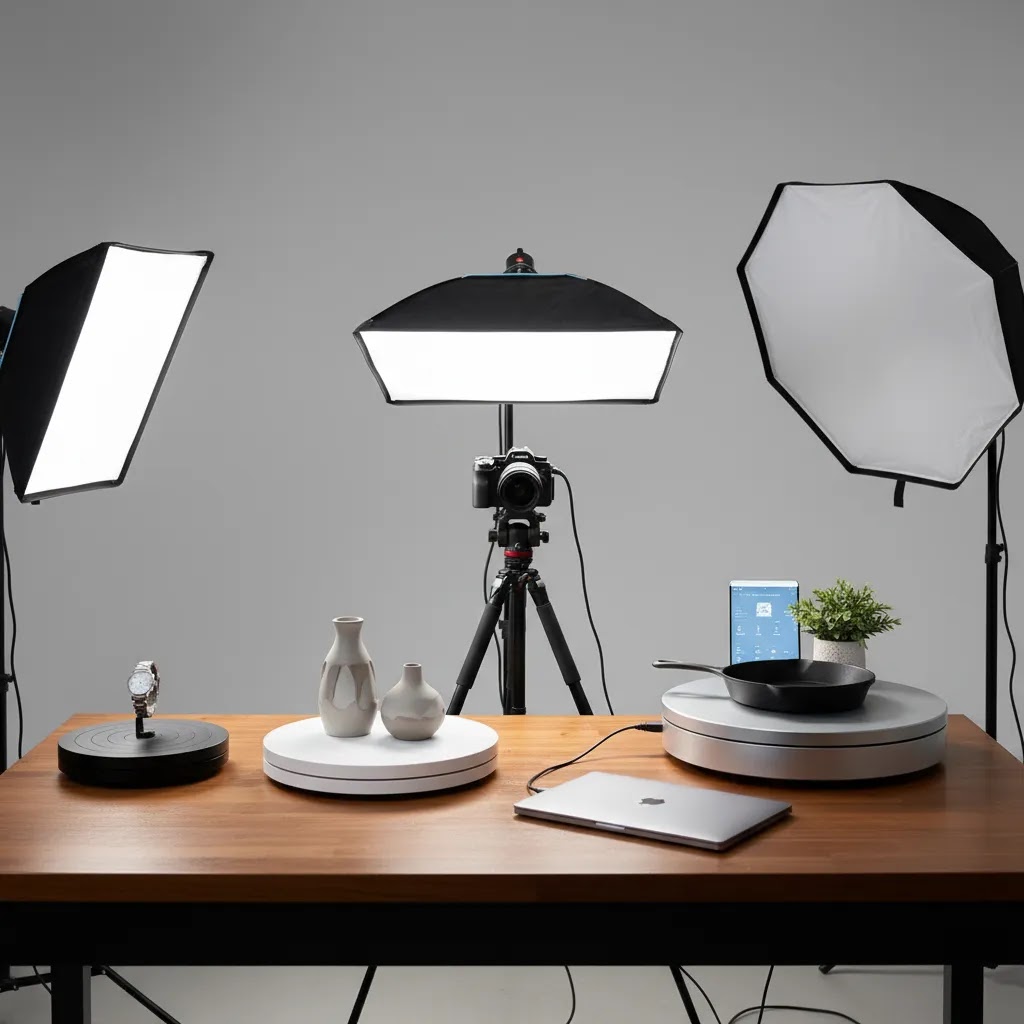
What many store owners overlook is that the turntable is only one part of getting a good 360 sequence. Most “bad 360” results come from inconsistent lighting, inconsistent centering, or inconsistent capture settings, not from the idea of a turntable itself. If you want a repeatable workflow, here is what you need beyond the rotating platform.
What you need besides the turntable
To get consistent spins, your setup needs to stay fixed while the product rotates. That usually means:
- Camera support: a stable tripod and a locked composition. If the camera moves between products, you create extra editing work and inconsistent framing across SKUs.
- Consistent lighting: soft, controlled light that does not change as the product rotates. Reflections move as the product turns, but your light sources should not.
- Background control: a sweep or backdrop that stays clean and consistent so you are not fighting gradients and wrinkles in post.
- Leveling: a platform that is level, plus a repeatable way to confirm it. A slightly tilted turntable can make a product appear to wobble even when it is stable.
- Centering process: a simple routine to place the product in the same spot each time. In practice, this can be as basic as marking the center point and using a consistent base or stand for tricky items.
For many Shopify stores, the centering step is the difference between a smooth-looking spin and a product that appears to orbit the frame. If you are shooting a batch, it is worth taking an extra minute to center properly rather than fixing hundreds of frames later.
Plan your frame count before you shoot the catalog
For 360, you are choosing a tradeoff between smoothness and production cost. The way this works in practice is that you pick an increment (degrees per shot), then shoot the full rotation.
- Larger increments mean fewer frames, faster shooting, and less editing, but the spin may feel more “stepped.”
- Smaller increments mean more frames and a smoother result, but higher capture time, more retouching, and more files to publish.
Also think about site performance. More frames can increase total asset weight, depending on how your viewer loads images. If you are not sure, test one product first, publish it, and see how it feels on mobile. Then lock the standard and run the batch.
Output and sanity checks that save rework
Before you commit to shooting an entire catalog, do a short pilot with one representative SKU. From a practical standpoint, you want to confirm:
- File naming and organization: a predictable naming convention so your frames stay in order. If files get out of sequence, your spin will look wrong even if the photos are good.
- Batch consistency: the same camera settings, white balance, and crop strategy across products so your storefront looks cohesive.
- Rotation direction and start frame: a consistent starting angle across products so customers do not see random first frames when they click through your catalog.
- Viewer readiness: export a sequence that works with your publishing setup and matches how you want spins to appear on product pages.
If you catch a problem at the pilot stage, you save hours. If you catch it after 200 SKUs, you are reshooting or renaming files at scale. That is why a quick test run is usually worth it, even for experienced teams.
Frequently Asked Questions
What is a photography turntable used for?
A photography turntable is used to rotate a product in controlled increments while the camera stays fixed. That helps you capture consistent angles for product pages, marketplaces, and interactive spins. In ecommerce, it is most useful for stores that need repeatable multi-angle images across many SKUs.
Do I need a motorized turntable for product photography?
Not always. If you shoot a small number of products and can work carefully with manual rotation, you may not need motorization. A motorized turntable becomes more valuable when you want faster workflows, more consistent angle spacing, or a repeatable setup for 360 sequences and batch shooting.
Is a photography turntable worth it for Shopify stores?
It can be, especially if your products benefit from being viewed from multiple sides. For Shopify merchants selling design-led, premium, or detail-sensitive items, stronger visual presentation may improve shopper confidence. The value depends on your catalog size, average order value, and how often you produce new imagery.
Can I build a photography turntable DIY setup first?
Yes. A DIY setup is a reasonable way to test demand before buying commercial hardware. You can use a stable manual platform, fixed tripod, and marked rotation points to create a simple sequence. Just expect more manual work and less precision than you would get from a dedicated automated system.
What products work best on photography turntables?
Smaller and medium-sized items with stable bases usually work best. Bottles, shoes, beauty products, accessories, electronics, and collectibles are common examples. Large, top-heavy, reflective, or oddly balanced products can still be photographed on turntables, but they often need extra care in lighting and placement.
Do I need special software for a 360 product photography turntable?
Only if you want a more automated workflow or interactive viewer output. Some merchants simply upload multiple still images and skip dedicated software. If you want synchronized capture, frame sequencing, and polished spins, software compatibility becomes more important and should be checked before purchase.
How many images do I need for a 360 product spin?
The exact number varies by the smoothness you want and the file weight you can support. More frames usually create a smoother result but increase capture, editing, and loading demands. Many stores start with a manageable frame count, test the experience on product pages, and then refine from there.
Will a turntable improve conversions?
It may help in cases where shoppers need more visual clarity before buying, but it is not a guaranteed fix. Results depend on product type, page speed, theme layout, image quality, and how much visual detail influences the purchase decision. Treat it as one part of a broader product page optimization process.
Should I outsource 360 photography or do it in-house?
If you have a steady flow of products and want tighter control over launch timing, in-house can make sense. If your volume is low or your team lacks studio capacity, outsourcing may be more efficient. The right choice depends on your shooting frequency, margin structure, and quality requirements.
What size photography turntable do I need for my products?
Measure the footprint of your largest product as it will appear in the shot, then choose a platform that gives you extra margin so the product is not near the edge. The usable top surface is what matters, not just the advertised diameter. If you sell top-heavy products, give yourself more margin so small centering errors do not turn into visible “orbiting” in a 360 sequence.
How much weight can a photography turntable hold (and what is realistic vs advertised)?
Rated capacity is a starting point, but what matters for product photography is stability under motion and stopping accuracy. A turntable might support the weight without breaking, but still wobble, vibrate, or drift when it stops, especially with tall products. If your products are near the listed limit, you should expect more testing, slower speeds, and potentially less reliable indexing.
What is the difference between a 360 photography turntable and a regular rotating display stand?
A rotating display stand is typically designed to spin a product for presentation, often with continuous rotation and limited control. A 360 product photography turntable is designed for repeatability. It is more likely to support step rotation, consistent stopping points, and in some systems, software-controlled indexing and optional camera triggering. Those features matter if you want smooth, consistent spins across many SKUs.
Where can I buy a photography turntable (online vs local), and what should I check before ordering?
You can buy photography turntables online through common ecommerce marketplaces, photography retailers, and specialist 360 product photography suppliers, and in some areas you can find options locally through camera stores. Before ordering, check the usable top diameter, realistic stability for your product size, the type of rotation control (continuous vs step), power requirements, and whether return policies allow you to test stopping accuracy with your heaviest product. If you plan to automate capture, confirm compatibility with your camera and your intended 360 workflow before committing.
Key Takeaways
- Choose a photography turntable based on product size, weight, and shooting volume, not just advertised features.
- Precision rotation matters more if you want polished 360 experiences rather than standard multi-angle image sets.
- A DIY setup can validate the workflow, but a dedicated system is usually better for consistency and scale.
- Software compatibility matters if you plan to automate capture or publish interactive product spins.
- Measure value by customer clarity and workflow efficiency, not by hardware specs alone.
Conclusion
A good photography turntable can make product imaging more consistent, more scalable, and better suited to modern ecommerce merchandising. But the best choice depends on your catalog, your workflow, and the type of visual experience your customers actually need. For some brands, a simple rotating platform is enough. For others, a more automated setup with software support will be worth the extra cost and complexity.
If you are evaluating how turntables fit into your Shopify visual strategy, AcquireConvert offers practical guidance for store owners who need clear next steps. Explore related resources on 3D product photography, 360 formats, and studio setup to make a more informed decision, backed by Giles Thomas's practitioner-led ecommerce perspective.
This article is editorial content for educational purposes and is not a paid endorsement unless explicitly stated otherwise. Pricing, product availability, and feature sets for third-party tools or equipment are subject to change and should be verified directly with the provider. Any performance or conversion impact discussed is illustrative only and not guaranteed.

Hi, I'm Giles Thomas.
Founder of AcquireConvert, the place where ecommerce entrepreneurs & marketers go to learn growth. I'm also the founder of Shopify agency Whole Design Studios.