What is Shopify POS?
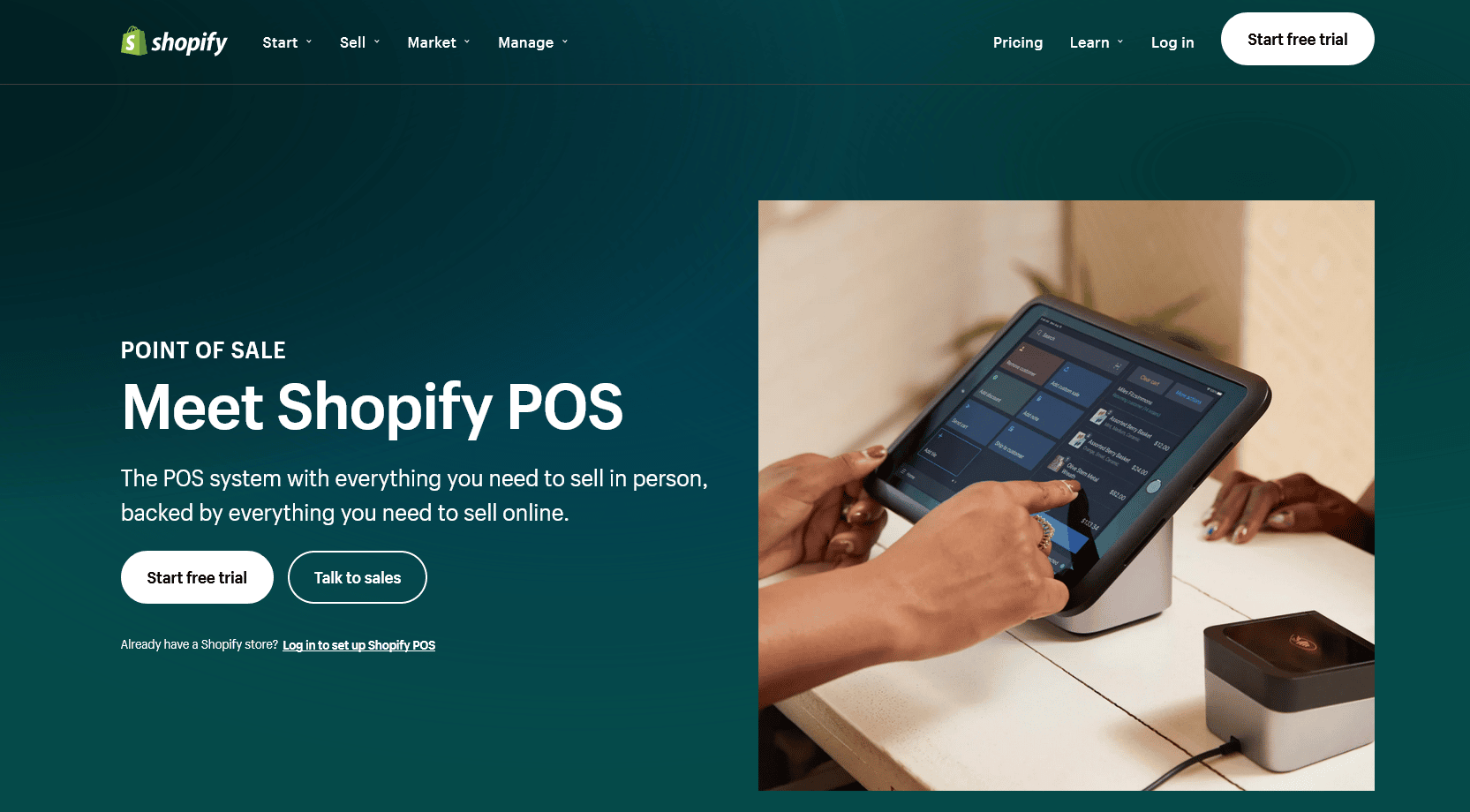
Shopify POS is the platform’s point-of-sale product that it has offered since 2013. Shopify quickly recognized that even the most successful ecommerce stores often need offline channels to sell from too.
You don’t need a fully-fledged brick-and-mortar store to see the benefits of Shopify POS. Perhaps you sell your products in person at the local market at weekends or sell merchandise at special events?
The Shopify POS app allows you to do that on one platform from one integrated system. You can download the app to any Android or iOS device, enabling business owners to sell products in person from almost anywhere.
From a smartphone or tablet, Shopify POS allows you to:
- Create a shopping cart for each customer
- Accept payment (using a wide variety of methods)
- Produce receipts
- Sync orders and inventory across all your sales channels
There’s more than one version of Shopify POS, though. All the basic functionality is included in the version that comes with all Shopify plans (sometimes called Shopify POS Lite) but if you want extra functionality, you can consider the more sophisticated version of the app called Shopify POS Pro.
Main features of Shopify POS
The standard Lite version of Shopify POS will be suitable for most ecommerce store owners who occasionally sell offline and simply want an affordable way to process orders that sync with your online store.
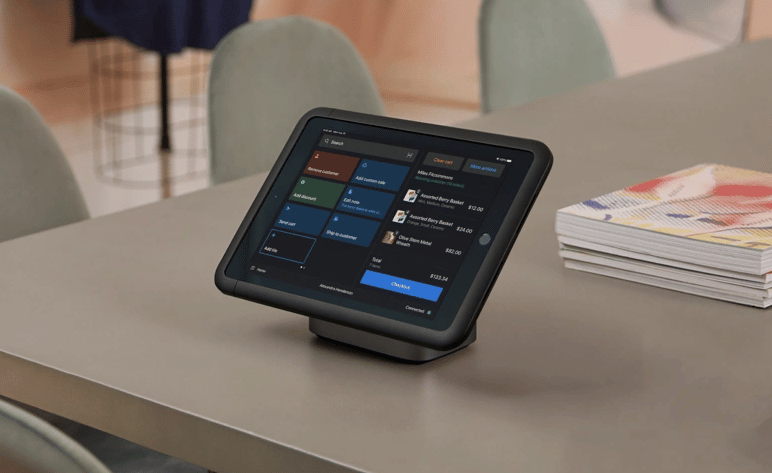
Don’t let the “Lite” name fool you. It’s a comprehensive and fully integrated POS with the software and hardware you need to sell offline — with minimal transaction fees. It’s packed with great features, such as:
- Mobile POS
- Email cart add-on
- Customer profiles
- Order and product management
- Custom payment types
- Popular payment method support
- Product QR codes
- External card terminals
- Gift cards and discounts
- Shopify hardware integration
- Cash flow management tools
- POS hardware and software
- Connectivity screens
- Free shipping and returns for POS tools
- Compatible accessories
- Customized checkout
- Global search
- Mobile checkout
- Taxes
- Custom discounts
- Custom receipts
- Auto reconciliation
These, of course, are additional features to those provided for Shopify online stores that you get with each Shopify plan.
What do you get with Shopify POS Pro?
Shopify POS Pro provides a more sophisticated way to sell products offline and sync with your online store.
It comes as a standard part of the Shopify Plus package or you can remain with your existing Shopify package and pay an additional monthly fee for the Pro version of POS (see Pricing section below).
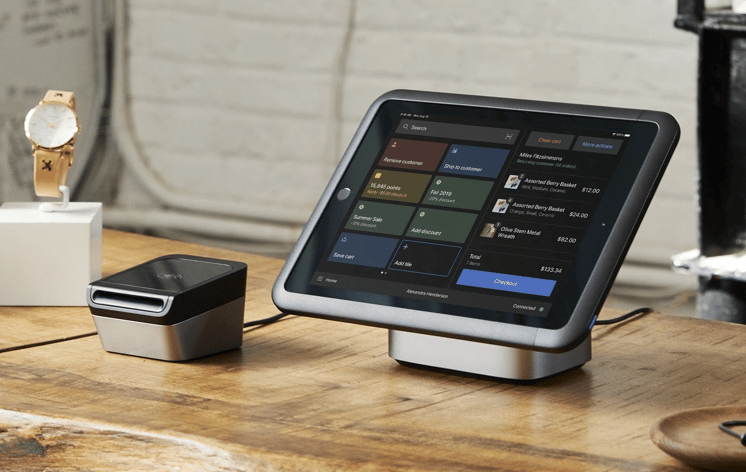
The Pro version includes all of the features of Lite plus additional features, such as:
- Pick-up-in-store purchasing
- Shipping support
- Save/retrieve cart options
- Omnichannel selling features
- Unlimited registers
- Unlimited store staff
- Staff roles and permissions
- Stock adjustments
- Purchase orders, inventory counts, inventory tracking
- Sale item suggestions
- Detailed inventory reports
- Cash tracking and sales reports
- Demand forecasting
- Low stock reports
- In-store analytics
Payment methods available with Shopify POS
Seamless payment features are included with Shopify POS.
Customers have many ways to pay if your offline store is based in the US, Canada, the UK or Ireland. Outside of those countries, things become a little more challenging as you’ll need an external credit card terminal from a reputable payment processor.
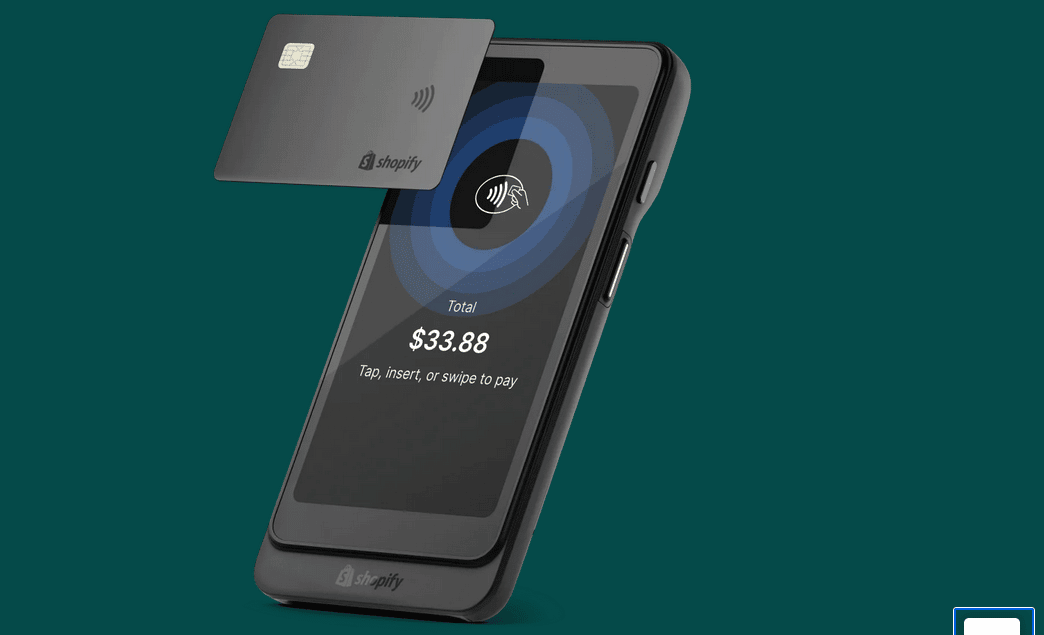
Using the Shopify tap-and-chip card reader, customers can pay by Visa, Mastercard, American Express, Apple Pay, and Google Pay with affordable transaction fees deducted automatically from each sale.
Contactless payments and credit cards using the EMV-compliant Tap, Chip, and Swipe card reader are available in the UK and Ireland.
Other payment methods available with Shopify POS include:
- Physical and digital gift cards (redeemed in-store or online)
- Custom payment options, such as external terminals, checks, IOUs, or gold coins
- Split payments/tenders, where you accept two or more payment types in a single transaction
- Partial payments (deposits/layaways)
Shopify POS Review: What are the 7 standout benefits?
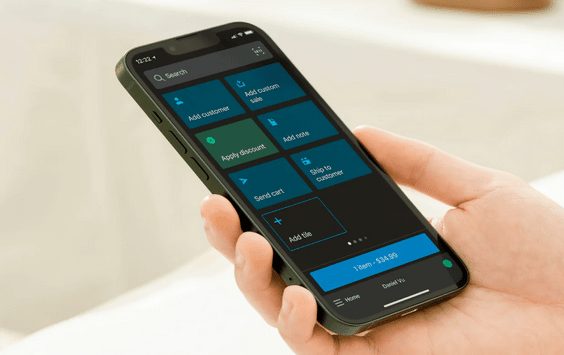
Now you know the main features provided by Shopify POS, let’s take a look at the seven standout benefits of using the system…
Seamless integration
Whether you’re a pop-up shop or a full brick-and-mortar retail store, Shopify POS connects seamlessly with Shopify card readers and compatible hardware accessories — and then integrates back with your ecommerce store so that orders and inventory are fully synced.
Note: if you make sales without internet access, the next time you go online, the sales will automatically synchronize with your Shopify inventory.
Ease of use
For customers, it’s as easy as flicking through your product catalog, selecting the product(s) they want to buy, swiping their credit card, and getting their receipt.
Shopify POS is also easy for merchants to use because of its seamless integration of online sales with in-person sales. The learning curve is very shallow for the software, so you can be up and running in hours rather than days.
Flexibility
Shopify POS offers five different POS tiers with a huge range of features to suit your customers as well as the needs of your business and your budget.
It offers a variety of payment methods for customers and its flexibility also means that you can turn any mobile device into a powerful point of sale — simply by downloading the POS software onto your Android or iOS smartphone or tablet.

Affordability
The Shopify POS hardware and software come as standard parts of the Shopify and Advanced plans so the only extras to pay are the affordable transaction charges (see Pricing). You receive a free cash drawer, receipt printer, and barcode scanner.
If you need to upgrade to the Pro version, you’ll pay a little more each month but it should still be manageable as it likely means you’ll be selling a lot more.
Customized shopping experience
Much of the Shopify POS setup can be customized for your store’s needs. For instance, you can create personalized payment methods and accept less-popular ways for customers to pay as well as the standard ones used.
You can manage your customers easily through the customer profiles, which are added every time a new customer makes a purchase. Customers can also keep their most-used apps, discounts, and products at their fingertips for quick checkout.
With access to over 6,000 apps on the Shopify App store, it’s also easy to increase the functionality of your POS solution.
Trackability
Shopify’s POS allows you to monitor sales, orders, traffic and inventory every day from your dashboard so that you’re always aware of what’s coming in and how your bottom line is affected.
You can run the reports you need (e.g., which are the best-selling products?), convert them into printable spreadsheets, and filter your sales by staff member, location, date, customer, etc.
Sales and marketing assistance
Many features of Shopify POS aid the sales and marketing process. For instance, you can offer shoppers special discounts and promotions on specific products or apply a discount to an entire order.
Shopify POS customer support
Shopify provides free 24/7 tech support via live chat, email, or telephone. Email support with a 24-hour turnaround is provided for non-urgent matters.
If you run into problems, you’ll find the Shopify customer support team ready to help dig you out of your hole!
Any downside to Shopify POS?
Shopify POS is many things and most of them are good.
Shopify is known for its proficiency with online sales and less so offline. Occasionally, users have problems like with any software/hardware-based solution but the overall sentiment towards Shopify POS from merchants is very positive.
Most commonly, customers have gripes with:
- Card readers not working
- POS Bluetooth hardware disconnecting
- Difficulties applying discounts to groups of products
- The detail in analytics reports (which are quite basic)
- Bugs with software updates
What we do know is that if you run into problems, the support team is proficient at solving them. Shopify is generally aware of the drawbacks of its system and has placed enough stock in the importance of its POS system that we’re confident any issues will be ironed out in future versions.
Shopify POS Review: Pricing
What can you expect to pay when using the Shopify POS system?
The monthly price you pay will be a combination of your Shopify plan and POS subscription. There are no hidden fees but you need to be aware of the monthly costs PLUS the transaction fees you’ll pay.
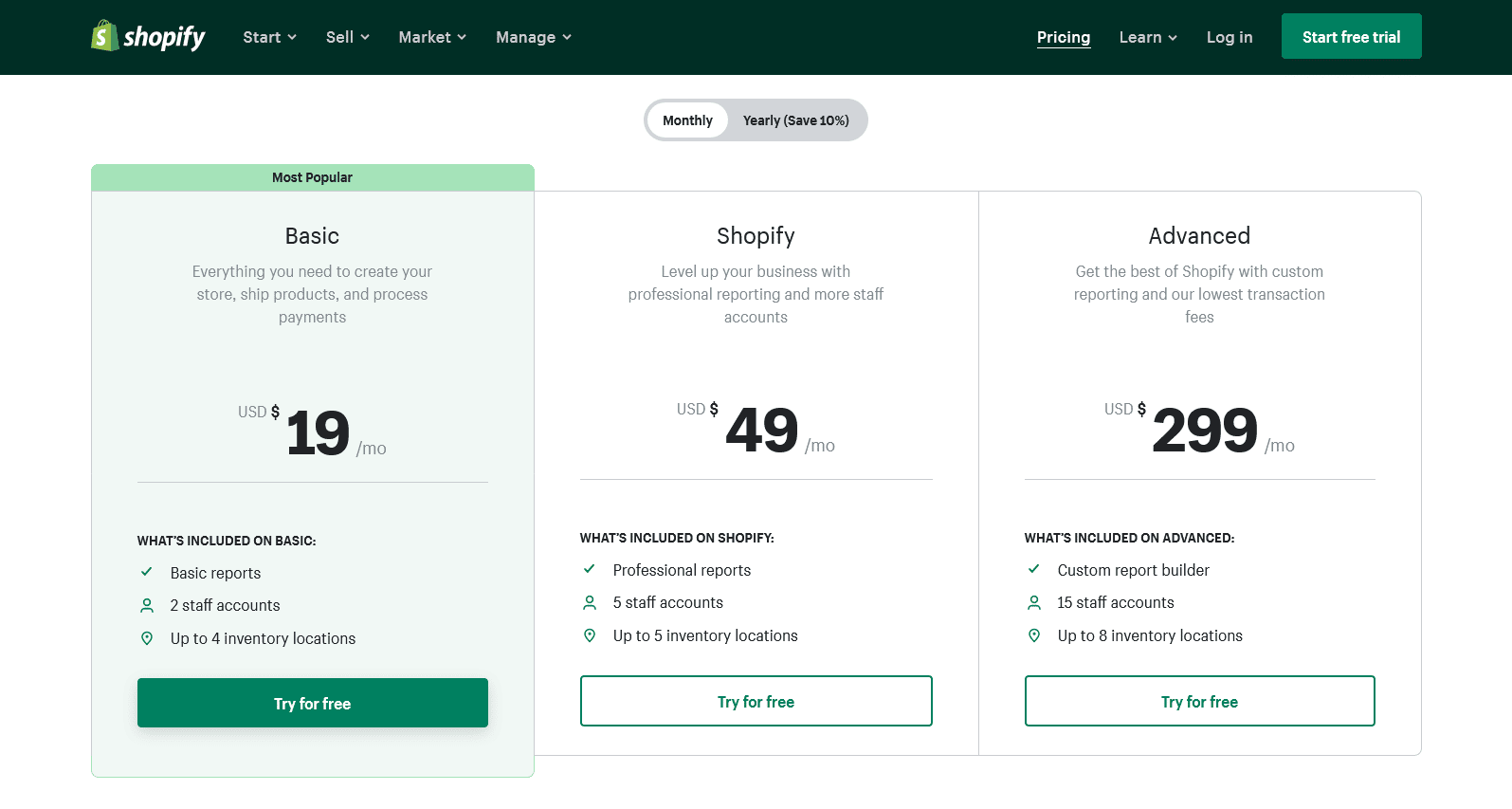
As you know, there is the standard Lite version and the Pro version so let’s deal with these separately…
Shopify POS Lite
Here are the associated costs for each of the four Shopify plans:
- For Shopify Lite plan subscribers, you’ll pay $9 per month but it doesn’t include an online store – just a SELL button (e.g., for a Facebook store). You’ll be charged 2.7% for every purchase made and will need to use one of Shopify’s payment gateways.
- Basic Shopify plan subscribers pay $19 per month and credit card rates of 2.9% + 30¢ in your online store — plus 2.7% for every in-person purchase made via Shopify POS.
- Standard Shopify plan subscribers pay $49 per month with 2.6% + 30¢ for in-store purchases and 2.5% + 0¢ for in-person purchases made via Shopify POS. There is an additional fee for an external payment gateway of 1.0%.
- Advanced Shopify plan subscribers pay $299 per month with 2.4% + 30¢ for in-store purchases and 2.4% + 0¢ for in-person purchases made via Shopify POS. There is an additional fee for an external payment gateway of 0.5%.
- Shopify Plus plan subscribers pay according to their needs and it comes with the Shopify POS Pro version (see below).
Note: you can save 10 percent off the monthly fees by paying annually. Sales tax is not included in the above pricing.
Shopify POS Pro
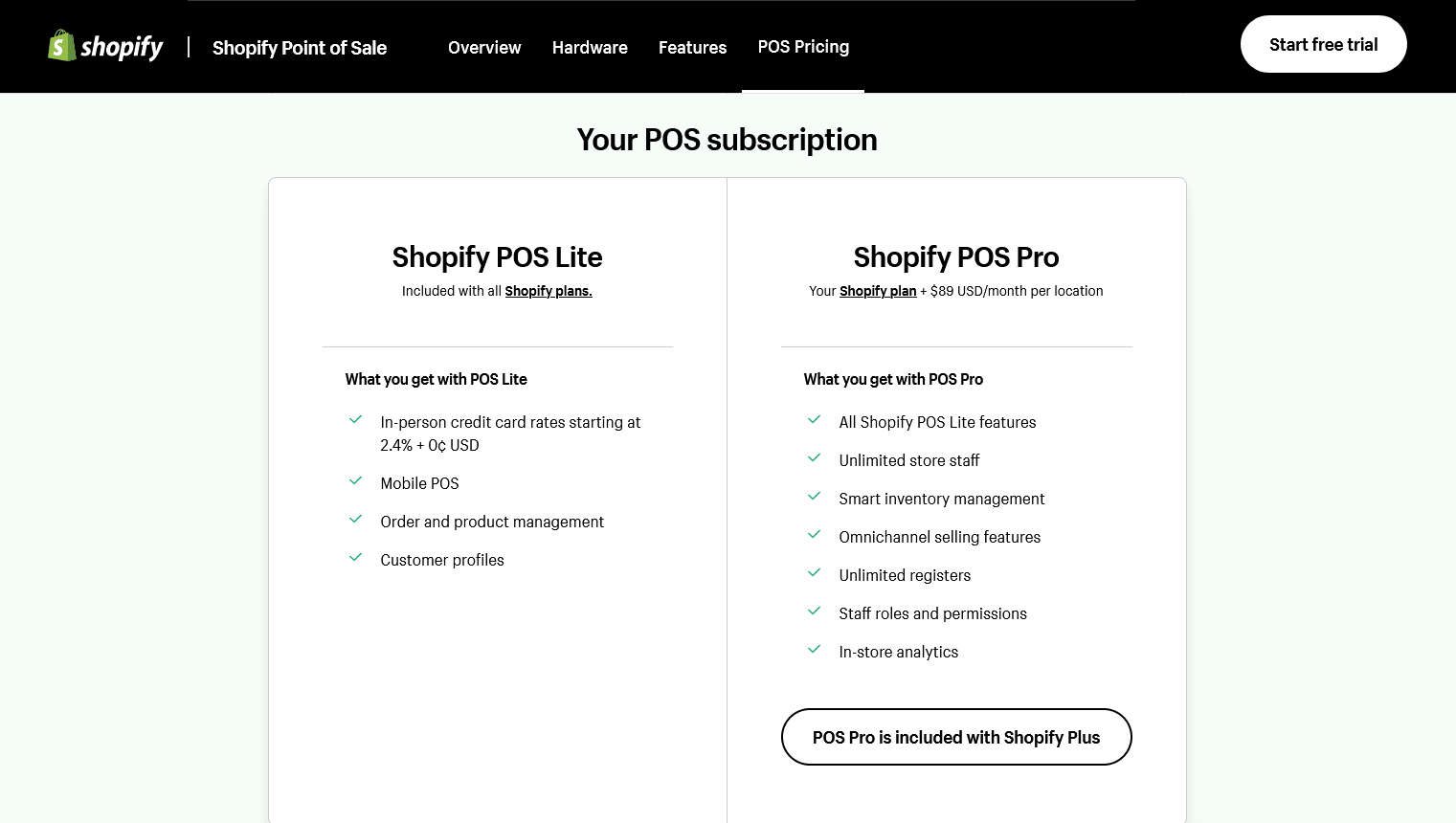
As mentioned, you can upgrade the POS version you use in any Shopify plan to the Pro version with extra features — for which you’ll pay an extra fee of $89 per month per location on top of your Shopify plan subscription.
Remember, Shopify POS Pro comes as standard with Shopify Plus.
Ready to start selling offline with Shopify?
Shopify POS provides a convenient and high-quality point-of-sale solution at a reasonable price point.
Whether you’re on the Shopify Basic, standard or Advanced plan, you get a full range of features allowing you to sell your products offline as well as online.
The hardware and software are easy to use and provide an intelligent system that does most of the work. All you need to do is sell and most other jobs are managed for you in the background.
Watch this space as Shopify is serious about providing the best solutions around for omnichannel selling and will regularly upgrade and update its POS offering.