Product Photography White Background (2026)


A white background still works for a large share of ecommerce catalogs because it keeps attention on the product, helps collections look consistent, and usually fits Shopify themes cleanly. The challenge is that one white background approach does not suit every niche. Jewelry, shoes, cosmetics, food, and larger home goods all need different styling, spacing, and lighting choices to look professional. This guide covers practical product photo background ideas for different niches, along with setup advice, editing options, and where AI tools can help speed up production. If you sell online and want cleaner PDP images without building a full studio, this is a useful starting point. For merchants comparing tools first, AcquireConvert evaluates these workflows through a real ecommerce lens, shaped by Giles Thomas’s experience as a Shopify Partner and Google Expert.
Contents
Overview
Product photography white background setups are popular because they are flexible, familiar, and marketplace-friendly. For many Shopify stores, they also reduce visual friction. A clean white image can make category pages feel tighter, improve perceived professionalism, and help shoppers compare variants more easily.
That said, the best setup depends on your niche. A shoe brand may want a true white background with slight grounding shadow. A beauty brand may need brighter exposure and careful handling of reflective packaging. Handmade products may benefit from white backgrounds for primary shots, with lifestyle images supporting secondary gallery positions.
If you are creating assets in-house, you can either shoot on white from the start or edit backgrounds after the fact. Tools such as an ai background generator can help when you want alternate creative scenes, while a dedicated workflow using a ai background remover is often more practical for standard catalog work. AcquireConvert’s Background Removal & Editing resources are useful if you are building a repeatable process rather than editing one product at a time.
From the product data available, ProductAI offers several relevant tools for this workflow, including Free White Background Generator, AI Background Generator, Magic Photo Editor, Creator Studio, Increase Image Resolution, and Remove Text From Images. Pricing details were not returned in the provided product data, so this article focuses on practical usage rather than unsupported cost claims.
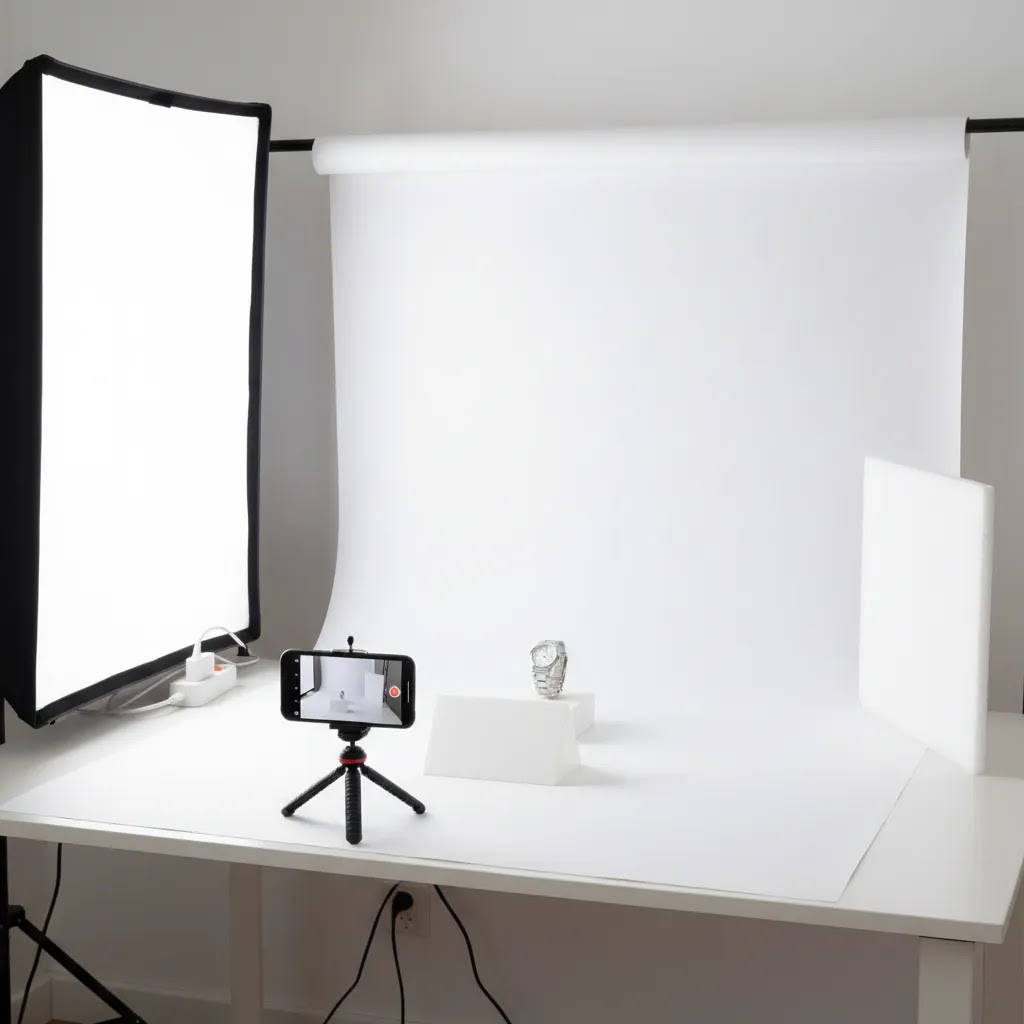
White Background Setup: Backdrop, Lighting, and the “White Looks Gray” Fix
Here’s the thing: most “white background” problems are not editing problems, they are setup problems. If your backdrop is truly white but your photo still looks gray, it usually comes down to light falloff, not enough separation, or your camera protecting highlights by underexposing the scene.
From a practical standpoint, your goal is simple. You want the background to reproduce as clean white, while the product keeps texture and edge detail. That requires controlling distance and light direction more than buying fancy gear.
Build a simple white sweep that stays white
For most Shopify store owners shooting at home, a white sweep is the easiest starting point. A sweep is a curved backdrop that removes the hard corner where the wall meets the surface, which helps you avoid that “horizon line” that makes photos look amateur.
You have a few reliable options:
What many store owners overlook is distance. If your product is too close to the backdrop, you will get stronger shadows on the background, and white starts reading as gray. As a baseline, try placing the product far enough forward that the main shadow falls on the surface in front of the sweep, not up the back wall. For small items, that might be a few inches. For larger items, it can be much more.
Lighting that works for ecommerce without overcomplicating it
A clean white background typically comes from soft, diffused light. Direct light creates harsh shadows and hot spots that make editing slower.
A straightforward approach that works in many cases:
Think of it this way: you are lighting the product and the background as two different problems. If the product looks good but the background is gray, that is a hint the background is not receiving enough light, or the product is blocking light and casting a shadow onto it.
Why your white background looks gray, and how to fix it quickly
If your background looks gray, work through these fixes in order:
A quick editing check also helps. If you are using a background removal tool and the result looks “dirty,” it may be because the original background was not evenly lit, so the edge transition is messy. In that case, improving the source image often reduces the amount of retouching needed later, even if you still plan to use an AI workflow for consistency.
White Background Ideas by Niche
Fashion and apparel: Clothing usually benefits from bright, evenly lit white backgrounds with consistent crop ratios across the collection. Flat lays, ghost mannequin, and simple front-back-detail sets tend to work best. Keep shadows soft and natural. Harsh edges can make fabric look stiff or lower quality.
Shoes: Shoe product photography white background images often perform well with a slight shadow beneath the sole to avoid a floating look. Side profile, three-quarter angle, top-down, and sole shots are usually enough for a clean PDP gallery. White needs to stay neutral so sneaker whites do not disappear into the background.
Cosmetics and skincare: Reflective packaging makes this niche harder than it looks. White backgrounds work well, but lighting must separate the bottle or tube from the backdrop. A small bounce card and diffused top light can help. For labels, crisp detail matters, so using an image upscaler after editing may help if your original file is slightly soft.
Jewelry and small accessories: Small product photography white background work needs close control over reflections and dust. A white background is often right for the hero image, but do not overexpose silver or gemstones. Keep micro-contrast in the product while the background remains clean.
Food, supplements, and packaged goods: White backgrounds are strong for front-of-pack hero images because ingredients and benefits on labels stay legible. If the pack has transparent windows or metallic accents, expect extra retouching. If your source image includes packaging copy or marks you need to clean up, a workflow to remove text from image assets can save time during prep.
Home goods and larger products: White backgrounds still work, but larger items often need more distance from the backdrop to avoid gray falloff. For furniture, decor, or bulky kitchenware, a pure white cutout may look too sterile. In those cases, use white background images as primary gallery shots and add room context later. If you are building a better in-house setup, this guide to a product photography studio is a good next step.
For smartphone product photography white background workflows, the same niche rules apply. The biggest difference is lighting consistency. A phone camera can produce very usable images if you control shadows, lock exposure, and keep the same distance and angle across products. Tools like Free White Background Generator and Magic Photo Editor can help clean up shots after capture, especially for smaller merchants who do not have a dedicated retoucher.
If you want more examples and technique ideas, AcquireConvert’s White Background Photography category is worth browsing.

Pricing and Costs
The product data provided includes these relevant tools and pages: Free White Background Generator, AI Background Generator, Increase Image Resolution, Remove Text From Images, Background Swap Editor, Magic Photo Editor, Place in Hands, and Creator Studio. However, no pricing figures, plan names, or subscription tiers were returned with the available data.
Because of that, it would not be responsible to invent a product photography white background price or imply a fixed cost for your workflow. In practice, your total cost usually depends on three parts: image capture, editing time, and software usage. For a lean Shopify store, the biggest savings often come from reducing manual retouching rather than cutting shoot quality too far.
If you already have a smartphone, soft light, and a white sweep, your starting cost may be low, but the tradeoff is time. If you use editing tools after the shoot, check whether they charge per image, through a subscription, or with usage credits before committing. If your catalog changes often, Creator Studio or Magic Photo Editor may be more efficient than piecing together several disconnected tools. If quality loss is a concern after background cleanup, Increase Image Resolution may help recover presentation quality for collection pages and product detail pages.
For store owners selling across Shopify, marketplaces, and paid social, consistency matters more than chasing the lowest possible tool cost. A slightly higher software spend can be reasonable if it reduces editing bottlenecks and keeps your product images uniform across channels.
What Photographers Use for a White Background (Gear and Materials Checklist)
If you have ever wondered what photographers use for a white background, the answer is usually pretty unglamorous. It is mostly about repeatable materials and basic grip gear that keeps everything consistent across hundreds of SKUs.
Consider this as a menu of options. You do not need all of it, but choosing the right backdrop material for your product category can reduce retakes and speed up editing.
Backdrop materials that make sense for catalog work
For most Shopify stores doing ongoing launches, the material that holds up to your workflow tends to win. Paper looks great, vinyl lasts longer, and a tent can simplify lighting for small products.
Support gear that keeps your results consistent
The reality is that consistency is the “professional” part. A simple setup that you can repeat every time will often beat a complex setup that only works on your best day.
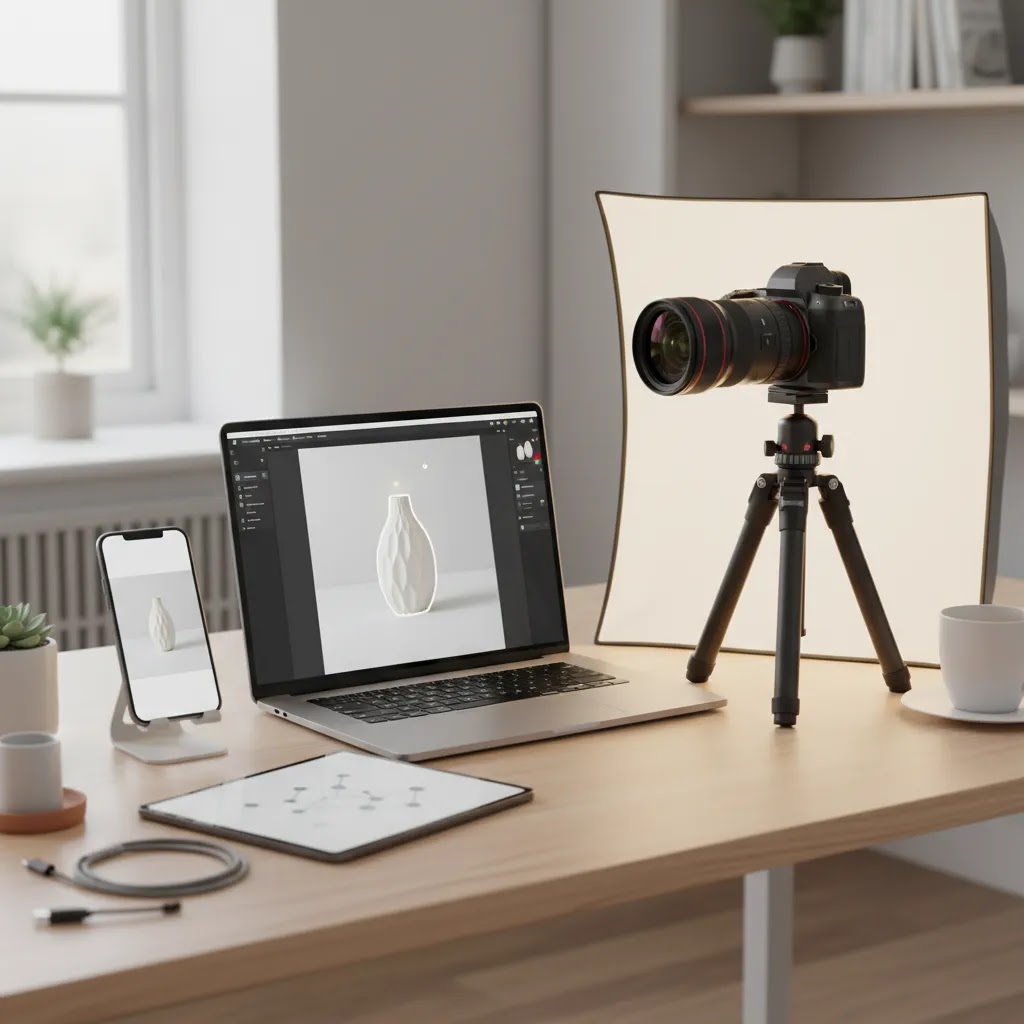
Pros and Cons
Strengths
Considerations
White Background Rules and Standards (Including the 20/60/20 Rule)
White backgrounds are popular partly because they are “standard,” but most store owners never write down what standard means for their brand. That is where results get inconsistent, especially if multiple people shoot products, or if you mix in supplier images.
Now, when it comes to ecommerce, standards are not about being artistic. They are about making your product images predictable for shoppers and scalable for your team.
The 20/60/20 rule for ecommerce galleries
The 20/60/20 rule is often used as a simple way to balance image types across a catalog or product gallery. One practical interpretation for Shopify product pages is:
You can shift those percentages based on your niche. Commodity products often lean heavier on white and detail. Higher-consideration products may need more context. The key is having a repeatable target so you do not end up with random galleries where one SKU has eight lifestyle shots and the next has two blurry pack shots.
Studio rules that keep your whites clean and your products real
What “acceptable white” looks like in practice is not always pure #ffffff. You want a background that reads white on a Shopify theme and in ads, without destroying edge detail or product texture.
The way this works in practice is simple. Pick a standard, test it on 10 to 20 SKUs, then document the setup so you can repeat it. If you later use AI cleanup tools, consistent source photos usually produce more reliable cutouts and fewer edge artifacts.
Frequently Asked Questions
Is white background photography still good for Shopify stores?
Yes, in most cases it is. White backgrounds make product listings look cleaner and more uniform, especially on collection pages. For Shopify stores, they are often best used for the first image, with lifestyle or detail shots added later in the gallery. Results vary by niche, price point, and how much visual storytelling your product needs.
What is the best product photography white background setup for beginners?
A simple setup is usually enough: a white sweep or foam board, diffused light from one or two sources, and a smartphone or entry-level camera on a stable support. Keep the product separated from the background so you can preserve edges and avoid muddy shadows. Consistency matters more than expensive gear when you are starting out.
Can I create professional product photography white background images with a phone?
Yes, especially for smaller products and controlled indoor shoots. Lock focus and exposure, shoot in the same position for every SKU, and use soft light rather than direct overhead bulbs. The final result often depends more on lighting and editing discipline than on the phone model itself. Review edges carefully after background cleanup.
Should I shoot on white or remove the background later?
Usually, the best answer is both. Shoot with a clean, bright backdrop so the original image is easier to process, then edit for a more polished final result. If your workflow involves mixed settings or supplier images, post-editing becomes more important. This is where tools for background removal and cleanup can save time for ecommerce teams.
What tools from the available product data are relevant to white background workflows?
The most relevant options in the provided data are Free White Background Generator, AI Background Generator, Magic Photo Editor, Creator Studio, Increase Image Resolution, and Remove Text From Images. Each supports a different part of the workflow, from producing white backgrounds to cleaning assets and improving image clarity. Specific pricing was not available in the returned data.
Do white background photos help conversions?
They can help presentation and reduce friction, particularly when they make your catalog easier to scan and compare. But they are not a guaranteed conversion lift on their own. Outcomes depend on product quality, traffic source, pricing, merchandising, and how well the rest of the PDP supports purchase decisions.
When should I use a creative background instead of white?
Use creative backgrounds for secondary images, campaigns, or when the product needs more context to communicate value. White tends to work best for hero catalog images. Creative scenes can help with differentiation, social content, and storytelling, but they should complement rather than replace clean commerce-ready product shots.
How to get white background product photography?
Start with a white sweep (paper, poster board, or foam board) and soft, diffused lighting. Keep the product separated from the backdrop so shadows do not darken the background. Set exposure for the product, then adjust lighting so the background reads as clean white without losing label detail or texture. If your background still looks gray, add more light to the backdrop or increase separation before relying on heavy editing.
What color background is best for product photography?
White is often the best default for ecommerce because it is consistent, familiar, and works well on Shopify collection pages. That said, the “best” background depends on the job. White is strong for hero images and catalogs, while lifestyle or contextual backgrounds can be better for storytelling, paid social, and higher-consideration products. Many stores use both: white first, context later in the gallery.
What do photographers use for a white background?
Common options include white seamless paper, white vinyl, and foam board for smaller setups. For small reflective products, a light tent can help create soft, even light. Photographers also rely on basic support gear like clamps, stands, diffusion, reflector cards, and a tripod to keep framing, spacing, and shadows consistent across a full product line.
What is the 20 60 20 rule in photography?
It is a simple guideline for balancing image types so your catalog is not all the same. In ecommerce, one practical version is 20% clean white hero images, 60% detail and alternate angle images, and 20% lifestyle or in-use images. The exact mix can vary by niche, but the benefit is consistency, it gives your product pages structure and helps shoppers get both clarity and context.
Key Takeaways
Conclusion
White background photography is still one of the most practical choices for ecommerce, but the right execution depends on what you sell. Shoes, cosmetics, jewelry, packaged goods, and home products all need slightly different lighting and styling decisions to look polished rather than generic. For most Shopify merchants, the smartest approach is to standardize white background hero images first, then add contextual or lifestyle visuals where they support conversion. If you are working with a lean team, tools like Free White Background Generator, Magic Photo Editor, Creator Studio, and related cleanup tools may reduce manual editing time, though you should verify current pricing and test output quality on your own catalog. A practical next step is to choose one product category, build a repeatable white background workflow, and refine from there.
Disclosure: AcquireConvert may receive affiliate compensation from some third-party links, where applicable. This article is for educational purposes and reflects practical ecommerce evaluation, not guaranteed performance advice. Image quality, workflow efficiency, and commercial results will vary based on your niche, source photography, store design, traffic, and implementation.

Hi, I'm Giles Thomas.
Founder of AcquireConvert, the place where ecommerce entrepreneurs & marketers go to learn growth. I'm also the founder of Shopify agency Whole Design Studios.