Mockup AI for Product Scenes (2026 Guide)


If you sell online, mockup ai tools can help you test new product scenes without booking a full shoot every time. That matters when you are launching seasonal creatives, updating PDP images, or trying to create ad variations faster. The real question is not whether AI can generate attractive visuals. It is whether those visuals look believable enough to support conversions and fit your store’s workflow. This guide evaluates mockup ai from a practical store owner perspective, with a focus on realistic product scenes, editing control, and where these tools fit alongside your broader stack of ecommerce tools. If you run a Shopify store, the best approach is usually a mix of real product photography, selective AI enhancement, and clear standards for consistency across listings, ads, and marketplaces.
Contents
What mockup ai is and where it helps
Mockup ai usually refers to tools that place a product into generated or edited scenes so you can create lifestyle-style visuals without a traditional shoot. For ecommerce teams, that can include packaging on a countertop, skincare in a bathroom setting, apparel in a styled flat lay, or a product held in someone’s hand.
The main appeal is speed. If you already have a clean product image, you may be able to turn it into multiple scene variations for paid social, email campaigns, and collection banners. That is especially useful when you need visual testing assets quickly or want to localize campaigns for different audiences.
Still, mockup ai is not a full replacement for strong source images. In most cases, the better your original cutout, lighting, and angles, the better the generated result. That is why store owners should think of AI mockups as one part of a broader ecommerce photography workflow, not as a shortcut that fixes weak product assets.
It also helps to separate use cases. Marketplace compliance images often need strict backgrounds and consistency. Your social ads and landing pages give you much more room for stylized visuals. If you sell on marketplaces, your AI mockups may support secondary images better than your lead image, especially for topics like amazon product photography where image standards can be more specific.
Mockup AI for prototyping and pre-launch creative
Here’s the thing: a lot of store owners end up using mockup ai before they even have “final” product assets. Not to replace photography, but to prototype ideas fast. That can be useful when you are deciding between two packaging directions, planning a bundle, or testing a new ad angle before you commit to inventory, print runs, or a full lifestyle shoot.
From a practical standpoint, this is where mockup ai can save time. You can create concept-ready visuals for things like an upcoming Shopify product launch page, an email waitlist campaign, or an early set of Meta ad creatives. The goal is not perfect realism. The goal is getting enough believable context to validate whether the concept is worth the next step.
It also helps to clarify a common search-intent split. “Mockup AI” can mean product scene mockups for physical goods, like a bottle on a bathroom sink or a box on a kitchen counter. It can also mean UI or app mockups, like screens inside a phone frame for an interactive prototype. Those are different tool categories. If you are a merchant, you typically want the first type, product scenes, not a UI prototyping tool.
Consider this before you publish pre-launch mockups: do not accidentally mislead shoppers. If your final packaging, materials, or included items will differ from the concept image, keep those visuals clearly positioned as illustrative. AI is great for concepting, but you still need accuracy once customers are making a buying decision.

Key features that matter for ecommerce
Not every mockup ai generator is equally useful for merchants. The difference usually comes down to how much control you have after the first output. Based on the current product data available, a practical workflow may involve combining scene generation and editing tools rather than relying on one feature alone.
Background control is the first requirement. Tools like AI Background Generator and Background Swap Editor are relevant if your current bottleneck is placing a product into different environments quickly. For many stores, this is the fastest path from plain product cutout to a styled promotional image.
Clean white-background prep matters too. If your original image is messy, scene generation quality often suffers. A tool like Free White Background Generator can help create a cleaner base asset before moving into mockups. That is useful for catalogs, marketplaces, and standardized Shopify product pages.
Resolution enhancement is another key factor. Mockups that look acceptable in a small preview may break down on a large hero section or retina display. Increase Image Resolution may help if you need sharper exports for banners, ads, or zoom-enabled PDP galleries.
Object cleanup and scene realism also matter. If you need to remove packaging text, labels, or visual clutter before creating a new concept, Remove Text From Images could be useful. If your goal is human-context presentation, Place in Hands is directly relevant because hand-held product imagery often performs well in social creative testing.
For merchants who want a broader creation workspace, Magic Photo Editor and Creator Studio suggest a more flexible editing flow. That may be a better fit if you create campaigns regularly and want one place to iterate instead of jumping across single-purpose tools.
Mockup AI templates vs prompted scenes (and when each wins)
What many store owners overlook is that most mockup ai tools fall into two approaches, and they solve different problems. One is template-led: you pick a category and a scene, then place your product into a pre-built layout. The other is prompt-led: you describe the scene you want and the tool generates it, sometimes from scratch and sometimes using your product image as the anchor.
Template libraries tend to win on speed and consistency. If you are a Shopify merchant who needs repeatable PDP secondary images across a whole collection, templates can make it easier to keep framing, lighting style, and crop ratios consistent. That matters for collection pages where inconsistent imagery makes your store feel less cohesive. Templates are also often easier for batch work, like creating the same scene style across 30 SKUs.
Prompt-driven generation tends to win on ideation. If your main need is a weekly creative refresh for ads, prompts can help you explore new angles quickly. You can test different vibes and settings without waiting for new templates to be added. The tradeoff is that prompt outputs may vary more. You might get one great result and then struggle to reproduce the same look across five more products without a lot of iteration.
Think of it this way: templates help you scale a look, prompts help you discover a look. Many stores end up using both. They use prompts to find a few commercially believable “winners,” then standardize around a smaller set of repeatable scene styles for the Shopify site.
Before you commit to any tool or workflow, it helps to evaluate it like a merchant, not like a demo viewer:
The reality is that the “best” approach depends on where you feel the pain. If consistency across a catalog is the problem, templates usually help. If your ad testing pipeline is the problem, prompts can be the faster way to generate fresh angles, as long as you have a clear review process.
Pros and Cons
Strengths
Considerations
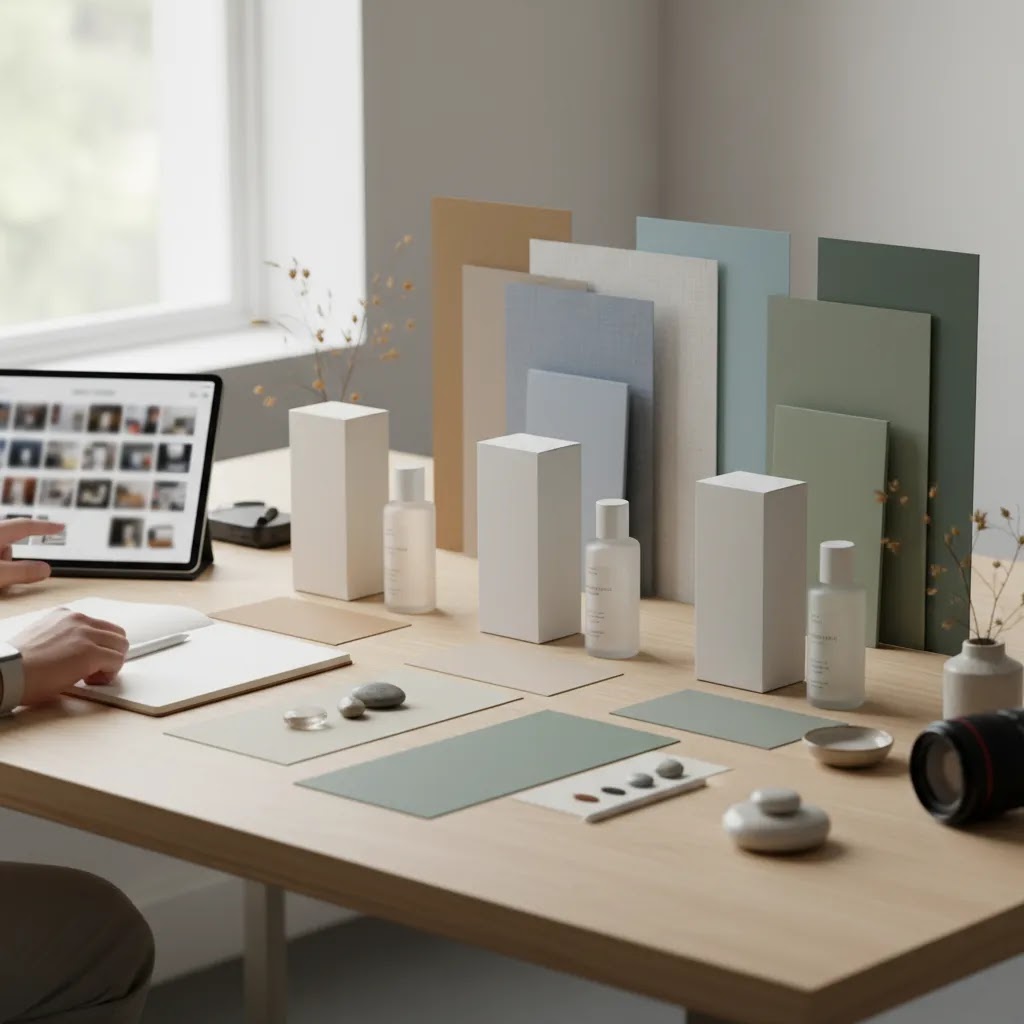
Who mockup ai is for
Mockup ai is a strong fit for growth-stage ecommerce brands that already have basic product photography and want more output from those assets. If you run a Shopify store and regularly build new landing pages, test Meta ads, refresh seasonal campaigns, or update collection imagery, AI mockups can save production time.
It is especially helpful for merchants in beauty, home goods, accessories, packaged products, and other categories where contextual scenes influence perceived quality. It can also help teams planning a future product photography studio workflow, because it lets you identify which image styles are worth investing in before committing to a larger shoot.
If you need compliance-first marketplace imagery or highly technical photography, you will still want stronger manual controls and more traditional production standards.
Categories and scene types mockup AI handles best (and where it breaks)
If you are trying to decide whether mockup ai is worth it for your store, start category-first. Mockup tools are not equally strong across products, and most disappointment comes from expecting the same realism for every category.
In many cases, mockup ai performs best when the product has clear geometry and a surface that is easy to light. Common examples include t-shirts and hoodies (especially front-on designs), tote bags, phone cases, posters and framed prints, boxes and packaged goods, books, business cards, and simple accessories. These categories map cleanly to ecommerce use cases like PDP secondary images, collection hero images, and ad variants where context sells the idea.
Now, when it comes to where mockup ai can struggle, it is usually the details shoppers notice first:
Human review is required here. Even if a tool produces good results in general, you should still check placement, shadows, and brand marks before the image touches a Shopify PDP. That is particularly true if your product has regulated claims, fine print, or packaging details that need to be accurate.
A simple workflow that works for most Shopify store owners is this: pick one hero category, produce 10 variants across two or three scene styles, then decide what is missing. If the outputs feel close but inconsistent, you may benefit from a template library. If you keep getting great ideas but weak control, you may need a stronger editor. If realism is consistently off, it may be a sign that this category still needs real photography as the primary asset.
AcquireConvert recommendation
For most store owners, the smart move is not choosing between AI mockups and traditional photography. It is building a workflow where each does the job it is best at. Start with clean catalog images, use AI to generate or test scene concepts, then keep only the outputs that look commercially believable. That is usually the most practical path for Shopify merchants who need more creative throughput without lowering visual trust.
AcquireConvert takes that same operator-minded view. Giles Thomas, as a Shopify Partner and Google Expert, focuses on what actually helps merchants sell more effectively, not just what looks impressive in a demo. If you are weighing AI-generated scenes against more traditional assets, it is worth reviewing our guide to mockup generator options and browsing the broader E Commerce Product Photography category for practical next steps. If your brand depends more on aspirational visuals, you may also want to study examples from Lifestyle Product Photography to see where AI scenes can support, not replace, your core assets.
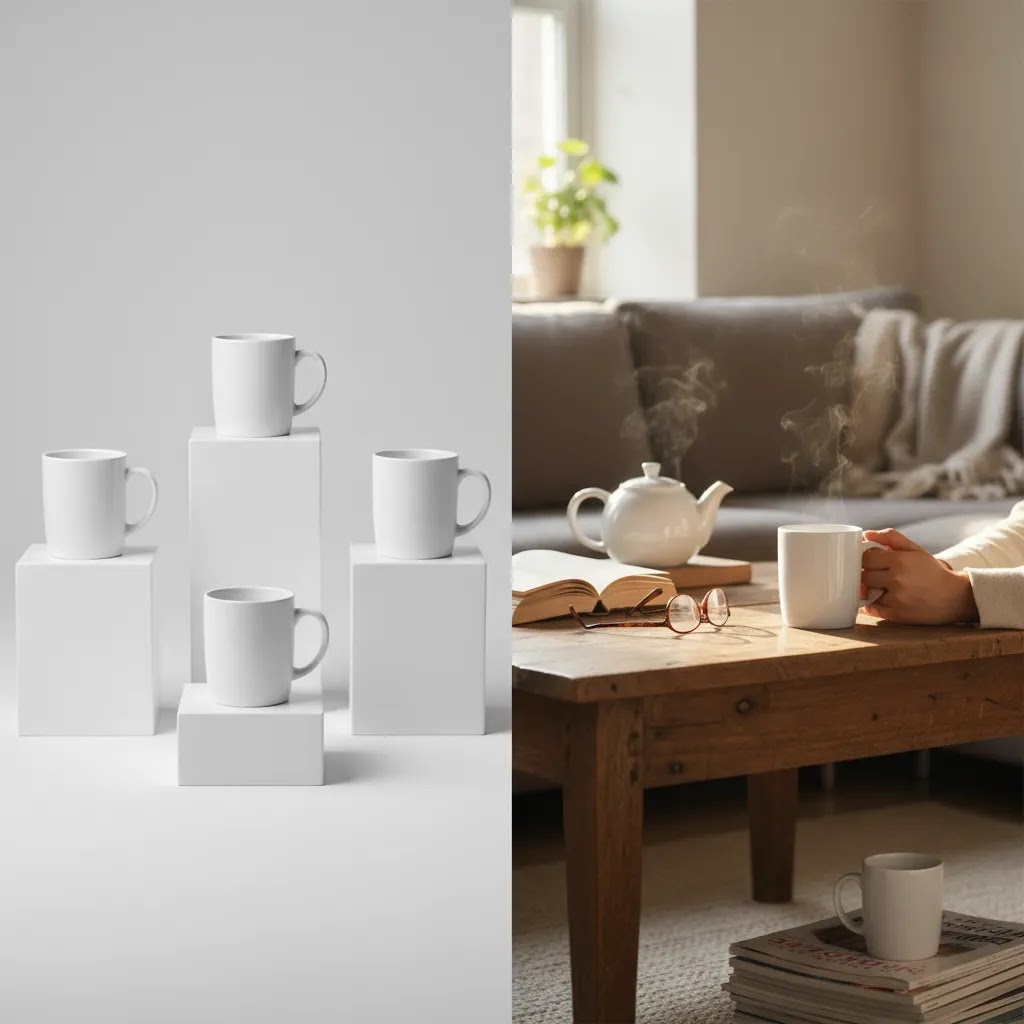
How to choose the right setup
Choosing a mockup ai workflow comes down to five practical criteria.
1. Start with your main use case. Are you creating PDP secondary images, social ad variants, email hero graphics, or marketplace support images? A scene that works for Instagram may not be right for Amazon or your main product gallery. Define channel first, then decide how realistic the mockup needs to be.
2. Look at the quality of your source images. AI tools work better when the product cutout is clean, the edges are natural, and the lighting is balanced. If your current images are inconsistent, fix that first. A white-background cleanup or higher-resolution source file often does more for final output than a more complex generator.
3. Decide how much editing control you need. Some merchants only need a few fast scene options. Others need to swap backgrounds, remove text, resize, and refine composition. If your workflow is iterative, a broader editor can be more practical than a single-purpose generator. That is where tools like Magic Photo Editor or Creator Studio may be worth considering.
4. Protect brand consistency. Set basic rules for shadow style, scene type, color warmth, and crop ratios. This keeps your Shopify storefront cohesive. Without rules, AI-generated assets can make a store feel visually fragmented, especially across collection pages and retargeting creatives.
5. Validate performance with live store use. Treat AI mockups as testable creative, not assumed winners. Run them in ads, compare click-through behavior, monitor on-page engagement, and review conversion quality. In many cases, a realistic but less dramatic image outperforms a flashy concept because shoppers trust it more.
If you are early in the process, a good sequence is simple: clean the background, improve resolution if needed, generate two to three realistic scenes, then compare those assets against your existing photography. That gives you a clear sense of whether AI mockups are adding commercial value or just visual novelty.
Frequently Asked Questions
What is mockup ai in ecommerce?
Mockup ai in ecommerce usually means using AI tools to place product images into styled scenes or edited environments. Store owners use it to create promotional visuals, lifestyle-style images, and creative variants for ads or landing pages. It works best when your original product photo is clean and accurately lit.
Can a mockup ai generator replace product photography?
No, not fully. For most brands, AI mockups work better as a supplement to real product photography. Your base images still shape realism, consistency, and trust. AI can extend those assets into more concepts, but it rarely replaces the need for solid source photography, especially for primary product listings.
Is image to mockup ai good for Shopify product pages?
It can be, especially for secondary gallery images, collection banners, and campaign landing pages. On Shopify, these visuals may help communicate product context and lifestyle fit. The safest approach is to keep your main image clear and accurate, then use AI scenes to support storytelling further down the page.
Are AI product scenes safe to use for Amazon listings?
They can be useful for supporting images, but you should always verify marketplace rules before publishing. AI-generated scenes may be less suitable for primary listing images where background, framing, and realism standards are stricter. That is why many sellers separate their marketplace asset strategy from their DTC storefront strategy.
What makes a product mockup ai result look realistic?
Realism usually comes down to scale, lighting, shadow direction, edge quality, and accurate color. If any of those look off, shoppers notice quickly. Starting with a clean cutout and reviewing exports at full size is important. A mockup that looks good in a thumbnail can still look unnatural on a product page.
Should I use AI mockups for ads or PDPs first?
Ads are often the better first test because they let you compare engagement quickly with less risk to the core shopping experience. If a scene performs well and still looks trustworthy, you can test it on PDPs or collection pages. That staged rollout helps avoid cluttering your store with unproven creative.
Why do store owners search product mockup ai reddit before buying?
They usually want real-world feedback about output quality, editing limits, and how believable the images look outside vendor demos. That is sensible. Merchants should look for examples that resemble their own category, because a tool that works well for cosmetics or packaging may be less convincing for apparel or reflective products.
What should I check before publishing AI-generated mockups?
Check product shape, label clarity, color accuracy, finger placement in hand-held scenes, shadows, reflections, and whether the environment matches your brand. Also confirm the image crop works on mobile. A visually interesting mockup is not automatically a useful ecommerce asset if it distracts from the product itself.
Do AI mockups improve conversion rates?
They may help in some stores, but there are no guaranteed outcomes. Better visuals can improve product understanding and click-through in many cases, yet results depend on category, audience, trust signals, page layout, and how realistic the images feel. Testing against your current images is the best way to evaluate impact.
What is the best mockup AI generator?
The best mockup ai generator is the one that matches your category and your workflow. For some Shopify stores, that means a template library that makes it easy to produce consistent secondary images across many SKUs. For others, it means prompt-driven generation for faster ad ideation, plus editing tools for cleanup and control. A good way to decide is to run a small batch test using your real product images, then judge realism at full size and how repeatable the look is across multiple products.
Are there any mockup AI tools that are actually free?
Some tools offer limited free exports or free trials, but “free” usually comes with restrictions like watermarks, lower resolution, limited commercial usage, or capped generations. Pricing and plan terms change, so verify the current offer before you build a workflow around it. If you are evaluating tools, focus less on whether the first image is free and more on whether the output quality and editing controls are reliable enough for your Shopify PDPs and ad spend.
How do I make a 3D mockup with AI?
In practice, most “3D mockup” requests in ecommerce mean one of two things. You either want a realistic product scene that looks dimensional, or you want an actual 3D render style look with controlled angles. Mockup ai can help create dimensional-looking scenes from a clean product image, but it may not give you true 3D model control like rotating the product to any angle. If you need consistent multi-angle views across a catalog, you may need a workflow that starts with strong source images, then uses AI for scene placement, or you may need dedicated 3D rendering tools outside typical scene mockup generators.
Can mockup AI create logo mockups, and what should I watch out for?
Yes, mockup ai can create logo-style mockups in some cases, like a logo on packaging, a label, or a simple surface such as a business card. The watch-outs are placement accuracy and text integrity. AI can distort letterforms, change spacing, or “interpret” your logo in a way that is close but not correct. For anything customer-facing, export at full size and check that your logo matches the real brand asset exactly. If it does not, use a more controlled editing workflow before publishing.
Key Takeaways
Conclusion
Mockup ai can be genuinely useful for ecommerce teams that need more creative output without adding full production complexity. The value is not in generating the most dramatic scene. It is in producing believable visuals that support trust, fit your channel requirements, and help shoppers understand the product faster. For most Shopify merchants, that means combining real product photography with selective AI editing and scene creation. If you want a practical next step, review AcquireConvert’s related resources on mockup workflows, product imagery, and category-specific photography. Giles Thomas’s perspective as a Shopify Partner and Google Expert keeps the focus where it should be: choosing assets that work in real stores, with real buyers, and real merchandising constraints.
This article is editorial content created for educational purposes and is not a paid endorsement unless explicitly stated otherwise. Tool features and availability are based on the latest provided data and may change over time. Pricing details were not available in the provided product data and should be verified directly with the provider before making a decision. Any performance outcomes from AI-generated mockups may vary by store, category, traffic source, and implementation quality.

Hi, I'm Giles Thomas.
Founder of AcquireConvert, the place where ecommerce entrepreneurs & marketers go to learn growth. I'm also the founder of Shopify agency Whole Design Studios.