AI Clothing Generator (2026 Guide)

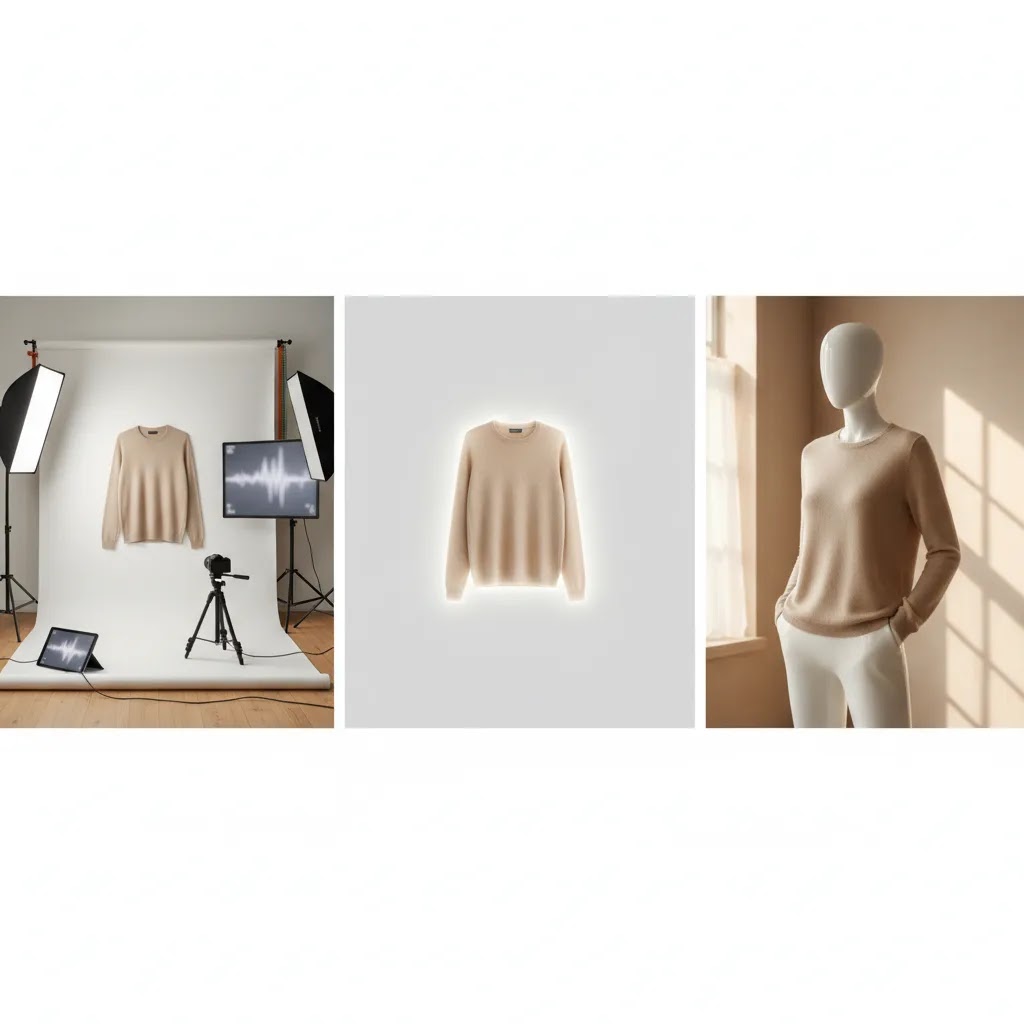
You have new apparel products ready to sell, but your image pipeline is stuck. Booking models takes time, reshoots add cost, and one missing size or color can delay a product launch by days. That is exactly why more store owners are looking at an ai clothing generator to create on-model visuals without running a full photo shoot every time.
For Shopify apparel brands, this can be genuinely useful. AI can help you turn flat lays, packshots, or existing product images into more polished merchandising assets, including model-style images, mockups, and variation previews. But the reality is that it is not a full replacement for every kind of photography fashion model workflow. It works best when you know where AI saves time, where it introduces risk, and where you still need human review.
This guide will walk you through how AI clothing generators work, when they make sense for ecommerce, what to watch for, and how to use them in a way that supports better merchandising rather than creating more cleanup work later. You will also see where mockups, ghost mannequins, and studio photography still matter.
Contents
- What is an AI clothing generator?
- AI clothes changer vs AI clothing generator
- Where AI on-model images help most
- Where AI still falls short
- How to build a practical workflow
- Mockups vs model images vs ghost mannequins
- What Shopify stores should check before publishing
- How to choose the right AI tool
- What “free” really means for AI clothing tools
- Frequently Asked Questions
What is an AI clothing generator?
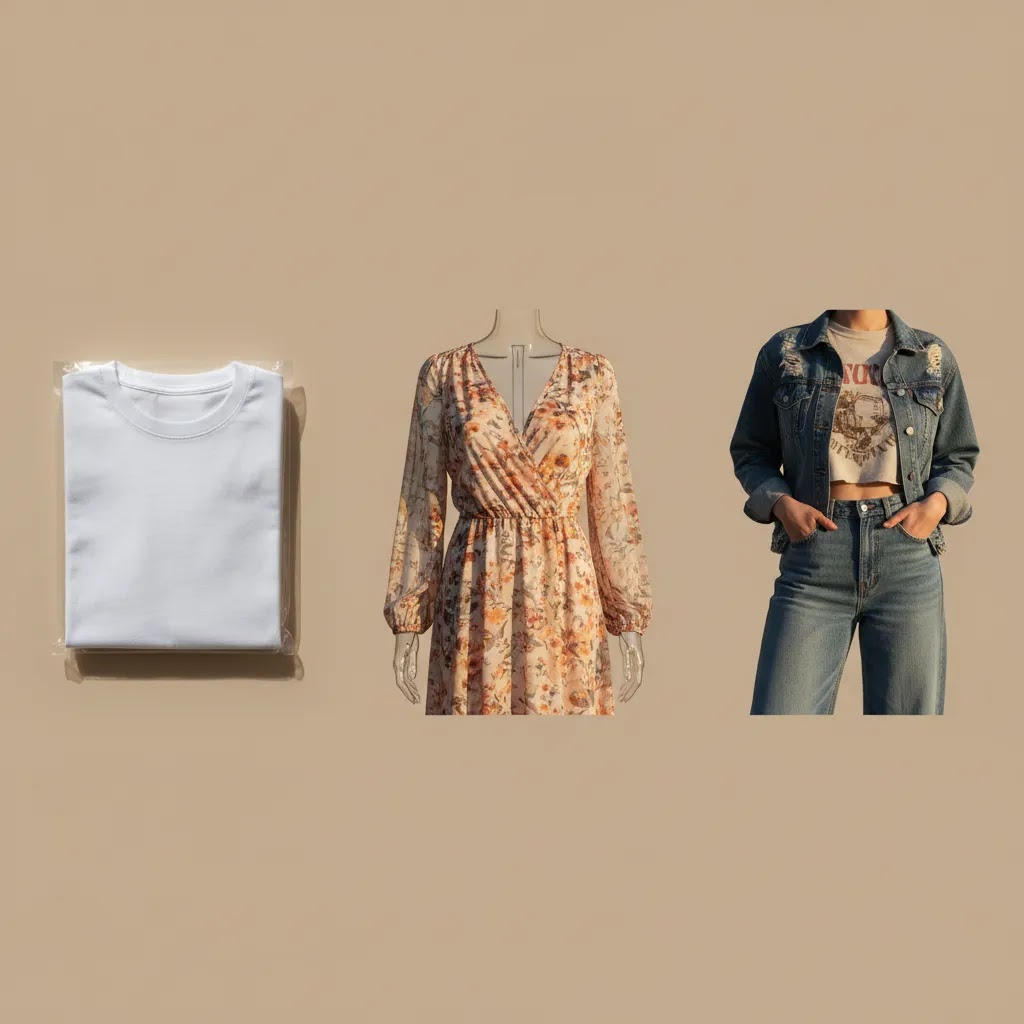
An AI clothing generator is a tool that creates or edits apparel visuals using machine learning. In ecommerce, that usually means one of three things: placing clothing onto a model, creating a mockup from a product image, or generating a styled apparel image from a text prompt and reference photo.
From a practical standpoint, most store owners are not looking for abstract AI art. They want usable product merchandising images. That means front views, clean drape, accurate color, believable fabric texture, and consistency across a collection page.
The phrase also gets mixed up with adjacent tools like an ai clothing design generator or a clothing mockup generator. Those are related, but not identical. A design generator helps create prints or garment concepts. A mockup tool helps place artwork or clothing onto templates. An on-model generator focuses on making the clothing look worn by a real person, often without hiring a model.
That distinction matters, because the best tool for a hoodie design preview may not be the best tool for a PDP hero image. If your goal is product conversion, image realism and consistency matter more than novelty.
AI clothes changer vs AI clothing generator
Here is where a lot of confusion happens. Shoppers and store owners often use the phrase “ai clothing generator” to describe several different tool types. If you are evaluating options for a Shopify workflow, it helps to separate them clearly because they solve different problems and carry different risks.
1) Text-to-clothing generation (concept art)
This is the “generate a new outfit from a prompt” category. It can be useful for creative direction, early-stage design exploration, or pitching a collection theme. If you are concepting a drop, it can help you explore silhouettes, color palettes, and styling ideas quickly.
Now, when it comes to ecommerce merchandising, text-only generation is usually not the best choice for actual PDP images because it is not anchored to your real garment. You may get something that looks great, but does not match the product you ship.
2) Clothing mockups (templates and product visualization)
Mockup tools generally take your design, logo, or garment image and place it into a pre-built template, often with predictable lighting and folds. This is why it works so well for print-on-demand, previews, and fast iteration. The tradeoff is that it can look templated, and it may not communicate fit and drape realistically.
3) “Clothes changer” tools (virtual try-on and outfit swapping)
A clothes changer AI is usually a virtual try-on or “swap the outfit on a person photo” workflow. Instead of generating a garment from scratch, the tool attempts to put a different outfit onto an existing model image. For ecommerce, this can be useful for UGC-style ad creatives, lifestyle variants, and quick testing of different looks without re-shooting models.
The reality is that clothes changers can also introduce the most merchandising risk if you are not careful. A tool may subtly change garment details to make the swap work. That can include altered necklines, shifted hemlines, “invented” seams, missing pockets, changed logos, or a fit that looks more flattering than the real cut.
From a practical standpoint, treat clothes-changing output like ad creative first, not like a product-accuracy source by default. If you want to use it on product pages, review it the same way you would review a retouched studio image. Check that it is still your garment, with the right details, and that the fit representation is not misleading.
Where AI on-model images help most
Launching more SKUs without bottlenecking production
If you run frequent product drops, AI can help you merchandise products before a full campaign shoot is ready. This is especially useful for stores testing new colorways, limited collections, or made-to-order items. Instead of waiting for every variant to be photographed on a person, you can create interim on-model visuals that give shoppers better context than flat product shots alone.
For many stores, that means faster product launches and fewer missed merchandising opportunities. It may also reduce the amount of repetitive photography needed for basic catalog assets.
Showing fit context that flat lays cannot provide
Customers buying apparel online want to understand silhouette, sleeve length, drape, and proportion. A flat lay can show design details, but it rarely answers the question, “What does this look like on someone?” An ai clothing mockup generator can help bridge that gap.
Consider this: if you sell oversized tees, cropped knits, or relaxed trousers, the difference between a product image on white and a convincing on-model image can change how clearly the item is understood. Better understanding does not guarantee more sales, but it often supports better buying confidence.
Creating visual consistency for collection pages
What many store owners overlook is that image consistency affects browsing. If half your collection uses dark editorial shots and the other half uses random supplier images, your store looks fragmented. AI can help standardize framing, pose style, and background treatment.
This is one reason fashion brands often combine AI generation with a broader Fashion & Apparel Photography approach. The goal is not just to make one image look good. The goal is to make the whole catalog feel coherent.
Where AI still falls short
Fabric accuracy can break quickly
AI often struggles with texture-heavy products such as lace, sequins, crochet, ribbed knits, reflective materials, and sheer fabrics. It may smooth details that should remain visible or invent folds that do not match the real garment. If you sell premium apparel, these mistakes can create customer expectation problems.
The reality is that shoppers notice when stitching, hems, or fit lines look off. Even if they cannot explain why, the image may feel less trustworthy.
Brand fit and inclusivity need active review
An ai image generator for clothing brand assets may produce polished-looking people, but not always the right people for your audience. You need to check whether the age, body shape, styling, and skin tones align with your actual market. If not, the output can feel generic or disconnected from your brand.
This is where a dedicated ai fashion model generator workflow can be more useful than broad image-generation tools, but you still need editorial judgment. AI can propose visuals. It should not define your brand identity by default.
Complex garments still need traditional methods
Structured jackets, tailored pieces, layered garments, and products with hidden internal construction often need real photography to communicate quality. In some cases, a ghost mannequin service can show shape, collar structure, and garment form more accurately than AI-generated model shots.
Think of it this way: AI is strongest where you need scale, speed, and acceptable realism. Traditional fashion photography is strongest where accuracy, premium positioning, and detail communication matter most.
How to build a practical workflow
The difference between stores that get value from AI and stores that waste time on it usually comes down to workflow. If you feed poor source images into the tool, you will spend your time fixing errors instead of shipping products faster.
Start with clean source images
Your base image should be well lit, front-facing where possible, and color-accurate. Wrinkles, uneven shadows, clipped edges, and distorted perspective all make generation harder. If your original photography is messy, AI tends to amplify the problem.
That is why some teams still begin with a controlled product photography studio setup before applying AI edits. Strong inputs usually produce more believable outputs.
Define one image role at a time
Do not ask one image to do everything. Decide whether the asset is for the PDP hero, a collection page thumbnail, social ad creative, email, or size-guide support. A collection page image can be simpler. A hero image needs much stricter review because it carries more purchase weight.
In practice, this means you may use AI-generated model shots for secondary and collection imagery, while keeping original photography for the first product image. Many Shopify stores find that mixed approach more reliable than going fully AI across the entire catalog.
Review outputs with a merchandising checklist
- Does the garment shape match the actual product?
- Are color and fabric finish close to reality?
- Do seams, cuffs, collars, and hems look structurally correct?
- Is the body pose helping, not hiding, the product?
- Does the image style match the rest of your store?
If you cannot answer yes to most of those points, the image is not ready for a product page.
Prompt patterns that improve realism (and reduce retakes)
Most AI clothing tools respond better to clear merchandising instructions than to creative writing. If you want outputs that look like ecommerce images, a simple structure tends to work well:
- Garment type and key identifiers: “crewneck sweatshirt,” “wrap dress,” “straight-leg trousers,” plus any visible details like “kangaroo pocket,” “ribbed cuffs,” or “contrast stitching”
- Fit keywords: “true-to-size fit,” “oversized,” “cropped,” “high-waisted,” “relaxed through the thigh,” “slim sleeve”
- Fabric cues: “heavyweight cotton fleece,” “ribbed knit texture,” “satin sheen,” “denim twill weave,” “linen slub”
- Camera framing: “front view,” “3/4 view,” “full body,” “waist-up,” and a crop that matches your collection grid
- Background and lighting: “clean studio lighting,” “white background,” “soft shadow,” or a consistent lifestyle setting if you are building ad creatives
- Preservation instruction: “keep the original garment design and details, do not change logos, seams, pockets, or neckline”
If your tool supports negative prompts, they can help too. From a practical standpoint, terms like “no warped logos, no extra pockets, no missing buttons, no deformed hands” can reduce common failure modes, although results still vary by tool.
Using reference images: flat lay vs packshot vs on-model
If you are generating visuals for real products, reference images usually beat text-only prompts. The reference is what anchors the output to your garment.
- Flat lays can work when the garment is laid cleanly with sleeves visible. The risk is that the tool may invent drape or thickness.
- Packshots on a mannequin or hanger often give the best shape cues, especially if the shoulders and neckline are visible and not distorted.
- On-model references can produce the most believable results, but they can also “lock in” unwanted pose issues. If the original pose hides the waistband or sleeves, the AI may keep hiding them.
For most Shopify stores, the safest workflow is to avoid text-only generation for PDP hero images unless the tool is explicitly built for garment preservation and you have a strong QA process. Use text-only generation for concepts, campaign mood boards, and ad experiments where exact garment accuracy is not the sole goal.
Common failure modes and a quick retry strategy
Competitor demos often show the best-case outputs. In real production, you will see repeat issues: hands covering key details, warped logos, uneven hemlines, duplicated seams, or a neckline that shifts between generations. Layered outfits can also confuse tools and cause collars, cuffs, and hems to merge.
If you need consistency across a collection, your retry strategy matters. In many cases, you will get better results by keeping one variable fixed at a time. For example, lock the model and background first, then iterate only on pose or crop. Or lock the crop and camera angle, then iterate only on fit phrasing. This is slower than “generate 50 random variations,” but it is usually faster than cleaning up 50 near-misses.
Use AI to reduce repetitive production, not to skip quality control
AcquireConvert often covers this broader pattern across ecommerce tools: AI tends to work best when it removes repetitive production steps, not when it replaces judgment. Giles Thomas brings that practical lens as a Shopify Partner and Google Expert, especially for store owners trying to balance speed with conversion quality.
Mockups vs model images vs ghost mannequins
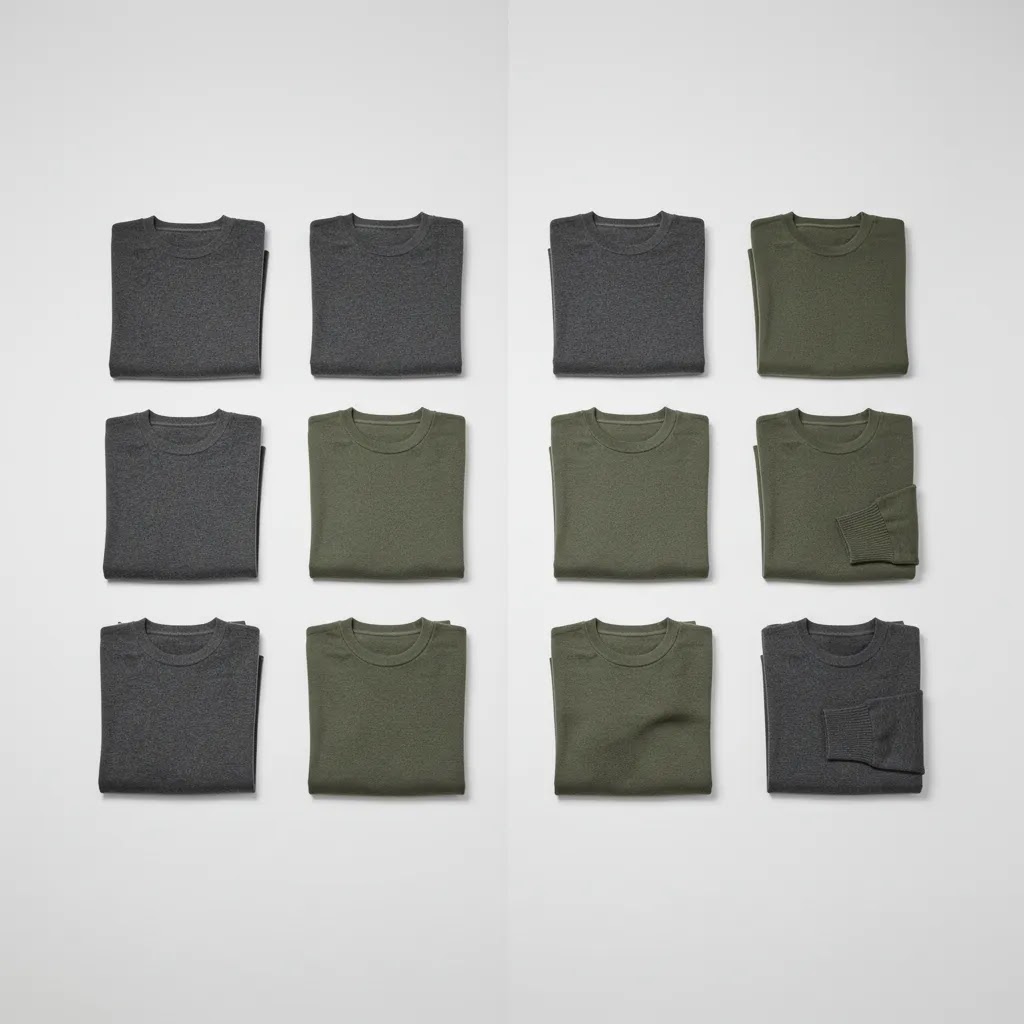
Store owners often compare a free clothing mockup generator, an ai clothing image generator, and ghost mannequin photography as if they are interchangeable. They are not. Each solves a different merchandising problem.
When mockups make sense
A clothing mockup generator is often enough for print-on-demand, pre-launch validation, or design previews. If you sell graphic tees, sweatshirts, or hoodies, mockups can help you test creative direction quickly. This includes use cases often labeled mockup clothing generator, clothing mockup generator free, or even 3d clothing mockup generator.
Mockups are useful, but they can look templated if overused. If every product uses the same pose and same fake wrinkles, customers may start to read the visuals as placeholders rather than true product photography.
When AI model images make sense
An ai clothing generator is stronger when your main challenge is showing apparel on a person without arranging a full model shoot for every SKU. This can be effective for basic apparel lines, seasonal color updates, or extending an existing image set.
For most Shopify stores, AI model images sit in the middle ground between template mockups and custom editorial photography. They are often more dynamic than a plain mockup, but less dependable than a well-run professional shoot.
When ghost mannequins still win
Ghost mannequins are excellent for showing structure without distracting styling choices. They work particularly well for jackets, dresses, shirts, and products where internal shape affects buying decisions. If your product needs a clean, dimensional look, ghost mannequin photography can outperform both mockups and AI people.
You can also combine approaches. Use ghost mannequins for PDP accuracy, AI on-model visuals for browsing context, and editorial photography for campaigns.
What Shopify stores should check before publishing
Variant accuracy is non-negotiable
If your black tee has a heavier wash than your white tee, or your green knit reflects light differently than your beige one, AI may smooth those differences away. That becomes risky when customers rely on imagery to compare variants.
Now, when it comes to Shopify merchandising, inaccurate variant visuals can create support tickets, returns, and hesitation at checkout. Always compare generated assets against the actual sample or source photo before publishing.
Keep your gallery balanced
A strong apparel PDP usually includes a mix of image types: front, back, detail, fabric close-up, and fit context. AI can contribute to this, but it should not be the only visual source. If every image has the same AI-polished look, customers may struggle to trust product authenticity.
This is where broader Catalog Photography planning matters. Your image set should answer shopping questions, not just look visually consistent.
Test generated images where they matter most
If you want to evaluate whether AI images help your store, test them in specific places: collection pages, secondary PDP images, or retargeting creatives. Watch engagement signals, add-to-cart rate, and return reasons over time. Do not assume a polished image always performs better.
Some stores find AI images improve browsing clarity. Others discover that real-model photography still produces stronger trust for higher-priced apparel. The answer depends on your audience, brand position, and execution quality.
How to choose the right AI tool
If you are comparing tools, start with your use case rather than the feature list. A store testing an ai clothing generator free option for concepting has very different needs from a fashion brand preparing product launch assets at scale.
Look for these capabilities
- Reliable garment preservation, so the clothing stays true to the original
- Consistent model styling across multiple SKUs
- Control over backgrounds, cropping, and aspect ratios
- Support for apparel-specific details like sleeves, collars, and layering
- Commercial usage clarity in the provider's terms
Useful supporting tools for apparel image prep
Sometimes the fastest improvement comes from cleaning the source image before generation. For example, AI Background Generator can help replace distracting scenes, while Free White Background Generator may help standardize catalog-style inputs. If your file quality is weak, Increase Image Resolution could help prepare better source assets.
Features and availability may change, so verify current tool details directly with each provider before building them into your workflow.
Do not ignore the manual time cost
Here is the thing: a tool is only efficient if your team can get usable images from it consistently. If every output needs retouching, QA, and variant correction, the apparent time saving disappears. The best trial process is small and controlled. Run 10 to 20 products through the tool, compare output quality, and measure how much editing time remains.
AcquireConvert is a helpful resource for this kind of evaluation because the site looks at AI tools through an ecommerce operations lens, not just novelty. That is especially relevant if your store needs assets that convert, not just images that look impressive in isolation.
What “free” really means for AI clothing tools
A lot of searches include “ai clothing generator free,” and that makes sense. Store owners want to test quickly before committing to a workflow. The problem is that “free” can mean very different things depending on the provider, and those details matter if you are uploading real product photography or publishing outputs on a Shopify store.
Check whether it requires sign-up (and what the limits really are)
Some tools are free only after you create an account. Others allow limited usage with no sign-up, but restrict output resolution, add a watermark, or cap how many images you can generate per day. That may be fine for experimentation, but it can break down fast when you are trying to generate consistent collection images for 20 to 100 SKUs.
From a practical standpoint, treat “free” as a trial. Plan to validate whether the tool can produce the file sizes, aspect ratios, and consistent styling you need for Shopify themes, collection grids, and paid social placements.
Privacy and data handling: assume nothing
If you are uploading packshots, on-model photos, or lifestyle assets, you should verify whether your uploads are private by default. Some tools may display generations publicly, store them in a gallery, or use them for community feeds. Others may retain uploaded images for a period of time for troubleshooting or model improvement.
What many store owners overlook is that even if you are comfortable with the AI output, you may not be comfortable with where the input photo ends up. If you are working with licensed photography, agency creative, or influencer content, permissions can get complicated fast.
“Free to use” is not the same as “free for commercial use”
In ecommerce, the key question is whether you can use the generated images commercially in your store, ads, and emails. Some providers allow personal experimentation but restrict commercial use on free tiers. Others allow commercial use but require attribution, or they may place limits on logo usage, celebrity-like faces, or brand marks.
Because terms can change, treat this as a due diligence step, not a one-time assumption. If you plan to use outputs as product imagery, you want a clear, current statement that your usage is permitted for commercial ecommerce.
A quick checklist before you build a Shopify workflow around a tool
- Do I need an account, and what personal or business data is required?
- Are uploads private by default, or could they appear publicly?
- How long are uploaded images retained, and can I request deletion?
- Are uploaded images used for training or product improvement, and can I opt out?
- Is commercial usage allowed on the plan I am using?
- Are there watermarks, resolution limits, or restrictions on output size?
- Are there rules about brand logos, prints, or trademarked design elements?
If you cannot get clear answers to most of those questions, use the tool for concepting only, not for production product images.
The strategies and tools discussed in this article are based on current ecommerce best practices and publicly available information. Results will vary depending on your store, niche, and implementation. Always verify tool pricing, features, and platform compatibility directly with the relevant provider before making purchasing decisions.
Frequently Asked Questions
What is the difference between an AI clothing generator and an AI clothing design generator?
An AI clothing generator usually focuses on product presentation, such as creating on-model images, apparel mockups, or styled product visuals. An ai clothing design generator is more about inventing garment concepts, prints, patterns, or fashion ideas. For ecommerce, the distinction matters. If you already have inventory and need better product images, you want a merchandising-focused tool. If you are still in product development, a design-focused tool may be more relevant. Many store owners confuse the two and end up evaluating the wrong software for their stage of business.
Can I use an ai clothing generator free tool for real product pages?
You can, but you need to review outputs carefully. Free tools are often useful for testing workflows, concepting image styles, or generating social content. For actual PDP use, the main issue is consistency and accuracy. Fabric texture, color matching, and garment shape may not hold up across a large catalog. If you decide to publish AI-generated apparel images, compare them against your original samples and keep at least some real-product visuals in the gallery. That balanced approach is usually safer than relying on free AI outputs alone.
Are AI on-model images better than traditional fashion clothing photography?
Not across the board. AI is usually better for speed, scale, and filling gaps in your image library. Traditional fashion clothing photography is usually better for premium positioning, storytelling, and accurate fabric representation. If your brand sells higher-priced garments or detail-heavy pieces, professional photography often remains the stronger option. If you need fast merchandising support for simpler products, AI may be enough for some image roles. The best setup for many stores is hybrid, with AI supporting catalog efficiency and real photography supporting trust and branding.
Will AI-generated model images reduce apparel returns?
They might help if they improve product understanding, but they are not a direct fix for returns. Returns in fashion usually come from fit mismatch, fabric expectations, color differences, and styling assumptions. AI images can support clearer presentation if they show shape and drape well. They can also create problems if they exaggerate fit or smooth out important details. To reduce returns, pair better imagery with size guidance, garment measurements, fabric notes, and honest product copy. Visuals help, but they work best as part of a wider merchandising system.
Is a clothing mockup generator enough for a Shopify apparel store?
It depends on the product and brand position. A clothing mockup generator can work well for print-on-demand stores, design validation, or lower-risk catalog pages. It is often less convincing for premium fashion labels or products where fit and construction drive purchase decisions. If your store depends on strong visual trust, mockups alone may feel too generic. In those cases, combine mockups with on-model images, detail shots, or ghost mannequin photography. Your product page should answer the shopper's questions clearly, not just display the garment in a stylized template.
When should I use a ghost mannequin instead of AI-generated models?
Use a ghost mannequin when garment structure matters more than lifestyle context. Shirts, blazers, dresses, coats, and tailored pieces often benefit from a clean dimensional view that shows how the product holds shape. AI-generated models can be helpful for browsing context, but they sometimes distort seams, drape, or tailoring. Ghost mannequin photography is often a better fit when you need a clean, product-first visual with less styling distraction. It is especially useful for core PDP imagery where clarity matters more than editorial mood.
Do I still need a product photography studio if I use AI?
In many cases, yes. AI output quality often depends heavily on the quality of the source image. A controlled studio setup gives you better lighting, cleaner edges, stronger color accuracy, and more consistent garment positioning. Those factors tend to improve downstream AI editing and reduce manual cleanup. That does not mean you need a large commercial operation. Even a small, repeatable studio process can help. AI is usually strongest when paired with good input photography, not used as a workaround for poor source assets.
Can AI-generated fashion images hurt trust with customers?
They can if the images look artificial or misrepresent the product. Customers may not object to AI itself, but they do react to visuals that feel inaccurate. Common trust issues include impossible folds, smoothed textures, inconsistent body proportions, and colors that differ from the delivered item. If you use AI responsibly, keep the product representation honest and include enough real detail shots to support confidence. The goal is not to hide the use of AI. The goal is to make sure the customer still gets a reliable view of what they are buying.
What should I test first if I want to add AI clothing images to my store?
Start small. Test AI-generated images on a limited group of products with straightforward shapes, such as tees, sweatshirts, or simple dresses. Use them in collection pages or as secondary PDP images before replacing your main product photos. Watch engagement, add-to-cart behavior, and customer feedback. If the images support clarity without creating confusion, expand gradually. This controlled rollout usually teaches you more than a full-catalog switch. It also helps you understand where AI fits your brand rather than forcing your catalog into the tool's limitations.
What is a clothes changer AI, and is it the same as an AI clothing generator?
A clothes changer AI is usually a virtual try-on or outfit swapping tool. It takes a person image and attempts to replace the outfit while keeping the person, pose, and scene. An AI clothing generator is a broader term that can include text-to-image clothing concepts, apparel mockups, and on-model generation anchored to a garment photo.
For ecommerce, the difference matters. Clothes changers can be useful for UGC-style ads and creative testing, but they also have a higher risk of changing garment details or representing fit inaccurately. If you are building Shopify PDP images, you typically want stronger garment preservation than a generic clothes-swapping workflow can guarantee.
Can I generate clothing from text prompts only, or do I need a reference photo of the garment?
You can generate clothing from text only, and it can be useful for concepting. If your goal is to show the exact product you sell, a reference photo is usually the safer approach. The reference anchors the output to your real neckline, seam placement, fabric texture, and branding details.
Text-only generation may create something that looks like your product, but small differences can matter in apparel. For most stores, text-only is better for creative exploration, while reference-based generation is better for merchandising.
Do AI clothing generators require an account or sign-up, and are my uploads private?
Some tools require an account, while others allow limited use without sign-up. Privacy also varies. Certain providers keep outputs private by default, while others may store generations in a history panel, community feed, or public gallery depending on the settings and plan.
If you are uploading real product photography, check the tool's current terms and privacy settings before you use it in production. Pay attention to whether uploads can be used for training, how long files are retained, and whether you can request deletion.
Are AI-generated clothing images free to use commercially for my Shopify store and ads?
Sometimes, but not always. “Free” tools may allow you to generate images without paying, but commercial usage rights can be different from personal usage rights. Some providers restrict commercial use on free tiers, require attribution, or limit certain content types.
Before you publish AI-generated images on Shopify or use them in Meta Ads or Google Ads creative, confirm the provider's current commercial usage terms for your plan. If you are unsure, use the tool for internal concepting until you have clear permission.
Key Takeaways
- An ai clothing generator works best for speed, scale, and filling merchandising gaps, not for every image in a premium apparel catalog.
- Clean source photography matters. Better inputs usually lead to more believable on-model AI outputs.
- Use different image types for different jobs, such as AI model shots for browsing and real or ghost mannequin images for high-accuracy PDP needs.
- Review every generated asset for fit, fabric, color, and structural accuracy before publishing to Shopify.
- Test AI images on a small set of products first, then expand only if the workflow saves time without weakening trust.
Conclusion
An ai clothing generator can be a smart addition to your apparel workflow if you treat it like a merchandising tool, not a magic replacement for all fashion photography. It can help you launch faster, create more consistent collection pages, and show products on-model without arranging a full shoot for every SKU. But it only helps if the final image still represents the product honestly.
Your next step is simple: pick a small set of garments, define the exact image role you need, and compare AI output against your current product visuals. Look closely at color, drape, fit, and trust. If the results are strong, build AI into the parts of your workflow where it saves time without weakening product clarity.
If you want more context around apparel visuals, image strategy, and AI-assisted workflows, explore AcquireConvert's related resources on Fashion & Apparel Photography and practical catalog production. A grounded test will tell you far more than any tool demo ever could.
Disclaimer: Results from ecommerce strategies vary depending on store type, niche, audience, budget, and execution. Nothing in this article constitutes a guarantee of specific outcomes. Third-party tool features and pricing are subject to change: verify current details directly with each provider.

Hi, I'm Giles Thomas.
Founder of AcquireConvert, the place where ecommerce entrepreneurs & marketers go to learn growth. I'm also the founder of Shopify agency Whole Design Studios.