Ghost Mannequin: Invisible Model Look (2026)

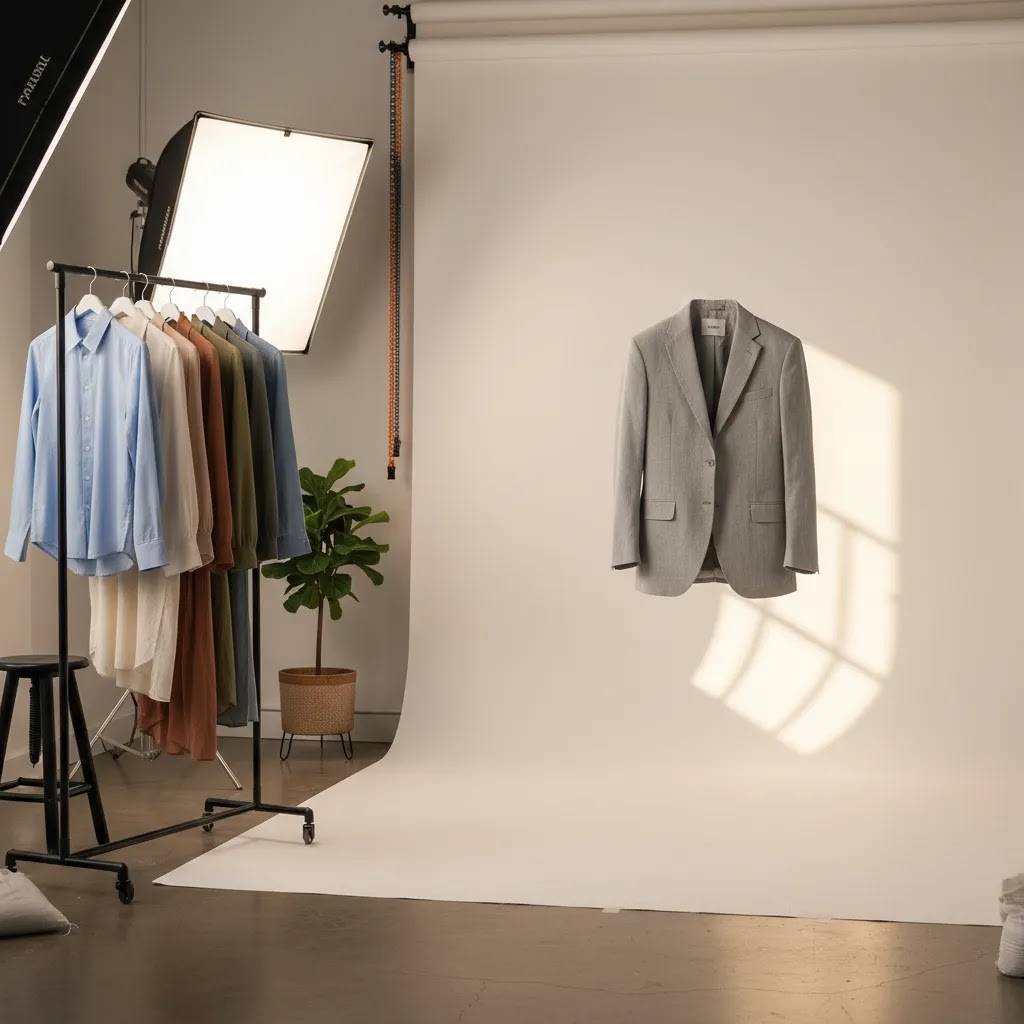
The ghost mannequin effect is a practical apparel photography technique that makes garments look shaped and wearable without showing the model or mannequin itself. For Shopify store owners selling fashion, it can create a cleaner catalog, more consistent product pages, and a stronger focus on fit details like collars, sleeves, and inner labels. The main decision is not whether the effect looks professional, because it often does, but how you should produce it. Some brands still rely on manual ghost mannequin photoshop work or a specialist editor, while others are testing AI-assisted image tools to speed up the process. If you run a lean ecommerce team, the best route depends on your SKU count, margins, and visual standards. This article explains what ghost mannequin is, what it costs, where AI helps, and where it still falls short.
Contents
- Overview
- Trust and Credibility
- Key Features of the Ghost Mannequin Effect
- Ghost Mannequin Photography Setup (Mannequin Types and Gear)
- Pricing and Costs
- Pros and Cons
- Who It's Best For
- How to Get Started
- Ghost Mannequin Editing Workflow (Manual vs App vs AI)
- Frequently Asked Questions
- Key Takeaways
- Conclusion
Overview
A ghost mannequin image combines multiple photos of a garment so the final result shows natural shape, structure, and interior detail while hiding the mannequin. You will usually see this on shirts, jackets, dresses, and knitwear where flat lays do not communicate form well enough. For many stores, it sits between flat product shots and full model photography.
From an ecommerce perspective, the appeal is straightforward. Ghost mannequin photos can make category pages look more uniform, reduce distraction, and help shoppers understand how a garment hangs without paying for repeated live shoots. That matters if you are scaling a large apparel catalog or refreshing seasonal collections often.
This topic also overlaps with broader visual strategy. If you are planning your full photography fashion model approach, ghost mannequin is often the cleanest option for core PDP images, while model or lifestyle shots support branding elsewhere. It also fits naturally alongside strong clothing photography standards for consistency across collections.
At AcquireConvert, Giles Thomas evaluates image workflows through the lens of practical ecommerce performance. As a Shopify Partner, he focuses on what helps merchants maintain a polished store without creating unnecessary production overhead.
Trust and Credibility
The ghost mannequin effect is not a single software product, so trust comes from the workflow and the tools you choose rather than from one platform alone. In most cases, store owners use a combination of photography, background cleanup, retouching, and compositing. The quality gap usually comes down to garment preparation, lighting consistency, and whether interior garment sections are photographed properly.
For merchants testing AI-assisted editing, the current tool set from ProductAI is most relevant for supporting tasks around image cleanup and asset preparation, not for replacing every part of traditional ghost mannequin production. Available tools include AI Background Generator, Free White Background Generator, Increase Image Resolution, Magic Photo Editor, and Creator Studio.
That distinction matters. AI may help speed up editing steps, especially background work and cleanup, but merchants should still review outputs carefully before publishing apparel images to Shopify. Necklines, sleeve openings, and internal seams are the areas where weak edits are most obvious to shoppers.
Key Features of the Ghost Mannequin Effect
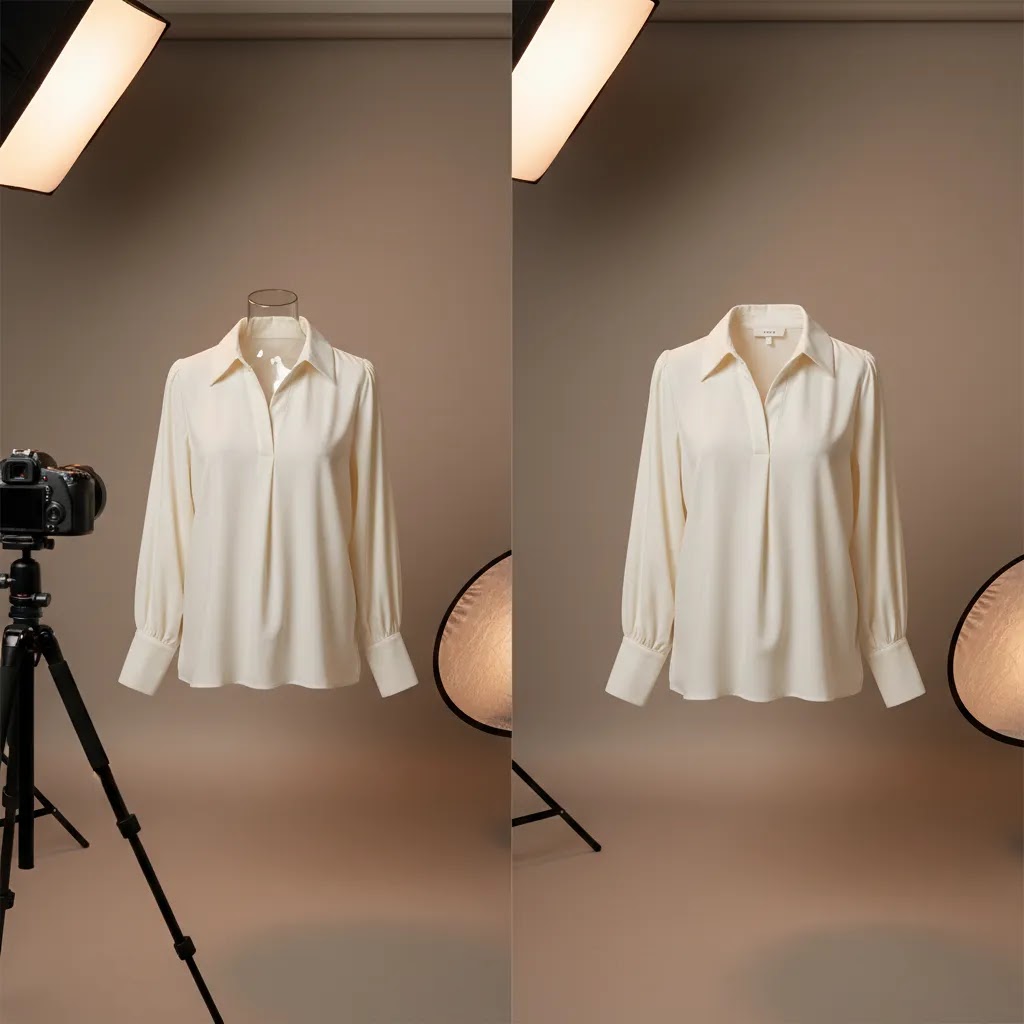
The biggest advantage of ghost mannequin photography is shape without distraction. A shirt, blazer, or dress keeps its dimensional look, but the customer’s attention stays on the product rather than on the model, styling, or pose. For apparel stores with many SKUs, that usually means cleaner merchandising and easier comparison across variants.
A second key feature is interior detail visibility. Good ghost mannequin editing shows the inside neck, back panel, or lining in a way that flat lays often cannot. That can help shoppers judge construction quality and fit cues more confidently, especially on premium items.
Third, it supports catalog consistency. If you are building a large range, ghost mannequin images can standardize presentation better than mixed model photography. This is particularly useful when paired with a repeatable product photography studio setup and a documented editing process.
Where AI enters the picture is mostly in production support. ProductAI tools can assist with related tasks:
- Free White Background Generator for marketplace-friendly white backgrounds after garment shots are captured.
- AI Background Generator if you need alternate creative versions for campaigns, not core catalog accuracy.
- Increase Image Resolution for improving usable output when source files are slightly under target size.
- Magic Photo Editor for broader retouching and cleanup tasks.
- Creator Studio for managing image creation workflows in one place.
If your brand is also exploring stylized campaign imagery, you may want to compare ghost mannequin workflows with newer ai fashion approaches. For some merchants, ghost mannequin remains the better option for PDP clarity, while AI visuals work better in ads, email, or social assets. If your next step is more synthetic apparel imagery rather than pure catalog cleanup, this ai clothing generator guide is the more relevant decision point.
Ghost Mannequin Photography Setup (Mannequin Types and Gear)
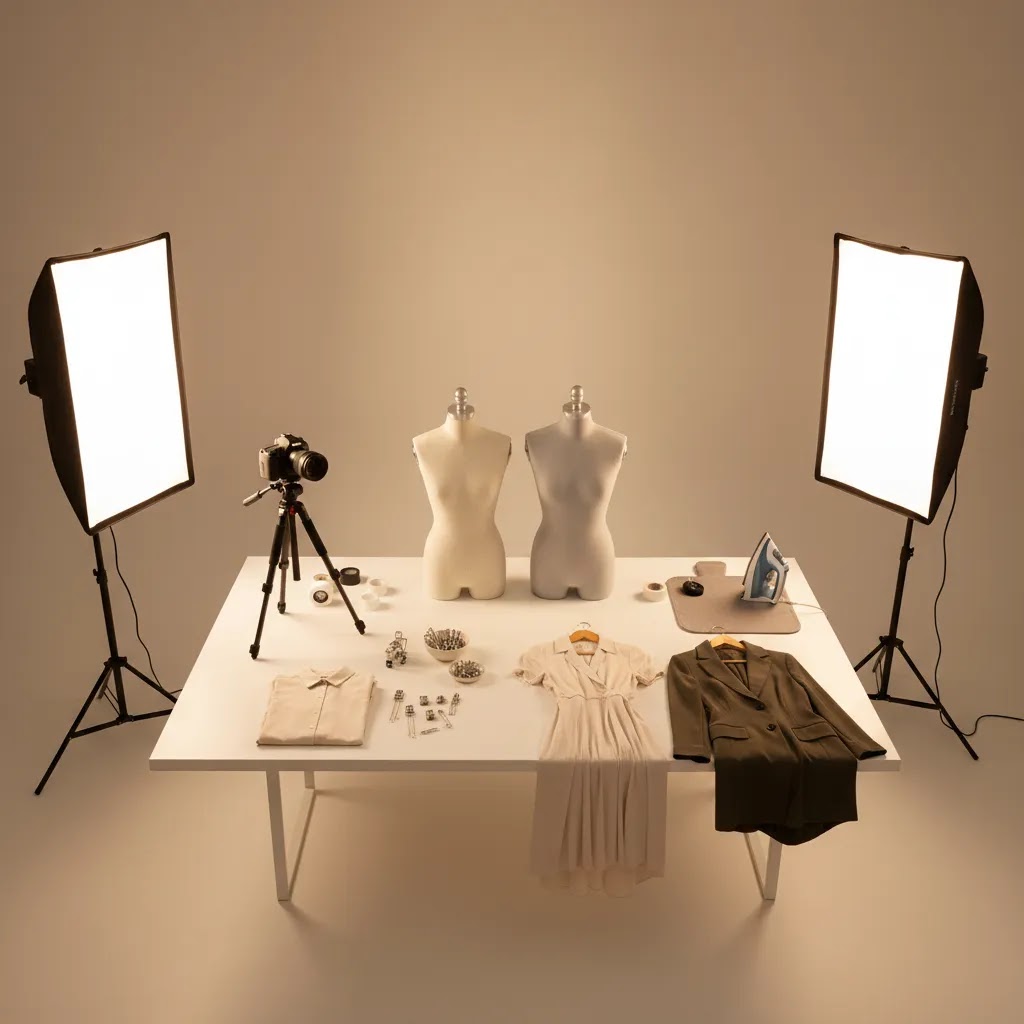
If you have searched for a ghost mannequin for sale, here is the thing, you are usually not looking for a standard display mannequin. Ghost mannequin work is easier when the mannequin is designed to be edited out. That typically means it is matte white (or light gray), has removable parts, and is shaped to hold garments naturally without creating weird bulges you then have to fix in editing.
From a practical standpoint, the main mannequin choices look like this:
- Torso mannequin: Common for tops, jackets, and dresses. It is easier to store and faster to dress than full body. It also reduces the amount of mannequin you need to remove in post.
- Full-body mannequin: Useful if you sell pants, full-length dresses, jumpsuits, or sets and want consistent leg drape. It can be more work to dress and can increase editing time depending on the pose and stand.
- Half body vs 3/4 body: Half body is great for tops, 3/4 can help with longer garments and waist shaping without the full footprint of legs.
- Removable arms and neck blocks: This matters more than most store owners expect. A removable neck piece and detachable arms make it much easier to capture clean interior shots and to avoid awkward overlaps around armholes and collars.
- Base and stand design: A stable base prevents tilt, and repeatability is what you want. Rotating bases can be convenient, but consistency matters more than speed, especially if you need front and back alignment across many SKUs.
Now, when it comes to gear, you do not need a complicated studio to get usable ghost mannequin source images. You do need consistency. A tripod, repeatable camera height, and locked-in lighting positions will usually beat a more expensive camera used inconsistently. If you are using a phone, lock focus and exposure so the front and inner-panel shots match.
What many store owners overlook is garment prep. Plan to use garment clips or pins at the back to control fit, but be careful not to over-tighten and create unnatural seams. Keep hanger height and mannequin height consistent across the shoot so your Shopify collection pages look uniform. A mid-range focal length is typically more forgiving than shooting ultra-wide, since wide angles can distort sleeves and shoulder lines, which makes the final composite look off.
Finally, if you want the effect to look believable, you need the interior shot. That is the separate photo that captures the inside of the neckline, back of collar, label area, or lining panel, so the final image shows depth instead of a flat cutout. If you skip this capture step, editing can still remove the mannequin, but it often looks like a hollow garment rather than a wearable piece.
Consider this when deciding whether to buy, rent, or outsource. If you launch new SKUs constantly and plan to keep your product imagery consistent for years, investing in a purpose-built mannequin and a repeatable setup can make sense. If you only need a one-off seasonal shoot, or you are testing a category for the first time, renting studio time or outsourcing the editing (or the whole shoot) is often the smarter move. The reality is that ghost mannequin becomes cost-effective when the process is repeatable, not when you are reinventing it for every collection.
Pricing and Costs
There is no single ghost mannequin price because you are paying for a workflow, not one fixed app. In practice, your cost usually comes from four areas: photography, mannequin or studio setup, editing time, and optional AI cleanup tools.
From the live product data available here, ProductAI tool pages listed for ghost mannequin-adjacent editing support do not show pricing details in the source data provided. That means it would be inaccurate to quote plan tiers or monthly fees. If you are evaluating ProductAI for apparel image support, you should verify current pricing directly on the relevant tool page before committing.
What you can estimate today is your operational cost structure:
- Low volume brands may find manual editing or outsourcing more practical than adopting a broader image workflow platform.
- High SKU stores often benefit from process standardization, because even small per-image inefficiencies add up quickly.
- If you already have strong source photography, AI cleanup tools may reduce editing time, but they will not fully compensate for poor lighting or missing interior garment shots.
For many Shopify apparel brands, the real comparison is not software versus no software. It is whether to keep paying for repetitive manual edits, build an in-house workflow, or use AI-assisted tools selectively. If you are planning a broader visual production system, the resources in Fashion & Apparel Photography and Catalog Photography are a useful next step.
Here is what actually drives ghost mannequin pricing up or down in real production.
- Images per SKU: If you need front, back, side, detail crops, and colorways, your workflow cost scales fast. Ghost mannequin is usually about the hero images, but your total PDP set matters.
- Whether an inner shot is required: The inner panel shot adds capture time and editing time. The effect is often worth it, but it is still an extra step you have to plan for.
- Garment complexity: Hoods, zippers, deep V-necks, structured collars, layered lapels, and transparent fabrics often take longer to composite cleanly. Knits can also show edge artifacts more easily than stiff woven fabrics.
- Revision rounds: If your brand has strict collar symmetry rules or you need exact color consistency across a collection, expect iteration. That can be in-house time or vendor revisions.
- Turnaround time: Rush work costs more because it compresses labor. If you can batch work and plan launches, you usually have more flexibility.
It also helps to separate tool cost from workflow cost. A mannequin purchase is a one-time investment (plus storage and wear and tear), but it does not remove the labor of styling and editing. Editing costs are usually driven by time. You either pay that time in-house, which often means learning and QA, or you pay a specialist editor. Per-image pricing varies so much because some edits are quick cleanup, and others are full compositing with collar reconstruction and shadow matching.
Think of it this way. Higher-cost ghost mannequin work is usually justified when the product is a hero SKU, when your brand is positioned as premium, or when shoppers need construction and collar details to trust the price. For less important SKUs, clearance items, or fast-moving trend drops, a standardized flat lay or simple on-hanger shot can sometimes be enough, especially if you are disciplined about consistency. Your job is to match effort to commercial value, not to apply the same production level to everything.
Pros and Cons
Strengths
- Creates a clean, professional apparel presentation that works well on Shopify collection pages and product detail pages.
- Shows garment shape better than flat lays for many categories, especially outerwear, shirts, and dresses.
- Helps standardize large catalogs, which can improve merchandising consistency across collections.
- Can reduce dependency on repeated live model shoots for core product images.
- Works well alongside AI editing tools for background cleanup, retouching, and resolution support.
Considerations
- It is not a one-click result. Good ghost mannequin photos still depend on careful capture, styling, and compositing.
- AI tools may help with cleanup, but they can struggle with collars, sleeve interiors, fine edges, and transparent fabrics.
- It lacks the emotional and lifestyle context that real model photography provides for branding and paid social creative.
- Costs can rise quickly for stores with frequent launches if the workflow is not systemized.
Who It's Best For
Ghost mannequin photography is best for apparel merchants who need clean, repeatable PDP imagery and want garments to look structured without relying entirely on live model shoots. It is a strong fit for Shopify stores selling basics, uniforms, premium essentials, or large seasonal collections where consistency matters more than editorial styling.
It also suits lean teams that want a scalable middle ground between flat lays and full fashion campaigns. If your brand depends heavily on personality, movement, or styling cues, ghost mannequin should support your image stack rather than replace all model photography. In those cases, use it for core catalog clarity and keep on-body imagery for conversion support lower on the page.
How to Get Started
Start by choosing one garment category, such as shirts or dresses, and create a test workflow before rolling it across your full catalog. Photograph the front, back, and interior sections you will need for the final composite. Consistent lighting and garment prep matter more than advanced software at this stage.
Next, decide whether you want manual editing, outsourced retouching, or AI-assisted cleanup. If you already have solid source photos, tools like ProductAI may help with background work, resolution improvement, and general cleanup. If your capture process is inconsistent, fix that first.
Then publish the finished images on a small group of Shopify products and review them on desktop and mobile. Check whether the neckline, fit shape, and hems read clearly. Compare performance qualitatively against your current imagery. Results may vary by niche, price point, and how much shoppers rely on fit visualization before purchasing.
Ghost Mannequin Editing Workflow (Manual vs App vs AI)
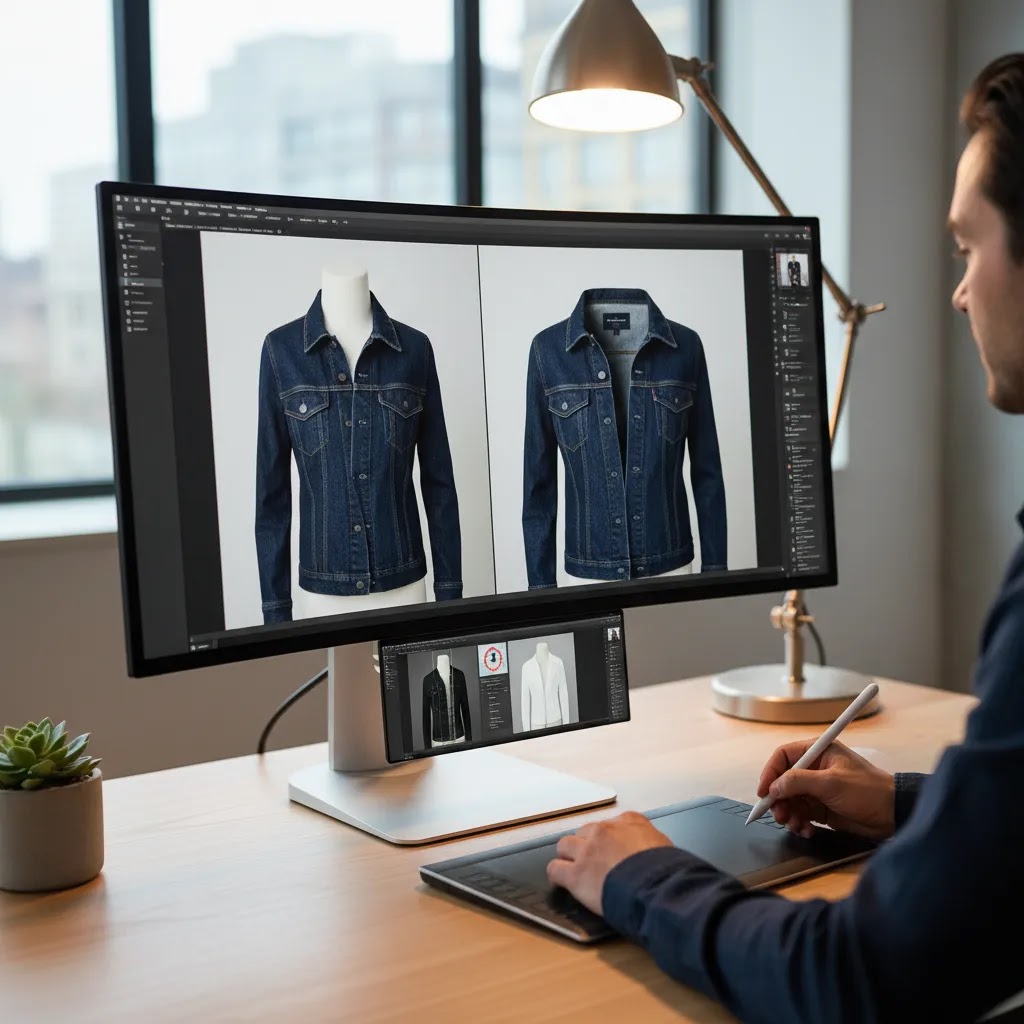
Ghost mannequin editing looks simple when you see the final image, but the way this works in practice is closer to compositing than basic retouching. If you want consistent results across a Shopify catalog, map out the capture sequence and the edit sequence, then keep them stable from SKU to SKU.
A practical step-by-step workflow (the part most teams skip documenting)
Most production workflows follow the same core steps:
- Capture sequence: Shoot the garment on the mannequin (front, then back). Then shoot the inner panel (for example, the inside neck label and back-of-collar area) by removing the neck block or partially flipping the garment. The important part is matching camera height and angle between the main and inner shots.
- Masking and extraction: Cut out the garment cleanly. This is where edges around knit cuffs, lace, or fuzzy fabrics can take time, and it is where automated tools may produce fringing if you are not careful.
- Compositing the inner panel: Place the inner shot into the neck or collar opening so it looks like depth, not a pasted rectangle. This usually requires warping, perspective alignment, and careful edge blending.
- Shadow and depth consistency: Decide whether you want a natural shadow, a subtle drop shadow, or none at all, then apply it consistently. If the inside neck looks brighter than the exterior fabric, shoppers notice.
- Final crop and export for Shopify: Keep crop ratio and garment scale consistent across the collection. Shopify will handle responsive image display, but your source images still need consistent framing for clean collection grids.
What is the app that creates ghost mannequins?
Most “ghost mannequin apps” people refer to are really background removal or general photo cleanup tools. They can be helpful, but true ghost mannequin work usually needs compositing, meaning combining the inner panel shot with the main shot to create a realistic neckline and interior. Some tools may assist with masking and cleanup, but you should not assume an app can reliably build the full invisible mannequin effect without the right source photos.
If you are evaluating an app or AI tool for ghost mannequin editing specifically, focus on the failure points:
- Edge handling: Look for clean edges on collars, knit cuffs, lace, and fuzzy fabrics, without haloing or jagged cuts.
- Collar symmetry: Weak tools often warp the neckline or make the collar look melted. This stands out immediately on a Shopify PDP.
- Fabric transparency: Sheer materials and mesh can break automated masking. In many cases, manual work or specialist retouching is still required.
- Consistent perspective: If the tool cannot match the inner panel perspective to the main shot, the composite looks fake fast.
ProductAI tools can be useful for support steps like backgrounds, cleanup, and resolution. Just treat the final composite as something you still need to QA like a human editor would. AI output quality varies, and apparel details are where mistakes show.
Quality control checklist before images go live
Before you upload a batch to Shopify, review the images at full size and thumbnail size. Common issues that slip through production include collar warping, visible seams where the inner panel is composited, sleeve holes that look uneven left-to-right, and mismatched perspective between the main shot and the inner shot. Also watch for inconsistent garment scale across products. Even if each image looks fine alone, a collection page grid makes inconsistencies obvious.
Frequently Asked Questions
What is a ghost mannequin photo?
A ghost mannequin photo is an apparel image created by combining multiple shots so the mannequin disappears but the garment keeps its natural shape. It is commonly used in ecommerce because it shows fit structure more clearly than a flat lay while keeping attention on the clothing itself.
What is the ghost mannequin technique?
The ghost mannequin technique is a multi-shot photography and editing process. You photograph the garment on a mannequin to capture shape, then photograph an interior section (often the inside neck or collar area), then composite those images so the mannequin is removed and the garment still shows realistic depth and structure.
Is ghost mannequin better than model photography for Shopify stores?
Not always. Ghost mannequin is often better for clean, consistent catalog images, especially on collection pages. Model photography is stronger for brand storytelling, styling context, and emotional appeal. Many Shopify apparel stores benefit most from using both, with ghost mannequin for core product images and model shots as supporting visuals.
Can AI create ghost mannequin effects automatically?
AI can support parts of the process, especially cleanup, background changes, and image enhancement. It may not reliably handle every apparel detail with production-grade accuracy. In most cases, the best results still come from strong source photography plus careful review of any AI-assisted edits before images go live.
Do I need Photoshop for ghost mannequin editing?
Photoshop has been the traditional choice because it gives precise control over compositing and garment detail. That said, some merchants now use AI editing platforms to speed up related tasks. The right choice depends on your visual standards, team skill level, and how many SKU images you need to process each month.
What is the app that creates ghost mannequins?
Most apps marketed for ghost mannequin work handle parts of the workflow, like background removal, masking, or cleanup. The true ghost mannequin effect usually requires compositing an interior shot into the neckline or collar area. If an app cannot handle that compositing step well, you may still need manual editing or an outsourced retoucher for production-grade results.
How much is the ghost mannequin app?
Pricing depends on the specific tool and whether it charges per image, per credit, or via a subscription. The ProductAI tool pages referenced in this article do not include pricing details in the source data provided here, so you should check current pricing directly on the provider’s site before choosing a workflow.
Is ghost mannequin free?
The technique itself is not “free” because it requires time, equipment, and editing. Some tools offer limited free usage for related tasks like background removal, but reliable ghost mannequin results typically require either paid tools, paid labor, or both. For most stores, the real goal is controlling cost per SKU through a repeatable workflow.
How much does ghost mannequin photography cost?
The cost varies based on whether you shoot in-house, hire a ghost mannequin photographer, outsource retouching, or use AI-supported editing tools. Since the current live product data provided here does not include pricing for the listed ProductAI tools, you should verify tool costs directly on the provider’s site before making a workflow decision.
Does ghost mannequin work for all apparel categories?
It works best for structured products like shirts, jackets, knitwear, and dresses. It can be less effective for very soft, oversized, sheer, or highly textured garments where drape and movement matter more. For those categories, combining ghost mannequin with model imagery usually gives shoppers a clearer picture.
Will ghost mannequin improve conversions?
It may help if your current apparel imagery does not show shape or fit clearly enough. Cleaner, more consistent product photos can improve product understanding, but outcomes depend on your store’s audience, price point, traffic quality, and the rest of your product page experience. It should be viewed as one part of a wider conversion rate optimization effort.
Key Takeaways
- Ghost mannequin is a strong apparel ecommerce format for showing garment shape without distracting shoppers.
- It is most useful for consistent PDP and collection imagery on Shopify stores with growing clothing catalogs.
- AI tools can support cleanup and production efficiency, but they do not eliminate the need for good source photography.
- Manual, outsourced, and AI-assisted workflows each have tradeoffs in cost, control, and scale.
- Test the effect on one category first before changing your full apparel image workflow.
Conclusion
The ghost mannequin effect remains one of the most practical image formats for fashion ecommerce. It gives apparel products shape, consistency, and a polished catalog look without the cost and complexity of using models for every SKU. For most Shopify merchants, the right question is not whether ghost mannequin works, but whether your current workflow can produce it efficiently and accurately. If you have a growing apparel range, this is usually worth testing on a defined product set. If your brand depends more on editorial styling or lifestyle context, use ghost mannequin as a supporting format rather than your only visual approach. Start small, audit quality closely, and choose manual or AI-assisted editing based on the standards your store actually needs.
Disclosure: AcquireConvert may receive affiliate compensation from some links to third-party tools mentioned in this article. Any opinions expressed are based on practical ecommerce evaluation and editorial judgment. Image quality and commercial results will vary depending on your source photography, niche, implementation quality, and store traffic. No specific outcome is guaranteed.

Hi, I'm Giles Thomas.
Founder of AcquireConvert, the place where ecommerce entrepreneurs & marketers go to learn growth. I'm also the founder of Shopify agency Whole Design Studios.