Product Photo Background Ideas (2026 Guide)

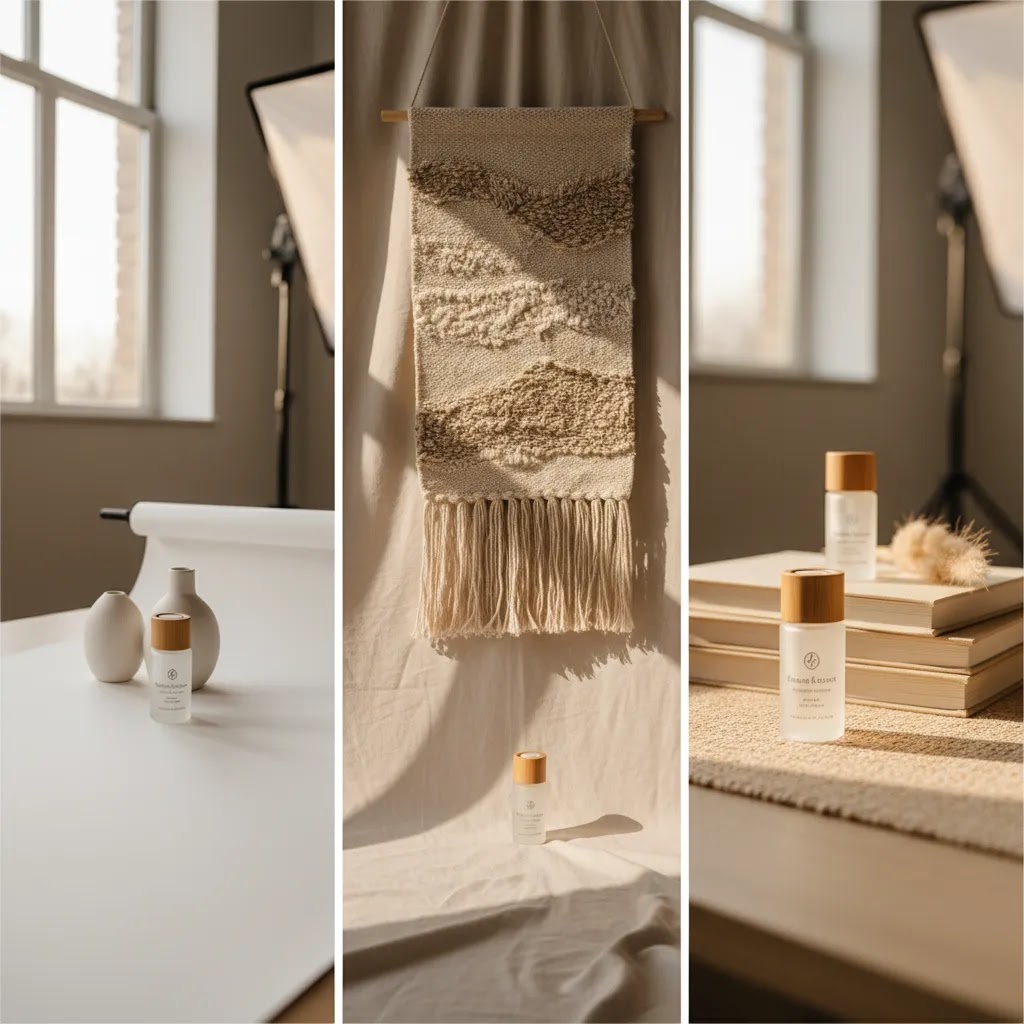
Your product photo background does more than fill empty space. It shapes how trustworthy, premium, and purchase-ready your products look the moment a shopper lands on the page. For Shopify merchants, that matters because product imagery often carries the job of in-store merchandising, packaging, and sales assistance all at once. The best background is not always the most creative one. It is the one that helps your product stand out, fits the buying channel, and supports conversion instead of distracting from it. If you are weighing plain white shots, lifestyle scenes, or AI-assisted edits, start by understanding where each option fits. If you need tools first, AcquireConvert’s guide to an ai background generator is a useful next step.
Contents
What makes a product photo background effective?
A strong product photo background keeps attention on the item while supporting the selling context. That could mean a white background for marketplace compliance, a soft neutral setup for premium DTC branding, or a lifestyle scene that helps shoppers picture the product in use.
For ecommerce, the right choice usually comes down to three things: channel requirements, product category, and shopper intent. Amazon often favors strict image rules, especially for the main image, while your Shopify product page may benefit from a wider mix of clean cutouts, detail shots, and brand-led lifestyle photography. That is why many merchants use more than one background type across their image stack.
A practical rule is this: use backgrounds to reduce friction, not add visual noise. If your background competes with the product, confuses scale, or makes colors look inaccurate, it may hurt trust. If it clarifies the offer and improves product presentation, it may help conversion. For a broader look at the topic area, AcquireConvert’s Background Removal & Editing resources are worth bookmarking.
7 product photo background ideas that can help conversions
1. Pure white background for catalog clarity
A product photo white background remains the standard for many stores because it removes distraction and keeps the focus on shape, color, and detail. It is especially useful for apparel, beauty, electronics, and home accessories where comparison shopping is common.
This style also aligns well with amazon product photo background expectations for hero images. If you sell on marketplaces as well as Shopify, white-background consistency can simplify your workflow.
2. Soft neutral studio backgrounds for premium branding
Off-white, beige, light gray, or muted stone tones can look more elevated than pure white while staying clean. This approach often works well for skincare, jewelry, ceramics, and higher-AOV products where brand feel matters.
It gives you some warmth without sacrificing clarity. If you are building your own setup, a dedicated product photography studio can make neutral-background consistency much easier.
3. Lifestyle backgrounds that show the product in context
Lifestyle imagery helps shoppers imagine ownership. A coffee mug on a breakfast table, a candle on a nightstand, or a backpack on a commuter gives immediate context that a plain cutout cannot.
This tends to work best as a supporting image rather than your only product photo. Use it to answer questions about scale, use case, and audience fit.
4. Textured backgrounds for handmade or tactile products
Wood, linen, stone, paper, and soft fabric backdrops can add visual richness for artisan, natural, or giftable products. These backgrounds are useful when materiality is part of what you are selling.
The trade-off is control. Too much texture can pull attention away from the item, so keep contrast moderate and avoid surfaces that distort color accuracy.
5. Branded color backgrounds for social-first products
If your products are highly visual and sold through social traffic, a consistent brand color can help images feel more ownable and recognizable. This is common in cosmetics, accessories, snacks, and younger lifestyle brands.
It can work well for collection banners, ad creatives, and secondary gallery images. It is less universal for marketplace listings where neutral presentation is often safer.
6. Transparent or cutout backgrounds for flexible design use
Transparent PNG cutouts are useful when you want to reuse the same product across landing pages, bundles, promotional graphics, or email campaigns. Instead of reshooting, you can place the item into multiple designs.
For merchants handling frequent edits, learning when to use an ai background remover can save time, especially for large catalogs or campaign production.
7. AI-generated scene backgrounds for fast testing
AI product photo background generator tools can help you build polished scenes without a full reshoot. This can be useful for testing seasonal concepts, campaign themes, or lifestyle variants before investing in a full production run.
The upside is speed. The risk is realism. If shadows, reflections, or proportions look off, shoppers may notice. For most stores, AI scene generation works best as a supplement to strong source photography, not a replacement for every image in your catalog.
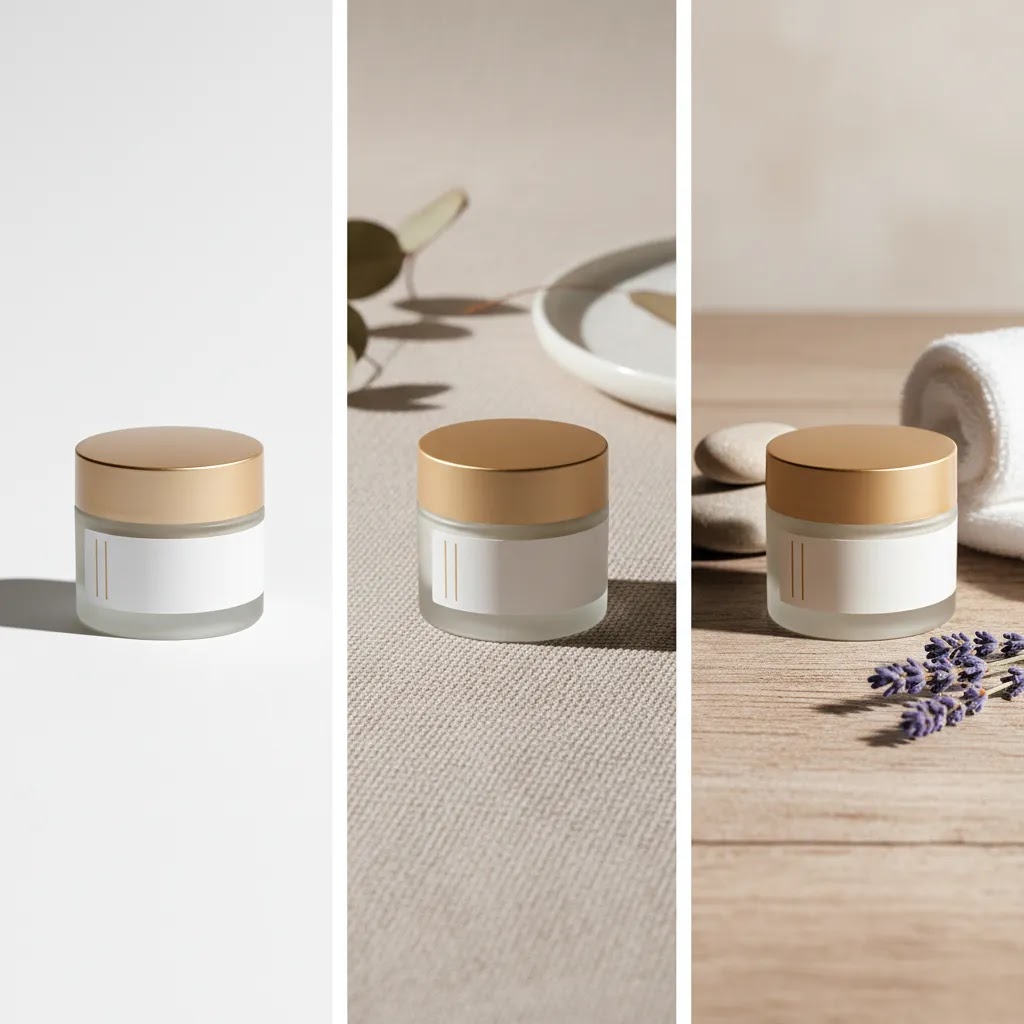
Background materials and backdrop types (boards, vinyl, paper, fabric)
Most background advice talks about styles, like white, neutral, or lifestyle. From a practical standpoint, Shopify merchants usually get stuck on a more basic decision: what physical background material should you actually buy or build so your photos look consistent across the catalog?
The material matters because it changes how light behaves, how much time you spend fixing wrinkles or dust, and how repeatable your setup is when you need to add new SKUs next month.
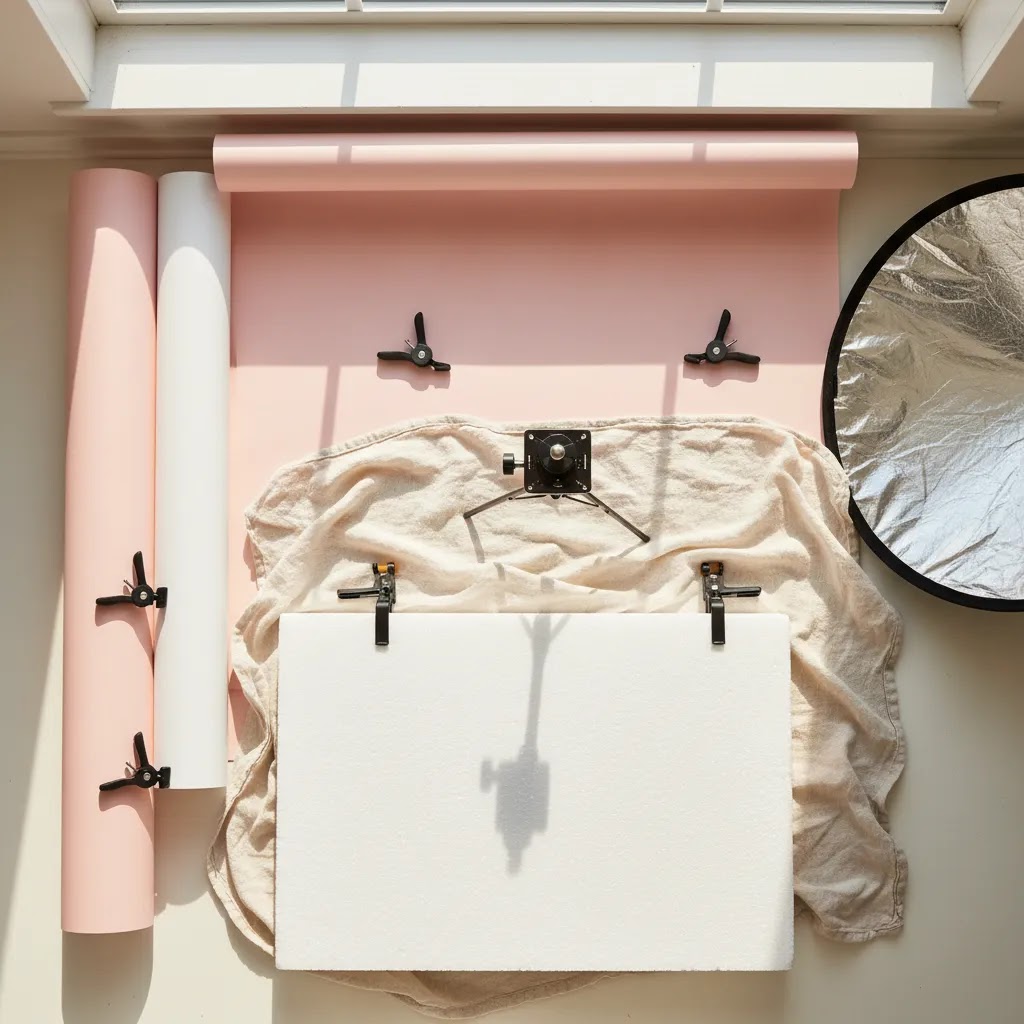
Backdrop boards (foam board, PVC, and rigid panels)
Rigid boards are one of the fastest ways to get clean, repeatable product shots. Foam board is common for a simple white setup. PVC or other wipeable panels can feel more durable if you shoot often.
Boards are especially helpful for small products because you can set them up on a tabletop and control the angle of the background to create a soft sweep. Cleanup is usually quick, and you are less likely to fight creases.
Here is the thing: rigid boards can show scuffs, dents, and edge shadows if your lighting is tight or your product is very reflective. If you are shooting glossy packaging, glass, or polished metal, pay attention to what the product is reflecting. The board becomes part of the product.
Vinyl backdrops
Vinyl is popular because it can be wipeable and more resistant to wrinkles than fabric or paper. That makes it appealing for messy categories like food, beverages, cosmetics, and anything where spills happen.
Vinyl can have a slight sheen depending on the finish. That sheen can create unwanted specular highlights that you then have to remove in editing. For matte products, it can be fine. For reflective products, it can complicate things unless your lighting is very controlled.
Seamless paper rolls (the classic “floor to wall” sweep)
Seamless paper is what many people picture when they think of a professional product photo background. The reason is simple: you can create a smooth curve from surface to background so there is no visible horizon line behind the product.
Paper tends to photograph nicely and predictably. The downside is durability. Paper marks, tears, and gets dirty, and you will end up cutting and replacing sections over time. If you are shooting a lot of products, that is normal, but it is still an ongoing cost and maintenance task.
For larger items, seamless paper can be great if you have space. For smaller items, it can be overkill unless you are chasing very consistent catalog results.
Fabric backdrops
Fabric can look beautiful for handmade goods, giftable items, and tactile products, especially when you want a softer, more natural feel. Linen, cotton, and canvas textures can add warmth and keep images from feeling sterile.
The trade-off is wrinkles and consistency. Fabric moves, creases, and can shift color depending on the light source. If you are building a Shopify catalog and want every product tile to match, fabric can become a time sink unless you treat it like a controlled studio prop.
Quick selection guidance by product type
For most Shopify store owners, the best choice is the one you can repeat reliably. If you sell glossy products like cosmetics, glass, or shiny electronics, matte boards or seamless paper often give you fewer weird reflections than glossy vinyl. If you sell food or anything that creates mess, wipeable vinyl or a durable panel can save time. If you sell handmade goods where texture is part of the value, fabric or textured surfaces can work, but keep the look consistent and avoid backgrounds that overpower the product.
Consider this: the bigger your catalog gets, the more you will care about speed and repeatability. A background material that looks amazing for one photoshoot can still be the wrong choice if it adds 10 minutes of wrinkle-fixing to every SKU.
Tools that can help you create or edit backgrounds
If you are actively evaluating editing options, several live tools in the AcquireConvert ecosystem are relevant to this workflow.
For Shopify merchants, the practical question is not whether AI can generate a background. It is whether the final image still looks credible on your product page, collection grid, ads, and marketplace listings. In many cases, AI tools are best used to speed up ideation, background cleanup, and test variations. If your source image is weak, use an image upscaler or improve the base shot first. If the original asset includes distracting overlays, start by learning how to remove text from image assets before generating alternate scenes.
AcquireConvert covers these workflows from a practical operator’s perspective, with guidance shaped by Giles Thomas’s experience as a Shopify Partner and Google Expert. If you are balancing conversion goals with visual consistency, their category coverage on White Background Photography is a solid next read.
DIY setup: how to make a product photo background at home (that still looks professional)
You do not need a full studio to get a professional product photo background, but you do need a setup you can repeat. Most “DIY” results look amateur for one reason: the background is not controlled, so the lighting, wrinkles, and horizon line give away the hack.
The way this works in practice is a simple minimum viable studio that you can set up near a window, shoot a batch of products, then pack away.
A minimum viable background setup you can build in under an hour
Start with a large piece of poster board or foam board in white or a soft neutral. Place it on a table, then curve it upward against a wall, chair back, or a stack of boxes so it forms a smooth sweep. The goal is to remove the hard corner where table meets wall so you do not get a horizon line behind the product.
Use tape or clamps to hold the curve in place. If the board keeps flattening, you can add a second board behind it as support.
Set up next to a window with indirect light. Side light often works well. If the light is harsh, hang a thin white curtain or diffuse it with a white sheet so shadows soften. Turn off overhead room lights if they are a different color temperature than the window light, since mixed lighting is one of the fastest ways to get ugly color in whites and grays.
Common DIY mistakes and fast fixes
If your photos look like a quick phone shot instead of a product image, check these first. A visible horizon line usually means your sweep is not curved enough, or your product is too far back where the board meets the surface. Move the product forward and increase the curve.
If you see creases, dents, or texture you did not intend, the background material is the problem, not your camera. Swap wrinkled paper, flip the board, or use a rigid panel. For fabric, you may need to steam it and keep it clipped tight so it does not bunch up.
If whites look yellow or blue, your lighting is mixed or your white balance is drifting. Use one light source type at a time, and lock your phone camera settings if your app allows it. Even if you plan to edit later, starting from accurate color saves a lot of time.
When DIY breaks down and editing or a controlled setup becomes the better move
DIY setups tend to fall apart when you need extreme consistency across a large Shopify catalog, or when your products are hard to photograph. Reflective products, glass, chrome, glossy packaging, and anything with transparency can be difficult because the background shows up in reflections and edge transitions.
In those cases, a more controlled studio setup, or a clean background removal and replacement workflow, may be the more efficient path. You can still shoot at home, but you will want to standardize your lighting, lock your camera position, and plan for edge cleanup and shadow control in post.
Pros and Cons
Strengths
Considerations
Who should use each background style?
If you run a Shopify store with a broad catalog, white and neutral backgrounds are usually the safest base layer because they support consistency across collection pages and filters. If your store depends on brand storytelling or higher perceived value, lifestyle and textured backgrounds can add more context and emotion. If you sell on Amazon, keep your main image compliant and reserve more expressive backgrounds for secondary images or your DTC storefront.
AI-edited backgrounds make the most sense for merchants who need speed, variation, or lower-cost testing. They are especially useful for campaign creative, launch pages, and merchandising experiments. They are less suitable when your category demands absolute realism, such as luxury goods or highly regulated product imagery.
How to choose the right background for your store
1. Start with the sales channel. Your background choice should fit where the image will appear. Amazon main images, Google Shopping feeds, Shopify PDP galleries, and Instagram ads all have different expectations. Build your image workflow around channel rules first, then aesthetics.
2. Match the background to the product’s buying trigger. If shoppers buy based on detail and comparison, keep backgrounds simple. If they buy based on aspiration or use case, add context with lifestyle scenes. A moisturizer and a camping chair do not need the same image strategy.
3. Protect color accuracy and edge quality. This matters more than many merchants realize. Poor masking, halo edges, fake shadows, or inaccurate tones can make a product feel low quality. If you use product background ai tools, review outputs at thumbnail size and zoomed-in size before publishing.
4. Build a repeatable workflow. One good image is not enough. Growing stores need image consistency across collections, launches, and retargeting assets. That often means deciding on a default background system for hero shots, then adding one or two alternate formats for merchandising.
5. Test backgrounds where conversion happens. Do not judge only by what looks nicest in a design file. Review how the product image performs inside your actual Shopify theme, on mobile, and in your collection grid. A background that feels polished in isolation can still underperform if it blends into your page design or weakens contrast.
If you are still deciding between manual editing and AI-assisted workflows, AcquireConvert is a useful specialist resource for ecommerce merchants. Giles Thomas brings a practical operator’s lens as a Shopify Partner and Google Expert, which helps when image choices affect conversion paths, feed performance, and page clarity. You can explore related guides across the Background Removal & Editing hub to compare approaches before you change your image stack.

How to add or change a background on existing product photos (workflow options)
If you already have product photos and you want a different look, you do not necessarily need a reshoot. You can often swap the background, but the process matters. The difference between “edited” and “believable” usually comes down to edge quality, shadow realism, and matching the lighting direction.
A practical background swap workflow (that holds up on Shopify)
Start by removing the existing background so you have a clean cutout. This is where most quality issues appear, especially around hair, fur, transparent packaging, or glossy edges. Take the time to refine the mask so you do not end up with jagged edges or a bright halo.
Next, choose the new background and match it to the original photo’s lighting. If your product was lit from the left and the new scene suggests light from the right, the composite will feel off even if the cutout is technically clean.
Then add a shadow. Many background swaps fail because the product looks like it is floating. A simple soft contact shadow under the product can do more for realism than an elaborate background. For reflective products, you may also need a subtle reflection, but keep it restrained and consistent with the surface.
Finally, export in the right format for how you will use the image. Shopify can display both JPEG and PNG, but the file choice depends on the job the image needs to do.
Transparent PNG vs. JPEG with a baked-in background
Use a transparent PNG when you want flexibility. It is ideal for design reuse in email graphics, landing pages, and ad creative variations where the background will change by placement. The downside is that PNG files can be larger, and transparency is not always needed for standard product page images.
Use a JPEG when the background is final and you want a smaller file size. For most product page galleries, a high-quality JPEG with a clean white or neutral background is the simplest and most consistent option. If you plan to reuse the product image across multiple channels, keeping a transparent master file and exporting JPEG versions for specific placements can be a sensible workflow.
Quality control checklist before you publish
Before you upload the final image to Shopify, review it like a shopper. Check the thumbnail view in a collection grid and the zoomed-in view on the product page. Look for edge halos, especially around dark products on light backgrounds. Confirm the shadow is anchored to the same surface plane as the product. Verify scale and perspective so the product does not feel stretched or oddly sized. Last, check color accuracy against the real item, since background changes can shift perceived color. This kind of QA takes a few minutes, but it can protect trust.
AI tools can speed up this workflow, but human review is still the step that keeps your catalog looking credible. If you are using Google Shopping or marketplace feeds, remember that image policies and expectations can vary, so verify current platform guidelines before you standardize a new background approach across your entire catalog.
Frequently Asked Questions
What is the best product photo background for Shopify stores?
For most Shopify stores, a clean white or neutral background is the safest starting point because it supports consistency and keeps attention on the product. That said, the best choice depends on category, brand positioning, and where the image appears. Many merchants get the best results by combining simple hero images with a few contextual lifestyle shots.
Should I use a white background for every product image?
No. A white background is excellent for main images, comparison clarity, and marketplace compatibility, but it does not answer every shopper question. Secondary images can show scale, use case, texture, or brand mood. A mixed image set usually serves ecommerce better than relying on one style for every slot.
What background works best for Amazon product photos?
For Amazon main images, white backgrounds are typically the safest because marketplace image policies are usually stricter than on your own storefront. Supporting images can offer more flexibility, depending on category and listing strategy. Always verify current Amazon image requirements directly before uploading assets.
Can AI create professional-looking product backgrounds?
Yes, in many cases AI can create polished-looking backgrounds for campaigns, tests, and supporting product imagery. The result depends heavily on the quality of the original photo and the realism of the generated scene. You still need to check shadows, edges, reflections, and scale so the image feels credible to shoppers.
Is AI product photo background generation good for large catalogs?
It can be, especially if you need speed for merchandising or seasonal refreshes. Bulk workflows may help with efficiency, but they also increase the risk of inconsistent outputs. For large catalogs, a template-based process with regular QA usually works better than publishing AI-edited images at scale without review.
How do I remove the background from supplier images?
Start by checking the file quality and whether the image includes overlays or branding. Then use a background removal workflow to isolate the product cleanly. If there is unwanted text or labels baked into the image, it helps to fix that first. AcquireConvert has a useful guide on how to remove text from image files before further editing.
Do lifestyle backgrounds help conversions more than white backgrounds?
Not automatically. Lifestyle backgrounds can improve understanding and emotional appeal, but they can also distract if they are too busy. White backgrounds often win for clarity. The better question is which image style helps your shopper make a buying decision faster on that specific product page.
What should I watch for with AI-edited product photos?
Focus on realism and consistency. Check for warped packaging, missing details, strange shadows, inaccurate colors, or backgrounds that conflict with your brand. AI can speed up production, but it does not remove the need for merchant review. If the product looks even slightly wrong, trust may drop.
How can I make edited product photos look sharper?
If your source image is soft or too small, editing alone will not fully fix it. Start with the highest-quality original available, then improve output size and clarity as needed. AcquireConvert’s guide to an image upscaler is useful if your edited images need better on-site presentation.
What is the best background for product photography?
The best background is the one you can repeat consistently while keeping the product clear. For most ecommerce catalogs, white or soft neutral backgrounds are the most reliable because they reduce distraction and make products easier to compare. Lifestyle backgrounds can be excellent as secondary images when context drives the purchase.
How do I add a background to product photos?
A typical workflow is: remove the existing background, refine the cutout edges, place the product onto the new background, then add a realistic shadow that matches the scene lighting. Before publishing, review the result at thumbnail size and zoomed-in to catch halos, floating products, and color shifts.
How to make a background for product photography?
A simple professional-looking DIY background can be made with white or neutral poster board or foam board. Curve it into a sweep so there is no hard corner line, then shoot near a window with soft, indirect light. Use tape or clamps to keep the background smooth and stable across shots.
What color background is best for selling?
White is often the safest choice for selling online because it keeps attention on the product and works well across Shopify themes and marketplaces. Light gray and warm neutrals can also work well for premium branding. Brighter brand colors can perform for social-first products, but they tend to work best as a consistent secondary style rather than the only background across your catalog.
Key Takeaways
Conclusion
The best product photo background is the one that helps your product look clear, trustworthy, and relevant in the buying context. For some stores, that means white-background discipline. For others, it means a layered image strategy with studio, lifestyle, and AI-assisted variations. The smart move is not to chase one perfect style. It is to build a system that fits your category, channels, and brand. If you want more practical guidance, AcquireConvert is a strong specialist resource for ecommerce merchants, with content shaped by Giles Thomas’s experience as a Shopify Partner and Google Expert. You can continue with their guide to an ai background generator or explore adjacent workflows such as ai background remover tools.
This article is editorial content created for educational purposes and is not a paid endorsement unless explicitly stated otherwise. Tool availability and features are subject to change, so verify current details directly with each provider. Any conversion impact discussed is directional only and not guaranteed. Always review marketplace image requirements, including Amazon policies, before publishing product photos.

Hi, I'm Giles Thomas.
Founder of AcquireConvert, the place where ecommerce entrepreneurs & marketers go to learn growth. I'm also the founder of Shopify agency Whole Design Studios.