Product Photo Retouching: Manual vs AI (2026)


If you sell online, product photo retouching affects more than aesthetics. It shapes click-through rate, perceived quality, return risk, and how trustworthy your store feels when a shopper lands on a product page. The real question is not whether to retouch your images. It is whether you should do it manually, use AI, or combine both. For most ecommerce teams, the answer depends on catalog size, image complexity, brand standards, and how fast you need assets ready for launch. If you are already comparing automated editing options, it helps to start with a broader view of what an ai background generator can and cannot handle before you commit to a workflow.
Contents
What product photo retouching really means
Product photo retouching covers every visual adjustment made after the image is captured. In ecommerce, that can include background cleanup, dust and scratch removal, color correction, shadow balancing, edge refinement, cropping, resizing, and preparing alternate creative versions for ads, marketplaces, and your storefront.
For a Shopify merchant, retouching is not just a design step. It is part of merchandising. A beauty brand may need accurate texture and shade representation. An apparel store may need clean edges around fabric and consistent ghost mannequin presentation. A home goods seller may need realistic reflections on glass or metal without making the item look artificially perfect.
That is why the best method depends on the job. Manual retouching gives you precision and control. AI photo retouching gives you speed and scale. Many growth-stage stores end up using both. They automate repetitive edits and keep manual work for hero images, launch campaigns, and products with tricky surfaces or fine details.
If your current issue is not just retouching but broader image quality, the Background Removal & Editing category is a useful place to compare related workflows and tools.
Manual vs AI methods
Manual retouching usually means editing by a designer, in-house creative, freelancer, or specialist photo retouching service. This approach is strongest when your product images need judgment, not just automation. Think jewelry, cosmetics, transparent packaging, reflective materials, textiles, or premium product launches where small visual inconsistencies can weaken perceived value.
AI retouching uses automated tools to detect subjects, swap or clean backgrounds, improve sharpness, remove distractions, and generate more polished catalog-ready assets. Based on the current product data available, examples of AI-focused image workflows include AI Background Generator, Free White Background Generator, Increase Image Resolution, Remove Text From Images, and Magic Photo Editor.
For many store owners, AI is most useful when you need to process lots of images quickly. Seasonal collections, supplier image cleanup, marketplace compliance, and A/B testing multiple image styles are common use cases. It can reduce production time, but it may still need human review before images go live.
The practical choice is usually not manual or AI. It is a workflow split. Use AI for first-pass production, then manually review your best sellers and campaign assets.
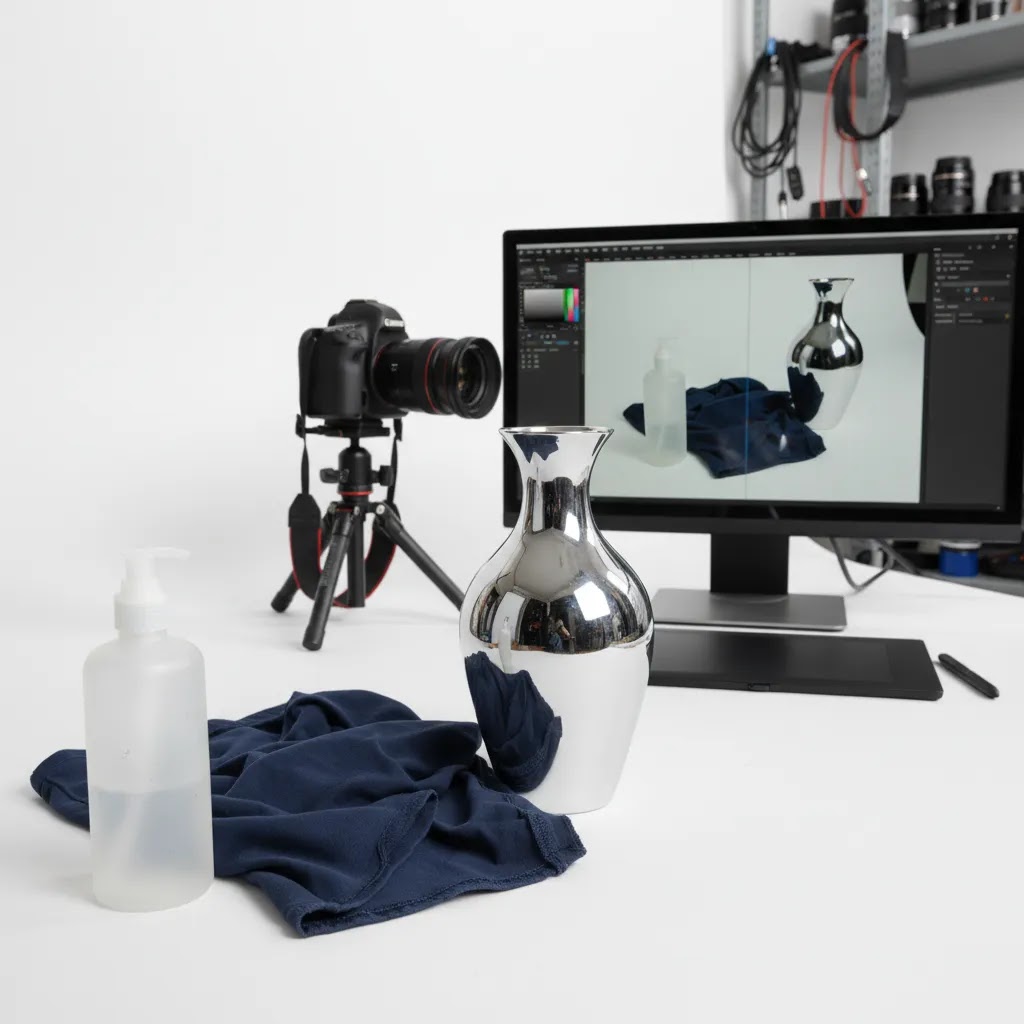
Manual retouching checklist: a step-by-step process for ecommerce images
Here is a simple retouching sequence you can reuse across a Shopify catalog. The goal is consistency first, then polish. If you are doing this in-house, a repeatable checklist also makes it easier to hand work off to a freelancer or service later without your photos drifting in style.
1. Straighten and crop first
Start by leveling the product and locking your crop rules. In practice, consistency across a collection page often matters more than a perfect crop on one image. Pick an aspect ratio that matches your theme layout, then apply the same framing across variants so customers are not visually jolted when they scroll.
2. Set white balance and exposure
Do global corrections early. If your whites are slightly warm in one SKU and cool in another, your whole storefront can feel inconsistent. From a practical standpoint, you want stable highlights and no muddy midtones, especially if you sell white or pastel products where small shifts are obvious.
3. Remove dust, scratches, and small distractions
Clean up sensor dust, lint, tiny packaging scuffs, and background specks. This is one of the highest ROI manual steps because it is hard to ignore once you see it on a zoomed product image.
4. Correct color for accuracy, not drama
A common ecommerce mistake is chasing punchy colors that look good on one screen but do not match the product. If you get returns or complaints about color, your retouching process is a place to tighten up. Use a reference, such as a known brand color or a physical sample under consistent lighting, and aim for a realistic match.
5. Control shadows and reflections
Shadows should ground the product, not distract from it. For reflective items, the goal is usually to reduce messy reflections without making the product look like plastic. This is also where AI outputs can look slightly wrong, so manual judgment helps.
6. Clean edges and check the background
Zoom in and inspect the outline. Look for jagged edges, leftover background tint, and fringing around hair, fabric, or transparent packaging. If you sell on channels that expect a clean white background, make sure the background is actually white where it should be, not off-white or gray.
7. Export for Shopify, then do a quick QA pass
Export settings depend on your theme and image use, but the key is consistency. Keep aspect ratio and crop consistent across a set, avoid aggressive sharpening, and check that filenames and variants are organized in a way your team can manage. Before you upload, do a quick QA sweep for the most common over-retouching issues: plastic-looking texture, halos around edges, and crushed whites that wipe out product detail.
Think of it this way: the fastest retouching workflow is the one that avoids a second round of fixes after images are already live on product pages and ads.
What to evaluate before choosing a method
Here are the features and workflow factors that matter most for ecommerce product photo retouching.
1. Subject accuracy
Can the method preserve edges, textures, transparent areas, shadows, and fine details? AI often performs well on simple products with clear separation from the background. Manual retouching still wins when objects have soft edges, reflective materials, or intricate shapes.
2. Catalog speed
If you upload hundreds of SKUs per month, speed matters. AI tools can help process repetitive edits quickly, especially background cleanup and standardization. If low-resolution supplier images are slowing your workflow, an image upscaler may help prepare files for product pages, but it still needs visual review for artifacts.
3. Brand consistency
Your product page gallery should feel unified. That includes white balance, crop ratio, shadow treatment, and background style. Manual retouchers often create consistency through judgment. AI can support consistency if your source images are already fairly standardized.
4. Cleanup requirements
Some photos need more than polishing. You may need to erase labels, packaging marks, supplier overlays, or old promotional elements. In those cases, a dedicated remove text from image workflow can save time before deeper retouching begins.
5. Creative flexibility
Standard white-background catalog images are one thing. Lifestyle scenes, hands-in-use shots, and campaign creatives are another. ProductAI tools such as Background Swap Editor, Place in Hands, and Creator Studio show how AI can support more creative asset production, but these outputs should still be checked against your brand standards and ad platform requirements.
Pros and Cons
Strengths
Considerations
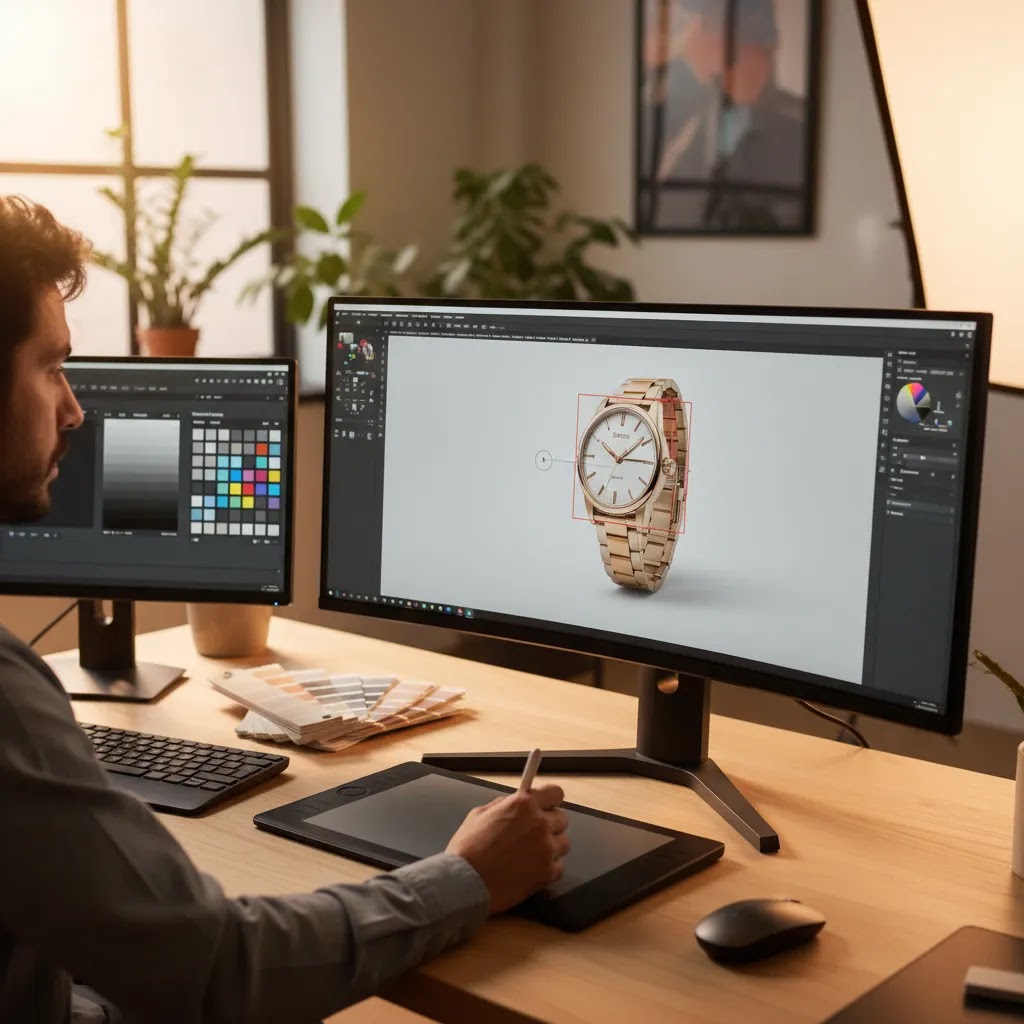
Product photo retouching cost: what you can expect (and what drives pricing)
Most Shopify store owners ask about cost right after they see what good retouching looks like. The reality is that pricing varies widely because “retouching” can mean anything from basic dust cleanup to complex edge work on reflective products. What matters is understanding what drives pricing so you can budget without surprises.
What typically drives retouching cost
In most cases, cost moves based on five things.
Manual per-image retouching vs AI subscriptions vs hybrid
Manual retouching is often priced per image or per hour. It can be cost-effective when the work is high-impact, such as hero images, best sellers, or launch assets where precision matters.
AI tools are typically priced as subscriptions or credit-based usage. The part many store owners overlook is the operational cost: you still need someone to QA images, spot errors, and redo the few that fail. If your team is already stretched, that review time can become the hidden cost of “cheap” automation.
Hybrid workflows often land in a sensible middle. AI handles first-pass cleanup at scale, then manual work is reserved for images where accuracy is critical or where AI artifacts would create merchandising risk.
How to budget a catalog refresh without overspending
From a practical standpoint, you usually do not need to pay top-tier manual retouching for every SKU on day one. Prioritize in this order: homepage and collection hero images, top sellers, products you run ads to, then the long tail of your catalog. This approach tends to improve perceived quality faster, without turning retouching into a never-ending expense.
It is also worth being honest about your internal time. If you are spending hours reworking AI outputs, or your launches are delayed because images are stuck in review, paying for a service for the hardest products can be the more sensible operational choice.
Who each option is best for
Manual retouching is usually the better fit if you sell premium products, rely on highly accurate color representation, or need campaign-level creative control. That includes categories like cosmetics, jewelry, luxury accessories, and products with reflective or transparent materials.
AI retouching suits stores that need operational speed. If you are processing supplier photos, cleaning marketplace listings, or standardizing a broad catalog for Shopify collection pages, AI can save time on repetitive production work.
A hybrid setup is the best fit for many established Shopify stores. Use automation on the bulk of your catalog, then manually polish the product images that drive the most revenue, ad spend, or first impression value.
Product photo retouching services: how to choose a vendor and avoid rework
If you are considering product photo retouching services, the goal is not just “better images.” The goal is fewer rounds of revisions and a consistent look across your storefront. Rework is where timelines slip and costs quietly climb.
How to evaluate a retouching service
Start by checking whether their work matches your product type, not just whether it looks nice. A portfolio that is strong on apparel may not translate to glass bottles or jewelry.
Now, when it comes to execution, ask practical questions that affect day-to-day operations: what is their revision policy, what is the usual turnaround, do they have a QA process before delivery, and can they follow a style guide consistently across hundreds of files.
What to include in your retouching brief
What many store owners overlook is that a clear brief is the fastest path to consistent results. Your brief should cover reference images that show the target look, background and shadow requirements, expectations around color accuracy, and what counts as acceptable “cleanup” versus changes that could misrepresent the product.
It also helps to specify file naming rules and deliverables up front, especially if your team is uploading into Shopify and wants images to sort predictably by variant, color, or angle.
When services beat AI in real ecommerce workflows
AI tools can be great for speed, but services often win in three common scenarios: complex materials that need careful edge and reflection work, strict brand guidelines where small inconsistencies are unacceptable, and situations where internal review time is the real bottleneck. If your team is spending more time correcting images than shipping product pages, outsourcing the hard stuff can be the cleaner solution.

AcquireConvert recommendation
At AcquireConvert, the practical recommendation is to match your retouching method to the commercial value of the image. Giles Thomas brings a useful perspective here as a Shopify Partner and Google Expert. For ecommerce, image decisions affect more than design. They influence merchandising, ad creative quality, landing page trust, and sometimes even feed performance across Google Shopping and marketplace channels.
If your main challenge is removing backgrounds at scale, compare that need against an ai background remover workflow first. If your issue starts earlier in the process, your bottleneck may actually be capture quality, lighting, or setup. In that case, this guide to building a product photography studio is a better next step. For broader image strategy, also review the E Commerce Product Photography category to see how retouching fits into the full asset pipeline.
How to choose the right workflow
Use these five criteria to decide whether manual retouching, AI photo retouching, or a hybrid setup makes the most sense for your store.
1. Start with image purpose
Ask where the image will be used. A hero image on your PDP deserves stricter quality control than a temporary collection thumbnail or internal mockup. High-visibility assets usually justify more manual attention. Lower-stakes images are often fine for AI-assisted editing.
2. Check your source image quality
If your lighting, angles, and file resolution are inconsistent, retouching will only solve part of the problem. AI can improve weaker files, but it cannot fully replace a solid capture process. Many stores get better results by improving their photography inputs first, then using retouching to standardize and polish.
3. Segment your catalog by complexity
Do not treat every SKU the same. Create groups such as simple packshots, reflective products, apparel on model, and campaign images. Simple products can usually go through AI faster. Complex products should be routed for manual editing or manual review after AI processing.
4. Measure operational cost, not just editing cost
A common mistake is comparing only the direct cost of a human retoucher versus an AI tool. You also need to count team review time, revision cycles, delayed launches, and the cost of inconsistent product presentation. Sometimes AI is the lower-cost option operationally. Sometimes manual editing saves time by reducing corrections later.
5. Build a hybrid review standard
The strongest workflows usually follow this pattern:
This approach keeps your workflow practical. You avoid overpaying for every image, but you also avoid relying on automation where product accuracy is critical.
Frequently Asked Questions
What is product photo retouching?
Product photo retouching is the post-production process of improving product images for ecommerce use. It can include background cleanup, color correction, dust removal, sharpening, cropping, shadow adjustments, and preparing consistent files for product pages, ads, and marketplaces. The goal is usually to make images cleaner and more accurate without misrepresenting the product.
Is AI photo retouching good enough for Shopify product pages?
For many simple catalog images, yes. AI can work well for basic cleanup, background changes, and image standardization. It is usually most reliable when source images are already clear and well lit. For hero images, reflective products, or items where texture and color accuracy matter, manual review is still a smart step before publishing on Shopify.
When should I choose manual retouching over AI?
Choose manual retouching when your products have complex edges, transparent materials, metallic reflections, or subtle textures that automation may not interpret correctly. It is also better for premium launches and ad creatives where visual quality carries more commercial weight. If one image needs precision rather than speed, manual editing is often the safer option.
Can AI replace product photo retouching services?
Not completely. AI can reduce the amount of repetitive editing work and may lower your dependence on manual production for routine catalog tasks. But specialist retouching services still add value when you need exacting quality, creative judgment, or advanced corrections. For many ecommerce teams, AI changes the service mix rather than replacing it outright.
What types of products are hardest for AI to retouch?
Jewelry, cosmetics with reflective packaging, glass bottles, translucent containers, apparel with fine fabric detail, and products with soft or fuzzy edges are often more difficult. These categories need stronger edge detection and better color judgment than automated tools always deliver. In those cases, hybrid editing with manual checks tends to produce more dependable results.
Does AI retouching help with low-resolution supplier images?
It can help in some cases, especially when you use tools designed to enhance resolution or clean visual noise. Still, an upscaled image is not the same as a well-shot original. Improved sharpness may make a file more usable for ecommerce, but it should be reviewed closely for artifacts, unnatural details, or overly processed textures.
Should ecommerce stores use white backgrounds or lifestyle scenes?
Most stores need both. White backgrounds are useful for clean catalog presentation, marketplace requirements, and consistency across collection pages. Lifestyle or contextual images help shoppers understand scale, use, and emotional appeal. A practical setup is to use retouched white-background images for core gallery positions and lifestyle images for supporting context.
How do I know if my retouching is overdone?
If the product starts to look different from what the customer receives, you have gone too far. Watch for unrealistic shine, altered colors, missing texture, or shadows that make the item look detached from reality. Over-retouched images may reduce trust and could increase dissatisfaction after delivery, especially in visually sensitive categories.
What is the best workflow for large catalogs?
A segmented workflow usually works best. Use AI for repetitive first-pass edits on standard SKUs, then route complex or high-priority images for manual retouching. Add a QA step before publishing to Shopify, marketplaces, or ads. This keeps image production moving without treating every product photo as if it needs the same level of editing.
How much does it cost to retouch photos?
It depends on volume, complexity, turnaround time, revision needs, and what deliverables you require. Simple cleanup on a small set of packshots is usually cheaper than retouching reflective, transparent, or highly detailed products. AI tools may reduce direct editing cost, but you should still budget for QA time and occasional rework, since automated outputs are not always perfect.
How to retouch product photos?
A reliable ecommerce process is to straighten and crop for consistency first, then correct white balance and exposure, remove dust and distractions, and do color correction for accuracy. After that, adjust shadows and reflections so the product feels grounded, then clean edges and backgrounds at high zoom. Export with consistent framing for Shopify, then do a final QA check to catch halos, plastic texture, or crushed whites.
What is the 20 60 20 rule in photography?
The 20 60 20 rule is a simple way to think about where results usually come from: roughly 20% capture fundamentals, 60% lighting and styling, and 20% post-production. The exact split varies by product and team, but the takeaway is practical. If your lighting and styling are inconsistent, retouching has to work harder, and both manual and AI edits become less predictable.
What is the best app to edit product photos?
The best app depends on what you need to fix. For fast background cleanup and catalog standardization, AI tools can be a good fit, especially if you are processing lots of images and can run a consistent QA step. For detailed work like edge cleanup, accurate color correction, and reflection control, a manual editing workflow or a specialist retoucher is often more dependable. In many stores, the practical answer is using an AI tool for first-pass edits and reserving manual tools for the images that drive conversions and ad performance.
Key Takeaways
Conclusion
Product photo retouching is really a workflow decision. Manual editing gives you control. AI gives you speed. The right answer depends on the commercial role of the image and the complexity of the product. For most ecommerce stores, a blended approach is the most practical path: automate the repetitive work, then apply human review where image quality affects trust and conversion most. AcquireConvert focuses on exactly these kinds of decisions for online sellers, with practical guidance shaped by Giles Thomas’s experience as a Shopify Partner and Google Expert. If you are refining your visual workflow, explore more of our background editing and ecommerce photography resources to compare your options with a clearer, store-owner lens.
This content is editorial and for informational purposes only. It is not a paid endorsement unless explicitly stated otherwise. Pricing, product features, and tool availability are subject to change, so verify current details directly with the provider. Any performance outcomes discussed are illustrative only and not guaranteed.

Hi, I'm Giles Thomas.
Founder of AcquireConvert, the place where ecommerce entrepreneurs & marketers go to learn growth. I'm also the founder of Shopify agency Whole Design Studios.