Amazon 360 Product View: Is It Worth It? (2026)

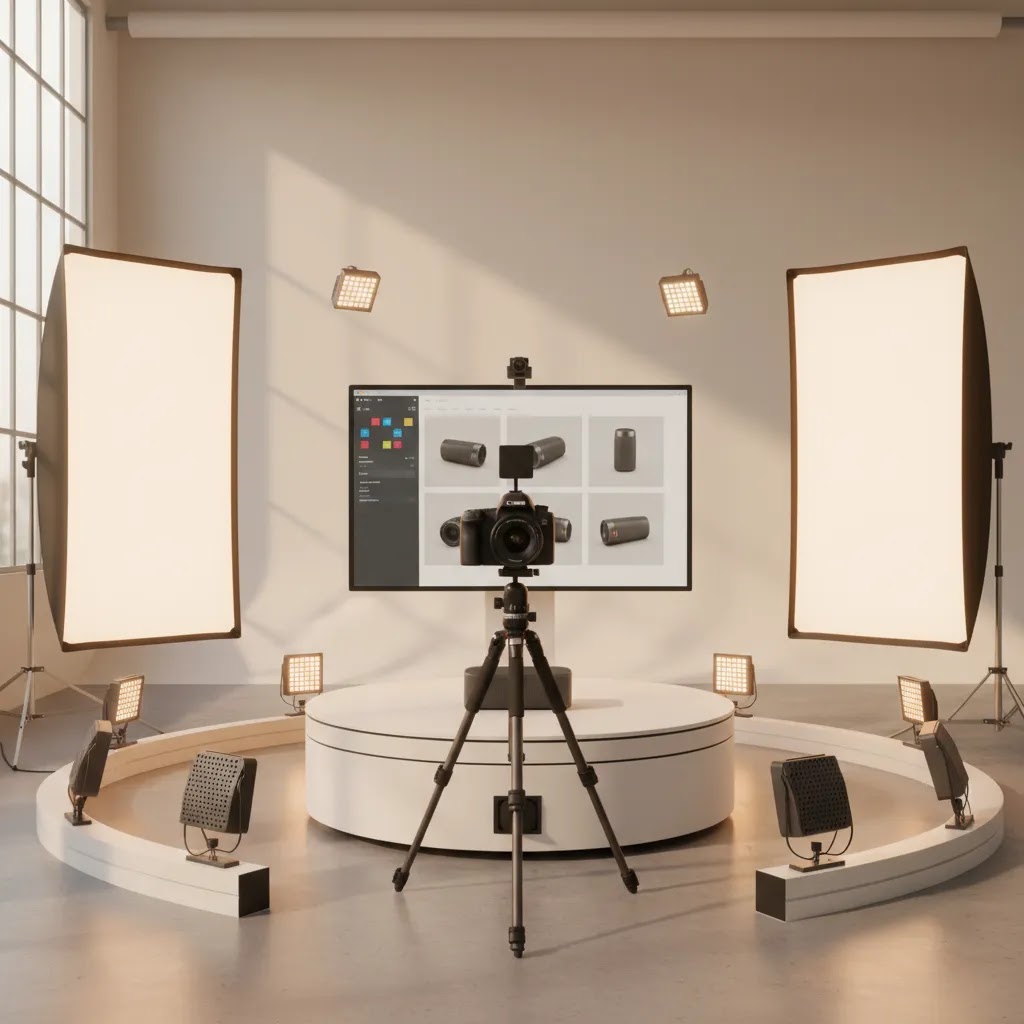
If you sell on Amazon, static product images often do most of the work. But for products where shape, texture, scale, or moving parts affect the buying decision, an amazon 360 product view can give shoppers a clearer sense of what they are getting. That matters most in categories where returns are driven by unmet visual expectations. The challenge is that Amazon 360 content is not the right fit for every seller, every ASIN, or every margin profile. You need to weigh production cost, listing eligibility, operational complexity, and whether the product actually benefits from rotational viewing. If you are comparing service providers, in-house workflows, or alternatives, it helps to start with a broader view of the ecommerce tools and production stack that support product merchandising across channels.
Contents
- What Amazon 360 Product View Actually Means
- How Amazon 360 (Spin) Content Actually Gets Added to a Listing
- Where 360 Views Add Value for Sellers
- Pros and Cons
- Amazon AR View vs Amazon 360 Product View: What’s the Difference?
- Who Should Consider It
- A Practical AcquireConvert Take
- How to Choose the Right 360 Approach
- Production Specs That Matter Most (Frame Count, Consistency, and Capture Standards)
- Frequently Asked Questions
- Key Takeaways
What Amazon 360 Product View Actually Means
An Amazon 360 view is a rotational product asset made from a sequence of images captured around a product. Instead of showing one front-facing hero image and a few side angles, the viewer can rotate the item to inspect it from all sides. For some products, that creates a more complete pre-purchase evaluation than standard gallery photography alone.
From a store owner perspective, this is less about novelty and more about merchandising clarity. If your product has details that are hard to communicate with flat images, such as closures, ports, seams, finishes, or packaging structure, rotational content may reduce uncertainty. It can also complement a strong amazon product photography setup rather than replace it.
That said, not every Amazon listing needs 360 assets. Commodity items, low-priced accessories, or products with little visual complexity often get enough mileage from excellent stills. In many cases, your first investment should still be core ecommerce photography that nails lighting, scale, cropping, consistency, and marketplace compliance.
The practical question is simple: will a 360 view help shoppers understand your product meaningfully better than a standard image set?
How Amazon 360 (Spin) Content Actually Gets Added to a Listing
Here’s the thing: most of what shoppers call an “Amazon 360 view” is a spin, meaning a set of still frames that play back as rotation when the shopper drags or swipes. It is not the same feature as Amazon’s AR experience (often labeled “View in your room”), and it is not typically a true 3D model that the shopper can walk around.
In practice, getting 360 spin content to appear on a listing is usually less about uploading a single video file and more about getting Amazon to accept a correctly prepared image sequence through the right workflow. Availability can depend on category, brand status, and what Amazon is currently supporting for your account type, so treat any checklist as “verify first” rather than “guaranteed.”
Most sellers will run into one of these implementation paths:
- Work with an approved provider or studio that already knows the Amazon process and delivers assets in the exact format Amazon expects.
- Access a Seller Central workflow (or brand tools workflow) where you associate a prepared 360 image sequence to an ASIN, assuming your category and account are eligible.
- Get told “it depends,” which is Amazon’s way of saying you should confirm eligibility, required assets, and submission method for your specific ASINs before paying for production.
From a practical standpoint, the pre-production step that saves the most pain is confirming what Amazon will accept for your product category and account status before you shoot. If you shoot 24 frames and the workflow you end up using expects 36, you may be re-shooting. If you shoot with inconsistent lighting, your spin can look jumpy even if the product is good.
Operational gotchas that commonly cause problems:
- File naming and sequencing: the frames usually need to be in the correct order, with consistent naming, so the rotation does not jump or reverse mid-spin.
- Frame-to-frame consistency: small exposure changes, shadows moving, or a drifting product position is what makes a spin feel low quality.
- Crop and centering: if the product shifts around the frame, shoppers feel it instantly, even if they cannot explain why.
- QA before submission: review the spin as an actual sequence, not as “24 nice images.” A set of good stills can still make a bad spin if the increments are inconsistent.
If you outsource, ask your provider what their delivery looks like in real terms. You want to know the frame count, background expectations, how they keep products centered, and whether they have a proven process for Amazon submission, not just “we shoot 360.”
Where 360 Views Add Value for Sellers
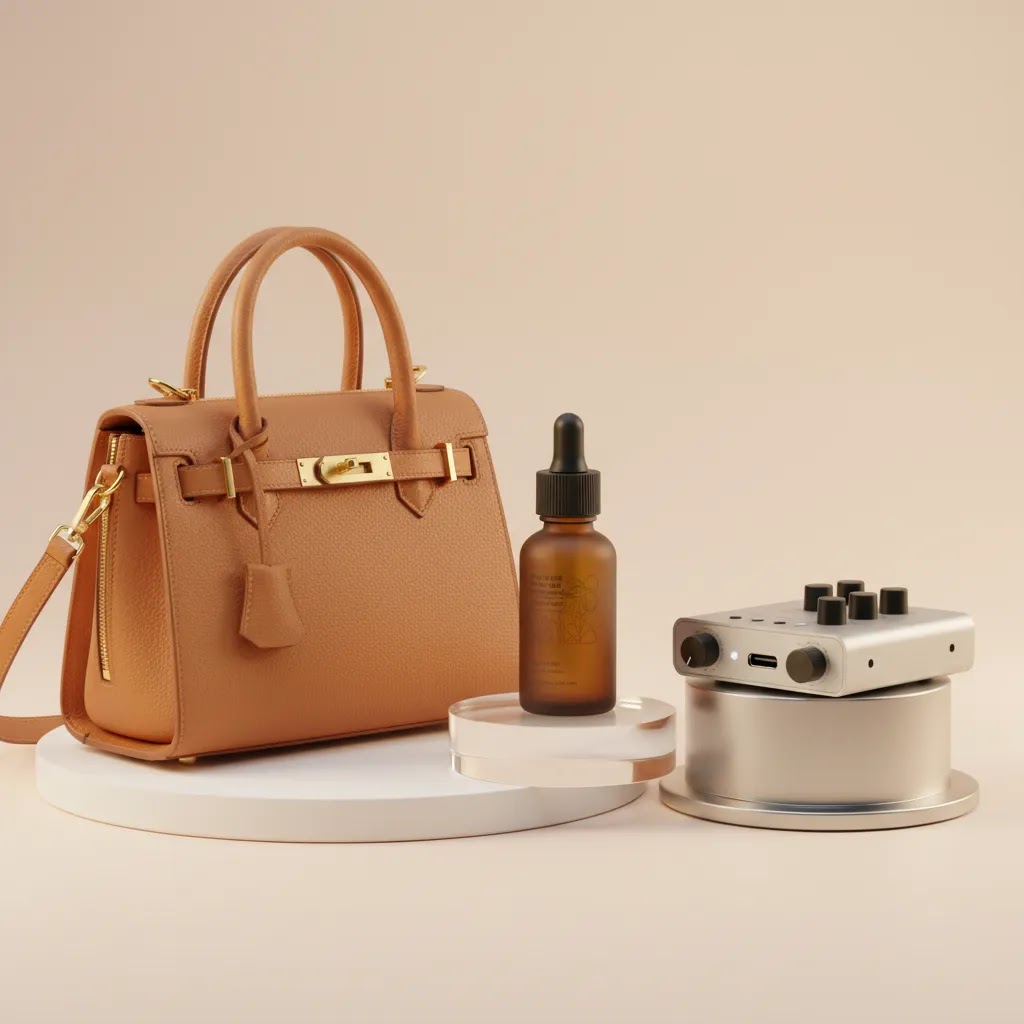
The strongest use case for amazon 360 product photography is products that buyers naturally want to inspect from multiple angles before they commit. Think bags, footwear, premium packaging, tech accessories, home goods, cosmetics kits, or products with distinctive shape and finish. If customers often ask for side views, underside shots, or detail clarification, that is usually a signal that rotational assets could help.
For brands running both Amazon and Shopify, 360 capture can also improve content reuse. The same source image sequence may support Amazon assets, brand site galleries, paid social creatives, and even short-form motion edits. If you already work with a product photography studio, ask whether they can structure the shoot for cross-channel delivery so one session supports more than one listing environment.
There is also a workflow angle. Sellers generally have three paths:
- Hire an amazon product photography service or 360 product photography service
- Build an in-house setup with turntable, controlled lighting, and editing workflow
- Use hybrid tools to improve or repurpose source imagery after capture
If you need supporting visual assets around the main rotational sequence, AI editing tools can help speed up secondary deliverables. For example, AI Background Generator, Free White Background Generator, and Increase Image Resolution may be useful for creating clean supporting images for ecommerce channels. Tools like Background Swap Editor or Magic Photo Editor can also support post-production variations. These tools are not substitutes for proper 360 capture, but they can help tidy adjacent assets in your broader merchandising workflow.
If your goal is stronger visual presentation without a full rotational production process, you may also want to compare a mockup generator for secondary creative use cases, especially when testing packaging concepts or promotional visuals outside Amazon.
Pros and Cons
Strengths
- Helps shoppers inspect products from multiple angles, which may improve confidence for visually detailed items.
- Can be especially useful for premium, design-led, or higher-consideration products where finish and construction matter.
- Supports clearer product understanding than static front-back-side images alone in some categories.
- May reduce pre-purchase ambiguity around shape, depth, closures, hardware, and packaging details.
- Source capture can often be repurposed across other ecommerce channels if planned well.
- Works best as part of a stronger visual merchandising system, not as a one-off gimmick.
Considerations
- Production can be expensive if you need a professional amazon product photography service for multiple SKUs.
- Not every product benefits enough to justify the extra operational effort.
- You still need excellent core gallery images, so 360 does not remove your standard photography costs.
- In-house capture requires controlled lighting, a repeatable setup, editing time, and process discipline.
- Amazon listing formats and content eligibility can vary, so sellers should confirm current requirements directly with Amazon.
Amazon AR View vs Amazon 360 Product View: What’s the Difference?
What many store owners overlook is that shoppers mix up a few different Amazon experiences. If you are investing in better visuals, you want to be clear on what you are actually buying and what your customers are actually using.
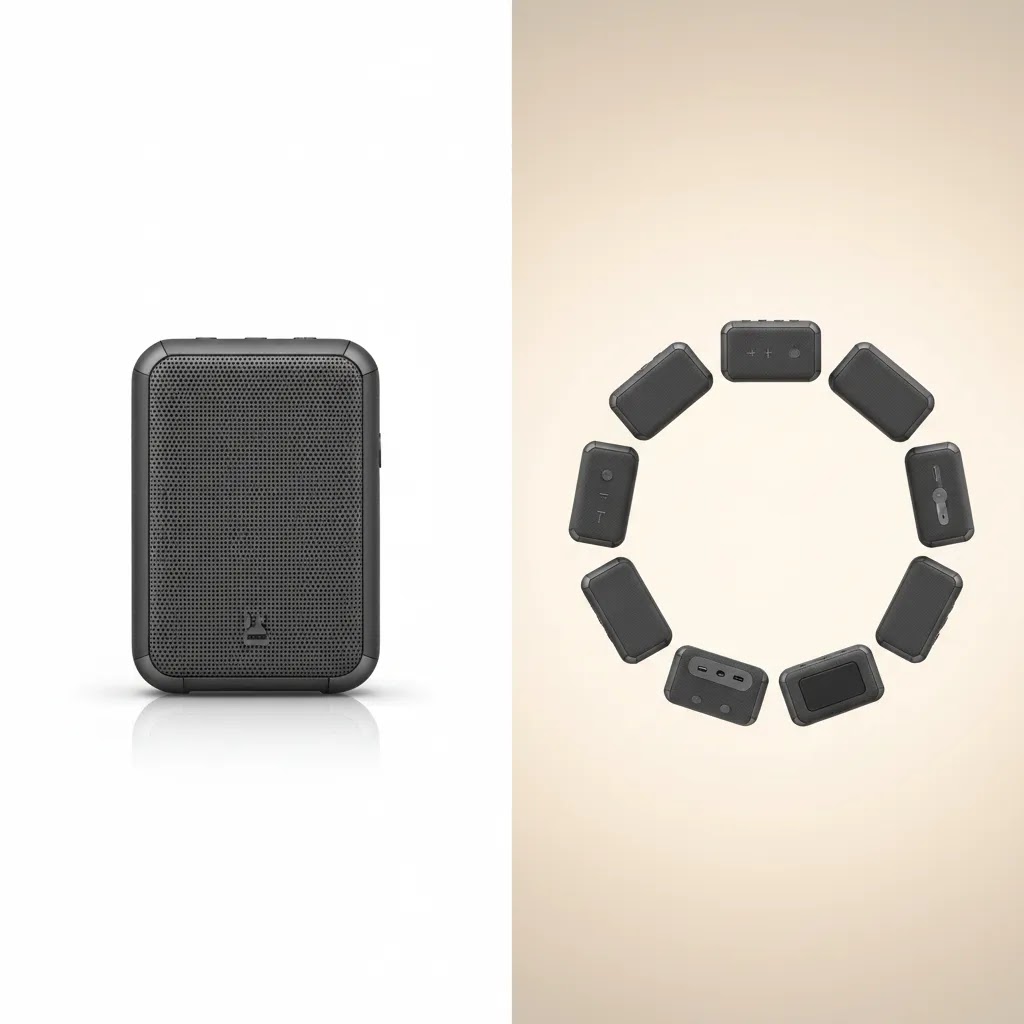
Amazon 360 product view is typically a spin. It is a rotation made from still frames, and it helps shoppers understand the product’s physical form by dragging left or right.
Amazon AR View (often shown as “View in your room”) is designed to place an item in a real environment through the shopper’s phone camera. In other words, it helps with scale and placement, not just product inspection. That tends to matter more for larger items where fit-in-space is the main buying anxiety, such as furniture, home decor, some storage products, and certain larger appliances or fixtures.
Availability is also different. Not every ASIN supports AR, and not every shopper will see it. Even when it exists, device support, app version, permissions, and lighting conditions can affect whether a shopper feels like it “works.” If you have ever seen reviews saying “view in your room not working,” it is often a mix of feature availability and user device constraints, not necessarily a problem with your listing.
If you are deciding where to invest first, use a simple filter:
- If the buying hesitation is about finish, construction, ports, closures, materials, or how a product looks from the side and back, 360 spin is often the more direct upgrade.
- If the hesitation is mostly about scale in a real space, whether it fits in a room, and whether it looks right next to other objects, AR may be more relevant, assuming your category supports it.
- If your product is low-priced, visually simple, or mostly commodity, you may be better served by improving standard stills, adding better infographics, and tightening your listing copy before investing in interactive formats.
Consider this: the best choice is not always “the most advanced.” It is the format that answers the question that is costing you the sale.
Who Should Consider It
Amazon 360 view makes the most sense for sellers with products that are tactile, premium, or visually complex enough that angle visibility affects conversion quality. If you sell fashion accessories, giftable products, beauty kits, specialty packaging, home decor, or electronics with multiple ports and design details, rotational assets may be worth testing.
It is usually a better fit for brands with healthy margins, a focused catalog, and a clear merchandising strategy. If you are still fixing basic image quality, inconsistent lighting, or weak Amazon compliance, handle those first. For many operators, better baseline e commerce product photography will create more value before a 360 program does.
A Practical AcquireConvert Take
From an AcquireConvert perspective, the right question is not whether amazon product 360 photography looks impressive. It is whether it solves a real buyer hesitation for your specific product type. Giles Thomas approaches ecommerce content as a Shopify Partner and Google Expert, which is useful here because the decision should be grounded in merchandising performance, not production hype.
If you sell on multiple channels, think beyond Amazon alone. A smart visual workflow often combines marketplace-ready stills, channel-specific edits, and reusable product assets that support paid acquisition, retention campaigns, and your own store. That is why it helps to compare guidance across related content areas like Product Video & Animation and supporting production workflows in E Commerce Product Photography. If you are weighing in-house versus outsourced production, start with the product, not the tool. Ask which content format best answers the questions customers already have.
How to Choose the Right 360 Approach
If you are comparing an amazon product photography service near me, a specialist 360 product photography near me provider, or an in-house rig, use these criteria to make the decision more commercially sound.
1. Start with SKU economics
Do not price a 360 shoot in isolation. Look at contribution margin, reorder volume, return profile, and how long the listing is likely to stay stable. A hero SKU with long shelf life and high traffic can justify more production investment than a seasonal item or frequently revised bundle.
2. Match the content type to the product
Some products need 360 views. Others need macro details, comparison graphics, size context, or simple white background imagery. If the product is flat, visually simple, or mostly function-driven, a rotational asset may add little. A strong white-background primary image, informative secondary angles, and clear infographics can be enough.
3. Audit your operational capacity
In-house 360 product photography equipment is only worth it if you can use it consistently. That means controlled lighting, repeatable camera placement, turntable alignment, retouching standards, file naming, and publishing QA. If that sounds heavy for your current team, outsourcing may be more efficient even if per-SKU cost is higher.
4. Review asset reuse potential
A good provider should not only deliver a rotational sequence. They should help you maximize the session. Ask whether you also get stills, cropped alternates, transparency-ready files, or derivatives for brand site and ads. If you are already planning broader content production, the economics improve quickly.
5. Check post-production flexibility
This is where supporting tools can help. For non-360 deliverables, options like Remove Text From Images, Place in Hands, or Creator Studio may help expand the usefulness of a shoot across social, PDP, and promotional contexts. Keep expectations realistic though. These are supporting workflow tools, not a replacement for proper rotational capture.
6. Validate marketplace fit
Before investing, confirm Amazon's current image and interactive content requirements for your seller setup, category, and brand status. Seller capabilities can change. Pricing and feature access can also change. If you are working with an agency or studio, ask them to document exactly what they provide, in what file format, and where those assets can be used.
A practical rule: if your current listing still has weak primary photography, poor scale communication, or missing detail shots, fix that first. Then test 360 on a small set of SKUs where it is most likely to matter.
Production Specs That Matter Most (Frame Count, Consistency, and Capture Standards)
Now, when it comes to getting a 360 asset that feels smooth instead of “homemade,” the success is usually decided before anyone opens Photoshop. The capture standards matter more than most sellers expect, especially if you plan to roll this out across multiple SKUs.
Most 360 spins are built from a set of frames captured at consistent rotation increments. That means the product rotates the same amount between each shot. If the increments drift, the final spin can stutter. Frame counts vary by workflow and product, but the key is consistency. More frames can look smoother, but only if lighting, centering, and exposure stay locked in from frame one to frame last.
Quality standards that matter most in real shoots:
- Consistent exposure and white balance: even minor flicker reads as “jumpy” in a spin.
- Keep the product centered and level: if it drifts in the frame, shoppers feel the wobble.
- Stable shadows and reflections: reflective products are where cheap-looking spins are most obvious, so plan diffusion and reflection control up front.
- Clean rotation: make sure the turntable setup does not introduce tilt or changing perspective.
If you are hiring a 360 product photography service, do not just ask for “a 360.” Ask what deliverables you are actually getting. In many cases, it is worth confirming:
- Whether you receive the full frame sequence (raw and retouched), not just an exported viewer file.
- Whether the retouched frames match your existing Amazon stills style, especially background tone and contrast.
- Any hosting or embed requirements for non-Amazon use, if you plan to reuse the spin on Shopify later.
- Usage rights and reusability: whether you can reuse the frames across ads, your site, and marketplaces without paying again.
Before you roll out 360 across a full catalog, run a quick pre-flight on one SKU. Think of it this way: you are testing the process, not just the image quality. A simple checklist that reduces re-shoot risk:
- Product prep is locked: clean surfaces, remove dust, check seams, align labels, and make sure you are shooting the final packaging version.
- Plan for reflective surfaces: decide what is acceptable to reflect, and what must be controlled, before the shoot starts.
- Approve the look early: get sign-off on lighting and retouching on a few frames before shooting the entire rotation.
- QA the sequence as a spin: review the frames in order to spot wobble, exposure flicker, or alignment drift.
If you treat 360 as a production system instead of a one-time creative project, you are more likely to end up with something you can repeat across your best SKUs.
Frequently Asked Questions
What is an amazon 360 product view?
An amazon 360 product view is an interactive rotational asset created from multiple images captured around a product. It gives shoppers a way to inspect the item from several angles instead of relying only on static photos. It is most useful when form, finish, or structural details affect the buying decision.
Is amazon 360 product photography worth paying for?
It can be, but mainly for products where visual inspection strongly influences conversion quality. If your items are premium, design-led, or commonly questioned for fit, finish, or shape, outsourced 360 capture may make sense. For simpler products, better standard listing photography may deliver more value for less operational complexity.
Can I create amazon 360 view assets in-house?
Yes, but you will need more than basic photography gear. A usable in-house setup typically includes consistent lighting, a turntable, camera stability, repeatable positioning, and editing capacity. The challenge is not just capture. It is maintaining consistent output across SKUs without slowing down the rest of your listing workflow.
What 360 product photography equipment do sellers usually need?
Most setups include a camera, tripod or fixed mount, controlled lighting, a turntable, backdrop system, tethering or remote capture tools, and editing software. The exact kit depends on product size and volume. If you only need occasional rotational content, a specialist service may be more practical than building your own studio setup.
Is there any 360 product photography software free option worth using?
There are free and lower-cost tools for stitching, editing, or viewing image sequences, but sellers should evaluate them carefully for output quality, file handling, and compatibility with their publishing workflow. Free software can be fine for testing, but production reliability usually matters more than software cost once you scale to multiple SKUs.
How is 360 different from standard product photography for amazon?
Standard product photography for Amazon focuses on hero shots, alternate angles, detail images, and graphics that meet marketplace requirements. 360 adds rotational interactivity, which may improve product understanding for certain items. It should be treated as a complement to strong base photography, not a substitute for it.
Should I look for an amazon product photography service near me?
Local providers can be helpful if you want hands-on collaboration, sample reviews, or easier product logistics. But location alone should not decide the choice. Look at category experience, image consistency, retouching standards, turnaround time, and whether they understand Amazon-specific requirements before making a decision.
What types of products benefit most from amazon product 360 photography?
Products with meaningful visual detail usually benefit most. That includes accessories, footwear, decor, packaged goods, electronics, beauty kits, and items where shoppers care about texture, construction, or overall form. Very simple or low-cost products often do not gain enough from rotational assets to justify the extra work.
Can I use the same 360 photography assets on Shopify too?
Often yes, if the asset formats and licensing allow it. This is where the economics improve, because one shoot may support your Amazon listing, Shopify product pages, social ads, and email campaigns. If you are multi-channel, ask your provider upfront about file delivery, ownership, and reuse rights.
How to create a 360 view of a product?
A typical 360 product view is created by photographing a product on a turntable in consistent rotation increments, then exporting the ordered frame sequence so it plays back as a smooth spin. The quality usually depends on keeping lighting, exposure, and product centering consistent across the full rotation. If you are creating assets specifically for Amazon, confirm current eligibility and submission requirements before you shoot, because accepted frame counts and workflows can vary.
How to view items in 3D on Amazon?
On supported listings, shoppers may see interactive experiences like a 360 spin or an AR option in the Amazon app. Not every product or category has these features enabled, and availability can vary by device and app version. If you do not see an interactive option on a listing, it usually means it is not available for that ASIN or in your current shopping context.
What is Amazon 360?
Amazon 360 typically refers to a spin-style interactive view built from a sequence of still images captured around a product. It lets shoppers rotate the item on-screen to inspect it from multiple angles. It is different from AR “View in your room,” which is focused on placing an item in a real environment.
How to view a product in your home on Amazon?
For some eligible items, the Amazon mobile app may show a “View in your room” option that uses your phone camera to place the item in your space. If it is not appearing or not working, it can be due to product eligibility, device support, app permissions, or app version. Not all listings support the feature, even within the same general category.
Key Takeaways
- Amazon 360 product view is most valuable for visually detailed or premium products, not every SKU.
- Fix your core product photography before investing in rotational assets.
- Compare outsourcing versus in-house based on SKU economics, team capacity, and asset reuse potential.
- Use supporting editing tools for adjacent ecommerce assets, but do not expect them to replace proper 360 capture.
- Confirm current Amazon eligibility and file requirements before spending on production.
Conclusion
An amazon 360 product view can be a smart investment if it helps shoppers understand your product more clearly and supports a broader content strategy across Amazon and your own store. But it is rarely the first visual upgrade a seller should make. Start by improving the fundamentals, then test 360 on high-value products where angle visibility matters. That approach is usually more commercially sound than rolling it out across your whole catalog. If you want a more practical path through product imagery decisions, AcquireConvert is built for that kind of evaluation. Explore related guides on Amazon imagery, ecommerce photography, and production workflows to see how experienced ecommerce operators structure content that supports both conversion quality and operational efficiency.
This article is editorial content created for informational purposes and is not a paid endorsement unless explicitly stated otherwise. Pricing, platform features, marketplace requirements, and tool availability are subject to change, so verify current details directly with each provider. Any performance outcomes discussed are illustrative only and are not guaranteed.

Hi, I'm Giles Thomas.
Founder of AcquireConvert, the place where ecommerce entrepreneurs & marketers go to learn growth. I'm also the founder of Shopify agency Whole Design Studios.