Product Photography Price Guide for Ecommerce (2026)

If you are comparing a product photography price for your store, the biggest mistake is looking only at the per-image number. What matters is what is actually included: styling, retouching, white background shots, lifestyle scenes, 360 spins, usage rights, and how quickly the photos can go live on your site. For most ecommerce brands, the right pricing model depends on catalog size, visual standards, and how often you launch new products. A smaller store may do well with simple per-image pricing, while a larger catalog often benefits from packages or ongoing retainers. At AcquireConvert, we look at these decisions through real ecommerce operations, shaped by Giles Thomas's experience as a Shopify Partner and Google Expert. If you are ready to hire, this guide will help you judge quotes with more confidence.
Contents
- What product photography pricing usually includes
- Common product photography price models
- Typical product photography price ranges (how to budget realistically)
- How to compare quotes without overpaying
- What affects ecommerce product photography prices
- The real cost of product photography (hidden line items that inflate a quote)
- Pros and Cons
- Who each pricing model is best for
- How to get started
- Product photography pricing templates and calculators (how to budget your next shoot)
- Frequently Asked Questions
What Product Photography Pricing Usually Includes
Product photography is a service purchase, not a software subscription, so pricing is rarely standardized. One quote may look expensive until you realize it includes shot planning, multiple angles, prop styling, retouching, and export formats sized for your Shopify theme. Another may look cheaper but exclude almost everything beyond a basic capture session.
For ecommerce stores, the most common deliverables are white background images, detail shots, ghost mannequin apparel photography, lifestyle images, and short-form visual assets for product pages or paid social. If your store sells across marketplaces and your own site, you may also need image variants that match platform requirements. That is why it helps to understand the wider context of commercial photography before reviewing quotes.
In most cases, pricing is shaped by complexity, not just quantity. A simple mug photographed on white is faster to produce than reflective cosmetics packaging, jewelry, or clothing on models. Stores comparing product photography services should ask for an itemized breakdown so they can see where time and cost are really going.
If you are still narrowing down provider types, it also helps to compare what a dedicated product photography service offers versus freelancers, local studios, or in-house production.
Pricing and Costs
There is no single market rate for product photography, but most ecommerce quotes fall into a few practical structures:
Per image pricing: Best for straightforward catalogs. You pay for each final edited image delivered. This works well if you know exactly how many photos you need per SKU and the products are simple to shoot.
Per product pricing: Often used when a service includes a fixed number of angles per item, such as front, back, side, and detail. This can be easier to budget for than per-photo pricing if every SKU needs a predictable shot list.
Half-day or full-day studio rates: Common for custom shoots, lifestyle setups, and larger batches. This model suits brands with many products or more creative requirements, but it requires tighter planning to get value from the booked time.
Packages: These combine shooting, editing, and sometimes styling. Packages are useful if you are launching a new line and want a fixed project fee rather than variable billing.
360 and motion pricing: 360 product photography prices are usually higher than standard stills because they involve more frames, more editing, and more post-production handling. If you also need video or animation, costs increase again.
AcquireConvert's current product data for this topic centers on AI image tools rather than managed photography service rates, so no verified fixed dollar tiers are available from tool data for human-shot product photography packages. If you are weighing AI-assisted visuals as a lower-cost supplement, relevant live tools include AI Background Generator and Free White Background Generator. These are best viewed as production aids, not direct replacements for every studio shoot.
Typical Product Photography Price Ranges (How to Budget Realistically)
Here is the thing: most store owners need a starting point for budgeting, even if the final number depends on your products, standards, and location. While there is no universal rate card, you will see a few common pricing “bands” in the market. Use these as a sanity check, not as a fixed market rate.
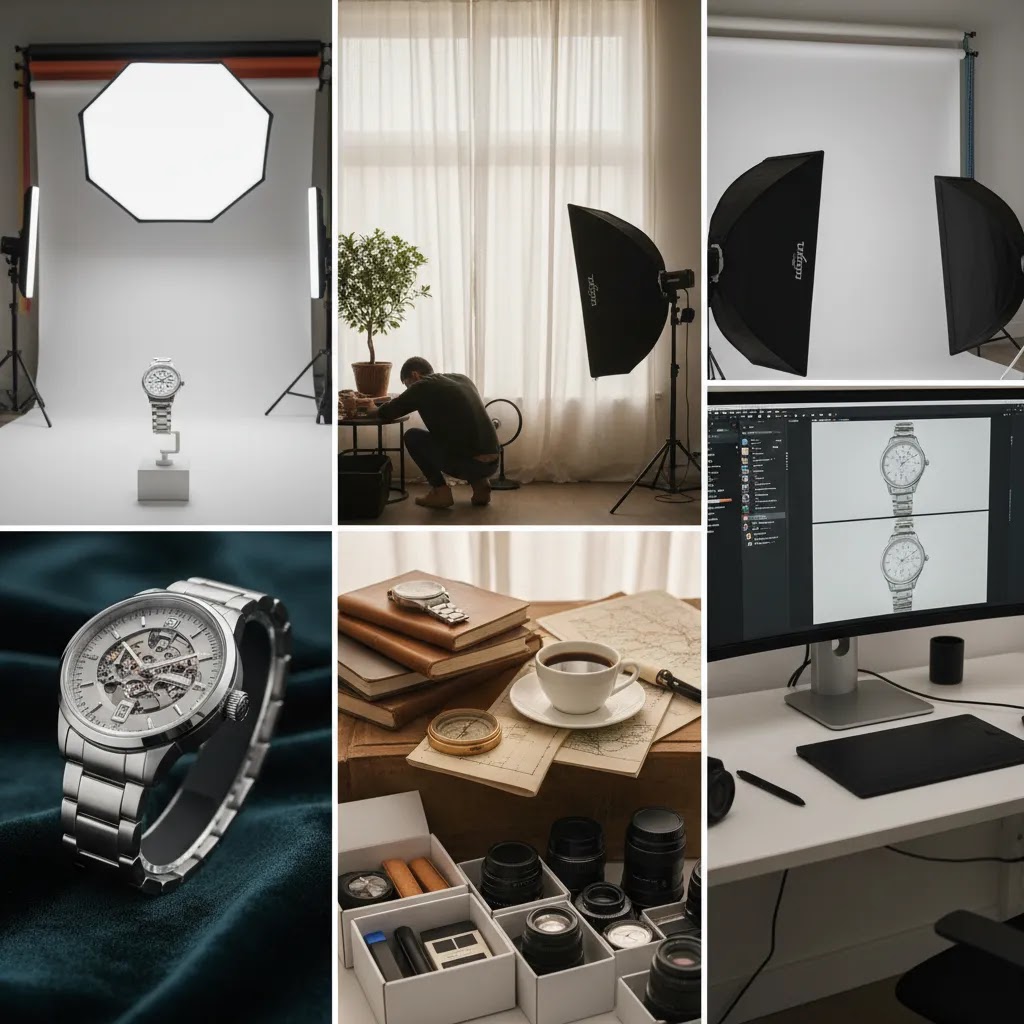
Per image pricing: In many cases, a straightforward, ecommerce-ready still image can land anywhere from roughly $25 to $150+ per final edited image, depending on complexity and the level of retouching. High-end advertising imagery, complex composites, or heavy styling can push far beyond that because you are buying time and expertise, not just clicks of a shutter.
Per product pricing: If you are quoted per SKU, you will typically see a defined number of angles included. A simple “3 to 5 angles per product” package can often come out to a few hundred dollars per SKU for smaller shoots, then reduce on larger batches where the studio can keep lighting and camera positions consistent. The key question is always how many final images per product are included, and what counts as an “image” when you need variants.
Half-day and full-day rates: Day rates vary widely by market and the team involved, but you will commonly see anything from around $800 to $3,500+ for a day on set once you factor in photographer time and a basic studio workflow. If a quote includes assistants, a producer, a stylist, models, or a dedicated studio space, a day rate can climb quickly, which is not automatically bad if you actually need that production level.
Now, when it comes to interpreting “per image,” shot type matters more than most people expect. These are the main categories that change cost and timelines:
Simple white background: Typically the most efficient to batch, especially for products that are easy to handle and do not need complex styling.
Lifestyle scenes: Usually higher because you are paying for set creation, props, surfaces, styling, and often more time per setup. If you need multiple lifestyle concepts for ads, you are closer to a campaign shoot than a catalog shoot.
Ghost mannequin (apparel): Often priced above basic stills because it requires careful pinning, multiple captures per garment, and more advanced post-production to create the “floating” look cleanly.
360 spins: Almost always higher than stills because you are producing many frames, aligning the sequence, and doing consistent editing across the set.
Consider this before you treat any range as “normal”: your real requirement is the number of final, usable assets per SKU. A quote that looks cheaper per image can still be expensive if it does not include the angles, retouching level, or variants your Shopify product pages actually need.
Trust and Credibility
The safest way to evaluate a product photography quote is to focus on operational detail. Ask what is included, who owns the final image rights, how revisions are handled, and whether retouching is basic cleanup or advanced compositing. A serious provider should be able to explain its workflow clearly.
For Shopify merchants, image quality affects more than aesthetics. It influences product page trust, conversion rate, and ad creative performance. Giles Thomas's work as a Shopify Partner and Google Expert is relevant here because strong product imagery supports both on-site conversion and paid acquisition efficiency, especially on shopping-style placements where visual quality shapes click behavior.
You should also ask how the provider prepares files for ecommerce use. Large files can slow pages down, while inconsistent crops can make collection pages look untidy. If you are exploring newer workflows, some brands now mix traditional photography with AI-supported production concepts tied to designing and building AI products and services. That can work well for certain categories, but it still requires careful quality control and brand consistency.
What Affects Ecommerce Product Photography Prices
Several factors push pricing up or down, and most are reasonable once you understand the work involved.
Product complexity: Reflective surfaces, transparent packaging, textured fabrics, and tiny products need more setup and retouching. Jewelry, beauty, and glassware often cost more than simple boxed goods.
Shot count per SKU: A single hero image is one thing. A complete ecommerce set with front, side, detail, scale reference, packaging, and lifestyle scenes is another. More angles and compositions increase both shoot and editing time.
Styling requirements: Props, surfaces, model casting, hair and makeup, food prep, or art direction all add cost. If you want an editorial feel instead of plain catalog shots, expect a higher quote.
Post-production depth: Basic dust removal and color correction are not the same as advanced retouching, shadow work, label straightening, or composite image creation.
Volume: Larger catalogs often reduce the effective per-image rate, but only when the items are consistent enough to batch efficiently. This is especially relevant for brands working from a dedicated product photography studio workflow.
Turnaround time: Rush jobs usually cost more. If you need assets for a launch, sale, or ad campaign on short notice, ask about expedited fees upfront.
Output format: Web-ready JPEGs, transparent PNGs, marketplace variants, 360 spins, and short clips all create additional production steps. If your focus is straightforward listings, browsing resources in Catalog Photography can help you benchmark what level of output you actually need. If your main challenge is vendor selection rather than production style, the broader Hiring & Services category is a useful next stop.
The Real Cost of Product Photography (Hidden Line Items That Inflate a Quote)
What many store owners overlook is that a low headline number is often just the “capture” cost. The final invoice can grow when you add the pieces that turn raw captures into ecommerce-ready assets you can upload to Shopify and use in ads.
Common line items that can inflate the effective cost include retouching tiers, studio rental or location fees, assistant fees, prop and surface sourcing, model fees, hair and makeup, set build, product steaming and prep, shipping and handling, and reshoots. Even coordination time can show up as a producer fee or project management time if the shoot has a lot of moving parts.
Post-production is the one that surprises most teams. Some quotes include “basic retouching,” but basic can mean very different things. It might cover dust removal and color correction, or it might exclude more time-intensive work like reflection cleanup on glossy packaging, label straightening, fabric smoothing, ghost mannequin composites, and consistent shadow creation across a whole collection.
From a practical standpoint, try to think in “all-in cost per SKU,” not cost per photo. If you sell one product with three color variants and you need six angles per variant, you are not buying six images. You are buying 18 final images, plus the time to keep color consistent across the set, plus revisions when something looks off inside your Shopify product page layout.
When you request quotes, ask for an itemized estimate so you can compare like-for-like. At a minimum, you want clarity on how many final edited images are included, what retouching level is included, what is billed as an add-on, how many revision rounds you get, how reshoots are handled if an item arrives damaged or scratched, how quickly files will be delivered, and whether usage rights are limited or broad for ecommerce and advertising.
The reality is that two providers can both quote “$50 per image,” while one includes retouching, naming conventions, and Shopify-ready crops, and the other charges extra for each of those steps. You are not just choosing a photographer. You are choosing a workflow.
Pros and Cons
Strengths
- Per-image pricing is simple to compare when your catalog and shot list are straightforward.
- Per-product pricing can make forecasting easier for Shopify stores with repeatable photography needs across many SKUs.
- Package pricing often gives better planning control for launches, rebrands, or seasonal collections.
- Higher-quality photography may improve product page trust and support stronger ad creative performance, depending on your niche and implementation.
- Specialist studios usually produce more consistent crops, lighting, and retouching than ad hoc freelance arrangements.
Considerations
- Low quotes often exclude retouching, styling, revisions, or commercial usage rights, which can raise the final bill.
- Per-day pricing can become inefficient if your products are not prepped, labeled, and shipped to the studio in an organized way.
- 360 product photography and lifestyle scenes cost more and are not always necessary for every store or every SKU.
- International searches such as product photography price malaysia, product photography prices uk, or product photography price list in india can vary widely by local labor market, studio standards, and usage scope, so direct comparisons are imperfect.
Who Each Pricing Model Is Best For
Per-image pricing is best for smaller stores, first-time shoots, and brands with a limited SKU count. Per-product pricing tends to suit established catalogs where every item needs a standard set of shots. Package pricing fits launch projects, subscription brands adding collections on a schedule, and teams that want one approved scope instead of line-by-line billing.
Day rates are usually best for larger brands, agencies, or stores with enough volume to keep a crew productive. If you sell on Shopify and need image consistency across collection pages, ads, and landing pages, paying more for planning and post-production may be worthwhile. If your margins are tight, a hybrid setup with selected professional shoots plus AI editing support can be a practical middle ground.
How to Get Started
Start by listing your products by category and complexity. Separate simple items from products that need special handling, reflective control, or styling. Then define the exact deliverables per SKU, such as hero shot, side angle, packaging image, and one lifestyle image.
Next, ask every provider for the same scope so quotes are comparable. Request details on retouching, revisions, turnaround times, image dimensions, file naming, and usage rights. If you run Shopify, also specify whether you need web-optimized exports, square crops for collection pages, or high-resolution source files for ads and print.
Before committing to a large project, ask for a paid test shoot with 2 to 5 products. That usually tells you more than a portfolio alone. Review lighting consistency, color accuracy, shadow realism, and how the images sit inside your product page template. A short test often prevents an expensive mismatch later.
Product Photography Pricing Templates and Calculators (How to Budget Your Next Shoot)
If you want to budget without overthinking it, a simple calculator mindset works well. Start with your SKU count, multiply by the number of final angles you need per SKU, then decide the retouching level and any special formats like 360. That gives you the real unit you are buying: final deliverable images, not “products photographed.”
Think of it this way: SKU count x required angles x retouching level x usage needs, then add a buffer. The buffer matters because real shoots often include reshoots for damaged packaging, newly added variants, missing props, or a product update that happens mid-launch. A contingency of 10% to 20% is common for teams that ship inventory to a studio and are working on a fixed launch date.
For most Shopify store owners, packages or retainers become operationally cheaper when you launch frequently. If you are adding products monthly, running ongoing paid social creative, or refreshing best-seller images each season, a one-off shoot workflow can create repeated onboarding time, repeated setup, and inconsistent results. A package or retainer can reduce that friction because the provider can keep your lighting references, crops, and file naming consistent from shoot to shoot.
If you plan to book a day rate, plan the shoot for efficiency, not just creativity. Group products by size and material so lighting changes are minimal. Prep and label every SKU and variant clearly. Create a shot list with exact angles and any must-have details. If you want white background and lifestyle, block them as separate phases instead of bouncing back and forth. The way this works in practice is simple: fewer resets usually means more usable outputs per hour, which can lower your effective cost per product without lowering quality.
One more practical point: build your budget around where the images will be used. Shopify product pages often need consistent crops and a clean hero image, while ads may need additional compositions and lifestyle concepts. If you tell a provider up front that you need both, you are more likely to get a quote that matches real usage, rather than paying for a second “surprise” scope later.
Frequently Asked Questions
How should I compare product photography price quotes?
Compare the full scope, not just the headline number. Look at how many final images are included, what level of retouching is provided, whether styling and props are extra, and what turnaround time you are getting. Ask about usage rights and revisions too. A higher quote may still be better value if it saves rework and gives you ecommerce-ready files.
Is per-image or per-product pricing better for ecommerce?
It depends on your catalog. Per-image pricing works well if you need a small number of final assets and each SKU has different requirements. Per-product pricing is usually easier for stores with a repeatable shot list across many items. If you are shooting dozens of similar products, per-product pricing is often easier to forecast and manage.
Are 360 product photography prices worth paying for?
They can be, but only when product detail and interaction matter to the purchase decision. For furniture, footwear, tech accessories, or premium items, a 360 view may help shoppers inspect products more confidently. For lower-priced, simple goods, standard still images may be enough. Results vary based on your category, traffic quality, and how well the viewer works on mobile.
What is usually included in a product photography package?
Packages often include a set number of products, predefined angles per SKU, basic retouching, and delivery of final web-ready files. Some packages also include styling, art direction, or rush turnaround, but many do not. Always ask for an itemized proposal so you can see what is included before comparing one package against another.
Can AI tools reduce ecommerce product photography price?
They may reduce certain production costs, especially for background cleanup, white background conversions, or simple creative variations. They are less reliable as a complete replacement for high-end studio photography, complex materials, or premium brand campaigns. For many stores, AI works best as a support layer that speeds production after the main photography is done.
Does better product photography improve Shopify conversion rate?
It may help, especially if your current imagery is unclear, inconsistent, or low trust. Better photos can improve perceived quality and make product pages easier to evaluate. That said, conversion rate depends on many factors including pricing, reviews, page speed, and offer strength. Photography matters, but it works alongside the rest of your store experience.
Should I hire a freelancer or a studio?
A freelancer may be a good fit for smaller shoots, local projects, or brands with limited complexity. A studio is often stronger for consistency, scale, and specialized setups. If you need repeatable output across a growing catalog, a studio or specialist service usually gives you tighter process control. Test projects are helpful before committing either way.
How much do product photographers charge?
It varies by market and by what is included, but many ecommerce quotes are built around per-image, per-product, or day-rate pricing. A basic, edited still image may land anywhere from roughly $25 to $150+ per final image depending on complexity and retouching, while day rates can range widely based on whether you are paying for just a photographer or a full crew with styling and a studio. The safest way to judge any number is to confirm the exact deliverables, retouching level, and usage rights included.
How much should I charge for a product shoot?
If you are pricing your own product photography services, start by calculating the time per SKU across planning, setup, capture, editing, revisions, and delivery. Then price based on a model your clients can understand, such as per image, per product with a fixed angle count, or half-day and full-day rates. Make your quote itemized so clients know what is included, and be clear about boundaries like revision rounds, retouching depth, and whether styling, props, and usage rights are included or billed separately.
What is the 20 60 20 rule in photography?
People use “20/60/20” in different ways, so you should ask what a photographer means by it. In some studios, it is a rough way to describe time allocation, such as 20% planning and prep, 60% shooting, and 20% editing and delivery. For ecommerce, the takeaway is that the “shoot” is not the whole job. Planning and post-production often determine whether images are consistent, accurate, and ready for Shopify product pages.
How many photographers are making over $300,000 a year?
There is no single public number that is reliable across the industry because photographer income varies by location, specialty, and business model. In practice, photographers who exceed that level often operate more like production companies. They may run high-volume studios, serve enterprise ecommerce clients, lead campaigns with larger crews, or sell ongoing retainers, licensing, and add-on services. If you are hiring, the useful lesson is that business scale and scope usually drive pricing more than the camera itself.
Key Takeaways
- Product photography price is best evaluated by scope, not just by the lowest quote.
- Per-image, per-product, day-rate, and package pricing each suit different ecommerce situations.
- Retouching, styling, file prep, and rights often explain major price differences between providers.
- 360 and lifestyle content can add value, but they are not necessary for every SKU.
- A paid test shoot is one of the safest ways to validate quality before a larger commitment.
Conclusion
The right product photography price for your store is the one that matches your merchandising needs, margins, and growth stage. If you have a small catalog and standard products, simple per-image or per-product pricing is often enough. If you are building a more polished brand, launching collections frequently, or running paid acquisition at scale, it may be worth paying for stronger planning, styling, and post-production. The key is to compare like for like and avoid vague proposals. Start with a clear shot list, ask for detailed quotes, and test a small batch before committing. That approach usually gives you a better outcome than chasing the lowest number on paper.
Disclosure: AcquireConvert may receive affiliate compensation from some third-party links referenced on this page, where applicable. Any pricing discussion in this article is for general ecommerce guidance and not a fixed market rate. Results from professional photography or AI-assisted image tools vary based on your niche, traffic, brand standards, and implementation. No specific commercial outcome is guaranteed.

Hi, I'm Giles Thomas.
Founder of AcquireConvert, the place where ecommerce entrepreneurs & marketers go to learn growth. I'm also the founder of Shopify agency Whole Design Studios.