Digital Product Photography for Ecommerce (2026)

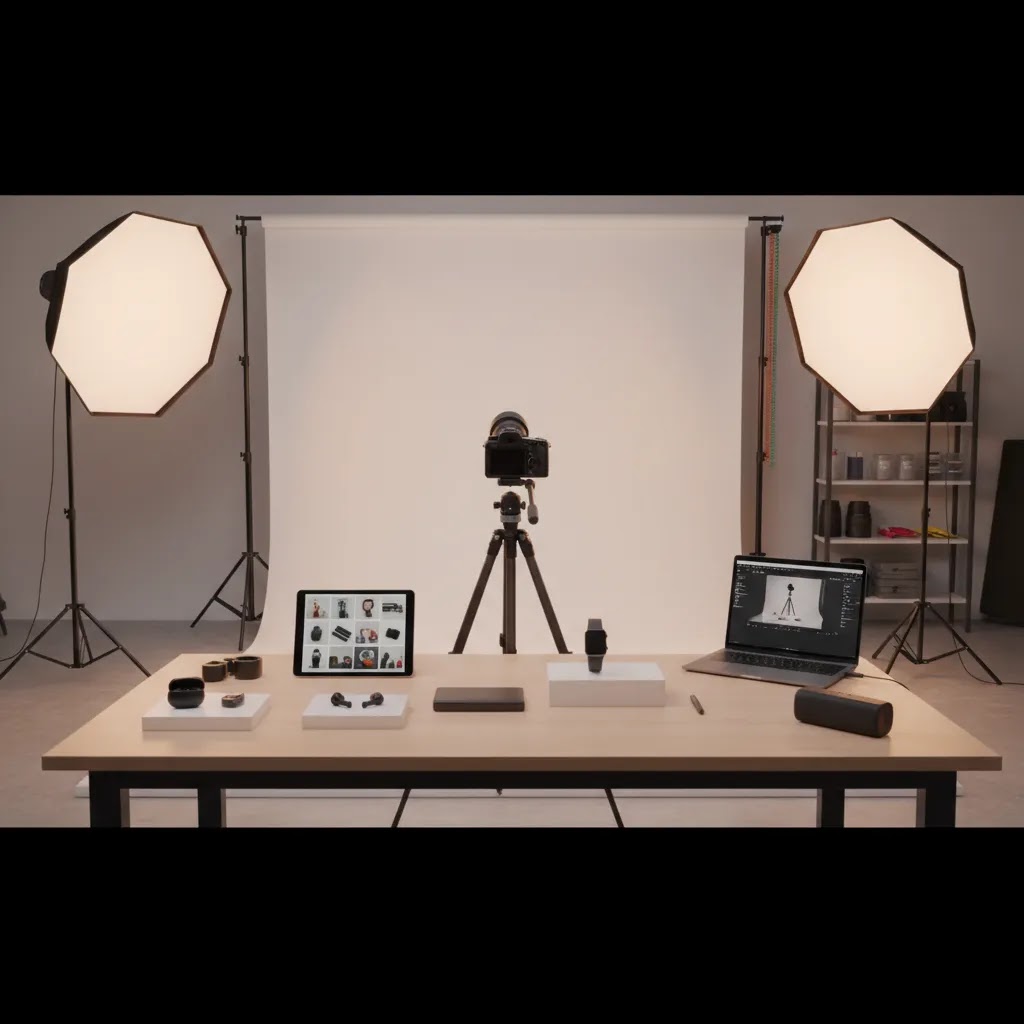
Digital product photography is no longer just about getting a sharp image. For ecommerce store owners, it is about creating product visuals that load fast, look consistent across collections, and help shoppers feel confident enough to buy. That usually means a repeatable workflow, the right camera settings, and smart post-production choices. If you are building or refining your visual process, it also helps to understand where photography ends and design tools, AI editing, and mockups begin. This guide walks through the settings and workflow that matter most for online stores, with a practical focus on conversion-friendly images. If you are comparing the software and editing side of the process too, AcquireConvert’s guide to ecommerce tools is a useful next step.
Contents
- What digital product photography means for ecommerce
- Product photography ideas that convert (shot types by product category)
- A practical settings and workflow framework
- Beginner product photography setup (minimal gear that still looks professional)
- Where AI editing tools fit into the process
- AI product photography generators and apps: when they help, when they hurt
- Pros and Cons
- Who this workflow is for
- How to choose the right workflow for your store
- Frequently Asked Questions
- Key Takeaways
What digital product photography means for ecommerce
For an online store, digital product photography covers the full image creation process: planning, shooting, editing, exporting, and publishing product visuals for product pages, collection pages, ads, marketplaces, and social channels.
That sounds broad, but the ecommerce goal is simple. You want accurate, persuasive images that match shopper expectations. If the product arrives looking different from the photos, returns may rise. If the image quality looks uneven across your catalog, trust can drop before a shopper even reads the description.
In practice, strong digital product photography usually combines three things:
- Consistent camera settings and lighting
- Clear product framing for detail and scale
- Editing choices that improve presentation without misrepresenting the item
This matters whether you sell apparel, cosmetics, electronics, home goods, or digital downloads shown through a digital product mockup. It also applies if you are creating marketplace images, where requirements for white backgrounds and image dimensions can be stricter. If that is part of your channel mix, it is worth reviewing platform-specific guidance like this article on amazon product photography.
If you need broader strategy around image types, file handling, and merchandising context, AcquireConvert’s ecommerce photography resources cover the wider picture.
Product photography ideas that convert (shot types by product category)
Most Shopify stores do not have a photography problem, they have a coverage problem. The images are often decent, but they do not answer the specific questions shoppers have for that product type. A strong shot list is not just “more angles.” It is the right angles, details, and context for the category.
Consider this: if a shopper cannot tell size, texture, finish, or how something is used, they hesitate. They may bounce, or they may buy and return. The shot types below are a practical menu you can use to build a more conversion-friendly image set.
Electronics and gadgets
Electronics shoppers look for proof. They want clarity on ports, controls, dimensions, and what is included in the box.
- Hero on clean background for instant identification
- Three-quarter angle to show depth and shape
- Close-ups of ports, buttons, displays, and indicators
- “What is included” image showing cables, adapters, and accessories laid out
- Scale shot, for example in-hand or next to a common object, as long as it is accurate
For electronic product photography, keep reflections controlled and avoid heavy contrast edits. Shoppers may interpret extreme edits as hiding wear, poor materials, or inaccurate color.
Cosmetics and skincare
Cosmetics are a mix of product and promise. You need to show texture, shade, and packaging quality without misleading on results.
- Packaging front and back so ingredients and claims are readable where relevant
- Texture swipe or smear on a clean surface, shot with consistent lighting
- Shade lineup for variants, kept consistent across the collection
- Scale shot in hand to show bottle or jar size
If you use lifestyle images, keep them believable. Overly stylized lighting can shift perceived shade and finish.
Apparel and accessories
Apparel sells on fit and fabric. The most useful image sets reduce uncertainty about sizing, drape, and details.
- On-body front and back as the baseline, with consistent poses for comparison
- Detail close-ups: fabric texture, stitching, zippers, buttons, and labels
- Fit cues: cuff, collar, waistband, hem, and stretch points
- Styled lifestyle shot as a secondary image, not a replacement for clear catalog views
Now, when it comes to variants, shoppers rely on side-by-side consistency. Try to keep framing, lighting, and background identical across colorways, then use one or two lifestyle images for variety.
Home goods and decor
Home goods need scale and context. A lamp is not just a lamp, shoppers want to know how it looks in a room and how big it really is.
- Hero catalog shot for clean browsing in collections
- In-room lifestyle image for scale and vibe
- Detail close-ups: material grain, seams, finish, hardware
- Functional proof shots: drawers open, underside, mounting points, packaging
What many store owners overlook is that lifestyle images should still be product-first. The room is a frame, not the subject.
Digital downloads and printable products
Digital products cannot be held, so your job is to make the value tangible. This is where a digital product mockup can be more persuasive than a plain screenshot.
- Primary mockup showing the finished use case, for example a planner on a tablet or a print in a frame
- Preview grid of included pages, templates, or variations
- Zoomed detail panels showing typography, layout, or resolution
- Compatibility and delivery format callouts as images, if your brand style supports it
The reality is that clarity prevents support tickets. If shoppers can see what they get, you spend less time answering questions after purchase.
Scale and context: when it matters most
There are a few patterns that show up across almost every category:
- In-hand images work when the product is naturally held and scale is critical
- On-body images work when fit, drape, or proportion matters
- In-use sequences work when the product has steps, assembly, or transformation
From a practical standpoint, keep context images honest and consistent. If you cannot control lighting or styling, use fewer lifestyle images and lean harder on clean catalog shots plus tight details. For some products, strictly catalog style is the better choice, especially when you need consistency across a large collection grid.
How to stay consistent while still adding variety
Consistency is what makes a Shopify collection page feel trustworthy. Variety is what keeps product pages from feeling sterile. You can have both if you set a few simple rules:
- One “hero background rule” for every SKU, for example white or a consistent light neutral
- One lighting standard so shadows look similar across the catalog
- A limited prop style for lifestyle shots, so the product remains the focus
- A repeatable crop and framing standard, so items do not jump around in grids
Think of it this way: your hero images sell the catalog. Your secondary images sell the product.

A practical settings and workflow framework
The best workflow is the one you can repeat across dozens or hundreds of SKUs. Most store owners do not need a studio-grade production setup on day one. They do need a method that keeps images clean, on-brand, and efficient to produce.
1. Start with the shot list
Before you pick up a camera, define what each SKU needs. A useful base shot list includes:
- Front hero image
- Side or angle view
- Back view where relevant
- Close-up detail shots
- Scale or in-use image
- Variant-specific images if color or texture changes matter
This prevents missing assets later and makes batch shooting much faster.
2. Use stable camera settings
For most ecommerce product photography, you want control and consistency over artistic variation. A practical starting point is:
- ISO 100 to 200 to reduce noise
- Aperture f/8 to f/11 for sharper full-product images
- Shutter speed adjusted to light setup, especially if using a tripod
- Manual white balance where possible to keep product colors accurate
- RAW capture if you plan to do meaningful editing later
A tripod is one of the most useful upgrades you can make because it helps preserve framing between shots and supports lower ISO settings. This is especially important for electronic product photography, where edges, ports, and reflective materials need clarity.
3. Control the lighting before editing
Good editing cannot fully rescue poor lighting. Soft, even light usually works best for catalog-style images. Use diffused light to avoid harsh shadows and hotspots, especially on glossy packaging, glass, and metal.
If you are shooting small batches in-house, a repeatable tabletop setup can be enough. If your catalog is growing quickly or product complexity is increasing, a dedicated product photography studio setup may save time and improve consistency.
4. Compose for the product page first
Your hero image should prioritize clarity over creativity. Leave enough space for cropping across Shopify themes, collection grids, and mobile layouts. A square or near-square crop often works well for consistency, though your theme and ad placements may call for additional aspect ratios.
Keep styling restrained on hero images. Lifestyle context works well in secondary images, but your main listing image should make the product unmistakable at a glance.
5. Edit in batches
Once the shoot is complete, edit for consistency across the full product set. Your product photography guidelines should cover:
- Background treatment
- White balance standards
- Exposure and contrast range
- Crop ratio
- Shadow style
- File naming
- Export dimensions and compression
For ecommerce, batch consistency often matters more than making one image look exceptional in isolation.
6. Export for speed and clarity
Large files may hurt load time. Tiny files may weaken perceived quality. Aim for a sensible middle ground based on your theme, zoom feature, and traffic sources. Compress images before upload, and check how they render on mobile, collection pages, and product detail pages.
Beginner product photography setup (minimal gear that still looks professional)
If you are early in your workflow, the goal is not “cinematic.” It is clean, consistent, and accurate. For most Shopify store owners, you can get surprisingly far with a minimal setup if you prioritize stability and lighting over fancy camera bodies.
A simple starter kit that covers 90% of needs
Here is what typically matters most, in order:
- Camera: a modern phone camera is often enough to start, especially if you can control exposure and white balance. A dedicated camera can help, but it is not step one for most stores.
- Tripod: stability is what unlocks sharper images, repeatable framing, and lower ISO. Use a phone tripod or a standard tripod with a phone mount.
- Light source: one consistent light beats mixed daylight plus room lights. A basic continuous light works, or you can shoot next to a large window if you control spill and timing.
- Diffusion: soft light is the difference between “homemade” and “catalog.” A softbox, diffusion panel, or even a white shower curtain style diffuser can reduce harsh shadows and hotspots.
- Sweep or background: a white sweep (paper or vinyl) is the classic option for clean ecommerce images. The bigger the sweep relative to the product, the easier it is to avoid background lines and corner shadows.
What many store owners overlook is that consistency beats novelty. If your lighting and background change between SKUs, your collection pages look messy, even if each individual photo is technically sharp.
A basic tabletop lighting layout you can repeat
The way this works in practice is simple. Set your product on a sweep, lock your camera on a tripod, and build your light around the product.
- Place your key light at roughly a 45 degree angle to the product and slightly above it, so it creates shape without harsh shadows.
- Put diffusion between the light and the product, then adjust distance. Moving the diffuser closer to the product usually softens light more than turning the light down.
- Use a white foam board opposite the key light as a fill to lift shadows. Use a black board if you need to add definition on reflective items.
- For reflective products, change the angle of the product and the light rather than over-editing. Small shifts can remove hotspots and ugly reflections.
If you batch shoot, mark your tripod position and product placement on the table with tape. That sounds basic, but it is one of the fastest ways to keep framing consistent across a growing catalog.
Fast fixes for the mistakes that make listings look cheap
Beginner product photos usually fail for a few predictable reasons. The good news is that these are easy to correct once you know what to look for.
- Mixed color temperature: daylight plus warm room bulbs creates inconsistent color and a yellow or green cast. Turn off other lights and commit to one source, then set a fixed white balance.
- Inconsistent shadows across a product set: changing light direction between sessions makes your catalog look like a patchwork. Lock light position and keep it the same for every SKU in a collection.
- Shooting too close with a wide lens: phone cameras can distort edges when you are very close, making products look stretched. Back up and zoom slightly if you can, or use a longer focal length on a camera.
- Over-sharpening and heavy contrast: aggressive edits can make packaging look noisy and text look crunchy. Keep edits subtle and consistent across images.
From a conversion standpoint, clean and accurate beats dramatic. Shoppers tend to trust images that look realistic and consistent more than images that look “edited.”
Where AI editing tools fit into the process
AI in digital photography can be genuinely useful for ecommerce, especially in post-production. It is most helpful when it saves repetitive editing time without changing the product itself.
Based on current AcquireConvert tool data, the most relevant options in this workflow are:
- AI Background Generator for creating alternate scenes after the core product shot is complete
- Free White Background Generator for marketplace-friendly clean cutouts
- Increase Image Resolution if you need to improve usable output from older or undersized files
- Remove Text From Images when repurposing visuals that include overlays or labels you no longer want
- Background Swap Editor for testing alternate visual contexts
- Place in Hands for lifestyle-style presentation where an in-hand visual may help shoppers understand scale
- Magic Photo Editor and Creator Studio for broader editing workflows
The trade-off is accuracy. AI tools can speed up background cleanup, alternate scenes, and mockup-style assets, but you should still keep a verified product-original image set for your PDP. For merchants selling digital downloads or printable goods, this is also where a mockup generator may fit alongside traditional photography rather than replacing it.
If background cleanup is a regular task in your workflow, AcquireConvert’s Background Removal & Editing category is worth bookmarking. You can also browse the broader E Commerce Product Photography category for related guidance.

AI product photography generators and apps: when they help, when they hurt
AI tools can be a real advantage for ecommerce teams, but only if you use them in the right part of the workflow. The safest mindset is “AI as post-production,” not “AI as product truth.” Your Shopify product page is ultimately a trust asset, so accuracy matters as much as aesthetics.
Where AI is usually reliable for ecommerce
AI tends to be most dependable when the edit is clear, bounded, and does not require the model to invent product details. In many cases, AI works well for:
- Background cleanup and background color swaps for consistent catalog presentation
- Creating alternate background scenes from a clean hero image, especially for ads or social testing
- Minor dust cleanup and edge refinement, as long as you review closely
- Resizing and upscaling when you need additional output formats, assuming the result stays natural
If you treat these as production accelerators, you can often move faster without changing what the customer is actually buying.
Where AI can hurt conversion and create compliance risk
Here is the thing: the failure cases are predictable. AI struggles when it has to interpret materials, logos, and precise geometry. That can create images that look good at a glance but break trust on closer inspection.
Be cautious with AI when it may:
- Change product shape, proportions, or edge definition, which is common with complex silhouettes
- Hallucinate textures and materials, making plastic look like metal, or matte look glossy
- Distort logos, label text, or packaging claims, which can cause brand and legal issues
- Create unrealistic reflections on glass, metal, or glossy packaging
- Invent parts or accessories that do not exist, especially with electronics
From a practical standpoint, if an AI edit changes anything a customer could reasonably interpret as “part of the product,” you should not use it as a primary product page image.
A practical “AI with guardrails” workflow
If you want to use AI editing without damaging trust, build your process around a verified base image.
- Start from a real hero image captured under controlled lighting, with accurate color and shape.
- Keep a baseline set for your PDP and feeds: hero, angles, details, and scale. Use AI variations as secondary assets for ads, email, or social, unless the result is clearly faithful.
- Quality check before publishing: compare AI outputs side-by-side with the original. Look for warped edges, altered label text, changed finish, and inconsistent shadows.
- Spot-check on mobile: issues often show up differently when images are small in Shopify collection grids.
This approach also protects you operationally. If you ever need to update listings, change themes, or upload to a marketplace with stricter rules, you still have a clean, trustworthy original set ready to go.
AI product images with models and hands
Model-based AI can be tempting because it creates “lifestyle” fast. It can also go wrong in ways shoppers notice instantly. Hands look unnatural, scale can be off, and the product may appear fused to skin or clothing.
If you use in-hand or on-body AI assets:
- Choose products where minor hand realism issues will not dominate the image, for example small packaged goods, not intricate jewelry close-ups.
- Avoid using AI model images as the only proof of fit, size, or color. Keep at least one true-to-life scale reference captured in a controlled setup.
- Be extra careful with apparel. Fit and drape are hard for AI to represent accurately, so real lifestyle photography is often the safer option for your core images.
AI can still be useful here as a testing tool. You can trial multiple lifestyle contexts for ads, then invest in real shoots for the styles and angles that prove valuable.
Pros and Cons
Strengths
- A defined digital product photography workflow improves consistency across your catalog, which can strengthen brand trust.
- Manual settings like low ISO and controlled white balance usually produce cleaner, more color-accurate images for ecommerce listings.
- Batch editing standards make it easier to scale new product launches without reinventing your process every time.
- AI editing tools can reduce repetitive production work such as background cleanup, resizing, and scene variations.
- A documented shot list helps prevent missing angle, detail, and scale images that shoppers often need before purchasing.
- This approach works across Shopify product pages, marketplaces, ads, and social assets with minor format adjustments.
Considerations
- Creating a repeatable workflow takes setup time, especially if you have never documented image standards before.
- In-house photography may still require some equipment investment, such as lights, a tripod, and editing tools.
- AI-assisted edits can save time, but they need review to avoid unrealistic shadows, edges, or misleading product presentation.
- Some products, especially reflective, transparent, or highly textured items, are more demanding than a simple home setup can handle.
Who this workflow is for
This workflow is a strong fit for Shopify merchants, marketplace sellers, and growth-stage ecommerce brands that need more consistency from product imagery but do not necessarily want a fully outsourced production model.
It is especially useful if you are managing frequent product launches, handling your own merchandising, or trying to standardize images across PDPs, collection pages, and ads. It also suits stores experimenting with digital product design assets, digital product mockups, or 3d digital photography concepts while still needing a trustworthy base image library.
If your team is small, the main benefit is operational clarity. Everyone follows the same settings, framing rules, and export standards. That usually leads to fewer reshoots and less time spent fixing inconsistent listings later.

How to choose the right workflow for your store
There is no single best setup for every merchant. The right digital product photography process depends on your catalog, margins, team size, and sales channels. Here are the criteria that matter most.
1. Product complexity
Simple products with matte finishes are easier to shoot in-house. Jewelry, electronics, cosmetics packaging, glass, and reflective materials usually need tighter lighting control and more careful retouching. If your products are technically difficult, it may be worth combining in-house basics with specialist help for hero shots.
2. Catalog volume
If you add a few products per month, a manual workflow is manageable. If you are launching dozens of SKUs or variants regularly, standardization matters more than perfection. Build templates for framing, file names, and export settings. AI-assisted background and resolution tools may help at this stage, but only if the output remains true to the product.
3. Channel requirements
Your Shopify store may allow more visual storytelling than a marketplace listing. Amazon and some ad formats often require stricter backgrounds or image treatments. Social content may need more lifestyle context. Plan your workflow around your highest-priority channel first, then create derivatives for the rest.
4. Internal skills and time
Many store owners can handle a controlled, repeatable setup without a photographer on staff. But photography, editing, and file management still take time. If your team already struggles to keep product pages updated, simplify. Choose one hero standard, one detail standard, and one lifestyle standard before adding more complexity.
5. Conversion impact versus production effort
Not every SKU needs an elaborate shoot. Focus the highest production effort on bestsellers, high-margin items, and products with fit, texture, or feature questions that strong visuals can answer. That is usually a better use of time than overproducing every product equally.
AcquireConvert takes this same practical view across its content. Giles Thomas’s work as a Shopify Partner and Google Expert is especially relevant here because store visuals affect more than aesthetics. They influence on-page conversion, ad performance, feed quality, and shopper trust. If you want the broader context around store imagery, merchandising, and optimization, explore AcquireConvert’s photography guides and supporting resources to see how other Shopify store owners approach image quality, layout, and workflow decisions.
Frequently Asked Questions
What are the best camera settings for digital product photography?
A reliable starting point is ISO 100 to 200, aperture around f/8 to f/11, and a shutter speed matched to your lighting setup. Use a tripod if possible, and keep white balance consistent. Exact settings vary by product and light, but consistency matters more than chasing dramatic creative effects for ecommerce.
Should I shoot in RAW or JPEG for ecommerce products?
RAW gives you more flexibility for correcting exposure and color, which is useful when product accuracy matters. JPEG can work if your lighting is already controlled and you need speed. For most merchants building a repeatable workflow, RAW capture with compressed web exports is the safer long-term setup.
How many images should each product page have?
Most stores benefit from at least five types of images: hero, alternate angle, back or side view, detail close-up, and context or scale shot. Apparel, electronics, and premium products may need more. The right number depends on how much visual information shoppers need before they feel ready to buy.
Can AI replace traditional product photography?
Usually not completely. AI tools can help with background cleanup, alternate scenes, and mockup-like assets, but they work best when built from a solid original product image. For ecommerce trust, you still want a core image set that accurately reflects the real product a customer will receive.
What is the difference between photography and a digital product mockup?
Photography captures the real item. A digital product mockup places artwork or product visuals into a designed presentation, often for downloadable products, packaging previews, or promotional assets. Both can be useful, but shoppers should still have access to accurate product visuals where real-world appearance matters.
Do I need a professional studio for electronic product photography?
Not always. Many smaller products can be photographed well with soft lighting, a stable tripod, and a controlled background. That said, reflective surfaces and precise detail requirements can make studio setups more effective. If your current results look inconsistent, lighting control is usually the first thing to improve.
How should I name and organize product image files?
Use a clear naming convention that includes SKU, angle, and variant where relevant. For example, productname-sku-front-black.jpg. This helps with asset management, marketplace uploads, and merchandising handoffs. Consistent file naming also reduces confusion when teams update product pages or ad creatives later.
What image edits are acceptable for ecommerce?
Color correction, cropping, dust cleanup, background removal, and exposure balancing are generally reasonable. The line to watch is misrepresentation. If editing changes the shape, finish, scale, or expected appearance of the product, it can damage trust and increase returns. Edit for clarity, not deception.
How often should I update product photos?
Update them when product packaging changes, when your brand standards improve, or when conversion issues suggest shoppers need better visual information. It is also worth refreshing older low-resolution images if your newer catalog looks noticeably stronger. Start with high-traffic and high-revenue SKUs first.
How much do product photos cost (and what drives the price)?
Costs vary widely depending on complexity and volume. The biggest drivers are usually the number of SKUs, the number of final images per SKU, and how demanding the product is to shoot. Reflective items, cosmetics texture shots, and apparel on models typically take more time than simple matte products on a sweep. Usage also matters. If you need multiple aspect ratios for ads, marketplaces, and Shopify, that increases production and editing time.
What is the 20/60/20 rule in photography?
The 20/60/20 rule is a simple way to think about where results come from in a photo workflow. Many photographers use it as a rough split between capture, lighting, and post-production effort. The exact breakdown is not a hard standard, but the principle is useful for ecommerce: get the lighting and setup right first, then use editing for cleanup and consistency, not for fixing fundamental problems like bad color or harsh reflections.
What is the best product photography app for beginners?
The best app is the one that helps you stay consistent. For beginners, look for an app that lets you control exposure and white balance, and that supports simple cropping and export sizes for ecommerce. If you are using AI tools for background cleanup or alternate scenes, keep your workflow anchored in a real hero image and review outputs before publishing to your Shopify product pages.
Are AI product photography generators safe to use for ecommerce listings?
They can be safe if you use them with guardrails. AI tools are usually fine for background changes, cleanup, and resizing, as long as the product remains accurate. Risk increases when AI changes materials, shape, label text, or reflections in a way that could mislead shoppers. A practical approach is to keep a verified baseline image set for your PDP and feeds, then use AI variations as secondary creative where appropriate, after a careful quality check.
Key Takeaways
- Create a repeatable shot list and editing standard before scaling your catalog photography.
- Use low ISO, stable framing, and controlled white balance to improve image consistency.
- Prioritize product clarity on hero images, then add detail and lifestyle images to answer shopper questions.
- Use AI editing tools for speed on background and cleanup tasks, but keep product representation accurate.
- Match your workflow to channel requirements, team capacity, and the products that matter most to conversion.
Conclusion
Good digital product photography is really a systems problem. The stores that handle it well usually do not rely on guesswork from one shoot to the next. They use clear settings, repeatable lighting, editing standards, and publishing rules that keep product pages consistent as the catalog grows. That is where a practical workflow can do more for your store than chasing perfect gear or overly stylized images. If you want more ecommerce-specific guidance, AcquireConvert is a strong place to continue your research. Giles Thomas brings a useful practitioner perspective as a Shopify Partner and Google Expert, and the site’s photography and optimization resources can help you connect better visuals to stronger merchandising decisions across your store.
This article is editorial content for educational purposes and is not a paid endorsement unless explicitly stated otherwise. Tool availability and features are based on current data and may change over time, so verify details directly with the provider before making decisions. Any workflow or performance outcomes mentioned are not guaranteed and depend on your products, execution, store setup, and sales channels.

Hi, I'm Giles Thomas.
Founder of AcquireConvert, the place where ecommerce entrepreneurs & marketers go to learn growth. I'm also the founder of Shopify agency Whole Design Studios.