eBay Product Photo Requirements (2026 Guide)


If you sell on eBay, product photos do a lot of the selling work before a shopper reads your title or checks your price. Clear, compliant images can help you present products professionally, reduce buyer confusion, and avoid unnecessary listing friction. This matters whether you run a small resale operation, a growing marketplace brand, or a Shopify store expanding into eBay. In this guide, I’ll break down the practical ebay product photo requirements you actually need to follow, plus the image choices that tend to make listings look more trustworthy and conversion-ready. If you are comparing your broader stack for visuals, editing, and listing workflows, AcquireConvert also has a useful resource on ecommerce tools worth reviewing.
Contents
- What eBay requires from product photos
- eBay image specs checklist (size, format, and resolution)
- Best practices that help listings perform better
- eBay photo policy pitfalls to avoid
- Editing options and tools to consider
- How to upload and manage photos on eBay (desktop and phone)
- Pros and Cons
- Who this guidance is for
- AcquireConvert recommendation
- How to choose your photo workflow
- Frequently Asked Questions
- Key Takeaways
- Conclusion
What eBay requires from product photos
eBay’s image expectations are not complicated, but they are strict enough that poor execution can hurt listing quality. At a practical level, your main image should show the actual item clearly, without distracting graphic elements, cluttered backgrounds, or confusing edits. Buyers want an accurate visual representation of what they will receive. eBay wants the same because clearer listings tend to create a better buying experience.
For most sellers, that means using a sharp primary image, good lighting, accurate color, and enough supporting angles to answer obvious buying questions. If you sell new products in competitive categories, a plain background often works best because it keeps attention on the product. If you sell used, collectible, or one-of-a-kind items, authenticity matters even more, so your photos should reflect the item’s actual condition.
It also helps to understand where eBay differs from marketplace peers. If you sell across channels, compare your standards with amazon product photography requirements as well, because Amazon is usually more restrictive on image presentation. Many multichannel sellers benefit from building one workflow that satisfies both platforms where possible.
As a working rule, prioritize these basics: high resolution, neutral backgrounds when appropriate, no misleading edits, multiple angles, and honest condition shots. Those are the requirements that matter most in day-to-day ecommerce operations.
eBay image specs checklist (size, format, and resolution)
Here’s the thing: most eBay photo problems are not about “taking bad photos.” They are about uploading images that are too small, overly compressed, or inconsistent from one listing to the next. Getting the technical specs right gives you a clean baseline, and it helps you avoid zoom issues and fuzzy details on higher-resolution screens.
Pixel size: minimum vs recommended
eBay generally expects listing images to be at least 500 pixels on the longest side, but in practice you will usually want to upload much larger images. A common target is 1600 pixels or more on the longest side, since larger files typically look sharper when buyers zoom in to check condition, labels, texture, and small details.
From a practical standpoint, you do not need to overthink this. If you shoot on a modern iPhone or Android phone, your images are almost always large enough. The mistake happens later, when images get exported from editing apps at a smaller size, or compressed too heavily for speed.
Accepted file types: what to use and when
For most eBay product photos, JPEG is the default because it keeps file sizes manageable while still looking good for real-world photography. PNG can make sense when you have graphics, screenshots, or images that need crisp edges, but it can also create larger files that are slower to upload. In many cases, JPEG is still the better choice for typical product photos, especially if you are listing at volume.
If you are using AI or editing tools, pay attention to what they export. Some tools export very large PNG files by default, which can slow down uploads or cause you to re-export at a lower quality than you intended.
Aspect ratio and cropping: keep it consistent
What many store owners overlook is how inconsistent crops make a listing feel messier than it needs to be. eBay will display your images in a consistent frame, so if your photo set is a mix of wide, tall, and heavily zoomed crops, the product will “jump” around as buyers swipe through images.
A simple way to avoid that is to choose one crop style for the entire listing and stick to it. Many sellers use square crops because they display cleanly and feel consistent across devices, but rectangular crops can work too. The key is consistency across the image set.
Quick specs checklist before you upload
If you want a simple pre-upload check, use this:
- Your longest side is at least 1600 pixels if possible, and never below 500 pixels on the longest side.
- Use JPEG for standard product photos, and use PNG only when you actually need it.
- Keep a consistent aspect ratio and crop style across all images in the listing.
- Export at good quality so text, labels, and texture details stay sharp.
- Keep file sizes reasonable so images upload reliably, especially on mobile connections.

Best practices that help listings perform better
Meeting platform requirements is only the starting point. The better question is what kind of photos help a shopper feel confident enough to buy. In most categories, the strongest eBay listings combine compliance with practical merchandising.
Start with a clean hero image
Your first image should make the product instantly understandable. Use even lighting, keep the subject centered, and leave enough space around the item so it does not feel cramped. If your product has texture, reflective surfaces, or packaging details, make sure those are visible without harsh glare.
Show the buying decision angles
Secondary photos should answer the questions buyers are likely to have before they message you. Front, back, side, top, close-up detail, scale reference, packaging, and any defects are all useful depending on the product type. For fashion, fit and fabric detail matter. For electronics, ports and condition matter. For home goods, scale and finish matter.
Be careful with editing
E-commerce product photo editing should improve clarity, not change the item. Basic corrections such as background cleanup, exposure adjustment, white balance correction, sharpening, and cropping are usually helpful. Removing defects that exist on the product, changing colors, or creating unrealistic shadows can create returns and complaints.
If you need support, some sellers use a dedicated product photography studio for catalog consistency, while others use lightweight tools to handle routine cleanup in-house. Which route makes sense depends on SKU count, category expectations, and how often you refresh listings.
Think beyond eBay if you sell on multiple channels
A lot of stores are not purely marketplace businesses anymore. They may sell on eBay, Amazon, and their own storefront. If that sounds familiar, it is worth building a process that supports broader ecommerce photography needs instead of reinventing your image standards for every channel.
eBay photo policy pitfalls to avoid
The reality is that you can do a lot of things “right” with lighting and resolution, then still run into trouble if your images include elements eBay does not want in listing photos. Some issues can lead to images being rejected, suppressed, or simply making buyers trust you less.
Common no-gos: watermarks, borders, and text overlays
Avoid adding watermarks, thick borders, heavy text overlays, and promotional badges to your listing images. Even when you are trying to protect your photos or highlight an offer, these additions can create compliance issues and usually reduce clarity for the buyer.
Also skip anything that looks like contact information embedded inside an image. If your goal is to build repeat customers, use great service and consistent branding in your seller profile, not text stamped across the product photo.
Intellectual property and authenticity: use photos you have the right to use
Consider this: if you did not take the photo, you need to be confident you are allowed to use it. Using stock photos you do not own, or pulling images from other listings, can create intellectual property problems. Manufacturer images can be allowed in some situations, but for many categories, original photography is still the safest choice, especially if you are selling used items or anything where condition matters.
Used-item listings benefit from original photos because buyers are not just buying “a product.” They are buying that specific unit. Your photos are part of the proof.
A quick “before you publish” review to reduce disputes
Right before you publish a listing, do a fast check for anything that could be seen as misleading:
- Make sure color looks realistic. Avoid filters that change the shade of the product.
- Do not edit out scratches, stains, dents, or wear that the buyer will receive.
- If you show packaging or accessories in photos, confirm your description matches exactly what is included.
- If the item has damage, include clear close-ups and keep the wording consistent with the photos.
This takes a minute, but it can help reduce “item not as described” claims and the back-and-forth messages that eat up your time.
Editing options and tools to consider
If your goal is compliant, cleaner marketplace photography, the right editing setup depends on your volume and internal skills. Some sellers want fast touch-ups for dozens of listings a week. Others need repeatable asset production for hundreds of SKUs.
From the current tool data available, these options are relevant to product image preparation:
- AI Background Generator for replacing or creating cleaner backgrounds
- Free White Background Generator for white-background image cleanup
- Increase Image Resolution if older source photos need upscaling
- Remove Text From Images if you need to eliminate distracting overlays from assets
- Magic Photo Editor for more general editing adjustments
These tools may be useful for sellers handling their own image workflow, especially when they need speed and consistency without using a designer for every listing. That said, AI editing is best treated as a support layer, not a substitute for good source photography. If the original shot is poorly lit or inaccurate, editing can only fix so much.
Mockups can be useful in some ecommerce marketing contexts, but for marketplace compliance you should be cautious. If you are considering stylized presentation for off-marketplace channels, AcquireConvert also has a helpful resource on choosing a mockup generator. For eBay listing images, though, accuracy should stay ahead of design polish.
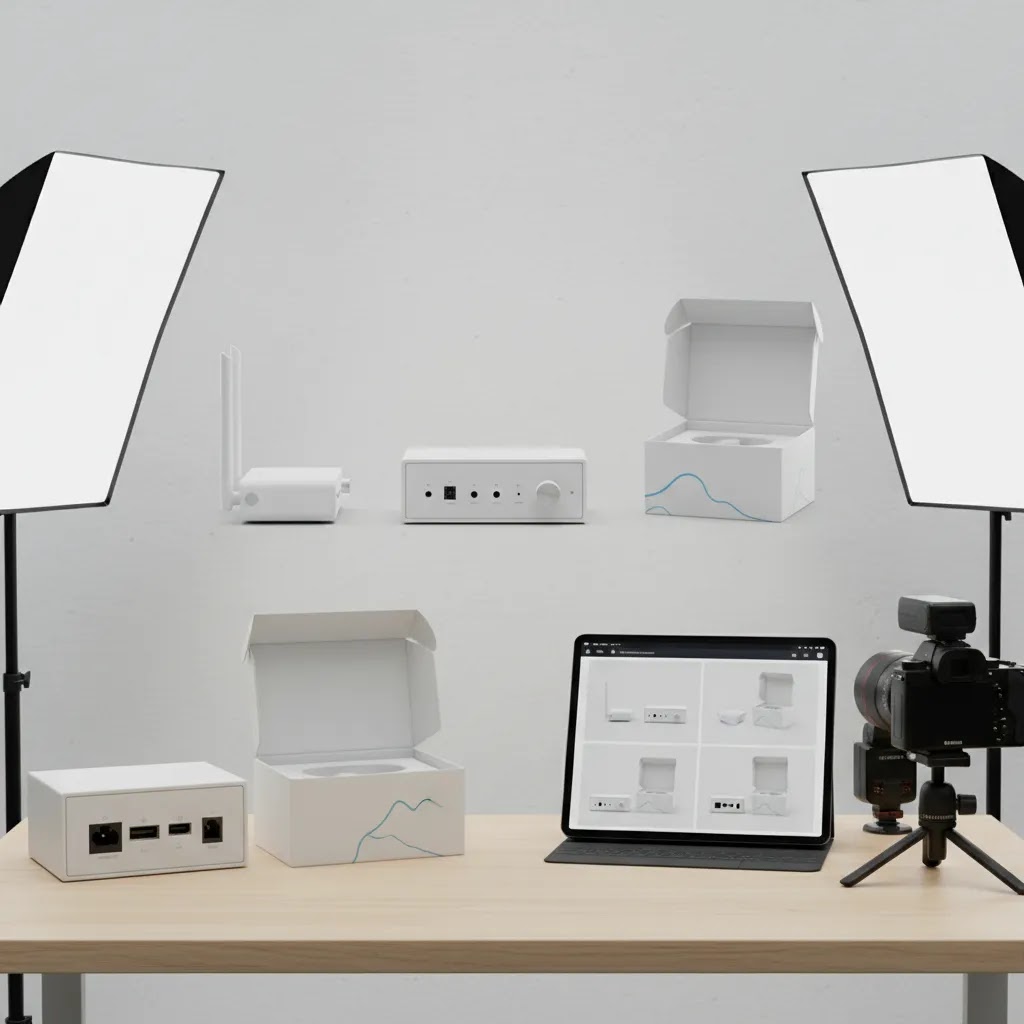
How to upload and manage photos on eBay (desktop and phone)
The way this works in practice is simple: you want an upload process that keeps your photos consistent, in the right order, and easy to reuse for similar listings. The more you list, the more this becomes an operations problem, not a creative one.
Desktop workflow: upload, order, and reuse patterns
On desktop, the main thing is to upload your full photo set, then set the image order intentionally. Your first photo is the hero image that appears in search and category views. After that, a consistent sequence helps buyers scan fast, and it helps you list faster because you are not reinventing the order every time.
For many categories, a reliable pattern looks like: front hero, angled view, back, sides, close-up details, labels or serial numbers, accessories, packaging, then defects and wear. You do not need to follow that exact order, but you should pick an order you can repeat. Repeatable sequencing is one of the easiest ways to make your listings look more professional without spending more time shooting.
Phone-first tips (iPhone and Android) for better source photos
For most eBay sellers, your phone is the fastest camera you have. If you are shooting on a phone, a few settings and habits usually make a bigger difference than editing.
- Use the rear camera, not the selfie camera. It is usually sharper.
- Avoid digital zoom. Move closer instead, since digital zoom often reduces detail.
- Tap to focus on the product, and keep lighting consistent from shot to shot.
- Use a simple backdrop and keep the product centered so crops stay consistent.
For file handling, keep your images organized so you are not hunting through your camera roll every time you list. Some sellers create an album per listing date or category, then rename final exports on a computer before uploading. Others keep it mobile-only and rely on a consistent album system. Either approach can work, the point is repeatability.
Troubleshooting common issues: failed uploads, orientation, and compression
If your images fail to upload, it is often a file size or connection issue. Try switching networks, uploading fewer images at once, or exporting at a slightly smaller file size while keeping good pixel dimensions. If images upload sideways, it is usually an orientation metadata problem. A quick fix is to open the image, rotate it, save it, then rotate it back and save again, or export a fresh copy from your editing app.
Watch out for overly compressed exports from editing apps. Some “share” or “save for web” options create smaller files by heavily compressing them. That can make text and fine details look soft. If you are using an editor, choose an export option that preserves quality, then confirm the result by zooming in before you upload to eBay.
Pros and Cons
Strengths
- eBay’s photo standards are usually manageable for independent sellers without a large creative team.
- Clear requirements push sellers toward more trustworthy listings and better buyer transparency.
- Good photos can often be produced with a simple home setup, solid lighting, and basic editing.
- The platform gives sellers room to show multiple angles, condition details, and packaging context.
- A consistent image workflow can support both eBay listings and broader marketplace operations.
Considerations
- eBay category expectations can vary, so generic photo advice is not always enough for niche products.
- Over-editing can create compliance issues or buyer disappointment if the product looks different in person.
- Older source images may need reshooting, not just editing, especially if focus and lighting are poor.
- Cross-channel sellers may need stricter standards if they also optimize for Amazon requirements.
Who this guidance is for
This guide is most useful for ecommerce operators who sell on eBay and want a more reliable image workflow. That includes solo sellers listing secondhand inventory, brands expanding into marketplaces, and Shopify merchants syndicating products into additional channels. If you are comparing in-house editing against outsourced help, or deciding whether an ai photo editor for product photography is enough for your catalog, these principles give you a practical benchmark. They are also helpful if you sell on both eBay and Amazon and need one photo process that reduces avoidable rework.

AcquireConvert recommendation
For most store owners, the smartest approach is to treat eBay image compliance as one part of a broader ecommerce content system. That is where AcquireConvert is useful. The site focuses on practical guidance for merchants who need better-performing visuals, cleaner workflows, and more informed tool choices without getting lost in vague advice.
Because Giles Thomas brings Shopify Partner and Google Expert experience to the content, the recommendations stay grounded in how real ecommerce operators manage product feeds, listing assets, and conversion bottlenecks across channels. If you want to improve your process, start with AcquireConvert’s E Commerce Product Photography category and the related Product Photography Fundamentals resources. They are a good next step if you are trying to standardize photos for marketplaces, your storefront, and paid acquisition creatives.
How to choose your photo workflow
If you are deciding how to produce marketplace-ready images consistently, use these five criteria.
1. Start with your product type
Simple objects with clear shapes are easier to shoot in-house. Reflective, textured, wearable, or highly detailed products often need more control over lighting and styling. Used goods also need honest defect documentation, which changes how you shoot and edit.
2. Match the workflow to your listing volume
If you list a few products each week, a simple setup plus light editing may be enough. If you manage a large SKU catalog, you need repeatable naming conventions, consistent backgrounds, angle templates, and editing rules. At scale, inconsistency creates operational drag fast.
3. Decide what should be done in-house
Basic cropping, background cleanup, and exposure fixes are often reasonable to handle internally. Complex retouching, advanced compositing, and high-volume catalog work may be better outsourced. This is especially true if your team is spending more time fixing images than listing products.
4. Protect accuracy over polish
This matters on eBay more than many sellers realize. A polished photo that misrepresents size, finish, color, or condition may increase clicks but still create returns, negative feedback, or buyer disputes. If you use AI tools, review outputs carefully before publishing.
5. Build for multichannel use
If eBay is not your only sales channel, create image standards that can support Amazon, your online store, and social commerce as well. That usually means larger source files, neutral main images, consistent aspect ratios, and clear secondary image logic. Even if marketplace requirements differ, one organized workflow is easier to manage than three disconnected ones.
The practical goal is not perfect photography. It is a dependable system that helps shoppers understand the product quickly and helps your team publish listings efficiently.
Frequently Asked Questions
What are the main eBay product photo requirements?
The core requirement is that your photos clearly and accurately show the item being sold. In practice, that means sharp images, good lighting, realistic color, and no misleading edits. A clean main image usually works best. If you sell used or unique items, include condition details and any flaws so buyers know what to expect.
Do eBay photos need a white background?
Not in every case, but a plain or neutral background often helps listings look cleaner and more professional. White backgrounds are especially useful for catalog-like presentation and cross-channel reuse. If the setting adds clarity, that can work too, as long as the product remains the clear focus and the photo does not confuse the buyer.
Can I use AI tools to edit eBay product photos?
Yes, AI tools may help with background cleanup, upscaling, or minor corrections, but they should not change the actual product. If an AI tool alters color, texture, condition, or shape, the image may become misleading. For marketplace selling, it is safer to use AI for cleanup and efficiency rather than heavy transformation.
How many photos should an eBay listing have?
Use enough photos to answer a buyer’s likely questions before they ask them. For many products, that means a clear hero shot plus several supporting views. Include close-ups for materials, labels, accessories, packaging, and defects where relevant. More images are usually helpful if each one adds useful buying context.
Are eBay and Amazon product photography rules the same?
No. There is overlap, but Amazon is typically stricter, especially for main images and technical consistency. If you sell on both channels, it is smart to build a workflow that can satisfy Amazon first where practical. That often makes eBay compliance easier rather than harder.
Should I outsource e-commerce product photo editing services?
That depends on your volume, margins, and internal time. If your team spends too long cleaning backgrounds, correcting exposure, or standardizing product shots, outsourcing may be worthwhile. If your catalog is smaller, in-house editing can work well with a repeatable process and a small set of approved tools.
Can mockups be used for eBay listings?
You should be cautious. Mockups can be helpful for off-marketplace marketing, but marketplace listings should accurately reflect the actual item. If a mockup makes the product appear different from what the buyer receives, it can create trust issues. For eBay, real product photography is usually the safer option.
What image problems cause the most buyer friction?
The biggest issues are blurry photos, bad lighting, inaccurate color, missing condition details, distracting backgrounds, and images that hide scale. These problems make buyers hesitate because they do not feel sure about what they are purchasing. In many cases, clarity matters more than creative styling.
Do I need a professional studio setup for eBay photos?
Not always. Many sellers get solid results with a simple tabletop setup, consistent lighting, and a phone or entry-level camera. A professional studio becomes more useful when you need scale, category consistency, advanced lighting control, or image production across a large product catalog.
What format do photos need to be for eBay?
Most sellers use JPEG for eBay listing photos, since it balances quality and file size well for photographs. PNG can be useful for graphics-like images where you want crisp edges, but it often creates larger files. Whatever you use, export in a quality setting that keeps fine details sharp, then zoom in on the exported file before you upload.
What is the best size for eBay product photos?
eBay generally expects at least 500 pixels on the longest side, but larger images typically look better, especially when buyers use zoom. In many cases, 1600 pixels or more on the longest side is a practical target for clear details, as long as your files still upload reliably.
What is eBay’s policy on photos?
At a high level, your images should accurately represent the item and avoid distracting or misleading elements. In practice, it is smart to avoid watermarks, borders, text overlays, and promotional badges, and to use photos you have the right to use. If you edit images, keep edits focused on clarity rather than changing the product’s condition or color.
How do I upload photos to eBay from my phone?
In the eBay app, you can add photos during the listing process by selecting images from your camera roll. For better results, shoot with the rear camera, avoid digital zoom, and use consistent lighting. Before you upload, confirm your photos are correctly oriented and not overly compressed by any editing app you used, since heavy compression can make details look soft.
Key Takeaways
- eBay product photos should be clear, accurate, and focused on helping the buyer understand the item quickly.
- Basic editing is useful, but over-editing can create returns, complaints, and listing trust issues.
- A clean hero image plus practical supporting angles usually works better than overly styled presentation.
- If you sell across channels, build one workflow that supports eBay, Amazon, and your store where possible.
- AI editing tools may save time, but they work best when your source photography is already strong.
Conclusion
Strong marketplace photography is less about creative flair and more about clarity, trust, and operational consistency. If your images help buyers understand exactly what they are getting, you are already doing the most important part well. For many sellers, that means improving lighting, tightening editing standards, and building a reusable photo workflow across channels. If you want a more complete system for marketplaces and storefronts, AcquireConvert is a strong next stop. You can explore practical guides on ecommerce photography, product image workflows, and related tools through the site’s photography resources. That gives you a clearer path whether you plan to edit images in-house, use AI support, or work with a dedicated studio process.
This article is editorial content created for educational purposes and is not a paid endorsement unless explicitly stated otherwise. Pricing, tool availability, and platform requirements are subject to change, so verify current details directly with the provider or marketplace before making operational decisions. Any performance outcomes discussed are not guaranteed and will vary by product type, category, execution quality, and market conditions.

Hi, I'm Giles Thomas.
Founder of AcquireConvert, the place where ecommerce entrepreneurs & marketers go to learn growth. I'm also the founder of Shopify agency Whole Design Studios.