Ecommerce Images: Sizes, Formats & Optimization (2026)


Your product images do more than make your store look polished. They affect page speed, mobile usability, shopper trust, and, in many cases, whether someone adds to cart at all. If your visuals are blurry, oversized, inconsistent, or slow to load, you may be losing sales before a visitor even reads your copy. This guide covers the practical side of ecommerce images: what dimensions to use, which file formats make sense, how to optimize for speed without hurting quality, and where AI editing tools can help. If you are still comparing workflows and image tools, start with AcquireConvert’s guide to ecommerce tools to see the broader stack store owners use to manage photography and image production.
Contents
- Why ecommerce images matter
- What are ecommerce images (and the core types you need)
- Best image sizes and file formats
- Ecommerce image downloads, PNGs, logos, and background images: what they’re actually used for
- How to optimize ecommerce images
- Tools that can help your workflow
- Where to get images for an ecommerce website (legal, licensing, and practical sourcing)
- Pros and Cons
- Who this guide is for
- AcquireConvert recommendation
- How to choose the right image setup
- Frequently Asked Questions
- Key Takeaways
Why ecommerce images matter
Ecommerce images sit at the center of your product page experience. Shoppers cannot touch, test, or try your products in person, so your visuals carry much of the trust-building work. Clear photos help answer practical buying questions about scale, texture, color, fit, finish, and use.
For Shopify merchants especially, image decisions also affect how fast product pages load across mobile devices. Large files can slow collection pages, product grids, and landing pages. Small or over-compressed files can make products look low quality. The goal is not just prettier images. It is better commercial performance.
The importance of product photography in ecommerce becomes even clearer once you sell across channels. Your image requirements may vary for your storefront, marketplaces, paid social, and feeds. If you also sell on Amazon, image standards are stricter, so it helps to review channel-specific guidance like this article on amazon product photography.
If you are building or refreshing your visual workflow, AcquireConvert’s broader resources on ecommerce photography provide a useful foundation for planning image types, backgrounds, and presentation styles.
What are ecommerce images (and the core types you need)
When people say “ecommerce images,” they usually mean product photos. Here’s the thing, your ecommerce images include every visual asset that helps sell and support a product online. That includes product gallery photos, yes, but also banners, badges, lifestyle content, and any visuals you use in ads and email that set expectations before someone lands on a product page.
From a practical standpoint, the fastest way to improve your store is to stop thinking in terms of “a few nice photos” and start thinking in terms of image roles. Each image should answer a specific buying question, reduce doubt, or help a shopper move to the next step.
Core ecommerce image types (and what they do)
Most Shopify stores end up needing the same core set of image types, even if the styling differs:
- Primary or hero product image: The main image a shopper sees first. It drives first impression, perceived quality, and click behavior. This shows up on product pages and collection grids, so consistency matters.
- Secondary angles and detail shots: Close-ups and alternate views that answer material, texture, finish, and build-quality questions. These typically live in the product page gallery.
- Lifestyle or in-use images: Photos that show the product being used, worn, or placed in a real context. They help shoppers understand scale and “fit” in their life. These often perform well on product pages, homepages, and landing pages.
- Infographic or spec images: Visual callouts that explain dimensions, key features, what’s included, or comparisons. Think of it as the visual version of bullet points. These can be powerful on product pages, but keep them readable on mobile.
- Size and scale reference: The image that prevents returns and disappointment. “In hand,” “on body,” “next to a common object,” or a simple dimension overlay. This belongs in the product page gallery, and it can also help in ads where shoppers have limited time.
- User-generated content (UGC) and review images: Real customer photos that add credibility. On Shopify, this usually appears in the reviews section or a UGC block on the product page, and it can also be reused in email and paid social if you have permission.
- Packaging and unboxing images: Useful for gifts, subscriptions, premium products, and anything where presentation is part of the value. These can live in the gallery or below the fold on a product page.
- Brand and trust images: Badges, guarantees, payment icons, press mentions, certifications, and shipping callouts. These are not “product photos,” but they are ecommerce images because they reduce friction and clarify risk.
Where these images appear in a Shopify store (and what decision they support)
What many store owners overlook is that placement changes purpose. The same image can either help conversion or create confusion depending on where it appears.
- Collection pages and product grids: Your primary image and aspect ratio do most of the work here. The shopper is deciding what to click, so clarity beats creativity.
- Product detail page (PDP) gallery: This is where secondary angles, detail shots, scale references, packaging, and infographics earn their keep. The shopper is deciding whether the product is right for them.
- Homepage and landing pages: Lifestyle, brand, and trust images typically matter more here. The shopper is deciding whether your brand is credible and whether to explore further.
- Email and ads: You often need cropped, simplified versions of your best visuals. The shopper is deciding whether it is worth returning to your store at all.
Think of it this way, a strong ecommerce image set is less about having “more images,” and more about covering the specific questions a shopper would ask if they were holding the product in their hands.
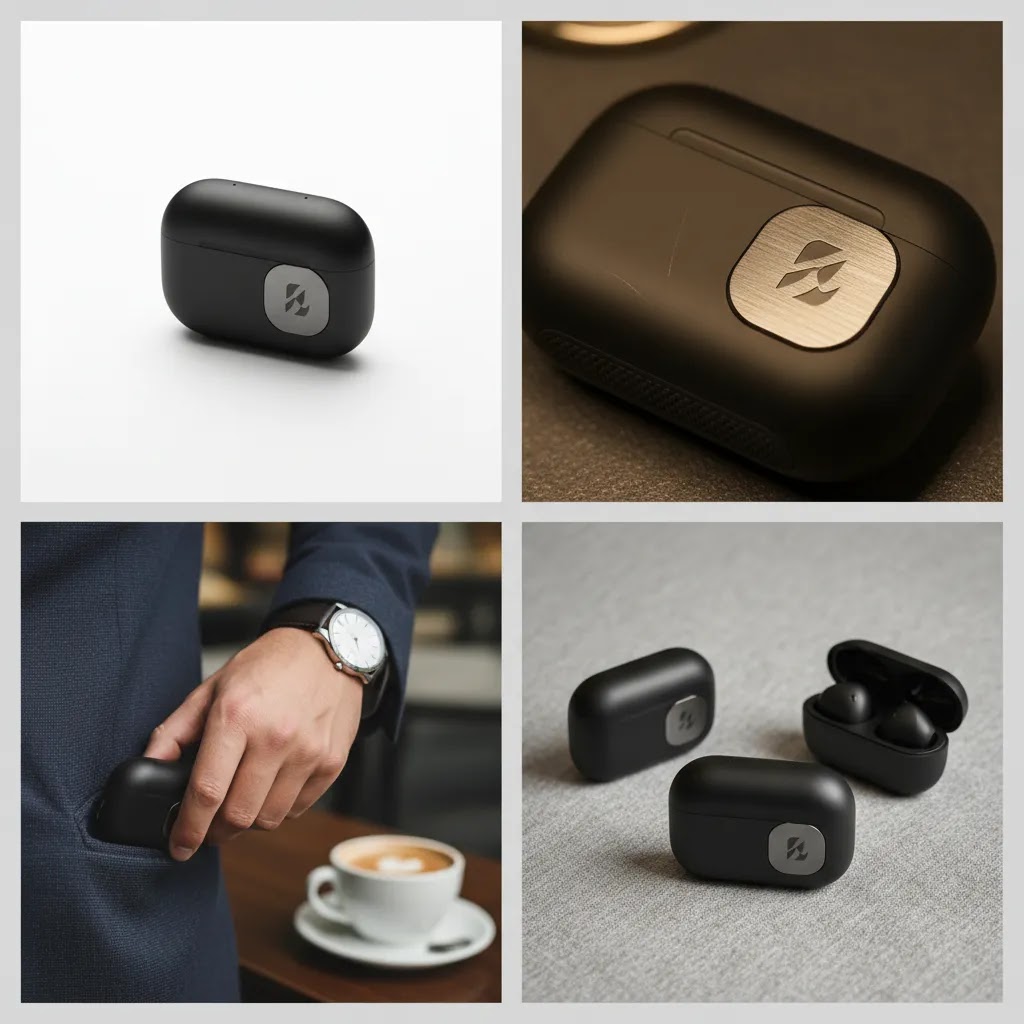
Best image sizes and file formats
There is no single perfect file size for every store, but there are practical ranges that work well for most ecommerce setups. For product page primary images, a square image around 2000 x 2000 pixels is often a strong starting point. That is usually large enough for zoom functionality and high-density mobile screens while still being manageable once compressed properly.
For thumbnails, collection images, and supporting gallery shots, you can usually use smaller rendered sizes, but it still helps to upload a source file with enough resolution for theme responsiveness. Consistent aspect ratios matter as much as pixel dimensions. Mixed image shapes can make collection grids look uneven and harder to scan.
Here is a practical format breakdown for store owners:
- JPEG: Best for most product photos with many colors and gradients. Good balance between quality and file size.
- PNG: Better for graphics, transparent elements, and situations where clean edges matter more than file weight.
- WebP: Often a smart choice for modern storefront performance because it can reduce file size while preserving quality.
- AVIF: Promising for compression efficiency, but compatibility and workflow support should be checked before relying on it fully.
- GIF or video alternatives: Better for simple motion previews than static image sequences in some use cases, though product video may be a stronger option.
For 360 images for ecommerce or 360 spin images for ecommerce, file planning matters even more. A spin sequence may involve dozens of frames, so small inefficiencies multiply quickly. Before adding 360 assets, confirm your theme, app stack, and mobile performance can support them without hurting load speed.
Ecommerce image downloads, PNGs, logos, and background images: what they’re actually used for
A lot of searches around ecommerce images are really about “downloads,” PNGs, logos, and background images. The reality is, those are usually store design and brand assets, not product photography. They matter because they shape trust and usability, but you should treat them differently than product images in your workflow.
Product photos vs brand and UI graphics
Product photos are usually JPEG or WebP, because photos have gradients, shadows, and lots of visual detail. Logos, icons, badges, and simple interface graphics are different. They need crisp edges, transparency in some cases, and they often appear small on mobile where blur is obvious.
Here is how to think about the common “PNG intent” assets on a Shopify store:
- Logos: Often need transparency and sharp edges, especially over colored headers or hero images.
- Icons and UI elements: Things like cart icons, menu icons, and small visual indicators. These should stay sharp on high-density screens.
- Trust badges: Returns, warranty, secure checkout, shipping speed, payment method callouts, or guarantees. These can help reduce friction, but they can also bloat pages if you upload a set of oversized PNGs.
- Background images: Hero sections, banners, and promotional blocks. These can look great, but they can also be some of the heaviest files on the page if you are not careful.
When to use PNG vs SVG vs WebP for these assets
If you are choosing formats for non-photo assets, a simple rule works well for most Shopify store owners:
- PNG: Use it when you need transparency and you have a graphic with clean edges that does not compress well as a JPEG. This is common for badges and overlays. Keep PNG dimensions tight to where they are actually displayed, because large PNGs can get heavy fast.
- SVG: Often the best choice for logos and icons because it stays sharp at any size. If your theme supports SVG uploads for the specific placement, it is worth using. If not, a properly sized PNG is usually fine.
- WebP: A strong option for many graphics and especially for background images, because it can keep file sizes low. For hero backgrounds, WebP often gives you a nice performance win without obvious quality loss, as long as your theme and storefront delivery support it.
Common Shopify use cases (and how to avoid performance problems)
Consider this, the files that slow a store down are often not the product gallery images. They are the oversized banners, background images, and badge sets that load on every page.
- Transparent overlays: If you are placing a badge or callout over an image, keep the overlay file small and export it at the actual display size. Do not upload a 3000-pixel-wide PNG to show a tiny corner badge.
- Trust badges: A few can help, but a row of large PNG badges can add weight and visual clutter. Use only what supports the buying decision, and keep the file sizes under control.
- Hero section backgrounds: Treat these like performance-critical assets. Export to the exact dimensions your theme displays, compress aggressively, and check mobile. A background image that looks perfect on desktop can load slowly and crop awkwardly on phones.
- Crisp edges on mobile: If your logo looks fuzzy, it is usually a sizing and format issue. Start by exporting at an appropriate resolution for high-density screens, then check the actual header layout on a real phone.
If you get these “supporting” ecommerce images right, your store can look sharper and load faster without changing a single product photo.
How to optimize ecommerce images without hurting quality
Optimization is really a balancing exercise between clarity, speed, and consistency. Store owners often focus only on the export setting, but there are several steps that shape the final result.
1. Start with a consistent source image
If your raw images are inconsistent, no compression tool will fully fix the problem. Use the same framing, lighting direction, background style, and crop rules across a product line. This is especially important if you work with an external product photography studio or local ecommerce product photography service.
2. Resize for actual storefront use
Do not upload massive originals straight from a camera if your theme only displays them at a fraction of that size. Keep your high-resolution masters in cloud storage, then export web-ready versions for the storefront.
3. Compress after resizing
Compression works best after dimensions are set. If you compress first and resize later in inconsistent ways, quality can drop unevenly.
4. Use descriptive file names and alt text
This helps with organization, accessibility, and image search context. It will not replace full SEO work, but it is a worthwhile hygiene practice.
5. Review on mobile, not just desktop
Many stores approve images on a large monitor, then discover textural detail disappears on smaller screens. Check product pages on a real phone before publishing in bulk.
If you are working with white backgrounds, cutouts, or retouching needs, the category on Background Removal & Editing is worth browsing for workflow ideas. For broader image planning, AcquireConvert also has a category focused on E Commerce Product Photography.

Tools that can help your workflow
For many smaller brands, the bottleneck is not knowing image best practices. It is the time required to edit, clean up, resize, and repurpose assets consistently. That is where AI product photography tools for ecommerce can be useful, as long as you use them with realistic expectations.
Based on current tool data, ProductAI offers several image-editing options relevant to ecommerce workflows:
- AI Background Generator for creating alternate scenes around products
- Free White Background Generator for marketplace-ready clean backgrounds
- Increase Image Resolution for improving smaller source files that may need better presentation quality
- Remove Text From Images for cleaning reused creative assets
- Background Swap Editor for testing alternate visual contexts
- Place in Hands for showing product scale or handheld presentation
- Magic Photo Editor and Creator Studio for broader editing workflows
These tools may help with ecommerce images editing, especially if you need more variants without repeating a full studio shoot. Still, they are not a complete replacement for solid source photography, color accuracy checks, or professional creative direction for premium brands.
If you need on-brand lifestyle variants from clean packshots, a mockup generator can also be useful for testing creatives before investing in a full campaign shoot.
Where to get images for an ecommerce website (legal, licensing, and practical sourcing)
Once you know what image types you need, the next question is where the images should come from. For most Shopify store owners, the best answer is usually a mix. You might shoot core packshots yourself, collect UGC over time, and use AI tools for certain variations. What matters is that you can prove you have the rights to use what you publish, especially if you are running ads or selling on marketplaces.
Practical sourcing options most stores use
These are the most common ways ecommerce teams build an image library:
- DIY product photography: Often the fastest path for early-stage brands. A simple lighting setup and consistent process can get you surprisingly far, as long as you pay attention to color and consistency.
- Hiring a product photographer or studio: A good fit when you need consistent results across many SKUs, when you need lifestyle creative direction, or when you are preparing for a major launch.
- Manufacturer or supplier assets: This can save time, but it often creates a “same photos as everyone else” problem. From a conversion standpoint, unique images can be a differentiator. From a compliance standpoint, you still need written permission or licensing terms that allow your use.
- User-generated content (UGC): Customer photos can add credibility. Many stores build UGC intentionally through post-purchase emails or community campaigns. Make sure you have explicit permission to reuse customer images in marketing, especially in ads.
- Stock photography for non-product visuals: Stock is often useful for blog headers, background images, or generic concept visuals. It is usually not a great fit for your core product images, because shoppers want to see the actual item they are buying.
- AI-assisted creation and editing: Tools can help with background cleanup, scene variations, and mockups. You still need human review before publishing, and you should be careful with claims, realism, and brand fit.
A rights and compliance checklist (so you do not get stuck later)
Downloading random images from Google or social media is risky. Even if it “looks like it is everywhere,” you can still end up with copyright complaints, takedown notices, or ad disapprovals. Keep your sourcing clean from day one.
- Usage rights: Confirm you have the right to use the image on your website, in email, and in paid ads. Those permissions are not always the same.
- Model releases: If a person is recognizable in a lifestyle image, you typically need a model release that covers your intended usage, including advertising.
- Property releases: If you shoot in a recognizable location or include branded, private, or protected property, a property release may be needed depending on context and how the image is used.
- Marketplace and feed restrictions: Some channels have strict image rules, especially for the main image. Requirements can also change, so confirm current guidelines before you produce a full library around one format.
- UGC permissions: A customer sending you a photo does not automatically grant full commercial rights. Get explicit permission in writing, and keep a record tied to the asset.
A simple sourcing workflow for Shopify owners
The way this works in practice is boring, but it saves you hours later.
- Create a shot list by SKU: Primary image, angles, details, scale, packaging, and one lifestyle. If you sell variants, decide what needs its own photo versus what can be shown with swatches or variant selection.
- Standardize naming: Use a consistent naming convention so your team can find assets quickly. For example: sku-color-angle-size, plus a version number if you update images over time.
- Keep masters separate from web exports: Store your high-resolution originals somewhere safe, then export optimized versions for Shopify. That prevents accidental quality loss when you need to re-export later.
- Maintain a licensing folder: For each asset set, keep contracts, permissions, and release forms in one place. If you ever change agencies, scale ad spend, or list on new channels, you will be glad you did.
For most Shopify store owners, getting the sourcing right is less about expensive gear and more about repeatable process and clean permissions.
Pros and Cons
Strengths
- Well-optimized ecommerce images can improve page speed and create a smoother mobile shopping experience.
- Consistent dimensions and aspect ratios make collection pages easier to scan and visually cleaner.
- The right file format can reduce file weight without a noticeable quality loss for most shoppers.
- Clear product photography helps answer buying questions and may reduce hesitation before purchase.
- AI editing tools can shorten production time for background cleanup, resizing, and creative testing.
- Structured image workflows make it easier to reuse assets across storefront, marketplaces, and ads.
Considerations
- There is no universal image size that fits every theme, product type, and channel perfectly.
- Over-compression can make products look low quality, especially on zoom-enabled product pages.
- 360 image sets and rich media can increase page weight if they are not implemented carefully.
- AI tools may save time, but they still require human review for brand fit, realism, and color accuracy.

Who this guide is for
This article is for ecommerce store owners, Shopify merchants, and marketers who want better product page performance without turning image management into a technical project. It is especially useful if you are refreshing a theme, improving mobile speed, hiring an ecommerce product photography studio, or evaluating AI software for ecommerce product photography. If your store has already moved past first sales and you are now tightening conversion details, image optimization is usually one of the highest-leverage fixes you can make.
AcquireConvert recommendation
If you are trying to improve ecommerce images across your store, the best next step is not to chase one perfect export setting. Start by tightening your full workflow: source image quality, file dimensions, format selection, compression, and on-page testing. That is the practical approach experienced operators usually take.
AcquireConvert is a useful specialist resource here because the guidance is built for actual store owners, not generic design theory. Giles Thomas’s background as a Shopify Partner and Google Expert gives extra weight to advice that affects storefront UX, search visibility, and paid traffic landing pages. After reviewing your current image setup, use AcquireConvert’s related guides to compare workflows, image creation options, and supporting tools so you can make decisions that fit your catalog, margins, and team size.
How to choose the right image setup for your store
If you are deciding how far to go with ecommerce images optimization, focus on fit rather than perfection. These five criteria tend to matter most.
1. Product detail requirements
Some categories need more visual precision than others. Apparel, beauty, jewelry, furniture, and textured goods often need closer crops, more zoom depth, and multiple angles. Simple packaged goods may need less detail but stronger consistency.
2. Sales channel mix
If you sell on your own Shopify store only, you may have more freedom with aspect ratios and backgrounds. If you also sell through Amazon, Google Shopping, or marketplaces, image compliance becomes stricter. Build your base asset library around the most restrictive channel where practical.
3. Catalog size and update frequency
A 20-SKU brand can manage more manual polish than a 2,000-SKU catalog with frequent launches. Large catalogs benefit from standardized templates, bulk resizing rules, and selective use of AI-assisted editing. The bigger your assortment, the more important repeatable systems become.
4. Brand presentation style
Some stores convert best with white background product-first photography. Others need strong lifestyle context to communicate positioning and use. In many cases, a mix works best: clean primary images for clarity and editorial secondary images for persuasion.
5. Performance tolerance
Rich visuals can help conversion, but only if your site remains usable. Every added zoom layer, 360 sequence, background video, or oversized image file comes with a performance cost. Measure the trade-off. A visually ambitious product page that loads slowly on mobile may underperform a simpler page with cleaner optimization.
A practical setup for most growth-stage stores is a sharp primary image around 2000 x 2000 pixels, compressed for web use, exported in a modern format where supported, paired with 4 to 8 supporting photos that answer common buying objections. Add 360 assets or mockups only where they improve understanding, not just because the format exists.
Frequently Asked Questions
What is the best size for ecommerce images?
For many stores, around 2000 x 2000 pixels works well for primary product images because it supports zoom and high-resolution screens without being unnecessarily large. That said, the best size depends on your theme, crop style, and image display settings. Test image quality and load speed on real product pages before standardizing across your catalog.
Should I use JPEG, PNG, or WebP for product images?
JPEG is still a solid default for most product photos. PNG is better when you need transparency or sharper graphic edges. WebP is often a strong modern option because it can lower file sizes while preserving quality well. The right answer depends on the image type and your storefront’s support for each format.
Do ecommerce images affect conversion rates?
They can. Strong visuals may improve trust, communicate product quality more clearly, and reduce hesitation, especially for first-time visitors. Still, images are only one part of the page. Pricing, reviews, shipping clarity, product copy, and mobile UX also shape results, so avoid treating photography as a standalone fix.
How many product images should I use on a product page?
Most stores benefit from a primary image plus several supporting shots that show angles, scale, texture, and usage. In practice, 4 to 8 images is often enough for many categories. Products with fit, assembly, or material questions may need more. The key is to answer buyer questions without creating a cluttered gallery.
Are 360 images for ecommerce worth it?
They may be, particularly for products where shape, construction, or detail matter to the buying decision. Furniture, footwear, accessories, and premium goods can benefit. But 360 spin images for ecommerce also add production and performance complexity. Start with your highest-value products and confirm they improve understanding before rolling them out widely.
Can AI product photography tools replace a studio shoot?
Not completely in every case. AI tools can help with backgrounds, cleanup, mockups, and creative variations, especially when you already have solid source images. For premium launches, exact color matching, or high-stakes campaigns, professional photography still has advantages. Many brands get the best results from combining both approaches thoughtfully.
What should I look for in an ecommerce product photography service?
Look for consistency, category experience, clear deliverables, turnaround expectations, retouching standards, and a portfolio that matches your brand style. Ask how assets will be delivered, what sizes are included, and whether web-optimized exports are part of the package. If you are hiring locally, also ask about ongoing batch workflows for future product launches.
How do I optimize ecommerce images for Shopify?
For Shopify, focus on consistent aspect ratios, web-ready exports, compressed files, and mobile testing inside your live theme. Make sure collection grids, product galleries, and image zoom behave as expected. Because Shopify themes vary, it is smart to test one template thoroughly before bulk-uploading a new visual standard across your entire catalog.
What is the most common mistake with ecommerce images?
The most common mistake is uploading images that are either much larger than needed or too compressed to look trustworthy. Another frequent issue is inconsistency across a catalog, where some products use different crops, backgrounds, or lighting. That makes the store feel less polished and can distract shoppers from the products themselves.
What are e-commerce images?
E-commerce images are all the visual assets you use to sell and support products online. That includes product page photos, detail shots, lifestyle images, spec or infographic images, UGC and review photos, and also brand assets like badges and banners that help build trust and reduce friction during the buying decision.
How to get images for an ecommerce website?
Most stores use a mix of sources: DIY photography, hiring a photographer or studio, supplier-provided images (with permission), customer UGC (with explicit rights to reuse), stock photos for non-product visuals, and AI-assisted editing for backgrounds and variations. Keep a simple workflow with a shot list, consistent file naming, and a folder for licenses and releases so you can prove usage rights if you expand into ads or marketplaces.
What are the 4 types of e-commerce?
The four common types are B2C (business to consumer), B2B (business to business), C2C (consumer to consumer), and C2B (consumer to business). Image requirements vary by model. For example, B2C product pages usually need more lifestyle and trust visuals, while B2B often needs clearer specs, packaging, and application images.
What are the 7 types of e-commerce?
A broader breakdown often includes B2C, B2B, C2C, C2B, B2G (business to government), C2G (consumer to government), and D2C (direct to consumer). D2C is especially relevant for Shopify store owners because your images must do the work that retail shelves and in-person sales staff would normally handle.
Key Takeaways
- Use image dimensions that support zoom and mobile clarity without uploading unnecessarily large files.
- Choose formats based on the asset type: JPEG for most photos, PNG for transparency, and WebP where supported.
- Build a repeatable workflow around resizing, compression, naming, and mobile review.
- Use AI editing tools to speed up production, but review outputs carefully for realism and brand consistency.
- Prioritize image consistency and page performance before adding heavier assets like 360 spins.
Conclusion
Good ecommerce images are not just about sharp photography. They are about making your products easier to understand, your pages faster to load, and your store more trustworthy to shop. For most brands, the winning approach is straightforward: consistent source photography, sensible dimensions, the right file format, and disciplined optimization before upload. If you want to refine your visual workflow further, AcquireConvert is a strong place to continue your research. Explore the site’s practical guides on ecommerce photography, image tools, and production workflows to see how other Shopify store owners approach image quality, speed, and creative testing with advice shaped by Giles Thomas’s real ecommerce expertise.
This content is editorial and intended for educational purposes only. It is not a paid endorsement unless explicitly stated otherwise. Tool availability, features, and pricing are subject to change, so verify current details directly with the provider before making a decision. Any performance or conversion outcomes discussed are not guaranteed and may vary by store, niche, theme, traffic source, and implementation quality.

Hi, I'm Giles Thomas.
Founder of AcquireConvert, the place where ecommerce entrepreneurs & marketers go to learn growth. I'm also the founder of Shopify agency Whole Design Studios.