How to Take Photos for Etsy (2026 Guide)

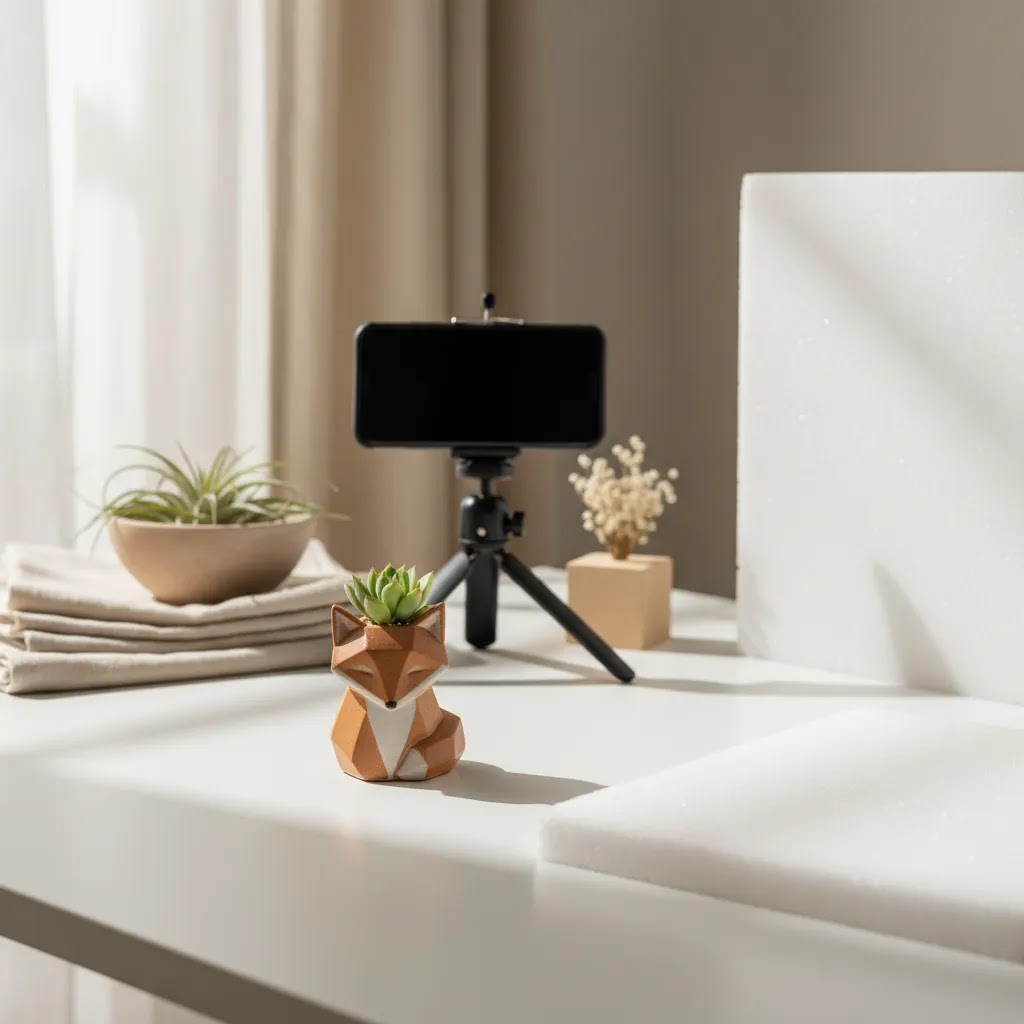
If you want more Etsy shoppers to click your listing, your photos do a lot of the selling before anyone reads your title or description. Strong Etsy images help buyers understand scale, texture, color, and quality fast. Weak images make even a good product look uncertain. If you are learning how to take photos for Etsy, the goal is not just making your product look attractive. It is making it look clear, trustworthy, and easy to buy. That applies whether you sell handmade jewelry, apparel, candles, prints, or home goods. This guide walks you through the practical setup, shot list, and editing decisions that help your listings stand out in search. If you also sell beyond Etsy, our guide to ecommerce tools can help you build a more consistent product content workflow across channels.
Contents
- What Etsy photos need to do
- How to set up your Etsy photo shoot
- Etsy photo specs that prevent cropping and quality issues
- The Etsy shot list that usually works best
- Category-specific shot advice for common Etsy products
- Editing tools and workflow options
- How to take Etsy photos with an iPhone (repeatable workflow)
- Pros and Cons
- Who this approach is for
- AcquireConvert recommendation
- How to choose the right photo workflow
- Frequently Asked Questions
- Key Takeaways
What Etsy photos need to do
Etsy search is competitive, and most buyers scan thumbnails quickly. Your main image needs to stop the scroll, but your full image set needs to answer buying questions. That means your product photography should do four jobs at once.
- Show exactly what the item is
- Reduce uncertainty about size, finish, and materials
- Make the product feel credible and well made
- Fit naturally with Etsy buyer expectations for handmade, custom, or niche goods
The biggest mistake sellers make is focusing only on style. A dramatic photo may look nice on Instagram, but Etsy shoppers often need cleaner product communication first. A thumbnail has to be readable at small sizes. Your supporting images should then provide close-ups, scale references, packaging details, and context shots.
This is also where Etsy overlaps with broader ecommerce photography principles. Clear visual hierarchy, consistent lighting, and honest color presentation matter on any sales channel. Etsy just rewards a slightly more handcrafted, detail-rich presentation than many mass retail platforms.
If you sell on multiple marketplaces, keep in mind that Etsy image priorities can differ from amazon product photography, where stricter main-image rules and a more catalog-style look often matter more.
How to set up your Etsy photo shoot
You do not need an expensive studio to take good Etsy photos. You do need consistency. For most sellers, that comes from controlling three things: light, background, and camera stability.
1. Start with soft, even lighting
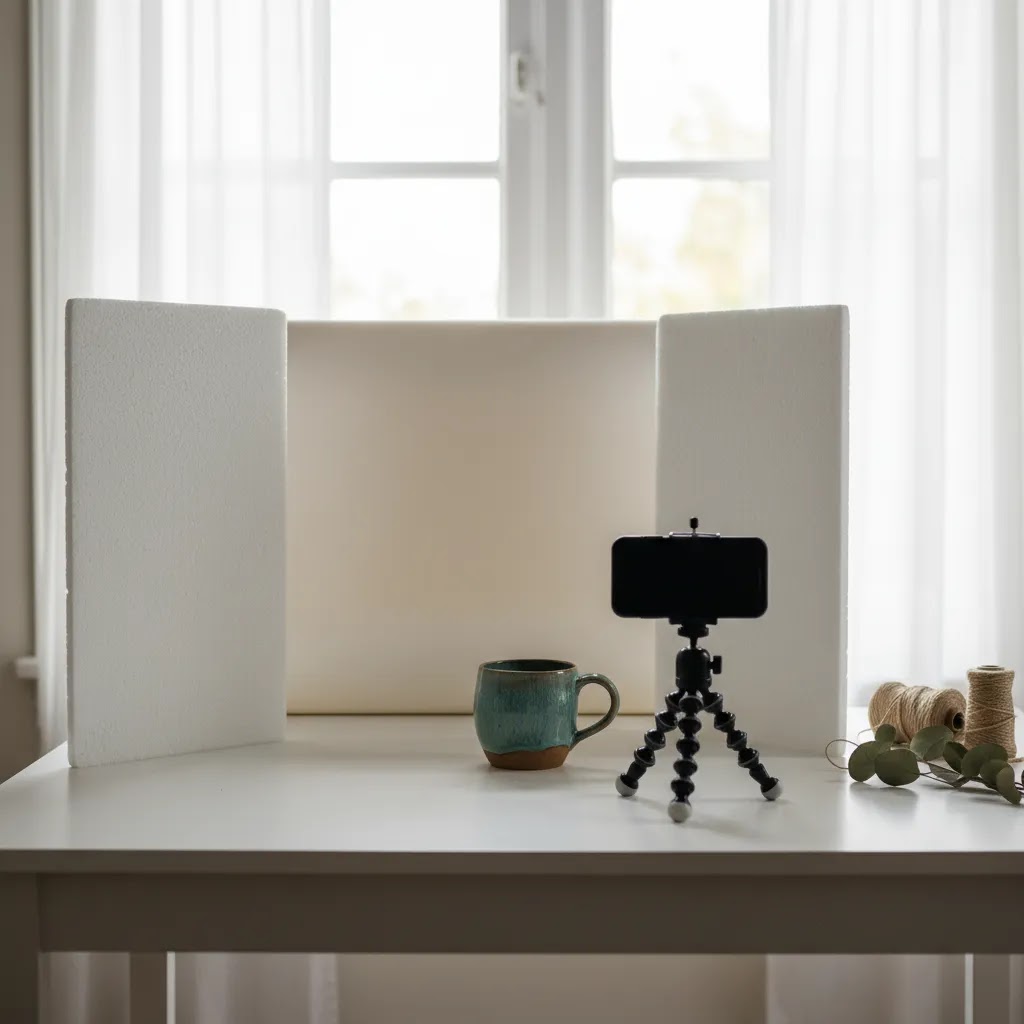
Natural window light works well if it is indirect and consistent. Place your setup near a bright window and use white foam board opposite the light source to bounce light back onto the product. If natural light changes too much during the day, a simple continuous lighting setup may be more reliable.
For clean listing images, review examples and setup ideas in AcquireConvert’s White Background Photography category. It is especially useful if you want brighter, marketplace-friendly photos without harsh shadows.
2. Choose a background based on the product
A plain white or neutral background usually works best for the main Etsy image because it keeps the product easy to read in search results. Lifestyle backgrounds work better in secondary photos where you want to show use, mood, or scale.
If you need inspiration for context shots, the Lifestyle Product Photography category is a helpful place to compare different visual approaches.
3. Stabilize your camera or phone
If you are figuring out how to take good photos for Etsy with iPhone, stabilization matters more than brand of device. Use a tripod, phone stand, or stable surface. That lets you keep framing consistent across product variants and reduces blur in lower light.
4. Keep your frame consistent
Pick a repeatable angle, distance, and crop style for similar products. This gives your shop a more professional look and makes it easier for buyers to compare listings.
Etsy photo specs that prevent cropping and quality issues
Here is the thing. You can take a strong photo and still lose clicks if Etsy crops your thumbnail awkwardly or your upload gets compressed into something soft and noisy. A few technical choices upfront can save you from that.
Use an aspect ratio that plays nicely with Etsy thumbnails
Etsy displays your main photo in different shapes depending on where it shows up, including search results, shop grids, and mobile views. That is why square-friendly composition matters even if you do not shoot a perfect square file.
From a practical standpoint, aim for a horizontal photo that is close to a 4:3 shape, or a square crop. More important than the exact number is composing so the product still reads clearly when it is cropped tighter.
Consider this approach for your main image:
- Keep the most important details centered, especially the product silhouette and any defining feature that makes it recognizable at thumbnail size.
- Leave breathing room around the edges. A safe rule is to leave visible margin on all sides so a tighter crop does not cut off corners, handles, or tips.
- Avoid placing text, badges, or tiny props near the edges of frame. Those are the first things that get cropped, and they can create clutter in search.
Choose the right file format: JPEG vs PNG
Most Etsy sellers should default to JPEG for physical products. It is typically the best balance of file size and visual quality for photos with real-world lighting and texture, like jewelry, candles, apparel, ceramics, and home goods.
PNG is usually better when your image has large areas of flat color, clean graphic edges, or you are uploading artwork where crisp lines matter more than photographic texture. For example, art prints, sticker designs, and digital illustrations may hold up better as PNG files, depending on how the image was created and exported.
Think of it this way. Photos of real objects usually compress better as JPEG. Graphic art and flat designs often look cleaner as PNG. If you are not sure, export both and compare them on mobile, because that is where compression artifacts are most obvious.
A simple export checklist that keeps your images looking true-to-life
If you are editing on desktop or phone, your export settings can change how color and sharpness look once the image is uploaded. This checklist is a good baseline for Etsy listings:
- Use sRGB color space if your editor gives you the option. That tends to display more consistently across phones and browsers.
- Export at a high enough resolution that you are not forcing Etsy to stretch the image. More pixels gives you cleaner zoom and fewer compression artifacts.
- Do not over-sharpen. Light sharpening can improve clarity, but aggressive sharpening can add halos around edges, especially on white backgrounds.
- If exporting JPEG, choose a high-quality setting. You want a file that still looks clean on mobile, without blocky compression in gradients and shadows.
Upload QA: quick checks that prevent avoidable returns and complaints
Once you upload your photos, do a fast quality check inside Etsy before you publish or renew a listing. What many store owners overlook is that Etsy previews and real buyer views are not always the same as your camera roll.
- Check the listing on your phone. Make sure the main image reads clearly as a thumbnail and does not crop out the product.
- Confirm color looks believable. If your product color is sensitive, like dyed fabric or paint, compare the photo to the real item in similar light.
- Scan for props that create confusion about what is included. If you use a stand, chain, frame, or styling accessory, make it obvious what the buyer is actually purchasing.
- Look for text or labels that could be misleading. Even if it is accidental, it can create buyer expectations you do not want.
The Etsy shot list that usually works best
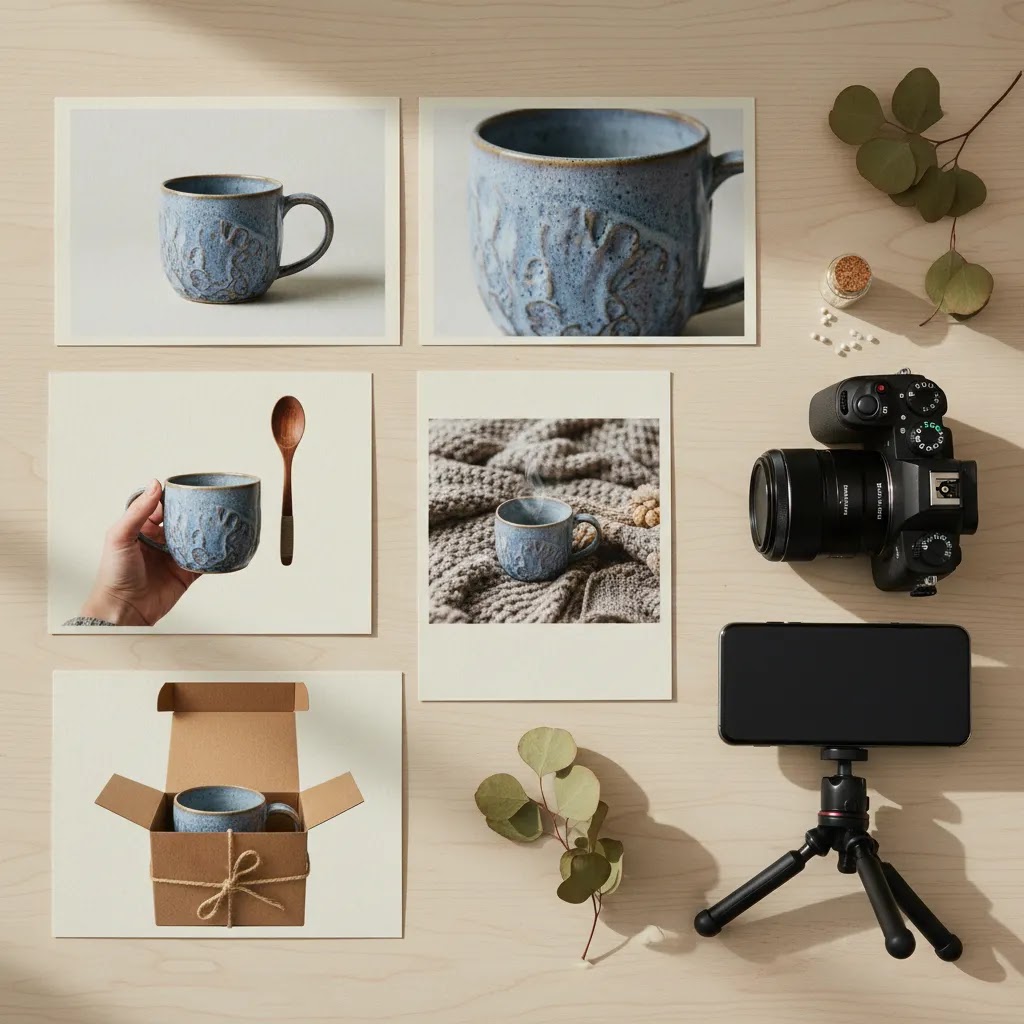
When store owners ask how to take product photos for Etsy, I usually recommend building every listing around a repeatable shot list. That keeps your workflow fast and helps you avoid missing key buyer questions.
- Main image: the clearest, most click-worthy view of the product
- Angle shot: a second perspective showing depth or shape
- Close-up: texture, craftsmanship, stitching, print quality, or materials
- Scale photo: hand, ruler, body, room, or familiar object for size reference
- Use-case photo: the item being worn, held, displayed, or used
- Variant photo: color, scent, size, or custom options
- Packaging photo: what arrives in the box or gift presentation
This shot structure works well for many Etsy categories because it balances search visibility with buyer confidence. If you sell clothing, jewelry, or giftable items, lifestyle images often influence conversion more than sellers expect. If you sell practical goods, clarity and scale tend to matter most.
For sellers who want polished scene-based visuals without reshooting every listing, a mockup generator can be useful for certain categories like prints, apparel graphics, stationery, or wall art. Just be careful not to rely on mockups alone if your buyers need to inspect craftsmanship or true material quality.
Category-specific shot advice for common Etsy products
The shot list above is the baseline. Now, when it comes to Etsy, buyers also have category-specific expectations. If you match those expectations, your photos can feel instantly more trustworthy without needing a more expensive camera.
Jewelry: prove scale, finish, and comfort
Jewelry photos fail most often on scale and reflections. A buyer wants to know if an item is delicate or chunky, shiny or matte, and how it sits when worn.
- Add a worn photo early in the set, not just at the end. It answers scale fast.
- Include at least one close-up that shows finish and any texture, like hammered metal or stone facets.
- For earrings, show the back or hook style if it affects comfort and how it hangs.
Apparel: show fit, fabric, and details that affect sizing decisions
For apparel, your photos are often doing the job of a fitting room. Flat lays can look clean, but they do not always answer fit questions.
- Use a consistent front view, plus a back view. Buyers often look for drape, length, and neckline shape.
- Include a fabric close-up in good light, especially for knits, linen, or textured materials.
- If there is a detail that changes the decision, like pockets, lining, stretch, or embroidery, make it a dedicated photo.
Prints, art, and stationery: clarity and color accuracy win
For prints, the buyer is judging your quality and your color choices. Crispness matters, but so does setting realistic expectations.
- Include one straight-on shot that makes the design easy to read, even at thumbnail size.
- Add a close-up that shows paper texture, print detail, or edge quality if that is a selling point.
- If you use mockups, consider including at least one real photo or proof-style shot so buyers trust the product is real.
Candles, ceramics, and home goods: show finish and what it looks like in a room
These products sell on texture and vibe, but buyers still need practical info like size and finish.
- Use a close-up to show glaze, texture, or surface finish. Etsy buyers often care about handcrafted variation.
- Include a scale shot that feels natural, like next to a book or on a shelf, so size is obvious without reading.
- Show the product in a simple room context, but keep the styling secondary to the product.
How to handle reflective, transparent, glossy, and highly textured products
Some products are just harder to photograph. The reality is you often need to control reflections more than you need more light.
- Reflective metals: use soft, diffused light and avoid pointing a bare light source directly at the product. Change your angle until the reflection is not a bright hotspot in the hero area.
- Glass and transparent items: use a clean background and add light from the sides or back to define the edges. If the item disappears into the background, add a subtle shadow or a slightly darker backdrop so the outline shows.
- Glossy prints and resin: tilt the product slightly to move glare away from the main subject. A small change in angle can make a bigger difference than any editing tool.
- Highly textured items: side lighting can help show texture, but keep it soft. Harsh side light can create deep shadows that look like defects.
Props and styling boundaries: keep lifestyle shots helpful, not confusing
Props can help your listing feel premium and give buyers context, but they also create misunderstandings. Keep lifestyle shots honest and specific.
- Use props to show scale and use, not to distract from weak product clarity.
- Avoid props that look like they are included unless you clearly show what is for sale.
- If you sell sets or bundles, make it visually obvious. If you sell a single item, do not stage it like a bundle.
Editing tools and workflow options
Editing should improve clarity, not distort the product. For Etsy, the safest workflow is usually basic cleanup: exposure correction, white balance adjustment, background refinement, cropping, and light sharpening.
AcquireConvert’s product data shows several photo tools that may help sellers streamline prep work:
- AI Background Generator for creating alternate scenes around a product image
- Free White Background Generator for cleaner marketplace-style images
- Increase Image Resolution if you need to improve clarity for exported images
- Remove Text From Images for cleaning up visual distractions
- Background Swap Editor for replacing backgrounds more precisely
- Place in Hands for presentation-style images where hand context helps scale
- Magic Photo Editor and Creator Studio for broader image editing workflows
These can save time, especially if you are managing lots of SKUs or testing different listing styles. Still, they work best when your original photo is already well lit and sharply framed. AI editing can help with polish, but it usually cannot fully rescue a poorly shot product image.
If you are consistently struggling with image quality, angle repeatability, or lighting control, it may be time to compare your current setup with a more formal product photography studio workflow.
How to take Etsy photos with an iPhone (repeatable workflow)
If you are shooting phone-first, the goal is consistency. An iPhone can produce excellent Etsy listing photos, but only if you control the things that usually make phone images look amateur: shaky framing, mixed lighting, and accidental exposure changes from shot to shot.
iPhone camera settings and habits that matter for product photos
For most Shopify store owners and Etsy sellers, the biggest improvements come from how you shoot, not from buying another app.
- Avoid digital zoom. Digital zoom can soften detail fast. Move the phone closer, or use a lens that gives you the framing you want.
- Use the right lens for the job. The ultra-wide lens can distort products at the edges. It can be fine for room context, but it is usually not ideal for the main image.
- Lock focus and exposure. Tap and hold on the product to lock focus and exposure, then adjust brightness if needed before you shoot the set.
- Use a tripod or phone clamp. Even a basic stand helps you keep angles consistent across variants, and it reduces blur in indoor light.
- Keep lighting placement consistent. If you are using window light, keep the product position and the phone position fixed. If you move around too much, reflections and shadows change and your listing set looks uneven.
What many store owners overlook is mixed lighting. If you have window light plus warm indoor bulbs, your colors can shift between shots. Turn off overhead lights when possible and stick to one light source type for the whole batch.
What to look for in an editing app (without chasing one perfect tool)
There is no single best app for Etsy photos for every seller. What matters is whether the app helps you do the same core adjustments quickly and repeatably.
- White balance control so your product color stays consistent across listings.
- Selective adjustments so you can brighten the product without blowing out the background.
- Background cleanup tools for removing dust, minor marks, or distractions.
- Crop presets so you can export consistently for thumbnails and shop grids.
If you use AI-based background tools, treat them like an assistant, not an autopilot. Always review edges, shadows, and color. It is easy to end up with a cutout look if you publish without checking.
A repeatable iPhone batch workflow that speeds up listing creation
The way this works in practice is to shoot in batches, not one listing at a time. You want the same distance, angle, and light for all similar products, then you edit with the same baseline adjustments.
- Set your mini studio first: background, product position, tripod position, and your light or window direction.
- Shoot your shot list in order for every product: main image, angle, close-up, scale, use-case, variants, packaging.
- Keep the phone at the same height and distance for main images. If you need a tighter shot, move the product closer instead of moving the camera every time.
- Organize your photos immediately after the shoot. Use albums, folders, or a naming habit so product A and product B do not get mixed during editing.
- Edit one image to your standard, then match the rest to it. That is how you get a shop that looks consistent without spending hours per listing.
If you sell multiple variants, take one reference shot that includes a small card with the variant name next to the item. You can delete it later, but it can make sorting much faster when you are tired and exporting a big batch.
Pros and Cons
Strengths
- A repeatable Etsy photo workflow helps you create listings faster and with more consistency.
- Clear main images may improve click appeal in search results because buyers can identify the product quickly.
- Secondary shots that show scale, details, and usage can reduce buyer hesitation.
- Phone-based setups can work well for many Etsy sellers if lighting and stability are handled properly.
- Basic editing tools and AI-assisted background cleanup can save time on post-production.
Considerations
- Good Etsy photos still require time, testing, and a consistent process. There is no single-shot formula for every category.
- AI editing can create unrealistic scenes or misleading color if used too aggressively.
- Natural light setups may become inconsistent across different times of day or seasons.
- Some products, especially reflective, transparent, or highly textured items, are harder to photograph well without more advanced lighting.

Who this approach is for
This approach fits Etsy sellers who want stronger listing photos without turning product photography into a full-time production project. It is especially useful for solo founders, handmade sellers, print-on-demand brands, and small ecommerce teams that need a practical process they can repeat across products.
If you also sell on Shopify, your photo system matters even more because image consistency affects brand trust across collections, product pages, emails, and paid traffic landing pages. Giles Thomas’s work as a Shopify Partner and Google Expert gives AcquireConvert a useful perspective here. The goal is not just better-looking photos. It is better product communication that supports search visibility and conversion across channels.
AcquireConvert recommendation
If you are evaluating how to take good product photos for Etsy, start simple before you spend heavily on gear. Most sellers get the biggest improvement from better lighting, steadier framing, cleaner backgrounds, and a more disciplined shot list. That is true whether you shoot on an iPhone or a dedicated camera.
AcquireConvert is a useful specialist resource if you want photography advice that stays tied to ecommerce performance, not just visual style. Giles Thomas brings a practical operator’s lens as a Shopify Partner and Google Expert, which is helpful if your Etsy photos also need to work for your own store, Google Shopping assets, and social channels.
A smart next step is to compare this guide with AcquireConvert’s resources on ecommerce photography, review visual presentation options like a mockup generator, and use the broader photography categories to refine your setup based on the kind of products you sell.
How to choose the right photo workflow
If you are trying to decide how to take etsy photos in a way that is sustainable, choose your workflow based on product type, volume, and sales channel mix.
1. Match the workflow to the product
Flat products like prints, stickers, and cards can often be photographed and edited quickly. Reflective or dimensional items like jewelry, glass, and candles usually need more control over light and angle. Apparel often needs both flat lays and model or mannequin images.
2. Decide whether your main problem is capture or editing
If your images are blurry, dark, or inconsistent, fix your shooting setup first. If your photos are decent but time-consuming to clean up, editing tools may help more. Sellers often waste time buying software when the real issue is poor source imagery.
3. Consider your channel mix
If the same product photos need to work on Etsy, your own store, Instagram, and possibly marketplaces, prioritize flexible compositions. Etsy may reward handmade warmth, while your website may need a cleaner catalog look. That is why it helps to understand both marketplace standards and broader ecommerce requirements.
4. Think in systems, not one-off listings
The best photo workflow is the one you can repeat every week. Create a checklist for setup, angles, props, exports, and naming. That reduces friction as your catalog grows.
5. Know when to upgrade
If you are getting sales and adding products regularly, upgrading to a more structured lighting setup or outsourced studio support may be worth it. You do not need to start there, but growth-stage stores usually benefit from more consistency once listing volume increases.
Frequently Asked Questions
Can I take Etsy product photos with an iPhone?
Yes. Many Etsy sellers use an iPhone successfully. The key is stable framing, soft light, and careful exposure. A phone can produce strong listing images if the product is well lit and you avoid digital zoom, harsh shadows, and cluttered backgrounds.
What is the best background for Etsy photos?
For most main listing images, a plain white or light neutral background works best because it makes the product easier to read in search results. Secondary images can be more styled if they help buyers understand use, size, or brand feel.
How many photos should I use in an Etsy listing?
Use enough images to answer buyer questions clearly. In most cases, that means a main image, alternate angle, detail close-up, scale image, and at least one context or use-case photo. More images are useful if variants or customization options need explanation.
How do I take good photos for Etsy jewelry listings?
Jewelry usually needs soft, controlled lighting and very steady framing. Show one clean hero shot, one close-up for detail, and one image for scale, such as worn on a model or placed next to a familiar object. Avoid overediting metallic tones.
Should Etsy photos be square?
Square-friendly compositions are often practical because they crop predictably in galleries and thumbnails. Even if your original file is not perfectly square, compose with enough breathing room so the product still reads clearly in tighter crops.
Can I use mockups for Etsy listings?
You can for some categories, especially art prints, digital products, and certain apparel designs. Still, real product photos are usually better when texture, craftsmanship, or material quality influences the buying decision. Mockups should support, not replace, honest product presentation.
How edited should Etsy photos be?
Keep editing focused on accuracy and clarity. Adjust brightness, color balance, crop, and background cleanliness as needed. Avoid edits that misrepresent texture, size, finish, or included items. Buyers should receive something that matches what the photos suggest.
What is the biggest mistake Etsy sellers make with photos?
The most common issue is making images look pretty without making them informative. If shoppers cannot quickly tell what the item is, how big it is, or what it is made from, your listing may lose clicks or conversion opportunities.
What is the best photo format for Etsy?
In many cases, JPEG is the best format for Etsy product photos because it balances quality and file size for real-world photos. PNG can be a good fit for artwork, graphics, or designs with crisp edges and flat color. Whichever you use, export in sRGB when possible and check your listing on mobile after upload to make sure color and sharpness hold up.
What is the 20-60-20 rule in photography?
The 20-60-20 rule is a simple composition idea some photographers use for product and lifestyle images. Roughly speaking, the product takes up about 60% of the frame, while the remaining 40% is split between space above and below, or between supporting context and negative space. The point is not the exact numbers. It is keeping the product dominant, leaving enough breathing room for cropping, and avoiding a cluttered frame that confuses what is being sold.
Is it worth selling photos on Etsy?
It can be, depending on what you mean by photos and how you plan to sell them. Printable photography, digital downloads, and wall art can work if you have a clear style, a defined customer, and listings that make licensing and usage clear. Competition is high, so your results will depend on niche selection, keyword targeting, and how well your previews show the final product. If you sell physical products already, strong original photography can also become an asset for your brand across Etsy, Shopify, and marketing channels.
Key Takeaways
- Your main Etsy image should be clear first and styled second.
- A repeatable shot list helps you answer buyer questions and speed up content production.
- Soft lighting, stable framing, and consistent backgrounds matter more than expensive gear.
- Editing tools can help with cleanup, but they work best when the original image is already strong.
- If you sell across channels, build a photo workflow that works for Etsy and your wider ecommerce strategy.
Conclusion
Learning how to take photos for Etsy is really about learning how buyers shop. They want confidence fast. Your images need to show the product clearly, prove quality, and remove uncertainty about size, use, and finish. For most sellers, the winning formula is simple: clean light, a consistent setup, a practical shot list, and restrained editing. You do not need a complicated studio on day one, but you do need a process you can repeat. If you want more photography guidance grounded in ecommerce performance, explore AcquireConvert’s specialist resources across product imagery, marketplace presentation, and visual optimization. Giles Thomas’s Shopify Partner and Google Expert perspective makes those guides especially useful if your product photos need to support both Etsy sales and broader online growth.
This article is editorial content created for educational purposes and is not a paid endorsement unless explicitly stated otherwise. Tool availability and features are based on current source data and may change. Pricing was not available in the provided product data and should be verified directly with each provider. Any performance outcomes from improving product photography will vary by product type, competition, listing quality, and market demand.

Hi, I'm Giles Thomas.
Founder of AcquireConvert, the place where ecommerce entrepreneurs & marketers go to learn growth. I'm also the founder of Shopify agency Whole Design Studios.