Pinterest Product Photography (2026 Guide)

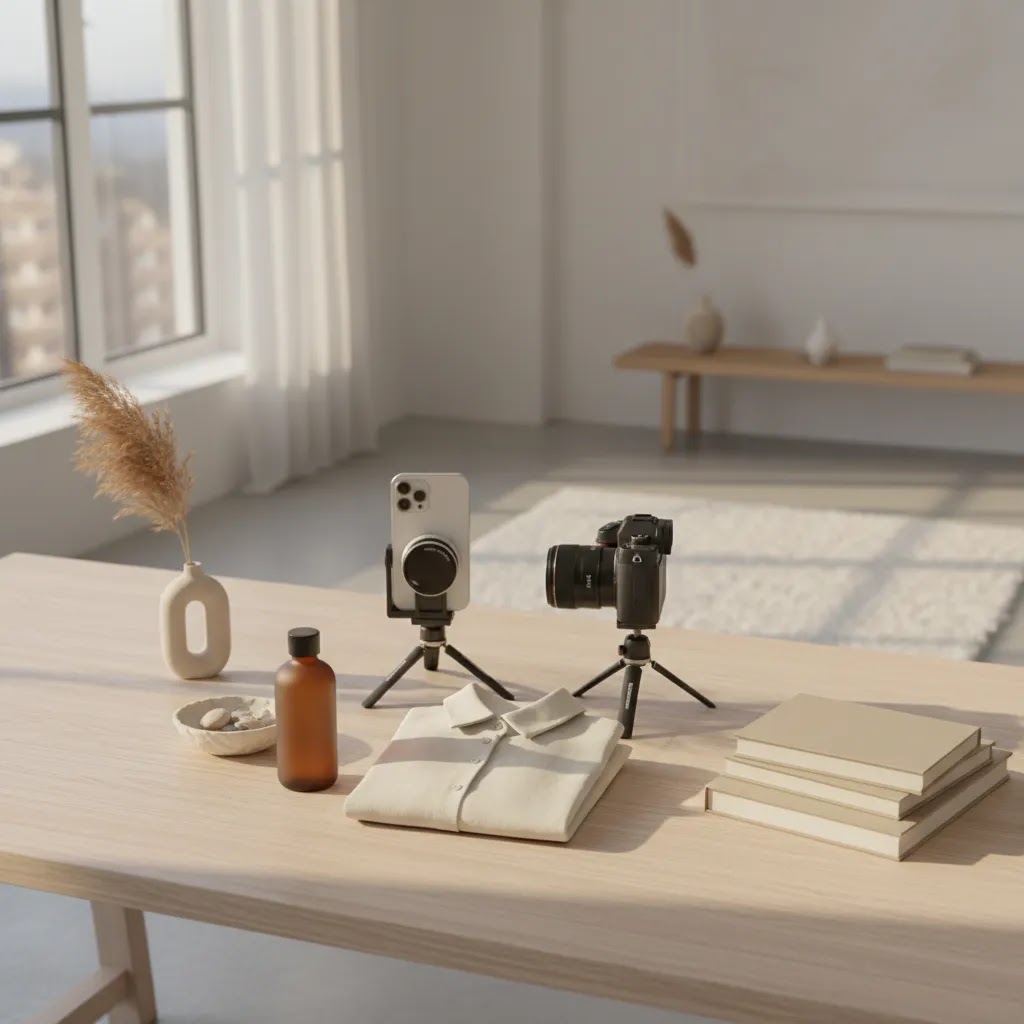
Pinterest can be a strong discovery channel for ecommerce brands, but only if your visuals stop the scroll and make sense in a shopping context. Pinterest product photography is not just about pretty images. It is about creating vertical, idea-led visuals that fit how people browse, save, and buy. If you sell on Shopify, this usually means balancing brand style with clear product visibility, mobile-friendly composition, and image consistency across your catalog. Before you invest in a new workflow, it helps to understand which image styles work best, when AI editing can save time, and when a more hands-on setup is worth it. If you are comparing photography workflows across your store, this overview of ecommerce tools is a helpful place to start.
Contents
- What Pinterest product photography needs to do
- Key features of pin-worthy product images
- Pinterest product photography ideas (by product category)
- Useful tools for creating Pinterest-ready photos
- Product photography ideas at home (phone setup that looks professional)
- Pros and Cons
- Who this approach is for
- AcquireConvert recommendation
- How to choose the right Pinterest image workflow
- Pinterest-first image styling for saves (props, backgrounds, and branding)
- Frequently Asked Questions
- Key Takeaways
- Conclusion
What Pinterest product photography needs to do
Pinterest sits somewhere between search, social discovery, and visual planning. People are often looking for ideas first and products second. That changes how your product photography should work.
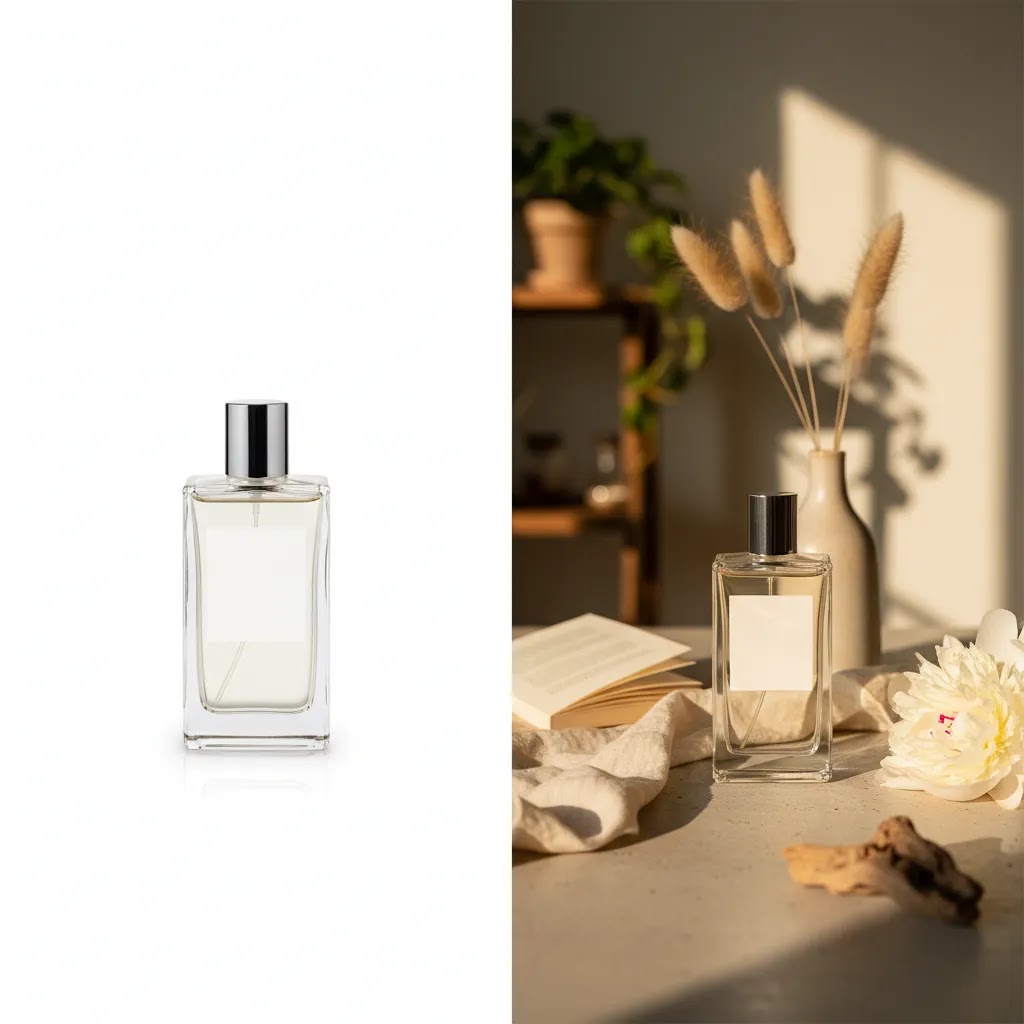
A standard white-background product shot still matters for ecommerce, especially on product pages and marketplaces. But on Pinterest, a flat catalog image often gets ignored unless it is paired with a stronger concept. The best pins usually combine product clarity with context. That could mean a skin care bottle on a styled bathroom shelf, a shirt shown on-body with room for text overlay, or a close-up product detail that highlights texture.
For Shopify merchants, the goal is not to replace your core PDP imagery. It is to create an additional image layer tailored to discovery. Your Pinterest visuals should support higher click potential, better save rates, and stronger consistency with the landing page experience.
If you already optimize for marketplaces, you will notice some overlap with amazon product photography. The difference is that Pinterest gives you more room for mood, storytelling, and vertical layouts. It also rewards brands that understand broader ecommerce photography fundamentals rather than relying on one image type everywhere.
Key features of pin-worthy product images
If you want good product photography for Pinterest, focus on image decisions that match the way users browse on mobile screens.
Vertical composition
Pinterest favors tall images. A vertical crop gives your product more screen space and leaves room for styling, props, or text overlays. This matters for categories like beauty, apparel, home, and food where context improves click appeal.
Clear product hierarchy
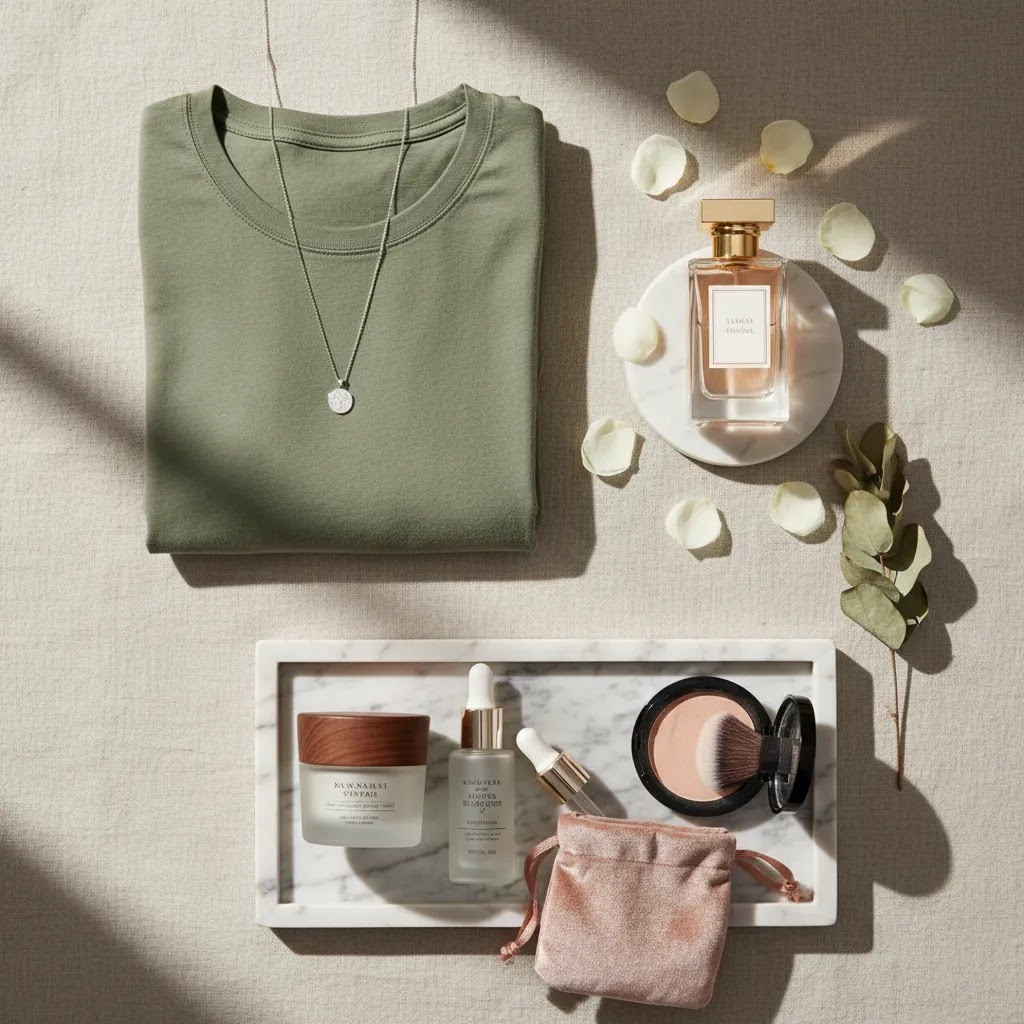
Your hero product should be obvious within a second. Busy flat lays can work, but only when the product remains the visual priority. If the pin looks like a mood board and not a product-led image, click intent may drop.
Context without confusion
Lifestyle setups often outperform plain packshots on Pinterest because they help shoppers imagine use. That is especially relevant for skin care product photography Pinterest searches, product photography perfume concepts, and product photography makeup ideas. The key is to show use context without hiding the product or changing color accuracy too much.
Texture and close-up detail
Close up product photography is valuable on Pinterest because it adds visual interest and can communicate quality fast. Fabric texture, label finish, dropper details, or cosmetic formulas all work well when the image stays sharp.
Consistent editing
If your feed has mixed backgrounds, random lighting styles, and uneven crops, the brand feels less trustworthy. Consistent lighting, spacing, and color treatment help your pins feel connected even when each image uses a different scene.
Room for modular production
Store owners rarely have time for one-off creative production for every SKU. A practical workflow uses reusable scenes, templates, and editing tools to create multiple Pinterest assets from one shoot.
Pinterest product photography ideas (by product category)
Here is the thing about Pinterest, people browse by intent, not by brand. They type in a routine, a room, a vibe, a problem, or a season. Then they save what matches that moment. That is why category-specific concepts tend to outperform generic product shots.
From a practical standpoint, you want idea-led pins that still keep the product as the hero. That means the product is largest, sharpest, and most readable thing in the frame. Your styling should support the story, not replace it.
Skin care and beauty
Beauty pins often win on texture, routine, and ingredient credibility. You can get a lot of mileage out of a single product by shooting it in a few repeatable formats:
- In-routine moment: cleanser at the sink, serum on a vanity tray, moisturizer next to a folded towel. Keep the label facing camera, and avoid extreme color filters that change how the product looks.
- Texture close-up: a smear on glass, a dropper drip, a macro of shimmer or pigment. This is where close up product photography earns saves because it communicates results visually.
- Step-by-step set: three tiles in one vertical image, such as cleanse, treat, moisturize. If you create this as a single pin, make the product packaging clear in each step.
- Ingredient spotlight: show the hero ingredient as a simple supporting prop, not a busy collage. Think one citrus slice, one oat cluster, one botanical sprig, then let the product dominate.
- Before and after framing: if you use before and after concepts, be conservative and truthful, and make sure you are not implying outcomes you cannot back up. Many stores use this as an educational “what to expect” pin rather than a promise.
What many store owners overlook is how often Pinterest users save based on routine clarity. If your image communicates “this fits into your morning” or “this is the one step you are missing,” you typically get stronger save intent than a generic bottle shot.
Jewelry and accessories
With jewelry, the biggest barrier on Pinterest is scale. If the shopper cannot tell how big it is, what it is made of, or how it sits on the body, they hesitate.
- On-body detail: ear, neck, wrist, hand. Keep backgrounds simple and lighting soft to preserve metal color and gemstone accuracy.
- Material and finish macro: clasp detail, stone setting, texture of metal, engraving. These tend to get saved because they help shoppers validate quality quickly.
- Outfit pairing: one neutral outfit with the jewelry as the highlight. The goal is not full fashion editorial, it is “this goes with what I already wear.”
- Gift-ready concept: simple box, ribbon, and one hint of occasion. Keep the product visible, not hidden in packaging.
Clothing and apparel
Apparel pins work best when they answer fit questions fast. Pinterest is full of outfit ideas, which is an advantage for Shopify apparel brands if your photography makes the product obvious and shoppable.
- On-body hero: full-length or 3/4 crop, clean background, consistent pose. Leave a little negative space if you plan to add text overlays later.
- Flat lay with structure: if you flat lay, make it intentional. Steam or press first, keep sleeves and seams tidy, and use props sparingly so the clothing silhouette stays clear.
- Fabric and detail close-ups: stitching, knit texture, button detail, lining. These support trust and reduce surprises when the shopper clicks through.
- Outfit grid: top, bottom, shoes, and one accessory, shot in a consistent style. Make sure your product is the most prominent piece in the layout.
Think of it this way, the pin earns the save because it is a styling idea, but it earns the click because the item is clearly the hero.
Home goods, decor, and kitchen
Home categories tend to perform on Pinterest because users are planning rooms, storage, and seasonal refreshes. Your photography should show scale, placement, and the “before” problem it solves.
- In-room placement: show the product where it lives, such as a candle on a side table, a storage bin in a closet, a cutting board on a counter.
- Scale cue: add one familiar object, such as a book, hand, or plate, so shoppers immediately understand size.
- Set or bundle layout: if you sell sets, photograph them like a set. Pinterest shoppers often save “full look” images, and sets make that easy.
- How it is used: a quick “open, fill, store” sequence for organizers, or “before and after” for decor, as long as it remains accurate.
Reusable prompts you can apply to almost any SKU
If you want a simple way to plan ideas quickly, reuse prompts across your catalog. For most Shopify store owners, these are the repeatable Pinterest formats that scale:
- “On counter” (clean lifestyle placement)
- “In hand” (scale + human connection)
- “In routine” (step-by-step use context)
- “Detail macro” (texture, finish, craftsmanship)
- “Bundle layout” (set value and variety)
If you pick three prompts per SKU and keep them consistent, you end up with a system, not random one-off pins.
Useful tools for creating Pinterest-ready photos
You do not always need a full studio team to create Pinterest-friendly images. For many Shopify stores, a hybrid setup works well: shoot a clean original image, then produce channel-specific variants through editing and mockups.
Here are a few relevant tools and resources from the current AcquireConvert dataset:
- AI Background Generator: useful for creating alternate styled scenes from existing product images. See AI Background Generator.
- Free White Background Generator: helpful when you need clean source images before creating Pinterest lifestyle versions. See Free White Background Generator.
- Background Swap Editor: practical if you want to test multiple visual directions without reshooting. See Background Swap Editor.
- Place in Hands: useful for beauty, wellness, and small packaged products that benefit from a more human presentation. See Place in Hands.
- Creator Studio: a broader creation workflow for building image variations at scale. See Creator Studio.
These can help if you are exploring an ai product photography app workflow, but they are not a full substitute for strong source photography. If your original image has poor lighting, inaccurate color, or soft focus, editing tools can only go so far.
For some brands, especially those producing large campaign sets, a dedicated product photography studio may still be the better fit. That is often true when you need repeatable seasonal shoots, exact brand styling, or high-volume catalog consistency.
Product photography ideas at home (phone setup that looks professional)
Most Shopify merchants start at home, often with a phone. That can work, as long as you treat it like a repeatable setup and not a random photo on your kitchen table.
Use light you can control
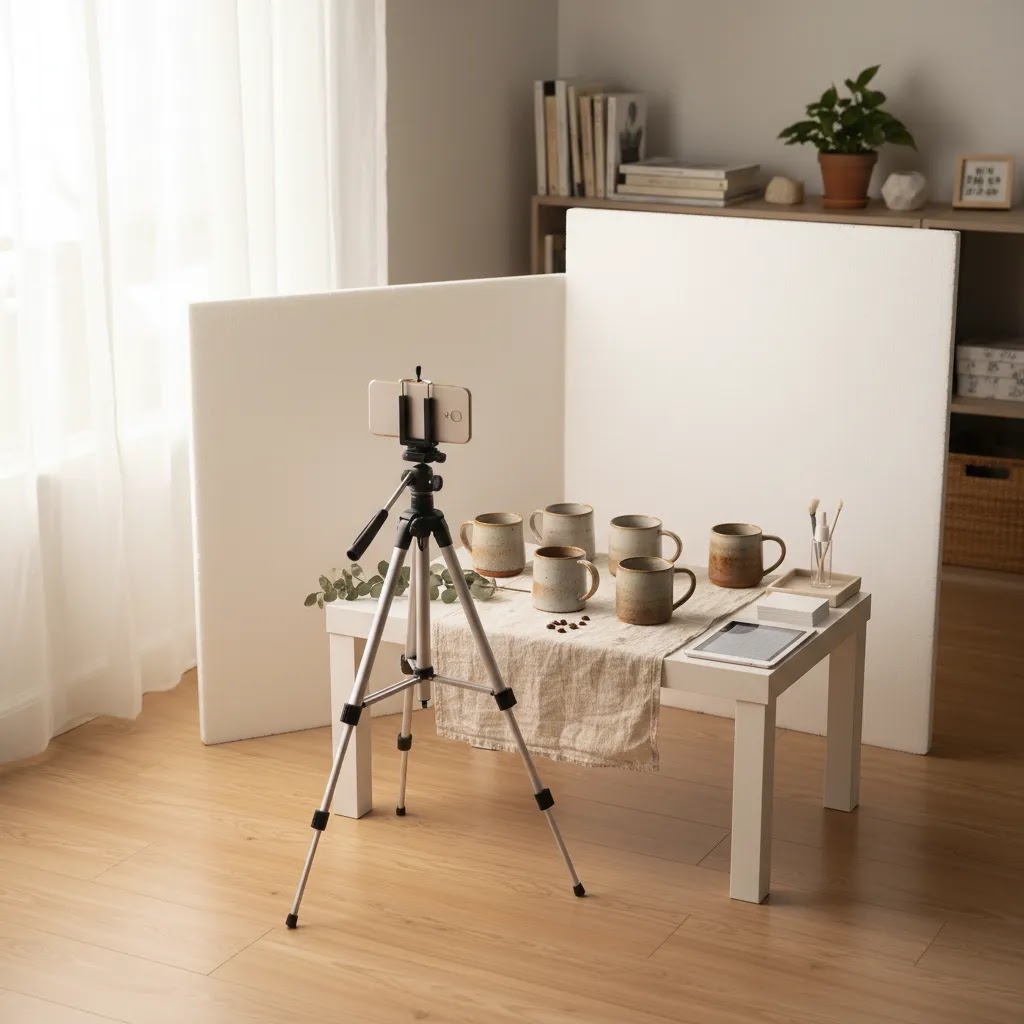
Window light is usually the best starting point because it is soft and flattering. Set up near a large window with indirect light, then turn off mixed indoor bulbs that can create weird color casts. If the sun is harsh, diffuse it with a sheer curtain.
If you need consistency across days, a basic continuous light can be easier than chasing window light. The goal is not a dramatic look, it is stable lighting that keeps your product color accurate for ecommerce. That matters on Pinterest because the click often happens on the promise of “that exact shade” or “that exact material.”
Pick one simple backdrop and stick to it
A clean foam board, a paper roll, a neutral wall, or a simple tabletop can all work. What matters is that your backdrop does not fight your product. Many stores get better results by choosing one or two “house backdrops” and using them for most SKUs so the feed feels consistent.
To control shadows, pull the product away from the background a bit. If the product is right against the wall, you tend to get hard shadows that make the image feel amateur.
Phone shooting details that actually matter
If you are using a phone for Pinterest product photography, the little habits add up:
- Use the 1x lens as your default. Ultra-wide lenses can warp product shapes and labels.
- Do not use digital zoom. Move your phone closer, or crop later, so the image stays sharp.
- Tap to focus on the front label or the key detail, then lock focus and exposure if your camera app allows it.
- Lower exposure slightly if highlights are blowing out on glossy packaging or jewelry.
- Use a tripod, even a small one. Sharpness is a big part of “professional” product photos.
- Keep the same vertical framing. Pinterest rewards consistency, and your workflow gets faster when every shot uses the same crop rules.
The reality is that phones are good enough for a lot of ecommerce use cases, but they punish inconsistency. A steady camera, repeatable distance, and controlled light can matter more than the brand of phone you have.
A mini shot checklist you can reuse across your catalog
When you need output at scale, consistency beats creativity. Before you shoot a new SKU, run through a quick checklist:
- Same distance from product (mark it on the floor with tape if needed)
- Same camera height (for example, label-level for bottles, slightly above for flat lays)
- Same crop logic (leave similar headroom and side spacing each time)
- Same white balance approach (avoid mixing daylight and indoor light)
- Same prop restraint (one supporting prop is usually enough)
Once you have a repeatable source photo, editing tools and background swaps become much more reliable, because you are starting from clean inputs.
Pros and Cons
Strengths
- Pinterest-focused imagery can give your products more discovery value than relying on standard catalog shots alone.
- Vertical, styled visuals are often better suited to mobile browsing and may earn more saves than plain product cutouts.
- A single shoot can produce multiple assets for Pinterest, product pages, ads, and email if planned well.
- Beauty, apparel, home, and gift products often benefit from idea-led imagery that shows use, texture, or aspiration.
- AI-assisted background and mockup tools may reduce production time for merchants who need more creative variations.
- A Pinterest workflow can help you test different visual hooks before investing in larger creative campaigns.
Considerations
- Pinterest visuals that are too stylized can create a mismatch if the landing page shows only plain PDP images.
- AI-edited images still need careful review for realism, color accuracy, and brand consistency.
- Not every product category performs equally well on Pinterest, especially if buying intent is low or visuals are hard to differentiate.
- Creating channel-specific imagery adds workflow complexity if your team already struggles to maintain core product photography.
Who this approach is for
Pinterest product photography is a good fit for Shopify merchants who sell visually expressive products and want more top-of-funnel discovery without depending only on paid ads. It is especially relevant for skin care, cosmetics, apparel, accessories, candles, gifts, home decor, and wellness brands.
If your store already has basic PDP photography but lacks creative channel-specific assets, Pinterest can be a smart next step. It is also useful for brands testing seasonal collections, gift guides, and educational content that benefits from saveable imagery. If your current catalog images are weak, fix those first. Pinterest works best as an extension of a solid product photography foundation, not as a workaround for it.
AcquireConvert recommendation
For most ecommerce brands, the best Pinterest image strategy is not choosing between traditional photography and AI editing. It is combining them in a practical way. Start with clear, conversion-friendly source images. Then build Pinterest variants with better crops, styled backgrounds, and concept-led layouts that still feel honest to the product.
That balanced approach fits how Giles Thomas typically frames ecommerce decisions on AcquireConvert. As a Shopify Partner and Google Expert, his guidance tends to focus on what a store owner can actually implement, test, and improve over time. If you are comparing production options, review AcquireConvert’s guides on mockup generator workflows and the broader E Commerce Product Photography category. If your brand leans more editorial or aspirational, the Lifestyle Product Photography section is also worth exploring.
How to choose the right Pinterest image workflow
If you are deciding how to produce Pinterest-ready images, use these criteria.
1. Start with the role Pinterest plays in your funnel
If Pinterest is mainly an awareness channel for you, prioritize eye-catching lifestyle visuals and educational pins. If you already get Pinterest traffic with commercial intent, create stronger product-led imagery with tighter alignment to the product page.
2. Match the workflow to your catalog size
A small skin care brand with 12 SKUs can justify more tailored visuals. A larger catalog may need templates, reusable sets, and AI-assisted editing to stay efficient. This is where remote product photography or modular editing can save time.
3. Think about image reuse across channels
The best Pinterest asset is often one that can be repurposed. A close-up crop might work for email. A vertical lifestyle version might work for Meta ads. A cleaner white-background version may support marketplace listings. Planning reuse lowers your content cost per image.
4. Be honest about realism requirements
If your product has strict color expectations, such as makeup, apparel, or cbd product photography where compliance and clarity matter, keep editing controlled. AI scene generation can help ideation, but you still need human review. For high-trust categories, misleading image styling can hurt conversion later.
5. Build a repeatable shot list
Instead of creating random pins, define 4 to 6 repeatable image types. For example:
- Clean hero image
- Vertical lifestyle scene
- Texture or ingredient close-up
- On-body or in-hand photo
- Text-overlay educational pin
- Seasonal or gift-focused variation
This works especially well for shirt product photography, product photography makeup, and product photography perfume, where consistency across styles can strengthen the brand feed.
If you are still building your base setup, learn from adjacent image standards such as ecommerce photography. Then create Pinterest variations only after you know your core product images are accurate, clear, and conversion-friendly.
Pinterest-first image styling for saves (props, backgrounds, and branding)
Pinterest is a save-first platform. People collect images that match an aesthetic, season, or plan. So your styling should support “save intent” while still making it obvious what you sell.
Consider this, a pin that feels like a mood-board can earn saves but lose clicks if the product is not clearly the hero. Your goal is to create an image that looks aspirational, but still reads like a product-led visual at a glance.
How to style for saves without losing product clarity
Start with the product, then build the scene around it. Use props to suggest use or category, not to add clutter. For most Shopify store owners, a restrained setup typically wins:
- Pick a single “supporting story,” such as morning routine, giftable moment, or clean home refresh.
- Use one to three props max, and keep them in the same visual family as your brand.
- Leave negative space. This gives your image breathing room and also gives you the option of adding text later without covering the product.
- Keep the product label, silhouette, or key feature facing camera, even in lifestyle scenes.
The way this works in practice is simple. If you sell skin care, the prop should reinforce routine and texture. If you sell apparel, the prop should reinforce fit and styling. If you sell home goods, the prop should reinforce placement and scale.
Props and backgrounds that work well on Pinterest
You do not need a warehouse of props. You need a small prop kit that creates consistent brand cues across pins:
- Restrained prop palettes: stick to neutrals and one accent color that matches your brand. This keeps your feed coherent and reduces the “random” look.
- Seasonal swaps: rotate small elements, such as greenery, citrus, linen, or gift wrap, rather than rebuilding your whole style each season.
- Simple surfaces: matte stone, light wood, plain tile, neutral paper. Avoid heavy patterns that fight with packaging and make the product harder to read on mobile.
- Brand color continuity: if your Shopify theme and packaging lean minimalist, keep pins clean. If your site is colorful, bring that color in through a controlled backdrop or one prop rather than a chaotic scene.
What many store owners overlook is message match. If your Pinterest pin is dark, moody, and heavily styled, but your product page is bright white, that disconnect can reduce trust. Your pin does not need to look identical to your PDP images, but it should feel like the same brand.
Common Pinterest styling mistakes (and how to fix them)
Most underperforming pins are not failing because the product is bad. They fail because the image is hard to process quickly.
- Too busy: if you have multiple focal points, remove props until only one idea remains.
- Unclear scale: add a hand, a model, or a familiar object, and make sure it supports the product rather than stealing attention.
- Distracting patterns: swap patterned surfaces for matte, plain backdrops so your product edges and labels pop.
- Mismatched aesthetic to landing page: bring your pin closer to your Shopify look using similar brightness, background tone, and styling level.
- Product not the hero: increase product size in the frame, sharpen the label, and simplify everything around it.
If you fix those five issues, your pins usually look more intentional, which is a big part of earning saves and clicks.
Frequently Asked Questions
What image style tends to work best for Pinterest product photography?
In many cases, vertical images with a clear focal product and some lifestyle context work well. Pinterest users often respond to idea-led visuals rather than plain packshots. That said, the best style depends on category. Beauty, apparel, and decor usually benefit from styled scenes more than technical or commodity products.
Do I need a professional photographer for Pinterest images?
Not always. A product photography professional may be worthwhile for launches, hero campaigns, or premium brands with strict visual standards. Smaller stores can often start with a simple lighting setup, strong source images, and selective editing tools. The deciding factor is whether you can maintain clarity, consistency, and brand trust.
Can AI tools help with Pinterest product photography?
Yes, they can help with background generation, scene variation, and mockup creation. They are most useful when you already have a solid original product image. AI tools may speed up ideation and testing, but they still require review for realism, proportions, and product accuracy before publishing.
Should Pinterest images match my Shopify product page images exactly?
No, but they should feel connected. Pinterest images can be more editorial, vertical, and styled. Your product page may need cleaner and more conversion-focused shots. The important thing is message match. If the pin promises one visual experience and the landing page shows something very different, trust can drop.
Is white-background photography still useful if I am focusing on Pinterest?
Absolutely. White-background images remain important for product pages, marketplaces, and clean source editing. They may not be your strongest Pinterest creative on their own, but they give you a flexible base for alternate layouts and channel-specific variations. Think of them as core assets, not outdated ones.
What products usually do well with Pinterest-led photography?
Products with visual appeal, gift potential, or lifestyle use cases often fit best. That includes skin care, cosmetics, apparel, accessories, candles, food gifts, and home decor. If your product solves a problem visually or fits into a routine, Pinterest can be a more natural acquisition channel.
How many Pinterest image variations should I create per product?
For many stores, three to five useful variations are enough to start. A clean hero, a lifestyle scene, a detail close-up, an in-use shot, and one seasonal or educational format usually give you enough testing range without creating unnecessary production overhead.
Do Pinterest images need text overlays?
Not always, but text overlays can help if you are teaching, comparing, or framing a use case. They are common in beauty, wellness, and how-to content. Keep them readable on mobile and avoid covering the product. If the image already tells the story clearly, text may not be necessary.
Can mockups work for Pinterest instead of original photography?
Mockups can work for concept testing, promotional campaigns, and some digital-first workflows. They are especially useful when paired with a reliable source image. But for trust-sensitive categories, original photography often remains the stronger choice. Use mockups to extend your asset library, not to replace all real photography.
What size should Pinterest product images be for best results?
Pinterest is a vertical-first platform, so a tall aspect ratio tends to perform well. In many cases, a 2:3 ratio is a practical default because it fills more mobile screen space without getting awkwardly long. If you are exporting from your product photos, prioritize sharpness and consistent cropping over chasing a single “perfect” pixel size. If your pins include text, check readability on your phone before posting.
Can I use Pinterest product photography ideas for Instagram too, or should I shoot separately?
You can often reuse the same source photos across channels, but the crops and intent are different. Pinterest usually wants vertical, idea-led images that people save. Instagram often rewards tighter lifestyle moments, carousels, and short-form video. A practical approach is to shoot once, then export multiple crops: a vertical pin version, a square or 4:5 for Instagram, and a cleaner version for your Shopify product page.
How do I photograph products at home with a phone for Pinterest (without it looking amateur)?
Control your light, stabilize your phone, and make your framing repeatable. Use indirect window light or a consistent continuous light, then shoot on the 1x lens with a tripod. Tap to focus on the product label or key detail, avoid digital zoom, and keep your backdrop simple. If you can repeat the same crop and lighting across SKUs, your images tend to look more professional even before editing.
What are the best product photography ideas for clothes (flat lay vs on-body) on Pinterest?
On Pinterest, on-body photos often win when fit and silhouette matter, because they help the shopper imagine wearing the item. Flat lays can still work, especially for outfit planning, but they need structure: clean styling, pressed fabric, and a clear silhouette. Many apparel brands use both: one on-body hero pin for clarity, plus one flat lay outfit concept for saves.
Key Takeaways
- Create Pinterest images for discovery, not just catalog display. Vertical, styled visuals usually fit the channel better.
- Keep your product obvious. Context helps, but the image still needs a clear hero item and accurate representation.
- Use AI editing to expand variations, not to rescue weak original photography.
- Build a repeatable shot list so your team can create Pinterest assets consistently across collections.
- Make sure your pin creative and landing page experience feel aligned to support trust and conversion.
Conclusion
Pinterest product photography works best when you treat it as a channel-specific creative system, not just another place to upload product shots. The strongest approach for most ecommerce brands is a blend of accurate source photography, vertical composition, selective styling, and efficient post-production. That gives you images that look strong on Pinterest without creating a disconnect on your store.
If you want a practical next step, review your top 10 products and map out three image types for each: a clean hero, a lifestyle version, and a close-up detail. Then compare that workflow against other creative options on AcquireConvert. Giles Thomas’s practitioner-led guidance is especially useful if you want to make smarter photography decisions for a Shopify store without overcomplicating production.
This article is editorial content created for educational purposes and is not a paid endorsement unless explicitly stated otherwise. Pricing and product availability are subject to change, so verify current details directly with the provider. Any performance outcomes discussed are illustrative only and not guaranteed. External tool links are included where relevant to help ecommerce store owners evaluate their options.

Hi, I'm Giles Thomas.
Founder of AcquireConvert, the place where ecommerce entrepreneurs & marketers go to learn growth. I'm also the founder of Shopify agency Whole Design Studios.