Product Photography Requirements (2026)


Product photography requirements vary more by platform than many store owners expect. The image that works on your Shopify product page may still fail Amazon review, look weak in a marketplace grid, or create trust issues in paid ads. For most ecommerce brands, the goal is not just meeting technical specs. It is creating images that load fast, look accurate, and help shoppers feel confident enough to buy. This guide covers the practical requirements that matter across major platforms, including file setup, backgrounds, dimensions, consistency, and where AI tools can realistically help. If you sell on Shopify, Amazon, or both, this is the checklist to review before you invest in a shoot, use a mockup, or test AI-generated product images.
Contents
- Overview
- Technical Specs Checklist (File Types, Dimensions, Aspect Ratios, Compression)
- Platform-Specific Requirements
- Product Photography Setup for Beginners (Home Studio + Phone)
- AI Tools and Editing Options
- Pricing and Costs
- Trust and Credibility
- Common Questions and Myths Store Owners Repeat
- Key Features to Prioritize
- Pros and Cons
- Who This Guidance Is Best For
- How to Get Started
- Frequently Asked Questions
Overview
Product photography requirements usually fall into two groups: technical compliance and conversion impact. Technical compliance covers dimensions, file type, background rules, cropping, and image clarity. Conversion impact covers whether the image actually helps a shopper understand the product, trust the brand, and move toward checkout.
That distinction matters. A platform may accept an image that still performs poorly because lighting is inconsistent, colors are off, or the product fills too little of the frame. Store owners often discover this after listings go live.
For Shopify merchants, image requirements are generally more flexible than marketplace requirements. You have more control over your theme, layout, and merchandising strategy. On Amazon, standards are stricter, especially for main images. If you sell across channels, it helps to build a master image workflow that can be adapted by destination rather than starting from scratch every time.
If you are still comparing workflows, AcquireConvert approaches this from a practical ecommerce angle shaped by Giles Thomas’s experience as a Shopify Partner and Google Expert. That means focusing on what helps merchants publish faster without weakening trust, especially when balancing manual shoots, AI editing, and the broader stack of ecommerce tools that support growth.
Technical Specs Checklist (File Types, Dimensions, Aspect Ratios, Compression)
If you sell on multiple channels, a lot of the pain comes from avoidable rework. Someone exports a set for Shopify, then another person resizes for Amazon, then your ads team crops again for social. You end up with four versions of the same SKU and none of them match perfectly.
From a practical standpoint, you want one baseline spec you standardize on for your master exports. Then you create channel-specific versions only when a platform forces you to.
Baseline specs many ecommerce teams standardize on:
- File type: JPEG for most product photos, PNG only when you truly need transparency or crisp edges on graphic-heavy assets. PNG files are typically heavier, which can slow pages if you overuse them.
- Dimensions: Keep a consistent long edge for your product images so zoom looks good and crops stay predictable. Many stores choose something like 2000 px to 3000 px on the long edge for master exports, then downsize only when needed. The exact number depends on your theme’s image rendering and how aggressive you want to be on performance.
- Aspect ratio: Pick one “catalog default” and stick to it for your core product shots. Square (1:1) is the simplest for clean collection grids. 4:5 often works well for social placements and can still look strong on Shopify. 16:9 is usually a secondary format for banners or video thumbnails, not your core catalog images.
- Background approach: White background for marketplace-first workflows, or a consistent neutral background for DTC-first brands. If you plan to sell on Amazon, you typically need marketplace-ready white background main images regardless of what you use on Shopify.
When transparent PNG actually helps: If you are building bundles, “what’s included” graphics, or you need to place the product cleanly into a designed layout, transparency can be useful. For most standard product shots, it is not a requirement, and it may create larger files than you want on product pages.
Compression and performance for Shopify: Shopify themes are often image-heavy, especially on collection pages. Big, uncompressed files can hurt load time, which may reduce conversion rate and paid traffic efficiency in many cases. At the same time, over-compressing makes your images look soft and low quality.
- Export “web-ready” files, not camera originals. Aim for high visual quality at a sensible file size, and test on mobile data, not just your office Wi-Fi.
- If your theme supports zoom, test the zoom experience on a textured detail (fabric, print, ingredient label). That is where compression artifacts show up first.
- Keep your export settings consistent across your catalog. Inconsistent sharpness is one of those subtle things that makes a store feel less trustworthy.
Naming and versioning for multi-channel workflows: This is boring, but it saves real time. The goal is to stop re-editing the same SKU repeatedly because nobody knows which file is the latest.
- Create one “master” file per image that stays editable (your layered working file), and separate “exports” for each channel or use case.
- Use a consistent naming structure that includes SKU, view, and version, for example: sku123_front_v1, sku123_detail1_v1, sku123_lifestyle_v1.
- If you need channel variants, append the channel, for example: sku123_front_v1_amazon, sku123_front_v1_shopify, sku123_front_v1_social.
The way this works in practice is simple: standardize your master exports first, then only break the rule when a platform forces you to.
Platform-Specific Requirements
Amazon usually has the strictest product photography requirements for ecommerce sellers. Main images typically need a pure white background, no extra props or text, and the product should fill most of the frame. Supporting images can show scale, detail, and lifestyle use, but they still need to look accurate and professional. If Amazon is one of your main channels, review a dedicated amazon product photography workflow before creating a full catalog.
Shopify gives you more creative flexibility. You can use white background images, lifestyle shots, close-ups, swatches, and product bundles based on your theme and brand style. The main requirement is consistency. Your catalog should feel visually unified across collection pages, PDPs, and mobile. Strong ecommerce photography on Shopify usually means balancing clean hero images with secondary visuals that answer buying questions.
Google Shopping sits somewhere between the two. Images need to be clear, accurate, and free of misleading overlays. Promotional text inside the product image may lead to disapproval in some cases. If you rely on paid traffic, image quality can influence click-through rate, but policy compliance comes first.
Social commerce platforms often reward visually richer creative, but your product still needs to remain recognizable. Cropping, aspect ratio, and mobile-first readability matter more here than strict studio conventions.

Product Photography Setup for Beginners (Home Studio + Phone)
What many store owners overlook is that “requirements” are not only pixel dimensions and file types. Your images can meet every spec and still look non-compliant because the setup is inconsistent. The good news is you do not need a full studio to get clean, repeatable product photos for Shopify, and to produce source images you can adapt for other platforms.
A minimum viable home setup for Shopify sellers
If you are starting from scratch, build a setup that prioritizes repeatability. That is what gives you a consistent catalog across collection pages.
- A stable surface: a table, desk, or countertop where you can keep your setup in place for a few hours without constantly moving it.
- A simple backdrop: a sweep (paper or poster board) is often easier than fabric because it stays smooth. Wrinkles read as “cheap,” even if your product is premium.
- Two light sources: two matching lights is better than one strong light, because it reduces harsh shadows. Daylight-balanced bulbs help keep color consistent. The key is using the same type of light for every session.
- Diffusion: soft light looks more professional. A softbox, diffusion panel, or even a simple diffuser can help prevent harsh highlights on packaging.
- A tripod: this is one of the easiest wins. It helps you keep framing consistent across SKUs, which is a big part of making your store look legitimate.
- A repeatable camera position: mark the tripod position on the floor and keep the product in the same spot on the table. This is how you avoid the “every image feels different” problem.
Consider this: consistency is a conversion lever. When shoppers scroll a collection and everything lines up, the store feels more established. That can matter even before they click into a product page.
How to take product photos with a phone without ruining consistency
Phone cameras can absolutely work for ecommerce, as long as you control the variables. Most issues come from auto settings changing from shot to shot.
- Use grid alignment: turn on the camera grid and align your product consistently. This helps you keep horizons level and makes your crops predictable.
- Lock exposure and focus: tap and hold to lock exposure on the product so the phone does not brighten or darken as you move slightly. This is a major cause of inconsistent white backgrounds.
- Keep white balance consistent: mixed lighting is the fastest way to get weird color. If you shoot with artificial lights, avoid having daylight from a window changing your scene as clouds move.
- Avoid digital zoom: digital zoom reduces quality. Move the camera closer instead, or shoot wider and crop later so every image uses the same lens behavior.
- Keep lens height consistent: if one product is shot slightly above and another at eye level, your catalog looks messy. Keep the lens at the same height for a whole category.
For most Shopify store owners, the goal is not perfect photography. It is controlled photography. A consistent phone workflow typically beats an inconsistent “better” camera.
Common home-setup mistakes that can make images look non-compliant
These are the issues that cause platform review problems or make images feel untrustworthy, even when the file specs are technically correct.
- Mixed light color: overhead warm house lights plus cool daylight creates odd shadows and color casts that are hard to fix later.
- Harsh shadows: one strong light source creates heavy shadows that make products look less premium and can cause ugly edges on white backgrounds.
- Wrinkled backdrops: wrinkles look like low effort. If you use fabric, steam it, stretch it, or switch to paper.
- Inconsistent margins: if some products are cropped tight and others float in a big empty space, your collection grid looks chaotic. Set a simple crop rule and follow it.
Here’s the thing: once you can shoot a clean, consistent base set at home, tools and editing become much more effective, because you are starting from a stable input.
AI Tools and Editing Options
AI can help with product photography requirements, but it is not a substitute for accuracy. Its best use is improving production speed, generating variations, and cleaning up usable source images. Based on the current product data available, relevant options include AI Background Generator, Free White Background Generator, Increase Image Resolution, Remove Text From Images, Background Swap Editor, Place in Hands, Magic Photo Editor, and Creator Studio.
These tools are most useful when you need to prepare channel-specific versions of the same product image. For example, a white background generator may help create a compliant-looking marketplace image, while a background swap tool can produce a more contextual version for social or Shopify merchandising. A text removal tool may help salvage images that contain overlays you no longer want. Resolution enhancement can help in some cases, but it should not be treated as a cure for weak source photography.
If you need quick concept visuals for bundles or staged scenes, a mockup generator can be useful for internal testing or lower-risk merchandising placements. Still, merchants should be careful about using AI-generated or heavily edited images as a substitute for factual product representation on strict platforms.
For brands building a repeatable visual workflow, AI works best as an editing layer after you establish a reliable shot list, color standards, and a clear naming structure.
Pricing and Costs
The available product data includes tool names and URLs, but it does not provide current public pricing for the AI image tools listed. Because of that, it would not be accurate to quote plan tiers or subscription costs here.
What you can plan for is the cost structure around product photography requirements. In most cases, your spend will come from three buckets: image creation, image editing, and platform adaptation. Image creation may involve an in-house setup, freelance photography, or a dedicated product photography studio. Editing costs may include retouching, background cleanup, resizing, and export preparation. Platform adaptation covers the time or software needed to prepare versions for Amazon, Shopify, Google Shopping, and social placements.
If you are evaluating AI-based product photography, treat the software fee as only one part of the decision. You also need to consider quality control time, potential reshoots, and the risk of publishing images that do not match the product closely enough.
For lean teams, the most cost-effective path is often a hybrid one: capture a strong core image set first, then use AI or editing tools to extend those assets across channels.
Trust and Credibility
Strong product photography is a trust signal before it is a design choice. Shoppers use images to judge quality, fit, scale, and legitimacy. Poor cropping, inconsistent backgrounds, or obviously artificial edits can reduce confidence, especially for first-time visitors.
This is even more important for stores with limited brand recognition. Established brands may get more room for visual experimentation because shoppers already trust the name. Smaller stores usually do not have that advantage.
From an operational standpoint, trustworthy product imagery should be accurate, repeatable, and channel-appropriate. That means colors should be close to reality, edited scenes should not mislead, and your catalog should maintain a consistent look. If you are developing a broader image process, reviewing the category structures for E Commerce Product Photography and Catalog Photography can help you standardize by use case instead of making image decisions one SKU at a time.
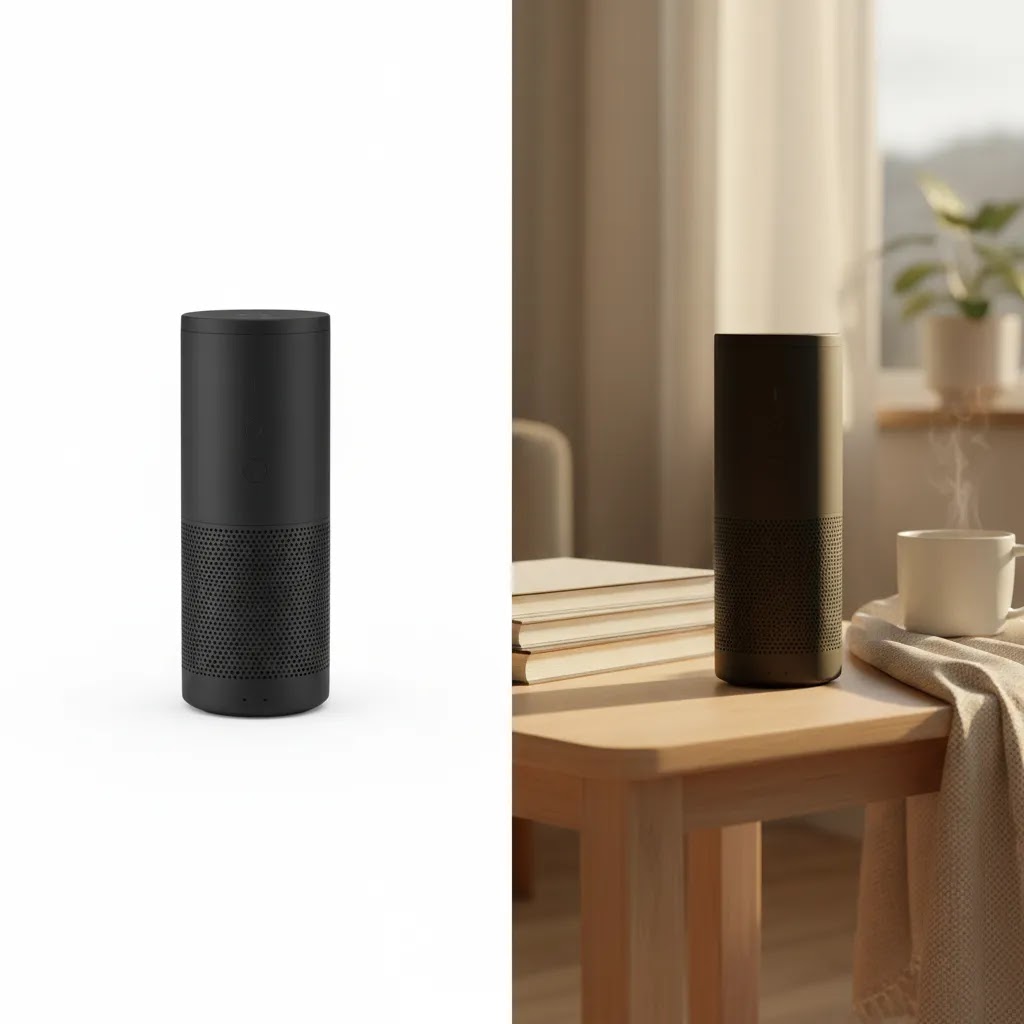
Common Questions and Myths Store Owners Repeat
If you have ever searched something like “product photography requirements reddit,” you have probably seen conflicting answers. One seller says Amazon rejected their images for a tiny shadow, another says shadows are fine. One brand swears by AI, another says AI gets you banned everywhere. The reality is that different outcomes can happen because platforms review listings differently over time, categories have different enforcement patterns, and some images pass until they hit a manual review.
Think of it this way: “requirements” are a mix of written rules, automated checks, and human judgment. That is why a standardized workflow is more useful than chasing edge-case anecdotes.
What rules are real, and what is mostly myth?
Myth: If the image meets pixel requirements, it is compliant. Pixel requirements are the minimum. Platforms also look at background cleanliness, whether the product is clearly visible, and whether the image contains prohibited elements like certain overlays.
Myth: White background always performs best. White backgrounds can work well for clarity and marketplaces, but Shopify stores often sell better with a mix that includes detail, scale, and lifestyle. For many products, white-only galleries feel sterile and leave buying questions unanswered.
Myth: AI edits are always disallowed. Some AI edits are basically standard post-production, like background cleanup or removing stray marks. The risk shows up when AI creates details that are not true, changes packaging, alters color, or generates “fake” scenes that could mislead. If you are unsure, treat AI as an editing assistant, not a product inventor.
Myth: You need expensive gear to look professional. You need consistent light and consistent framing more than you need a premium camera. A controlled phone setup can outperform a rushed DSLR shoot with mixed lighting.
Do you need a course, a studio, or just a standardized process?
Most Shopify store owners do not need more information. They need fewer variables.
- Start with a standardized process if your problem is inconsistency. Define angles, crop rules, light setup, and exports. This is usually the fastest path to a better-looking catalog.
- Consider outsourcing or a studio when your products are difficult to shoot well in-house, for example reflective packaging, jewelry, or high-end fashion where lighting and styling are part of the value.
- Consider structured learning if you are repeatedly reshooting because you cannot diagnose what is wrong. One focused skill, like lighting control or color consistency, can save you ongoing time.
The way this works in practice is that process comes first, outsourcing comes second. If you outsource without standards, you often end up paying for revisions because your photographer guessed your crop and background rules.
A simple decision tree: real photos vs mockups vs AI edits
Choosing between real photos, mockups, and AI-based product photography depends on where the image will be used and how strict the channel is.
- If the channel is strict (often marketplaces): prioritize real, accurate product photos that match the actual item and packaging. Use editing for cleanup, not reinvention.
- If the channel is your Shopify store: real photos are still the safest foundation, but you can typically use mockups and AI edits in supportive roles, for example for bundles, gift sets, or concept imagery, as long as the customer is not misled.
- If the channel is ads and social: you may have more room for creative variation, but clarity still matters. Heavily stylized images can get clicks and still hurt conversion if the landing page product looks different.
Now, when it comes to risk, the safest habit is simple: do not publish an image that changes what the product is. If you use AI, review every output like a compliance reviewer would.
Key Features to Prioritize
If you are deciding whether your current workflow meets product photography requirements, these are the features and standards worth prioritizing.
Accurate background control: White background compliance is essential for some marketplaces, while transparent or styled backgrounds may work better on branded storefronts. The important thing is having intentional control rather than publishing whatever comes out of the camera.
Consistent sizing and crop rules: Products should appear uniform across collections. If one item fills 90 percent of the frame and another fills 50 percent, the catalog looks less professional and can reduce perceived quality.
High enough resolution for zoom and mobile clarity: Customers want to inspect texture, stitching, ingredients, finishes, and packaging. Resolution should support that without slowing the page excessively.
Variant-ready asset management: If you sell colorways, sizes, bundles, or seasonal packaging, your workflow should support fast duplication and editing. This is where AI-assisted tools can save meaningful time.
Multi-channel adaptability: The best product image system is not tied to one platform. It should let you publish compliant marketplace images, strong Shopify PDP visuals, and supporting ad creatives from the same source library.
Visual honesty: This is the non-negotiable feature. Edited images should still represent the product truthfully. For ecommerce brands, especially on Shopify, that usually matters more than trying to make every image look dramatic.
Pros and Cons
Strengths
- Understanding platform-specific requirements reduces listing errors and image rework.
- A channel-based workflow helps teams reuse assets across Shopify, Amazon, and paid media.
- AI editing tools may reduce turnaround time for background cleanup, resizing, and variant production.
- Consistent product imagery can improve perceived brand quality and make collection pages easier to shop.
- Clear standards are especially helpful for lean teams without a dedicated designer or studio manager.
Considerations
- AI-generated or heavily edited images may create compliance risks if they misrepresent the actual product.
- Tool pricing is not available in the current product data, so merchants need to verify costs before committing.
- Amazon, Shopify, Google Shopping, and social platforms do not reward the exact same image style.
- Resolution enhancement tools can help, but they do not fully replace a well-shot original image.
Who This Guidance Is Best For
This guidance is best for Shopify merchants selling on multiple channels, Amazon sellers tightening compliance, and small ecommerce teams trying to improve image quality without building a full studio operation. It is also useful for founders testing AI product photography software who want to understand where automation helps and where it can create problems.
If you already have a polished brand photo system, this article is more of a quality-control checklist. If your catalog is inconsistent or you are preparing for marketplace expansion, it should be part of your pre-launch review.

How to Get Started
Start with one product line, not your full catalog. Pick 5 to 10 SKUs and define a minimum image set for each: main image, alternate angles, detail shot, scale reference, and lifestyle image where appropriate.
Next, list the channels where each SKU appears. For Amazon, prioritize compliance. For Shopify, prioritize conversion support. For ads and social, prioritize clarity in smaller placements.
Then build a simple production process. Capture or source the strongest original images you can. Use AI editing only where it solves a specific problem, such as background replacement, overlay removal, or resizing. Review every export on desktop and mobile before publishing.
Finally, document the rules. Your team should know background standards, crop depth, file naming, and which images are approved for each platform. That structure matters more over time than any single editing tool.
Frequently Asked Questions
What are the most important product photography requirements for ecommerce?
The core requirements are clarity, consistency, accurate color, correct cropping, suitable resolution, and platform compliance. Beyond that, each channel has its own preferences. Shopify is flexible, while Amazon is stricter about white backgrounds and main image presentation. The safest approach is to create a strong base image set and adapt it per platform.
Are Amazon product photography requirements different from Shopify?
Yes. Amazon usually applies tighter rules to main images, including background and composition limits. Shopify gives merchants much more visual freedom because the store owner controls the presentation. If you sell on both, plan for Amazon first on technical compliance, then create more branded versions for Shopify product pages and collections.
Can AI-based product photography replace a real product shoot?
Sometimes for concepting, mockups, or lower-risk visual tasks, but not always for core selling assets. AI can help with editing, scene variation, and production speed. It is less reliable when product accuracy is critical. In most cases, the best results come from combining real source photography with careful AI-assisted editing.
Is free AI product photography good enough for a Shopify store?
It can be good enough for testing, placeholder visuals, or secondary merchandising images, especially for early-stage stores. It is less dependable for premium brands, high-consideration products, or marketplaces with strict image rules. Review generated images carefully for realism, consistency, and whether they represent the item honestly.
Do I need a white background for every platform?
No. White backgrounds are common and often preferred for marketplace compliance, but they are not required everywhere. Shopify stores often benefit from a mix of white background product shots and contextual lifestyle images. The right mix depends on the product type, brand style, and where the image appears in the buying journey.
What is the biggest mistake store owners make with product photos?
The biggest mistake is treating all channels the same. A catalog that looks acceptable on a storefront may not meet marketplace rules, and a compliant marketplace image may not be persuasive enough for a branded product page. The second common mistake is over-editing, which can reduce trust if the product looks different in real life.
How many product images should a Shopify store use?
That depends on the product, but most stores benefit from a complete set that answers obvious buying questions. For many products, that means a clean hero image, multiple angles, close-up details, scale context, and a lifestyle or usage shot. The right number is the number that reduces uncertainty without creating clutter.
What is the 20 60 20 rule in photography?
The 20 60 20 rule is commonly shared as a simple planning idea: spend roughly 20 percent of your effort on gear, 60 percent on lighting and setup, and 20 percent on editing. The exact percentages are not a formal standard, but the point is real. For ecommerce, lighting and repeatability usually matter more than camera upgrades.
What are the 7 C’s of photography?
The “7 C’s” is a teaching framework that can vary slightly depending on who is using it, but it usually centers on fundamentals like composition, consistency, color, contrast, clarity, content, and context. For product photography requirements, the most useful ones are consistency, color accuracy, clarity, and context. Those are the elements that reduce returns and increase trust.
What is the 400 rule in photography?
The “400 rule” is often used as a rough guideline for exposure when shooting outdoors, traditionally based around ISO 400 and bright conditions. It is not a product photography requirement, and it is not especially relevant to studio-style ecommerce work. For product photos, you typically want controlled lighting, stable camera position, and consistent exposure, whether you shoot on a phone or a dedicated camera.
Key Takeaways
- Product photography requirements differ by platform, so one image set rarely works everywhere without adjustment.
- Amazon usually demands stricter compliance, while Shopify allows more flexibility for branded presentation.
- AI tools can help with editing and asset extension, but they should not replace product accuracy.
- A hybrid workflow, real photos first and AI support second, is often the most practical option for lean ecommerce teams.
- Consistency, clarity, and visual honesty matter as much as technical specs for conversion performance.
Conclusion
Meeting product photography requirements is not just a technical exercise. It is part of how shoppers evaluate whether your store feels credible enough to buy from. For most ecommerce brands, the best approach is to build a reliable source image library, then adapt those assets by platform rather than chasing one-size-fits-all visuals. AI can help speed up editing and variation work, but it still needs human review, especially for compliance-heavy channels like Amazon. If your current catalog feels inconsistent, start small, standardize your rules, and improve one product line first. That gives you a practical system you can scale without adding unnecessary complexity.
Disclosure: AcquireConvert may receive affiliate compensation from some third-party tool links where applicable. Product tool names and URLs referenced here come from current available data, but pricing details were not provided in that data and should be verified directly with each provider. Any performance impact from improved product photography or AI editing will vary based on your store, traffic sources, product type, and implementation quality. No specific results are guaranteed.

Hi, I'm Giles Thomas.
Founder of AcquireConvert, the place where ecommerce entrepreneurs & marketers go to learn growth. I'm also the founder of Shopify agency Whole Design Studios.