How Product Photos Increase Conversion Rate (2026 Guide)


You launch a product page, send traffic from Instagram or Google, and people click around, but sales stay flat. For many Shopify store owners, the problem is not always pricing or traffic quality. It is often the photos. Shoppers cannot touch your product, test the material, or inspect the details in person, so your images have to do that job for them. If they do not reduce doubt fast enough, visitors leave.
That is why understanding how product photos increase conversion rate matters. Better photos can improve perceived quality, answer key buying questions, and help shoppers imagine ownership before they ever add to cart. In practice, strong visuals support both acquisition and conversion, because the same image quality that earns a click from an ad can also help close the sale on the product page.
If you want a broader view of the tools involved, AcquireConvert has a useful resource on ecommerce tools within its ecommerce photography coverage. This article focuses on what actually moves shoppers from interest to action, and what you can improve this week without guessing.
Contents
- Why photos affect conversion so much
- Product photography stats and benchmarks (what to take seriously)
- What shoppers need to see before they buy
- Image types that help sell on product pages
- Product photography best practices by industry (what “good” looks like)
- Shopify product photo best practices
- Common product photo mistakes that hurt sales
- A simple audit checklist for your current product images
- Using AI tools carefully for ecommerce images
- How to measure the impact of better photos
- Frequently Asked Questions
Why photos affect conversion so much
Online shopping is a trust exercise. Your visitor is trying to answer a few basic questions very quickly: Is this real, is it high quality, will it look like the description, and will it fit my use case? Product images often answer those questions faster than copy does.
Here's the thing, store owners sometimes think of photography as branding only. In reality, photos also function as sales assets. They reduce uncertainty, communicate product value, and shape how premium or reliable your store feels within seconds.
Product photos increase conversion rate because they lower friction in the buying decision. A clear front image helps identify the item. Close-ups help verify quality. Contextual photos help shoppers picture ownership. Together, those elements can shorten the mental gap between browsing and buying.
For most Shopify stores, image quality also influences behavior earlier in the funnel. Better thumbnails can improve click-through from collection pages. Strong hero images may improve ad engagement. That means photography is not just a CRO issue, it connects directly to acquisition efficiency too.
Product photography stats and benchmarks (what to take seriously)
Competitor guides often use shopper-behavior stats to justify investing in images, and they are usually directionally correct. The exact numbers vary by study, niche, and product type, but the pattern is consistent: shoppers rely heavily on visuals to make faster decisions, and they lose trust quickly when images feel unclear, inconsistent, or inaccurate.
In many consumer surveys, a large share of shoppers say product images are one of the most important factors in deciding what to buy online. You will also see research suggesting that clear imagery can reduce perceived risk and speed up the choice between similar products, especially when price points are close and the differentiation is quality, finish, and details.
For Shopify stores, what matters is not the headline number, it is where images influence behavior the most in practice:
- Your hero image and thumbnails often decide whether someone keeps browsing on collection pages
- Your ability to zoom and see details can determine whether a visitor feels confident enough to add to cart
- Your color accuracy and variant consistency can reduce hesitation and prevent “this might not match” doubt
- Your scale images can be the difference between “looks good” and “I get it now” for size-sensitive products
Use stats responsibly. Treat them as a push to prioritize photography, then validate the impact with your own store data. Watch your add-to-cart rate, product page conversion rate, and return reasons. If customers are returning items for size, color, or “not what I expected,” that is usually a signal your images are not answering the right questions yet.

What shoppers need to see before they buy
Consider this, most customers are not asking for “beautiful photography” in the abstract. They want visual proof. They want to know what they are getting, what it looks like from multiple angles, and whether it solves the problem that brought them to your store.
Clarity first, style second
Your lead image has one main job: make the product instantly understandable. If the shopper has to work to figure out what is being sold, your page has already added friction. White background shots are often strong for this reason, especially for catalogs, comparison shopping, or marketplaces.
If you sell across multiple channels, that is even more important. The image requirements and expectations for marketplaces differ from your own store, which is why this guide to amazon product photography is helpful when you need to balance platform rules with conversion goals.
Detail that answers objections
What many store owners overlook is that product photos should answer the same objections your FAQ or support inbox receives. If customers ask about texture, thickness, stitching, scale, or included accessories, your gallery should show those things clearly.
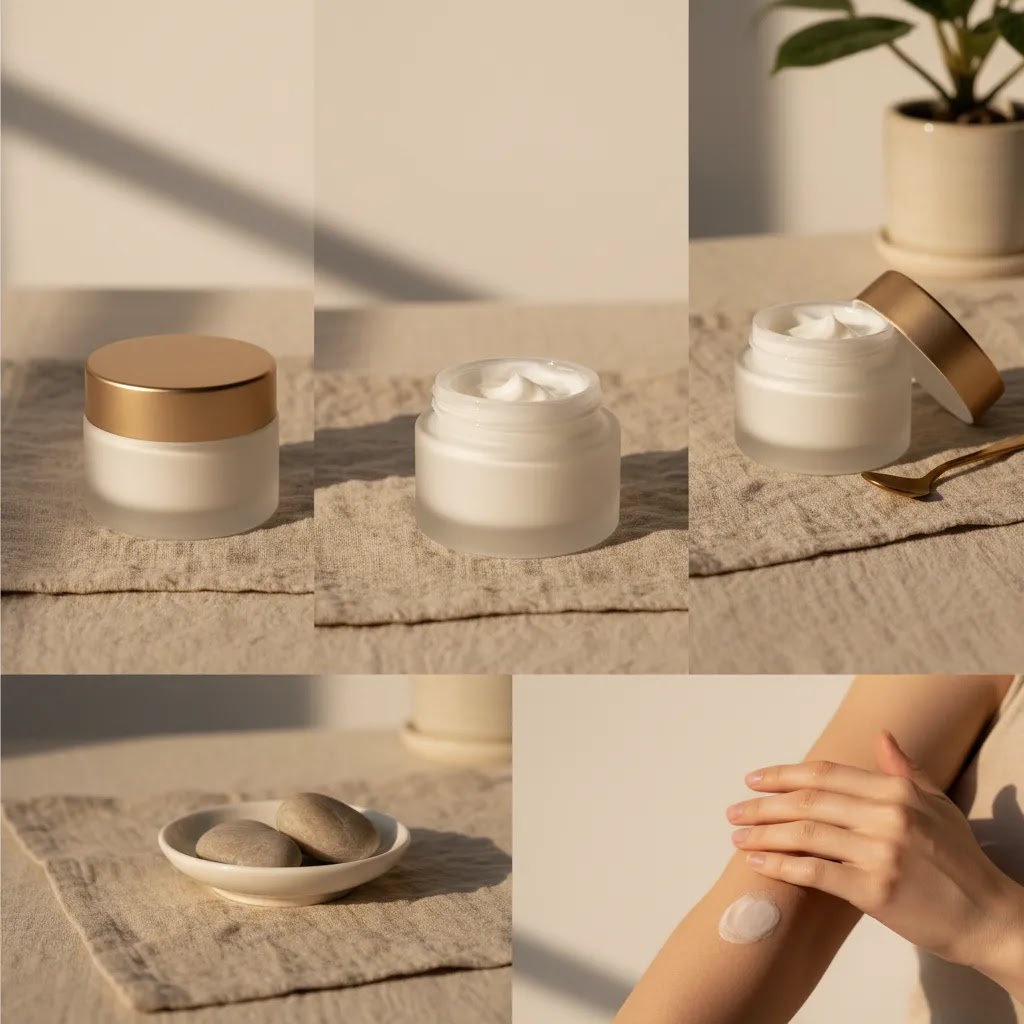
For apparel, that may mean fabric close-ups and model shots from front, side, and back. For home goods, it may mean scale in a room. For beauty products, it may mean packaging, applicator detail, and texture swatches.
Context that makes ownership feel real
Lifestyle imagery can be a major conversion assist because it helps shoppers picture the product in use. That matters most for products where fit, mood, aspiration, or environment influence the sale. Explore AcquireConvert's Lifestyle Product Photography category if you want examples of where contextual images work best.
Image types that help sell on product pages
No single image type does every job. The highest-converting product pages usually combine several image roles, each built to reduce a different kind of hesitation.
The core set most stores need
- Primary studio image: clean, consistent, and easy to scan in thumbnails and product grids
- Angle variations: front, side, back, top, open, folded, or assembled views
- Close-up detail shots: texture, craftsmanship, finish, material, closures, components
- Scale images: hand-held, on-body, room placement, or alongside familiar objects
- Lifestyle images: the product in use, in a believable context
- Feature callout images: annotated visuals showing dimensions, materials, or benefits
Think of it this way, your gallery should replace the physical inspection that happens in a store aisle. If shoppers would normally turn the product over, compare sizes, or inspect the finish, you need visual equivalents on the page.
When studio consistency matters most
If you manage a larger catalog, consistency becomes a conversion factor by itself. Uniform backgrounds, matching crop ratios, and repeatable lighting make your collection pages easier to browse. They also make your store feel more credible.
That is where a more controlled product photography studio workflow can help, whether you build one in-house or use an external setup. Consistency is especially useful for stores with many SKUs, variants, or repeat purchases.
Product photography best practices by industry (what “good” looks like)
“Better photos” means different things depending on what you sell. The way this works in practice is that each product type comes with predictable objections. Your job is to build an image set that answers those objections quickly, especially on mobile.
Apparel and fashion
Apparel shoppers are buying fit and feel, not just color. In addition to clean studio shots, the shots that tend to matter most are on-body images and fabric details. If fit questions are common in your niche, front, side, and back on a model, plus a close-up of texture and seams, usually does more for confidence than another styled scene.
Beauty and skincare
Beauty customers want proof of texture, shade, and packaging. Include a clean product shot, packaging close-ups (cap, pump, applicator), and texture swatches where appropriate. Variant consistency is important here because “that color looks different” is one of the fastest ways to lose a purchase.
Jewelry and watches
Jewelry is a scale and detail game. Macro close-ups help verify craftsmanship, but you also need on-body scale. For rings, show it on a hand. For necklaces, show it worn at different chain lengths if you sell options. For watches, wrist shots often answer “is this too big for me?” faster than any spec table.
Home goods and decor
Home goods need scale, finish, and context. A lifestyle photo in a real room is often the image that makes the product “click,” but do not skip detail shots of materials, corners, and textures. If you sell items with dimensions that are hard to visualize, a dimension callout image can reduce hesitation.
Food and consumables
Food buyers are looking for freshness cues, portion size, and what arrives at the door. Packaging shots matter more than many store owners expect, because they help set expectations for delivery. If the product has a texture component, close-ups can help, but they need to be accurate. Over-styling can backfire if the delivered item does not match the impression.
Electronics and technical products
Electronics buyers want compatibility and what is included. Show ports, buttons, the interface where relevant, and the full “in the box” set. If a product is small, include a scale reference. If it is meant to fit another product, a photo showing that pairing can reduce support questions and increase confidence.
Objection-to-image mapping (examples you can copy)
From a practical standpoint, this is one of the fastest ways to plan your image set. Take your most common buying objections and assign them to specific image types:
- “Will it fit?”: on-body photo, scale reference, and a dimension callout image
- “What does it feel like?”: close-up texture shot, stitching or edge detail, and a natural-light photo that shows finish
- “Is it the right color?”: consistent editing across variants, a true-to-life hero image, and a contextual shot with neutral lighting
- “What do I actually get?”: packaging photo and an “included items” flat lay
- “Is it sturdy?”: close-up of joints, closures, thickness, and any reinforcement points
If you can only add 2 to 3 images per SKU, shoot these first
For most Shopify store owners, time and budget are real constraints. If you cannot rebuild every gallery right now, prioritize the images that remove the biggest uncertainty:
- Upgrade the hero image so the product is instantly clear in thumbnails and on mobile
- Add one scale image that makes size obvious
- Add one close-up detail shot that proves quality, texture, or finish
That small set often covers the most common reasons shoppers hesitate. Then you can layer in lifestyle and feature callouts as you expand the catalog.
Shopify product photo best practices
Strong photography can still underperform if the page experience gets in the way. On Shopify, the way images are displayed matters almost as much as the images themselves.
Make the first image do the heavy lifting
Your first gallery image should be the clearest product representation, not necessarily the most creative one. On collection pages and mobile product pages, that first image often determines whether someone keeps browsing or bounces. Save more atmospheric imagery for later gallery positions.
Use image order strategically
In practice, this means arranging your gallery in a decision-friendly sequence:
- Start with the clearest hero shot
- Follow with alternate angles
- Add close-up detail images
- Include scale or sizing visuals
- End with lifestyle or use-case imagery
This order mirrors how buyers inspect products. It starts with identification, moves into validation, and ends with emotional reinforcement.
Support images with the right page elements
Photos rarely convert in isolation. The difference between stores that convert well and stores that do not is often the combination of images, headlines, reviews, shipping clarity, and returns information. Your visuals should sit near the product title, price, variant selector, and add-to-cart area without forcing too much scrolling.
AcquireConvert regularly covers this practical overlap between visuals and page performance in its E Commerce Product Photography content, which is worth exploring if you are improving both imagery and layout together.
Common product photo mistakes that hurt sales
The reality is, many stores do have enough photos. They just have the wrong photos. A large gallery does not help if it still leaves obvious buying questions unanswered.
Images that are attractive but not informative
Highly styled photos can work well in ads or on social channels, but if your product page relies too heavily on them, customers may struggle to inspect the actual item. If your shopper cannot clearly see the shape, material, or finish, the image is not doing its job.
No scale reference
This is a major issue for jewelry, bags, home decor, beauty items, and specialty accessories. Without a size reference, customers may imagine a product very differently from reality. That mismatch can reduce conversions and may also increase returns.
Inconsistent editing across variants
If one variant looks warm, another cool, and another oversaturated, shoppers may lose confidence in color accuracy. This matters a lot for apparel, cosmetics, and home goods where shade and finish affect purchase decisions.
Weak zoom and mobile presentation
From a practical standpoint, mobile shoppers need fast-loading images that still retain enough detail to inspect. If pinch-to-zoom feels blurry or clumsy, some shoppers may leave rather than guess. Test your product pages on real devices, not just desktop previews.
A simple audit checklist for your current product images
Before you reshoot anything, run a quick audit. This helps you avoid spending time on “more photos” when the real issue is missing scale, the wrong hero image, or inconsistent variants.
Step 1: Audit the hero image for thumbnail clarity
Start on your collection page, not the product page. Ask one question: can you instantly identify the product on mobile? If the crop is too tight, the lighting is muddy, or the product blends into the background, your click-through and product-page engagement can suffer before conversion is even on the table.
Step 2: Check angle coverage and “inspection” shots
Open the product page and scroll the gallery like a shopper. Do you have the angles a person would naturally check in a store? If the product has moving parts, closures, straps, lids, or texture, you usually need at least one photo that proves those details.
Step 3: Confirm there is at least one true scale reference
Measure-based callouts are helpful, but most shoppers still want a visual scale reference. If your product is size-sensitive, add a hand-held, on-body, or in-room shot. This is often one of the highest ROI additions because it reduces guesswork fast.
Step 4: Validate variant consistency and color truth
Flip through variants and look for shifts in white balance, exposure, and saturation. If the lighting changes across variants, customers may worry about color accuracy. Consistent editing also makes your store look more credible, even when shoppers cannot explain why.
Step 5: Test zoom, load speed, and mobile usability
Now check on an actual phone. Can you zoom and see the texture without the image breaking down? Does the gallery feel smooth, or does it lag? If images are slow or unclear on mobile, you are losing the exact customers who are most likely to browse quickly and bounce.
Step 6: Score each SKU so you know what to fix first
If you have more than a handful of products, you need triage. Use a simple 1 to 5 score for each category below, then total it per product:
- Hero clarity
- Angle coverage
- Detail and texture proof
- Scale reference
- Variant consistency
- Mobile zoom usability
Then prioritize updates where it matters most: products with high traffic, high margin, or high return rates. That is usually where better images have the best chance of paying back your effort.
Quick wins that do not require a full reshoot
Many stores can improve performance without touching a camera at first. Reorder the gallery so the clearest image leads. Replace an unclear hero crop with a cleaner version. Add one scale image for your top sellers. Standardize cropping and background across variants. These are small changes, but they often remove major friction points.
Using AI tools carefully for ecommerce images
AI image tools can help you produce more visual assets, especially if you need cleaner backgrounds, higher-resolution files, or alternate scene variations. Still, they work best when used to support accuracy rather than replace it.
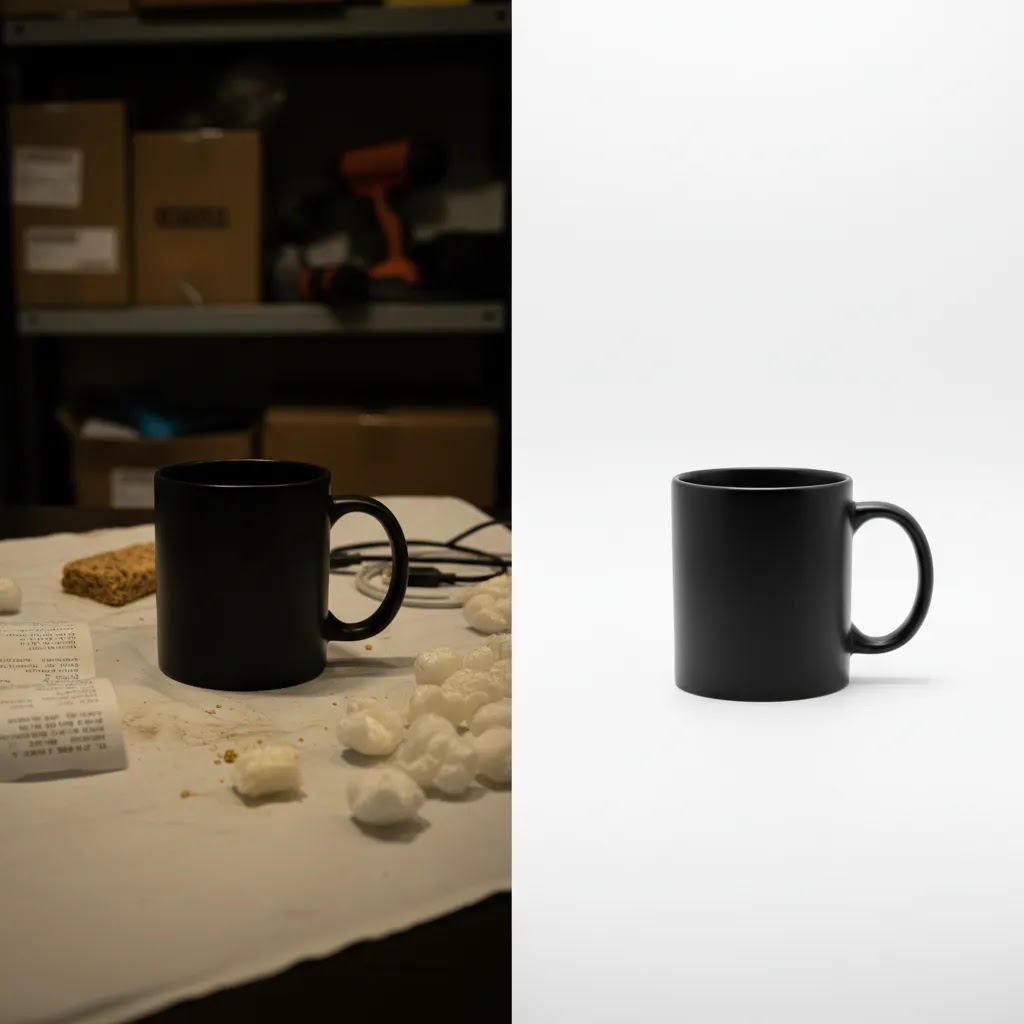
For example, if your base product photo is solid, tools like the AI Background Generator or Free White Background Generator may help you create cleaner versions for catalogs or campaigns. If an image is too soft, Increase Image Resolution may improve usability for zoom and detail views.
Now, when it comes to AI-generated scenes, caution matters. Do not create visuals that misrepresent size, finish, included accessories, or performance. AI can help with presentation, but the underlying product truth still has to come first.
AcquireConvert tends to take the most useful position on AI for ecommerce: use it where it saves production time or expands testing options, but keep accuracy and trust at the center. That approach is especially relevant for Shopify stores that need efficiency without creating customer disappointment.
How to measure the impact of better photos
If you change your images, you need a practical way to judge whether they helped. Otherwise, you are relying on opinion rather than evidence.
Metrics worth watching
- Product page conversion rate
- Add-to-cart rate
- Bounce rate or engagement on product pages
- Time on page and gallery interaction
- Return reasons related to expectation mismatch
- Click-through rate from collection pages
Product photos increase conversion rate most clearly when they reduce uncertainty. So look not only at completed purchases, but also at earlier signals that suggest shoppers feel more confident. A lift in add-to-cart rate or better engagement with product galleries can be an early sign that your images are improving the decision process.
Test one change at a time
If possible, test a specific change instead of replacing everything at once. You might compare a white background hero image against a lifestyle-first hero image. Or test adding two scale-reference shots to your top products before updating the rest of the catalog.
For some stores, especially those with steady traffic, structured testing can reveal whether the real issue was missing detail, weak context, or poor image sequence rather than overall photo quality.
Look beyond the product page
Photos influence other channels too. The same improved image set may affect email click-through, social ad engagement, and marketplace performance. If you sell in multiple places, keep consistency while adapting to channel requirements.
The strategies and tools discussed in this article are based on current ecommerce best practices and publicly available information. Results will vary depending on your store, niche, and implementation. Always verify tool pricing, features, and platform compatibility directly with the relevant provider before making purchasing decisions.
Frequently Asked Questions
Do better product photos really improve ecommerce conversions?
In many cases, yes, but the effect depends on your starting point. If your current images are unclear, inconsistent, or missing critical views, stronger photography may improve shopper confidence and reduce hesitation. The biggest gains often come from solving obvious questions such as size, texture, quality, or real-world use. If your images are already strong, further improvements may have a smaller impact. It helps to review add-to-cart rate, product page behavior, and return feedback so you can see whether photography is the real bottleneck before investing heavily.
What types of product photos matter most on Shopify product pages?
For most Shopify stores, the most useful mix includes a clean hero image, multiple angles, close-up detail shots, and at least one image that shows scale or use context. Lifestyle photos can help when emotion, fit, or aspiration influences the purchase. The right blend depends on what you sell. A minimalist accessories brand may need polish and scale. A skincare brand may need texture and packaging detail. Start by identifying your customers' top buying objections, then make sure your image gallery answers them visually.
How many product photos should I use per product?
There is no fixed number that works for every store. Many products do well with five to eight images if those images cover the core decision points. More complex products may need more. The goal is not to fill a gallery. The goal is to remove uncertainty without overwhelming the shopper. If you sell variants, bundles, or technical products, you may need additional views. Review where shoppers hesitate and which questions your support team gets most often. That will tell you whether you need more images or just better ones.
Are white background images better than lifestyle images for conversions?
Usually, you need both. White background images are often better for clarity, fast recognition, and consistent collection page browsing. Lifestyle images are often better for context, aspiration, and helping shoppers imagine ownership. If you only choose one style, you may leave a gap in the decision process. Many stores convert best when the lead image is clean and product-focused, then later images show scale, detail, and use. If you want more ideas on controlled visual presentation, the AcquireConvert section on White Background Photography is a useful next read.
Can AI product photo tools help increase conversion rate?
They can help in some workflows, especially for background cleanup, resizing, or creating alternate visual assets faster. Still, results vary based on product type, source image quality, and how accurately the output reflects the real item. AI is best used to support production efficiency and testing, not to fabricate misleading visuals. If you use AI-generated edits, keep color, scale, texture, and product details truthful. A polished image that creates the wrong expectation may hurt trust and increase returns, even if it improves clicks at first.
What is the biggest product image mistake small stores make?
The most common mistake is focusing on aesthetics before clarity. A stylish brand image matters, but it should not come at the cost of showing the product properly. Many smaller stores also skip scale references, detailed close-ups, or variant consistency. Those gaps matter more than people realize. If customers cannot tell how large something is or what the material looks like, they are left guessing. Good product photography is not about making every shot look editorial. It is about giving shoppers the confidence to buy without physical inspection.
Should I hire a professional studio or shoot product photos myself?
That depends on your catalog size, quality expectations, and internal resources. If you have a small product line and a good eye for consistency, you may be able to create strong in-house images with proper lighting and a repeatable setup. If you manage a larger catalog or need high consistency across many SKUs, outside help can save time and improve results. A professional setup becomes more valuable as assortment complexity grows. If you are exploring that route, the AcquireConvert guide to a product photography studio offers a practical starting point.
How do product photos affect returns as well as conversions?
Accurate photos can help align expectations before purchase. That may reduce returns related to size, color, texture, or product misunderstanding. If your images over-style the product or hide important details, customers may buy based on the wrong assumption and send the item back. This is one reason photography should be judged on clarity and truthfulness, not only on creative appeal. Strong images can support both revenue quality and customer satisfaction. In practice, a slightly less dramatic photo that better represents the real product may serve your store better long term.
Do marketplace photo rules matter if I mostly sell on my own store?
Yes, especially if you also use marketplaces for reach or if your customers compare products across channels. Marketplaces often train shoppers to expect clear hero shots, straightforward angles, and image consistency. That behavior carries over to your own store. Even if your Shopify product pages have more design freedom, shoppers still value clarity first. If multi-channel selling is part of your growth plan, it is worth understanding the visual standards used elsewhere. AcquireConvert's page on amazon product photography is relevant here.
What should I improve first if I cannot redo my whole catalog?
Start with your best-selling products or the pages that already get meaningful traffic. Those are usually the fastest places to learn. Focus first on three things: a clearer main image, at least one close-up detail shot, and one image that shows scale or real-world use. If you can also improve consistency across top products, even better. This targeted approach is often more useful than making small, scattered updates across hundreds of SKUs. Once you see what changes affect engagement and conversion, you can roll the process across the wider catalog.
Do product photos really increase sales for small ecommerce brands?
They can, especially when your current images leave buyers guessing. Small brands often compete against larger stores on trust, and your product photos are one of the fastest ways to close that credibility gap. The most reliable improvements come from photos that answer obvious questions like size, material, what is included, and how it looks in real life. If you are already getting traffic, improving the clarity of your hero image, adding a scale reference, and showing key details may make it easier for shoppers to commit.
What are the best ecommerce product image sizes and file types for Shopify?
Shopify supports common web image formats like JPEG and PNG, and the right choice depends on the image type. In many cases, JPEG is used for photographs because it keeps file sizes lower, while PNG is used when you need transparency or very crisp edges. For sizing, aim for images large enough to look sharp when shoppers zoom, but not so large that mobile load speed suffers. A practical approach is to upload a high-quality master image and then check the live product page on mobile to confirm the zoom is clear and the page still loads quickly.
Should you use 360-degree photos or product videos instead of more images?
It depends on the product and how shoppers decide. A 360-degree view or short product video can work well for items where movement, shape, or “how it works” is hard to show in still photos. Still images are often faster to scan, easier to load, and easier to keep consistent across a large catalog. For many Shopify stores, the best starting point is to fix the basics first: a strong hero shot, enough angles, at least one scale image, and detail close-ups. Once that foundation is solid, then test 360-degree or video on a handful of high-traffic products to see whether it improves add-to-cart rate.
Do product photos affect SEO or Google Shopping performance?
They can influence performance indirectly. For SEO, strong images may improve engagement, which can support on-page performance over time, and accurate image handling can help with image search visibility. For Google Shopping, your main product image is a big part of what earns the click, and image quality and policy compliance matter. Requirements and enforcement can change, so it is worth checking current Google Merchant Center guidelines before making major creative decisions. From a practical standpoint, focus on clear, accurate hero images that present the product honestly, and keep your variant images consistent so shoppers do not feel surprised after the click.
Key Takeaways
- Product photos increase conversion rate by reducing uncertainty, building trust, and helping shoppers evaluate quality without seeing the product in person.
- Your image gallery should cover clarity, detail, scale, and context, not just visual style.
- On Shopify product pages, image order matters. Lead with the clearest hero shot, then move through angles, close-ups, scale, and lifestyle use.
- AI tools can support image production and testing, but they should never misrepresent the actual product.
- Measure image changes through add-to-cart rate, product page conversion rate, and return reasons, not just overall sales.
Conclusion
If your product page traffic looks decent but sales feel weaker than they should, your photos are one of the first places to investigate. Strong visuals do more than make your store look polished. They answer objections, communicate value, and help customers feel confident enough to buy. That is the practical reason product photos increase conversion rate. They replace the missing in-store experience with something shoppers can assess quickly and trust.
Your next step does not need to be a full brand shoot. Start by reviewing your top five product pages. Check whether each one clearly shows the product, its details, its scale, and its use context. Then improve the weakest part first. If you want more guidance, explore AcquireConvert's E Commerce Product Photography resources and related visual merchandising topics. A few well-planned image upgrades may tell you far more than another round of guesswork on pricing or copy.

Hi, I'm Giles Thomas.
Founder of AcquireConvert, the place where ecommerce entrepreneurs & marketers go to learn growth. I'm also the founder of Shopify agency Whole Design Studios.