Remove.bg Reviews: Pricing, Features & Alternatives


If you sell online, you already know that background removal is not a design nicety. It affects product page clarity, ad creative consistency, marketplace compliance, and how polished your catalog looks at first glance. Many merchants searching for remove.bg reviews are trying to answer one simple question: is it the right tool for producing transparent product images at scale? This review looks at remove.bg through a practical ecommerce lens, with honest trade-offs and realistic alternatives. If you are still comparing the wider category, start with this background remover guide for broader context. Then use this page to decide whether remove.bg fits your workflow, team size, and visual standards.
Contents
- What remove.bg does well for ecommerce
- Key features and practical use cases
- Remove.bg pricing: what “free” usually means, and what to check before you buy
- Pros and Cons
- Who remove.bg is best for
- Who owns remove.bg, and why that matters for ecommerce workflows
- AcquireConvert recommendation
- How to choose the right background removal tool
- Is remove.bg safe and legit for product images?
- Frequently Asked Questions
- Key Takeaways
What remove.bg does well for ecommerce
Remove.bg is widely used for one main task: removing the background from an image and creating a transparent result quickly. For ecommerce teams, that matters because transparent PNGs are useful for product pages, collection merchandising, marketplace listings, creative testing, and email campaign graphics.
The main appeal is speed. If your current process involves manual editing in Photoshop or handing off simple image cleanup to a designer, a specialist background removal tool can reduce that repetitive workload. That is especially helpful for stores with large catalogs, frequent product launches, or ongoing ad creative production.
Still, speed is only part of the story. Store owners also need clean edges around products, reliable handling of shadows and fine details, and image outputs that work across Shopify themes and sales channels. A tool can be fast but still create extra cleanup work if the cutout looks unnatural.
For that reason, I would treat remove.bg as a workflow tool rather than a complete product photography solution. If you are trying to understand the broader use of transparent assets in catalog design, the what type of image has no background explainer is worth reading alongside this review. It helps clarify where transparent files fit and where a pure white background is still the better option.
Key features and practical use cases
Because the live product data available for this article contains alternatives from ProductAI rather than remove.bg itself, I am not listing unverified remove.bg pricing or feature claims here. Instead, I am focusing on the core use cases merchants typically evaluate in remove.bg reviews and comparing them with verified alternative tools where possible.
1. Background removal for standard product shotsIf you sell apparel, cosmetics, home goods, or accessories, the first test is usually a plain product image on a distracting or inconsistent background. A tool in this category should isolate the product cleanly and export a file that works on collection pages, landing pages, and ads.
2. Transparent output for design flexibilityThe value of removing a background is not just cosmetic. Transparent output lets you place the same product image across different campaign formats without re-shooting. You can add custom backgrounds, seasonal layouts, color blocks, or marketplace-specific templates much faster.
3. Bulk-friendly visual productionMerchants with dozens or hundreds of SKUs need a repeatable workflow. That usually means a mix of background cleanup, resizing, and minor editing. Verified alternatives in the current dataset include AI Background Generator, Free White Background Generator, and Increase Image Resolution. These are relevant if you want to go beyond simple cutouts and prepare images for storefront use.
4. Fast post-processing for ad creativeTransparent product cutouts are useful when building paid social ads, promotional banners, and homepage hero sections. For merchants who regularly swap creative, tools like Background Swap Editor and Magic Photo Editor may suit a more flexible workflow than a single-purpose remover.
5. Lifestyle compositingSome stores need more than background transparency. Beauty, fashion, and gift brands often need contextual visuals. In those cases, a tool like Place in Hands can be more relevant than a basic remover, especially if you are testing lifestyle-style product presentation without booking a full product photography studio session.

Remove.bg pricing: what “free” usually means, and what to check before you buy
Here is the thing about “free” in remove.bg reviews. In most background removal tools, free access typically means you can test the cutout quality, but there are constraints that matter a lot for ecommerce outputs.
The most common limitations to watch for are download resolution caps, watermarked previews, and credit-based systems where you spend credits to export higher resolution or HD files. Some tools also separate single-image exports from bulk processing, which matters if you are trying to clean up a Shopify collection quickly.
From a practical standpoint, you should evaluate pricing based on the file you actually need to publish. For Shopify, that usually means a transparent PNG that holds up on your product page, in a collection grid, and in ad crops without fuzzy edges. If your “free” result is only usable as a small preview, it can look fine in a review screenshot but fail in real store use.
One way to think about pricing is cost per SKU, not cost per month. Most catalogs have a handful of hero products that get the most traffic and deserve the cleanest edits, plus a long tail of SKUs that still need to look consistent. If you launch new products frequently, or you refresh creatives for ads every week, your credit usage could climb fast. If you rarely change the catalog, you might only need a small batch of exports each season.
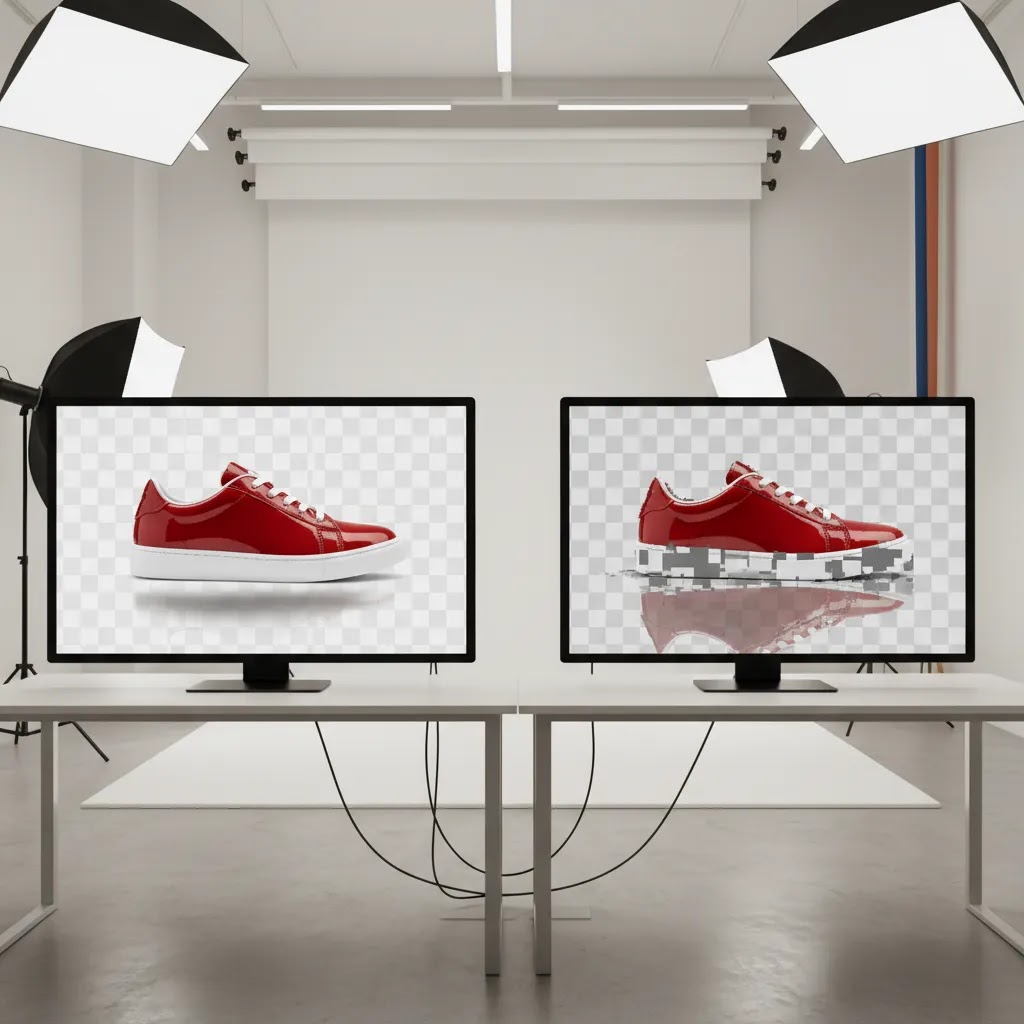
Also factor in how much manual cleanup remains. A tool can remove a background quickly but still leave edge artifacts around hair, fur, translucent plastic, glass, or reflective packaging. If you end up doing brush edits on your best sellers anyway, your real cost includes that time, or the cost of a designer for final polish.
Before committing, check the pricing page directly and confirm the details that affect ecommerce use. Things like commercial usage terms, whether API access is included if you want to automate a bulk workflow, whether team seats cost extra, and whether there are bulk discounts if you are processing hundreds of images. Also look for how refunds are handled, since plans and credit packs vary and policies can change. Pricing and packaging can shift over time, so it is worth verifying what applies to your account and your workflow right now.
Pros and Cons
Strengths
- Useful for merchants who need transparent product images for Shopify collections, ads, and marketplace listings.
- Can reduce repetitive manual editing work for small teams without an in-house designer.
- Fits stores that need quicker turnaround on catalog updates and campaign assets.
- Works well as part of a broader image workflow that includes resizing, retouching, and background standardization.
- Particularly practical for products with simple, well-lit shapes where the subject is clearly separated from the background.
Considerations
- Background removal tools are not all-purpose photography solutions and may still require manual cleanup on complex edges, reflections, or translucent materials.
- Without verified live pricing data in the provided source set, you should check the provider directly before making a cost comparison.
- Transparent cutouts are not always the best format for every sales channel. Some platforms and merchandising layouts still perform better with white background images.
- Image quality depends heavily on the original photo. Weak source images can limit results, no matter which tool you choose.
Who remove.bg is best for
Remove.bg is generally best suited to ecommerce operators who need a straightforward background removal workflow more than a full creative suite. That includes Shopify merchants launching new SKUs, marketplace sellers standardizing images, and lean marketing teams producing ad creatives from existing product photos.
If your goal is simply to remove background and make transparent files quickly, this type of tool can be a strong fit. If your workflow also includes scene generation, white background compliance, resolution fixes, or advanced editing, you may outgrow a single-purpose remover and need a broader image stack.
For stores building a more consistent visual system, it also helps to review category-level resources on transparent background workflows and background removal & editing so you choose a setup that matches your catalog requirements.

Who owns remove.bg, and why that matters for ecommerce workflows
A question that comes up often in remove.bg reviews is ownership, and specifically whether it is owned by Canva. Yes, remove.bg is owned by Canva. For most merchants, that is not a reason to choose it or avoid it by itself, but it can affect expectations around ecosystem fit.
Ownership matters in a few practical ways. It can influence the product roadmap, how the tool integrates with other design workflows, and how account management and billing feel over time. If your team already uses a Canva-centric workflow for ads, email creatives, and promo graphics, a background removal tool in the same ecosystem may feel more convenient for handoffs.
Now, when it comes to integrations, you want to think less about the brand name and more about how the tool fits your production pipeline. For ecommerce catalogs, the key questions tend to be whether there is a desktop app versus web-only editing, whether an API exists for bulk workflows, and how batch processing is handled.
If you care about speed and repeatability, also look at the unglamorous details: export formats that match your needs, how transparent PNGs are named and saved, whether you can keep a consistent naming convention for SKUs, and whether it is realistic to process dozens of images in one sitting without babysitting downloads.
Think of it this way, ecosystem convenience can reduce friction, but it does not eliminate quality checks. You still need to test edge quality and output consistency on your catalog, especially across tricky product types like glass, hair, fur, lace, or glossy packaging. Run a small batch, inspect at the size your Shopify theme actually displays, and make sure the results are consistent enough that you are not creating a cleanup burden later.
AcquireConvert recommendation
If you are close to making a decision, I would evaluate remove.bg based on the actual image problems you need to solve each week, not just the appeal of one-click editing. For many Shopify merchants, the real question is whether you only need transparent cutouts or whether you also need white background outputs, creative background swaps, resolution improvements, and layout-ready product visuals.
That is the lens we use at AcquireConvert. Giles Thomas brings the perspective of a Shopify Partner and Google Expert, which matters because product imagery affects more than aesthetics. It influences click-through from Shopping ads, perceived product quality, and on-site conversion flow. If you want the specialist ecommerce angle, compare your options side by side through our image workflow guides, explore the broader transparent-background content hub, and use this review as a decision checkpoint rather than a shortcut.
For merchants that need more than a single remover, the verified ProductAI tools in this dataset are worth reviewing as adjacent options: AI Background Generator for creative variation, Free White Background Generator for compliance-style catalog shots, and Magic Photo Editor or Creator Studio for wider editing workflows.
How to choose the right background removal tool
Here are the criteria I would use if I were choosing between remove.bg and its alternatives for an ecommerce store.
1. Output quality on your actual catalogTest the tool on five to ten representative products, not your easiest image. Include one simple SKU, one reflective product, one textured product, and one image with fine edges. Jewelry, hair, glass, and soft fabrics often expose weak cutout quality quickly.
2. Fit with your sales channelsSome stores need transparent PNGs for creative flexibility. Others need white backgrounds for marketplaces or cleaner collection page consistency. If your main goal is marketplace compliance or a classic catalog look, a white-background-focused tool may be more useful than a transparent-first tool.
3. Editing workflow beyond removalBackground removal is often just one step. You may also need resizing, text cleanup, retouching, or alternate backgrounds for campaigns. If you keep bouncing between multiple apps, a broader editor can save time, even if a specialist remover is strong at the first step.
4. Volume and team structureA solo founder with 20 SKUs has different needs from a merchandising team updating hundreds of listings. Think about who will use the tool, how often, and whether consistency matters more than total control. Tools that are slightly less customizable can still be the right choice if they keep production moving.
5. Total cost, not just subscription costCheck the direct pricing page before you decide, because rates are subject to change. Then factor in time saved, manual cleanup still required, and whether you need other tools on top. A cheaper-looking option can become more expensive if it creates extra editing work or limits image quality.
If your images are still inconsistent before editing begins, it may be worth fixing the photography process first. Better lighting, more separation from the original background, and cleaner source shots typically improve results across every removal tool.
Is remove.bg safe and legit for product images?
Most “is remove.bg safe” concerns come down to one thing. You are uploading images to a third-party service, and those images may include unreleased products, packaging with barcodes, or other business-sensitive information. That is a real consideration for ecommerce teams, especially if you work with manufacturers, influencers, or agencies where assets are shared before launch.
From a risk-checking standpoint, you want to look for clear answers to questions like: how long uploads are stored, whether there is a deletion option, what the provider says about using uploaded images to improve models, and what account security options exist. Those details can change over time, so it is smart to review the provider’s current policies before you make it part of a production workflow.
There is also the “legit” question, which in ecommerce usually means usage rights. If you are paying for a tool to create transparent cutouts, you want to confirm you can use the outputs commercially across your store, ads, and marketplaces. In many cases, this is allowed, but you should still verify terms so you are not surprised later when you scale output volume or start using images in paid campaigns.
What many store owners overlook is basic asset governance. Even if a tool is reputable, you still want to keep your originals archived. That is your source of truth for future edits, rebrands, and marketplace requirements. AI-assisted cutouts are often “good enough” fast, but if you ever need a perfect edge for a hero banner, you will want the untouched original available.
If you have a team, consider adopting a simple internal policy so this never becomes a messy debate mid-launch. For example, avoid uploading anything that includes customer data, contracts, internal documents in the background, or confidential unreleased packaging claims. Then build a quick QA step before publishing: inspect edges at 100% zoom, check for missing product parts, and preview the image on the actual Shopify product page background color. That small habit catches most issues before they reach customers.
Frequently Asked Questions
Is remove.bg good for Shopify product images?
It can be a good fit if you mainly need transparent product cutouts for collection pages, ad creatives, or design flexibility. The biggest factor is source image quality. Well-lit, clearly separated products usually produce better results than dark, busy, or low-resolution photos. Always test a sample batch on your own catalog before changing your workflow.
Can remove.bg replace Photoshop for ecommerce teams?
For simple background removal, it may reduce how often you need Photoshop. For detailed retouching, shadow control, edge fixes, or advanced compositing, Photoshop or a more full-featured editor may still be necessary. Most growing stores benefit from using a remover as one part of the workflow, not the entire visual production stack.
What is the difference between transparent background and white background images?
A transparent background lets you place the product on any design, color, or layout without a visible backdrop. A white background gives you a consistent catalog-style image that many marketplaces prefer. Ecommerce stores often need both. Transparent files are flexible for design, while white background shots are often cleaner for standard product listings.
How do I remove background and make transparent for product photos?
You upload the original product image to a background removal tool, let it isolate the subject, and export the result in a transparent format such as PNG. Then review the edges closely before publishing. Check shadows, reflective surfaces, and any areas where the product blends into the original background.
What should I do if the tool leaves rough edges around my product?
Start by checking the original image. Harsh lighting, low contrast, and cluttered backgrounds make clean cutouts harder. If the issue remains, use a tool with manual editing options or send only your difficult images for manual cleanup. Many merchants use automation for the bulk of the catalog and manual refinement for hero products.
Are transparent PNGs always better for ecommerce?
No. Transparent PNGs are better for flexible merchandising and design reuse, but not automatically better for every storefront or channel. Some product grids look cleaner with uniform white backgrounds. The right choice depends on your theme, brand style, and whether you need creative adaptability or strict consistency first.
Should I choose a specialist remover or a broader image editor?
If your only recurring task is removing backgrounds, a specialist remover may be enough. If you also create campaign graphics, resize assets, improve resolution, or swap scenes, a broader editor may offer better long-term value. Think about your weekly image workflow, not just the first task you need solved today.
What are the best alternatives mentioned in this review?
Based on the verified product data available here, relevant alternatives include AI Background Generator, Free White Background Generator, Background Swap Editor, Magic Photo Editor, and Place in Hands. Each serves a slightly different purpose, so the best option depends on whether you need transparent cutouts, white backgrounds, or more creative merchandising flexibility.
How can I improve results from any background removal tool?
Use cleaner source photography. Keep the product well lit, separate it clearly from the background, and shoot at sufficient resolution. Consistent image capture usually improves accuracy more than switching tools repeatedly. If you are struggling with the inputs, reviewing your photography setup may create bigger gains than changing software.
Is remove.bg a safe site?
For ecommerce, “safe” usually means you are comfortable uploading your product photos to a third-party service and you understand the provider’s current data handling terms. Before using it for unreleased products or sensitive assets, check policies on data retention, deletion options, and any statements about how uploaded images may be used. Even with reputable tools, it is smart to avoid uploading anything that includes customer data or confidential documents in the background.
Is remove.bg completely free?
Many tools in this category offer a free way to test results, but “completely free” often has limits such as lower resolution downloads, watermarks, or credit restrictions for HD exports and bulk processing. If you are judging whether it works for Shopify product images, confirm that the free output is large enough and clean enough for your theme and sales channels.
Is remove.bg worth it?
It can be worth it if it reliably saves you time on background removal without creating extra cleanup work. The best test is to run five to ten real catalog images, including a few difficult ones, then compare the time saved against the cost of credits or a subscription. For many stores, the value is highest when you process images regularly and your source photos are already well lit and consistent.
Is remove.bg owned by Canva?
Yes, remove.bg is owned by Canva. For Shopify merchants, the practical takeaway is to evaluate whether that ecosystem fit helps your workflow, for example if your team already uses Canva for ads and email graphics, while still testing output quality on the product types you sell.
Key Takeaways
- Remove.bg is best evaluated as a practical workflow tool, not a complete product photography solution.
- Your own catalog is the only reliable test. Check cutout quality on difficult products, not just simple ones.
- Transparent images are useful, but white background images may still be the better choice for some channels and layouts.
- If you need more than background removal, consider broader alternatives such as AI Background Generator, Magic Photo Editor, or Free White Background Generator.
- Better source photography often improves results more than switching from one removal tool to another.
Conclusion
Remove.bg can make sense for ecommerce merchants who need a fast way to create transparent product images and reduce repetitive editing work. Its value is highest when your source photos are already solid and your workflow is centered on quick cutouts rather than full creative production. If your store needs broader image control, white background outputs, or campaign-ready editing tools, it is smart to compare alternatives before committing.
At AcquireConvert, we look at these tools from the perspective of actual store operations, not generic software reviews. If you want the next step, explore our transparent background resources, compare related tools side by side, and use Giles Thomas’s Shopify Partner and Google Expert perspective to choose an image workflow that supports both catalog quality and conversion goals.
This article is editorial content created for ecommerce store owners and is not a paid endorsement unless explicitly stated otherwise. Pricing and product details are subject to change and should be verified directly with the provider before purchase. Any workflow or conversion impact discussed here will vary by store, catalog quality, and implementation. No specific results are guaranteed.

Hi, I'm Giles Thomas.
Founder of AcquireConvert, the place where ecommerce entrepreneurs & marketers go to learn growth. I'm also the founder of Shopify agency Whole Design Studios.