AI Tools for Ecommerce: 3D Guide (2026)


If you sell online, strong visuals are not optional. They shape trust, clarify product details, and often influence whether a shopper keeps scrolling or adds to cart. For many store owners, the question is no longer whether to use AI tools for ecommerce, but which ones are actually useful for product visuals and 3D-style presentation. This guide focuses on practical tools that can help you create cleaner product images, mockups, and more immersive merchandising assets without building a full studio workflow from scratch. If you are comparing your options across a wider stack of ecommerce tools, this breakdown will help you decide where AI image workflow tools fit, where they fall short, and how to choose the right setup for your store.
Contents
- What This Category of AI Tools Actually Does
- AI Use Cases Beyond Product Images (Where AI Actually Helps in Ecommerce)
- Key Features to Evaluate
- Pros and Cons
- Where “3D-Style” Visual Tools Fit vs True 3D, AR, and Product Configurators
- Who These Tools Are For
- AcquireConvert Recommendation
- How to Choose the Right AI Tool
- How to Evaluate ROI and Choose AI Tools Like a Store Owner (Metrics, Tests, and Guardrails)
- Frequently Asked Questions
- Key Takeaways
- Conclusion
What This Category of AI Tools Actually Does
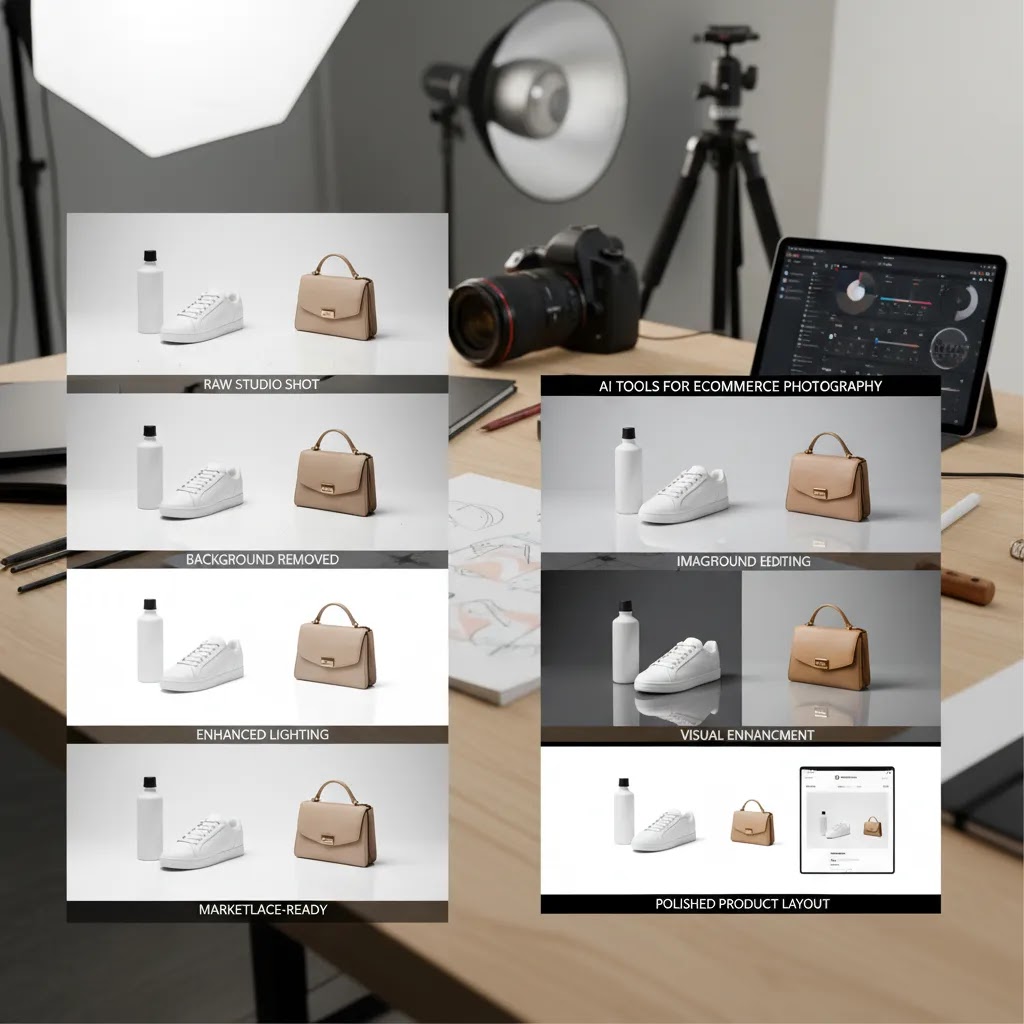
AI tools for ecommerce photography generally help with image preparation, scene generation, mockups, and visual enhancement. That matters if you want 3D-style presentation but do not have the time or budget for traditional 3D modeling, custom renders, or a full production team.
Based on the currently available tools in the dataset, the most relevant options for this workflow are Creator Studio, Magic Photo Editor, Background Swap Editor, Place in Hands, and Increase Image Resolution. Supporting tools like AI Background Generator and Free White Background Generator can also help you create more polished assets for PDPs, ads, and collection pages.
These are not full 3D CAD or rendering platforms. Instead, they are better understood as AI-assisted visual production tools that can help you simulate depth, context, and polish. For many Shopify merchants, that is a practical middle ground. You can create stronger merchandising images, lifestyle scenes, and mockup-like presentations faster than with a traditional product photography studio setup.
AI Use Cases Beyond Product Images (Where AI Actually Helps in Ecommerce)
Here’s the thing, most store owners do not evaluate AI in a vacuum. They compare tools as a stack. Even if your current priority is 3D-style visuals, it helps to understand the broader landscape of ai tools for ecommerce so you invest in the part of the business that is actually constrained.
Beyond product images, AI commonly shows up in a few practical areas:
- Customer support: automated responses for order status, returns, product questions, and pre-purchase objections. The goal is usually faster response time and deflecting repetitive tickets, not removing humans from support entirely.
- On-site personalization and merchandising: product recommendations, “frequently bought together,” smarter collection sorting, and tailored offers based on behavior. For many Shopify stores, this is less about magic personalization and more about getting the basics right at scale.
- Email and SMS: subject line variants, product-driven copy, send-time suggestions, and segmentation helpers. Some tools generate content, others help decide who should get what message.
- Search and discovery: improved on-site search relevance, synonym handling, and autocomplete that actually matches how customers talk about products.
- Fraud and ops: risk scoring, chargeback reduction support, and operational automation like tagging orders or routing tickets.
This guide is intentionally visual-first. But you will make better decisions if you use a simple rule:
If visuals are the bottleneck, for example you cannot publish new products quickly, your ads feel repetitive, or your catalog looks inconsistent, then image tools are a high-leverage place to start.
If customer experience is the bottleneck, for example shoppers cannot find products, support is overloaded, or repeat purchases are weak, then you may want to solve search, support, or retention before you spend heavily on visual production.
From a practical standpoint, you can also evaluate AI tools across categories using measurable criteria rather than vibes. A few store-owner metrics that tend to matter:
- Time-to-publish: how long it takes to go from product creation to live PDP assets.
- Creative volume: how many usable variants you can produce per SKU for ads, email, and collection pages.
- Support deflection rate: how many repetitive tickets get resolved without a human, while still keeping CSAT stable.
- AOV and attach rate signals from merchandising: whether recommendation and bundling modules meaningfully increase cross-sell exposure and add-on behavior over time.
None of these are promises. They are simply the kinds of outcomes you can track so you know if a tool is earning its place in your Shopify stack.
Key Features to Evaluate
If your goal is 3D product photography style content rather than true 3D asset generation, focus on features that improve visual merchandising and reduce production friction.
- Background control: Tools like AI Background Generator, Background Swap Editor, and Free White Background Generator are useful when you need cleaner product isolation, marketplace-ready white backgrounds, or branded scene variations for ads and landing pages.
- Scene creation and contextual placement: Place in Hands helps you present products in a human context, which can make scale and use case clearer. That is especially useful for beauty, accessories, tech gadgets, and small packaged goods.
- Editing flexibility: Magic Photo Editor and Creator Studio appear best suited for merchants who want one workspace for iterative asset creation instead of bouncing between multiple standalone tools.
- Image quality enhancement: Increase Image Resolution helps when your supplier photos, legacy product shots, or older catalog images are too small for modern storefront layouts and ad placements.
- Cleanup tasks: Remove Text From Images can help repurpose manufacturer assets or old creative by removing embedded text that limits reuse across channels.
For stores testing 3D-style merchandising, the real question is not whether an AI tool can replace every part of professional production. It usually cannot. The better question is whether it can speed up enough of the workflow to help you publish better images more consistently. That may be the right move if you are updating a large catalog, testing creative variations, or supporting a mockup generator workflow for launches and campaigns.
From an ecommerce perspective, these features matter most when they shorten time to publish, improve visual consistency across collections, and support the kind of product imagery that may help product photos increase conversion rate over time.
Pros and Cons
Strengths
- They can reduce the time needed to create polished ecommerce visuals, especially for stores with frequent launches or large product catalogs.
- They are useful for producing 3D-style merchandising assets without requiring full 3D modeling skills or dedicated rendering software.
- Tools like Background Swap Editor and AI Background Generator help you test different visual concepts for product pages, social ads, and email campaigns.
- Place in Hands adds practical context that can improve how shoppers understand size, usage, and real-world presentation.
- Increase Image Resolution may extend the usable life of existing product photos that would otherwise look soft on high-resolution storefront layouts.
- For lean teams, a studio-style tool such as Creator Studio can simplify production by keeping more of the workflow in one place.
Considerations
- These tools do not appear to be dedicated 3D modeling or photorealistic rendering platforms, so merchants needing technical product visualization may outgrow them.
- AI-generated or AI-edited scenes can still require manual review to make sure shadows, proportions, textures, and brand styling look believable.
- Supplier photos with poor lighting or weak composition may still produce inconsistent outputs, even with enhancement tools.
- Some products, such as reflective items, transparent goods, or highly detailed luxury products, may still benefit from a professional ecommerce product photographer.
Where “3D-Style” Visual Tools Fit vs True 3D, AR, and Product Configurators
What many store owners overlook is that “3D-style” merchandising and “true 3D” production are different workflows with different operational costs. The tools in this guide are designed to enhance and generate 2D images that look more dimensional, more contextual, and more polished. That is often enough for ecommerce merchandising.
True 3D pipelines usually involve assets that start with CAD or dedicated 3D modeling, then move into rendering and sometimes AR experiences. That can be the right path if you sell products where precision is the product:
- Highly configurable products: custom furniture, modular systems, anything where shoppers choose components, finishes, or sizes that change the visual output.
- Technical and high-precision items: products where details must be exact, and visual inaccuracy increases returns, complaints, or compliance risk.
- Products that benefit from AR “try in space”: certain home categories where size and fit are hard to judge from photos alone.
The reality is that true 3D also comes with ongoing operational implications. You have new file types to manage, approvals that may involve engineering or product teams, variant complexity that can multiply quickly, and an update problem when a supplier changes a material, label, or spec. Even if you can afford the initial 3D build, maintaining it across a Shopify catalog is the part that surprises many teams.
For most Shopify store owners, “3D-style” image tools are a pragmatic middle ground. You can get better on-site presentation and broader creative coverage without committing to a specialized 3D asset pipeline.
Think of it this way as a simple decision tree:
- Stay in AI image tools if your products are relatively consistent, you need more PDP and ad variants, and speed matters more than technical precision.
- Use a hybrid approach if you need premium hero shots or ultra-accurate texture, but you still want AI to create supporting scenes, background variations, and campaign cutdowns from those base assets.
- Move to a specialized 3D or AR stack if configuration, precision, or immersive visualization is central to the buying decision, and you have the bandwidth to maintain a 3D pipeline long-term.

Who These Tools Are For
These tools fit best if you run a Shopify or direct-to-consumer store and need better product visuals without building a full in-house creative operation. They are especially practical for merchants selling cosmetics, apparel accessories, home goods, packaged products, and dropshipped items where source imagery often needs cleanup or contextual enhancement.
They are also a good fit for growth-stage stores testing creative frequently across PDPs, paid social, and Google Shopping. If you already work with an ecommerce product photographer, AI tools can still help by extending each photoshoot into more variants, formats, and merchandising scenes. If your business needs engineering-grade 3D assets, AR deployment, or complex product configuration visuals, you may need a more specialized stack.
AcquireConvert Recommendation
If you are evaluating AI tools for ecommerce from a store owner’s point of view, start with the workflow problem rather than the tool category. Giles Thomas’s perspective as a Shopify Partner and Google Expert is especially relevant here because image decisions affect both on-site conversion and channel performance. The practical sequence for most merchants is simple: clean the base image, improve resolution if needed, generate alternate backgrounds, then test contextual assets for PDPs and ads.
For that reason, a combination such as Creator Studio or Magic Photo Editor plus task-specific tools like Background Swap Editor, Place in Hands, and Increase Image Resolution is often more useful than searching for one platform to do everything. Explore AcquireConvert’s broader e commerce product photography resources if you want the full visual merchandising picture, and compare adjacent production approaches before committing to a single workflow.
If you are close to a buying decision, use this guide alongside your current creative bottlenecks. Compare options side by side, identify where AI saves time in your process, and keep a clear standard for visual accuracy and brand fit.
How to Choose the Right AI Tool
Choosing the best AI tool for ecommerce product visuals comes down to five practical criteria.
1. Start with your image source quality
If your starting assets are weak, AI will only help so much. Stores using supplier images, screenshots, or low-resolution legacy files should prioritize cleanup and enhancement tools first. Increase Image Resolution and background tools are more immediately useful here than advanced scene generation.
2. Separate marketplace needs from brand needs
Amazon-style white background requirements are very different from branded DTC merchandising. If you sell across channels, you may need both. Free White Background Generator supports compliance-style assets, while background and editor tools help create more distinctive branded scenes for your own storefront.
3. Decide whether you need realism or speed
Some merchants need technically precise imagery. Others simply need attractive, consistent visuals fast enough to support product launches and ad testing. If speed matters more, AI-assisted mockup and editing workflows are often enough. If realism is critical for fit, texture, or premium positioning, you may still want a hybrid approach that includes professional capture.
4. Consider catalog size and repeatability
For a ten-product store, almost any workflow can be managed manually. For a 500-SKU catalog, repeatability matters a lot more. Creator Studio or a centralized editing workflow becomes more valuable when you need consistency across collections, seasonal updates, and variant imagery.
5. Measure impact in practical ways
Do not evaluate these tools by image novelty alone. Track whether they help you publish faster, create more consistent PDP visuals, improve ad creative coverage, or reduce dependence on one-off outsourced production. On Shopify, practical merchants usually test changes at the product template and collection level, then review engagement and sales trends before rolling changes out widely.
If you are still unsure, review the visual standards in the 3d product photography category and compare them with what AI-assisted editing can realistically achieve for your catalog.

How to Evaluate ROI and Choose AI Tools Like a Store Owner (Metrics, Tests, and Guardrails)
If you are buying AI tools for ecommerce as a store owner, the fastest way to waste money is to test everything everywhere at once. You end up with mixed results, inconsistent creative, and no clear signal on what actually helped.
A better approach is a simple, controlled test that matches how Shopify stores work in practice.
What to measure (so you can compare tools fairly)
Start with metrics that reflect how visuals contribute to both conversion and acquisition, without assuming any single change will drive a guaranteed lift:
- Production time saved: how long it takes to create a complete PDP-ready set of images for one SKU, including revisions.
- Creative throughput: how many usable variants you can produce per product per hour or per week.
- Ad asset coverage: whether you can consistently produce the formats you need for paid social and Google placements, without scrambling before launches.
- PDP engagement signals: trends in scroll depth, image gallery interaction, time on page, and add-to-cart rate on the specific products you changed.
How to run a simple Shopify test without overcomplicating it
Pick one collection or a small set of products that gets steady traffic. Standardize what “before” looks like, then standardize what “after” looks like.
For example, you might update only the primary image and the first two gallery images for those products using the same tool and style rules. Leave pricing, copy, and offers unchanged if you can, so you are not testing ten variables at once. Then monitor trends for a few weeks, and only roll out across the catalog if the new workflow is producing consistently better assets and the on-site signals are not moving in the wrong direction.
“Action” vs “content” tools (why it matters for lean teams)
Not all ecommerce AI tools are built the same. Some only generate content, like images or copy, and then your team still has to upload, QA, and publish everything manually.
Other tools can take action by triggering workflows, such as creating variants at scale, applying consistent templates, or helping route assets into a production process. For most small Shopify teams, that distinction matters because content generation alone can still create a bottleneck if you do not have a clean way to review and publish consistently.
Guardrails: a quick human review checklist before you publish
AI outputs are not “set and forget,” especially when the assets will be used on product pages or ads. Before you publish, do a quick check for accuracy and compliance:
- Product truth: color, shape, finish, labels, and included accessories match what the customer will receive.
- Scale and proportions: nothing makes the product look larger, smaller, thicker, or thinner than reality.
- Brand consistency: backgrounds, lighting, and styling still look like your store, not random stock imagery.
- Channel policy fit: if you use the assets in Google or Meta ads, confirm they meet current ad policies and do not imply features you cannot support. Platform rules change, so always verify current guidelines before scaling a creative approach.
- Editing artifacts: weird edges, unnatural shadows, warped typography, or distorted hands and props, which shoppers notice faster than you think.
This is the tradeoff. AI can help you move faster, but your store still needs a clear quality bar so speed does not turn into returns, complaints, or ad disapprovals.
Frequently Asked Questions
Are AI tools for ecommerce the same as real 3D product photography?
No. Most tools in this category help create 3D-style or enhanced product visuals rather than true 3D models or advanced rendered assets. They are useful for merchandising, mockups, and scene creation, but they are not a full replacement for specialized 3D production in every use case.
Which tool should I start with if my product photos are poor quality?
Start with the basics. Clean backgrounds and improve image resolution before moving into creative scene generation. If your source image is weak, stylized outputs will usually be less reliable. For many stores, image enhancement and cleanup provide the fastest practical improvement.
Can these tools help Shopify stores specifically?
Yes, especially for Shopify merchants managing PDP imagery, collection page consistency, and campaign creative. Better visual workflows can make it easier to test merchandising ideas quickly. The value comes from faster production and more usable assets, not from any guaranteed sales lift.
Is Place in Hands useful for all product types?
Not all. It tends to be most useful for small to medium products where human context improves understanding, such as cosmetics, tech accessories, wellness products, or packaged goods. Large furniture or highly technical items may need different presentation formats.
Do I still need a professional product photographer?
In many cases, yes. AI tools are strongest when they extend or improve a decent source image set. If your brand depends on premium visual identity, highly accurate materials, or complex lighting, professional photography can still be the better foundation, with AI used as a support layer.
Are there any current pricing details available for these tools?
No pricing data was provided in the available product dataset for the relevant tools, so it is best to verify current rates directly on the provider websites. Pricing and plan structure are subject to change, and that matters if you are scaling usage across a larger catalog.
What is the most practical setup for a small ecommerce team?
A good starting setup is one main editor or studio tool plus one or two task-specific tools for backgrounds, contextual placement, or resolution enhancement. That keeps your workflow manageable while still giving you flexibility for product pages, ad creative, and seasonal updates.
Can AI image tools improve conversion rate on their own?
Not on their own. Stronger visuals may help shoppers understand products better and build confidence, but conversion depends on pricing, offer strength, product-market fit, shipping clarity, reviews, and page UX as well. Images are one part of a broader funnel.
Are AI-generated product scenes safe to use in ads and product pages?
They can be, but review them carefully. Make sure the output is accurate to the product, does not misrepresent size or features, and aligns with your brand. For regulated or high-trust categories, human review matters even more before publishing.
What is the best AI for eCommerce?
The best AI depends on the job you need done. For product visuals, a practical starting point is a core editor such as Creator Studio or Magic Photo Editor, supported by task tools like Background Swap Editor, Place in Hands, and Increase Image Resolution. If your main bottleneck is customer support, email, or on-site search, the “best” tool may be in those categories instead. Match the tool to the constraint you are trying to remove, then measure whether it saves time or improves customer experience in a way you can track.
How can AI be used in e-commerce?
AI is commonly used to speed up visual production, improve product discovery, assist customer support, personalize merchandising, and generate or refine marketing content. For Shopify stores, the most useful applications are usually the ones that reduce manual work while keeping quality high, such as faster image cleanup, more consistent creative variants, or quicker responses to common support questions. Outputs should still be reviewed by a human before going live.
What is the 30% rule in AI?
In ecommerce teams, the “30% rule” is often used informally to describe a realistic expectation that AI may get you most of the way there, but not all the way. For example, an AI-generated image or scene might be good enough to use with light edits, but still needs human review for accuracy, brand fit, and channel compliance. Treat it as a planning guideline, not a guarantee, and validate with a small test before you scale a workflow.
What is the AI tool to create an e commerce website?
AI can help generate copy, images, and layout ideas, but most Shopify stores are still built by choosing a theme, configuring your product and collection structure, and setting up essential pages, navigation, shipping, and payments. AI image tools can support your storefront by improving product visuals, but they do not replace the core work of building a well-structured Shopify site. If you are early-stage, focus on a clean theme setup and strong product pages first, then use AI to speed up content production where it makes sense.
Key Takeaways
- AI tools for ecommerce are most useful as workflow accelerators for editing, cleanup, scene generation, and 3D-style merchandising.
- Creator Studio, Magic Photo Editor, Background Swap Editor, Place in Hands, and Increase Image Resolution are the most relevant currently available tools in this dataset.
- These tools can support stronger PDPs and campaign assets, but they do not replace every use case for professional photography or specialized 3D production.
- Start with source image quality, then match tools to your channel needs, catalog size, and required level of realism.
- For Shopify merchants, the best setup is often a hybrid workflow that combines AI speed with clear brand and quality control.
Conclusion
AI tools for ecommerce can be a smart investment if your goal is better product visuals with less production friction. The strongest use case is not replacing every creative process. It is helping you clean, adapt, and scale your image workflow so product launches and merchandising updates stop becoming bottlenecks. For many online stores, that is where the real value sits.
AcquireConvert is built for store owners making these kinds of decisions in the real world. If you want more help evaluating visual workflows, compare Shopify-friendly options side by side, explore the full guide on AcquireConvert, and use Giles Thomas’s practical ecommerce insights to choose a setup that fits your catalog, team, and growth stage.
This article is editorial content for informational purposes only and is not a paid endorsement unless explicitly stated otherwise. Pricing was not available in the provided product data and should be verified directly with each provider, as plans and rates are subject to change. Any performance or conversion impact from AI tools will vary by store, implementation quality, product type, and traffic source, so results are not guaranteed.

Hi, I'm Giles Thomas.
Founder of AcquireConvert, the place where ecommerce entrepreneurs & marketers go to learn growth. I'm also the founder of Shopify agency Whole Design Studios.