How to Hire an Ecommerce Product Photographer (Complete Guide)


You finally get traffic to your store, but shoppers still hesitate. They scroll your product page, pause for a second, and leave. For many Shopify brands, the problem is not always pricing or copy. It is often the product imagery. Blurry white-background shots, inconsistent angles, and lifestyle photos that do not match your brand can quietly hurt trust and lower conversion intent.
If you are trying to hire an ecommerce product photographer, the challenge is not finding someone with a camera. It is finding someone who understands how product images support sales, merchandising, and customer acquisition. You need photos that work on collection pages, PDPs, ads, email campaigns, and marketplaces, not just images that look artistic in a portfolio.
This guide will help you evaluate photographers, compare pricing logic, prepare for a smoother shoot, and avoid common hiring mistakes. If you are also reviewing the wider stack of ecommerce tools that support product presentation, this article fits that decision stage well.
Contents
- What an ecommerce product photographer actually does
- Typical ecommerce photography deliverables to specify up front
- When you should hire one instead of doing it yourself
- How remote ecommerce product photography services typically work
- How to review a photographer's portfolio the right way
- Questions to ask before you sign anything
- What pricing usually depends on
- Common ecommerce photography pricing models and how to compare quotes
- How to prepare for an ecommerce product photoshoot
- Where AI and post-production fit into the process
- Red flags that can cost you time and money
- Frequently Asked Questions
- Key Takeaways
- Conclusion
What an ecommerce product photographer actually does
An ecommerce photographer is not just creating attractive images. They are producing visual assets that help customers evaluate your product clearly and confidently online. That includes clean product shots, detail images, scale references, lifestyle scenes, and sometimes short-form video content for paid social or product pages.
For most Shopify stores, the real job is commercial clarity. Your photographer should understand how images are cropped on mobile, how thumbnails appear on collection pages, and how visual consistency affects perceived brand quality.
A strong ecommerce product photographer will usually help with:
- White-background product images for PDPs and marketplaces
- Lifestyle imagery that shows context and use
- Variant coverage, such as colors, sizes, or packaging changes
- Detail shots that reduce uncertainty before purchase
- Ecommerce product videos or motion clips where needed
- File delivery specs for Shopify, ads, and other channels
What many store owners overlook is that good photography supports both acquisition and conversion. A better hero image may improve click-through on ads, while sharper PDP images may help a shopper feel ready to buy. That is why visual quality has such a close relationship with how product photos increase conversion rate.
Typical ecommerce photography deliverables to specify up front
One of the fastest ways to avoid confusion is to name the deliverables you actually need. If you only ask for “product photos,” you will often get a mix that looks nice, but does not map cleanly to how a Shopify product page, collection page, and ad account really use images.
Now, when it comes to ecommerce deliverables, these are the most common shot types you should know and specify up front.
White background pack shots (the baseline)
These are the clean, consistent product images most stores use for the first image in the Shopify product gallery and for collection thumbnails. They are also the foundation for marketplaces that require a plain background.
For many stores, the important part is consistency: same angle logic, same crop style, and accurate color. That is what makes your catalog feel “real” and reduces the visual friction shoppers feel when products look like they came from different brands.
Flat lay (common for soft goods and sets)
Flat lay photography is shot from above with the product arranged on a surface. It can work well for apparel accessories, baby products, bundles, or kits where you want the customer to see exactly what is included.
From a practical standpoint, flat lays often require more prep than store owners expect: lint removal, steaming, careful arrangement, and consistent spacing if you are shooting multiple SKUs.
Ghost mannequin (apparel without showing the model)
Ghost mannequin photography gives apparel a “worn” shape without a visible body. It is common for tops, jackets, dresses, and anything where fit and structure matter. It can look premium on a PDP, but it typically involves more capture complexity and more retouching than a basic flat lay.
Here’s the thing, ghost mannequin is rarely something you want improvised on shoot day. If you want it, confirm it in the quote and ask how they handle inner labels, collars, and sleeve shape, because those details can affect how believable the garment looks online.
On-model (best for fit, scale, and brand vibe)
On-model photography is often the clearest way to communicate fit, proportion, and styling. For Shopify stores selling apparel, jewelry, or accessories, on-model images can reduce uncertainty that leads to returns.
It also implies more logistics: model casting, call times, styling, hair and makeup for beauty, and approvals on poses. If you are paying for on-model, be clear about the poses and angles you need for the PDP, plus any crops you plan to use for ads.
Lifestyle scenes (context that supports acquisition)
Lifestyle images show the product in real use or in a scene that signals who it is for. These can be very helpful for paid social and email campaigns, because they communicate a story faster than a plain studio shot.
What many store owners overlook is that lifestyle should still be built around ecommerce clarity. The product should be readable, the use should feel believable, and the scene should match your customer. “Pretty” does not always convert.
360 spins and 3D-style rotations (when clarity beats minimalism)
Some photographers offer 360 spins or rotation sequences. These can make sense for products where customers want to inspect shape and detail, like footwear, bags, premium packaging, or items with functional components.
Consider this, these deliverables often change your unit economics because they require more frames, more setup, and more post-production. If you want 360, ask how it is delivered and how it will be used on Shopify, because many stores will need an app or a theme-friendly implementation to display it properly.
What to ask for beyond “photos”
Even if two photographers deliver great images, the delivery package can make one set far more usable for a Shopify team.
- Consistent file naming by SKU and variant, so your team can upload without guesswork
- A predictable folder structure, for example web-ready images separated from ad crops or marketplace versions
- Multiple crops or aspect ratios if you know you will need square for some placements and portrait for others
If your photographer can deliver a clean library that your team can use immediately, you typically save time and avoid mistakes during upload, merchandising, and ad creative building.
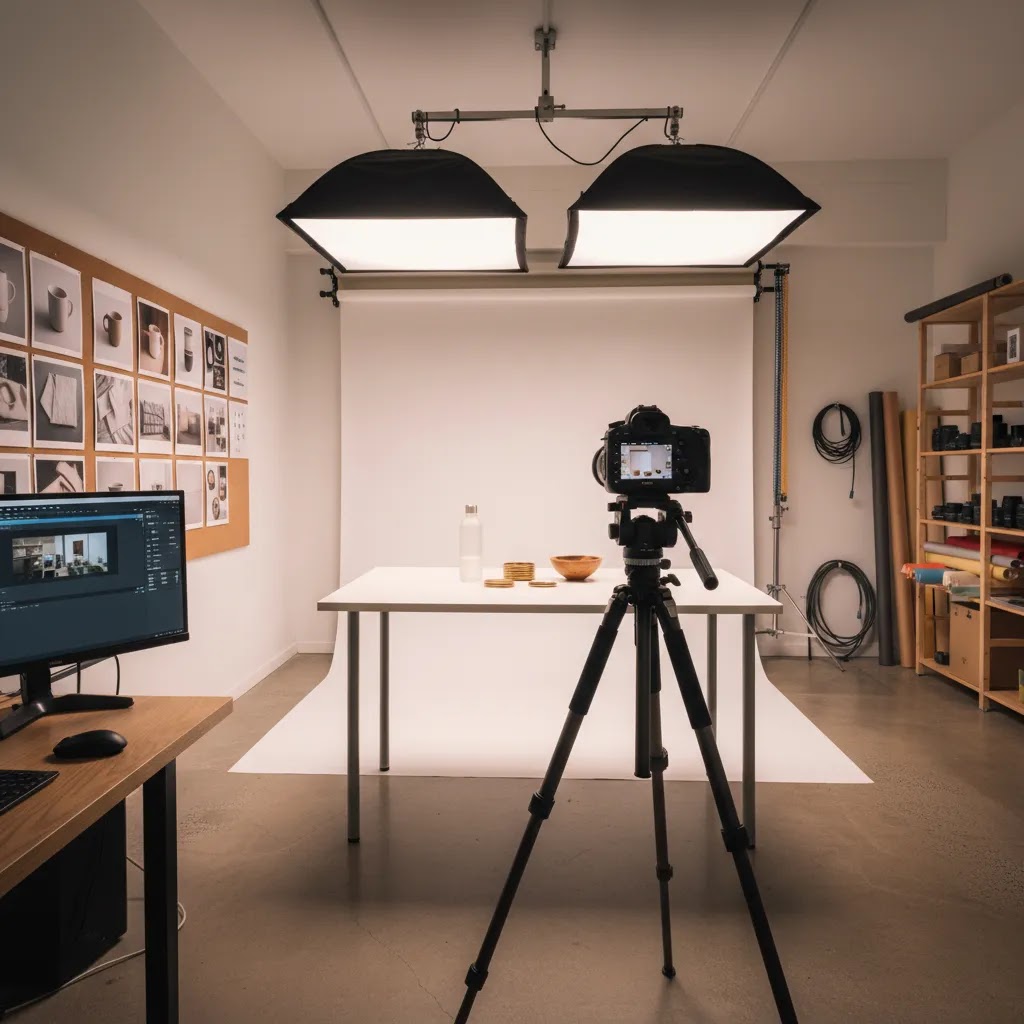
When you should hire one instead of doing it yourself
Some brands should absolutely start with DIY photography. If you are validating demand, have a very small catalog, or need basic placeholder images, shooting in-house can make sense.
Still, there is a tipping point where DIY starts costing more than it saves. If your catalog is growing, your ad costs are rising, or your brand presentation looks inconsistent across products, professional help may be the more efficient move.
DIY tends to work best when
- You have fewer than 10-20 SKUs
- Your products are simple to light and style
- You only need clean, functional listing images
- You already have basic equipment and editing skills
Hiring tends to make more sense when
- Your products need specialized lighting, styling, or retouching
- You sell fashion, cosmetics, jewelry, or reflective items
- You need lifestyle assets for email, ads, and social campaigns
- Your store is rebranding or preparing for a larger launch
- You want a repeatable visual standard across your catalog
At AcquireConvert, the practical advice is usually the same: hire once the visual bottleneck starts affecting growth. Giles Thomas's ecommerce approach consistently centers on assets that help stores sell, not just look polished. That is a useful mindset when judging whether outside support is worth it.
How remote ecommerce product photography services typically work
Remote product photography is more common than most Shopify store owners realize. You ship products to a photographer or studio, they shoot to a defined brief, then you approve and download final assets. If the photographer has a clear process, remote can be straightforward and often faster than trying to coordinate in-person time.
The key is to treat remote shoots like a production workflow, not a casual handoff. When the process is tight, you get fewer surprises and less back-and-forth.
What the remote workflow usually looks like
Every studio has its own flavor, but most remote workflows follow the same steps:
- Intake and quote: you share product details, quantities, and where the images will be used, then receive a scope and estimate
- Shot list and standards: you agree on angles per SKU, background style, crops, and any special deliverables like ghost mannequin or video
- Shipping: you send products with labeling and any styling notes
- Shoot window: the photographer schedules the capture time based on workload and complexity
- Review gallery: you receive a proof gallery or contact sheet to confirm angles and selects
- Revisions: you request changes within the agreed revision rounds, typically focused on retouching or small adjustments
- Final delivery: you receive edited files in the agreed formats, usually via download
What many store owners overlook is the approval checkpoint. If you are shooting a large catalog, ask for a short proof review early in the process. Approving one SKU’s framing and retouching standard before the whole catalog is processed can prevent expensive rework later.
Shipping guidance that prevents expensive mistakes
Shipping products sounds simple, but it is where remote shoots often go wrong. A few practical steps can save you time and protect your inventory:
- Label everything by SKU and variant, and include a printed packing list that matches your shot list
- Send duplicates for fragile items or hero SKUs when you can, because damage can happen even with careful handling
- Use tracking and consider shipping insurance for higher-value inventory, then confirm who is responsible if something arrives damaged
- Clarify return shipping expectations up front, including whether products are returned automatically or only on request
- If packaging must stay pristine, say so clearly in writing and ship items in a way that protects corners, seals, and retail boxes
If you sell items where presentation is part of the product, like premium packaging, cosmetics, or collector-style boxes, assume you will need more careful handling. That means better packing on your side and a photographer who treats packaging as a deliverable, not just a container.
How to reduce back-and-forth when you cannot be on set
The biggest remote risk is not image quality. It is mismatch. You expected one thing, the photographer delivered another, and now you are stuck in revision cycles.
To reduce that, send three things with your brief:
- Brand guidelines: background color preferences, shadow style, and any do-not-do rules
- Required angles per SKU: define the non-negotiables, especially the hero image framing you want across collection pages
- An early approval step: confirm you will review and approve a proof set before the full catalog is finalized
The way this works in practice is simple. Remote shoots can be very efficient, but only if you make expectations unambiguous at the start.
How to review a photographer's portfolio the right way
A portfolio can be misleading if you only judge it by style. Beautiful images do not always translate into useful ecommerce product photos.
Think of it this way, you are not hiring for a gallery exhibition. You are hiring for commercial performance, usability, and consistency. A good product photographer website should show evidence that the photographer understands online retail requirements.
What to look for in the work
- Consistent angles and framing across multiple products
- Clean lighting with accurate color rendering
- Detail shots that answer common buyer questions
- Lifestyle scenes that fit the target customer, not random aesthetics
- Examples of products similar to yours in size, texture, or material
- Images that still look strong when cropped for mobile
If you sell apparel, an ecommerce fashion photographer with model direction experience matters. If you sell home goods, soft styling and room context may matter more. If you sell supplements or cosmetics, label readability and packaging accuracy become more important than artistic experimentation.
Ask to see a full client set, not just highlight images. That gives you a better view of consistency across an actual ecommerce product photoshoot.
If you are comparing staged photography with digital alternatives, it also helps to understand where a mockup generator may work well for concepts, packaging previews, or fast campaign tests, and where original photography is still the stronger commercial asset.

Questions to ask before you sign anything
The right questions will tell you more than the portfolio alone. You want to know how the photographer handles process, revision control, delivery standards, and commercial usage.
From a practical standpoint, these are the questions that usually save the most headaches:
- Have you shot products like mine before?
- What is included in the quote, shooting time, retouching, props, styling, models, and revisions?
- How do you price variants and additional angles?
- What file formats and dimensions do you deliver for Shopify and ads?
- What turnaround time should I realistically expect?
- Do I own the usage rights, or are there limits?
- How do you handle reshoots if the product appearance is inaccurate?
- Can you also support short-form video or motion assets?
If they cannot explain their workflow clearly, that is often a warning sign. Strong photographers usually have a repeatable production process because ecommerce clients depend on deadlines and consistency.
If your product range spans hero images, short videos, and lifestyle setups, ask whether they can work with a larger product photography studio model or whether they outsource parts of the workflow.
What pricing usually depends on
There is no single market rate for an ecommerce photographer. Pricing may vary widely based on product complexity, number of SKUs, shooting style, editing requirements, talent costs, and whether the work is done in a major metro area like an ecommerce photographer NYC market or a smaller regional market.
The reality is that the cheapest quote often leaves out critical line items. You may think you are comparing photographers, but you are really comparing very different scopes of work.
Common pricing variables
- Per image, per SKU, half-day, or full-day pricing structure
- Retouching depth, including dust cleanup, label straightening, and color correction
- Set building, props, and styling
- Model, makeup, and hair costs for fashion or beauty shoots
- Video capture and editing
- Rush fees and revision rounds
- Usage licensing terms
Ask for a line-item estimate. That makes it easier to compare vendors fairly and decide what matters most for your store. For some brands, white-background consistency is the priority. For others, a strong product lifestyle photographer may add more value because social and paid media need more contextual assets.
Do not assume a higher quote means better output. It may just reflect studio overhead or location. At the same time, unusually low pricing can signal rushed work, weak retouching, or hidden costs later.
Common ecommerce photography pricing models and how to compare quotes
Most ecommerce photography quotes fall into a few standard formats. Knowing which model you are looking at helps you compare vendors fairly, because a “cheaper” quote can be more expensive once you normalize for how many usable assets you actually get.
Per image pricing
Per image pricing is common for simple catalogs and white-background shoots. The catch is that “image” can mean different things. One photographer may count a front angle as one image and charge extra for any crop or alternate framing. Another may include multiple exports from the same final retouch.
If you are comparing per image bids, confirm what counts as a billable image, and whether additional crops for ads or marketplaces are included or billed separately.
Per SKU pricing
Per SKU pricing bundles multiple images per product. This can be easier for Shopify catalogs because you think in products, not individual files. It also forces a clearer conversation about how many angles, close-ups, and variants are included for each product.
From a practical standpoint, per SKU quotes are only comparable if the angle count is comparable. A “per SKU” package with two angles is not the same as a “per SKU” package with seven images plus detail shots.
Day rate or half-day rate
Day rates are common when the shoot has a lot of moving parts, like lifestyle sets, on-model, or products that need complex lighting. With a day rate, you are paying for production time, not a guaranteed number of final assets.
If you are quoted a day rate, ask how they estimate output. A good photographer can give a realistic range based on your product complexity and shot list, then tell you what might slow things down.
Packaged tiers (standard, premium, rush)
Many studios productize their services into tiers. You might see packages that differ by retouching level, turnaround time, revision rounds, or whether specialized deliverables like ghost mannequin are included.
Think of it this way, packaged tiers can be helpful as long as you confirm what changes operationally between tiers. A rush option may mean scheduling priority and faster delivery, but it can also mean fewer included revision rounds or stricter cutoffs for changes once production starts. Confirm those details before paying extra, so you know what you are actually buying.
How to estimate true cost per usable asset
When you are comparing quote formats, reduce everything to the cost per usable asset for your store. That means counting the images you will actually use across Shopify and your acquisition channels, not just the raw number of files delivered.
Also account for hidden multipliers that can change unit economics:
- Editing depth and retouching time, especially for reflective products, cosmetics, or packaging
- Variants and colorways, which may require separate shots or careful color matching
- Add-ons like ghost mannequin, on-model, video, or 360 spins
- Extra exports, such as additional crops for ads, marketplaces, or email headers
The goal is not to “get the most photos.” It is to get the right assets that support clicks, product understanding, and confident buying decisions, without creating an upload and organization nightmare for your team.

How to prepare for an ecommerce product photoshoot
Preparation is where store owners can have the biggest impact. Even a talented photographer cannot fix unclear expectations, missing samples, or inconsistent merchandising direction.
Before the shoot, build a simple shot list tied to how products appear on your store. For most Shopify stores, that means thinking beyond a single hero image.
Your pre-shoot checklist
- Create a SKU-by-SKU shot list
- Mark required angles, close-ups, and variant coverage
- Provide brand references, color direction, and mood examples
- Send your best physical samples, not early production units if possible
- Flag product details customers often ask about
- Clarify where assets will be used, PDPs, collection pages, email, ads, marketplaces
- Confirm aspect ratios and file naming conventions
Consider this, if you need five images per product but only brief the photographer for one hero shot, the issue is not the photographer. It is the planning. A good brief protects both sides.
If you are building a more cohesive visual system, browse AcquireConvert's E Commerce Product Photography resources for wider guidance on image types, merchandising logic, and channel-specific asset needs.
Where AI and post-production fit into the process
AI can help, but it should not be treated as a substitute for every part of commercial photography. For many stores, the best workflow is hybrid. You capture core product images professionally, then use editing and AI tools to expand variations, clean backgrounds, or test creative directions.
That can be especially useful when you want to extend a shoot without paying for a full reshoot every time a campaign changes.
Relevant tools from the current AcquireConvert ecosystem include ProductAI options such as AI Background Generator, Free White Background Generator, and Background Swap Editor. These can be useful for background cleanup, alternate settings, and testing creative concepts. Features and availability may change, so verify current details directly with the provider.
If you are exploring the broader workflow, this overview of ai tools for ecommerce can help you see where AI supports production and where human photography still matters most.
For lifestyle-heavy brands, it is also worth reviewing AcquireConvert's Lifestyle Product Photography category, especially if you want to combine studio shots with more contextual visual storytelling.
Red flags that can cost you time and money
Hiring mistakes usually show up before the shoot starts. You just have to know what to notice.
- No clear contract, quote, or usage terms
- Portfolio shows style, but not ecommerce consistency
- Vague answers on turnaround times or retouching scope
- No process for shot approval or revisions
- Limited understanding of Shopify image requirements or ecommerce cropping
- Overpromising on volume with very low pricing
- No examples of products remotely similar to yours
What many store owners overlook is communication fit. If the photographer is hard to brief, slow to respond, or resistant to commercial requirements, that friction often gets worse once the project is underway.
You do not need the most famous product photographer you can find. You need someone who understands your catalog, your customers, and the realities of online merchandising.
The strategies and tools discussed in this article are based on current ecommerce best practices and publicly available information. Results will vary depending on your store, niche, and implementation. Always verify tool pricing, features, and platform compatibility directly with the relevant provider before making purchasing decisions.
Frequently Asked Questions
How much does it cost to hire an ecommerce product photographer?
Costs vary based on shoot type, SKU count, editing depth, props, models, and licensing. A simple white-background shoot for a small catalog may be priced very differently from a lifestyle campaign with sets and talent. Ask for detailed quotes so you can compare scope, not just headline numbers. In many cases, the most useful comparison is cost per usable asset delivered. If a photographer includes stronger retouching, better organization, and more channel-ready files, the higher quote may still represent better value for your store.
Should I hire a local photographer or work with someone remotely?
Both approaches can work. A local search such as "ecommerce photographer near me" can make sample drop-off, live reviews, and in-person art direction easier. Remote specialists can still be a strong fit if they have a clear intake process and solid ecommerce experience. For simple catalog work, shipping products to a specialist is often practical. For fashion, fragile items, or highly branded lifestyle shoots, local collaboration may reduce friction. The best choice depends on complexity, speed, and how much creative direction you need to provide during the shoot.
What is the difference between a product photographer and an ecommerce photographer?
A product photographer may focus on beautiful product images in a broad commercial sense. An ecommerce photographer is usually more tuned into how assets function online, especially on Shopify product pages, collection grids, paid ads, and marketplaces. That means they often think more carefully about image consistency, mobile cropping, file formats, and conversion intent. Not every product photographer has ecommerce experience. When you hire, ask how they plan shots for retail usability, not just aesthetics. That distinction often matters more than the title on their website.
Do I need lifestyle images as well as white-background product photos?
For many stores, yes. White-background photos help shoppers inspect the product clearly and keep your catalog consistent. Lifestyle images help customers picture use, scale, mood, and context. The right mix depends on what you sell. Apparel, home goods, beauty, and gift products often benefit more from lifestyle content than purely technical or commodity products. If your paid social campaigns rely on storytelling, lifestyle images may be especially valuable. A balanced image set often performs better commercially than relying on either style alone.
Can I use AI instead of hiring a photographer?
Sometimes, but not always. AI can help with background cleanup, alternate scenes, image extension, and testing creative ideas. It may be useful for refreshes or lower-priority SKUs. Still, if you need accurate textures, packaging details, model interaction, or premium brand consistency, original photography usually remains the stronger base asset. A hybrid workflow is often the most practical route. Use professional capture for core images, then expand with AI where it makes sense. This is especially relevant if you are balancing cost, speed, and catalog scale.
How many photos should I request per product?
That depends on complexity, but many ecommerce stores need more than one hero image. A practical starting point is a main front shot, side or back angles, close-up detail images, scale reference, and one or two lifestyle views where relevant. Products with moving parts, special materials, or premium finishes often need more visual explanation. Think about the questions a shopper would ask in-store, then make sure your image set answers them. If customers regularly email about texture, fit, packaging, or included accessories, your photo plan should address that directly.
Should I ask for video too, or just still images?
For some products, adding video is worth discussing early. Short clips can show movement, texture, scale, assembly, or how the product looks in real use. That may help on PDPs, landing pages, and paid social. You do not need video for every catalog item, but it can add value for products that are hard to explain with still images alone. If you think you may want motion assets later, ask during quoting. Capturing video during the same production window can be more efficient than organizing a second shoot later.
What rights should I get when I hire a photographer?
You should clarify usage rights in writing before the shoot. Some photographers include broad commercial usage in the quote, while others license images based on channels, duration, or campaign type. If you plan to use assets on your Shopify store, marketplaces, ads, email, and organic social, state that upfront. Also confirm whether source files are included, whether edits are restricted, and how long the photographer retains archived files. Rights language can be easy to overlook, but it becomes important quickly once you start reusing assets across channels.
How do I know if a photographer understands Shopify needs?
Ask specific operational questions. Can they deliver web-ready image sizes? Do they think about portrait versus square crops? Can they name files clearly by SKU or variant? Do they understand that your collection page thumbnails, mobile PDP gallery, and ad creatives may all need different crops from the same source images? Their answers will tell you a lot. You are not looking for a developer. You are looking for someone who understands how imagery functions inside an online retail workflow, not just inside a camera setup.
How much to charge for e-commerce photography?
If you are the photographer setting rates, you typically start by defining your pricing model and your baseline scope. Are you charging per image, per SKU, or by day rate. Then you price based on the variables that reliably change workload, like retouching depth, product prep complexity, styling, and usage. The most common mistake is charging a simple per image rate but doing day-rate-level effort in the background, especially with detailed cleanup, color matching across variants, or file exports for multiple channels.
It also helps to think in terms of cost per usable asset for the client. If you deliver organized, SKU-named files, consistent crops, and channel-ready exports, you can often justify a higher rate than someone who delivers a folder of unlabeled images that the brand has to untangle.
How much should I pay a photographer for a product shoot?
You should pay based on the scope that matches your store’s needs, not based on a generic “product shoot” idea. A small white-background set for a handful of SKUs is a different project than a lifestyle shoot with props, set styling, and models. Ask for a line-item quote, confirm the deliverables per SKU, and confirm what is included in revisions and usage rights.
From a practical standpoint, the best comparison is usually cost per usable asset you will actually deploy on Shopify and in ads. If one quote is higher but includes the angles you need, consistent naming by SKU, and web-ready exports, it may be better value than a cheaper bid that forces you into reshoots or extra editing later.
How much do ecommerce photographers make?
It varies a lot. Ecommerce photographers may earn very different amounts depending on their niche, whether they run a studio with overhead, their client mix, and whether they sell higher-production services like on-model, video, or ghost mannequin work. Some photographers also build recurring revenue by offering ongoing monthly catalog updates for Shopify brands.
If you are evaluating a photographer as a client, income is less useful than understanding how they structure their production. A photographer with a repeatable workflow and clear deliverables is often a safer choice than someone who prices inconsistently or cannot explain how they handle volume.
What is ecommerce product photography?
Ecommerce product photography is the creation of product images and related visual assets designed specifically for online selling. The goal is not just to make the product look good. The goal is to make it easy to understand, trust, and buy. That includes clean pack shots, detail photos, scale references, lifestyle scenes, and sometimes video or motion clips, all delivered in formats that work on product pages, collection pages, ads, and marketplaces.
Key Takeaways
- Hire an ecommerce product photographer based on commercial fit, not just artistic style.
- Review full client sets, not highlight reels, to judge consistency across a real product catalog.
- Ask detailed questions about scope, retouching, licensing, delivery specs, and revisions before signing.
- Prepare a strong shot list tied to your Shopify product pages, collection grids, ads, and email use cases.
- Use AI and editing tools as workflow support, not as an automatic replacement for professional photography.
Conclusion
Hiring the right ecommerce product photographer can make your store feel more trustworthy, more consistent, and easier to shop. That does not mean you need the biggest studio or the flashiest portfolio. It means you need someone who understands online merchandising, product clarity, and the way visual assets affect both acquisition and conversion.
Your next step is simple. Start by listing the products that matter most commercially, then define exactly what image types you need for those SKUs. After that, compare photographers using full project samples, detailed quotes, and a clear shot brief. That process alone will help you avoid many of the common hiring mistakes.
If you want to keep building your visual workflow, explore more of AcquireConvert's product photography and AI content. It is a useful next step if you are trying to decide what should be shot professionally, what can be templated, and where editing tools can support your store's growth.
Results from ecommerce strategies vary depending on store type, niche, audience, budget, and execution. Nothing in this article constitutes a guarantee of specific outcomes. Third-party tool features and pricing are subject to change: verify current details directly with each provider.

Hi, I'm Giles Thomas.
Founder of AcquireConvert, the place where ecommerce entrepreneurs & marketers go to learn growth. I'm also the founder of Shopify agency Whole Design Studios.