Product Photography for Social Media (2026 Guide)

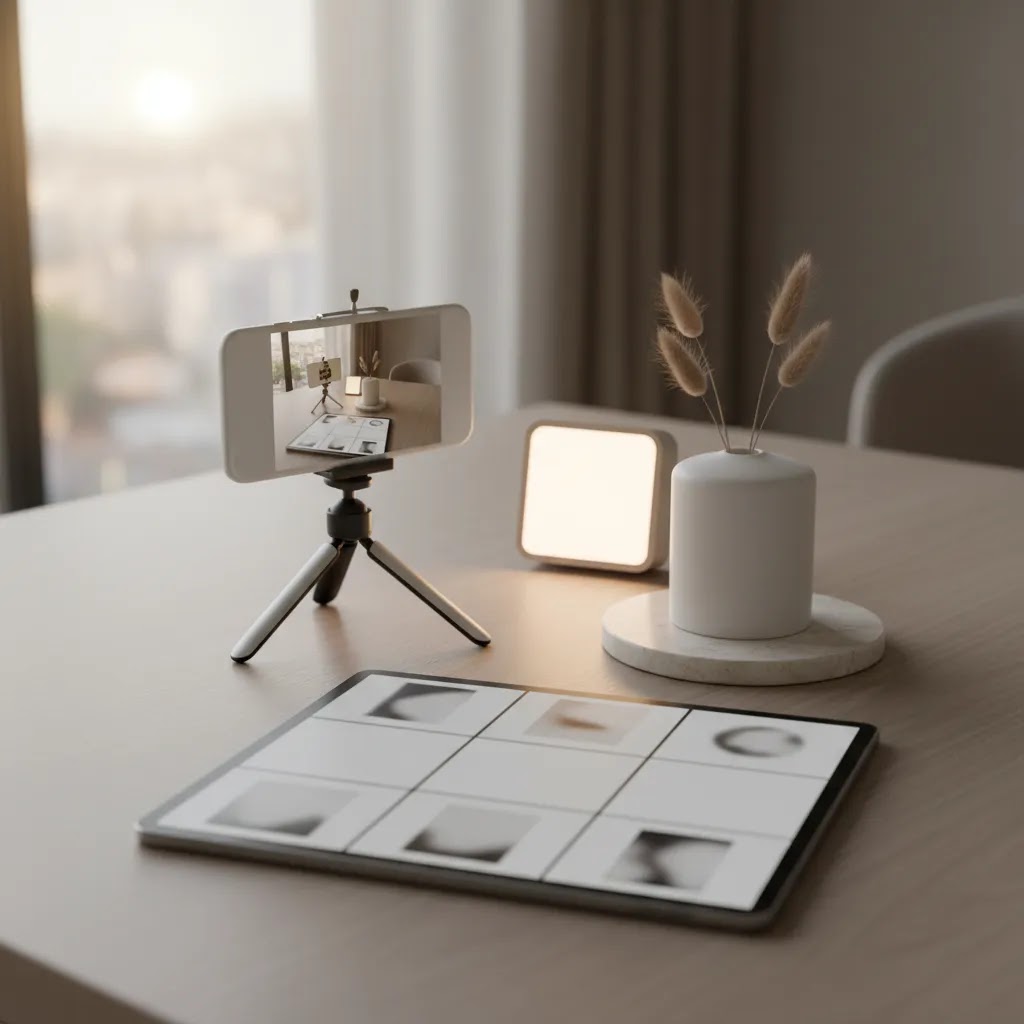
You post consistently, your products are solid, and your Shopify store is live, but your social content still feels flat. That is a familiar problem for ecommerce founders. The issue often is not the product itself. It is the way that product is photographed for each platform. A clean white-background image that works on your PDP may not stop a scroll on Instagram. A polished hero image may look too formal for TikTok. And a great feed post may fail in Stories because the crop cuts off the product entirely.
Product photography for social media works best when you treat every platform as its own storefront window. You need images and short-form visuals built for attention, clarity, and conversion, not just catalog accuracy. In this guide, you will learn how to plan social-first product images, what formats tend to suit each major platform, where AI tools can help, and how to keep your visuals aligned with your Shopify product pages. If you want a broader stack of ecommerce tools for visual content workflows, this article will give you a practical starting point.
Contents
- Why social needs its own photo strategy
- What good social product photos actually do
- How to shoot for Instagram, TikTok, Pinterest, and Facebook
- Platform crops, sizes, and safe zones
- How to build a repeatable social photo workflow
- A phone-first starter setup for consistent product photos
- Where AI helps and where it can hurt
- Best product photography apps and AI tools for social workflows
- How social photos support conversion, not just engagement
- Common mistakes store owners make
- Frequently Asked Questions
Why social needs its own photo strategy
Many store owners start with their product page images and simply repost them on social. Sometimes that works, especially for simple products or highly visual brands. But in most cases, social media photography needs a different job description.
Your product page has context. Social posts usually do not. A shopper scrolling through Instagram or TikTok has not yet read your headline, your shipping policy, or your product description. The image has to communicate the product category, brand feel, and use case almost instantly.
Think of social media product photography as the bridge between discovery and store visit. It should create enough curiosity to earn the click, while still matching what the customer sees when they land on your Shopify store. That consistency matters. If your ad or post feels playful and lifestyle-led, but your site looks clinical and generic, trust drops fast.
AcquireConvert often frames ecommerce growth through both acquisition and conversion, and this is a good example of that overlap. Social visuals help bring people in, but they also set expectations that affect how well they convert once they arrive.
What good social product photos actually do
Strong social media product photography is not only about making your products look attractive. It should help the shopper answer a few questions fast: What is this? Who is it for? How is it used? Why should I care?
Clarity comes before aesthetics
A beautifully styled image that hides the product is usually a weak sales asset. Scroll-stopping matters, but clarity still wins. For most Shopify stores, the best-performing social images keep the product obvious even when the composition is creative.
Context sells use cases
Lifestyle scenes can be powerful because they show scale, occasion, and outcome. A skincare bottle next to a sink, a coffee tool in a morning routine, or a fashion accessory worn in natural light tells a richer story than a floating cutout alone. If you want more ideas in this area, the Lifestyle Product Photography category is a useful place to compare different approaches.
Variation keeps your feed from looking repetitive
You do not need 50 entirely different concepts per product. You do need a useful mix. In practice, this means rotating between clean packshots, detail shots, in-use images, creator-style content, and short-form video assets. If you need help mocking up concepts before a shoot, a mockup generator can help you test layouts and creative directions before investing more time in production.

How to shoot for Instagram, TikTok, Pinterest, and Facebook
The reality is that every platform rewards slightly different visual behavior. You can repurpose assets, but you should not assume one crop or one composition will suit all of them.
Instagram: polished, but not overly polished
Instagram still favors attractive, brand-consistent images. Square and vertical formats tend to perform well because they occupy more screen space. For feed posts, prioritize a strong first frame, clean styling, and visual depth. Carousels work especially well for product storytelling because you can move from hero image to detail to use case to testimonial-style graphic.
For Stories and Reels covers, leave enough headroom and side spacing so platform UI does not cover key details. If you are running apparel, beauty, home goods, or giftable products, natural light and lifestyle framing often feel more native than studio-only images.
TikTok: authenticity beats perfection
TikTok product photography often blends into video-first content. That means stills should feel less like traditional ad creative and more like frames from real use. Handheld shots, quick setup scenes, before-and-after visuals, and product-in-action clips tend to fit better than heavily retouched studio images.
If you are also creating short clips, think ahead to social media product video creation. The best still photos and the best video frames usually come from the same creative brief, not separate projects.
Pinterest: search-friendly visuals with intent
Pinterest sits closer to visual search than pure social. Your images should be vertically oriented, clear, and built around an idea the shopper is already considering, such as outfit inspiration, kitchen organization, gift ideas, or skincare routine steps. Text overlays can help here more than they would on Instagram, but keep them light and legible.
Facebook: broader demographics, stronger utility
Facebook still matters for many ecommerce niches, especially if you sell products with clear practical value. Product photography for social media on Facebook often works best when it is direct and benefit-led. Show what the product is, how it solves a problem, and what the shopper can expect to receive.
For stores selling complex or higher-consideration products, mixing simple product photos with explainer-style visuals can improve click quality. If your current imagery feels inconsistent, working with an ecommerce product photographer may be worth considering for your hero assets, while you handle lower-stakes social variations in-house.
Platform crops, sizes, and safe zones
Most social photo problems do not start in the camera. They show up when you try to repurpose the same image across feed, Stories, Reels, and ads. Suddenly the product edge is cut off, the label is covered by UI, or your carousel looks like five different shoots.
Consider this: if you compose for one perfect crop, you often create a future editing mess. A better approach is to shoot and edit with safe zones in mind so the same master can be reused across placements.
Compose like the platform will cover part of your image
Every app adds its own overlays, buttons, captions, and sometimes a profile bar. The exact UI shifts over time, so there is no one “always correct” safe zone. But the practical rule is consistent: keep the product and any critical details away from the extreme edges.
For vertical placements like Stories, Reels, and TikTok, treat the top and bottom of the frame as risky space. For feed placements, be careful with the left and right edges if you plan to use the asset in a carousel where the crop may feel tighter than expected.
Build one master edit, then export multiple aspect ratios
The way this works in practice is simple. Make one “vertical-first” master edit, then create your other versions from it.
Start with a vertical master because it gives you the most pixels to work with for full-screen placements. From there, create square and 4:5 crops for Instagram feed and other placements that prefer a slightly less vertical frame.
If you keep your master consistent, your crops will feel intentional instead of improvised. Your brand starts to look sharper, even if you are still shooting on a phone.
Naming conventions that save time later
Once you have multiple crops, file chaos becomes the next bottleneck. A simple naming system can prevent you from posting the wrong version at the wrong time.
For example, store owners often do well with a structure like: product-name, angle or concept, platform, and aspect ratio. The goal is not perfection, it is speed. When you are building a weekly content schedule, you should not be opening four files just to find the right crop.
Common crop failure modes to watch for
Most “this image does not perform” situations are really “this image is hard to read in the feed” situations. A few common examples:
- The product is cropped too tight, so the edges look accidental or cheap.
- The label or key feature sits near the bottom and gets covered by captions or buttons.
- Text overlays are placed where the platform UI already lives, so the message is partially hidden.
- A carousel has inconsistent framing, so the swipe feels jumpy and unprofessional.
Fixing these is not about being more creative. It is about deciding, before you shoot, how the image will need to flex across placements.
How to build a repeatable social photo workflow
What many store owners overlook is that social content rarely fails because of one bad image. It fails because there is no system. You shoot once, post for two weeks, run out of assets, and then go back to random phone photos.
A better workflow usually looks like this:
- Pick 3 to 5 content angles per product, such as clean hero, in-use, detail, comparison, and creator-style.
- Shoot in batches so lighting, props, and product prep stay consistent.
- Create platform crops during editing, not at the moment you post.
- Save templates for captions, overlays, and video hooks.
- Tag each asset by platform, campaign, and product in your content library.
From a practical standpoint, this helps you produce more content without lowering quality. It also keeps your feed aligned with your core product positioning. If you want foundational examples of what makes visuals pull their weight commercially, see this guide on why product photos increase conversion rate. The same principles often carry from PDPs to paid social and organic content.
For stores managing multiple SKUs, it can also help to define three asset levels: conversion-critical images for your website, campaign visuals for paid and organic social, and quick-turn assets for trends or promotions. That structure prevents you from overproducing low-value content while underinvesting in the images that shape first impressions.
A phone-first starter setup for consistent product photos
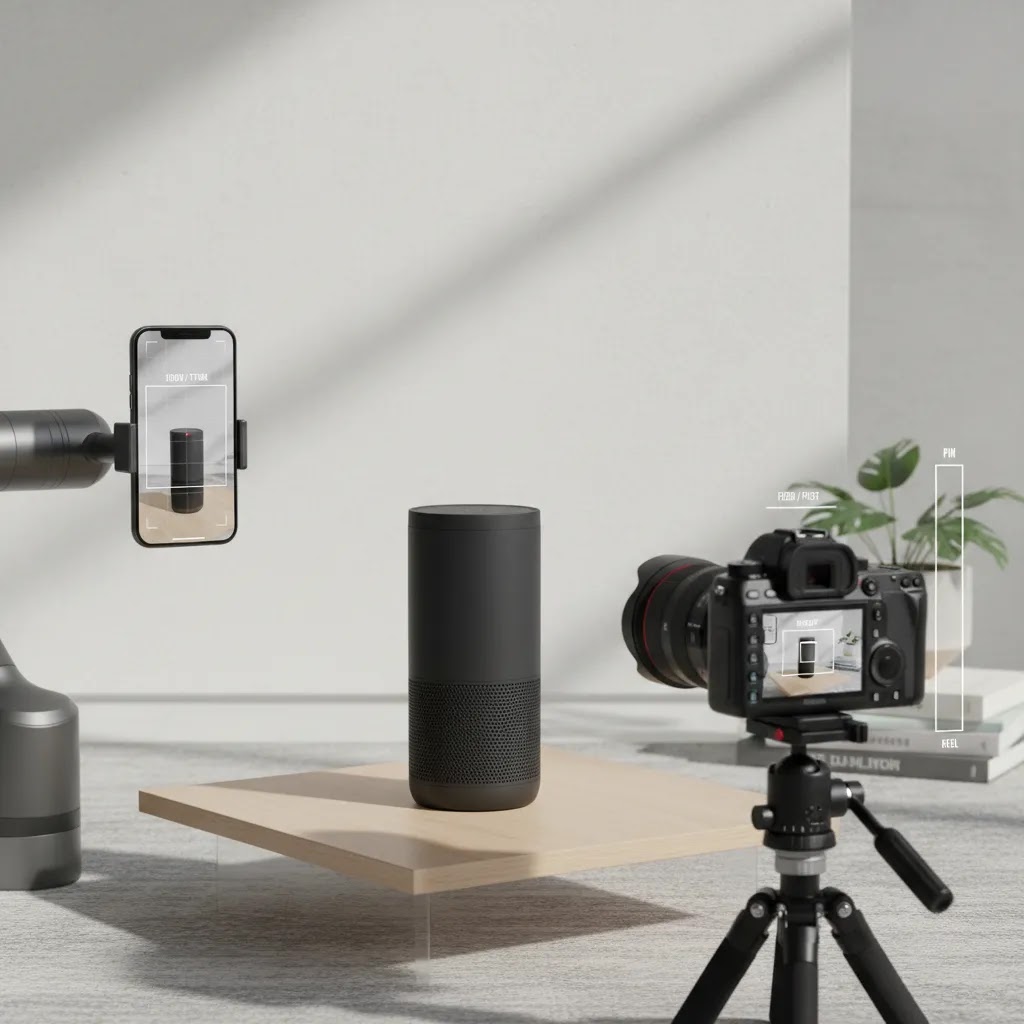
If you are a Shopify founder shooting your own content, the fastest path to better output is usually not a new camera. It is a predictable setup you can recreate every time. Phone-first can look genuinely professional if you control light and keep your framing consistent.
A simple starter setup you can repeat
You can get surprisingly far with a few basics: a smartphone, a tripod, window light, a reflector, and a clean backdrop.
Try this layout. Place your setup near a bright window with indirect light. Avoid harsh sun beams hitting the product directly, because that is where you get ugly shadows and blown highlights. Put the product on a simple sweep backdrop, which is just a sheet of paper or poster board curved from vertical to horizontal so you do not get a hard horizon line. On the opposite side of the window, use a white foam board to bounce light back onto the product and soften shadows.
For reflective or glossy products, adjust angle before you adjust lighting. A small rotation of the product or camera often removes glare faster than any filter. If you can see a bright reflection of the window in the product, the shopper will too.
Phone camera settings and habits that matter most
Most phone cameras are powerful enough for social media photography, but they can also make inconsistent decisions automatically. A few capture habits can tighten everything up:
- Tap to focus on the product, then lock focus and exposure if your phone supports it. This prevents the camera from brightening and darkening between shots.
- Use your primary lens, typically the 1x lens, for the cleanest results. Ultra-wide can distort product shape, and telephoto may not be available on all phones.
- Avoid digital zoom. If you need a tighter shot, move the phone closer, then reframe.
- Turn on gridlines and keep verticals straight. This matters more than people think for packaging and rectangular products.
- Keep the background clean, even if you plan to remove it later. A messy edge makes editing slower and less accurate.
From a practical standpoint, consistency is the real win. When your light and exposure stay stable, you can batch edit and batch crop without everything feeling like five different shoots.
A quick shoot checklist built for social needs
Social is where small prep steps prevent a lot of rework later. Before you shoot, check three things.
- Leave safe margins. Do not place the product right against the edge of the frame. You may need extra space for UI overlays and for cropping into different aspect ratios.
- Capture negative space on purpose. If you plan to add text, price, or a simple callout, shoot a version with clean space to one side or above the product.
- Shoot vertical and square. Even if your “main” plan is a vertical Reel cover, capture a square-friendly frame while you are already set up. It can save you from reshoots when you need a feed post or a carousel image.
If you do this for one hero product, you will quickly see the pattern. Social content becomes less stressful when your inputs are predictable.
Where AI helps and where it can hurt
AI for product photography has become more useful, especially for editing, background generation, and fast creative testing. It can reduce production time for certain tasks, but it is not a replacement for judgment.
Where AI can save time
If you already have a clean source image, AI tools can help you produce variations for different social contexts. For example, tools like AI Background Generator and Free White Background Generator can help you create alternate looks for testing. Increase Image Resolution may also be useful if you need to repurpose older assets for larger placements.
AcquireConvert covers this intersection of AI and ecommerce because it is one of the most practical areas where founders can save time without sacrificing quality, if they use the tools carefully.
Where AI often creates problems
AI-generated scenes can drift away from your real product. Colors may shift. Materials may look inaccurate. Packaging text may become unreadable. For regulated categories, premium goods, or products where texture matters, those issues can hurt trust quickly.
Here is the thing: AI works best as an assistant for iteration, not as a shortcut for authenticity. Use it to expand options, not to fabricate a product experience your customer will not actually receive. Features and availability for third-party tools may change, so verify current details directly with each provider before building your workflow around them.
If you want cleaner inputs before editing, the broader E Commerce Product Photography hub is worth exploring for setup fundamentals and image planning ideas.
Best product photography apps and AI tools for social workflows
A lot of store owners search for a “product photography app for social media,” but what you really need is a small stack that matches the jobs you do every week. Edit, resize, remove backgrounds, create layout variations, export, and test.
Now, when it comes to AI tools, the best results usually come from treating them like a controlled production step. Generate variations, choose the best, then sanity-check it against what you actually sell on your Shopify product page.
Background removal and clean cutouts
Clean cutouts are still one of the most useful building blocks for social creative. You can place the product onto a seasonal background, drop it into a template, or build a consistent carousel style.
AI removal tools can be fast, but edges are where quality is won or lost, especially around hair, transparent packaging, reflective metal, and glass. If the edge looks crunchy or the shadow looks fake, it can reduce trust quickly. If you are selling premium goods, it is often worth taking the extra minute to refine edges and keep shadows believable.
Background generation for fast creative variations
Background generation is useful when you want multiple social “scenes” without reshooting. It can help you test lifestyle vibes, seasonal themes, or clean color backdrops that match your brand palette.
For example, the AI Background Generator can help you produce quick alternatives. The key is to keep it grounded in reality. If the background implies a feature, setting, or included accessory that is not actually part of the product, you may attract clicks that do not convert.
Upscaling and sharpening for larger placements
If you are repurposing older images or pulling stills from video, resolution can become the limiting factor. Upscaling can help, but it is not magic. If the original is blurry, upscaling will often create artificial texture that looks “off” on packaging and labels.
Increase Image Resolution may help in many cases, but always zoom in and check fine detail before you publish, especially if the product has important text or complex patterns.
Template-based social layouts and batch resizing
The stores that ship content consistently usually rely on templates. Not because they lack creativity, but because templates reduce decision fatigue. A simple layout system can keep your carousels, pins, and ads looking consistent even when the underlying photos vary.
From a workflow standpoint, aim to create once and export many: vertical, square, and 4:5. Keep your naming and folders aligned with platforms, so your scheduling process is not an hour of hunting for “the one that fits.”
When to use AI versus traditional editing for ecommerce trust
AI is great for speed, but ecommerce trust still relies on accuracy. In many categories, shoppers are paying attention to:
- Accurate color, especially in apparel, beauty, and home decor.
- Readable labels and packaging text.
- Texture fidelity, like fabric weave, grain, shine, or finish.
Think of it this way: your social assets can be more stylized than your PDP, but they should not contradict it. A practical check is to put your AI-edited image next to the images on your Shopify product page and compare color and detail. If the AI version looks better but less true, that is usually a tradeoff you do not want to make.
A simple creative test loop that actually informs decisions
AI makes variation testing more accessible, but it is easy to test the wrong thing. Likes and comments can be misleading. What you really want is click quality and on-site behavior.
For most Shopify store owners, a simple loop is enough:
- Create 2 to 3 variations of one concept, such as background style, prop choice, or text overlay.
- Run them in one platform or one ad set at a time, so you can attribute results more cleanly.
- Judge performance by click-through, landing page engagement, add-to-cart behavior, and overall conversion quality, not only engagement.
Platform policies and ad tools change, so if you are testing paid creative on Meta or TikTok, double-check current guidelines and placement behavior before you scale a format that depends heavily on overlays or claims.

How social photos support conversion, not just engagement
Likes are nice, but they are not the main metric that matters. Good product photography social media strategy should improve click quality, on-site confidence, and the shopper's understanding of the offer.
Think of your visual journey in three stages. First, the social image earns attention. Second, the landing page confirms what the shopper thinks they clicked on. Third, the product page removes hesitation. If your social images are overstyled, vague, or disconnected from your store imagery, that sequence breaks.
This is where consistency matters more than perfection. Your packaging, props, lighting style, and editing choices should feel like they belong to the same brand system. Giles Thomas, through AcquireConvert's ecommerce education content, regularly emphasizes this practical link between acquisition and conversion. Visuals that attract low-intent clicks may inflate vanity metrics while hurting actual store performance.
For brands that need more control over output quality, especially across many products, a dedicated product photography studio setup can make sense. That does not always mean renting a professional facility. For some stores, it simply means standardizing your in-house space, lighting, backdrops, and shot list so your assets stay commercially useful.
Common mistakes store owners make
Most social photography problems are fixable. They usually come from unclear priorities rather than lack of effort.
Using one image set everywhere
Your website images, Meta ads, organic Instagram posts, and TikTok clips do not all need the same treatment. Repurposing is smart. Copy-pasting is not.
Overediting until the product looks unfamiliar
Heavy retouching might make a post look polished, but it can also create return issues and customer disappointment. Keep texture, scale, and color believable.
Ignoring native platform behavior
A high-end studio photo may look perfect on a product page and feel out of place on TikTok. Match the platform's expectations without losing your brand identity.
Shooting without a content plan
If you do not know where the asset will be used, you will likely miss important crops, overlays, or angle variations. Plan for feed, story, ad, and store use before the camera comes out.
Forgetting the brand story
Great social media photography is not random prettiness. It should reinforce your category, customer, and positioning. If your product is practical, show practical use. If it is premium, let materials and details carry that message.
The strategies and tools discussed in this article are based on current ecommerce best practices and publicly available information. Results will vary depending on your store, niche, and implementation. Always verify tool pricing, features, and platform compatibility directly with the relevant provider before making purchasing decisions.
Frequently Asked Questions
What is product photography for social media?
Product photography for social media is the process of creating product images and short-form visual assets specifically for platforms like Instagram, TikTok, Pinterest, and Facebook. Unlike standard ecommerce packshots, these images are designed to stop scrolling, communicate use cases fast, and fit platform-specific crops and behaviors. For most stores, that means combining clean product clarity with some level of lifestyle context, brand personality, or creator-style framing. The best approach usually supports both discovery and conversion, not just likes or reach.
How is social media product photography different from website product photography?
Website product photography is usually built for accuracy, consistency, and detailed evaluation. Social media product photography is built for attention first, then curiosity, then click-through. On your Shopify store, shoppers expect multiple angles, zoom, and specification details. On social, you often have one frame to make the product feel relevant. That is why social visuals tend to use stronger styling, motion cues, lifestyle context, and tighter visual storytelling. Still, the two should remain connected so the shopper sees the same product world across channels.
Do I need professional equipment for social media photography?
Not always. Many brands create strong social visuals with a modern smartphone, a tripod, window light, and a simple reflector. What matters more is consistency, shot planning, and editing discipline. If your products are small, reflective, textured, or premium-priced, better equipment may help, especially with lighting control and detail retention. But for many stores, the bigger upgrade is not a camera body. It is a repeatable workflow, cleaner styling, and clearer positioning for each post. That usually moves performance more than gear alone.
Should every product have both studio and lifestyle photos for social?
In many cases, yes. Studio images give you clarity and flexibility, while lifestyle images provide context and emotional relevance. A strong mix often includes one clean hero image, one or two in-use or real-life context shots, and at least one detail or close-up image. That gives you more options for organic posts, ads, and product launches. If you are planning a shoot from scratch, reviewing examples in the E Commerce Product Photography category can help you decide what balance makes sense for your niche.
Can AI replace a photographer for social media product content?
Sometimes AI can reduce the amount of photographer time you need, but it usually does not replace solid source imagery. AI is useful for background changes, image cleanup, concept variations, and creative testing. It is less reliable when you need accurate materials, packaging details, hand interaction, or premium visual trust. For some products, especially fashion, beauty, or tactile goods, original photography still does the heavy lifting. AI tends to work best after the shoot, not instead of it. Treat it as a production assistant rather than a full creative substitute.
What image style tends to perform best on Instagram and TikTok?
There is no single winner across every niche, but platform-native content usually performs better than images that feel imported from a catalog. On Instagram, polished but human images often work well. On TikTok, casual, creator-like visuals and product-in-use scenes frequently feel more credible. The best test is to compare clarity, hold rate, click-through, and conversion quality across a few creative directions. If you sell visually expressive products, browsing the Lifestyle Product Photography section may give you useful inspiration for platform-friendly concepts.
How many social media product photos should I create for each product?
A practical starting point is 5 to 10 usable assets per hero product. That might include a clean product shot, a lifestyle shot, a detail image, a scale reference, a creator-style image, and one or two short-form video clips or motion-based variations. You do not need a huge library for every SKU, especially if your assortment is large. Focus more heavily on bestsellers, seasonal items, and paid campaign products. For lower-priority items, a lighter asset set may be enough until demand justifies deeper production.
How do I know whether my social product images are helping sales?
Look beyond likes. Track click-through rate, landing page engagement, add-to-cart rate, and overall conversion performance from the traffic source using your analytics stack. In paid campaigns, compare image variants against product-level outcomes, not only top-line reach. In organic social, watch which visual styles generate qualified site visits and stronger shopping behavior. If an image gets attention but the landing page bounces, the creative may be attracting the wrong audience or setting the wrong expectations. That mismatch is common and worth fixing early.
Should I outsource social product photography or keep it in-house?
It depends on your product type, content volume, and brand standards. In-house creation gives you speed and lower per-shoot cost over time, especially for trend-led content and frequent launches. Outsourcing can improve quality, consistency, and creative direction when your imagery is a major part of how you sell. Many stores use a hybrid model: professional support for hero campaigns and internal production for day-to-day social posting. If you are comparing options, start with the shots that most directly influence conversion and customer trust.
What is the 20 60 20 rule in photography?
The 20 60 20 rule is a simple way to plan a balanced shoot so you do not end up with a library full of the same type of image. While different creators define it slightly differently, a practical ecommerce version is: about 20% clean, conversion-friendly product shots, about 60% lifestyle or in-use images that show context, and about 20% experimental or campaign-led creative, such as seasonal concepts, UGC-inspired frames, or bold text overlays.
For most Shopify stores, this split helps because the “60%” gives you social-native variety, while the “20% clean” keeps you anchored to what shoppers will recognize when they land on your product page.
What is the 400 rule in photography?
The “400 rule” is often referenced as a quick guideline for keeping noise under control, especially when you are shooting on a phone or in less-than-perfect indoor light. The idea is to try to keep ISO at roughly 400 or below when possible, because many cameras and phones start to lose detail and add grain as ISO climbs.
In practice, you cannot always control ISO directly on a smartphone. The takeaway is still useful: prioritize more light over “fixing it later.” Move closer to a window, use a reflector, stabilize the phone with a tripod, and avoid dim indoor lighting that forces the camera to brighten the image aggressively.
Key Takeaways
- Build social media product photography for each platform's behavior, not as a direct copy of your product page image set.
- Prioritize clarity first, then styling, so shoppers can instantly understand what the product is and why it matters.
- Use a repeatable workflow with planned asset types, consistent lighting, and predefined crops for feed, stories, and ads.
- Use AI for editing and variation testing carefully, but keep product accuracy, materials, and brand trust front and center.
- Measure social visuals by click quality and store behavior, not only engagement metrics.
Conclusion
If your social content looks good but does not move people toward purchase, the problem may not be your offer. It may be that your images are not built for the platform, the audience, or the next step in the customer journey. Better product photography for social media is usually less about being more artistic and more about being more intentional. You need visuals that fit the feed, reflect the product honestly, and prepare the shopper for what they will see on your Shopify store.
A smart next step is to audit one hero product across Instagram, TikTok, Pinterest, and your product page. Check whether the visuals feel connected, whether the crops suit each placement, and whether the product remains clear in every format. Then create one simple shot list you can reuse next month. If you want more ideas, explore AcquireConvert's related photography guides and visual ecommerce resources to keep tightening the link between attention, trust, and conversion.
Disclaimer: Results from ecommerce strategies vary depending on store type, niche, audience, budget, and execution. Nothing in this article constitutes a guarantee of specific outcomes. Third-party tool features and pricing are subject to change: verify current details directly with each provider.

Hi, I'm Giles Thomas.
Founder of AcquireConvert, the place where ecommerce entrepreneurs & marketers go to learn growth. I'm also the founder of Shopify agency Whole Design Studios.