Product Rendering Service for E-commerce (2026)

If you are comparing a product rendering service for your online store, you are usually trying to solve one of three problems: you need product images before inventory arrives, you want more visual consistency across SKUs, or traditional photography is slowing launches down. For many ecommerce teams, the right answer is not simply "use renders" or "book a shoot." It is choosing the workflow that fits your catalog, margins, launch speed, and channel mix. This guide breaks down where rendering services make sense, where photography still wins, and how AI-assisted image tools fit in. If you are still mapping the broader options available to store owners, AcquireConvert's guide to ecommerce tools is a useful place to compare supporting solutions around your visual content stack.
Contents
- What a product rendering service actually does
- Input requirements and onboarding: what you need to provide a rendering studio
- Key features to look for
- Product rendering deliverables you should request (but many teams forget)
- Pros and Cons
- Who this is for
- AcquireConvert recommendation
- How to choose the right service
- How to evaluate a rendering provider like an operations decision (not a portfolio decision)
- Frequently Asked Questions
- Key Takeaways
What a product rendering service actually does
A product rendering service creates commercial product visuals without relying entirely on a traditional camera shoot. That can include 3D rendering, AI-assisted image creation, background editing, white background exports, mockups, lifestyle scene generation, and product video-style motion assets.
For ecommerce, the appeal is straightforward. You can often create launch-ready visuals earlier in the product cycle, maintain tighter brand consistency, and produce more asset variations for product pages, ads, marketplaces, and social content. This can be especially useful for stores with frequent SKU launches, custom colorways, or products that are expensive to reshoot every time packaging changes.
That said, rendering is not automatically better than photography. If your brand depends on tactile detail, material realism, or trust signals from true-to-life imagery, a skilled ecommerce product photographer may still be the stronger fit. In practice, many growth-stage stores use a hybrid model: core hero images from photography, then rendered or AI-assisted variants for campaign testing, marketplaces, and creative refreshes.
If your focus is product image performance, it also helps to understand how product photos increase conversion rate. The best service is the one that supports buyer confidence, not just production speed.
Input requirements and onboarding: what you need to provide a rendering studio
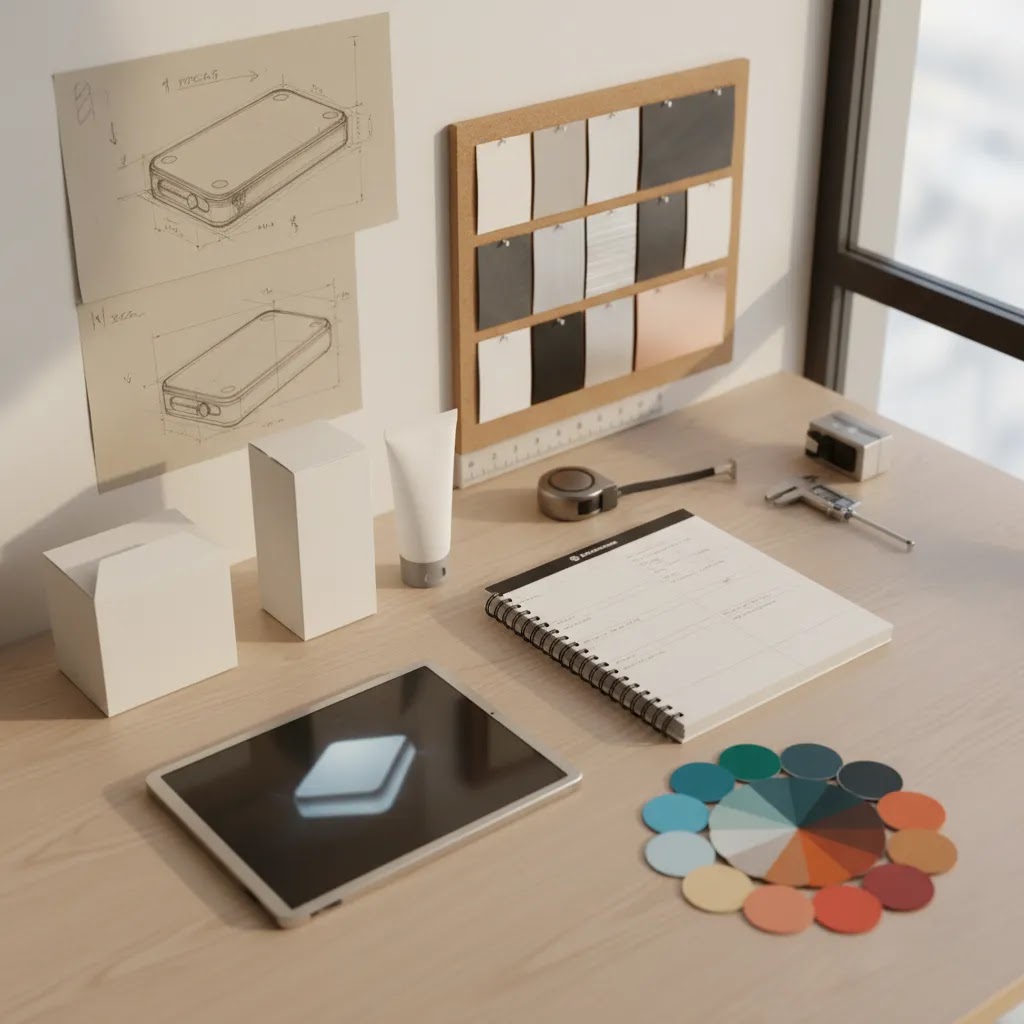
Most issues with 3D rendering projects are not “quality” problems, they are input problems. The reality is that studios can only render what you can clearly define. If you want accurate color, materials, proportions, and packaging, you need to provide a tight reference set upfront.
From a practical standpoint, the inputs a rendering provider may request usually include CAD or 3D files, product dimensions, and material references. Ecommerce teams often skip this step and then wonder why revision cycles drag, or why two SKUs end up with slightly different lighting, scale, or framing.
- CAD files: STEP and IGES are common for manufacturing-driven products. These are often a strong starting point for modeling, but they typically still need surfacing and materials work to become marketing-ready.
- 3D model formats: OBJ and FBX are common for mesh-based models. GLB is often used for web and interactive previews. What matters is not just the format, it is whether the model is clean, correctly scaled, and organized in a way that supports fast updates.
- Exact product dimensions: Even if you provide a model, confirm real measurements. This helps prevent subtle scale issues that can show up when you create consistent framing across a catalog.
- Material references: Photos or notes for finishes like brushed aluminum, matte plastic, glass, rubber, fabric weave, and coatings. If you sell multiple finishes, list them clearly per SKU.
- Brand color values: Provide HEX, RGB, or Pantone references for branded colors and packaging. Then align on how those colors will be managed across exports so your Shopify product page images do not drift.
- Packaging dielines: If you want accurate box renders, inserts, labels, or wraps, a dieline and print-ready artwork can save a lot of back-and-forth.
- Reference photos: Even with CAD, photos of real prototypes help confirm edges, seams, join lines, and how materials catch light. This is where “photorealism” usually gets won or lost.
Consider this if you do not have CAD. You still have options. Some providers can build a model from reference photos and measurements, or start with a “good enough” model that is realistic at normal PDP viewing size but not meant for extreme close-ups. The tradeoff is that modeling-from-photos typically takes longer, and realism may be less reliable on details like textures, micro-scratches, embossing, or complex geometry.
Here is a simple readiness checklist you can use before requesting quotes, so pricing and timelines are actually comparable across providers:
- SKU list: Include every variant that needs unique visuals, not just the “main” product.
- Target outputs: Note where assets will be used first (Shopify PDP, Google Shopping, Meta ads, marketplaces, email).
- Reference set: CAD or 3D files if available, plus photos and material notes.
- Brand style guide: Background color, lighting style, shadow style, and framing rules if you already have them.
- Export requirements: Aspect ratios and pixel sizes your team uses most, plus file naming conventions if your catalog is large.
What many store owners overlook is that onboarding is part of the service. If a provider cannot clearly explain what they need from you, and what happens if you cannot supply it, you are likely to end up managing the project the hard way.
Key features to look for
When evaluating a product rendering service, store owners should care less about flashy demos and more about repeatable production value. Here are the features that tend to matter most in a real ecommerce workflow.
- Background control: A strong service should support marketplace-ready white backgrounds and branded lifestyle scenes. Tools such as AI Background Generator and Free White Background Generator show how useful flexible background output can be for PDPs, ads, and feeds.
- Resolution improvement: Catalog images often need resizing for zoom, retina screens, or ad variants. Increase Image Resolution is relevant if your source imagery is usable but not yet polished for storefront display.
- Editing depth: Some services stop at background cleanup. Others let you remove packaging text, adjust placement, or build creative variants. Remove Text From Images and Magic Photo Editor are examples of task-specific editing support that can save a merchant from repeated manual design work.
- Scene variation: If you want ad creatives or lifestyle placements, a service that supports object placement matters. Background Swap Editor and Place in Hands are useful references for stores that need more than plain packshots.
- Workflow scalability: For multi-product catalogs, the service should support batching, consistency, and quick revisions. A platform environment like Creator Studio may be more practical than isolated one-off edits when your team is producing assets weekly.
If you are still deciding between rendered visuals and templated composites, reviewing a mockup generator can help clarify whether you need true product rendering or just fast presentation assets.
For merchants selling configurable, technical, or highly visual products, category pages like 3D Product Photography and E Commerce Product Photography provide useful context on where each format fits in a broader ecommerce media stack.
Product rendering deliverables you should request (but many teams forget)
Here is the thing. Most rendering studios can produce far more than a single hero packshot, but ecommerce teams often only request “a few images” and then realize too late they needed a full set of assets for PDPs, ads, email, and marketplace listings.
If you want rendering to reduce workload instead of creating new rounds of production, you need to define deliverables like a system. That starts with knowing what is “standard” in a modern product rendering service beyond still images.
Common deliverables that are worth specifying upfront
- Photorealistic stills: Your core image set, typically a consistent hero angle plus supporting angles for the PDP.
- 360 spins: A sequence of frames that creates an interactive rotation. This can be helpful for products where shoppers want to inspect the full object, especially when you do not have video or UGC yet.
- Short animations: Simple turntables, feature reveals, or assembly motions. For higher-consideration products, motion is not just “nice to have.” It can reduce uncertainty by showing function and scale more clearly than static images alone.
- Exploded views: Great for technical products, bundles, kits, or anything with internal components where you need to communicate what is included.
- Cutaways: Useful for products with internal structure, filtration, layering, or materials that matter. These often perform better as supporting assets than as the main hero image because they are more educational than emotional.
- Feature callouts: A base render that can be used to place labels, arrows, or highlights. This is especially useful on Shopify PDPs where you want to answer objections without adding long blocks of text.
How those deliverables map to real ecommerce use cases
Think of it this way. You are not buying “renders,” you are buying coverage for the places customers encounter your product.
- Shopify PDP image sets: Still images, detail crops, and sometimes a 360 sequence for inspection. Feature callouts can support higher-priced items where shoppers need proof and clarity.
- Collection tiles: Consistent framing and lighting is the win here. A rendering approach can help keep grids uniform across a large catalog, especially when products vary in shape.
- Ads (Meta and Google): Square and vertical crops, background variations, and short animations. Motion can be useful for prospecting where you need to explain quickly, and for retargeting where you want to show a feature that answers a common objection. Always check current platform policies and creative specs before you finalize ad deliverables.
- Marketplaces: White background exports, consistent angles, and clean edge handling. Marketplaces tend to penalize clutter and reward clarity, so this is where strict output control matters.
- Email: Lifestyle variants and simple animated assets can add variety without requiring a new shoot for every campaign. The goal is not to be flashy, it is to keep the product presentation consistent while giving your team fresh creative options.
What to specify in the statement of work (so you do not get stuck later)
The way this works in practice is that you define the “rules” once, then the provider applies them across SKUs. If you skip this, every new product becomes a renegotiation.
- Number of views per SKU: Define exactly how many angles, detail shots, and variants are included for each product and each variant.
- Camera angles: Specify the hero angle and any required secondary angles, like side, back, top-down, or close-up. Consistency matters more than creativity for catalog work.
- Lighting and shadow style guide: Decide on softbox-style lighting, harder contrast, shadow intensity, and background tone. This keeps the catalog cohesive.
- File formats: JPG is common for Shopify and feeds. PNG with transparency is useful for design, ads, and layered placements. Ask which formats you will receive and at what resolutions.
- Framing rules across the catalog: Set consistent crop, scale, and product placement rules. For example, define whether the product fills a certain percentage of the frame, and whether all SKUs share the same horizon and perspective.
If you want rendering to scale, treat deliverables like inventory. Define them, standardize them, and make them repeatable.
Pros and Cons
Strengths
- Can shorten the time between product development and launch-ready visuals, which may help stores publish PDPs earlier.
- Works well for consistent catalogs where every SKU needs the same angle, crop, lighting style, and background treatment.
- Useful for testing multiple creative directions without reshooting physical products each time.
- Often supports omnichannel output, including marketplace white backgrounds, social variants, lifestyle scenes, and ad formats.
- Can reduce dependence on studio availability for simple updates such as background changes, cleanup, or resolution upgrades.
- Particularly valuable for products that are difficult to photograph repeatedly, such as reflective items, pre-production units, or configurable models.
Considerations
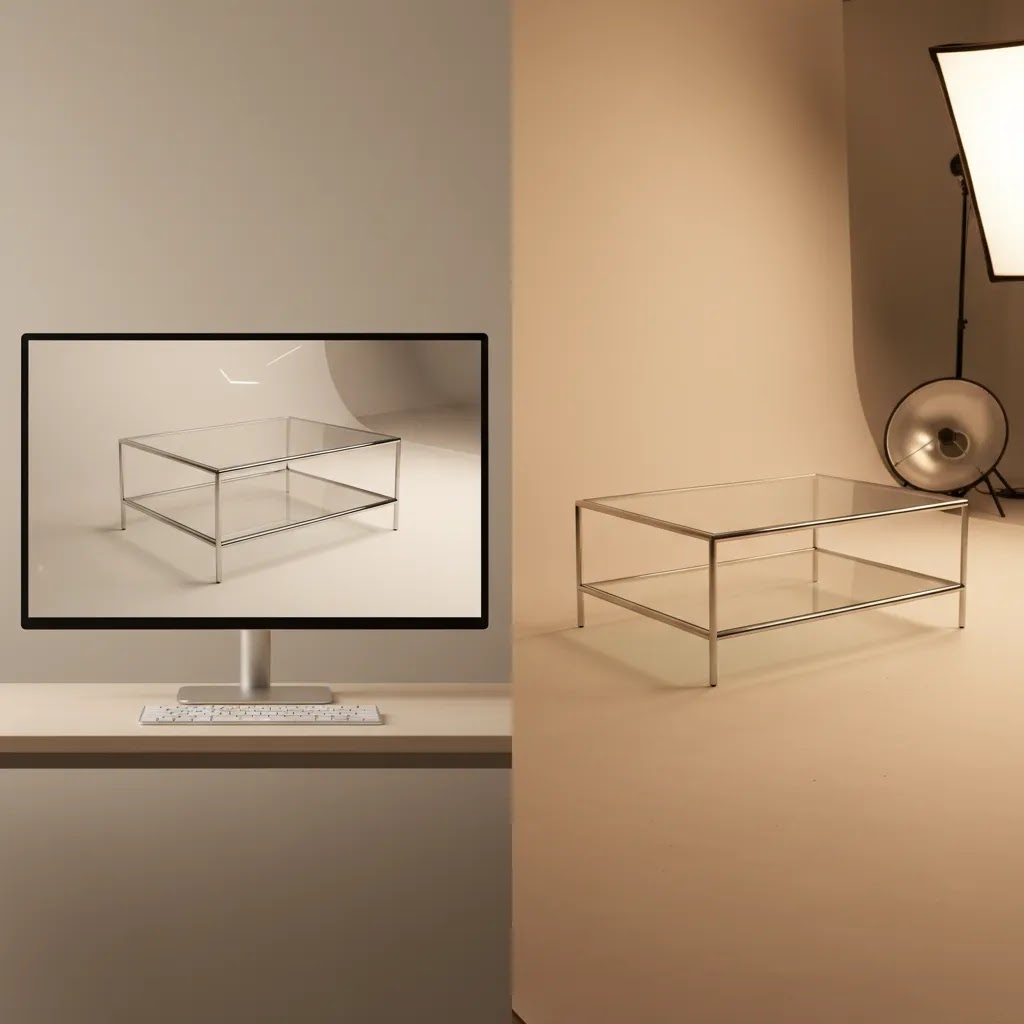
- Rendered or AI-assisted images may look less credible than real photography if material texture, scale, or finish is not handled carefully.
- Some services are stronger at simple packshots than at realistic close-up detail, especially for beauty, food, or fabric-heavy products.
- Your team may still need source references, CAD files, or strong base photos, so this is not always a replacement for photography.
- Visual consistency can become a weakness if every image looks too synthetic or too similar across channels.
- Review cycles matter. If revisions are slow or vague, any time savings from rendering can disappear quickly.
Who it's for
A product rendering service is usually a strong fit for Shopify and ecommerce operators who need faster asset production than a traditional studio alone can provide. It makes particular sense for brands with expanding catalogs, frequent packaging updates, seasonal launches, or products not yet physically available in final form.
It is also a practical choice for merchants who need several outputs from the same base asset: white background images for marketplaces, styled scenes for ads, and supporting visuals for landing pages or email campaigns. If your brand relies heavily on tactile realism, artisan detail, or premium texture cues, you may still want a hybrid workflow anchored by a product photography studio for hero content.
AcquireConvert recommendation
If you are at the point of choosing a product rendering service, start by mapping the assets you actually need over the next 90 days. Most store owners do better with a workflow decision than with a vague vendor shortlist. Giles Thomas's perspective as a Shopify Partner and Google Expert is especially useful here because image decisions affect more than your PDP design. They also influence Shopping click-through, landing page clarity, creative testing, and buyer trust across the funnel.
At AcquireConvert, we recommend treating rendering, photography, and AI editing as complementary options rather than mutually exclusive camps. Use photography where realism is essential. Use rendering where speed, consistency, and product variation matter most. Use AI editing tools to extend the value of existing assets. To compare supporting workflows side by side, explore AcquireConvert's product photography resources and adjacent guides before you commit to a production process that may not match your catalog.
How to choose the right service
Here are the five criteria that matter most if you want a product rendering service that supports revenue operations rather than creating more content management work.
1. Match the service to your product type
Hard goods, electronics, packaged items, and simple geometry products usually translate well to rendering. Textiles, cosmetics, food, and handmade goods often need more care because buyers pay attention to texture, finish, and realism. If your category depends on subtle material cues, request side-by-side comparisons against real product photos before signing off.
2. Decide where the images will be used
Amazon-style white background requirements are different from homepage hero banners or Meta ads. You may need one service for baseline ecommerce imagery and another for campaign creative. Clarify deliverables by channel: PDP, collection page, marketplace, email, paid social, and Google Shopping.
3. Review revision workflow, not just sample images
Many merchants evaluate service quality on portfolio visuals alone. A better question is how the team handles changes. Can they adjust shadows, packaging copy, color variants, aspect ratios, and export specs quickly? Operationally, that matters more than one polished example.
4. Compare hybrid options
In many cases, the best answer is not 3D rendering vs. product photography. It is 3D rendering plus selective photography. You might shoot hero images once, then use AI-assisted tools for background changes, placement edits, and size variations across campaigns. This keeps realism where it counts while reducing production friction elsewhere.
5. Look at total content system cost
Do not judge value on the initial asset alone. Include internal review time, creative revision cycles, retouching needs, and how often you will reuse the output. A service that looks efficient at the start may be costly if every variation requires external support. On the other hand, a platform-supported workflow can be more efficient if your team can make small changes internally after the first asset build.
Practical rule: if you launch products frequently and need broad channel coverage, prioritize consistency and editability. If you sell premium products where trust depends on realism, prioritize fidelity first and efficiency second.

How to evaluate a rendering provider like an operations decision (not a portfolio decision)
A polished portfolio is table stakes. What you are really buying is a production partner that can keep your catalog consistent over time, handle updates without chaos, and scale output when you add SKUs. For most Shopify store owners, this becomes a lifecycle question quickly: launch assets now, then refresh assets later as packaging, bundles, and product lines evolve.
Look for lifecycle support, not just “launch week” output
Consider this. Your first batch might be 10 SKUs, but the real cost shows up when you add variants, discontinue products, tweak labels, or run seasonal creative. Ask how the provider handles:
- Catalog expansion: Can they match the existing style exactly when new SKUs are introduced?
- Updates and rebrands: What happens if packaging changes, compliance text updates, or your brand shifts background style?
- Variant management: Can they efficiently produce colorways, finishes, or bundles without rebuilding everything from scratch?
What many store owners overlook is consistency across SKUs. You can get a single render that looks great, but if the next 50 are slightly off in angle, shadow, or color, your collection pages start to look messy. That affects perceived quality, even if shoppers cannot explain why.
A practical QA framework for photorealism (and trust)
From a practical standpoint, you want renders that look believable, not “perfect.” Overly smooth surfaces, impossible reflections, or floating shadows can reduce trust on a PDP, especially in categories where shoppers are skeptical.
When you review test outputs, check:
- Materials: Do plastics look like plastic, metals look like metal, and coatings behave like your real product under light?
- Edges and artifacts: Look for jagged edges, haloing, or unnatural sharpness around contours.
- Reflections: Are reflections consistent with the environment and lighting style, especially on glossy products?
- Shadow grounding: Does the product feel like it is sitting on a surface, or floating?
- Color management: Do brand colors stay consistent across angles and SKUs, and do exports match what you see on common screens?
If you can, compare renders in the context they will actually appear. Put them into a Shopify product page layout, next to your existing imagery, and view on mobile. Small realism issues tend to stand out more there than in a full-screen portfolio preview.
Set clear expectations on service model details
The way this works in practice is that the service model determines whether your team moves fast or gets stuck in email threads.
- Turnaround time: Ask for typical timelines per SKU and what changes that timeline, like complex materials, modeling needs, or animation.
- Revision rounds: Confirm how many rounds are included and what counts as a revision. Lighting tweaks, color adjustments, copy changes on packaging, and new camera angles are not the same kind of change.
- Ownership and access: Clarify who owns the final outputs, and whether you get access to source files such as 3D scene files. If you switch providers later, source access can matter for long-term maintenance.
- Ongoing maintenance: Ask how they handle new SKUs, seasonal updates, and “small changes” without restarting a full project. Many catalogs need a steady trickle of updates, not a single big launch.
If you treat provider selection like an operations decision, you typically end up with fewer surprises. You also get a content system you can reuse, rather than a one-off batch of pretty images.
Frequently Asked Questions
What is a product rendering service for ecommerce?
A product rendering service creates product visuals using 3D, AI-assisted editing, or composite image techniques instead of relying only on a traditional camera shoot. Ecommerce brands use it to produce hero images, white background assets, lifestyle scenes, and promotional creatives. It can be useful for pre-launch products, large catalogs, or stores that need fast visual variations across multiple channels.
Is product rendering better than product photography?
Not always. Rendering is often stronger for speed, consistency, and scalable variations. Product photography is usually stronger for realism, tactile detail, and trust when buyers need to inspect texture, finish, or fit. Most established stores use a mix of both. The right choice depends on your category, brand positioning, and how much visual accuracy your customers expect before buying.
What is the difference between 3D rendering and AI product photography service tools?
3D rendering usually starts with a digital model and builds images from that structure. AI product photography tools often transform or extend existing photos by changing backgrounds, enhancing quality, or creating scene variants. For a merchant, the practical difference is input requirements. If you have strong product photos already, AI-assisted editing can be faster. If you need visuals before the product exists physically, 3D may fit better.
Can a rendering service replace a studio shoot completely?
It can for some catalogs, but not for all. Standardized packaged goods, accessories, and technical products may work well with rendering-first workflows. Premium apparel, cosmetics, food, and handmade goods often still benefit from real photography. If your buyers care about real-world texture or subtle material cues, a studio shoot may remain essential for your main PDP images while renders support secondary assets.
How do I evaluate quality before hiring a product rendering service?
Ask for examples that match your exact category, not just a broad portfolio. Review close-up detail, edge quality, shadow realism, color accuracy, and output consistency across multiple SKUs. Then test the revision process. A good service should handle realistic update requests without turning every small change into a new project. Quality is about workflow reliability as much as visual polish.
Should Shopify stores use rendering for product page images?
Shopify stores can use rendering effectively, especially for structured catalogs and rapid launch cycles. The key is using it where it supports buyer confidence. Rendered assets can work well for alternate views, color options, feature callouts, and ad creatives. For products where feel and finish matter, keep at least some authentic photography on the PDP so shoppers can judge the item with more confidence.
What deliverables should I ask for?
Ask for channel-specific deliverables: white background images, transparent-background files if needed, zoom-capable high-resolution exports, square and vertical crops for ads, and editable scene variants. If video or motion assets matter, confirm whether the service can create those too. File naming, export dimensions, and revision limits should be agreed before production starts so your team is not slowed down later.
How much does a product rendering service cost?
Pricing varies widely based on whether modeling is required, how many views you need per SKU, and whether you are ordering stills only or also requesting 360 spins or animation. In many cases, providers price per SKU, per view, or per deliverable set, with separate costs for model creation and ongoing updates. The most reliable way to compare quotes is to standardize your request: specify the same number of views, backgrounds, file formats, and revision expectations for each provider.
How long does 3D product rendering take per SKU?
Turnaround depends on inputs and complexity. If a clean 3D model already exists and you are producing a standard set of still images, timelines can be relatively short. If the provider must build the model from CAD or reference photos, or you need complex materials, multiple variants, or animation, production typically takes longer and may require more review rounds. Ask for a timeline that separates modeling time from rendering and revisions so you know what drives the schedule.
What file types do I need to provide for 3D product rendering (CAD/STEP/OBJ)?
If you have CAD, STEP and IGES are common starting points. If you already have a marketing-ready 3D model, providers often accept formats like OBJ or FBX, and sometimes GLB for web-oriented workflows. If you do not have any of these, many services can work from reference photos and dimensions, but you should expect tradeoffs in timeline and in how accurately fine details can be reproduced.
What is the difference between 3D product rendering and product visualization?
In ecommerce, 3D product rendering usually refers to producing specific assets such as packshots, alternate angles, and lifestyle scenes from a 3D model. Product visualization is often used more broadly to describe the full set of ways a product can be presented visually, including interactive 3D views, 360 rotations, cutaways, exploded views, and animation. The overlap is large, but “visualization” usually implies a system of assets, not just a few still images.
Does a product rendering service help conversion rate?
It may, but only if the visuals improve clarity, trust, and product understanding. Better-looking images alone do not guarantee more sales. In many stores, conversion impact comes from showing the right angles, realistic scale, consistent branding, and cleaner presentation across the funnel. The most effective visual workflow is the one that helps shoppers feel informed enough to buy without creating doubt.
Is photography a product or a service?
In this context, photography is usually sold as a service because you are paying for planning, shooting, editing, and delivery expertise. The outputs, such as image files or videos, are the final assets you receive. The same logic applies to rendering. You are purchasing a production service that generates ecommerce-ready creative assets for your store and marketing channels.
Key Takeaways
- Choose a product rendering service based on catalog needs, channel mix, and revision workflow, not portfolio polish alone.
- Rendering is often strongest for speed, consistency, and scalable asset variation across ecommerce channels.
- Traditional photography still matters when tactile realism, texture, and premium trust signals drive buying decisions.
- A hybrid workflow often gives Shopify merchants the best balance of realism and production efficiency.
- Before committing, define deliverables by channel and test how quickly the provider handles practical revision requests.
Conclusion
A good product rendering service can help you launch faster, standardize image quality, and produce more creative variations without booking a new shoot every time. But the smartest choice is rarely about replacing photography outright. It is about building a content workflow that fits your products, your team, and the way customers actually shop. If you want a practical, Shopify-aware view of what to use and when, AcquireConvert is built for that decision stage. Explore our product photography and ecommerce optimization resources, compare adjacent workflows side by side, and use Giles Thomas's expert guidance to choose a visual production setup that supports trust as well as efficiency.
This article is editorial content and not a paid endorsement unless explicitly stated otherwise. Pricing and product availability are subject to change, so verify current details directly with each provider. Any performance outcomes discussed are illustrative only and not guaranteed. External tool references are included to help ecommerce store owners evaluate relevant workflow options.

Hi, I'm Giles Thomas.
Founder of AcquireConvert, the place where ecommerce entrepreneurs & marketers go to learn growth. I'm also the founder of Shopify agency Whole Design Studios.