AI Scene Generator for Product Photos (2026)

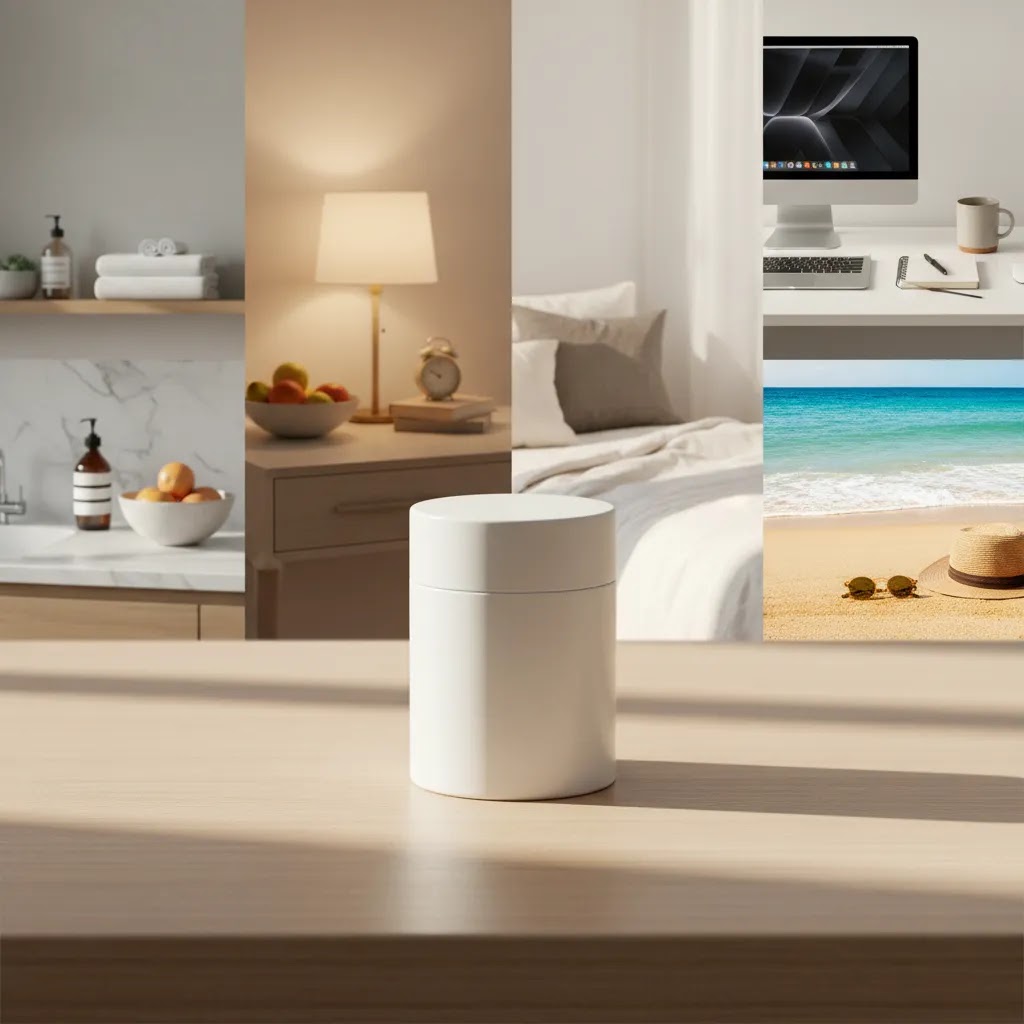
If you sell online, you already know product images do more than make your store look good. They shape click-through rate, perceived quality, and buying confidence. An ai scene generator can help you place products into lifestyle-style environments without booking a full shoot every time. That is especially useful for Shopify merchants testing new collections, seasonal campaigns, or ad creatives. Still, not every AI workflow is right for every catalog. Some stores need polished white background images first, while others need branded scenes that feel consistent across PDPs, ads, and social. If you are comparing options, it helps to understand where scene generation fits inside a broader lifestyle photography strategy and where manual photography still has the edge.
Contents
- What an AI scene generator actually does
- AI scene generator workflows: text-to-scene vs photo-to-scene vs video scenes
- Key features that matter for ecommerce
- Pros and Cons
- Commercial usage, IP, and compliance considerations for AI-generated scenes
- Who it is for
- AcquireConvert recommendation
- How to choose the right setup
- How to evaluate realism and brand consistency before you publish
- Frequently Asked Questions
- Key Takeaways
- Conclusion
What an AI scene generator actually does
An ai image scene generator creates new backgrounds or full lifestyle settings around an existing product image. For ecommerce, that usually means taking a clean product cutout and placing it into a believable use case, such as a kitchen counter, bathroom shelf, bedside table, beach setup, or desktop workspace.
The practical value is speed. Instead of organizing props, renting locations, and photographing every SKU variation, you can test visual directions much faster. This can be useful for collection launches, paid social concepts, email banners, and secondary product gallery images.
That said, store owners should not treat AI scenes as a complete replacement for studio photography. A polished source image still matters. If your product edges are messy, shadows are inconsistent, or proportions are off, the generated result usually looks synthetic. For many merchants, the best workflow is hybrid: start with a solid product image, improve it if needed, then build scenes around it.
That is why tools related to background editing often matter just as much as the scene generation step itself. AcquireConvert covers adjacent workflows too, including Background Removal & Editing and broader Lifestyle Product Photography considerations for stores that want images to convert, not just look interesting.
AI scene generator workflows: text-to-scene vs photo-to-scene vs video scenes
Most store owners talk about an ai scene generator like it is one thing, but in practice you will usually run into three different modes. The mode you choose affects realism, accuracy, and how safe the output is for a Shopify product page.
Text-to-scene: generate the entire environment
This is the classic prompt-based approach where you describe a scene and the tool generates a full image. For ecommerce, it is most useful when you are creating top-of-funnel creative, such as collection banners, homepage tiles, mood boards, and ad concept variations where the product does not need to be perfectly literal.
Here is the thing, text-to-scene typically offers the most “creative range” and the least predictability. If your brand relies on specific packaging, exact colors, or small details, you may spend time iterating prompts only to end up with images that feel close but not quite right.
Product photo-to-scene: place your product into a new background
This workflow starts with your actual product photo, ideally a clean cutout, and generates a new setting around it. For most Shopify store owners, this is usually the safest starting point because you are anchoring the scene to a real product file. It is often the best fit for secondary PDP images, seasonal swaps, and ad variations where you want lifestyle context without drifting away from what you actually sell.
From a practical standpoint, photo-to-scene tends to be more repeatable across a catalog. If you have 20 SKUs that all need the same “bathroom counter” vibe, you can often reuse the same scene direction with slight variations while keeping the product representation stable.
Scene from photo: extend or restyle an existing lifestyle image
This mode works from an existing image, such as a lifestyle shot you already like, then expands or restyles it. Store owners use this for turning one lifestyle photo into multiple crops, extending backgrounds for new aspect ratios, or creating a “same scene, different mood” set for seasonal campaigns.
It can be effective for Shopify themes where you need consistent visual blocks, such as wider homepage banners or email headers, but it still depends on the quality of the original image. If the starting lifestyle photo is weak, the extensions usually look inconsistent when customers zoom in.
Video scenes: multi-format creative for ads
Some tools now offer motion backgrounds or short scene animations. This can be useful if you want more ad variants without filming new footage, particularly for paid social placements that favor motion. The reality is that video scenes can look convincing in-feed, but they are less forgiving than still images when something is off. Flickering shadows, warped edges, or shifting reflections can stand out fast.
If you are trying video scenes for ecommerce ads, treat them as a creative test first, not a replacement for controlled product footage. Many brands still pair AI-assisted motion assets with more traditional content, including the option of product videography services, when accuracy and polish matter.
Common failure points to watch for
No matter which mode you use, the same issues tend to show up. Product geometry can warp, lighting direction can change, scale can feel wrong, and “brand style” can drift across SKUs if you do not control prompts and cropping rules. In many cases you still need human review and occasional retouching, especially around shadows, reflections, and packaging details.
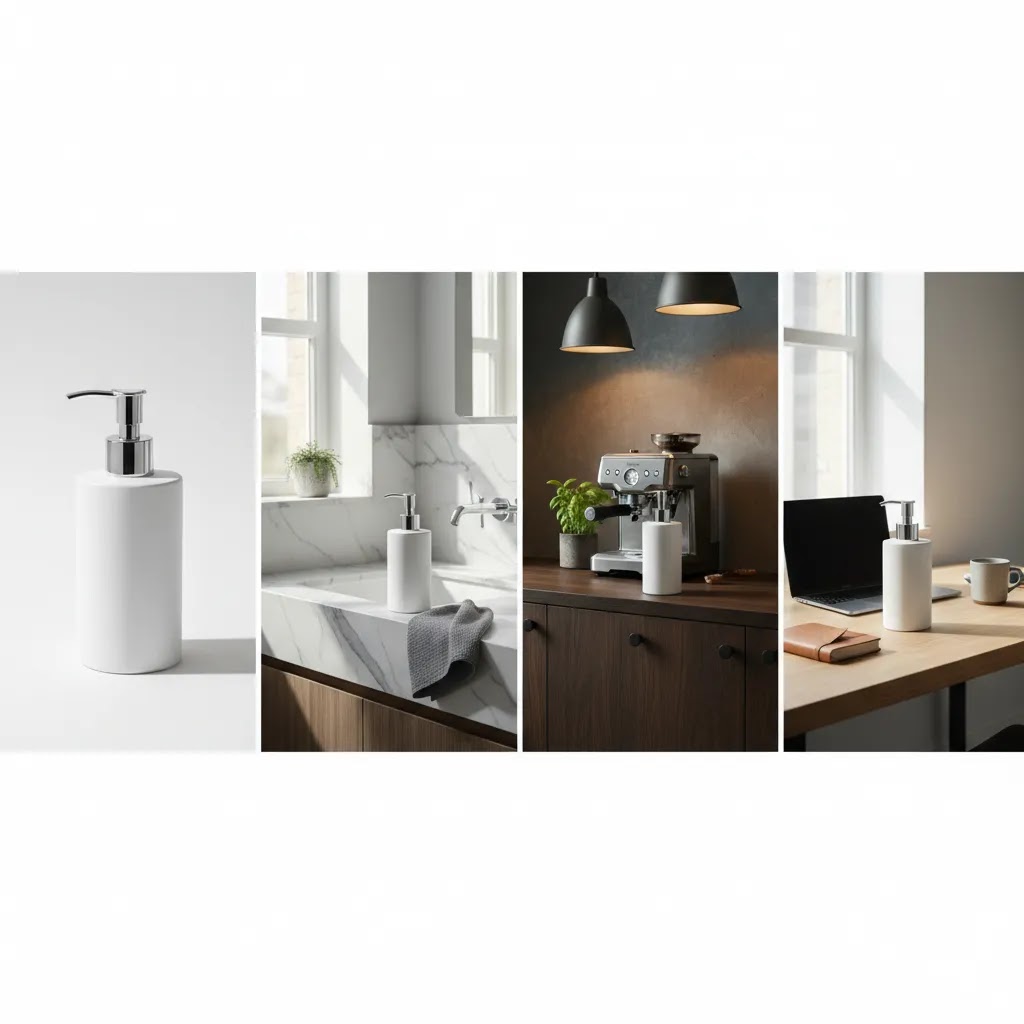
Key features that matter for ecommerce
If you are evaluating an ai product photography generator, focus less on flashy prompts and more on output control. Ecommerce teams need repeatable image production, not one impressive image that cannot be reproduced next week.
Here are the product capabilities that matter most based on the currently available tools in this dataset:
- Background generation and swapping: Tools such as AI Background Generator and Background Swap Editor are relevant if your main job is placing products into new settings quickly.
- White background cleanup: Before creating a lifestyle scene, you may need a cleaner source image. Free White Background Generator can help prepare product images for marketplaces, feeds, and scene-building workflows.
- Resolution improvement: Generated scenes often get used in ads, PDP galleries, and landing pages. Increase Image Resolution is useful if your source file is too small for quality output.
- Object and text cleanup: If your original image contains packaging text, labels, or unwanted visual noise, Remove Text From Images may help create a cleaner base before generation.
- Lifestyle placement templates: Place in Hands is especially relevant for beauty, wellness, tech accessories, and small packaged goods where showing scale and human context can improve perceived usability.
- Broader editing workflow: Magic Photo Editor and Creator Studio suggest a fuller editing environment, which matters if you need more than one-off image generation.
For a Shopify merchant, the winning setup is usually not the tool with the most AI terminology. It is the workflow that helps you create consistent, believable, on-brand visuals across collection pages, product pages, retargeting ads, and email campaigns.
Pros and Cons
Strengths
- Speeds up lifestyle image creation for campaigns, launches, and seasonal creative testing.
- Helps smaller stores produce more visual variants without coordinating a full location shoot.
- Can support faster ad testing by generating multiple scene directions around the same hero SKU.
- Works well as a supplement to studio images, especially when you already have clean product cutouts.
- Useful for categories where context matters, such as beauty, home goods, accessories, and giftable products.
- Can reduce repetitive reshoot work for minor scene changes like countertop color, room style, or seasonal mood.
Considerations
- Output quality depends heavily on the source image. Weak cutouts usually lead to weak scenes.
- Brand consistency can become a problem if you generate assets without clear prompt rules or art direction.
- Some generated images may look polished at thumbnail size but artificial on a product detail page.
- AI scenes are not always suitable for every compliance-sensitive category or every marketplace image requirement.
- You may still need manual retouching for shadows, reflections, label accuracy, or realistic scale.
Commercial usage, IP, and compliance considerations for AI-generated scenes
What many store owners overlook is that scene quality is only one part of the decision. If you are publishing AI-generated scenes on a Shopify store, using them in ads, or sending them to creators, you also need to be comfortable with usage rights and brand risk.
Check tool terms for commercial usage and ads
Before you build a workflow around any ai scene generator, verify what the provider allows for commercial use. In particular, you want clarity on whether you can use outputs on your storefront, in email campaigns, and in paid ads. Some tools also have specific rules about attribution, logo usage, or whether you can use outputs if you are on a free plan. Pricing and terms change, so confirm current terms directly with the tool before you publish.
Consider this, “free” tools often come with stricter usage limits. That does not mean they are bad. It just means they may be better for internal concepting, early-stage creative testing, or draft mockups, rather than being your default source of launch-ready imagery.
Avoid misleading representation, especially in sensitive categories
AI scenes can accidentally imply things that are not included, such as accessories, bundle items, or results you cannot guarantee. That can create customer support issues, returns, and compliance risk. If you sell in regulated or policy-sensitive categories, you should be even more careful about claims, implied outcomes, and how the product is represented in context.
Ad platforms and marketplaces also have their own policies, and those policies change. If you plan to use generated scenes in Google Ads, Meta ads, or marketplace listings, verify current platform guidelines before scaling a new creative approach.
Think about what you upload and what it contains
If you are uploading unreleased products, new packaging, or proprietary designs into third-party tools, you are sharing sensitive assets outside your team. That may be fine for many brands, but it should be a deliberate choice. Packaging often includes trademarks, certification marks, barcodes, and brand elements that you may not want in a tool where outputs could introduce errors or unexpected variations.
For most Shopify store owners, a simple internal policy helps. Decide which assets are safe to upload, which SKUs require stricter review, and which products should stay in a controlled studio workflow. That saves time later and reduces the risk of publishing scenes that create customer confusion.
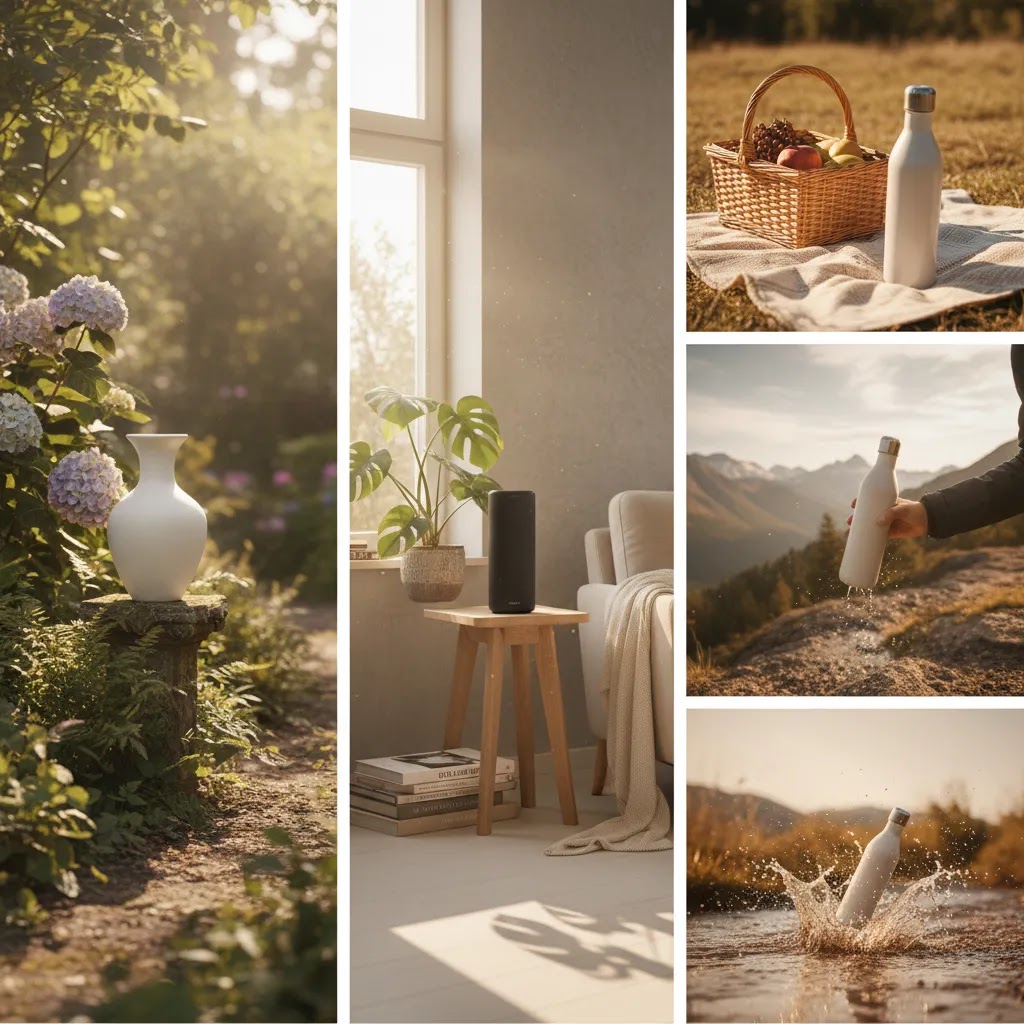
Who it is for
An ai background scene generator makes the most sense for ecommerce teams that need creative output quickly and cannot justify a custom lifestyle shoot for every product drop. That includes Shopify brands running frequent promotions, stores testing paid traffic, and merchants expanding SKUs faster than their content pipeline can keep up.
It is especially useful if you already have decent product photography and want more variants around it. If you are still fixing basic capture quality, your first investment may be better spent improving source images, choosing the best lens for product photography, or tightening your studio process before relying on AI outputs.
AcquireConvert recommendation
From an ecommerce decision-making perspective, the right question is not “what is the best ai product photography generator?” It is “what image workflow will help my store publish better converting visuals faster?” That is the more useful lens, and it is how AcquireConvert approaches tool evaluation.
Giles Thomas brings the perspective of a Shopify Partner and Google Expert, which matters because product images do not live in isolation. They affect PDP engagement, ad click-through rate, Shopping feed quality, and how trustworthy your brand looks at first glance. For many merchants, AI scene generation works best as part of a stack: clean studio image, background cleanup, scene generation, then channel-specific resizing and testing.
If you are building that process, it is worth reviewing adjacent content on product videography services, exploring visual concept planning with lifestyle photoshoot ideas, and comparing whether part of your catalog still needs a more controlled product photography studio setup. AcquireConvert is a strong place to compare those options side by side before you commit to a single image production workflow.
How to choose the right setup
If you are deciding between a free ai product photography generator, a more advanced editor, or a traditional photography workflow, use these five criteria.
1. Start with your catalog type
Small, simple products often work well with AI-generated lifestyle scenes because scale is easier to control. Think candles, skincare, coffee bags, phone accessories, or boxed products. Reflective, transparent, or highly textured products are harder. Jewelry, glassware, and metallic packaging often expose flaws quickly.
2. Judge the source image before judging the AI
Many merchants blame the generator when the real issue is the base image. If your product edge is rough, the lighting is flat, or the perspective is inconsistent, scene generation will struggle. In those cases, improve your image first with white background cleanup, retouching, or resolution enhancement before testing prompts.
3. Match the tool to the job
If you mostly need alternate environments, background tools are likely enough. If you need hand placement, ad-ready composites, and multiple edit controls, a broader editor may be better. The distinction matters. A random scene generator may create visual variety, but ecommerce teams usually need controlled variety that stays brand-safe and reusable.
4. Check channel fit
Your Shopify PDP, Meta ads, email headers, and marketplace listings all have different needs. White background images may still be essential for some channels, while generated lifestyle scenes may perform better in social or collection banners. Do not evaluate images in a vacuum. Review them where customers will actually see them.
5. Build a repeatable creative system
The stores that get value from AI image tools typically create rules. They define scene categories, props, background tones, aspect ratios, and acceptable editing standards. That keeps visuals consistent as the catalog grows. If you need moving content too, you may eventually pair still-image generation with product videography services rather than expecting one workflow to cover everything.
A final practical point: if your current process is disorganized, AI may speed up output but also multiply inconsistency. In that case, clarify your visual merchandising standards first, then choose the tool stack that supports them.
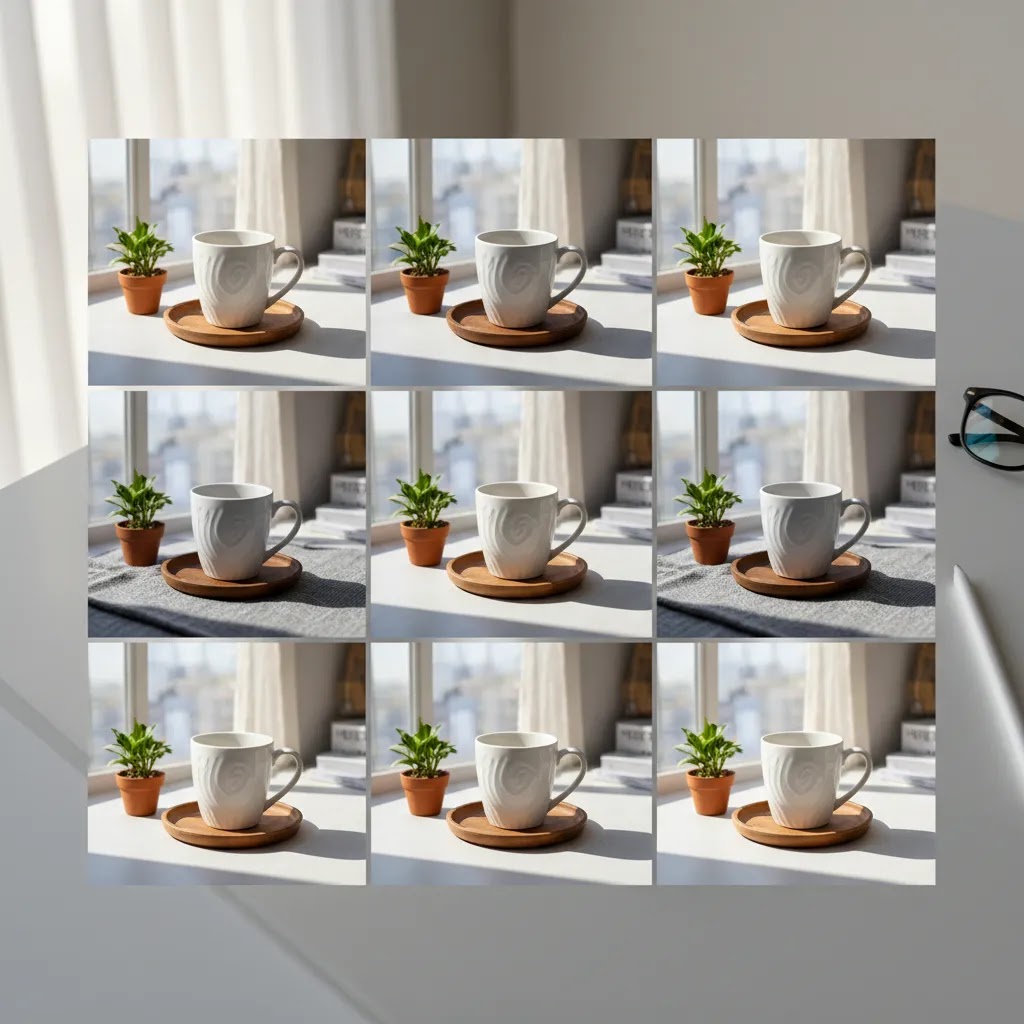
How to evaluate realism and brand consistency before you publish
AI scenes often look better in isolation than they do inside a real Shopify theme. Before you upload and publish, build a quick QA habit. It will save you from the common problem where images feel “good enough” at a glance but reduce trust once a shopper zooms in.
A quick QA checklist for ecommerce scenes
When reviewing an ai scene generator output, check for issues that tend to break believability and buyer confidence:
- Edges and cutout haloing around the product, especially on white or high-contrast backgrounds.
- Shadows that match the light direction. If the scene light comes from the left but your product shadow falls right, shoppers notice.
- Reflections on glossy packaging, glass, metal, or screens. Reflections that do not match the environment can look synthetic fast.
- Label and logo accuracy. Packaging text, brand marks, and key product details should not be warped, substituted, or misspelled.
- Correct scale. The product should “sit” in the environment naturally, not float, sink, or appear oversized for the surface it is on.
- Scene supports the value proposition. A premium skincare product on a cluttered sink counter can signal the wrong thing, even if it is technically realistic.
Where AI scenes usually work best in Shopify, and where to be cautious
For most Shopify stores, AI scenes are strongest as secondary gallery images, collection page banners, homepage feature tiles, and ad creative variations. Those placements benefit from lifestyle context and visual diversity.
You should typically be more cautious using AI scenes as your primary hero image, especially for products where color matching and detail accuracy drive the sale. The same applies when variants are very similar and customers rely on images to choose the correct option. If shoppers feel uncertain about what they are getting, conversion rate usually suffers.
Test the image in context before you commit
The way this works in practice is simple. First, view the image at thumbnail size in a collection grid, because that is often where the click decision happens. Then zoom in on the product detail page and look for the realism issues above.
Next, preview it against your theme background color and layout. Some scenes look fine on white but clash in themes with off-white backgrounds, color blocks, or heavy use of shadows.
Finally, compare across multiple SKUs. If each product has a totally different style of AI scene, the catalog can feel fragmented. A consistent visual system usually converts better than a random mix of “cool images.”
Frequently Asked Questions
What is an ai scene generator for ecommerce?
It is a tool or workflow that places your product into a generated setting, such as a home, desk, kitchen, shelf, or outdoor scene. For ecommerce, it is mainly used to create lifestyle-style product imagery faster than a traditional shoot, especially for PDP galleries, ads, and social assets.
Is an ai product photography generator good enough for Shopify product pages?
It can be, especially for secondary or supporting images. For primary product images, many Shopify stores still rely on clean studio photography or white background images first. The safest approach is usually a mix of both, using AI scenes to add context while keeping core product representation accurate.
What is the best ai image generator for product photography?
The best option depends on what you need most. If you need environment changes, background-focused tools may be enough. If you need broader editing control, a fuller editor may fit better. The best tool is the one that produces believable, repeatable, brand-consistent images from your actual product files.
Can I use a free ai product photography generator for commercial store images?
Possibly, but you should verify licensing, output quality, and usage terms directly with the provider before publishing. Free tools can be useful for concept testing or early-stage stores, but commercial ecommerce needs often require more control, consistency, and post-editing than basic generation alone provides.
Will an ai background generator for product photography replace a real photoshoot?
For some use cases, it may reduce the need for repeat shoots. It usually does not replace all photography. You may still need original studio captures, especially for hero images, highly detailed products, regulated categories, or brands that need highly specific art direction and consistent real-world lighting.
Are AI-generated scenes good for ads?
Often, yes. They can be very useful for paid social testing because you can produce multiple concepts quickly. Still, you should test them against studio-based creative and review performance in context. A visually striking scene is not always the one that delivers the best click quality or conversion intent.
How do I keep AI lifestyle images consistent across my catalog?
Use a visual playbook. Define your preferred lighting style, color palette, camera angle, cropping rules, and scene categories. Keep a saved prompt library where possible. Consistency matters more than novelty for most ecommerce brands, especially if customers browse several SKUs in one session.
Should I use AI scenes for marketplaces too?
Usually not as your default approach. Many marketplaces still prefer or require plain, clean product images for the main listing. AI scenes can still be useful for your own store, email marketing, or ads, but marketplace rules should be reviewed separately before you upload generated imagery.
What if my product images are not strong enough yet?
Fix the source first. Clean cutouts, accurate proportions, and good lighting give AI tools a much better chance of producing believable results. If you are still developing your setup, learning from a controlled studio workflow often gives better long-term value than trying to generate around poor source files.
What is an AI scene description generator (and how is it different from a scene generator)?
An AI scene description generator helps you write the prompt or scene description you feed into another tool. It is focused on text, not image output. An ai scene generator produces the actual images. For Shopify workflows, description generators can be useful if you want a repeatable prompt style, but you still need to judge the visual output for realism, product accuracy, and brand consistency.
Can an AI scene generator create scenes from a photo?
Yes, many tools support workflows that start from a photo. That usually means either placing your product cutout into a generated environment, or extending and restyling an existing lifestyle image. Results vary based on source quality, lighting, and how consistent your original product photography is across the catalog.
Is there an AI video scene generator, and is it worth using for ecommerce ads?
Some tools can generate short motion scenes or animate backgrounds. It may be worth testing if you need more creative volume for paid social and you can accept that quality can vary. For many brands, AI motion is most useful as an experiment for ad variants, while core product accuracy still comes from controlled photography or dedicated video production.
What is the best AI scene generator online for consistent brand-style visuals?
The best option is usually the one that lets you reuse a consistent workflow across SKUs, not the one that produces the most dramatic one-off outputs. Look for control over scene direction, repeatable editing settings, and a process you can standardize across your product photography pipeline. For most Shopify store owners, starting with a consistent product photo-to-scene workflow is often more brand-safe than generating every scene from scratch.
Key Takeaways
- An ai scene generator is most useful when you already have clean, high-quality product images.
- For Shopify stores, AI scenes often work best as supporting PDP, ad, and email assets rather than the only product image type.
- Background generation, cleanup, and resolution tools matter because source quality affects final scene quality.
- Use AI to speed up testing, but keep brand consistency rules in place so your catalog does not look fragmented.
- Compare AI output against studio photography based on channel fit, realism, and how well it supports buyer confidence.
Conclusion
An ai scene generator can be a smart addition to your ecommerce image workflow if you use it with clear expectations. It is strongest when you need faster content production, more lifestyle variation, and a practical way to test visual ideas without organizing a full shoot every time. It is less effective when the base product image is weak or when your brand needs highly controlled realism across every touchpoint.
If you are evaluating your next step, use AcquireConvert as your specialist resource for Shopify-focused visual merchandising and conversion guidance. Giles Thomas brings a practitioner view as a Shopify Partner and Google Expert, which is useful when product imagery affects not only brand presentation but also store performance. Read the full breakdowns, compare options side by side, and use the related AcquireConvert guides to build a product image process that fits your catalog and growth stage.
This article is editorial content and not a paid endorsement unless explicitly stated otherwise. Pricing, product availability, features, and usage terms are subject to change, so verify current details directly with each provider before making a decision. Any performance outcomes discussed are illustrative only and not guaranteed. AI-generated imagery may be useful for ecommerce creative workflows, but it may not be appropriate for every product category, channel, or compliance requirement.

Hi, I'm Giles Thomas.
Founder of AcquireConvert, the place where ecommerce entrepreneurs & marketers go to learn growth. I'm also the founder of Shopify agency Whole Design Studios.