Product Videography Services Pricing and Process (2026)

Product videography services can be a strong investment for ecommerce brands that need better product pages, stronger paid social creatives, or more convincing Amazon and Shopify visuals. The main question is not whether video looks good. It is whether the service fits your margins, turnaround expectations, and content workflow. For most store owners, the best option is a provider that can handle short-form ecommerce video, clean editing, and still-image support without forcing a large production budget. If you are comparing studio teams, freelancers, or AI-assisted workflows, this guide will help you weigh pricing, process, and fit. At AcquireConvert, Giles Thomas reviews ecommerce tools and service categories through a practical Shopify growth lens, with experience as a Shopify Partner and Google Expert. You should leave with a clearer idea of when to hire, what to ask, and what to avoid.
Contents
- Overview
- Product Videography Service Process (From Booking to Delivery)
- Pricing and Costs
- What’s Included in a Quote (Deliverables, Usage Rights, Revisions, and Add-Ons)
- Trust and Credibility
- Choosing the Right Type of Provider (Freelancer vs Studio vs Full-Service Production)
- Key Features
- Pros and Cons
- Who It's Best For
- How to Get Started
- Frequently Asked Questions
Overview
Product videography services cover planning, shooting, editing, and delivering video assets for ecommerce use. That can include product demos, lifestyle clips, social ads, landing page videos, Amazon listing content, and simple smartphone product videography for lean brands. Some providers also bundle still photography, retouching, and product image editing services, which can reduce coordination time if you need a full asset refresh.
For Shopify merchants, video matters most when it removes uncertainty. If your product needs demonstration, texture detail, size context, or setup explanation, video can often communicate that faster than static images alone. That is especially true for beauty, apparel, gadgets, home goods, and products with moving parts.
Service quality varies widely. Some vendors operate like a traditional product photography studio, with clear pre-production, shot lists, lighting control, and post-production standards. Others are lighter-weight creators better suited to TikTok, Reels, and user-generated style assets. If your focus is premium brand presentation, you may also want to review broader lifestyle photography options because strong video and strong still imagery usually work best together on product pages.
The current product data available to AcquireConvert includes several AI-assisted visual tools rather than full managed videography agencies. Relevant examples include Creator Studio, Magic Photo Editor, Background Swap Editor, Place in Hands, AI Background Generator, Free White Background Generator, Increase Image Resolution, and Remove Text From Images. These are useful if you want to supplement a service provider or reduce the amount of manual production needed around supporting visuals.
Product Videography Service Process (From Booking to Delivery)
Here’s the thing. Many store owners compare providers based on a portfolio reel and a day rate, then get surprised by the operational realities: shipping inventory, approval timing, how edits are handled, and what happens if a product arrives missing a variant. A clear, end-to-end process is usually the difference between getting usable Shopify-ready assets quickly and getting stuck in weeks of back-and-forth.
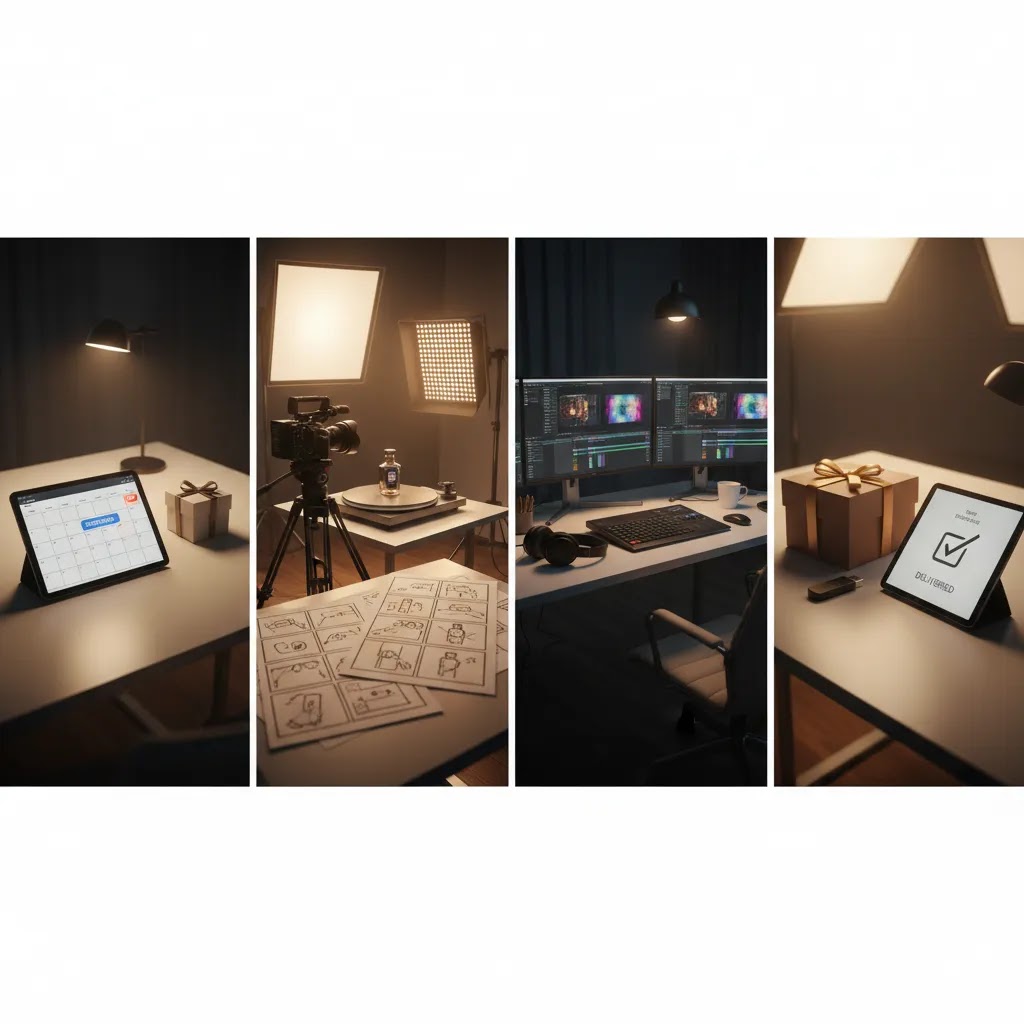
While each provider runs this differently, a typical product videography workflow looks like this.
1) Booking and scoping
This is where you lock in the deliverables and the use case. For ecommerce, that typically means agreeing on: which SKUs are being filmed, what formats you need, and what “done” looks like for product page and ad placements. From a practical standpoint, you will move faster if you bring a SKU list and a simple shot list per SKU, even if it is rough. Include product variations that matter on the page, such as sizes, colors, packaging versions, bundles, and accessories.
2) Pre-production, shot list, and brand guardrails
Before filming, you should provide brand guidelines and creative constraints. That can include background preferences, props you like and props you do not, lighting and color style, and any claims the video should avoid. If you sell supplements, cosmetics, or regulated products, be explicit about what cannot be said on camera. Ad platforms and marketplaces have rules, and policies can change, so it helps to keep language conservative and verify the current guidelines for any paid placements you plan to run.
Now, when it comes to ecommerce outcomes, the shot list should map to buying objections. Think: close-ups for texture, scale-in-hand, how it opens, how it attaches, how it pours, before and after application where appropriate, and any “what’s in the box” coverage that reduces returns.
3) Shipping or drop-off logistics
Most services either ask you to ship products to their studio or arrange a local drop-off. Treat this like inventory management, not a casual package. Send clearly labeled units and include a packing list that matches your SKU list, plus spare units where possible. Products get damaged, packaging gets scuffed, and some items photograph better when you have a backup.
Include any props that are unique to your product story, such as branded inserts, refill pouches, or custom applicators. If you need packaging variants shown, such as old packaging and new packaging, mark that clearly so they do not film the wrong version.
4) Shoot day, on-set or remote attendance
Some providers will invite you to attend in person, others will offer a virtual check-in, and some will shoot entirely asynchronously. For most Shopify store owners, a short live review during filming can prevent expensive fixes later. The goal is not to art-direct every frame. It is to confirm the core moments: correct variant, correct branding, clear product details, and the hooks you need for ads.
5) Editing and first cut delivery
After filming, the provider edits the footage into the agreed deliverables. In ecommerce, that often includes tightening pacing for short-form placements, adding captions, and exporting multiple aspect ratios. Expect the first cut to be a draft for feedback, not a final master you publish everywhere without review. This is also where you should confirm the files are sized and formatted in a way that will not create friction when you upload them to Shopify and repurpose them for paid social.
6) Revisions, final exports, and delivery
Revisions tend to be where timelines and budgets drift. The reality is that most delays come from unclear notes, multiple internal stakeholders, or feedback that changes the concept rather than refining it. If you want to keep things tight, consolidate feedback into one set of notes, prioritize issues that affect clarity and compliance, and avoid re-litigating the creative direction after the edit is already underway.
Finally, confirm delivery details: how files are shared, whether you get separate exports for PDP and ads, and how long the provider retains your footage. If something is missing, ask whether a pick-up edit is included, and what happens if a reshoot is needed because an item arrived damaged or the wrong variant was supplied.
Pricing and Costs
The live product data provided for this article includes URLs and tool names for AI visual production resources, but it does not include verified pricing tiers for managed product videography services or the listed AI tools. Because of that, it would be misleading to quote fixed service rates here.
What you should expect in practice is pricing based on one or more of these models: per clip, per finished second, per SKU, per half-day or full-day shoot, or monthly content retainer. Ecommerce product photography services and product videography are often bundled, especially when a studio is already handling styling, lighting, and post-production. If you also need product photo retouching services, product image editing services, or marketplace-specific deliverables, expect those to be scoped separately unless they are included in a package.
For lean Shopify brands, the biggest cost driver is usually not filming itself. It is revision rounds, props, location complexity, models, and how many outputs you need for paid media, PDPs, Amazon, email, and organic social. If you only need short clips and clean product cutouts, AI-assisted tools can reduce support costs around backgrounds and image preparation. For example, an ai scene generator approach may help you extend a shoot into additional creative variations without reshooting every SKU.
Ask every provider for a full quote that separates production fees from editing, revision limits, usage rights, rush charges, and any add-on still photography. That is the only reliable way to compare real costs.
What’s Included in a Quote (Deliverables, Usage Rights, Revisions, and Add-Ons)
What many store owners overlook is that two quotes can look similar on the surface and be completely different in what you actually receive. If you are trying to compare product videography services quickly, you need a checklist you can use across every provider.
At a minimum, most quotes should clarify the deliverables, the production scope, and the limits around editing and usage.
Deliverables and versioning
Ask for specifics on how many final videos you get, and in what formats. Ecommerce deliverables are rarely “one file.” In many cases you will want versions sized for 9:16 (Reels, TikTok), 1:1 (feeds), and 16:9 (YouTube, some landing page placements). If you plan to run paid social, clarify whether the provider is delivering multiple hooks or cut-downs, or just one master edit.
Also ask whether still frame grabs are included. Pulling clean stills from the footage can be useful for thumbnails, collection tiles, and quick creative testing, but it needs to be specified in scope.
Pre-production and production day scope
Some quotes include creative concepting and shot list development. Others assume you provide a detailed brief and they simply execute it. Neither is automatically better, but you need to know which you are paying for. Confirm what is included on the shoot day itself too, such as styling, basic props, and whether multiple products can be filmed within the same scene setup.
Editing scope, captions, and music
Editing is where a lot of ecommerce value is created. Confirm whether color correction, audio cleanup, text overlays, and captions are included. If music is part of the edit, ask how licensing is handled. You do not want to publish a video that triggers rights issues later, especially if you plan to put spend behind it.
Usage rights and where you can use the video
Usage rights are not just a legal detail. They affect your ability to run ads, use the content on marketplaces, and reuse the video across future campaigns. Ask where you are allowed to use the final assets, for example on Shopify product pages, Amazon listings, email, organic social, and paid ads, and for how long. If the quote has limits, get them in writing and make sure they match how you actually market your products.
Revision limits and what counts as a “revision”
Revisions sound simple until you are in the middle of a launch. Confirm how many rounds are included and what the provider considers a revision. Small changes like trimming, swapping shots, or adjusting captions are usually different from a concept change that requires new footage or a new edit structure. If you have multiple stakeholders, decide internally who signs off, then route feedback through that person so you do not burn revision rounds on conflicting notes.
Common add-ons that change the total cost
In many cases, the base quote excludes the things that make a video feel “premium.” Common add-ons include models, lifestyle sets, location fees, complex props, multiple SKUs per scene, and higher-volume “content at scale” production. Rush delivery is another one. If you have a hard launch date, ask what a realistic turnaround looks like and what it costs to accelerate it, if that is even possible.
Trust and Credibility
When evaluating product videography services, trust matters as much as creative quality. You are sending inventory, brand guidelines, and often launch timelines to a third party. For store owners, the safest providers are the ones with a clear process, transparent revision policy, deliverable examples by vertical, and documented turnaround expectations.
Look for evidence that the team understands ecommerce, not just general filmmaking. That means familiarity with Shopify product pages, Amazon listing constraints, aspect ratios for Meta and TikTok ads, and how visual assets support conversion rate optimization. A cinematic reel may look impressive, but if it does not show product details clearly or fit your ad placements, it may not help your store much.
At AcquireConvert, service categories are assessed from a merchant-first perspective. Giles Thomas brings Shopify Partner and Google Expert credentials to that evaluation, which is useful when deciding whether a visual investment supports product page conversion, paid acquisition, or shopping feed performance. If a provider cannot explain how their deliverables map to ecommerce use cases, treat that as a warning sign.

Choosing the Right Type of Provider (Freelancer vs Studio vs Full-Service Production)
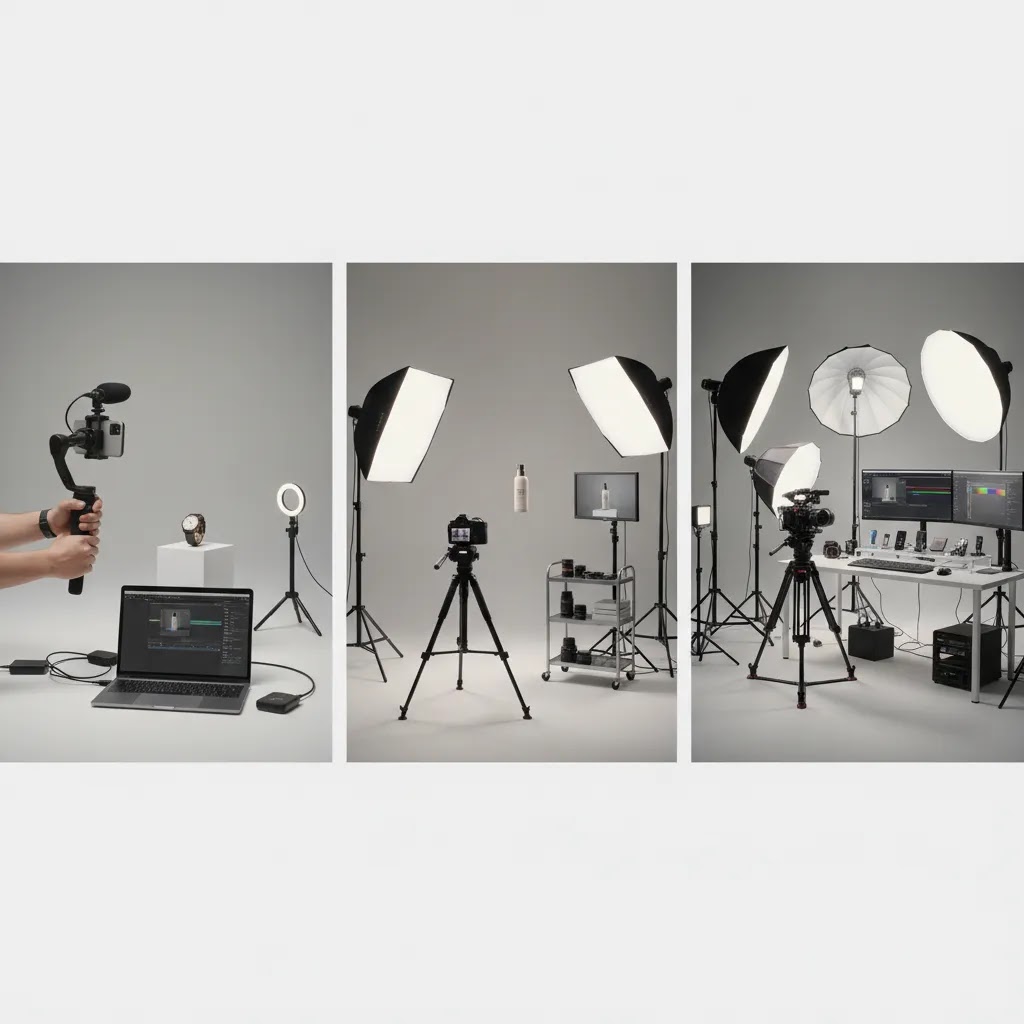
Not all product videography services are trying to be the same thing. Some are essentially a skilled creator you hire for fast short-form content. Others are a studio system built for repeatable catalog work. Others are closer to a full-service production partner, concept through delivery, that can run larger lifestyle campaigns.
For most Shopify store owners, choosing the right type comes down to what you are using the video for, and how much internal time you have to manage creative.
Freelancer or creator (often fastest for UGC-style ads)
This route can make sense if you need a steady flow of social-first creative, quick iterations, and a more natural feel. It is often a good fit for testing hooks and angles in paid social, or getting simple product demos you can post organically. The tradeoff is consistency across multiple SKUs and tighter process. Some freelancers are extremely organized, others are not. You need to verify how they handle briefs, naming, exports, and revisions if you are building a content pipeline.
Studio team (often best for consistent, repeatable ecommerce deliverables)
Studios tend to be stronger when you need consistency across a product line, better lighting control, and a predictable workflow. If you are building Shopify product pages for multiple SKUs, this can matter more than cinematic creativity. Think of it this way: your product page video often needs to be clear and conversion-focused more than it needs to be “cool.” A studio setup can be ideal for clean demos, pack shots, texture close-ups, and repeatable angles that scale.
Full-service production (best when you want lifestyle campaigns and hands-off management)
If you need concepting, sets, models, locations, and a bigger brand story, full-service production can be the right fit. This tends to be more expensive and less flexible for rapid iteration, but it can produce a higher-end campaign look. The key question is whether you will actually reuse the assets across multiple channels and time periods, or whether you are paying for one big launch moment.
How to judge “fit” in a portfolio
Aesthetics matter, but ecommerce fit is more practical than most people think. Look for evidence that the provider understands deliverables and scale, not just cinematography. For example: do they show multiple aspect ratios, clear product detail shots, and videos that feel built for product pages and ads? Do they show consistency across variants, such as multiple colors, sizes, or flavors? Do they demonstrate process maturity, such as clear before and after edits, controlled lighting, and repeatable framing?
If you cannot tell how the work performs in real placements, ask for examples that mirror your use case. A provider can be excellent and still be wrong for your business if their process is not designed around ecommerce outputs.
Key Features
The strongest product videography services usually combine creative production with practical ecommerce deliverables. Here is what matters most.
Pre-production planning should include a shot list, orientation requirements, script or hook options, and clear SKU tracking. This is especially important if you are producing for Shopify PDPs, social ads, and Amazon at the same time.
Multiple content formats are valuable because one shoot should ideally produce more than one asset type. Many brands need short demos, unboxing sequences, lifestyle clips, and still frames pulled from video. That crossover can lower cost per usable asset.
Editing support should cover color correction, captions, format resizing, music licensing where needed, and clean exports for web and paid media. If the provider also offers ecommerce product photography services, you can usually get more consistent lighting and brand presentation across all visuals.
Supportive AI tools can help before and after the shoot. Based on the available product data, tools like Creator Studio and Magic Photo Editor may help merchants create or refine visual assets around a campaign. AI Background Generator, Free White Background Generator, and Background Swap Editor may be useful for extending still-image variations. Increase Image Resolution and Remove Text From Images can support cleanup work if older assets need repurposing.
Scene and styling flexibility matters if you want premium-looking lifestyle footage without a large studio production. Reviewing lifestyle photoshoot ideas before briefing a provider can help you define what kind of visual storytelling actually fits your product.
Technical quality still matters, even for looser social-first content. Lens choice, focus control, lighting, and motion handling affect perceived product quality. If you are trying to evaluate this yourself, it helps to understand the best lens for product photography because the same optical principles influence product video clarity and distortion.
For brands comparing traditional and AI-assisted workflows, the best setup is often hybrid: use a service for core hero footage, then use AI and editing tools to generate supporting variants, alternate backgrounds, and campaign-specific assets.
Pros and Cons
Strengths
- Product videography can communicate product function, texture, scale, and setup faster than static images alone.
- One shoot can often generate assets for Shopify PDPs, email, Amazon, paid social, and organic social.
- Bundled product photography & videography services can reduce coordination and keep visual branding consistent.
- AI-assisted tools can extend a shoot with extra backgrounds, cleanup, and supporting still-image variations.
- Well-structured providers usually save internal team time on planning, filming, editing, and asset formatting.
Considerations
- Verified pricing often requires a custom quote, which makes direct comparison slower and less transparent.
- High-end production can become expensive once models, props, revisions, and multiple aspect ratios are added.
- Some visually impressive studios are not ecommerce-focused, so the final assets may look good but underperform in practical placements.
- AI tools can help with support visuals, but they do not replace strong product footage for items that need true motion demonstration.
Who It's Best For
Product videography services are best for brands that already know where the assets will be used and can justify the spend through repeated use. That includes Shopify stores with hero products, premium price points, or products that benefit from demonstration. It is also a good fit for merchants scaling paid social who need a steady flow of ad creatives.
Smaller stores can still benefit, but they should usually start with one flagship SKU and a tightly scoped deliverable list. If cash flow is tight, combine a lightweight shoot with AI-supported visual expansion instead of commissioning a full catalog at once. You can explore broader category resources in Lifestyle Product Photography and Product Video & Animation if you are still narrowing your approach.
How to Get Started
Start by deciding what the video must do. Is it meant to lift PDP clarity, improve ad click-through, support Amazon listings, or create lifestyle brand content? Your answer changes the brief, format, and provider choice.
Next, shortlist providers and request a sample scope. Ask for deliverables by platform, revision limits, turnaround time, and whether they handle stills, retouching, or image editing. If you are planning lifestyle scenes, send reference frames and explain whether you need polished studio content or more casual smartphone product videography.
Then prepare your products properly. Clean samples, packaging variants, usage instructions, and brand guidelines all affect production quality. Create a must-have shot list with priority order. For many merchants, it also helps to identify which scenes could be generated or extended later through AI tools rather than captured during the main shoot.
Finally, review the first draft like a merchant, not just a creative director. Check clarity on mobile, playback speed, file size, crop safety, and how well the footage supports buying decisions. The right service is the one that makes implementation smoother on your actual storefront.
Frequently Asked Questions
How much do product videography services usually cost?
Costs vary widely by scope, location, editing needs, and whether still photography is included. Some providers charge per clip, per SKU, or by shoot day. Since the current live tool data does not include verified service pricing, ask for a line-item quote that separates filming, editing, revisions, props, and usage rights before making a decision.
Are product videography services worth it for a small Shopify store?
They can be, especially if you sell a product that needs demonstration or has a strong visual appeal. For a smaller Shopify store, the safest approach is usually a tightly scoped shoot for one hero product. That gives you a clearer test of value without overcommitting on a full catalog production.
Can I use AI instead of hiring a product videography service?
AI can help with backgrounds, still-image cleanup, and creative variations, but it is not always a substitute for real footage. If your product needs real motion, handling, or usage proof, a service provider is often still the better option. AI works best as a support layer around production, not always as a full replacement.
What should I ask before hiring a provider?
Ask what deliverables are included, how many revision rounds you get, what file formats are delivered, how long turnaround takes, and whether the team understands Shopify, Amazon, and paid social placements. You should also ask who owns the final assets and whether the quote includes props, models, and post-production.
Do I need both product photography and product videography?
In most cases, yes. Video is excellent for demonstration and storytelling, while still images remain essential for galleries, zoom views, marketplace listings, and collection pages. Many brands get the best return by combining core video assets with strong still photography and selective retouching or image editing support.
Is smartphone product videography good enough for ecommerce?
It can be good enough for social-first content or lower-cost testing if lighting, stabilization, and framing are handled well. For premium PDP content or larger ad campaigns, dedicated production usually produces more consistent results. The right choice depends on your product category, brand positioning, and how polished the final content needs to look.
How quickly can I publish the finished videos on Shopify?
That depends on your provider's turnaround and your internal review speed. In many cases, the biggest delays come from revisions and unclear briefs rather than filming itself. If your deliverables are formatted correctly from the start, uploading and placing them on Shopify product pages is usually straightforward.
How much does a product video cost?
A product video can range from a simple, single-clip deliverable to a set of platform-specific edits with captions, multiple aspect ratios, and paid-usage licensing. Costs typically depend on how many final exports you need, how complex the shoot is, and how many revision rounds are included. The most reliable way to price it is to request a quote that spells out deliverables, editing scope, usage rights, and add-ons like models, props, or rush delivery.
What is product videography?
Product videography is the planning, filming, and editing of video that shows a product clearly for ecommerce use. That can include demos, unboxings, detail close-ups, lifestyle usage, and ad creatives designed for placements like Shopify product pages, Amazon listings, and short-form social ads. Good product videography focuses on reducing buying uncertainty, not just making a product look cinematic.
How much should a videographer charge per hour?
Hourly pricing varies by experience level, location, and whether the person is only filming or also handling lighting, audio, and editing. For ecommerce, hourly rates can be a less useful comparison than a scoped project price, because what matters is the finished outputs you can actually publish. If a provider quotes hourly, ask what is included in that time, what the expected deliverables are, and how editing and revisions are billed.
How much should I pay for a product video?
You should aim to pay for a scope that matches how you will use the asset. If you only need a short PDP clip for one hero SKU, keep the deliverables tight and avoid add-ons that do not impact clarity. If you need ads, multiple aspect ratios, captions, and several variations for testing, expect a higher total because the editing and versioning workload increases. In both cases, a line-item quote is the best protection against surprise costs.
Key Takeaways
- Product videography services are most valuable when they reduce buying uncertainty and create reusable assets across channels.
- Do not compare providers on creative style alone. Compare deliverables, revision policy, ecommerce experience, and implementation fit.
- Verified pricing should come from custom quotes, especially when editing, stills, and usage rights are involved.
- A hybrid approach often works well: filmed hero assets plus AI-supported visual expansion for supporting creatives.
- For smaller stores, starting with one flagship product is usually the most practical first step.
Conclusion
Product videography services make the most sense when you treat them as a conversion and content operations decision, not just a branding purchase. If your products benefit from motion, demonstration, or richer storytelling, a good provider can help you create assets that support Shopify product pages, paid media, and marketplace listings. If your store is still early-stage, keep the first project narrow and focus on one or two high-priority products. If you already have traction, a broader photo and video package may be justified. The practical next step is simple: define your deliverables, request detailed quotes, and compare providers based on ecommerce execution, not flashy reels alone. That approach will usually lead to a better long-term content system.
Disclosure: AcquireConvert may receive affiliate compensation from some third-party links referenced across the site, where applicable. This article is intended for informational purposes and does not constitute a guarantee of business results. Pricing, service scope, and performance outcomes vary by provider, niche, traffic levels, creative quality, and implementation.

Hi, I'm Giles Thomas.
Founder of AcquireConvert, the place where ecommerce entrepreneurs & marketers go to learn growth. I'm also the founder of Shopify agency Whole Design Studios.